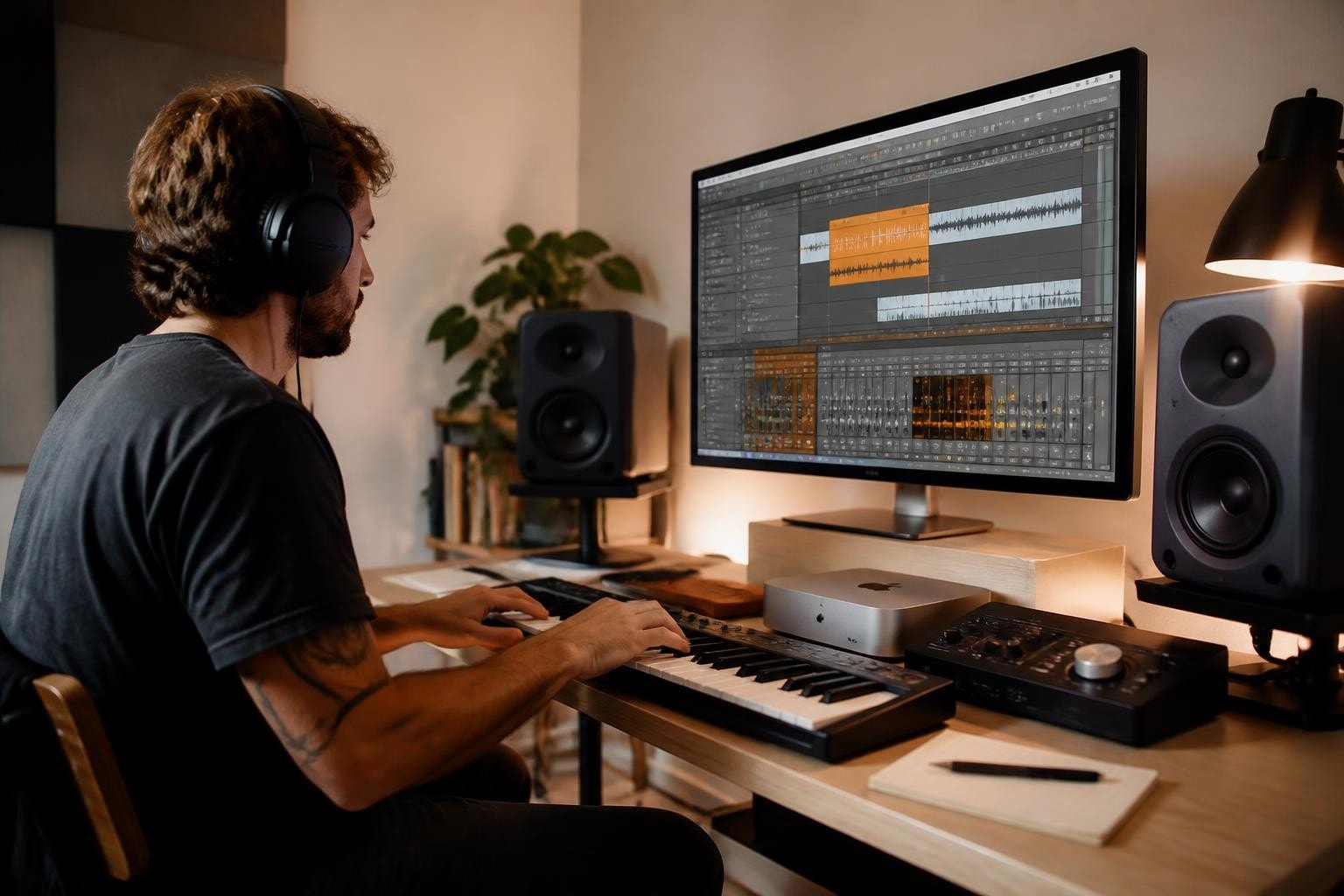

The mac mini for music production has evolved into one of the most compelling choices for audio professionals and bedroom producers alike in 2026. With Apple's transition to M-series chips now fully mature, this compact powerhouse delivers professional-grade performance without the premium price tag associated with Mac Studio or Mac Pro systems. Furthermore, the latest iterations address longstanding concerns about expandability and thermal management, making them increasingly viable for demanding production environments.
Why Choose Mac Mini for Music Production
Apple's Mac Mini has traditionally occupied a unique position in the professional audio market. Moreover, the introduction of the M4 and M4 Pro chips has fundamentally transformed what this diminutive desktop can achieve. The Apple Mac Mini M4’s performance in home recording studios demonstrates remarkable improvements over previous generations, particularly in handling large sample libraries and complex plugin chains.
Processing Power and Efficiency
The M4 chip architecture brings substantial advantages for audio work. Therefore, producers can run multiple instances of CPU-intensive plugins without experiencing the dreaded audio dropouts that plague underpowered systems. The unified memory architecture ensures that sample libraries load quickly and remain accessible throughout your session.
Key performance metrics include:
- Up to 14-core CPU for parallel processing tasks
- 20-core GPU for visual interfaces and video editing
- Up to 64GB unified memory for extensive sample libraries
- Neural Engine acceleration for AI-powered plugins
In addition, the efficiency cores handle background tasks whilst the performance cores tackle demanding real-time audio processing. This intelligent distribution of workload means your mac mini for music production maintains consistent performance even during marathon mixing sessions.
Thermal Management and Reliability
Nevertheless, one concern that historically plagued compact desktops was thermal throttling during intensive workloads. The current Mac Mini design addresses this through improved airflow engineering and the inherent efficiency of Apple Silicon. Furthermore, the reduced power consumption generates less heat overall, creating a more stable environment for critical audio work.
| Aspect | Mac Mini M4 | Mac Mini M4 Pro |
|---|---|---|
| Base TDP | 25W | 35W |
| Maximum TDP | 45W | 65W |
| Cooling System | Active fan with optimised airflow | Enhanced thermal architecture |
| Noise Level | Near-silent at typical loads | Minimal acoustic interference |
Therefore, even during complex orchestral renders or stem bouncing, the system remains acoustically transparent in your studio environment.
Essential Specifications for Audio Production
Selecting the right configuration for your mac mini for music production requires understanding how different components impact your workflow. Moreover, the modular nature of external audio hardware means your initial investment can grow alongside your production needs.
Memory Considerations
Unified memory serves double duty in Apple Silicon systems, functioning as both RAM and VRAM. Consequently, your choice here directly impacts how many tracks, plugins, and sample instruments you can run simultaneously. For professional work, 24GB represents the minimum viable configuration, whilst 32GB or 64GB future-proofs your investment.
Memory recommendations by production style:
- Electronic and hip-hop producers: 16GB minimum, 24GB recommended
- Film scoring and orchestral work: 32GB minimum, 64GB ideal
- Mixing and mastering engineers: 24GB minimum, 48GB recommended
- Multi-genre production studios: 32GB minimum for versatility
In addition, unlike previous Intel-based Macs, you cannot upgrade memory after purchase. Therefore, careful planning at the configuration stage proves essential for long-term satisfaction.
Storage Solutions and Workflow Integration
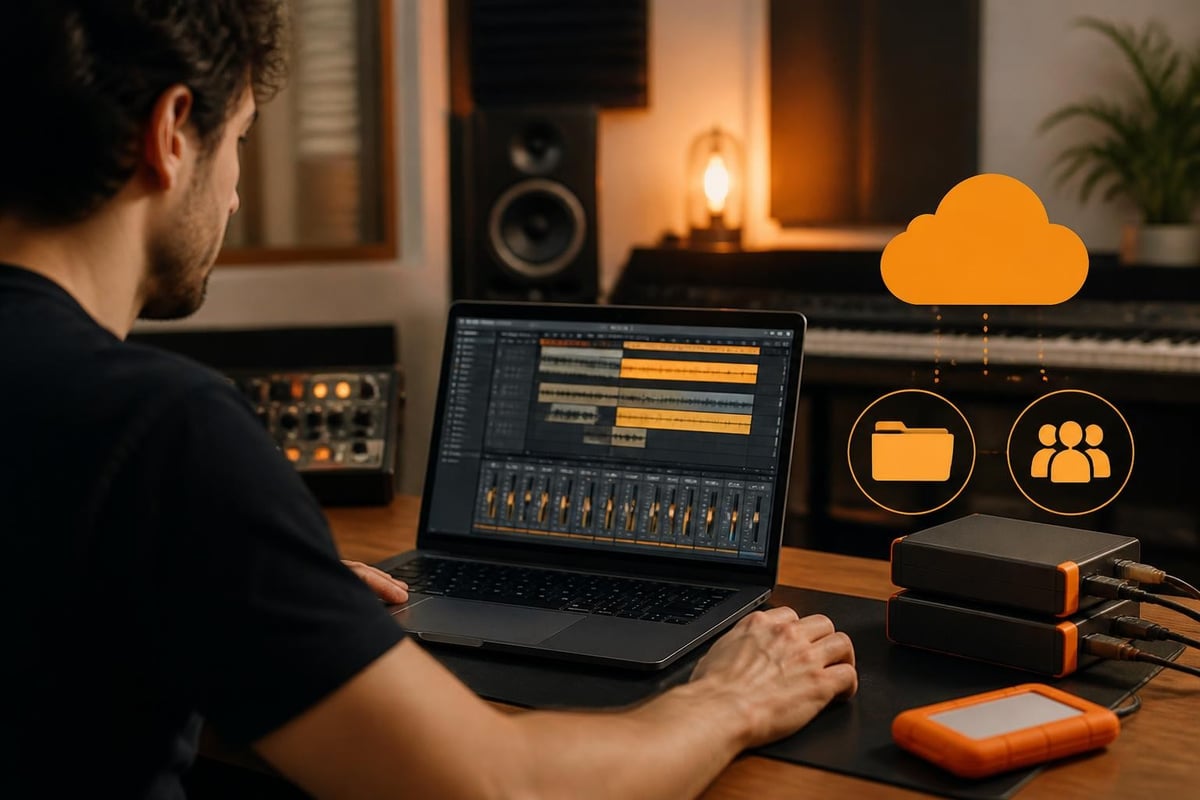
The internal SSD provides exceptional read/write speeds crucial for streaming large sample libraries. Nevertheless, most professional setups benefit from external storage solutions for project archives and backup redundancy. Furthermore, cloud-based collaboration workflows increasingly complement local storage, particularly for remote production teams.
When configuring your system, allocate internal storage for your operating system, applications, and active projects. Moreover, consider that modern sample libraries can easily consume 500GB to 1TB of space. Therefore, a 1TB internal drive combined with external Thunderbolt storage creates an optimal balance of performance and capacity.
Secure cloud services enable producers to maintain off-site backups and collaborate seamlessly with artists across different locations. In addition, solutions that prioritise encryption ensure your unreleased material remains protected throughout the creative process. For producers seeking comprehensive data protection alongside their production workflow, exploring vBoxxCloud for all your files online provides an opportunity to understand how secure cloud infrastructure integrates with creative workflows.
Connectivity and Expansion Options
The mac mini for music production excels through its comprehensive connectivity options. Furthermore, the Thunderbolt 4 ports provide the bandwidth necessary for professional audio interfaces, external GPUs, and high-speed storage arrays simultaneously.
Port Configuration Analysis
| Port Type | Mac Mini M4 | Mac Mini M4 Pro | Typical Use in Production |
|---|---|---|---|
| Thunderbolt 4/USB-C | 3 ports | 5 ports | Audio interfaces, storage, displays |
| USB-A | 2 ports | 2 ports | MIDI controllers, legacy hardware |
| HDMI | 1 port | 1 port | Secondary display for mixer views |
| Ethernet | 1 Gigabit | 10 Gigabit option | Network audio, cloud collaboration |
| Headphone Jack | 1 (3.5mm) | 1 (3.5mm) | Monitoring, though professional interfaces recommended |
Therefore, even complex setups involving multiple hardware synthesizers, audio interfaces, and control surfaces connect without requiring additional hubs. Moreover, the 10 Gigabit Ethernet option on M4 Pro models facilitates high-speed network audio protocols and rapid cloud backup operations.
Audio Interface Integration
Whilst the Mac Mini includes a headphone output, professional production demands dedicated audio interfaces. Consequently, pairing MIDI controllers with the Mac Mini creates a complete production environment. Nevertheless, Thunderbolt and USB-C interfaces deliver superior latency performance compared to USB-A connections.
Software Ecosystem and DAW Performance
The mac mini for music production benefits from macOS's robust audio infrastructure. Furthermore, Core Audio provides low-latency performance that rivals dedicated DSP systems. Therefore, popular digital audio workstations run exceptionally well on Apple Silicon, particularly those optimised for native M-series performance.
DAW Optimisation Status
- Logic Pro: Native Apple Silicon with exceptional performance
- Ableton Live: Universal binary delivering improved efficiency
- Pro Tools: Native support with continuous optimisation updates
- Studio One: Full Apple Silicon compatibility
- Cubase: Native M-series support across all versions
In addition, plugin manufacturers have largely completed their transitions to native Apple Silicon formats. Nevertheless, Rosetta 2 translation handles legacy plugins with minimal performance impact, ensuring backward compatibility with established project files.
Performance Benchmarks
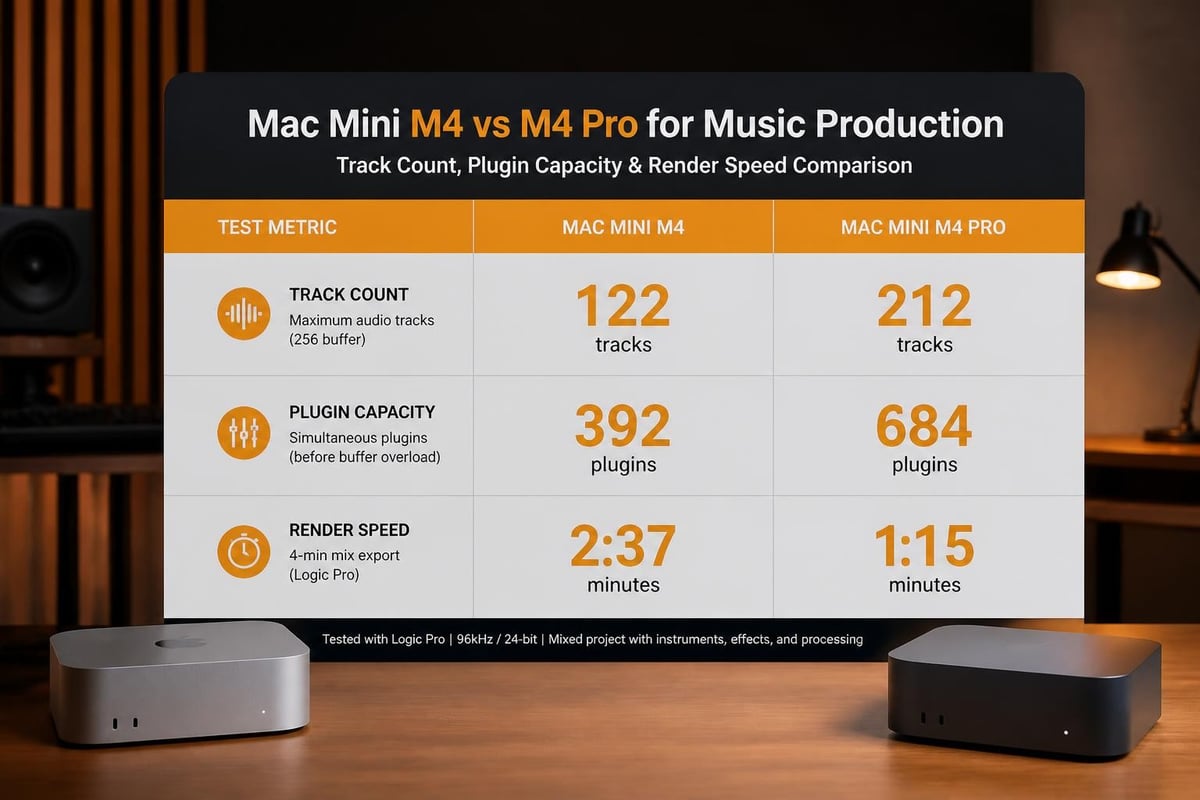
The Mac Mini’s capabilities for music production demonstrate impressive real-world performance across various scenarios. Moreover, standardised tests reveal consistent advantages in track count, plugin instances, and render times compared to similarly priced alternatives.
Typical performance indicators:
- Track count: 150+ audio tracks with plugins at 96kHz sample rate
- Plugin instances: 300+ lightweight plugins or 50+ demanding emulations
- Sample streaming: 200+ GB libraries with minimal buffer settings
- Render times: Real-time or faster for most projects
Therefore, even ambitious productions remain within the Mac Mini's capabilities, particularly when configured with adequate memory.
Cost Considerations and Value Proposition
Understanding the financial investment required for a mac mini for music production extends beyond the base system price. Furthermore, recent market conditions have impacted pricing across the computer industry. The 2026 price increase due to global DRAM shortages affects Mac Mini configurations, particularly higher-memory models.
Configuration Pricing Strategy
Nevertheless, the Mac Mini remains competitively positioned against comparable desktop workstations. Moreover, when factoring in longevity and resale value, the total cost of ownership often proves favourable. Therefore, investing in appropriate specifications initially reduces the need for premature upgrades.
| Configuration | Approximate Cost | Ideal For | Future-Proofing Rating |
|---|---|---|---|
| M4, 16GB, 512GB | £800-900 | Beginners, electronic production | 2-3 years |
| M4, 24GB, 1TB | £1,100-1,200 | Intermediate producers | 3-4 years |
| M4 Pro, 32GB, 1TB | £1,600-1,800 | Professional studios | 4-6 years |
| M4 Pro, 64GB, 2TB | £2,400-2,600 | Demanding orchestral work | 5-7 years |
In addition, external audio interfaces, MIDI controllers, and monitors represent additional investments. Consequently, budgeting £2,000-3,000 total for a complete professional setup proves realistic for most producers.
Setup and Optimisation Strategies
Configuring your mac mini for music production involves more than connecting cables. Furthermore, proper optimisation ensures consistent performance and prevents frustrating technical issues during creative sessions. Therefore, following established best practices from the outset saves considerable troubleshooting time later.
Initial Configuration Steps
- Update macOS to the latest stable version before installing audio software
- Configure energy settings to prevent sleep during recordings or renders
- Disable automatic updates that might interrupt production sessions
- Optimise network settings for cloud collaboration and backup workflows
- Install audio drivers for your interface before launching DAW software
Moreover, the comprehensive guide on setting up a Mac Mini for music production provides detailed walkthroughs for various production scenarios. Nevertheless, each studio's requirements differ based on workflow preferences and hardware choices.
Performance Optimisation Techniques
In addition to initial setup, ongoing maintenance ensures optimal performance. Therefore, regular housekeeping prevents gradual performance degradation that affects creative flow.
Essential maintenance tasks:
- Clear DAW cache folders monthly to prevent bloat
- Archive completed projects to external storage quarterly
- Update plugins and DAW software during designated maintenance windows
- Monitor CPU and memory usage to identify problematic plugins
- Maintain adequate free space on internal SSD (minimum 20% free)
Furthermore, creating standardised templates with frequently used instruments and effects reduces setup time for new projects. Consequently, you spend more time creating and less time configuring.
Comparative Analysis with Alternative Systems
Whilst the mac mini for music production offers compelling advantages, understanding how it compares to alternatives informs purchasing decisions. Moreover, the best desktop PCs for music production in 2026 include both Mac and Windows options, each with distinct characteristics.
Mac Mini versus Mac Studio
The Mac Studio represents Apple's next tier in desktop performance. Nevertheless, the price differential warrants careful consideration for most producers. Furthermore, the performance gap has narrowed considerably with the M4 Pro Mac Mini.
| Factor | Mac Mini M4 Pro | Mac Studio M2 Max |
|---|---|---|
| Starting Price | £1,600 | £2,400 |
| Maximum Memory | 64GB | 96GB |
| Performance Difference | Reference baseline | 15-25% faster in sustained workloads |
| Form Factor | Ultra-compact | Compact but larger |
| Value Proposition | Excellent for most producers | Justified for complex orchestral work |
Therefore, unless your productions regularly involve 400+ track orchestral templates, the Mac Mini M4 Pro delivers sufficient performance. Moreover, the cost savings enable investment in superior audio interfaces or acoustic treatment.
Platform Comparison: macOS versus Windows
The eternal debate between platforms continues, yet certain factors favour macOS for audio work. Nevertheless, Windows systems offer their own advantages, particularly regarding hardware flexibility and upgradability.
macOS advantages for music production:
- Superior driver stability and Core Audio architecture
- Optimised hardware-software integration reduces compatibility issues
- Logic Pro exclusivity appeals to many producers
- Generally lower latency with identical hardware specifications
Windows advantages for music production:
- Greater hardware choice and upgrade flexibility
- Often lower cost for equivalent specifications
- Certain plugins and DAWs perform better on Windows
- Easier GPU upgrades for video editing integration
In addition, the advantages of using Macs for music production extend beyond raw specifications to ecosystem integration and workflow efficiency. Consequently, many professional studios standardise on macOS despite higher initial costs.
Future-Proofing Your Investment
Purchasing a mac mini for music production represents a multi-year investment. Furthermore, the sealed design prevents internal upgrades, making initial configuration choices particularly important. Therefore, anticipating future needs whilst balancing current budgets requires strategic thinking.
Longevity Considerations
The M4 and M4 Pro chips should remain relevant for music production through 2030 and beyond. Moreover, Apple's track record shows extended macOS support for their own silicon. Nevertheless, certain factors influence practical longevity.
- Memory capacity: Cannot be upgraded; purchase maximum affordable amount
- Storage: External expansion possible but internal SSD preferable for active work
- Audio interface: Independent of Mac Mini; upgrades occur separately
- Software compatibility: Major DAW vendors support older macOS versions for 3-5 years
In addition, the resale market for Mac Minis remains robust, enabling cost-effective upgrades when requirements genuinely exceed capabilities. Consequently, even if you outgrow your initial configuration, recovery of investment proves feasible.
Emerging Technologies and Workflows
Cloud collaboration and remote production continue gaining prominence within music production. Furthermore, secure infrastructure becomes increasingly important as intellectual property theft concerns grow. Therefore, integrating robust backup and collaboration solutions protects both creative work and business interests.
Moreover, artificial intelligence tools increasingly augment production workflows. Nevertheless, these tools require substantial processing power and memory, reinforcing the importance of adequate initial specifications. The Neural Engine in M4 chips accelerates compatible AI plugins, providing tangible performance advantages in compatible software.
Real-World Studio Integration
Professional studios integrating the mac mini for music production report high satisfaction levels. Furthermore, the compact footprint proves advantageous in space-constrained environments. Therefore, both established facilities and bedroom producers benefit from its versatility.
Professional Studio Experiences
The M4 Pro Mac Mini’s compact design and powerful performance enables creative desk layouts that prioritise ergonomics. Moreover, the reduced thermal output and acoustic signature maintain professional monitoring environments without introducing unwanted noise.
Common integration scenarios:
- Under-desk mounting to maximise workspace
- Rack mounting with appropriate adapters in equipment racks
- Desktop placement with minimal footprint impact
- Mobile production setups for location recording
In addition, the reliability of Apple Silicon systems reduces downtime compared to previous generations. Consequently, professionals report fewer technical interruptions and greater confidence during client sessions.
Home Studio Configurations
For home-based producers, the Mac Mini offers professional capabilities without requiring dedicated studio space. Furthermore, the ability to connect multiple displays enhances workflow efficiency when working with complex arrangements or detailed editing tasks.
Nevertheless, certain acoustic considerations apply regardless of system choice. Therefore, investing in proper monitoring, acoustic treatment, and ergonomic furniture yields greater sonic improvements than marginal computer specifications differences.
The Mac Mini M4 and M4 Pro deliver exceptional value and performance for music production in 2026, combining professional capabilities with compact design. Whether you're establishing your first production environment or upgrading existing infrastructure, the considerations outlined above ensure informed decision-making aligned with your creative goals. For producers requiring secure cloud infrastructure to protect their creative assets whilst enabling seamless collaboration, vBoxx provides enterprise-grade security and privacy alongside sustainable hosting practices, ensuring your music production workflow remains protected and accessible across all your creative endeavours.