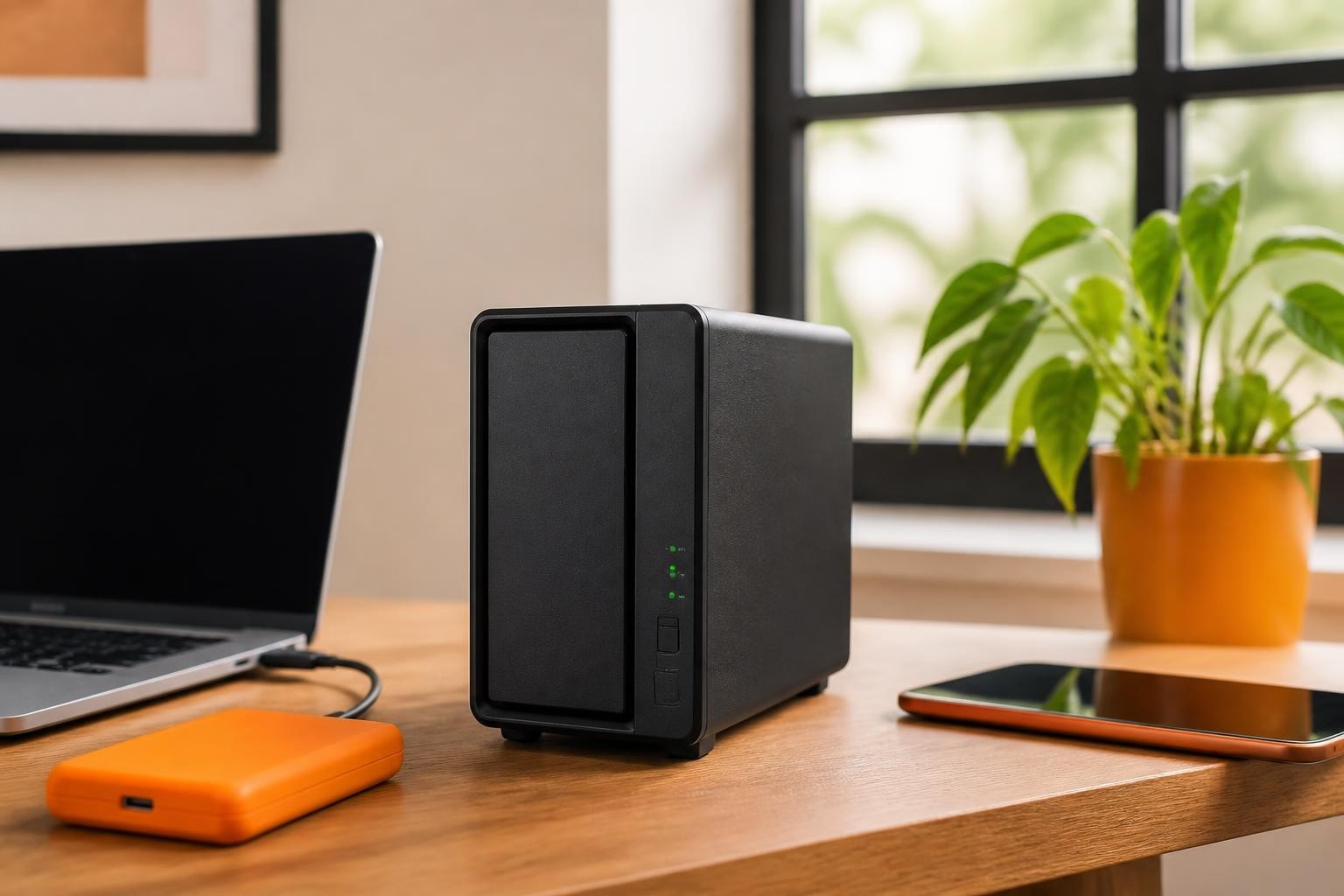

The Synology DS118 represents a compelling entry point for small businesses and home users seeking reliable network-attached storage without the complexity or expense of multi-bay systems. This single-bay NAS device balances affordability with Synology's robust DiskStation Manager (DSM) operating system, offering features typically reserved for enterprise-grade equipment. Furthermore, its compact footprint and straightforward setup make it an attractive option for organisations taking their first steps towards centralized data management, whilst also serving as an effective backup destination or media server for existing infrastructure.
Understanding the Synology DS118 Hardware Architecture
The Synology DS118 builds upon a foundation of carefully selected components designed to deliver consistent performance within its single-bay form factor. At its core, the device employs a Realtek RTD1296 quad-core processor running at 1.4 GHz, paired with 1GB of DDR4 RAM. Moreover, this processor family includes dedicated hardware transcoding engines, enabling the DS118 to handle multimedia tasks more efficiently than CPU-only alternatives.
According to the official product specification sheet, the device supports a single 3.5-inch or 2.5-inch SATA drive up to 16TB in capacity, providing ample room for growth. In addition, the unit features:
- One Gigabit Ethernet port for network connectivity
- Two USB 3.0 ports for external storage expansion or printer sharing
- Hot-swappable drive bay for tool-free drive installation
- Floating-point unit for enhanced encryption performance
The physical dimensions measure 166 mm in height, 108 mm in width, and 233.2 mm in depth, therefore occupying minimal desk space. Nevertheless, prospective buyers should account for adequate ventilation clearance, particularly in warmer environments where the 92 mm cooling fan operates more frequently.
Performance Characteristics and Real-World Throughput
Independent testing reveals how the Synology DS118 performs under various workloads. The SmallNetBuilder review documents sequential read speeds approaching 112 MB/s and write speeds near 111 MB/s when configured with a suitable drive. Furthermore, these figures position the DS118 competitively within its price bracket, though users seeking maximum throughput should consider multi-bay models with link aggregation support.
| Performance Metric | Typical Result | Optimal Use Case |
|---|---|---|
| Sequential Read | 110-112 MB/s | Large file transfers, media streaming |
| Sequential Write | 108-111 MB/s | Backup operations, video recording |
| Power Consumption (Access) | 14.91W | Active file serving |
| Power Consumption (Idle) | 6.87W | Scheduled backup windows |
The hardware transcoding capability deserves particular attention for multimedia applications. The KitGuru evaluation confirms that the DS118 handles H.264 1080p transcoding smoothly, although 4K content may tax the processor depending on codec and bitrate. Consequently, users planning extensive 4K media libraries should carefully assess their transcoding requirements before committing to this single-bay platform.

DiskStation Manager: The Software Foundation
The true strength of the Synology DS118 lies not merely in its hardware specifications but in the comprehensive DiskStation Manager (DSM) operating system. DSM 7.0 and subsequent versions deliver an intuitive web-based interface that mirrors desktop operating systems, complete with windowed applications, notifications, and customisable widgets. Therefore, users familiar with Windows or macOS environments adapt quickly to the DSM paradigm.
Essential DSM Applications for Business Use
Synology's Package Center offers hundreds of first-party and third-party applications, transforming the DS118 from simple storage into a multifaceted business tool:
- File Station: Web-based file management with drag-and-drop functionality, thumbnail previews, and comprehensive search capabilities
- Cloud Sync: Bidirectional synchronisation with Dropbox, Google Drive, OneDrive, and other cloud platforms
- Snapshot Replication: Point-in-time snapshots for rapid recovery from accidental deletion or ransomware encryption
- Hyper Backup: Comprehensive backup solution supporting local, remote, and cloud destinations
- Surveillance Station: IP camera recording and monitoring (supports two cameras on the DS118 license)
Moreover, the Synology Download Center provides regular DSM updates, security patches, and compatibility information for both the operating system and individual packages. Nevertheless, administrators should establish a testing protocol before applying major version updates to production systems.
For organisations requiring GDPR-compliant cloud storage with enhanced features beyond standard NAS capabilities, vBoxxCloud offers 256-bit AES encryption stored in ISO 27001-certified European data centres, alongside eIDAS-compliant digital signing and AI-assisted document search. Furthermore, this hosted solution eliminates hardware maintenance concerns whilst ensuring data sovereignty outside US CLOUD Act jurisdiction.
Setting Up Your Synology DS118: Step-by-Step Configuration
Initial deployment of the Synology DS118 follows a logical progression from physical installation through software configuration. The WunderTech initial setup guide provides comprehensive step-by-step instructions, whilst the following overview highlights critical decision points.
Physical Installation and Network Integration
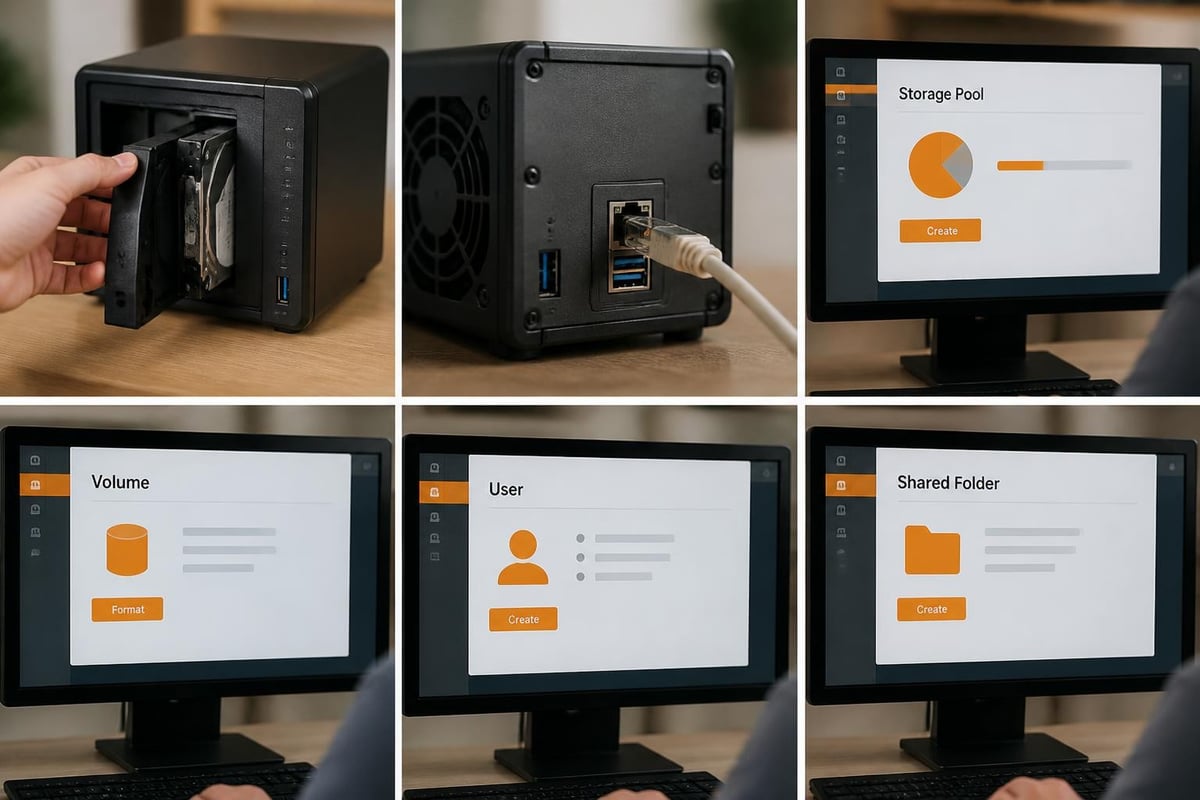
Begin by selecting an appropriate hard drive matched to your capacity and performance requirements. Western Digital Red and Seagate IronWolf drives represent popular choices specifically designed for NAS environments with enhanced vibration tolerance and 24/7 operation profiles. Install the drive using the tool-free mechanism, connect the Gigabit Ethernet cable to your network switch or router, and apply power.
The DS118 automatically acquires an IP address via DHCP, allowing discovery through Synology's Find.synology.com web service or the Synology Assistant desktop application. Therefore, no manual IP configuration is required initially, though assigning a static IP address or DHCP reservation proves beneficial for consistent remote access.
Storage Pool and Volume Creation Decisions
During initial configuration, DSM presents options for storage pool type and file system selection:
| Configuration Option | Recommended For | Trade-offs |
|---|---|---|
| SHR (Synology Hybrid RAID) | N/A (requires 2+ drives) | Not applicable to DS118 |
| Basic (Single Disk) | Maximum capacity utilization | No redundancy or fault tolerance |
| Btrfs File System | Data integrity, snapshots | Slightly higher overhead |
| ext4 File System | Maximum compatibility | No snapshot support |
For the DS118, Btrfs represents the optimal choice despite its single-bay limitation. This modern copy-on-write file system enables snapshot functionality, essential for protecting against ransomware and accidental deletions. Furthermore, Btrfs includes built-in data checksumming to detect and alert administrators to storage corruption.
User Management and Permission Architecture
Implementing proper access controls from the outset prevents future security complications. Create individual user accounts rather than sharing credentials, assign users to logical groups (Administration, Finance, Marketing), and configure shared folder permissions using DSM's granular controls. In addition, enable two-factor authentication for administrator accounts and consider implementing password complexity requirements.
The PCWorld NAS setup primer emphasizes the importance of establishing clear folder hierarchies and permission models before migrating production data. Consequently, investing time in planning your organisational structure yields dividends in long-term manageability and security posture.
Practical Business Applications for the DS118
Single-bay NAS devices like the Synology DS118 excel in specific deployment scenarios where budget constraints, space limitations, or modest capacity requirements align with their capabilities. Nevertheless, organisations should carefully evaluate whether single-bay architecture meets their redundancy and availability expectations.
Centralised Document Storage and Collaboration
Small teams benefit significantly from migrating document storage from individual workstations to the DS118. File Station provides version control, enabling recovery of previous document iterations without third-party software. Moreover, WebDAV and SMB protocols ensure compatibility with Windows, macOS, and Linux clients, whilst mobile applications extend access to iOS and Android devices.
However, the single-bay architecture introduces a critical vulnerability: drive failure results in complete data unavailability until replacement and restoration from backup. Therefore, implementing robust backup procedures proves non-negotiable for production deployments. Furthermore, organisations should establish clear recovery time objectives (RTO) and recovery point objectives (RPO) to determine whether single-bay solutions align with business continuity requirements.
Automated Workstation Backup Platform
The DS118 serves admirably as a backup destination for multiple workstations using Synology's Active Backup for Business suite. This package supports:
- Windows PC and Server backup with bare-metal recovery capability
- Mac Time Machine integration for seamless macOS backup
- File-level versioning with customisable retention policies
- Deduplication and compression to maximize storage efficiency
In addition, scheduled backup windows minimize network impact during business hours, whilst email notifications alert administrators to job completion or failures. Nevertheless, remember that the DS118 itself requires backup to an offsite or cloud destination to protect against site-level disasters, hardware failure, or ransomware encryption.
Media Streaming and Personal Cloud Services
For organisations providing client entertainment spaces or home users seeking media consolidation, the DS118 supports Plex Media Server, Synology Video Station, and Audio Station applications. The Realtek processor's hardware transcoding engine handles 1080p content smoothly, though performance degrades with multiple concurrent streams or higher-resolution sources.
Synology's QuickConnect technology simplifies remote access without complex port forwarding or VPN configuration. Furthermore, mobile applications enable secure file access, photo backup, and media streaming from anywhere with internet connectivity. Nevertheless, upstream bandwidth limitations in typical business internet connections may constrain simultaneous remote users.
Expansion Capabilities and Long-Term Scalability
The Synology DS118's single-bay design inherently limits internal storage expansion, yet Synology provides several pathways for extending capacity and functionality as requirements evolve. Understanding these options informs purchase decisions and long-term infrastructure planning.
USB Expansion and External Storage
Both USB 3.0 ports support external hard drives, effectively multiplying available capacity beyond the internal drive limit. External volumes integrate seamlessly into DSM's file system, appearing as additional shared folders or backup destinations. Moreover, USB expansion proves particularly valuable for:
- Rotating backup media following the 3-2-1 backup principle (three copies, two media types, one offsite)
- Archive storage for infrequently accessed historical data
- Temporary capacity during migration or project-specific requirements
However, external drives lack the environmental protection and vibration isolation of the internal bay. Therefore, limit their use to non-critical applications or ensure they feature adequate cooling and stable mounting.
Migration Path to Multi-Bay Systems
Organisations outgrowing the DS118 benefit from Synology's migration tools enabling transfer to larger models without complete data recreation. The Hyper Backup application creates comprehensive system backups including configurations, applications, and data. Furthermore, restoring to a new Synology NAS preserves settings and folder structures, minimizing reconfiguration efforts.
When evaluating upgrade timing, consider these indicators that you've exceeded single-bay capabilities:
- Capacity constraints requiring frequent archival or deletion of active data
- Performance bottlenecks during regular business operations
- Availability requirements demanding fault tolerance beyond backup-and-restore models
- Concurrent user growth saturating the single Gigabit Ethernet connection
Nevertheless, for many small offices, the DS118 provides years of reliable service before reaching these thresholds. According to StorageReview’s launch coverage, Synology positioned the DS118 specifically for users requiring robust features without multi-bay complexity or expense.
Maintenance, Monitoring, and Security Best Practices
Deploying the Synology DS118 represents merely the beginning of ongoing administrative responsibilities. Establishing proactive maintenance routines and security protocols ensures long-term reliability and protects against emerging threats.
Regular Update Schedules and Patch Management
Synology releases DSM updates addressing security vulnerabilities, adding features, and improving stability. Enable automatic update notifications through the Control Panel, though carefully evaluate major version upgrades in non-production environments before deployment. In addition, individual packages require independent updates accessible through Package Center.
Security patches warrant immediate attention, particularly those addressing critical vulnerabilities. Therefore, subscribe to Synology's security advisory mailing list and establish procedures for emergency patching outside normal maintenance windows when necessary.
Storage Health Monitoring and S.M.A.R.T. Analysis
The Storage Manager application provides comprehensive drive health monitoring through S.M.A.R.T. (Self-Monitoring, Analysis, and Reporting Technology) attributes. Configure regular S.M.A.R.T. tests (extended tests monthly, short tests weekly) and enable email alerts for failing or degraded attributes. Moreover, the DS118 includes scheduled scrubbing for Btrfs volumes, verifying data integrity and repairing detected corruption.
European testing laboratories, including CHIP.de’s independent review, validate the DS118's reliability under extended operation. Nevertheless, no storage device proves immune to eventual failure, reinforcing the critical importance of backup procedures.
Access Control and Network Security
Implement multiple security layers to protect your DS118 deployment:
- Firewall rules limiting access to required ports and trusted IP ranges
- Auto-block features preventing brute-force login attempts
- SSL/TLS certificates encrypting administrative and data connections
- VPN connectivity for secure remote access as an alternative to port exposure
Furthermore, regularly review Security Advisor recommendations within DSM, addressing identified vulnerabilities promptly. The consolidated review scores from German testing aggregators consistently highlight Synology's security-focused design philosophy across their product range.
Cost Analysis and Value Proposition
Understanding the total cost of ownership for the Synology DS118 extends beyond the initial hardware purchase. A comprehensive financial assessment includes drive acquisition, ongoing power consumption, and opportunity costs compared to alternative solutions.
Initial Investment and Ongoing Expenses
Current retail pricing positions the DS118 between £180 and £220 depending on regional availability and retailer promotions. Adding a quality NAS-optimized drive (for example, a 4TB Western Digital Red) contributes approximately £90-£110 to the initial investment. Therefore, a functional deployment requires roughly £270-£330 before considering network infrastructure requirements.
Operational expenses remain modest. Based on observed power consumption figures, the DS118 draws approximately 15W during active use and 7W when idle. Running 24/7 at UK average electricity rates (approximately £0.30 per kWh in 2026) yields annual power costs near £39 during constant access or £18 for predominantly idle operation. Consequently, power consumption rarely factors significantly into ownership decisions.
Competitive Positioning and Alternative Architectures
Compare the DS118 against alternative storage strategies:
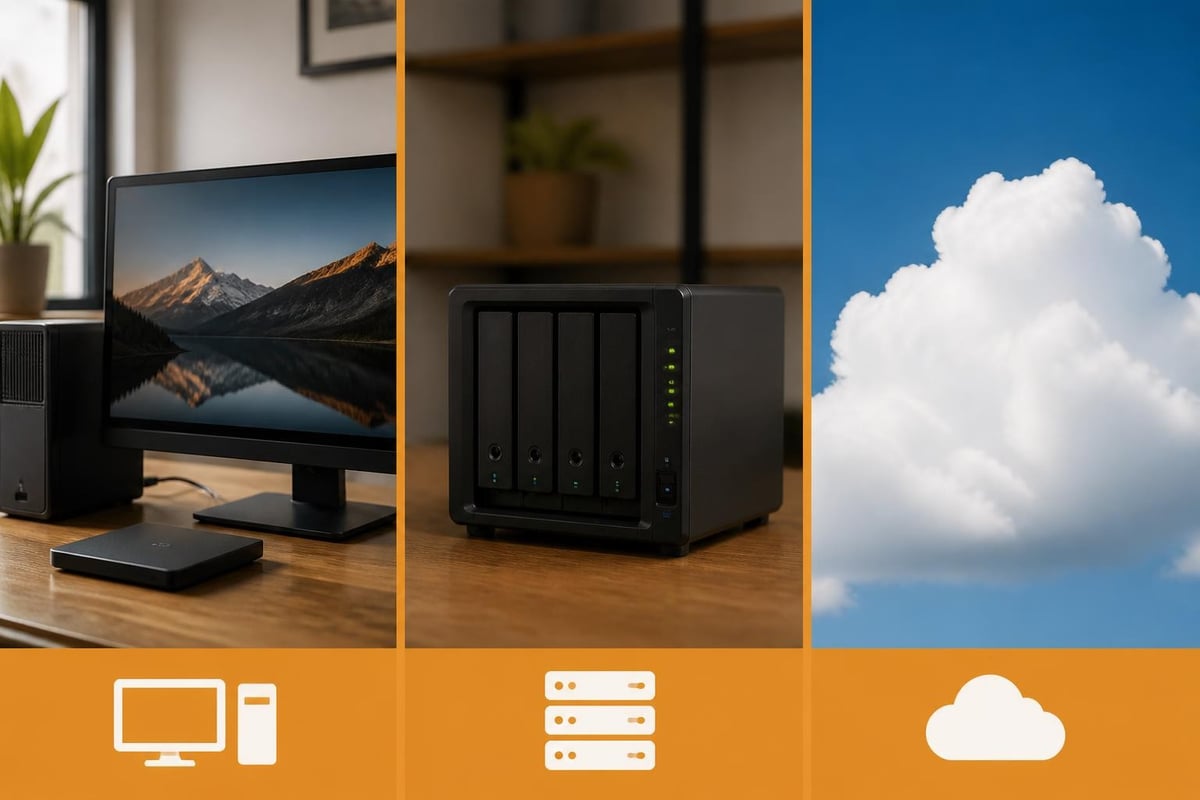
| Solution Type | Initial Cost | Monthly Cost | Redundancy | Complexity |
|---|---|---|---|---|
| Synology DS118 (4TB) | £280-330 | £0 (power only) | None (single drive) | Low-Medium |
| Entry 2-bay NAS (8TB RAID1) | £400-500 | £0 (power only) | Drive mirroring | Medium |
| Business Cloud Storage (4TB) | £0-50 | £40-80 | Provider-managed | Very Low |
| Dedicated Server Hosting | £200-400 | £50-150 | Varies by tier | Medium-High |
For organisations prioritising data sovereignty, GDPR compliance, and predictable costs, the DS118 delivers compelling value despite lacking built-in redundancy. Moreover, the absence of recurring subscription fees appeals to budget-conscious deployments with stable capacity requirements.
Nevertheless, cloud-based alternatives eliminate hardware management responsibilities and provide geographic redundancy impossible with single-location NAS deployments. vBoxx specializes in European-hosted infrastructure combining these cloud advantages with the compliance and sovereignty benefits typically associated with on-premises solutions, operating from ISO 27001-certified data centres in the Netherlands.
Environmental Considerations and Efficiency
Modern business infrastructure decisions increasingly incorporate environmental impact assessment alongside traditional technical and financial criteria. The Synology DS118's efficiency characteristics merit examination within this framework.
Power Efficiency and Carbon Footprint
The DS118's low power draw (6.87W idle, 14.91W active) compares favourably against always-on desktop computers frequently repurposed as makeshift file servers. A typical desktop consumes 60-150W even at idle, therefore substituting dedicated NAS hardware yields measurable energy savings. Furthermore, purpose-built NAS devices incorporate efficient power supplies and optimized cooling reducing waste heat production.
Annual carbon emissions depend heavily on regional electricity generation mix. Netherlands-based infrastructure benefits from approximately 70% renewable and low-carbon generation as of 2026, whilst other European regions vary considerably. Consequently, organisations tracking Scope 2 emissions should account for both device efficiency and hosting location when comparing on-premises versus hosted alternatives.
Hardware Longevity and E-Waste Reduction
Synology's commitment to long-term software support extends functional lifespan beyond typical consumer electronics. The DS118 continues receiving DSM updates years after initial release, postponing hardware obsolescence. Moreover, the upgrade path to higher-capacity drives extends useful service life without complete device replacement.
When eventual retirement arrives, responsible disposal through certified e-waste recycling programmes recovers valuable materials and prevents environmental contamination. In addition, organisations maintaining asset management databases should track device lifecycles, planning replacements before failure-driven emergencies necessitate rushed procurement decisions.
The Synology DS118 addresses a specific market segment requiring robust NAS functionality within single-bay constraints, balancing Synology's feature-rich DSM platform against affordability and simplicity. Whilst multi-bay systems offer superior redundancy and performance, the DS118 serves admirably for small offices, remote sites, and specialized applications where these characteristics prove secondary to cost and ease of deployment. For organisations seeking European-hosted alternatives with enhanced compliance, redundancy, and managed service benefits, vBoxx delivers secure cloud infrastructure from ISO 27001-certified Dutch data centres, combining GDPR compliance with comprehensive business productivity tools and expert support.