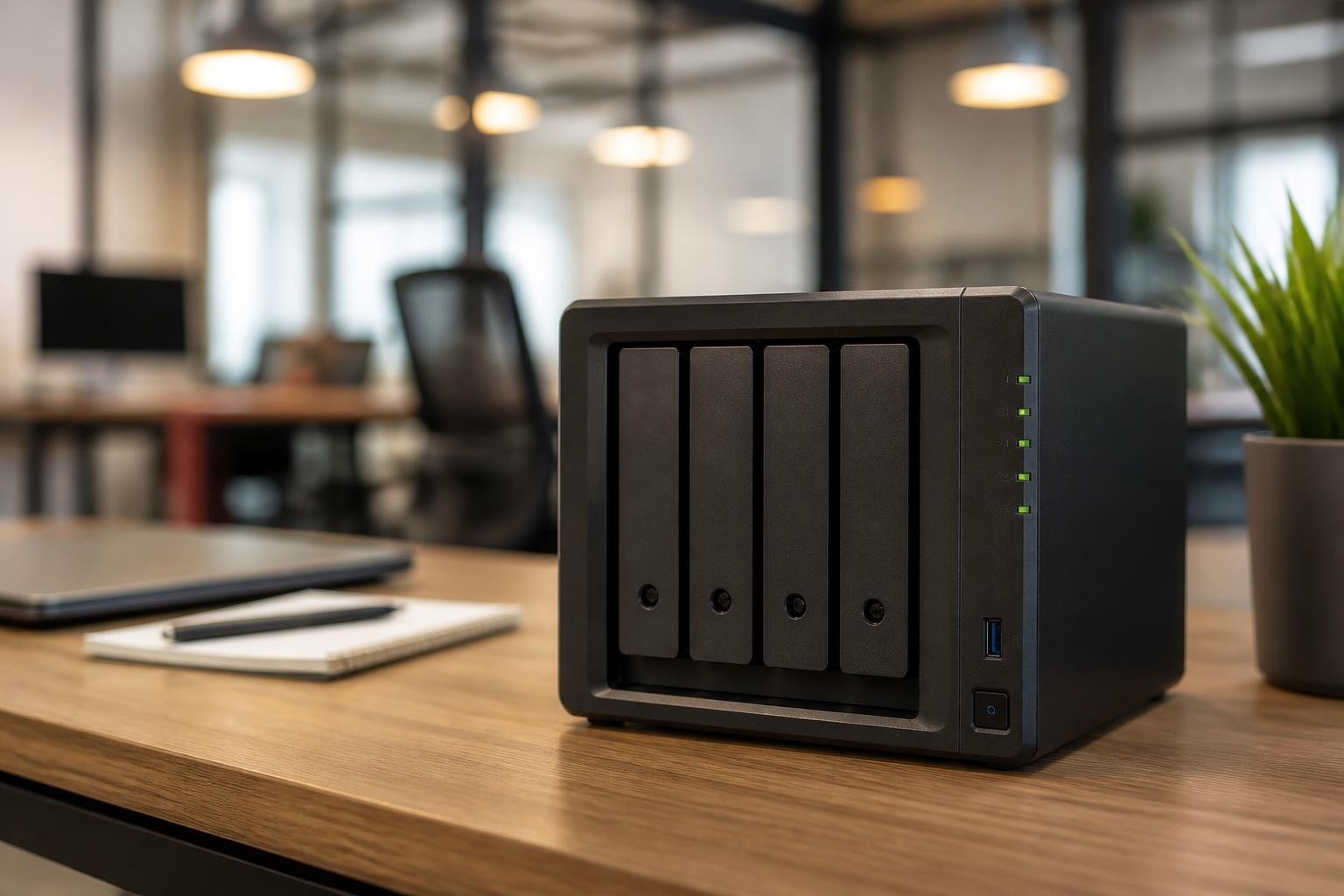
The Synology DS418 represents a compelling entry point for businesses seeking reliable network-attached storage without the complexity of enterprise-grade systems. Designed primarily for small offices and workgroups, this four-bay unit balances performance with affordability, making it a popular choice for organisations transitioning from basic file servers to dedicated NAS infrastructure. Nevertheless, understanding its capabilities, limitations and optimal use cases is essential before committing to this platform, particularly when considering European data sovereignty requirements and long-term scalability needs for business-critical information.
Technical Specifications and Hardware Architecture
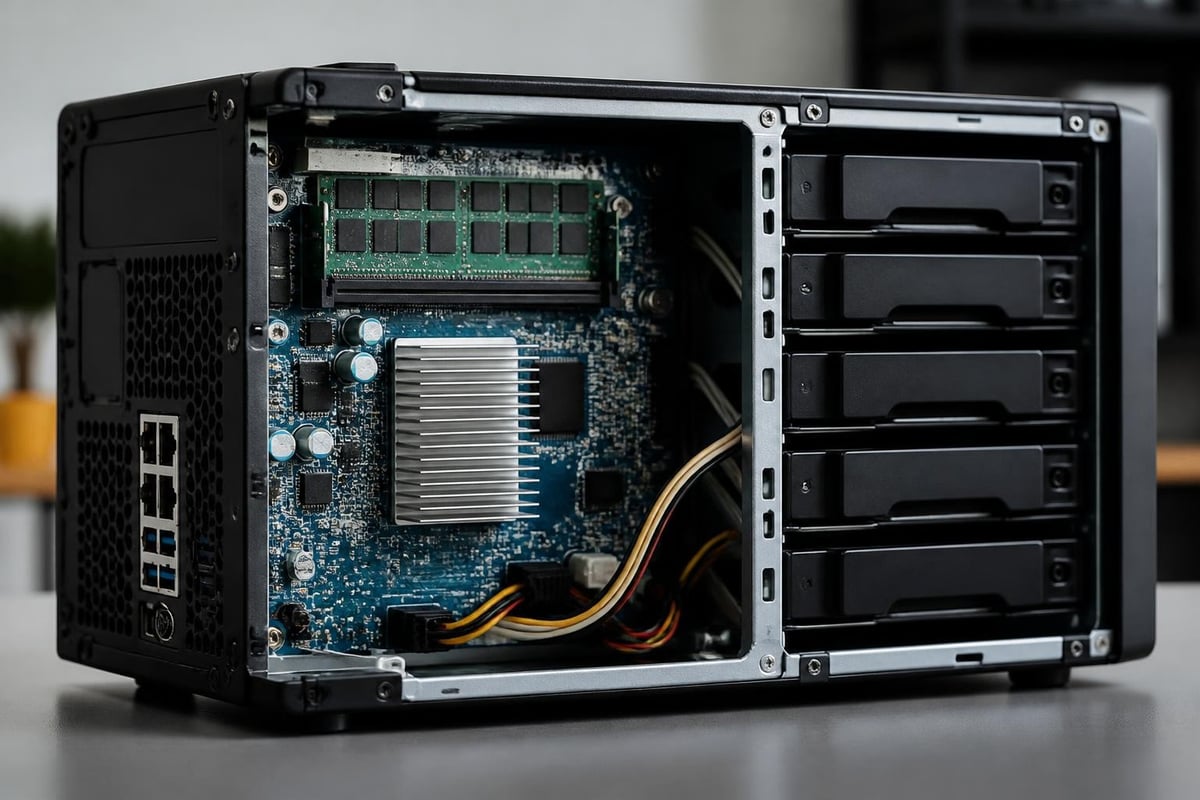
The nas synology ds418 employs a quad-core Realtek RTD1296 processor running at 1.4 GHz, paired with 2GB DDR4 RAM. This configuration provides adequate performance for file serving, backup operations and light virtualisation tasks. Furthermore, the device supports up to 64TB of raw storage capacity across four drive bays, with hot-swappable trays that facilitate maintenance without system downtime.
Performance Characteristics and Real-World Throughput
According to the official Synology DS418 datasheet, the unit delivers sequential read speeds up to 225 MB/s and write speeds reaching 199 MB/s when configured with dual Gigabit Ethernet ports aggregated. In addition, testing by SmallNetBuilder confirms these figures hold steady under sustained workloads, making the device suitable for departments with 10-20 concurrent users accessing standard office documents and media files.
The networking capabilities include:
- Two Gigabit Ethernet ports with link aggregation support
- Failover configuration for network redundancy
- SMB/CIFS, AFP, NFS and FTP protocol support
- Maximum of 512 concurrent connections
| Feature | Specification | Business Impact |
|---|---|---|
| Processor | Realtek RTD1296 (quad-core, 1.4 GHz) | Sufficient for file sharing, backups |
| Memory | 2GB DDR4 (non-expandable) | Limits concurrent applications |
| Drive Bays | 4 x 3.5" or 2.5" SATA | Maximum 64TB total capacity |
| Network | 2 x 1GbE | Link aggregation to 2Gbit theoretical |
| Power Consumption | 16.24W (HDD hibernation) | Low running costs |
Drive Selection and Compatibility Considerations
Choosing appropriate drives for the nas synology ds418 significantly impacts reliability, performance and total cost of ownership. Therefore, consulting the Synology Compatibility Center before purchasing drives ensures validated hardware combinations and reduces the risk of compatibility issues or warranty complications.
Enterprise-Grade Versus Consumer Drives
The DS418 accommodates both 3.5-inch and 2.5-inch SATA drives, yet not all drives deliver equivalent reliability under continuous NAS operation. Moreover, drives designed for desktop use typically lack vibration resistance and advanced error recovery features essential for RAID arrays.
Recommended drive categories:
- NAS-optimised drives (WD Red, Seagate IronWolf)
- Enterprise SATA drives (WD Gold, Seagate Exos)
- Surveillance-rated drives for write-intensive workloads
Backblaze drive statistics for 2025 provide valuable insight into long-term failure rates across different manufacturers and models. Their datasets, based on hundreds of thousands of drives in production environments, reveal meaningful differences in annualised failure rates that should inform purchasing decisions. Furthermore, the detailed drive test data allows businesses to make evidence-based selections rather than relying solely on marketing claims.
RAID Configuration Trade-offs
The nas synology ds418 supports multiple RAID configurations, each offering distinct balances between capacity, redundancy and performance:
| RAID Level | Usable Capacity (4x4TB) | Fault Tolerance | Write Performance | Best For |
|---|---|---|---|---|
| RAID 0 | 16TB | None | Excellent | Non-critical scratch space |
| RAID 1 | 8TB | 1 drive failure | Good | Maximum redundancy |
| RAID 5 | 12TB | 1 drive failure | Moderate | Balanced approach |
| RAID 6 | 8TB | 2 drive failures | Lower | Mission-critical data |
| SHR-1 | 12TB | 1 drive failure | Moderate | Mixed drive sizes |
| SHR-2 | 8TB | 2 drive failures | Lower | Maximum protection |
In addition, Synology's proprietary Synology Hybrid RAID (SHR) technology simplifies array management when using drives of different capacities, though traditional RAID levels offer better cross-platform compatibility and recovery options.
Software Ecosystem and DiskStation Manager
The nas synology ds418 runs DiskStation Manager (DSM), Synology's Linux-based operating system that provides extensive functionality through a web-based interface. Nevertheless, the hardware limitations of the DS418 constrain which DSM features operate effectively at scale.
Core Applications and Business Features
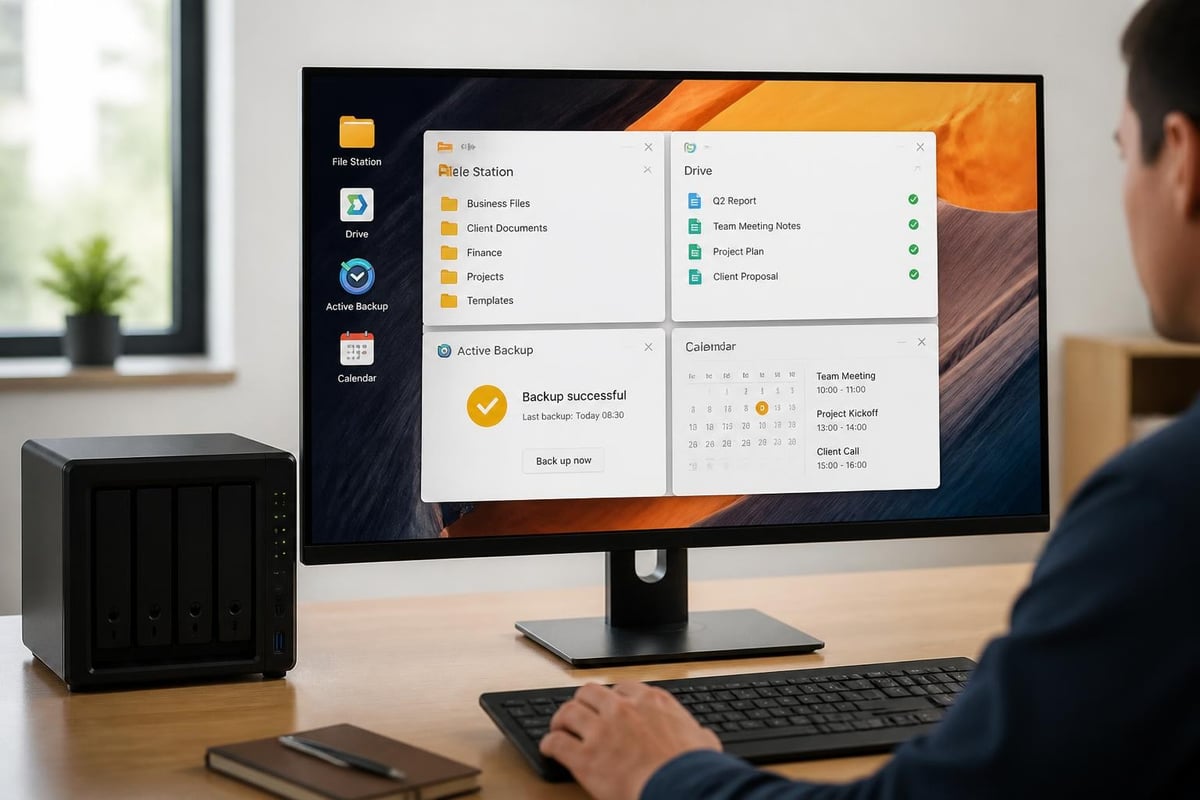
DSM includes numerous first-party applications addressing common business requirements:
- File Station: Web-based file management with granular permissions
- Drive: File synchronisation and team collaboration platform
- Active Backup for Business: Agentless backup for physical and virtual machines
- Calendar & Contacts Server: CalDAV and CardDAV services
- Synology Office: Basic document editing and collaboration
- Surveillance Station: IP camera recording (limited by hardware)
Therefore, businesses should evaluate whether DSM's feature set aligns with their requirements or whether dedicated cloud platforms provide better integration and compliance frameworks.
Performance Limitations in Practice
The TechRadar review of the DS418play variant highlights transcoding capabilities absent in the standard DS418 model. Furthermore, the base DS418's processor struggles with encryption-heavy workloads, multiple simultaneous snapshots and intensive Docker container operations. Consequently, organisations requiring these capabilities should consider higher-specification models or alternative architectures.
Security and Data Protection Capabilities
The nas synology ds418 includes several security features relevant to business deployments, yet organisations must implement proper configuration to achieve meaningful protection. Moreover, understanding the device's position within broader data sovereignty and compliance frameworks helps contextualise its suitability for European businesses.
Built-in Security Mechanisms
Encryption capabilities:
- AES-256 shared folder encryption
- Support for encrypted external drives
- SSL/TLS certificate management
- Two-factor authentication via TOTP
Network security:
- Built-in firewall with IP blocking
- Auto-block for failed login attempts
- Security Advisor vulnerability scanning
- HTTPS-only administration mode
Nevertheless, folder-level encryption introduces performance overhead on the Realtek processor, potentially reducing throughput by 30-40% compared to unencrypted volumes. Therefore, businesses should benchmark encrypted performance against their requirements before deployment.
Backup Strategy Considerations
The 3-2-1 backup principle (three copies, two different media types, one off-site) remains fundamental regardless of NAS reliability. Furthermore, the nas synology ds418 supports various backup approaches:
- Hyper Backup: Synology's native backup to cloud services, external drives or remote Synology units
- Active Backup: Reverse backup pulling data from workstations and servers to the NAS
- Snapshot Replication: Point-in-time filesystem snapshots with replication to secondary locations
- Third-party integration: Veeam, Acronis and other enterprise backup platforms
In addition, businesses handling sensitive customer data should consider whether storing backups within European jurisdiction aligns with GDPR requirements and internal data governance policies.
European Data Sovereignty and Alternative Approaches
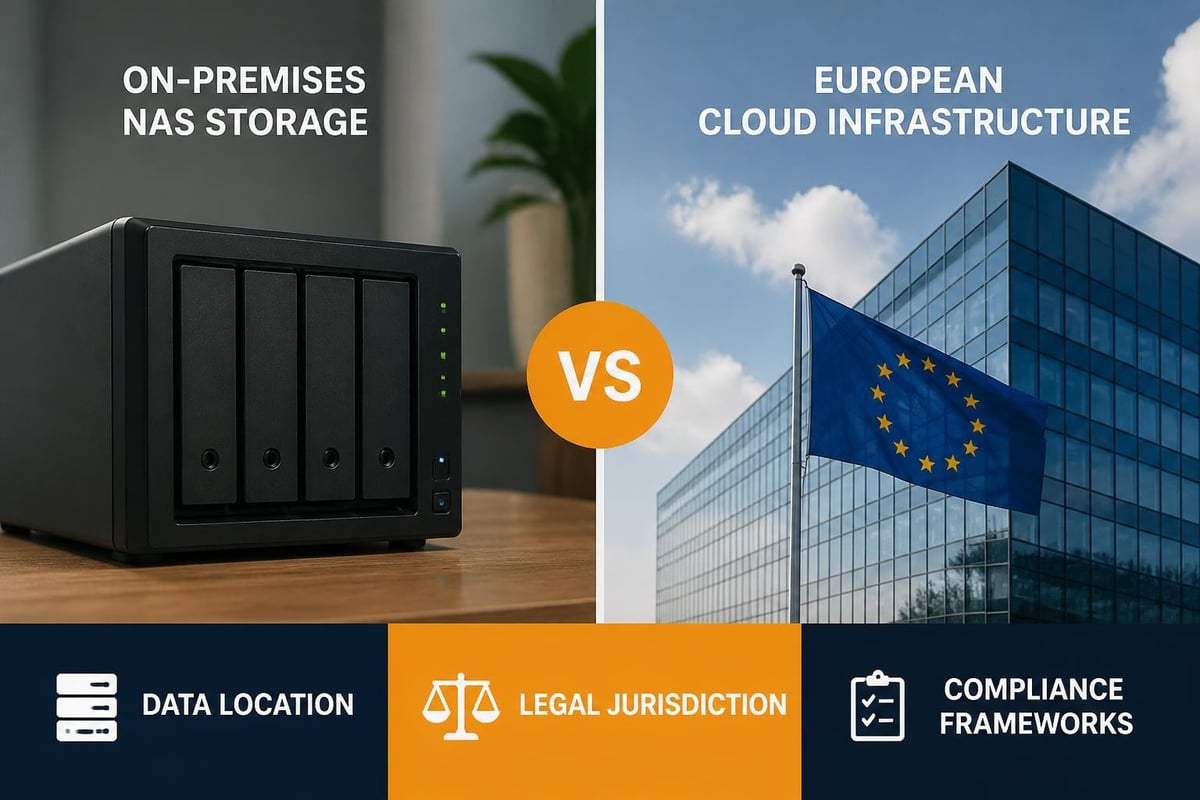
Whilst the nas synology ds418 provides local storage control, businesses increasingly face questions about where data resides, who can access it and which legal frameworks apply. Moreover, physical devices in office environments present challenges around physical security, environmental controls and disaster recovery that cloud infrastructure addresses differently.
GDPR Compliance Considerations
The General Data Protection Regulation mandates appropriate technical and organisational measures to protect personal data. Therefore, using a nas synology ds418 offers certain advantages:
- Data remains on-premises under direct physical control
- No automatic transfer to third-country processors
- Simplified data processing agreements
- Clear data location for subject access requests
Nevertheless, organisations must still implement proper access controls, encryption, audit logging and incident response procedures. Furthermore, many businesses lack the expertise to maintain these systems at the security standard their data classification requires.
Cloud-Native Alternatives for European Businesses
For organisations seeking European data sovereignty without on-premises hardware management, vBoxxCloud offers GDPR-compliant business cloud storage with 256-bit AES encryption, stored in ISO 27001-certified data centres in the Netherlands. This approach combines the compliance benefits of European hosting with the reliability and scalability advantages of professionally managed infrastructure, whilst remaining outside the reach of the US CLOUD Act.
Long-Term Viability and Upgrade Paths
The nas synology ds418 entered the market in 2018, making current units at least eight years old in 2026. Consequently, businesses considering this platform should evaluate support lifecycles, availability of replacement parts and migration paths to newer infrastructure.
Hardware Lifecycle Considerations
Expected support timeline:
- DSM updates typically continue 5-7 years post-release
- Security patches for critical vulnerabilities extend slightly longer
- Hardware components (fans, power supplies) may become difficult to source
- Drive capacity limitations increasingly restrictive as data grows
Therefore, organisations deploying a nas synology ds418 today should plan for replacement within 3-5 years rather than expecting decade-long operational lifespans typical of enterprise storage systems.
When the DS418 Makes Sense
The nas synology ds418 remains appropriate for specific use cases:
- Small offices (5-15 users) with modest storage growth
- Departmental storage within larger organisations for non-critical data
- Media libraries for internal training materials or marketing assets
- Development environments requiring local storage for testing
- Backup targets for workstation-level protection schemes
Nevertheless, businesses should honestly assess whether their requirements align with the device's capabilities or whether investing in more robust infrastructure delivers better long-term value.
Performance Benchmarks and Realistic Expectations
Understanding actual throughput under typical business workloads helps set appropriate expectations. Moreover, published specifications often reflect optimal conditions rarely encountered in production environments.
File Transfer Performance
The NotEnoughTech DS418 review provides detailed transfer benchmarks across various scenarios:
Single large file transfers:
- Read: 112-118 MB/s (single client, gigabit network)
- Write: 105-112 MB/s (single client, gigabit network)
Multiple small files (office documents):
- Read: 45-65 MB/s (metadata overhead impacts performance)
- Write: 38-52 MB/s (RAID parity calculations reduce speed)
Concurrent multi-user scenarios:
- 5 users: Minimal degradation from single-user speeds
- 10 users: 15-25% reduction in per-user throughput
- 20 users: Network saturation becomes primary bottleneck
In addition, enabling features like real-time antivirus scanning, encryption or continuous snapshots further reduces available performance, sometimes substantially.
Docker Container Limitations
Whilst DSM supports Docker containers, the DS418's limited RAM (2GB non-expandable) severely constrains container workloads. Furthermore, running even modest container sets (database, application server, reverse proxy) frequently exhausts available memory, triggering swap usage that devastates performance.
Practical container limits:
- Maximum 2-3 lightweight containers simultaneously
- Database containers require careful memory allocation
- Monitoring and alerting essential to prevent resource exhaustion
Therefore, businesses considering containerised applications should evaluate models with expandable RAM or explore dedicated container platforms better suited to microservice architectures.
Cost Analysis and Total Ownership Considerations
The nas synology ds418 positions itself as a budget-friendly entry point, yet total cost of ownership extends beyond initial hardware acquisition. Moreover, comparing on-premises NAS deployment against cloud alternatives requires examining all associated expenses.
Upfront and Recurring Costs
| Cost Category | NAS (DS418) | Cloud Alternative |
|---|---|---|
| Initial hardware | €400-500 | None |
| Four 4TB drives | €400-600 | None |
| Annual electricity (24/7) | €25-40 | Included |
| Network infrastructure | €100-300 | Included |
| Backup storage (off-site) | €100-200/year | Included |
| Labour (setup, maintenance) | 8-16 hours | Minimal |
| Replacement cycle | Every 5-7 years | N/A |
In addition, businesses must account for opportunity costs associated with IT staff time spent managing on-premises infrastructure rather than focusing on strategic initiatives.
Hidden Operational Expenses
Ongoing NAS management requires:
- Monthly security update reviews and application
- Quarterly drive health monitoring and SMART analysis
- Annual disaster recovery testing and documentation
- Periodic capacity planning and expansion projects
- Troubleshooting performance issues and user access problems
Therefore, organisations without dedicated IT resources often underestimate the true cost of maintaining on-premises storage infrastructure, making cloud alternatives more economically rational despite higher per-gigabyte pricing.
Network Integration and Performance Optimisation
Maximising the nas synology ds418's capabilities requires proper network configuration and understanding protocol-specific optimisation opportunities. Furthermore, network infrastructure frequently becomes the limiting factor in multi-user environments.
Link Aggregation Configuration
The DS418's dual Gigabit Ethernet ports support IEEE 802.3ad link aggregation, theoretically doubling available bandwidth to 2Gbps. Nevertheless, practical benefits depend on network switch capabilities and traffic distribution patterns.
Link aggregation modes:
- IEEE 802.3ad (LACP): Requires managed switch support, distributes connections across ports
- Balance-rr: Round-robin distribution, may cause packet reordering
- Active-backup: Failover only, no performance benefit but improves reliability
In addition, single-client transfers cannot exceed single-port speeds regardless of aggregation mode, meaning benefits primarily emerge in multi-client scenarios where connections distribute across available links.
Protocol Selection Impact
Different network protocols deliver varying performance characteristics:
SMB/CIFS (Windows):
- Good compatibility with Windows clients
- SMB3 multichannel can utilise link aggregation effectively
- Requires proper authentication configuration
NFS (Linux/Unix):
- Lower protocol overhead than SMB
- Better performance for small file operations
- Requires client-side mount configuration
AFP (macOS legacy):
- Deprecated protocol, avoid for new deployments
- SMB3 provides superior performance on modern macOS
Therefore, standardising on SMB3 for mixed environments typically delivers the best balance between compatibility and performance, particularly when clients support SMB multichannel features.
Disaster Recovery and Business Continuity Planning
The nas synology ds418 should form part of a comprehensive business continuity strategy rather than serving as a single point of data storage. Moreover, hardware failures, ransomware attacks and physical disasters remain persistent threats requiring documented recovery procedures.
Snapshot Strategy
Btrfs filesystem snapshots provide point-in-time recovery capabilities:
- Hourly snapshots: Last 24 hours retained
- Daily snapshots: Last 7-14 days retained
- Weekly snapshots: Last 4-8 weeks retained
- Monthly snapshots: Last 6-12 months retained
Nevertheless, snapshots consume storage capacity proportional to changed data and exist on the same physical device as source data. Consequently, snapshots protect against accidental deletion and ransomware but not hardware failure or physical destruction.
Off-Site Replication Requirements
Effective disaster recovery demands:
- Geographic separation (different building minimum, different city preferred)
- Automated replication with minimal manual intervention
- Regular recovery testing with documented procedures
- Defined recovery time objectives (RTO) and recovery point objectives (RPO)
In addition, organisations should consider whether maintaining secondary NAS infrastructure at remote locations represents efficient resource allocation or whether cloud backup services provide equivalent protection at lower total cost.
The nas synology ds418 delivers capable network storage for small businesses with modest requirements, yet organisations must carefully evaluate its limitations against their actual needs and growth trajectories. For businesses seeking European data sovereignty, professional management and comprehensive security without hardware maintenance burdens, platforms like vBoxx offer GDPR-compliant cloud infrastructure hosted in ISO 27001-certified Dutch data centres, combining the compliance advantages of European hosting with enterprise-grade reliability and support. Whether choosing on-premises NAS or cloud alternatives, aligning storage infrastructure with business requirements and regulatory obligations ensures your data remains secure, accessible and properly governed.