
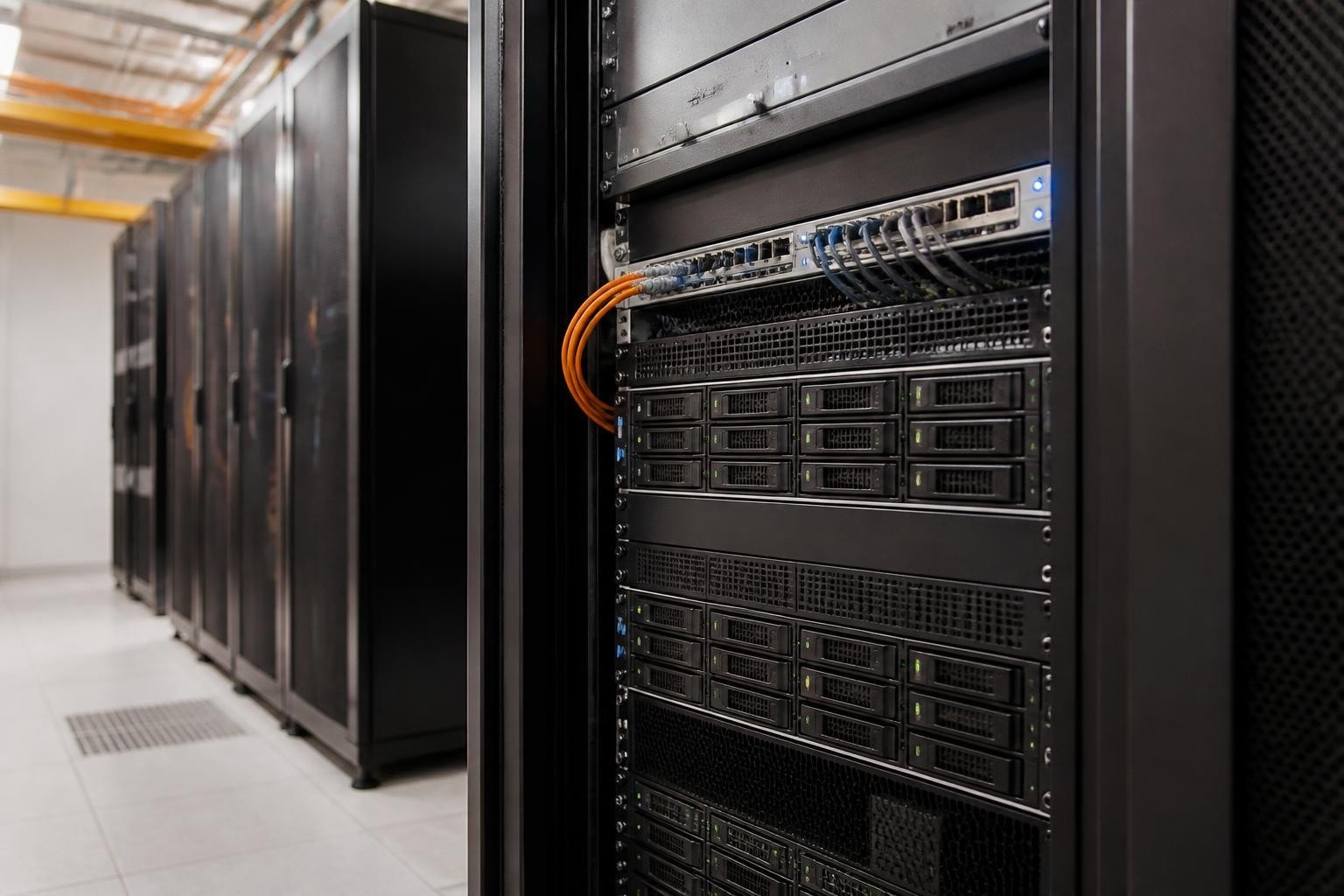
When businesses outgrow desktop storage and require enterprise-grade network-attached storage, a NAS Synology rack system often emerges as the logical choice. Furthermore, these rackmount units deliver the performance, redundancy and scalability that modern organisations demand whilst fitting seamlessly into standard data centre infrastructure. Nevertheless, choosing the right model and deployment strategy requires careful consideration of capacity needs, performance requirements and long-term data sovereignty concerns.
Understanding Synology RackStation Architecture
Synology's rackmount product line, marketed as RackStation, differs fundamentally from desktop DiskStation models in both form factor and intended use case. Therefore, these units are engineered specifically for 19-inch server racks, typically occupying between 1U and 4U of vertical space depending on the model and drive bay configuration.
The nas synology rack ecosystem spans entry-level units suitable for small office deployments through to enterprise-class systems supporting dozens of drives and multiple expansion units. Moreover, RackStation models incorporate features seldom found in desktop units, including redundant power supplies, hot-swappable components and advanced clustering capabilities.
Key Hardware Components
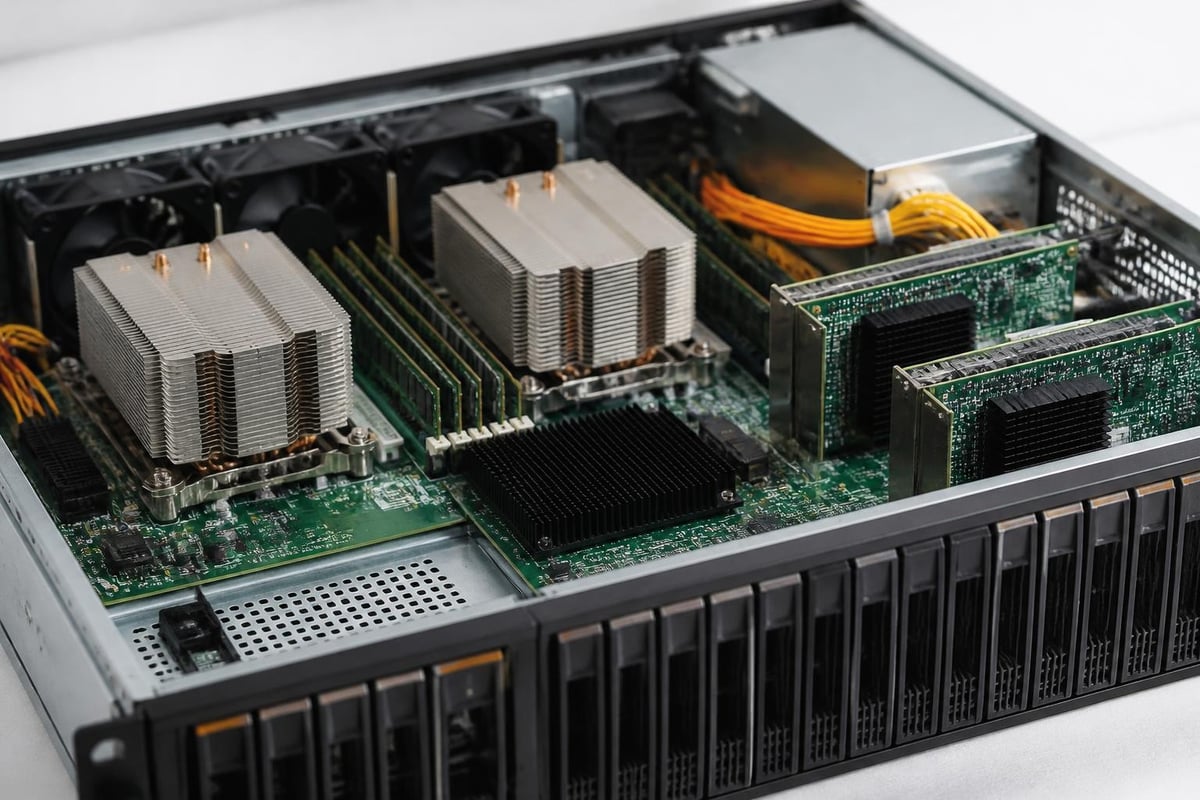
Each RackStation model combines several critical elements that determine overall system performance and reliability:
- CPU architecture: Intel Xeon or AMD Ryzen processors for enterprise models, versus more modest Celeron or Atom chips in entry units
- Memory capacity: ECC RAM configurations ranging from 8GB to 64GB or beyond, supporting demanding workloads
- Network interfaces: Dual or quad Gigabit ports standard, with 10GbE or 25GbE options on higher-end systems
- Drive bays: Hot-swappable 2.5-inch or 3.5-inch bays, from 4 drives up to 24+ in flagship models
- Expansion support: Compatibility with Synology expansion units to scale storage capacity without replacing the base unit
Industry observers have noted that Synology's 2025 compatibility policy reversal restored third-party drive support, which significantly affects total cost of ownership calculations for NAS Synology rack deployments.
Selecting the Right RackStation Model
Choosing an appropriate nas synology rack model requires matching technical specifications to actual business requirements. In addition, organisations must consider both current needs and anticipated growth over the typical 3-5 year deployment lifecycle.
Performance Tier Comparison
| Model Class | Typical CPU | Max Drives | Network | Best For |
|---|---|---|---|---|
| Entry (RS422+) | Quad-core Celeron | 4-8 bays | 2× 1GbE | Branch offices, basic file serving |
| Mid-range (RS2421+) | Quad-core Ryzen | 12 bays | 4× 1GbE | Growing teams, virtual machine storage |
| Enterprise (RS11626xs+) | 16-core Xeon | 12+expansion | 4× 10GbE | Mission-critical workloads, databases |
The official Synology RackStation specifications provide detailed technical information for each model, including supported RAID configurations, maximum raw capacity and validated expansion shelf compatibility.
Furthermore, memory capacity plays a crucial role in caching performance. Systems running Synology Active Backup suites, virtual machine hosting or database workloads benefit substantially from maximum RAM configurations. Nevertheless, entry-level units with 2-4GB may suffice for straightforward file sharing in small environments.
Expansion and Scalability Considerations
One distinguishing advantage of Synology rack systems lies in their expansion capabilities. Therefore, organisations can start with a base RackStation and add expansion units as storage demands grow, avoiding the cost and disruption of complete system replacement.
Key expansion factors include:
- Maximum supported expansion units per base RackStation model
- Total drive bay ceiling across base unit plus all connected shelves
- Controller throughput limits that may bottleneck performance when fully expanded
- Rack space availability in your data centre to accommodate additional units
- Power and cooling capacity to support expanded configurations
Moreover, expansion planning should account for future technology transitions. Investing in a base unit with ample headroom for SSD cache, 10GbE networking and additional memory often proves more economical than purchasing an underpowered system requiring premature replacement.
Deployment Strategies and Best Practices
Implementing a nas synology rack system demands more than simply mounting hardware and connecting cables. In addition, proper deployment encompasses network design, RAID configuration, backup strategy and ongoing maintenance planning.
Network Integration
RackStation units typically deploy behind dedicated network infrastructure rather than connecting directly to user-facing switches. Therefore, IT teams commonly implement VLANs to segregate storage traffic from general network activity, reducing congestion and improving security.
Performance-critical deployments benefit from link aggregation across multiple network interfaces, distributing load and providing redundancy. Furthermore, organisations handling large files or supporting numerous concurrent users should seriously consider 10-Gigabit Ethernet connectivity, despite the additional infrastructure cost.
Microsoft's SMB performance tuning guidance offers valuable insights for optimising Windows client connections to Synology NAS units, covering protocol settings, signing overhead and multichannel configuration.

RAID Configuration Trade-offs
| RAID Level | Usable Space | Fault Tolerance | Performance | Ideal Use Case |
|---|---|---|---|---|
| RAID 1 | 50% | 1-drive failure | Good read | Small deployments, maximum redundancy |
| RAID 5 | 75-90% | 1-drive failure | Balanced | General purpose, moderate capacity |
| RAID 6 | 67-88% | 2-drive failures | Write penalty | Large arrays, extra protection |
| RAID 10 | 50% | 1 per mirror | Excellent | Performance-critical, databases |
| SHR-2 | ~70-85% | 2-drive failures | Flexible | Synology hybrid, mixed drive sizes |
Synology's proprietary SHR (Synology Hybrid RAID) technology offers particular advantages in rack deployments where drive expansion may occur incrementally. Nevertheless, traditional RAID configurations provide more predictable performance characteristics for mission-critical workloads.
Backup and Disaster Recovery
No nas synology rack deployment is complete without comprehensive backup strategy. Moreover, the "3-2-1 rule" applies equally to enterprise NAS: maintain three copies of data, on two different media types, with one copy off-site.
Synology's Active Backup suite provides application-consistent backups for virtual machines, physical servers and Microsoft 365/Google Workspace cloud services. However, organisations prioritising GDPR compliance and data sovereignty may prefer European alternatives such as vBoxx Backup for Microsoft 365, which stores all backup data exclusively in ISO 27001-certified Dutch data centres, remaining outside the reach of the US CLOUD Act.
Disaster Recovery Planning
Beyond routine backups, comprehensive disaster recovery requires:
- Replication to secondary sites: Synology Snapshot Replication to duplicate RackStation data to remote locations
- Documented recovery procedures: Step-by-step runbooks tested through regular drills
- Recovery time objectives: Clear SLAs defining acceptable downtime for each workload
- Alternative access methods: VPN or cloud gateway configurations enabling remote recovery initiation
Furthermore, organisations should maintain current firmware images and configuration backups stored separately from the RackStation itself, ensuring recovery capability even following complete hardware failure.
Monitoring and Maintenance
Proactive monitoring distinguishes reliable storage infrastructure from systems prone to unexpected failures. Therefore, IT teams should implement comprehensive oversight covering hardware health, capacity trends and performance metrics.
Essential Monitoring Points
Effective nas synology rack monitoring encompasses multiple layers:
- Disk health metrics: SMART data, reallocated sectors, temperature and predictive failure indicators
- RAID status alerts: Degraded arrays, rebuild progress and consistency check schedules
- Network throughput: Interface utilisation, packet errors and connection stability
- Resource consumption: CPU load, memory usage and cache hit ratios
- Security events: Failed login attempts, privilege escalations and unusual access patterns
Synology's DiskStation Manager provides built-in monitoring and alerting, sending notifications via email, SMS or push notification when thresholds are exceeded. Nevertheless, larger organisations often integrate RackStation SNMP feeds into centralised monitoring platforms such as Zabbix, Nagios or commercial solutions.
Firmware and Security Updates
Maintaining current firmware represents a critical security practice, yet organisations must balance patch timeliness against change control requirements. In addition, Synology releases both security-critical patches requiring immediate deployment and feature updates that can follow standard change windows.
Testing updates on non-production systems before deploying to mission-critical arrays helps identify compatibility issues. Moreover, scheduling updates during maintenance windows minimises user impact, particularly when updates require system restarts or brief storage unavailability.
European Hosting Alternatives
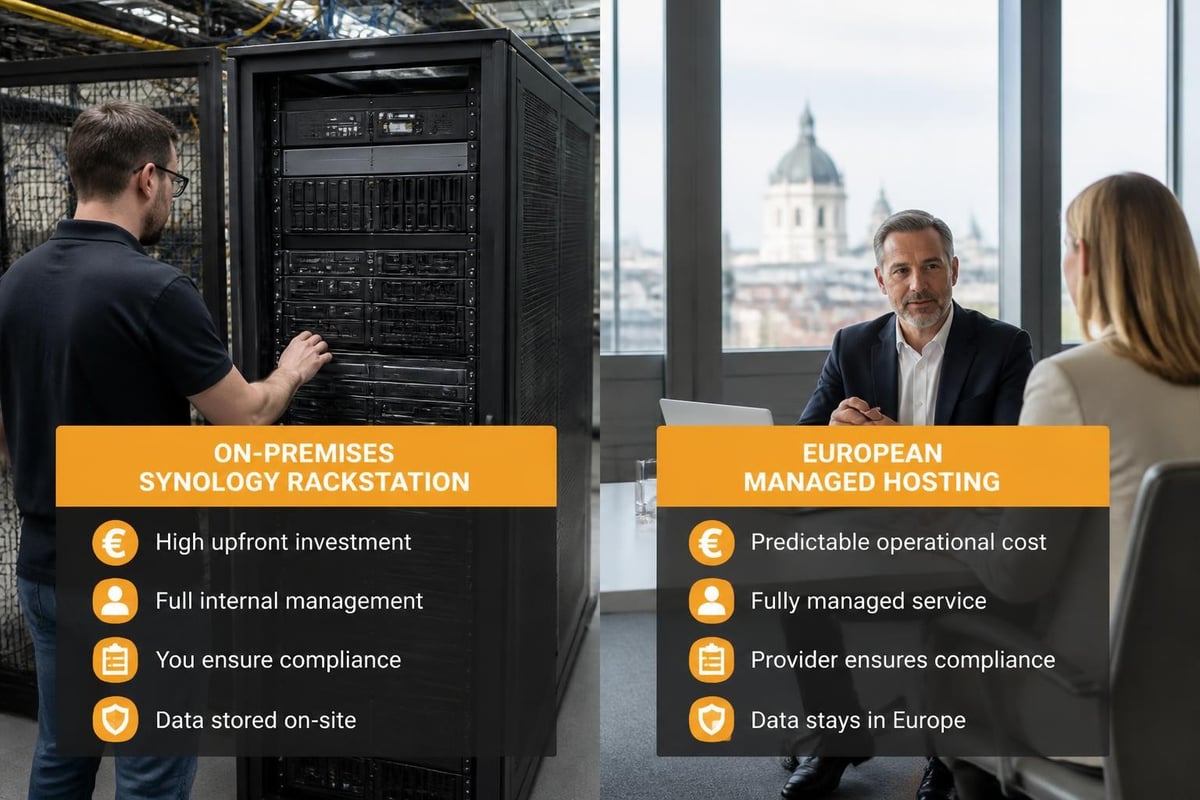
Whilst deploying a nas synology rack on-premises offers maximum control, it also demands significant capital investment, ongoing maintenance and expertise. Furthermore, organisations must address physical security, environmental controls, network connectivity and disaster recovery infrastructure.
European businesses increasingly evaluate managed hosting alternatives that provide enterprise storage capabilities without the operational burden of maintaining physical infrastructure. Therefore, hosted solutions deliver several compelling advantages:
- Predictable operating expenses replacing unpredictable capital expenditure and maintenance costs
- Professional management by specialists maintaining certifications and staying current with best practices
- Geographic redundancy through data centre distribution across multiple European facilities
- GDPR compliance with data remaining exclusively within EU jurisdiction
- Scalability on demand without procurement delays or capacity planning errors
Industry analysis suggests Synology itself recognises this shift, expanding its ActiveProtect appliance offerings targeting managed service providers and cloud platforms.
Performance Optimisation Techniques
Extracting maximum performance from a nas synology rack requires attention to multiple subsystems beyond simply selecting powerful hardware. In addition, software configuration, workload characteristics and network architecture all significantly impact real-world throughput.
SSD Caching Strategies
Modern RackStation models support SSD cache acceleration, using fast solid-state drives to buffer frequently accessed data. Nevertheless, cache effectiveness varies dramatically based on workload patterns:
Read-only cache suits environments with relatively static data accessed repeatedly, such as software repositories, media libraries or reference databases. Therefore, two matching SSDs in RAID 1 provide redundant read acceleration without write overhead.
Read-write cache benefits workloads with frequent small writes, including database transaction logs, virtual machine disk images or user home directories. However, this configuration requires four SSDs in a protected array to safeguard cached writes awaiting destaging to spinning disks.
Detailed performance testing demonstrates that cache benefits diminish when working sets exceed cache capacity, making capacity planning essential rather than simply maximising cache size.
Network Protocol Selection
File-sharing protocols significantly affect performance characteristics. Moreover, protocol choice often depends on client operating systems and application requirements:
| Protocol | Best Performance With | Considerations |
|---|---|---|
| SMB3 | Windows clients, Microsoft apps | Multichannel support, encryption overhead |
| NFS | Linux/UNIX systems, virtualisation | Lower overhead, limited Windows support |
| iSCSI | Block-level access, databases | Complex setup, excellent performance |
| AFP | Legacy macOS (pre-2015) | Deprecated, migrate to SMB3 |
Furthermore, enabling SMB multichannel on compatible networks allows simultaneous data transfer across multiple physical links, substantially improving throughput for large file operations. Nevertheless, proper network infrastructure supporting multipath connectivity is essential for this feature to function correctly.
Total Cost of Ownership Analysis
Evaluating nas synology rack investments requires looking beyond initial hardware costs to comprehensive lifecycle expenses. Therefore, organisations should model TCO across expected deployment lifetime, typically 3-5 years for enterprise storage.
Direct and Indirect Costs
Initial investment encompasses:
- Base RackStation hardware and any immediate expansion units
- Sufficient drive capacity with appropriate enterprise-grade specifications
- Network infrastructure upgrades (switches, cabling, transceivers)
- Rack space, power circuits and cooling capacity
- Initial configuration, testing and migration labour
Ongoing expenses include:
- Annual maintenance contracts or extended warranties
- Drive replacements following failures or capacity expansion
- Electricity consumption for the unit, storage and cooling overhead
- IT staff time for monitoring, updates and troubleshooting
- Off-site backup storage and disaster recovery infrastructure
Moreover, hidden costs such as downtime during maintenance, migration disruption and opportunity cost of capital tied up in infrastructure often exceed direct expenses. Real-world reviews highlight both obvious and subtle cost factors affecting long-term value.
Security Hardening Requirements
Enterprise nas synology rack deployments demand rigorous security configurations beyond factory defaults. In addition, storage systems containing business-critical data represent high-value targets requiring defence-in-depth approaches.
Access Control Best Practices
Implementing principle of least privilege ensures users and applications receive only necessary permissions:
- User authentication: Integrate with Active Directory or LDAP rather than maintaining separate account databases
- Multi-factor authentication: Require 2FA for administrative access and external connections
- Share permissions: Grant group-based access with explicit deny rules where appropriate
- Network restrictions: Limit management interface access to specific IP ranges or VPN connections
- Audit logging: Enable comprehensive activity tracking for compliance and forensic purposes
Furthermore, regular access reviews identify obsolete accounts and excessive permissions accumulating over time. Nevertheless, overly restrictive policies that impede legitimate work create pressure to bypass security controls, so balance remains essential.
Encryption Considerations
Synology supports both at-rest encryption for shared folders and in-transit encryption for network protocols. Therefore, organisations handling sensitive data should enable encryption despite performance overhead, particularly for units deployed in shared facilities or co-location environments.
Encryption key management deserves careful planning. Moreover, storing decryption keys separately from the NAS itself prevents unauthorised access following physical theft whilst ensuring legitimate recovery capability when needed.
Compliance and Data Sovereignty
European organisations deploying nas synology rack infrastructure must navigate increasingly complex regulatory requirements, particularly GDPR mandates governing personal data processing. In addition, industry-specific regulations such as NIS2, DORA and sector guidelines impose additional obligations.
Data protection compliance frameworks require organisations to demonstrate appropriate technical and organisational measures protecting personal data throughout its lifecycle. Therefore, documentation covering access controls, encryption implementation, backup procedures and incident response capabilities forms an essential compliance component.
Storage location carries particular significance under GDPR Article 44 restrictions on international data transfers. Consequently, hosting storage infrastructure within European Economic Area facilities and engaging processors outside US legal jurisdiction offers measurable compliance advantages. Understanding NAS fundamentals helps organisations evaluate whether on-premises, colocation or fully-managed European hosting best addresses their compliance obligations.
Virtualisation and Container Workloads
Modern nas synology rack systems increasingly support workloads beyond traditional file sharing. Furthermore, RackStation units running Synology's Virtual Machine Manager or Docker container platform can consolidate infrastructure, reducing hardware footprint and management complexity.
Virtual Machine Hosting
Higher-end RackStation models with adequate CPU and RAM specifications can host production virtual machines directly on the storage appliance. Nevertheless, this approach suits specific scenarios rather than serving as a general-purpose virtualisation platform:
Appropriate use cases include:
- Lightweight application servers with modest resource requirements
- Development and testing environments isolated from production infrastructure
- Tightly coupled services requiring low-latency storage access
- Branch office consolidation reducing physical hardware footprint
Limitations to consider:
- Shared resources between storage and compute workloads may create contention
- Limited high-availability options compared to dedicated hypervisor clusters
- Licensing costs for Windows Server or enterprise Linux distributions
- Backup complexity when virtual machines reside on the same physical storage as their backup destination
Moreover, organisations running substantial virtual machine workloads typically achieve better results with dedicated hypervisor infrastructure backed by RackStation iSCSI LUNs, separating compute from storage layers whilst maintaining centralised storage management.
Deploying a nas synology rack system delivers enterprise-grade storage capabilities, yet organisations must carefully weigh on-premises infrastructure costs, complexity and expertise requirements against managed alternatives. For European businesses prioritising GDPR compliance, data sovereignty and sustainable infrastructure, vBoxx offers comprehensive cloud storage, communication and security solutions hosted exclusively in ISO 27001-certified Dutch data centres, combining the control and performance of dedicated infrastructure with professional management and predictable operating costs. Whether you require immediate capacity, enhanced redundancy or migration from existing storage platforms, vBoxx provides expert consultation and seamless transition support tailored to your specific requirements.