The surveillance landscape has transformed dramatically over recent years, with businesses across Europe seeking intelligent, scalable solutions that combine traditional video recording with advanced analytics. The Synology DVA1622 represents a significant evolution in network video recorder (NVR) technology, purpose-built to deliver AI-powered surveillance capabilities whilst maintaining the robust storage and management features that modern enterprises demand. Furthermore, this device addresses the growing need for intelligent video analytics without requiring complex third-party integrations or cloud dependencies that might compromise data sovereignty.
Understanding the Synology DVA1622 Architecture
The synology dva1622 is fundamentally different from conventional NVR solutions because it integrates deep learning capabilities directly into the hardware. Built around an Intel Atom C3538 quad-core processor, the device delivers dedicated processing power for both video storage and real-time AI analysis. Moreover, this architecture enables the unit to handle up to 16 IP camera channels simultaneously whilst performing sophisticated object detection and facial recognition tasks.
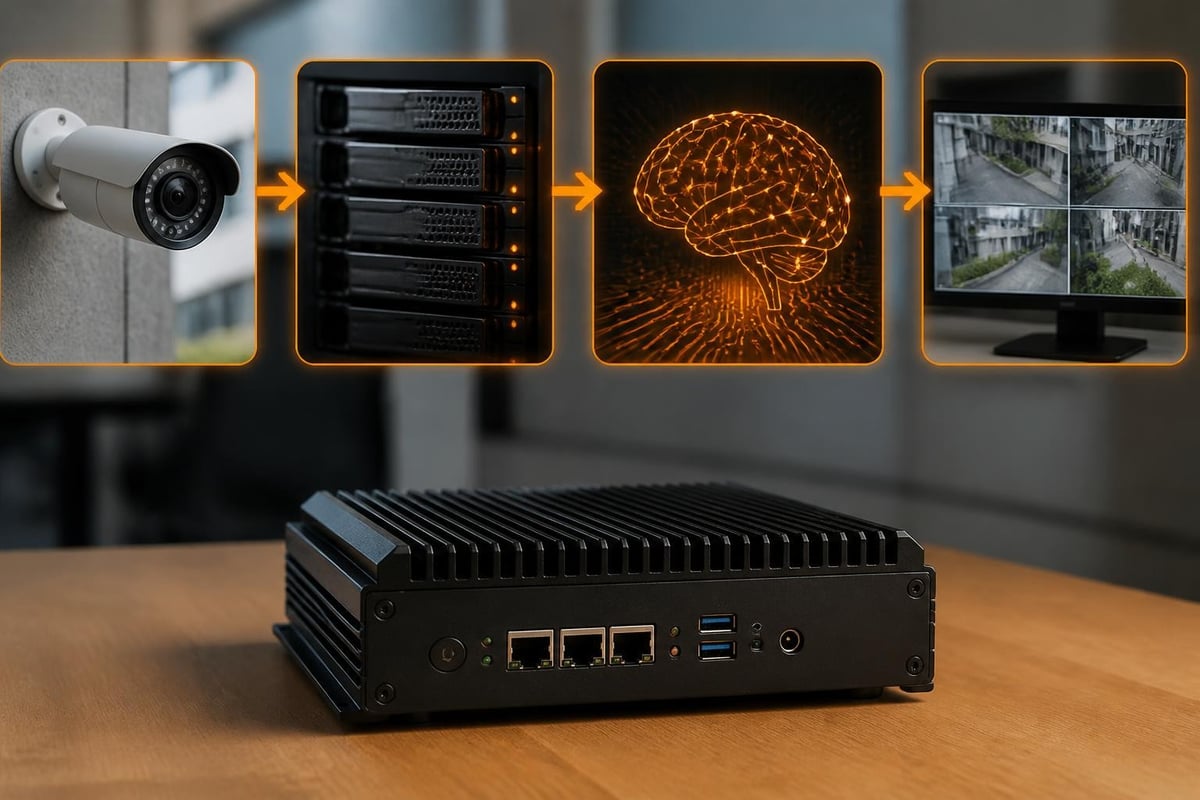
The hardware specifications reveal a device designed for sustained operation in demanding environments. With support for four drive bays and expansion capabilities, businesses can scale storage capacity according to their retention requirements. In addition, the unit includes dual Gigabit Ethernet ports for network redundancy and load balancing, ensuring continuous operation even during network disruptions.
| Component | Specification | Business Benefit |
|---|---|---|
| Processor | Intel Atom C3538 quad-core 2.1 GHz | Dedicated AI processing power |
| Memory | 8 GB DDR4 (non-expandable) | Handles multiple concurrent streams |
| Drive Bays | 4 × 3.5" or 2.5" SATA | Flexible storage scaling |
| Network | 2 × Gigabit Ethernet | Redundancy and failover protection |
| Camera Channels | Up to 16 (8 included licenses) | Room for expansion |
According to the official Synology product page, the device ships with eight camera licenses included, with additional licenses available for purchase as surveillance requirements expand. Therefore, businesses can start with a core deployment and scale incrementally.
Deep Learning and AI Analytics Capabilities
What distinguishes the synology dva1622 from standard recording solutions is its integrated deep learning engine. This technology enables the device to perform sophisticated video analysis tasks that traditionally required separate servers or cloud processing. Furthermore, the AI capabilities operate locally, ensuring that sensitive surveillance footage never leaves your premises or European data centres.
Intelligent Detection Features
The deep learning functionality encompasses several practical applications:
- Person detection with the ability to distinguish between humans and other moving objects
- Vehicle recognition for parking areas and access points
- Crowd detection to identify unusual gatherings or occupancy thresholds
- Loitering alerts for security-sensitive zones
- Object left behind notifications for unattended items
Nevertheless, the most significant advantage lies in the dramatic reduction of false alerts. Traditional motion detection generates numerous notifications triggered by shadows, weather conditions, or animals. In contrast, the AI-powered analysis on the synology dva1622 filters these irrelevant events, allowing security personnel to focus on genuine incidents.
Facial Recognition Integration
Beyond basic detection, the device supports facial recognition when paired with compatible Synology cameras. Businesses can create databases of employees, approved visitors, or persons of interest. Subsequently, the system automatically flags appearances and maintains searchable logs. Moreover, this functionality operates entirely on-premises, addressing data protection compliance concerns that many European businesses face when considering cloud-based alternatives.
Surveillance Station Software Environment
The synology dva1622 runs Surveillance Station, Synology's comprehensive NVR software platform. This application provides the management interface for all camera operations, recording schedules, and analytics configuration. Furthermore, the software receives regular updates that introduce new features and maintain compatibility with an expanding range of camera manufacturers.
The interface accommodates both novice administrators and experienced security professionals. Initial setup wizards guide users through camera discovery, recording profiles, and basic alert configuration. In addition, advanced users can leverage detailed scheduling, retention policies, and integration with external systems through API access.
Recording and Retention Management
Storage management represents a critical consideration for any surveillance deployment. The device supports multiple recording modes:
- Continuous recording for comprehensive coverage
- Motion-triggered recording to optimise storage utilization
- AI-triggered recording based on specific detection events
- Scheduled recording for time-based requirements
- Manual recording for ad-hoc situations
Therefore, businesses can tailor their approach based on specific zones, camera importance, and regulatory requirements. The comprehensive data sheet provides detailed specifications on maximum recording throughput and supported resolutions.
Camera Compatibility and Integration
The synology dva1622 supports over 8,300 IP camera models from more than 140 manufacturers. This broad compatibility ensures businesses can select cameras based on their specific requirements rather than being locked into a single vendor ecosystem. Moreover, the device works seamlessly with Synology's own camera range, which offers optimised integration and guaranteed support for advanced features.
When planning a deployment, compatibility verification is straightforward through Synology's online database. Nevertheless, businesses should confirm that chosen cameras support the specific features they require, particularly for AI-dependent functions like facial recognition or advanced analytics.
Network Bandwidth Considerations
Camera count and resolution directly impact network infrastructure requirements. A typical deployment might include:
| Camera Configuration | Approximate Bandwidth | Recommended Network |
|---|---|---|
| 8 × 1080p (H.264) | 16-24 Mbps | Gigabit LAN |
| 16 × 1080p (H.265) | 24-32 Mbps | Gigabit LAN with QoS |
| 8 × 4K (H.265) | 32-48 Mbps | Dedicated surveillance VLAN |
| 16 × 4K (H.265) | 64-96 Mbps | Multiple network segments |
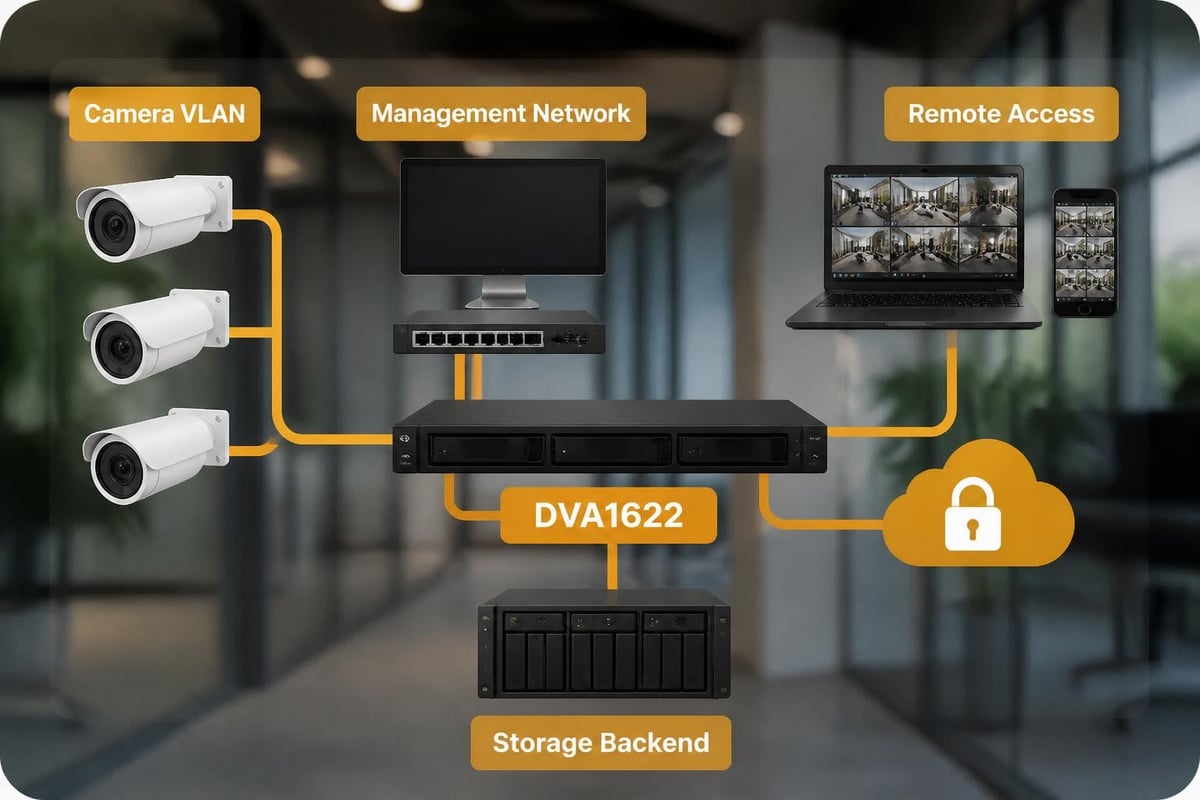
Furthermore, proper network design ensures that surveillance traffic doesn't interfere with business-critical applications. The dual Ethernet ports on the synology dva1622 facilitate network segregation, with one port dedicated to camera communication and the other serving management access.
Security and Access Control
Security represents a paramount concern for any surveillance system, as these devices manage highly sensitive footage and maintain network accessibility. The synology dva1622 incorporates multiple security layers to protect against unauthorized access and ensure footage integrity. In addition, regular security updates address emerging vulnerabilities, although recent incidents highlight the importance of diligent patch management.
A recent security incident involving Synology devices underscores the critical nature of maintaining current software versions and following security best practices. Therefore, businesses must establish processes for regular update deployment and security auditing.
Recommended Security Practices
Implementing robust security requires multiple complementary measures:
- Disable default administrator accounts and create unique credentials
- Enable two-factor authentication for all user accounts
- Restrict remote access through VPN rather than direct internet exposure
- Implement IP whitelisting for management interfaces
- Configure automatic security update installation during maintenance windows
- Regularly audit user access logs and alert configurations
Moreover, organisations storing sensitive surveillance data should consider password management solutions. For instance, vBoxxVault provides TÜV-audited password management with zero-knowledge encryption, enabling teams to securely share device credentials whilst maintaining comprehensive audit trails of access.
Storage Planning and RAID Configuration
The four-bay design of the synology dva1622 offers flexibility in balancing storage capacity against redundancy requirements. Surveillance footage represents irreplaceable evidence, making data protection through RAID configurations essential. Furthermore, careful planning ensures adequate retention periods whilst managing storage costs effectively.
RAID Options and Trade-offs
Different RAID levels suit varying business priorities:
- RAID 0: Maximum capacity, no redundancy (not recommended for surveillance)
- RAID 1: 50% usable capacity, single-drive fault tolerance
- RAID 5: 75% usable capacity (with 4 drives), single-drive fault tolerance
- RAID 6: 50% usable capacity (with 4 drives), dual-drive fault tolerance
- SHR: Synology Hybrid RAID, optimised capacity with fault tolerance
Nevertheless, RAID is not a substitute for proper backup strategies. The official installation guide provides detailed instructions for drive installation and RAID setup considerations.
Calculating Storage Requirements
Retention planning requires careful calculation based on several variables:
- Camera count and simultaneous recording streams
- Resolution and frame rate for each camera
- Compression codec (H.265 offers better efficiency than H.264)
- Recording mode (continuous vs. motion-triggered)
- Required retention period (regulatory or operational)
A typical calculation for eight 1080p cameras recording continuously at 15 fps using H.265 compression might consume approximately 2 TB per week. Therefore, a four-drive configuration with 4 TB drives in RAID 5 would provide roughly 12 TB usable capacity, supporting approximately six weeks of retention before overwriting begins.
Remote Access and Mobile Management
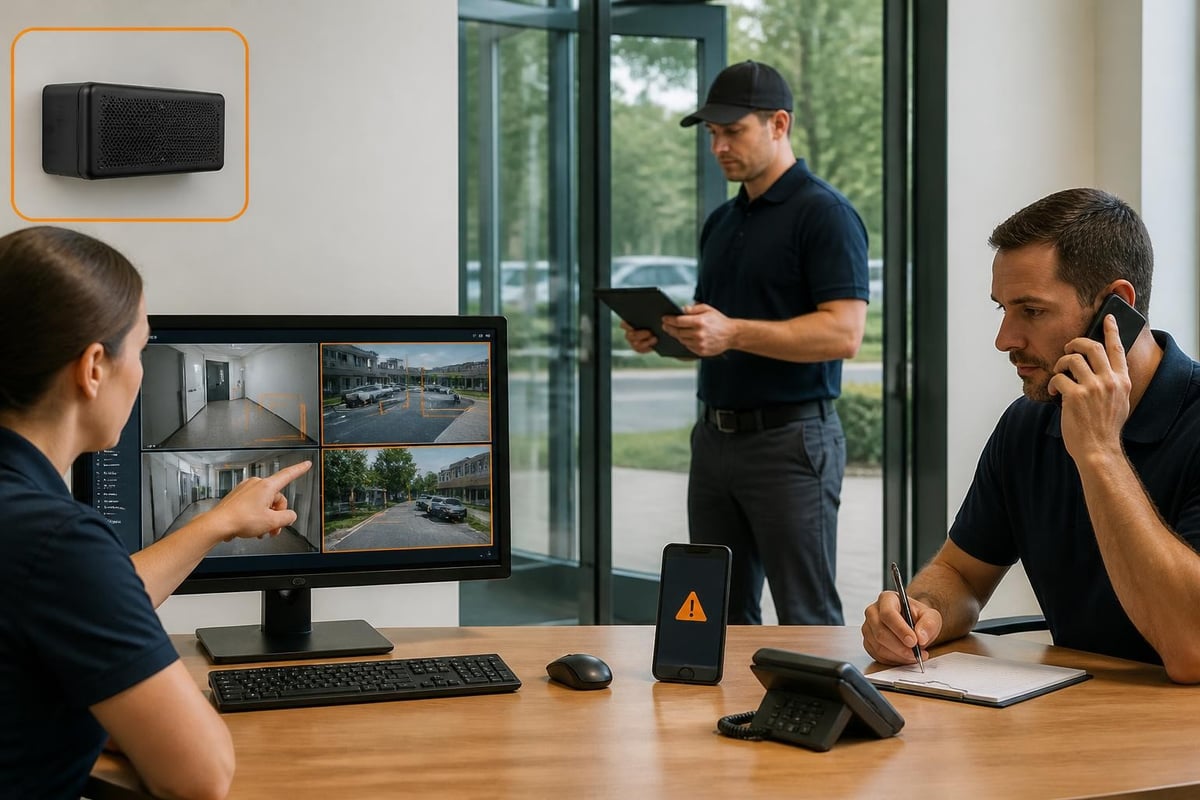
Modern surveillance solutions must accommodate flexible access patterns, enabling security personnel to review footage and respond to alerts regardless of location. The synology dva1622 supports multiple remote access methods, from dedicated mobile applications to web-based interfaces. Furthermore, proper configuration ensures secure remote access without exposing the device to internet-based threats.
The DS cam mobile application provides comprehensive functionality for iOS and Android devices. Users can view live feeds, review recorded footage, receive push notifications for detected events, and manually trigger recordings. In addition, the application supports multiple NVR connections, allowing security teams to manage distributed installations from a single interface.
Implementing Secure Remote Access
Rather than exposing the management interface directly to the internet, businesses should implement VPN-based access. This approach provides several advantages:
- Encrypted communication channels protecting footage and credentials
- Network-level access control restricting connections to authorized devices
- Integration with existing corporate authentication systems
- Comprehensive logging of remote access attempts
- Protection against automated attack attempts
Moreover, Synology's QuickConnect service offers an alternative for smaller deployments, providing secure relay connections without complex network configuration. Nevertheless, organisations with stringent security requirements should carefully evaluate the privacy implications of relay services versus self-hosted VPN solutions, particularly in light of European data sovereignty considerations.
Integration with Business Systems
The synology dva1622 extends beyond standalone operation through various integration capabilities. API access enables connections with access control systems, alarm platforms, and business intelligence tools. Furthermore, these integrations transform surveillance from a reactive security measure into a proactive operational asset.
Practical Integration Scenarios
Businesses leverage surveillance data in multiple contexts:
- Retail analytics: Customer traffic patterns and queue management
- Workplace safety: Incident documentation and compliance verification
- Operational efficiency: Process monitoring and bottleneck identification
- Access control coordination: Visual verification of entry events
- Emergency response: Real-time situation awareness during incidents
Therefore, evaluating potential integrations during initial planning ensures the infrastructure supports future expansion. The Surveillance Station API documentation provides comprehensive details for developers implementing custom integrations.
Performance Optimization and Maintenance
Sustained performance requires ongoing attention to system health, storage capacity, and software updates. The synology dva1622 includes comprehensive monitoring tools that track resource utilization, camera connection status, and recording quality. In addition, automated alerts notify administrators of developing issues before they impact operations.
Regular Maintenance Tasks
Establishing a maintenance schedule ensures reliable operation:
- Weekly: Review storage capacity trends and alert logs
- Monthly: Verify camera connectivity and recording quality
- Quarterly: Test alert notifications and remote access functionality
- Annually: Audit user accounts and review retention policies
- As released: Apply security updates and firmware patches
Nevertheless, maintenance windows should consider peak surveillance requirements, scheduling disruptive updates during low-activity periods. Moreover, testing updates in non-production environments mitigates the risk of compatibility issues affecting active surveillance operations.
According to independent reviews, Synology devices demonstrate strong reliability when properly maintained, with performance remaining consistent across extended operational periods. Furthermore, the company's track record for long-term software support ensures that hardware investments remain viable for multiple years.
European Deployment Considerations
Businesses operating within the European Union face specific regulatory requirements regarding surveillance systems. GDPR mandates careful handling of video footage containing identifiable individuals, with particular attention to retention periods, access controls, and purpose limitation. Therefore, the synology dva1622's local processing capabilities align well with data minimization principles.
Key compliance considerations include:
- Data subject rights: Ability to retrieve and delete footage upon request
- Purpose limitation: Recording only for specified, legitimate purposes
- Retention limits: Automatic deletion according to defined schedules
- Access logging: Comprehensive audit trails of footage viewing
- Security measures: Appropriate technical protections for sensitive data
Furthermore, organisations should consult legal counsel regarding specific obligations, particularly for public-facing cameras or cross-border deployments. The device's robust access control and logging capabilities support compliance efforts, but technology alone cannot guarantee regulatory adherence.
Total Cost of Ownership Analysis
Understanding the complete financial commitment requires looking beyond the initial hardware purchase. The synology dva1622 presents several cost components that businesses should evaluate:
| Cost Category | Initial | Ongoing | Considerations |
|---|---|---|---|
| NVR Hardware | €800-1,000 | None | One-time purchase |
| Storage Drives | €400-800 | Replacement every 3-5 years | Capacity-dependent |
| Camera Licenses | Included (8), €55 each additional | None | Scale as needed |
| IP Cameras | €150-600 each | Rare replacements | Quality varies significantly |
| Network Infrastructure | €200-1,000 | None | May require upgrades |
| Maintenance | None | Staff time | Updates and monitoring |
Moreover, cloud-based alternatives typically charge monthly fees per camera, which accumulate substantially over time. Therefore, on-premises solutions like the synology dva1622 often prove more economical for deployments spanning multiple years, particularly when factoring in data sovereignty and bandwidth considerations.
The Synology DVA1622 delivers enterprise-grade surveillance capabilities with integrated AI analytics, making it a compelling choice for European businesses seeking secure, scalable video recording solutions. When surveillance data requires the same careful handling as other business-critical information, partnering with a provider that understands European compliance and privacy requirements becomes essential. vBoxx offers ISO 27001-certified infrastructure in the Netherlands, providing the secure hosting foundation that complements robust on-premises surveillance with GDPR-compliant cloud services, dedicated servers, and expert consultancy to ensure your complete digital infrastructure meets the highest European standards.