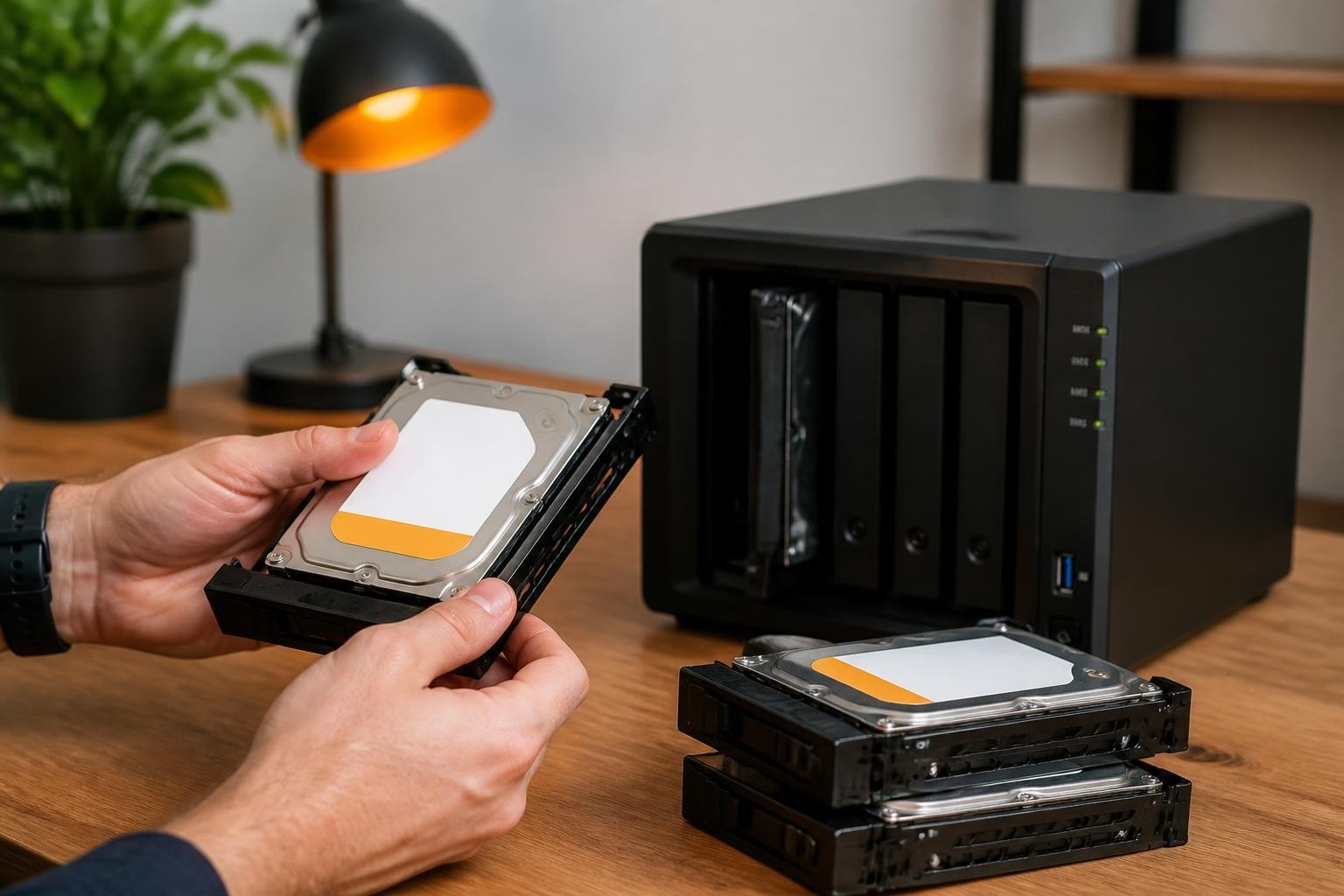
Selecting the right hard drives for your Synology NAS deployment represents one of the most critical decisions in building a reliable business storage infrastructure. Furthermore, the drives you choose will directly impact performance, data integrity, and the long-term operational costs of your storage solution. A Synology NAS hard drive must be carefully matched to your specific workload requirements, capacity needs, and redundancy strategy. Therefore, understanding the technical nuances, compatibility requirements, and reliability considerations becomes essential for businesses seeking to maximise their investment whilst maintaining data security and availability.
Understanding Synology NAS Hard Drive Compatibility
Synology has established specific compatibility policies that businesses must consider when selecting drives for their network-attached storage systems. Moreover, these policies have evolved significantly with DSM 7.x and later versions, introducing stricter requirements for drive validation and support.
The official drive compatibility policies published by Synology outline which drives receive full support, limited support, or no official endorsement. Nevertheless, this doesn't mean incompatible drives won't function, but rather that Synology may not provide technical support for certain configurations.
Key compatibility considerations include:
- Validated drive models that appear on Synology's official compatibility list receive full warranty and support coverage
- Enterprise-grade drives designed for 24/7 operation align better with NAS workload patterns
- Firmware compatibility ensures optimal performance and prevents potential conflicts with DSM updates
- Drive capacity limits vary by NAS model, with newer units supporting larger individual drives
In addition, Synology distinguishes between drives certified for their own branded units versus third-party drives that may work but carry different support implications. Therefore, businesses must weigh the cost savings of non-certified drives against potential support limitations.

The Certified vs Non-Certified Debate
Furthermore, many businesses question whether certified drives justify their premium pricing. Synology's compatibility list prioritises drives that have undergone rigorous testing for NAS-specific workloads, including vibration tolerance, thermal management, and error recovery control.
Non-certified drives may perform adequately in practice, particularly for less critical deployments. Nevertheless, enterprises handling sensitive data or requiring guaranteed support pathways typically opt for certified models to eliminate variables during troubleshooting or warranty claims.
RAID Configuration and Drive Selection Strategy
Choosing the appropriate RAID level fundamentally influences which Synology NAS hard drive characteristics matter most for your deployment. In addition, Synology Hybrid RAID (SHR) offers a proprietary alternative that simplifies storage management whilst providing flexibility for mixed drive capacities.
| RAID Type | Minimum Drives | Fault Tolerance | Usable Capacity | Best For |
|---|---|---|---|---|
| SHR-1 | 2 | 1 drive failure | ~75-85% | Small businesses, mixed drives |
| SHR-2 | 4 | 2 drive failures | ~60-70% | Critical data, mixed drives |
| RAID 1 | 2 | 1 drive failure | 50% | Simple mirroring needs |
| RAID 5 | 3 | 1 drive failure | ~67-75% | Balanced performance/protection |
| RAID 6 | 4 | 2 drive failures | ~50-67% | High reliability requirements |
| RAID 10 | 4 | 1 per mirror | 50% | Performance-critical workloads |
The guide to RAID types from Synology helps businesses understand these tradeoffs. Moreover, your RAID choice influences rebuild times, which become critical when considering drive replacement scenarios.
Drive Count and Capacity Planning
Therefore, businesses must calculate not only current storage needs but also anticipated growth over the typical 3-5 year deployment lifecycle. Furthermore, larger capacity drives reduce the total drive count needed, potentially lowering power consumption and heat generation.
However, larger drives also mean longer RAID rebuild times following a failure. Consequently, organisations using 12TB or larger drives should seriously consider RAID 6 or SHR-2 configurations to maintain availability during extended rebuild periods that may span multiple days.
CMR vs SMR Technology in NAS Environments
The recording technology used by your Synology NAS hard drive significantly impacts performance and reliability in RAID configurations. Furthermore, the distinction between Conventional Magnetic Recording (CMR) and Shingled Magnetic Recording (SMR) has become a critical consideration following industry controversies.
CMR drives offer:
- Consistent write performance regardless of data patterns
- Faster RAID rebuild and resilver operations
- Predictable behaviour under heavy write workloads
- No hidden performance degradation over time
SMR drives present challenges:
- Significantly slower random write performance
- Extended RAID rebuild times that may exceed acceptable windows
- Performance degradation when drive-managed cache fills
- Potential RAID timeout issues during resilver operations
The Ars Technica investigation exposed how some manufacturers marketed SMR drives without clear disclosure, creating serious issues for NAS users. Moreover, independent testing demonstrated that SMR drives in RAID arrays could experience rebuild times exceeding 200 hours compared to 24-48 hours for equivalent CMR models.

Therefore, businesses deploying Synology NAS systems should prioritise CMR drives for RAID configurations. The Seagate NAS Drive Selection Guide provides manufacturer perspective on workload-optimised drive selection, emphasising the importance of matching drive technology to usage patterns.
Reliability Data and Real-World Failure Rates
Understanding actual drive reliability helps businesses make evidence-based decisions when selecting a Synology NAS hard drive for production environments. Furthermore, Backblaze's quarterly drive statistics provide transparency into real-world failure rates across hundreds of thousands of drives in continuous operation.
Interpreting Failure Rate Statistics
The Annualised Failure Rate (AFR) serves as the primary metric for comparing drive reliability. Nevertheless, businesses must understand that these statistics represent population-level trends rather than guarantees for individual drives.
Key insights from 2026 reliability data:
- Enterprise NAS drives consistently demonstrate AFRs below 1.5% in the first three years
- Drives operating in well-ventilated, temperature-controlled environments show significantly lower failure rates
- Infant mortality remains a factor, with early failures occurring within the first 90 days
- Capacity size shows minimal correlation with failure rates when comparing within product lines
In addition, independent reviewers such as Tom's Hardware and StorageReview conduct laboratory testing that complements real-world deployment data, providing performance benchmarks alongside reliability assessments.
Therefore, businesses should consider warranty periods as a manufacturer confidence indicator. Furthermore, drives with five-year warranties typically incorporate more robust components and receive more rigorous quality control than three-year models.
Capacity, Performance and Cost Optimisation
Balancing capacity requirements, performance expectations, and budget constraints requires careful analysis of your specific Synology NAS hard drive deployment scenario. Moreover, the optimal choice varies significantly between small businesses with modest storage needs and enterprises managing terabytes of active data.
| Capacity Range | Typical Use Case | Cost per TB | Performance Tier | Rebuild Time Risk |
|---|---|---|---|---|
| 4-6TB | Small office, basic file sharing | High | Standard | Low |
| 8-10TB | Growing business, media storage | Medium-High | Standard-High | Medium |
| 12-16TB | Enterprise storage, backup target | Medium | High | Medium-High |
| 18-20TB | Data centre, archive systems | Medium-Low | Very High | High |
| 22TB+ | Large-scale deployment | Low | Ultra | Very High |
Furthermore, the price-per-terabyte sweet spot typically falls within the 12-16TB range, where economies of scale begin to outweigh the premium for cutting-edge capacity. Nevertheless, businesses must evaluate total cost of ownership, including power consumption, cooling requirements, and the opportunity cost of occupied drive bays.
Performance Considerations Beyond Capacity
Therefore, rotational speed, cache size, and interface technology all influence real-world performance. Modern 7200 RPM drives with 256MB cache and CMR technology deliver optimal performance for mixed workloads involving both sequential transfers and random access patterns.
In addition, businesses running virtualisation workloads or databases on their Synology NAS should consider SSD caching configurations to accelerate frequently accessed data whilst maintaining high-capacity HDD storage for the bulk repository. This hybrid approach optimises both performance and cost efficiency.

Enterprise-Grade vs Consumer Drives for Business NAS
The distinction between consumer desktop drives and enterprise NAS-specific models extends far beyond marketing terminology. Furthermore, these differences have tangible impacts on reliability, warranty terms, and suitability for continuous operation environments.
Enterprise NAS drives incorporate:
- Rotational Vibration (RV) sensors that compensate for vibrations in multi-drive enclosures
- Enhanced error recovery control optimised for RAID environments rather than desktop retry logic
- Higher workload ratings typically 180TB/year or more compared to 55TB/year for consumer models
- Extended warranties offering five years compared to two or three years for desktop drives
- Thermal management designed for sustained operation at higher ambient temperatures
Nevertheless, consumer drives may suffice for non-critical home office deployments or development environments where downtime carries minimal business impact. Therefore, organisations must assess risk tolerance and recovery time objectives when making this determination.
Moreover, the total cost difference often proves minimal when amortised across the warranty period. A drive costing 40% more but lasting 60% longer and requiring fewer replacements delivers better value whilst reducing operational disruption.
Backup Strategies and Data Protection Beyond RAID
Whilst RAID provides protection against drive failures, it does not constitute a complete backup strategy. In addition, businesses must implement comprehensive data protection that addresses deletion errors, ransomware attacks, and site-level disasters.
Furthermore, maintaining secure, offsite backups ensures business continuity even in worst-case scenarios. Organisations using Microsoft 365 or Google Workspace can implement European cloud-to-cloud backup solutions that complement their Synology NAS deployment, creating multiple recovery points across geographically diverse locations.
Comprehensive backup architecture includes:
- Local RAID redundancy on the Synology NAS protecting against individual drive failures
- Snapshot technology enabling quick recovery from accidental deletions or modifications
- Offsite replication to a secondary Synology unit or cloud storage service
- Immutable backup copies protecting against ransomware encryption attempts
- Regular recovery testing validating that backups function when needed
Therefore, businesses should calculate Recovery Point Objectives (RPO) and Recovery Time Objectives (RTO) to determine appropriate backup frequency and retention policies. Moreover, cloud privacy and security considerations become paramount when selecting offsite backup destinations, particularly for organisations handling sensitive data under GDPR requirements.
Monitoring Drive Health and Predictive Maintenance
Proactive monitoring of Synology NAS hard drive health enables businesses to identify potential failures before they result in data loss or service interruption. Furthermore, DSM includes robust S.M.A.R.T. (Self-Monitoring, Analysis, and Reporting Technology) monitoring that tracks key drive health indicators.
Critical S.M.A.R.T. attributes to monitor include:
- Reallocated Sector Count indicating sectors that have been remapped due to read/write failures
- Current Pending Sector Count showing sectors awaiting reallocation decisions
- Uncorrectable Sector Count representing sectors that could not be recovered
- Temperature with sustained operation above 45°C accelerating wear
- Spin Retry Count suggesting mechanical issues with the drive motor
- Power-On Hours tracking total operational lifetime
Nevertheless, S.M.A.R.T. data provides indicators rather than guarantees. Therefore, businesses should establish monitoring thresholds and replacement policies based on trending data rather than waiting for catastrophic failures.
In addition, scheduled S.M.A.R.T. extended tests during low-usage periods help identify developing issues before they impact production workloads. Moreover, maintaining spare drives enables rapid replacement upon early warning signs, minimising risk exposure.
Future-Proofing Storage Infrastructure
Planning for future growth and technological evolution ensures that your Synology NAS hard drive investment remains viable throughout its expected service life. Furthermore, businesses must consider emerging technologies, capacity trends, and changing workload requirements.
Industry analysis from sources such as Digital Storage Technology Newsletter indicates continued HDD capacity growth through heat-assisted magnetic recording (HAMR) and other advanced technologies. Nevertheless, the transition to new recording methods may introduce compatibility considerations for older NAS hardware.
Future-proofing strategies include:
- Selecting NAS models with headroom for larger capacity drives than currently deployed
- Implementing modular expansion rather than initial over-provisioning
- Standardising on current-generation drive interfaces and technologies
- Planning migration paths to newer platforms before end-of-support dates
- Evaluating hybrid SSD/HDD architectures for performance-critical workloads
Therefore, businesses should assess whether their current Synology model supports the anticipated capacity requirements for the next 3-5 years. Moreover, understanding the differences between various Synology backup approaches helps organisations plan comprehensive data protection strategies that scale alongside storage growth.
Environmental Considerations and Power Efficiency
The environmental impact and operational costs of running multiple drives continuously deserve consideration in modern business infrastructure planning. Furthermore, power consumption, heat generation, and cooling requirements accumulate significantly across multi-bay NAS deployments.
Larger capacity drives reduce the total drive count needed for equivalent storage, consequently lowering aggregate power consumption. Moreover, modern drives incorporate sophisticated power management that spins down inactive drives and adjusts performance states based on workload.
Energy efficiency factors include:
- Drive power consumption ranging from 5-10 watts during active operation
- Idle power states reducing consumption by 50-80% during periods of inactivity
- Cooling overhead requiring additional energy for temperature management
- UPS sizing with battery backup capacity scaled to total system draw
Nevertheless, the most power-efficient solution balances drive count, capacity, and performance requirements rather than simply maximising capacity per drive. Therefore, organisations should model their specific usage patterns to optimise the configuration.
In addition, businesses prioritising sustainability can evaluate their overall infrastructure footprint. For instance, organisations leveraging cloud storage solutions hosted in efficient data centres with renewable energy may achieve better environmental outcomes than on-premises deployments for certain workloads.
Deployment Best Practices for Business Environments
Implementing your selected Synology NAS hard drive configuration requires attention to installation details, initialisation procedures, and ongoing management practices. Furthermore, proper deployment methodology reduces initial issues and establishes a foundation for reliable long-term operation.
Initial Configuration and Burn-In Testing
Pre-deployment verification steps:
- Run manufacturer diagnostics on all drives before installation
- Perform full surface scans to identify infant mortality candidates
- Update NAS firmware to the latest stable DSM release
- Configure notification alerts for drive health and system events
- Document drive serial numbers and installation positions for tracking
Therefore, investing 24-48 hours in burn-in testing before moving into production prevents disruptive early failures and validates the complete storage stack. Moreover, this testing period provides an opportunity to benchmark performance and establish baseline metrics for future comparison.
Furthermore, businesses should implement systematic approaches to drive replacement, maintaining detailed logs of when drives were installed, their operational hours, and any S.M.A.R.T. warnings encountered. This documentation proves invaluable for warranty claims and trend analysis.
Selecting the appropriate Synology NAS hard drive requires balancing technical specifications, reliability data, compatibility requirements, and long-term business objectives. Nevertheless, the investment in proper drive selection and deployment pays dividends through years of reliable operation and minimised data loss risk. For businesses seeking to complement their on-premises storage with secure, GDPR-compliant cloud infrastructure, vBoxx delivers European-hosted solutions including encrypted cloud storage, comprehensive backup services, and ISO 27001-certified infrastructure designed specifically for privacy-conscious organisations operating under strict regulatory requirements.