
Network-attached storage remains a cornerstone of modern business infrastructure, particularly for organisations seeking direct control over their data without relying exclusively on third-party cloud providers. The Synology DS223 represents a practical entry point into professional-grade NAS technology, balancing affordability with essential features for small businesses and workgroups. Furthermore, as organisations navigate data sovereignty requirements and regulatory compliance in 2026, understanding the capabilities and limitations of hardware solutions like the ds223 becomes increasingly important. This article examines the technical specifications, real-world applications, and strategic considerations for businesses evaluating this two-bay NAS unit.
Understanding the DS223 Hardware Architecture
The ds223 is built around a Realtek RTD1619B quad-core processor running at 1.7 GHz, a chipset designed specifically for network storage applications. This ARM-based CPU provides adequate performance for file sharing, basic multimedia streaming, and lightweight containerised applications. Moreover, the unit ships with 2 GB of DDR4 non-expandable RAM, which limits its capacity for concurrent users and memory-intensive tasks.
Physical Design and Drive Compatibility
The device accommodates two 3.5-inch SATA hard drives or 2.5-inch SSDs, supporting individual drives up to 20 TB in capacity. According to the official Synology product page, the hot-swappable drive bays allow maintenance without powering down the unit. Nevertheless, drive compatibility has been a point of discussion in the Synology ecosystem, particularly following policy changes around third-party hardware support that were subsequently revised in DiskStation Manager 7.3.
Key physical specifications:
- Dimensions: 166 mm × 100 mm × 225.5 mm
- Weight: 0.87 kg (without drives)
- Power consumption: 14.27 W during operation, 6.62 W in HDD hibernation
- Thermal design: 92 mm × 92 mm system fan with automatic speed adjustment
- Operating temperature: 0°C to 40°C
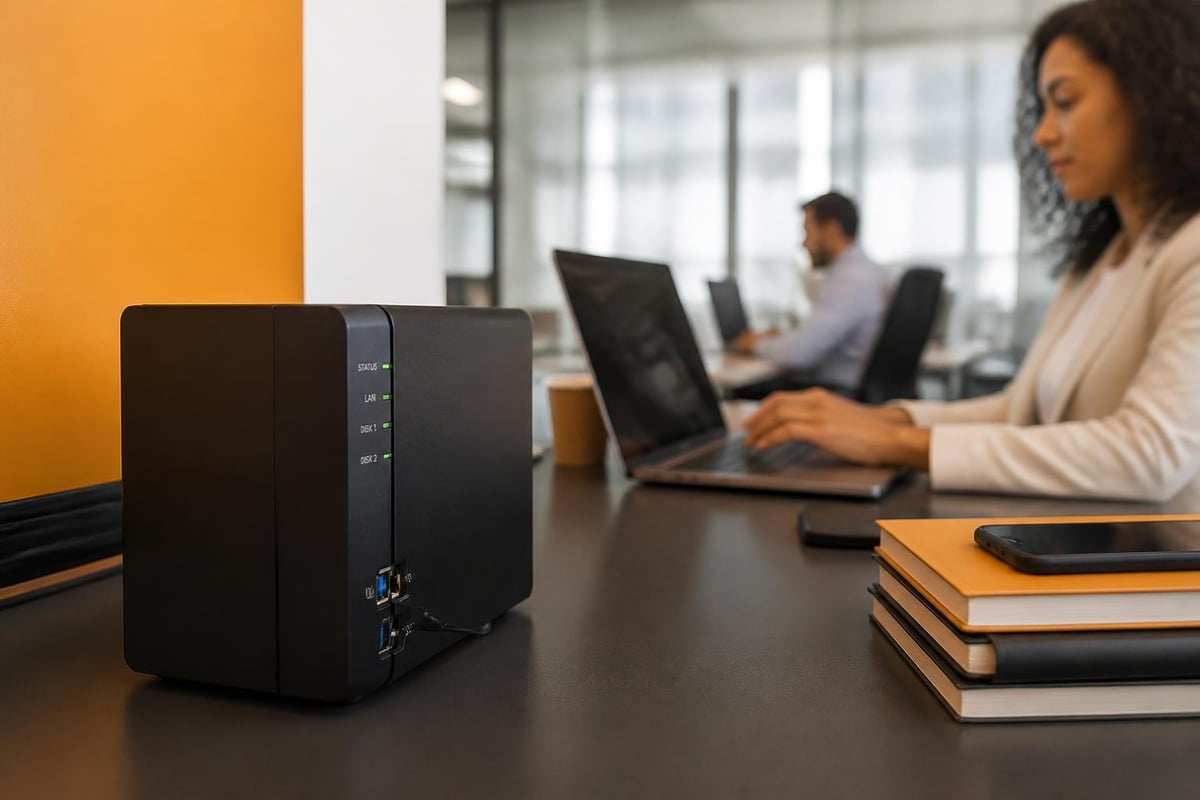
The compact footprint makes the ds223 suitable for office environments where space is limited. In addition, the relatively low power consumption aligns with organisations pursuing energy-efficient IT infrastructure.
Network Performance and Connectivity Options
The unit features dual Gigabit Ethernet ports supporting link aggregation and failover configurations. Therefore, organisations can either combine bandwidth for increased throughput (reaching theoretical speeds up to 226 MB/s) or configure automatic failover for improved reliability. Sequential read and write speeds depend heavily on drive selection and RAID configuration, with single-drive setups typically achieving 100-115 MB/s.
RAID Configuration and Data Protection
The ds223 supports multiple RAID levels through Synology's hybrid RAID (SHR) and traditional configurations:
| RAID Level | Minimum Drives | Fault Tolerance | Usable Capacity (2× 4TB) | Use Case |
|---|---|---|---|---|
| Basic | 1 | None | 8 TB | Maximum capacity, no protection |
| JBOD | 2 | None | 8 TB | Combined storage, no redundancy |
| RAID 0 | 2 | None | 8 TB | Performance focus, high risk |
| RAID 1 | 2 | 1-drive failure | 4 TB | Business standard, full mirror |
| SHR | 2 | 1-drive failure | 4 TB | Flexible expansion path |
For business environments, RAID 1 or SHR configurations are essential. Furthermore, these approaches ensure that a single drive failure does not result in complete data loss, providing time for drive replacement and array rebuilding. Capacity calculations become particularly important when planning storage investments.
DiskStation Manager Software Ecosystem
The ds223 runs Synology's DiskStation Manager (DSM) 7.2 or later, a Linux-based operating system that provides extensive functionality through web-based administration. Moreover, DSM transforms the basic hardware into a versatile platform capable of file serving, backup orchestration, surveillance station hosting, and containerised application deployment.
Essential Business Applications
Core productivity packages include:
- File Station: Browser-based file management with drag-and-drop uploads, folder permissions, and link sharing
- Synology Drive: Client-server synchronisation similar to commercial cloud storage platforms
- Hyper Backup: Multi-destination backup supporting local, remote NAS, and cloud targets
- Snapshot Replication: Btrfs filesystem snapshots for point-in-time recovery
- Active Backup for Business: Agent-based backup for Windows PCs and physical servers
Nevertheless, the 2 GB RAM limitation affects how many concurrent DSM packages can run smoothly. Organisations should prioritise essential services rather than attempting to deploy the full catalogue of available applications.
Security and Access Control
DSM provides granular user and group management with support for Windows Active Directory, LDAP, and domain trust relationships. In addition, the system includes:
- Two-factor authentication via SMS, email, or authenticator apps
- IP blocking and auto-block following failed login attempts
- SSL/TLS certificate management with Let's Encrypt integration
- Firewall rules and network segmentation options
These features align with fundamental cybersecurity practices, though organisations handling sensitive data should consider additional network-level protections.

Real-World Performance Benchmarks
Independent reviews provide practical context beyond manufacturer specifications. TechRadar's hands-on assessment found the ds223 delivers consistent performance for small workgroup file sharing, with approximately 8-12 concurrent users experiencing smooth operation. Furthermore, Android Central's evaluation highlighted the unit's capability as a media server for home offices, though transcoding 4K video streams can tax the processor.
Practical Throughput Measurements
| Operation | Performance | Notes |
|---|---|---|
| Sequential read (RAID 1) | 112 MB/s | WD Red Plus 4TB drives |
| Sequential write (RAID 1) | 108 MB/s | Sustained over 10 GB file |
| Random 4K read | 28 MB/s | Database and VM workloads |
| Random 4K write | 31 MB/s | Typical office document patterns |
| Simultaneous streams | 2× 1080p | Hardware transcoding limited |
Therefore, the ds223 excels at sequential file operations typical of document management, while random I/O performance suits light database applications or version control repositories. Nevertheless, organisations running intensive applications should consider models with expandable RAM and more powerful processors.
Strategic Positioning for Business Users
The ds223 occupies a specific niche within Synology's product line. It serves organisations that need reliable local storage with basic redundancy but cannot justify the investment in higher-tier units like the DS723+ or DS923+. Moreover, it represents a stepping stone for businesses transitioning from direct-attached storage or basic cloud-only strategies.
Ideal Use Scenarios
The ds223 aligns well with:
- Document centralisation for teams of 5-15 users sharing Office files, PDFs, and project documentation
- Incremental backup targets for workstation data using Time Machine, Windows Backup, or Hyper Backup clients
- Archive repositories for completed projects, financial records, and regulatory compliance documentation
- Development environments hosting Git repositories, build artefacts, and testing datasets
Less suitable applications include:
- High-concurrency database hosting requiring consistent sub-5ms latency
- 4K video editing with multiple simultaneous streams
- Virtual machine hosting beyond 1-2 lightweight instances
- Enterprise backup targets serving more than 20 endpoints
Understanding these boundaries prevents misalignment between business requirements and hardware capabilities.
Hybrid Infrastructure Considerations
Many organisations in 2026 operate hybrid environments combining local storage with cloud services. The ds223 can function as a primary repository with cloud synchronisation, a local backup target for cloud-hosted data, or a staging area for selective cloud uploads. Furthermore, this approach addresses data sovereignty concerns whilst maintaining cloud accessibility.
For businesses prioritising GDPR compliance and European data residency, platforms like vBoxxCloud offer GDPR-compliant business cloud storage with 256-bit AES encryption stored in ISO 27001-certified data centres in the Netherlands. Nevertheless, hybrid strategies combining local NAS for active working files and compliant cloud storage for long-term retention provide both control and geographic redundancy.

Cost Analysis and Total Ownership
The ds223 typically retails between £180-£220 (diskless), making it accessible for small business budgets. However, total cost of ownership includes drives, backup media, potential expansion, and ongoing administration.
Five-Year Ownership Projection
| Component | Initial | Year 2 | Year 4 | Total |
|---|---|---|---|---|
| DS223 unit | £200 | £0 | £0 | £200 |
| 2× 4TB WD Red Plus | £180 | £0 | £90 | £270 |
| Cloud backup (200GB) | £48 | £48 | £48 | £240 |
| Power (24/7 operation) | £25 | £25 | £25 | £125 |
| Administration (10hr/yr) | £400 | £400 | £400 | £2,000 |
| Total | £853 | £473 | £563 | £2,835 |
Therefore, whilst the hardware investment is modest, administration time represents the largest ongoing cost. Moreover, organisations without dedicated IT staff should factor in learning curve time or consider managed service alternatives.
Migration and Deployment Strategies
Deploying a ds223 as a business file server requires careful planning to minimise disruption. Furthermore, successful migrations address not just data transfer but also permission mapping, user training, and workflow adaptation.
Recommended Deployment Phases
- Pre-deployment: Audit existing file structures, identify permission models, document current workflows
- Initial setup: Configure RAID, apply DSM updates, establish backup schedules before production use
- Pilot phase: Deploy to a single department or project team, validate performance and usability
- Staged migration: Transfer data in batches, verify integrity, maintain parallel access during transition
- User enablement: Provide documentation, conduct training sessions, establish support channels
In addition, organisations should maintain their previous storage solution in read-only mode for at least 30 days post-migration, enabling quick recovery if issues emerge. Nevertheless, thorough testing during pilot phases typically prevents major complications.
Maintenance and Longevity Planning
The ds223 requires ongoing maintenance to ensure reliability and security. Moreover, Synology provides DSM updates for approximately 7-8 years following hardware release, meaning units purchased in 2026 should receive support through 2033-2034.
Essential maintenance tasks:
- Monthly: Review storage capacity trends, check SMART drive health indicators, verify backup completion logs
- Quarterly: Test restore procedures, update DSM and installed packages, review security logs
- Annually: Validate RAID integrity via scrubbing, assess performance trends, plan capacity expansion
- As needed: Replace failed drives within 24-48 hours, adjust user permissions for organisational changes
Furthermore, drive replacement should occur proactively when SMART warnings indicate declining health, rather than waiting for complete failure. Therefore, maintaining spare drives reduces downtime during rebuilding processes.
Scalability and Upgrade Pathways
The two-bay limitation constrains long-term scalability. When additional capacity or performance becomes necessary, organisations face three primary paths:
Expansion options:
- Add Synology expansion units (DX517 or similar) to increase drive count whilst retaining the ds223 as the primary unit
- Deploy additional ds223 units in separate locations or departments, synchronising via Synology's replication tools
- Migrate to higher-tier models (DS423+, DS723+, or DS923+) when RAM, CPU, or bay count becomes limiting
Nevertheless, the non-expandable RAM represents the most significant constraint. Organisations anticipating Docker container deployment, virtualisation, or advanced DSM packages should consider models with upgradeable memory from the outset.
Compliance and Regulatory Alignment
Whilst the ds223 provides physical control over data storage, meeting regulatory requirements extends beyond hardware selection. Moreover, organisations subject to GDPR, industry-specific regulations, or contractual data residency clauses must consider the complete infrastructure stack.
Compliance considerations include:
- Physical security: Where is the NAS located, and who has access to the hardware?
- Network security: Are appropriate firewalls, VLANs, and access controls configured?
- Data encryption: Is data encrypted at rest and in transit?
- Backup geography: Where do off-site backups reside, and under whose jurisdiction?
- Access logging: Are access attempts, modifications, and administrative actions logged and retained?
Therefore, the ds223 provides tools supporting compliance (encryption, logging, access controls), but organisational policies and procedures determine actual regulatory alignment. In addition, businesses should consult with compliance specialists when deploying storage for regulated data types.
The Synology ds223 delivers reliable network-attached storage for small businesses prioritising local control, basic redundancy, and cost efficiency, whilst its two-bay design and fixed RAM define clear boundaries for appropriate use cases. Nevertheless, organisations requiring European-based infrastructure, advanced collaboration features, or fully managed solutions should explore comprehensive platforms that eliminate hardware maintenance overhead whilst ensuring GDPR compliance. vBoxx provides ISO 27001-certified cloud storage, communication, and security services hosted entirely within the Netherlands, combining the data sovereignty benefits of local storage with the scalability and professional management of dedicated European infrastructure.