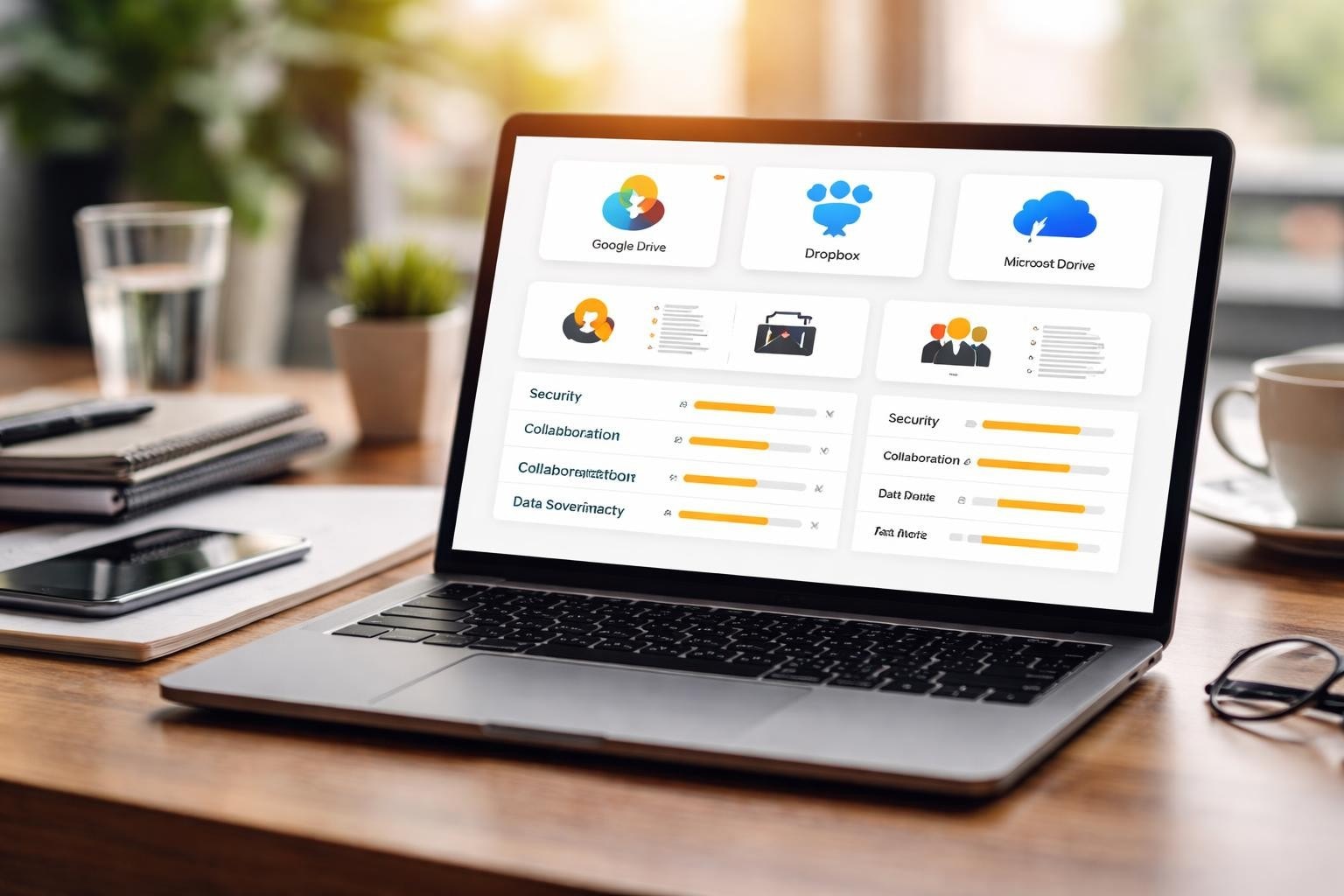

Finding the right cloud storage solution for your business is critical in 2026, especially when security, privacy, and control over your data are paramount. Although Nextcloud has established itself as a popular open-source platform, it may not be the perfect fit for every organisation. Whether you’re concerned about technical complexity, seeking better performance, looking for enhanced collaboration features, or simply wanting to explore what else the market offers, therefore investigating a Nextcloud alternative makes strategic sense. In this guide, we will examine the leading alternatives, ultimately helping you make an informed decision that aligns with your business requirements.
Why Businesses Search for a Nextcloud Alternative
Nextcloud has earned respect in the self-hosted cloud storage market; however, many organisations find themselves seeking alternatives for legitimate reasons. For instance, the platform’s complexity often requires significant technical expertise to deploy and maintain properly, which can strain IT resources in smaller teams.
Additionally, performance concerns frequently drive the search for alternatives. Nextcloud can become sluggish when handling large files or supporting numerous concurrent users, especially if the underlying infrastructure isn’t optimally configured. Consequently, businesses with substantial storage needs or those requiring seamless real-time collaboration often discover these limitations through painful experience.
Common Pain Points with Nextcloud
- Maintenance overhead: Regular updates, plugin compatibility issues, and server configuration demands
- Resource intensity: Higher server requirements compared to some commercial alternatives
- User interface complexity: Steeper learning curve for non-technical users
- Integration challenges: Difficulties connecting with specific enterprise tools
- Support limitations: Community-based assistance rather than guaranteed commercial support
The need for a more streamlined solution becomes apparent when organisations calculate the true cost of ownership. Whilst Nextcloud itself is free, the staffing requirements, server resources, and time invested in troubleshooting can exceed the expense of managed alternatives.

Leading Nextcloud Alternative Options for 2026
The market offers numerous compelling alternatives, each with distinct strengths suited to different business contexts. Evaluating these options requires understanding your specific requirements beyond basic file storage.
Seafile: Performance-Focused File Synchronisation
Seafile distinguishes itself through exceptional performance, particularly when handling large files and supporting numerous simultaneous users. Built with efficiency in mind, this open-source platform uses a unique block-level synchronisation approach that dramatically reduces bandwidth consumption and speeds up file transfers.
The platform’s architecture separates files into libraries, providing granular control over sharing and permissions whilst maintaining impressive sync speeds. Businesses with large media files or distributed teams appreciate Seafile’s ability to handle demanding workloads without the performance degradation that sometimes affects Nextcloud.
Key advantages include professional editions with dedicated support, comprehensive versioning capabilities, and robust mobile applications. However, the interface feels less polished than some commercial offerings, and the plugin ecosystem remains smaller than Nextcloud’s extensive catalogue.
ownCloud: The Mature Enterprise Solution
As Nextcloud’s predecessor and ongoing competitor, ownCloud has evolved into a business-focused platform with particular strengths in enterprise environments. The platform offers both community and commercial editions, with the latter providing extensive support options and enterprise-grade features.
| Feature | ownCloud | Nextcloud |
|---|---|---|
| Target Audience | Enterprise-focused | Community and business |
| Commercial Support | Comprehensive SLA options | Limited official support |
| Scalability | Optimised for large deployments | Variable based on configuration |
| User Interface | Streamlined, business-oriented | Feature-rich, complex |
| Update Frequency | Conservative, stable releases | Frequent feature additions |
ownCloud’s conservative development approach prioritises stability over cutting-edge features, making it particularly suitable for organisations that value predictability and long-term support commitments.
Syncthing: Decentralised Simplicity
Syncthing represents a fundamentally different approach to file synchronisation because it eliminates central servers entirely. As a result, this peer-to-peer architecture offers remarkable privacy benefits, as files never touch third-party infrastructure or central storage points.
Moreover, the platform excels in scenarios where simplicity and privacy outweigh the need for web-based access or extensive collaboration features. For example, small businesses with straightforward synchronisation needs often find Syncthing’s minimalist approach refreshingly uncomplicated.
Nevertheless, this simplicity comes with trade-offs. Specifically, the absence of a web interface, limited sharing capabilities, and lack of built-in collaboration tools make Syncthing unsuitable for organisations requiring comprehensive cloud office functionality.
Commercial Nextcloud Alternative Solutions
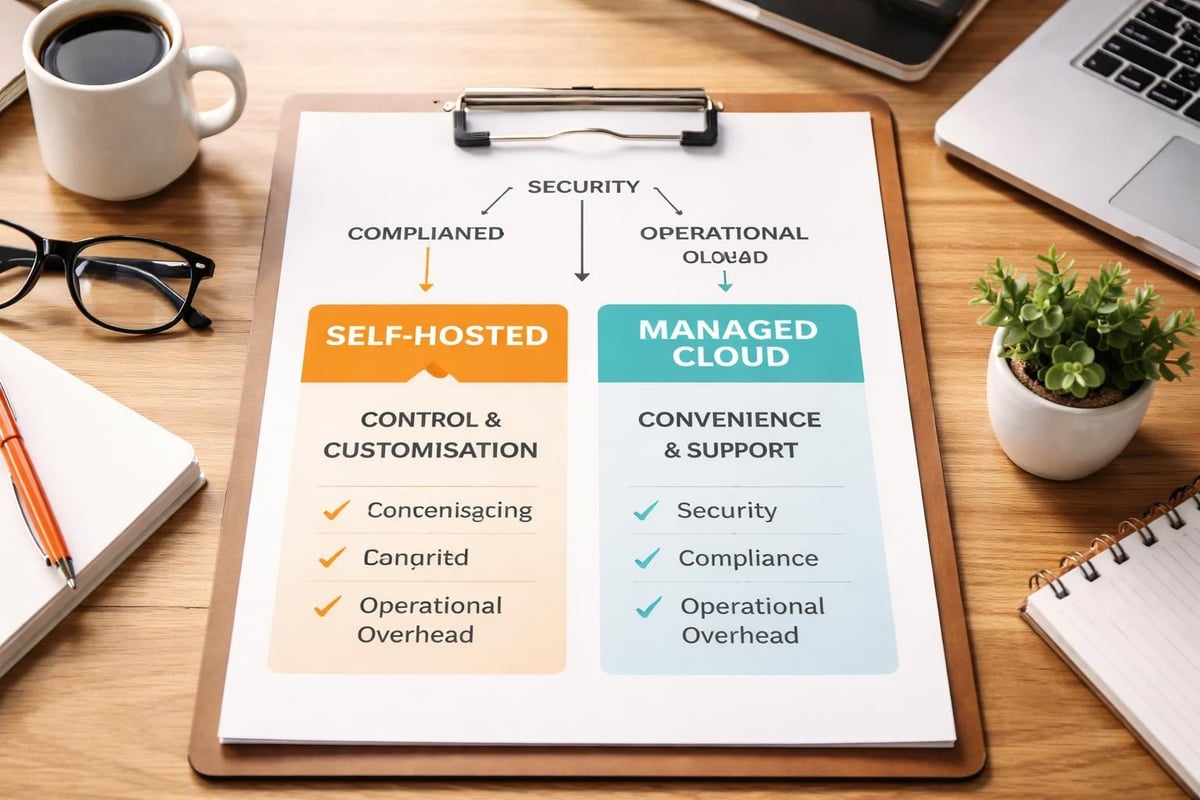
Whilst open-source platforms offer control and flexibility, commercial alternatives provide different value propositions that deserve consideration. These solutions trade some autonomy for convenience, professional support, and reduced maintenance burdens.
pCloud: Swiss-Hosted Security
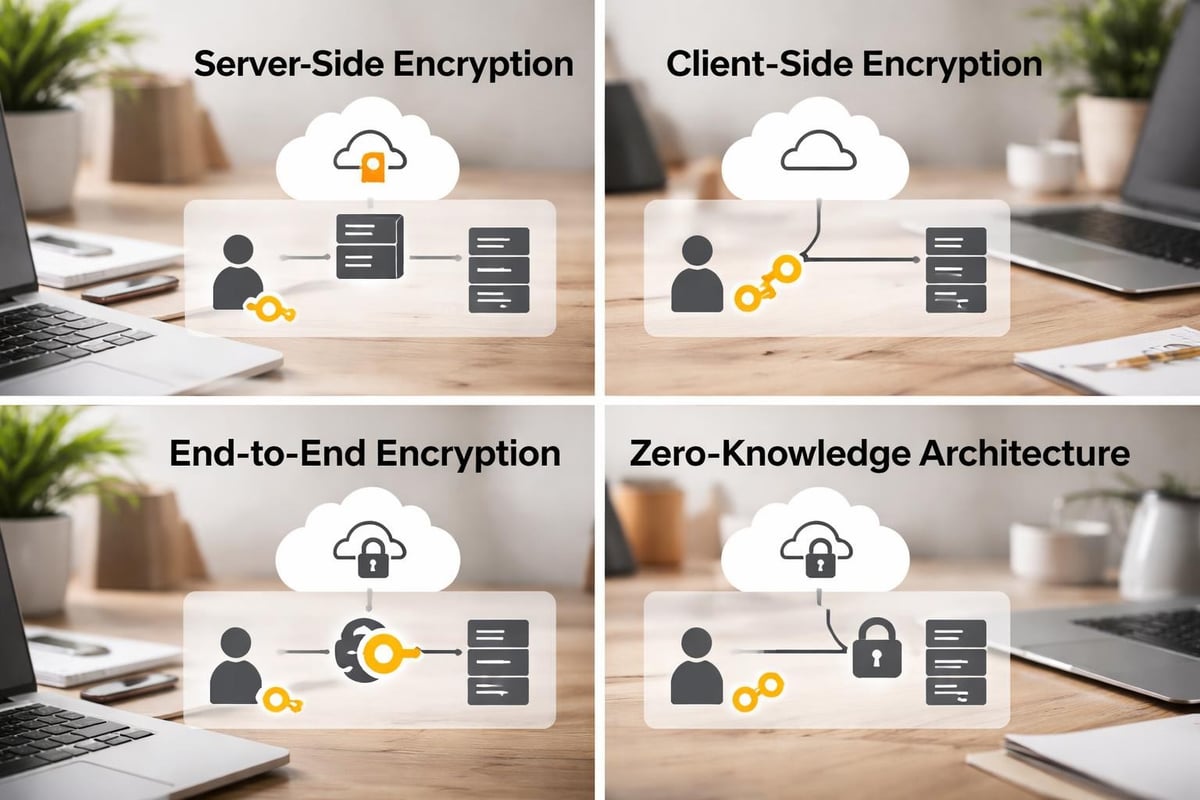
pCloud positions itself as a privacy-focused commercial alternative with European data hosting options. The Switzerland-based service provides client-side encryption through its pCloud Crypto add-on, ensuring files remain encrypted before leaving your device.
The platform’s lifetime pricing model distinguishes it from subscription-heavy competitors. One-time payments provide permanent storage allocations, making long-term cost calculations straightforward. Business accounts include comprehensive collaboration features, version history, and remote file access without the self-hosting complexity.
For organisations prioritising data sovereignty and European privacy standards, pCloud’s Geneva data centres offer compelling jurisdictional advantages whilst eliminating infrastructure management responsibilities.
Tresorit: End-to-End Encrypted Collaboration
Tresorit targets businesses with stringent security requirements, offering end-to-end encryption as standard across all plans. The Swiss-Hungarian service maintains zero-knowledge architecture, meaning even Tresorit cannot access your unencrypted files.
- Regulatory compliance: GDPR, HIPAA, and various industry-specific certifications
- Advanced sharing controls: Expiring links, download limits, watermarking options
- Comprehensive audit logs: Detailed tracking for compliance and security monitoring
- Secure collaboration: Encrypted file requests and secure data rooms
The premium positioning reflects in pricing, making Tresorit one of the market’s more expensive options. However, organisations in regulated industries often find the security features and compliance certifications justify the investment compared to configuring similar protections in self-hosted alternatives.
Open-Source Alternatives Beyond Traditional Cloud Storage
The nextcloud alternative landscape extends beyond direct competitors into adjacent categories that solve similar problems through different approaches. These platforms deserve consideration depending on your specific use cases.
FileRun: Web File Manager Excellence
FileRun operates as a sophisticated web file manager that transforms existing storage into an accessible cloud platform. Rather than creating its own storage layer, FileRun provides the interface and functionality atop your chosen backend, whether local disks, network shares, or object storage.
This architecture offers unique flexibility for businesses with existing storage infrastructure. The platform supports numerous authentication methods, integrates with various document editing solutions, and provides extensive customisation options through plugins and themes.
Installation simplicity represents another advantage. FileRun’s straightforward setup process and modest resource requirements make deployment considerably easier than configuring Nextcloud’s various components and dependencies.
Pydio Cells: Modern Go-Based Architecture
Pydio Cells represents a complete rewrite of the earlier Pydio platform, rebuilt in Go for improved performance and scalability. The modern architecture supports microservices deployment, making it suitable for organisations requiring highly available, distributed installations.
Technical advantages include native enterprise features like advanced workflow automation, comprehensive audit capabilities, and sophisticated security policies. The platform’s policy engine enables granular control over data access, retention, and compliance requirements.
Whilst Pydio Cells offers powerful capabilities, the platform targets technically sophisticated organisations comfortable with more complex configurations. Smaller businesses may find the feature set exceeds their requirements whilst increasing deployment complexity.
Evaluating Security and Privacy Considerations
Security differentiates cloud storage platforms far more significantly than storage capacity or interface polish. When assessing any nextcloud alternative, examining the security architecture reveals crucial distinctions that impact data protection.
Encryption Standards Across Platforms
| Platform | Encryption at Rest | Encryption in Transit | End-to-End Option | Zero-Knowledge |
|---|---|---|---|---|
| Seafile | Yes (optional) | Yes (HTTPS) | Yes (paid plans) | With client-side encryption |
| ownCloud | Configurable | Yes (HTTPS) | Via apps | Partial |
| Tresorit | Yes (mandatory) | Yes (HTTPS) | Yes (standard) | Yes (default) |
| pCloud | Yes (standard) | Yes (HTTPS) | Yes (paid add-on) | With pCloud Crypto |
| FileRun | Depends on backend | Yes (HTTPS) | No native option | No |
Understanding these distinctions proves essential for compliance and risk management. Zero-knowledge architecture, where the service provider cannot access unencrypted data, provides the strongest privacy guarantees but may limit some collaboration features or server-side processing capabilities.
Data Sovereignty and Jurisdiction
Businesses subject to regulatory requirements must consider where their data physically resides and which legal jurisdictions govern access. Self-hosted solutions like Seafile or ownCloud provide complete control over data location, whilst commercial services vary significantly in their hosting options.
European providers frequently emphasise GDPR compliance and EU data hosting as competitive advantages. For organisations handling sensitive information or operating in regulated industries, these jurisdictional considerations may override other platform features in importance.
Implementation and Migration Strategies
Selecting a nextcloud alternative represents only the first step. Successful implementation requires careful planning to minimise disruption whilst ensuring data integrity throughout the transition process.
Planning Your Migration Approach
- Audit current usage: Document active users, storage consumption, sharing patterns, and integrated applications
- Identify critical dependencies: Catalogue third-party integrations, custom applications, and workflow automations
- Establish success criteria: Define specific performance, usability, and functionality benchmarks
- Design pilot programme: Select representative user groups for initial testing and feedback
- Create rollback procedures: Ensure you can revert to the previous system if serious issues emerge
Migration complexity varies dramatically based on your current configuration and chosen alternative. Platforms with similar architectural approaches typically simplify data transfer, whilst fundamentally different systems may require more elaborate conversion processes.
Technical Considerations for Self-Hosted Platforms
Self-hosted alternatives demand infrastructure decisions that significantly impact performance, reliability, and maintenance requirements. In particular, server specifications, storage architecture, network configuration, and backup strategies all require careful consideration.
Moreover, infrastructure recommendations depend heavily on user count and usage patterns. For example, a business with fifty users handling primarily document collaboration has vastly different requirements than an organisation with two hundred users frequently transferring large media files.
In addition, database selection influences performance characteristics. Typically, PostgreSQL generally provides better performance under heavy concurrent loads compared to MySQL, although configuration expertise matters enormously. Furthermore, Redis or Memcached caching layers can dramatically improve response times for frequent operations.
Finally, storage backend choices affect both performance and cost. For instance, object storage like MinIO or commercial S3-compatible services offer excellent scalability but may increase latency for small files. Conversely, traditional file systems on fast SSDs provide superior performance for mixed workloads but can become expensive at scale.
Collaboration Features and Productivity Tools
Modern cloud storage platforms extend well beyond file synchronisation into comprehensive collaboration environments. In particular, the sophistication of these features often determines user satisfaction and overall productivity impact. As a result, organisations increasingly evaluate platforms not only on storage capability but also on collaboration quality. Moreover, this shift highlights the importance of integrated tools that support efficient teamwork and seamless workflows.
Document Editing and Real-Time Collaboration
Integration with office suites separates basic file storage from true productivity platforms. Several approaches exist, each with distinct characteristics:
- Native editors: Built-in editing capabilities (limited in most alternatives)
- OnlyOffice integration: Popular open-source office suite with strong compatibility
- Collabora Online: LibreOffice-based solution offering familiar functionality
- Microsoft Office Online: Commercial integration for organisations standardised on Microsoft tools
- Google Workspace: Cloud-native collaboration for businesses invested in Google’s ecosystem
Real-time collaborative editing quality varies significantly between platforms. In particular, commercial solutions typically provide smoother experiences with better conflict resolution and more reliable synchronisation. By contrast, open-source alternatives have improved considerably but may still exhibit occasional synchronisation quirks with complex documents or numerous simultaneous editors. As a result, organisations must carefully evaluate collaboration performance when selecting a platform. Moreover, this helps ensure consistent productivity and a better user experience across teams.
Communication and Workflow Integration
The ability to integrate with existing communication tools amplifies a platform’s usefulness. Slack, Microsoft Teams, and similar applications generate countless file exchanges. Seamless integration with your chosen nextcloud alternative reduces friction and encourages adoption.
Workflow automation capabilities range from basic file operation triggers to sophisticated business process management. Organisations with complex approval workflows, content review processes, or compliance requirements should prioritise platforms offering robust automation frameworks.
If you’re evaluating comprehensive solutions that integrate storage, communication, and collaboration, exploring a guided demonstration of integrated platforms can reveal workflow efficiencies that individual feature comparisons might miss.
Cost Analysis and Total Ownership Considerations
Pricing models vary dramatically across Nextcloud alternative options, and initial subscription costs rarely tell the complete financial story. In particular, comprehensive cost analysis requires examining both direct expenses and hidden operational costs. As a result, organisations gain a more accurate understanding of long-term financial commitments. Moreover, this helps prevent unexpected expenses and supports more informed budgeting decisions.
Commercial Platform Pricing Structures
| Platform Type | Typical Pricing | Hidden Costs | Best For |
|---|---|---|---|
| Self-hosted open-source | Free software | Infrastructure, staff time, maintenance | Technical teams, specific requirements |
| Managed open-source | £5-15/user/month | Limited customisation options | Organisations wanting control with less complexity |
| Commercial premium | £15-35/user/month | Vendor lock-in, feature limitations | Businesses prioritising convenience and support |
| Enterprise platforms | Custom pricing | Integration costs, training requirements | Large organisations with complex needs |
Self-hosted solutions eliminate subscription fees but introduce infrastructure expenses and staff time requirements. A realistic calculation includes server costs, backup infrastructure, administrative overhead, update management, and troubleshooting. Many organisations discover their internal costs exceed commercial alternatives when honestly accounted.
Calculating True Total Cost of Ownership
Beyond obvious expenses, consider these frequently overlooked factors:
Staff productivity losses during platform transitions can dwarf software costs. In particular, user training requirements, temporary workflow disruptions, and the learning curve associated with new interfaces all carry real financial consequences. As a result, platforms with intuitive interfaces and familiar paradigms help minimise these transition costs.
Moreover, security incident costs represent another important consideration. For example, although difficult to quantify precisely, the potential expense of data breaches, ransomware attacks, or compliance violations should strongly influence platform selection. Therefore, investing in robust security today helps prevent significantly more costly problems in the future.
In addition, scalability costs matter for growing organisations. Notably, some platforms that appear economical at fifty users become prohibitively expensive or technically challenging at five hundred users. As a result, understanding cost trajectories as your business expands helps prevent disruptive and costly migrations later.
Industry-Specific Recommendations
Different sectors face unique requirements that make specific Nextcloud alternative solutions particularly suitable or problematic. In particular, regulatory obligations, workflow patterns, and risk profiles vary substantially across industries. As a result, organisations must carefully align platform capabilities with sector-specific needs. Moreover, this ensures both compliance and operational efficiency in diverse business environments.
Healthcare and Medical Organisations
HIPAA compliance dominates healthcare cloud storage decisions. Platforms must provide comprehensive audit logging, granular access controls, encryption capabilities, and business associate agreements. Tresorit’s healthcare-specific features and compliance certifications make it particularly suitable, whilst self-hosted solutions require substantial configuration to meet regulatory standards.
Patient data sovereignty concerns often push healthcare organisations toward platforms emphasising data control and European hosting, where stricter privacy regulations provide additional patient protections.
Legal and Professional Services
Law firms and professional service providers prioritise client confidentiality alongside collaboration capabilities. In particular, document-centric workflows, extensive version control requirements, and sophisticated permission structures favour platforms with mature document management features. As a result, these organisations can maintain both efficiency and strict confidentiality standards.
Moreover, the ability to create secure client portals for document exchange represents a critical capability. In addition, platforms offering white-label options enable professional service firms to provide branded experiences that reinforce their own identity rather than advertising the underlying technology provider. Therefore, this enhances client trust while preserving a professional and consistent brand experience.
Creative and Media Production
Media organisations handling large video files, high-resolution images, and complex project assets require exceptional performance and generous storage allocations. In particular, Seafile’s block-level synchronisation and large file handling make it especially suitable for creative workflows.
Moreover, integration with Adobe Creative Cloud, video editing platforms, and digital asset management systems influences platform selection. As a result, the ability to preview media files directly within the cloud interface improves workflow efficiency for creative teams constantly reviewing and sharing visual assets.
Making Your Final Selection
Choosing the optimal nextcloud alternative ultimately depends on balancing numerous competing priorities. No single platform excels across every dimension, requiring organisations to identify their most critical requirements and acceptable compromises.
Decision Framework Questions
- What level of technical expertise exists within your organisation? Self-hosted platforms demand considerably more technical capability than managed commercial services.
- How important is data sovereignty and complete control? Businesses with strict compliance requirements or philosophical commitments to data ownership lean toward self-hosted solutions.
- What collaboration features do your workflows genuinely require? Distinguishing essential capabilities from nice-to-have features prevents over-paying for unnecessary functionality.
- How will your storage and user count evolve? Scalability considerations prevent expensive migrations as your business grows.
- What budget constraints exist? Honest total cost of ownership calculations reveal true financial requirements beyond initial pricing.
Testing shortlisted platforms through pilot programmes provides invaluable real-world insights that specifications and marketing materials cannot convey. Representative user groups across different roles and technical capabilities should participate, providing feedback on usability, performance, and workflow integration.
Common Implementation Mistakes to Avoid
Rushing deployment without adequate planning creates preventable problems. Insufficient user training generates resistance and reduced adoption rates. Neglecting backup strategies before migration risks catastrophic data loss. Failing to document configuration decisions complicates future troubleshooting and staff transitions.
Underestimating change management requirements represents another frequent mistake. Even superior technology faces resistance when introduced without proper communication, training, and stakeholder engagement. Successful implementations recognise that technology changes affect people and processes, requiring attention to these human dimensions alongside technical execution.
When evaluating the extensive range of alternatives available, remember that the best platform is the one your team will actually use effectively, not necessarily the one with the most impressive feature list.
Selecting the right nextcloud alternative requires balancing security, usability, cost, and specific business requirements unique to your organisation. Whether you prioritise the control of self-hosted platforms or the convenience of managed commercial services, numerous compelling options exist to meet diverse needs. vBoxx provides secure cloud infrastructure with an emphasis on privacy, sustainability, and reliable performance, helping businesses implement robust storage solutions without compromising on security or environmental responsibility. Our team can guide you through the options that best align with your operational requirements and compliance obligations.