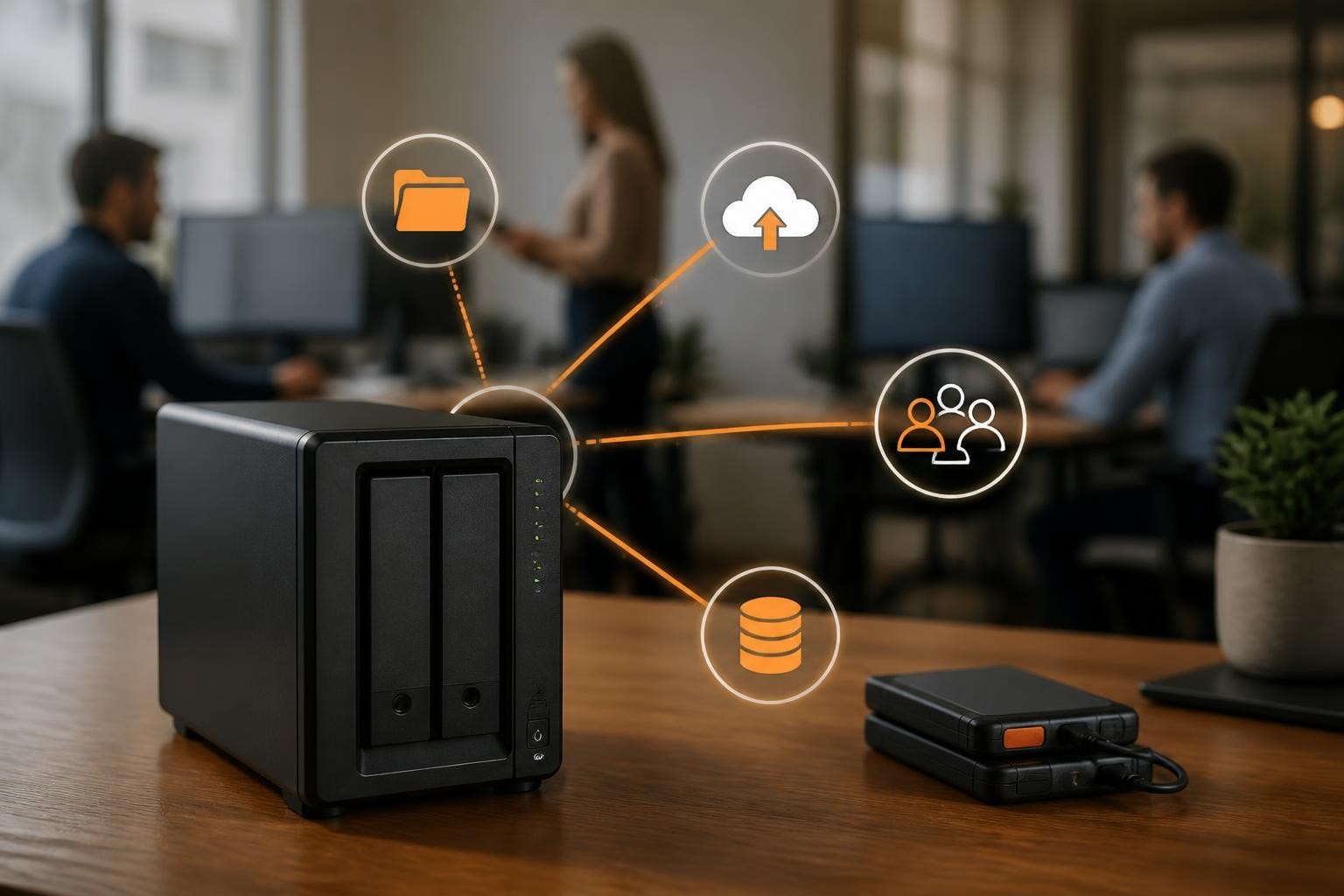
Choosing the right network-attached storage solution for your business requires balancing capacity, redundancy, performance, and budget. A Synology 2 bay NAS represents the entry point into professional-grade storage infrastructure, offering essential redundancy features whilst remaining accessible for small to medium-sized enterprises. These compact devices deliver centralised file management, automated backup capabilities, and collaborative workspaces without the complexity or cost of larger enterprise systems. Furthermore, understanding the specific capabilities and limitations of two-bay configurations helps organisations make informed decisions about their data infrastructure investments.
Understanding the Two-Bay Architecture
A Synology 2 bay device provides two drive slots, enabling businesses to implement basic redundancy strategies whilst maintaining a relatively compact footprint. This configuration strikes a balance between single-drive solutions that lack fault tolerance and larger arrays that may exceed immediate business requirements.
RAID Options and Data Protection
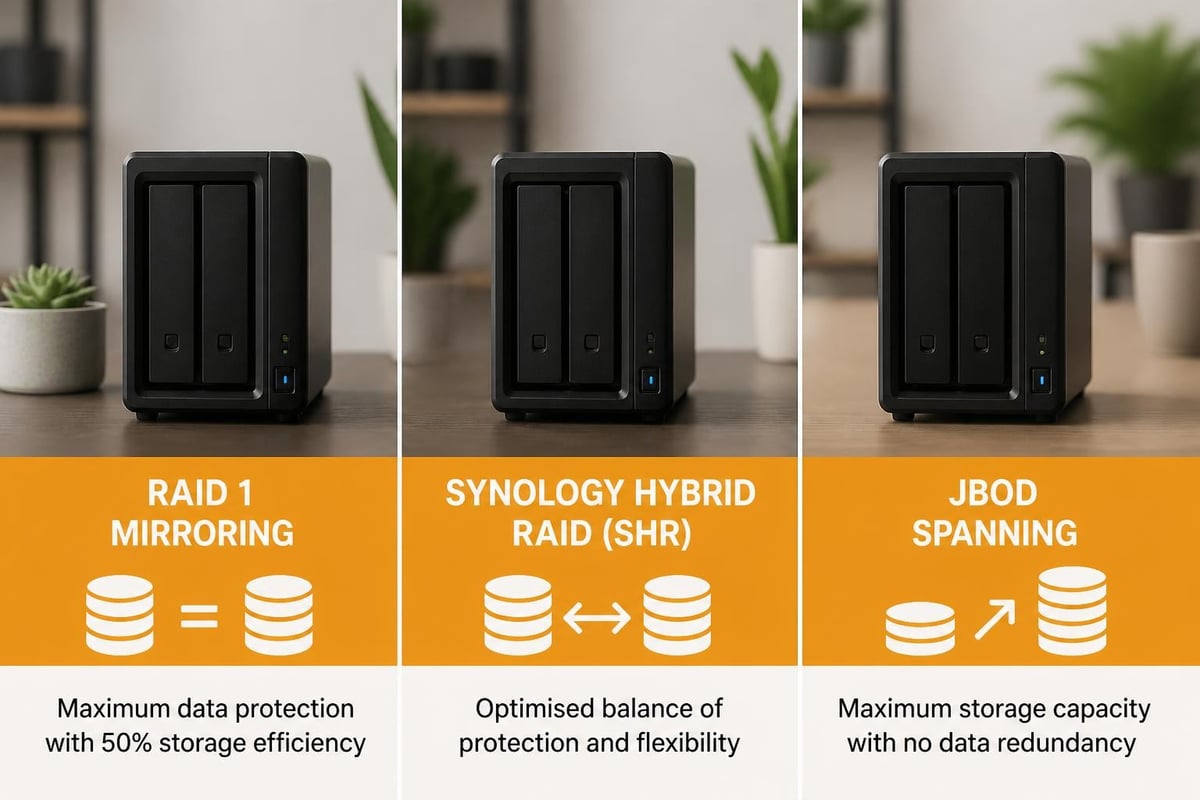
The primary advantage of dual-bay systems lies in RAID configuration flexibility. Businesses can choose between several approaches depending on their priorities.
RAID 1 (mirroring) creates an exact copy of data across both drives, providing complete redundancy. If one drive fails, the second continues operating without data loss. Nevertheless, this approach effectively halves available storage capacity since both drives store identical information.
Synology Hybrid RAID (SHR) offers an intelligent alternative that optimizes storage efficiency. Moreover, SHR adapts to different drive sizes and simplifies future expansion. For two-bay systems, SHR functions similarly to RAID 1 but provides greater flexibility when upgrading drives over time.
Basic (JBOD) configuration combines both drives into a single volume without redundancy. Therefore, this approach maximizes available capacity but provides no protection against drive failure.
| RAID Type | Usable Capacity | Redundancy | Best For |
|---|---|---|---|
| RAID 1 | 50% | Full mirror | Maximum protection |
| SHR | 50% (2-bay) | Optimised | Flexibility and future expansion |
| Basic/JBOD | 100% | None | Maximum capacity, non-critical data |
Performance Considerations for Business Workloads
Two-bay Synology units span multiple product tiers, each targeting different performance requirements. Consequently, selecting the appropriate model requires understanding your organisation's specific workload characteristics.
Processor and Memory Specifications
Entry-level J-series models utilise basic processors suitable for file serving and light media streaming. In contrast, Plus-series devices feature more powerful CPUs with hardware encryption engines, making them appropriate for virtualisation, Docker containers, and demanding applications.
- J-series: ARM-based processors, 512MB to 1GB RAM, ideal for basic file sharing
- Plus-series: Intel or AMD processors, 2GB to 8GB RAM (often expandable), supports virtual machines
- Value-series: Mid-tier specifications balancing cost and capability
Memory capacity directly impacts concurrent user performance and application responsiveness. Furthermore, businesses running multiple applications simultaneously benefit from models with expandable RAM slots.
Network Connectivity and Throughput
Modern Synology 2 bay models typically include Gigabit Ethernet as standard, delivering theoretical throughput of 125MB/s. Nevertheless, real-world performance depends on multiple factors including network infrastructure, drive speed, and concurrent connections.
Premium Plus-series units sometimes feature dual Gigabit ports supporting link aggregation or failover. Therefore, organisations with high-bandwidth requirements or those prioritising network redundancy should consider these models specifically.
Storage Capacity Planning for Two-Bay Systems
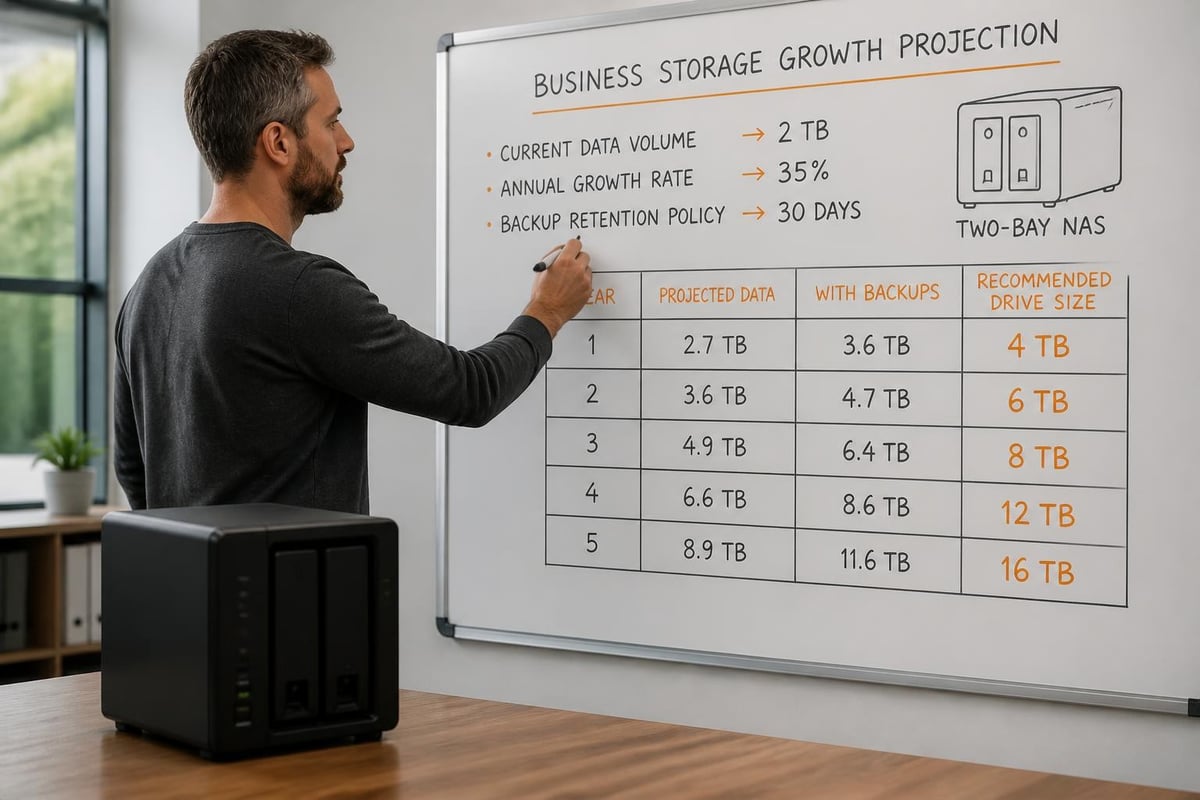
Determining appropriate drive sizes requires projecting future storage needs whilst accounting for redundancy overhead. A Synology 2 bay system with RAID 1 effectively provides capacity equal to a single drive, making initial drive selection particularly important.
Current and Future Requirements
Calculate current data volume and estimate annual growth rates based on business activities. Include considerations for:
- Document repositories and shared files
- Email archives and communication platforms
- Customer relationship management databases
- Design assets and media libraries
- Development repositories and testing environments
Additionally, factor in backup retention policies. Businesses maintaining multiple backup versions require substantially more capacity than those keeping single snapshots.
A practical approach involves selecting drives at least twice your current data volume to accommodate growth over a three to five-year horizon. Moreover, choosing larger drives initially proves more cost-effective than premature upgrades.
Drive Compatibility and Selection
Synology's drive compatibility policies have evolved significantly, impacting purchasing decisions for two-bay systems. In 2025, Synology initially required self-branded drives for some consumer models, restricting third-party options and raising concerns within the user community.
The Policy Evolution
Following substantial feedback, Synology reversed this controversial compatibility policy through a DSM 7.3 update, restoring third-party drive support. Nevertheless, understanding current compatibility requirements remains essential when purchasing drives in 2026.
Synology-certified drives guarantee full feature support and simplified warranty claims. These drives undergo specific testing and validation processes.
Third-party NAS drives from reputable manufacturers (Western Digital Red, Seagate IronWolf) typically work without issues and often provide better value. Furthermore, these drives include their own manufacturer warranties.
Desktop drives are generally unsuitable for continuous NAS operation. They lack the vibration tolerance and firmware optimisations required for 24/7 operation.
When selecting drives, prioritise NAS-rated models with appropriate workload ratings. Additionally, consider warranty length and manufacturer replacement programmes.
Backup Strategies and Data Protection
Implementing a Synology 2 bay system addresses local redundancy through RAID, but comprehensive data protection requires proper backup strategies extending beyond the device itself.
The 3-2-1 Backup Rule
Professional backup approaches follow the 3-2-1 principle: three copies of data, on two different media types, with one copy off-site. A two-bay NAS satisfies the first two requirements but necessitates additional planning for off-site protection.
Synology Hyper Backup provides comprehensive backup capabilities including:
- Multi-version backup retention with configurable schedules
- Block-level incremental backups reducing bandwidth and storage
- Client-side encryption protecting data during transfer and storage
- Support for cloud destinations, remote NAS units, and local USB drives
Businesses should establish automated backup routines targeting off-site destinations. Cloud backup services, remote NAS devices at secondary locations, or rotating portable drives all provide off-site protection.
For organisations already utilising Microsoft 365 or Google Workspace, dedicated backup solutions protect against accidental deletion, retention policy gaps, and ransomware. Services such as vBoxx Backup offer GDPR-compliant European storage with AES-256 encryption, addressing both compliance and security requirements whilst maintaining data sovereignty within the Netherlands.
Snapshot Technology and Recovery
DSM's Btrfs filesystem enables snapshot capabilities on supported models, creating point-in-time copies without consuming significant storage initially. Consequently, snapshots provide rapid recovery from accidental deletions or ransomware encryption.
Nevertheless, snapshots complement rather than replace proper backups. They exist on the same hardware and provide no protection against physical device failure.
Software Ecosystem and Applications
DiskStation Manager (DSM) transforms a Synology 2 bay unit from simple storage into a comprehensive application platform. The extensive package ecosystem supports diverse business requirements without additional hardware investments.
Core Business Applications
- Synology Drive: Private cloud storage with desktop sync clients and mobile applications
- Active Backup: Agentless backup for Windows PCs, virtual machines, and Microsoft 365 accounts
- Surveillance Station: IP camera management supporting up to 40+ cameras (license dependent)
- Note Station: Collaborative note-taking and knowledge management
- Chat: Team messaging platform for internal communication
Furthermore, Docker support on Plus-series models enables custom application deployment, extending functionality beyond native packages.
Security and Access Control
DSM includes sophisticated access control mechanisms essential for business deployments:
User and group management enables granular permissions across shared folders and applications. Therefore, organisations can implement least-privilege access principles.
Two-factor authentication strengthens account security beyond passwords alone. Moreover, DSM supports multiple 2FA methods including hardware keys.
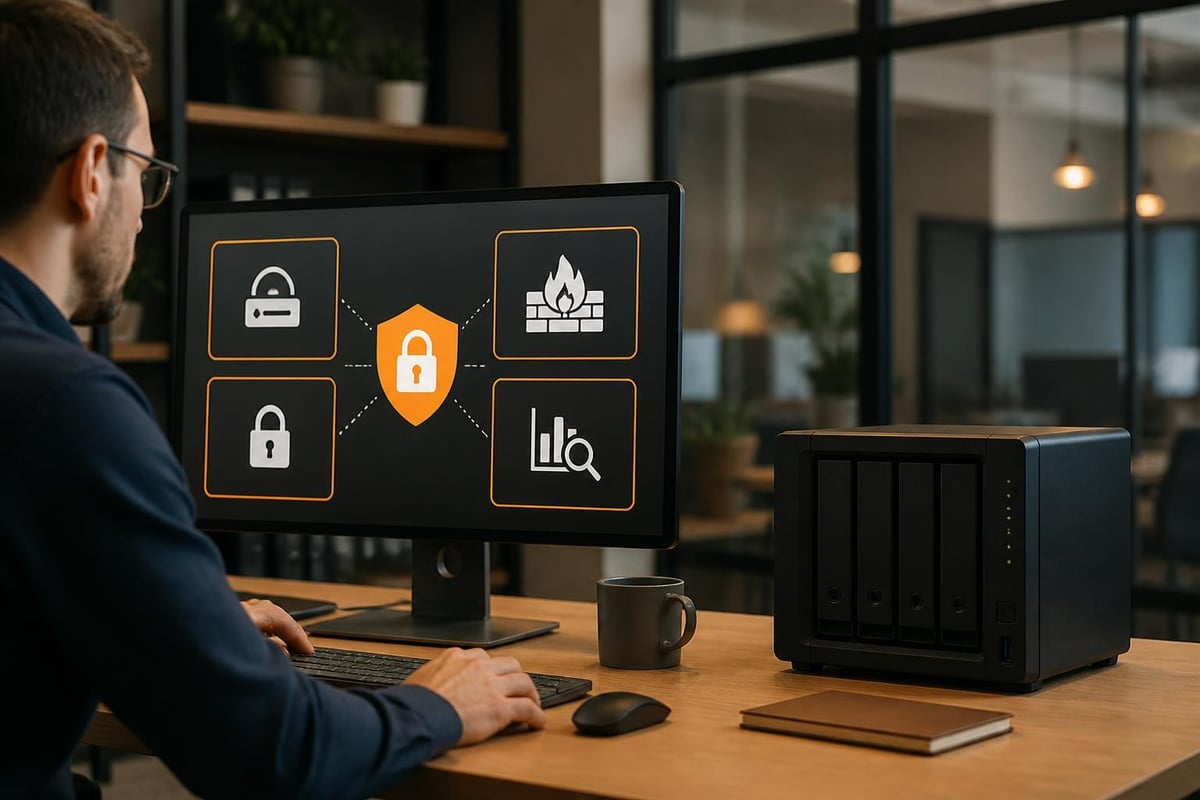
Firewall and auto-block features protect against unauthorised access attempts and brute-force attacks. Additionally, security advisor scans configurations identifying potential vulnerabilities.
| Security Feature | Purpose | Implementation Difficulty |
|---|---|---|
| 2FA | Account protection | Low |
| Firewall rules | Network segmentation | Medium |
| Certificate management | Encrypted connections | Medium |
| Auto-block | Brute-force prevention | Low |
| VPN server | Secure remote access | Medium to High |
Choosing the Right Model for Your Business
Synology's two-bay range includes numerous models targeting different use cases and budgets. Selecting appropriately requires matching specifications to actual requirements rather than simply choosing the latest or cheapest option.
Entry-Level Business Requirements
Small offices with basic file sharing needs and limited concurrent users function well with J-series or Value-series models. These units provide reliable file serving, basic backup capabilities, and essential applications.
Typical scenarios include:
- Document sharing for teams under ten users
- Centralised file storage replacing local drives
- Basic photo and media libraries
- Time Machine backup target for Mac computers
Nevertheless, these models lack virtualisation support and may struggle with processor-intensive applications.
Professional and Growing Businesses
Plus-series Synology 2 bay models suit organisations requiring advanced features, better performance, or planning significant growth. Professional reviews highlight the tangible benefits of upgraded specifications for demanding workloads.
Consider Plus-series when:
- Supporting 10 to 20+ concurrent users
- Running virtual machines or Docker containers
- Processing large media files or databases
- Requiring hardware encryption acceleration
- Planning substantial storage expansion
Additionally, these models typically offer better upgrade paths through expandable RAM and more robust processors.
Evaluating Total Cost of Ownership
Initial purchase price represents only part of total ownership costs. Furthermore, comprehensive evaluation includes:
Drives: Often exceeding the NAS unit cost itself, particularly with large-capacity enterprise drives
Power consumption: Continuous operation over five years accumulates significant electricity costs
Expansion units: Future capacity needs might require additional hardware investments
Software licenses: Some applications (Surveillance Station cameras, MailPlus accounts) require additional licensing
Support and maintenance: Enterprise support contracts or professional integration services
Integration with Business Infrastructure
A Synology 2 bay system rarely operates in isolation. Therefore, understanding integration points with existing business infrastructure ensures smooth deployment and optimal utility.
Directory Services and Authentication
DSM integrates with Windows Active Directory, LDAP, and Azure AD, enabling centralised user management. Consequently, employees access the NAS using existing corporate credentials without maintaining separate passwords.
This integration simplifies administration and improves security through consistent policy enforcement across infrastructure components.
Productivity Platform Synchronisation
Businesses using Microsoft 365, Google Workspace, or other cloud platforms benefit from synchronising critical data to local Synology storage. This approach provides:
- Faster local access to frequently used files
- Protection against cloud service outages
- Additional backup layer for critical business data
- Reduced reliance on internet connectivity for daily operations
Nevertheless, ensure appropriate synchronisation tools and sufficient bandwidth to maintain consistency between cloud and local storage.
Collaboration with Remote Teams
Modern business operations increasingly involve distributed teams requiring secure remote access. Synology 2 bay devices support several remote access methods:
QuickConnect provides simplified remote access without complex network configuration, though with some performance limitations.
VPN server packages enable secure encrypted connections, effectively extending the office network to remote locations. Moreover, this approach provides full access to network resources beyond just the NAS.
DDNS and port forwarding offer direct access with optimal performance but require careful security configuration.
Performance Benchmarking and Real-World Expectations
Understanding realistic performance expectations helps avoid disappointment and ensures appropriate model selection. Furthermore, comprehensive benchmarking methodologies provide context for published specifications.
Sequential and Random Performance
Sequential read/write performance matters most for large file transfers such as video editing or database backups. Modern Synology 2 bay Plus-series units typically achieve 110-120MB/s sequential speeds over Gigabit Ethernet, approaching theoretical network limits.
Random performance impacts small file operations and concurrent multi-user access. IOPS (input/output operations per second) measurements reveal how devices handle typical office workloads involving numerous small documents.
SSD caching can dramatically improve random performance by storing frequently accessed data on fast solid-state drives whilst maintaining bulk storage on traditional hard drives. Nevertheless, this feature requires compatible models and appropriate configuration.
Network Infrastructure Bottlenecks
The network itself often limits Synology 2 bay performance more than the device specifications. Therefore, optimising network infrastructure delivers tangible improvements:
- Ensure Gigabit switches throughout the network path
- Use quality Ethernet cables (Cat 6 or better)
- Minimise network hops between clients and NAS
- Consider link aggregation on supported models
- Implement VLANs to segregate storage traffic
Additionally, client computer specifications impact perceived performance. Older computers with slow drives or limited memory may struggle regardless of NAS capabilities.
Maintenance and Long-Term Operation
Proper maintenance extends Synology 2 bay system lifespan and ensures reliable operation. Furthermore, establishing routine maintenance procedures prevents many common issues.
Firmware and Security Updates
DSM releases regular updates addressing security vulnerabilities, adding features, and improving stability. Therefore, businesses should establish update policies balancing security with operational stability.
Automatic updates ensure timely security patching but occasionally introduce unexpected issues.
Scheduled manual updates allow testing in non-production environments before deployment.
Security-only updates provide compromise approach, installing critical patches whilst deferring feature updates.
Additionally, review release notes before major version upgrades, particularly when running business-critical applications.
Drive Health Monitoring
Regular drive health monitoring identifies potential failures before data loss occurs. DSM includes S.M.A.R.T. monitoring that tracks drive statistics and predicts failures.
Enable email notifications for drive warnings and schedule regular S.M.A.R.T. extended tests during off-peak hours. Moreover, maintain replacement drives on hand to minimise downtime when failures occur.
Capacity Management and Cleanup
Storage inevitably fills over time, sometimes unexpectedly. Implement regular capacity reviews identifying:
- Obsolete backups and snapshots consuming space unnecessarily
- Duplicate files and redundant data
- Temporary files from applications
- User quotas requiring adjustment
Storage Analyzer package provides detailed visual breakdowns of space utilisation, simplifying identification of cleanup opportunities.
European Data Sovereignty and Privacy Considerations
For European businesses, data residency and privacy compliance represent critical considerations when deploying storage infrastructure. A Synology 2 bay system physically located on-premises provides inherent data sovereignty advantages over public cloud storage.
GDPR Compliance Requirements
GDPR mandates appropriate technical and organisational measures protecting personal data. Local NAS deployment supports compliance through:
- Direct control over physical data location
- Granular access controls limiting data exposure
- Audit logging tracking data access and modifications
- Encryption capabilities protecting data at rest
Nevertheless, comprehensive GDPR compliance extends beyond storage infrastructure to encompass policies, procedures, and staff training.
Hybrid Approaches and Cloud Integration
Many organisations adopt hybrid strategies combining on-premises storage with cloud services. This approach balances local control with cloud scalability and off-site protection.
When integrating cloud services, prioritise European providers operating under GDPR jurisdiction. Solutions such as vBoxx offer ISO 27001-certified infrastructure within the Netherlands, ensuring data remains outside the reach of the US CLOUD Act whilst providing enterprise-grade security and compliance.
Additionally, evaluate cloud providers' data processing agreements, sub-processor lists, and incident response procedures to ensure alignment with regulatory requirements.
Implementing a Synology 2 bay NAS provides businesses with professional storage infrastructure balancing redundancy, performance, and cost-effectiveness. Nevertheless, comprehensive data protection extends beyond local redundancy to encompass proper backup strategies, security configurations, and consideration of regulatory compliance requirements. vBoxx offers European businesses GDPR-compliant cloud storage, backup, and collaboration solutions hosted in ISO 27001-certified Dutch data centres, providing the off-site protection and data sovereignty required for complete business continuity alongside your local infrastructure. Explore how vBoxx's secure hosting and cloud solutions complement your storage strategy whilst ensuring your data remains protected under European jurisdiction.