Network-attached storage has become essential infrastructure for businesses managing growing data volumes whilst maintaining control over their digital assets. A Synology 4 bay NAS strikes an optimal balance between capacity, redundancy, and cost for small to medium-sized enterprises, offering expandable storage that scales with organisational needs. Moreover, these devices provide RAID protection, remote access, and comprehensive backup capabilities that help European businesses maintain compliance with data sovereignty requirements. Furthermore, the four-bay configuration enables flexible RAID arrangements that balance performance against protection, making it suitable for workgroups ranging from five to fifty users.
Understanding the Synology 4 Bay Architecture
A synology 4 bay unit delivers network storage through four independent drive bays housed in a compact chassis, each capable of accepting enterprise-grade hard drives or solid-state drives. The architecture centres on Synology's DiskStation Manager (DSM), a Linux-based operating system that transforms commodity hardware into a sophisticated storage appliance. In addition, DSM provides package management, user authentication, and network services through an intuitive web interface accessible from any browser.
The processor and memory configuration determine how efficiently the NAS handles concurrent connections, encryption, and application workloads. Current-generation models typically feature quad-core Intel Celeron or AMD Ryzen processors paired with 4 GB to 8 GB of DDR4 RAM, with many models supporting memory expansion up to 32 GB. Therefore, businesses can match hardware specifications to their anticipated workload, whether primarily file serving or running containerised applications.
Drive Bay Flexibility and Expansion
The four-bay design accommodates drives ranging from 4 TB to 22 TB per bay, delivering a maximum raw capacity exceeding 80 TB in a single unit. Nevertheless, effective capacity depends heavily on the RAID configuration selected during initial setup. RAID 5 sacrifices one drive's capacity for redundancy, whilst RAID 10 uses half the total capacity to mirror data across drive pairs.
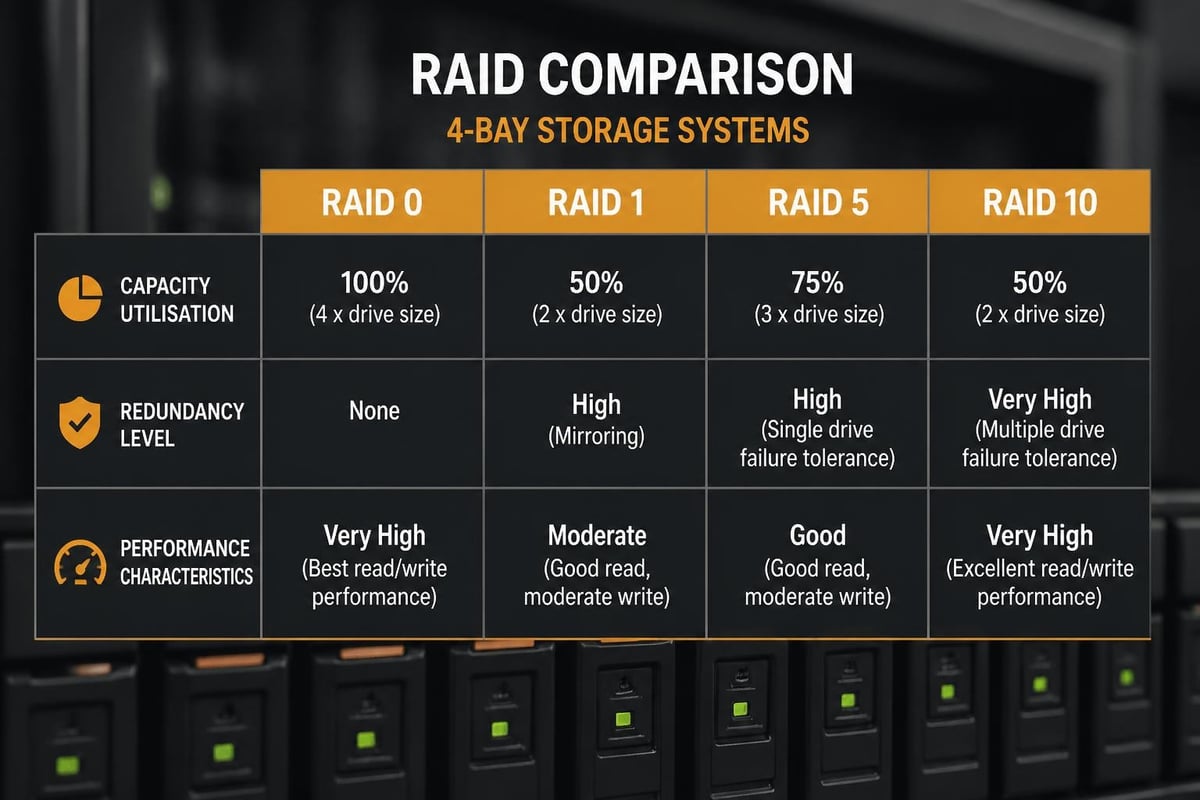
| RAID Level | Usable Capacity (4×10TB) | Fault Tolerance | Performance Profile |
|---|---|---|---|
| RAID 0 | 40 TB | None | Maximum speed |
| RAID 1 | 20 TB | 1 drive | Excellent read |
| RAID 5 | 30 TB | 1 drive | Balanced |
| RAID 10 | 20 TB | 2 drives (paired) | Excellent read/write |
Furthermore, Synology Hybrid RAID (SHR) automatically optimises capacity and redundancy, particularly valuable when mixing drive sizes or planning incremental upgrades. This proprietary technology simplifies RAID management for organisations without dedicated storage administrators.
Choosing the Right Synology 4 Bay Model
Synology maintains several product lines, each targeting specific use cases and performance requirements. The Plus series, exemplified by models such as the DS923+ and DS420+, serves business environments requiring high throughput and application support. In contrast, the J series prioritises value for basic file storage and media streaming.
The DS923+ represents Synology's current flagship four-bay offering, featuring an AMD Ryzen R1600 processor, dual M.2 NVMe slots for cache acceleration, and dual Gigabit Ethernet ports supporting link aggregation. Moreover, this model includes a PCIe expansion slot enabling 10 Gigabit Ethernet upgrades, crucial for video production workflows or virtualisation environments. According to StorageReview's comprehensive benchmark testing, the DS923+ delivers sequential read speeds exceeding 1,000 MB/s when properly configured.
Application Performance Considerations
Beyond raw storage, a synology 4 bay device functions as an application server running containerised workloads through Docker, hosting surveillance camera streams via Surveillance Station, or managing virtual machines through Virtual Machine Manager. Therefore, processor headroom and memory capacity become critical selection criteria for businesses planning to leverage these capabilities.
- File services: 2-4 GB RAM sufficient for teams under 20 users
- Photo/video workflows: 8 GB+ RAM with SSD cache acceleration
- Virtual machines: 16-32 GB RAM depending on guest OS requirements
- Surveillance: Estimate 150 MB RAM per camera stream plus base system overhead
Additionally, reviewing the official Synology compatibility list ensures selected drives receive firmware support and deliver expected performance characteristics. Synology tests specific drive models, publishing recommended configurations that balance capacity, reliability, and cost.
Essential Features in DSM 7.2
Synology's operating system has matured considerably, with DSM 7.2 introducing enhanced security frameworks, improved snapshot management, and expanded cloud integration options. The platform now enforces multi-factor authentication by default for administrative accounts, addressing a common vulnerability in network-attached storage deployments.
Data Protection and Backup Strategy
Snapshot Replication creates point-in-time copies of shared folders, enabling rapid recovery from ransomware attacks or accidental deletions without consuming excessive storage. Nevertheless, snapshots complement rather than replace traditional backup, as they reside on the same physical hardware as production data.
A comprehensive protection strategy layers multiple approaches:
- Local snapshots: Hourly automated captures retained for 24-48 hours
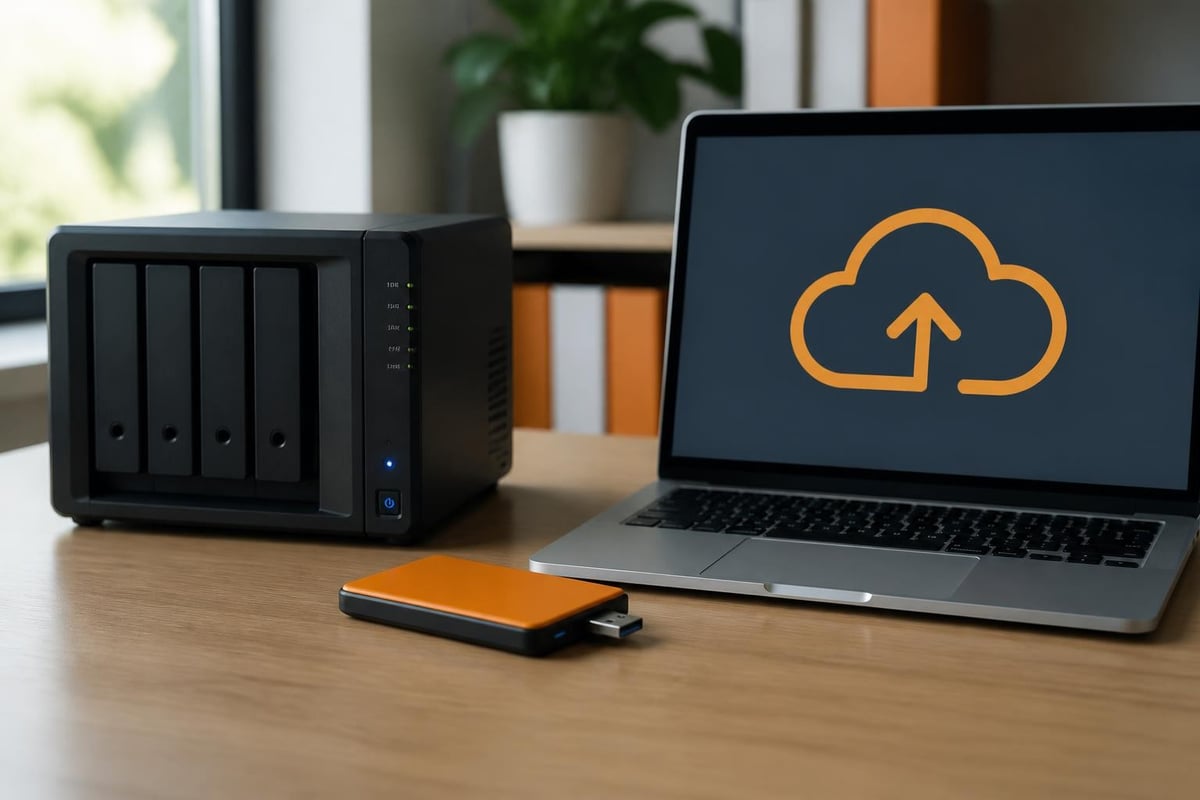
- USB backup: Weekly full backup to external USB drives stored off-site
- Cloud replication: Daily incremental sync to geographically separate cloud storage
- Application-level backup: Direct backup of critical databases and configuration files
Furthermore, organisations handling sensitive information benefit from encrypted shares and network transmission, capabilities built into DSM without requiring additional licensing. Synology supports both client-side and server-side encryption, though the former provides stronger protection against physical device theft.
Network Integration and Access Management
Modern workflows demand secure remote access to corporate files from mobile devices, home offices, and client sites. Synology QuickConnect eliminates complex firewall configuration by establishing outbound connections to Synology's relay servers, enabling access through a simple quickconnect.to URL. In addition, more security-conscious organisations deploy VPN Server directly on the NAS, creating encrypted tunnels that expose no services to the public internet.
Active Directory integration allows the synology 4 bay to authenticate against existing Microsoft domain infrastructure, synchronising user permissions and group memberships. Therefore, IT administrators maintain a single identity source whilst extending file access to the NAS platform. For organisations tracking link sharing and document access, tools like Trimy's analytics platform provide detailed insights into how shared resources are accessed and distributed.
File Sharing and Collaboration
Synology Drive transforms the NAS into a private alternative to commercial cloud storage, offering file synchronisation, versioning, and collaborative editing through web and mobile clients. Teams can work simultaneously on documents whilst maintaining complete version history, with administrators setting retention policies that balance storage consumption against recovery requirements.
Nevertheless, businesses subject to strict data residency requirements should carefully evaluate where metadata and temporary files reside. Whilst primary storage remains on-premises, certain convenience features such as QuickConnect relay through Synology's infrastructure. In contrast, direct HTTPS access or VPN connections keep all traffic within organisational control.
Performance Optimisation Strategies
Raw specifications provide baseline expectations, but real-world throughput depends on network infrastructure, client configuration, and storage workload patterns. Gigabit Ethernet theoretically delivers 125 MB/s, yet practical performance rarely exceeds 110 MB/s due to protocol overhead. Moreover, multiple concurrent users rapidly saturate a single network link, making dual-port link aggregation or 10 Gigabit Ethernet essential for workgroups exceeding ten active users.
SSD Cache Acceleration
M.2 NVMe slots on models such as the DS923+ enable read and write cache overlays that dramatically improve performance for workloads exhibiting strong temporal or spatial locality. Database applications, virtual machine storage, and frequently accessed project files benefit most from caching. Nevertheless, cache effectiveness depends on cache-to-dataset ratio; a 2×500 GB cache provides minimal benefit when active working set exceeds 1 TB.
| Cache Configuration | Best For | Considerations |
|---|---|---|
| Read-only | File serving, media libraries | Protects against cache drive failure |
| Read-write | Databases, VMs | Requires redundant cache drives |
| No cache | Sequential large files | Cache provides minimal benefit |
Furthermore, the detailed hardware installation guide for the DS420+ demonstrates proper M.2 module installation and thermal management, critical for maintaining drive longevity under sustained workloads.
Surveillance and Security Applications
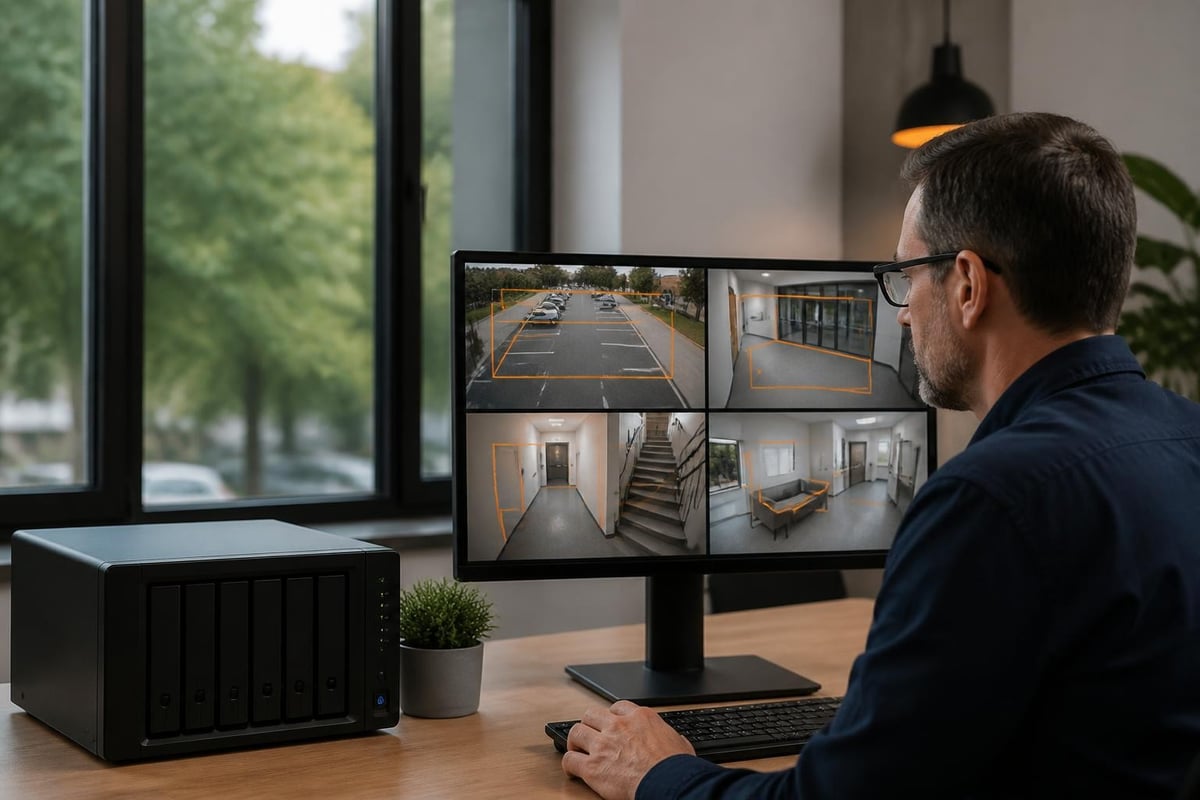
Surveillance Station converts the synology 4 bay into a comprehensive video management system, recording streams from IP cameras whilst providing intelligent motion detection and facial recognition. The base licence includes two camera connections, with additional licences purchased as needed. Therefore, organisations can start small and expand camera coverage incrementally without replacing infrastructure.
In addition to surveillance, Security Advisor continuously scans system configuration against best practices, flagging weak passwords, unnecessary open ports, and outdated package versions. This automated auditing helps resource-constrained IT teams maintain security hygiene without dedicated security staff.
Business Continuity and Disaster Recovery
Hardware eventually fails, making disaster recovery planning essential for business-critical storage. Synology supports hot-swappable drive replacement, enabling failed drive changes without powering down the unit. Nevertheless, RAID protection addresses only drive failures; complete device failure requires either a warm spare NAS or comprehensive off-site backup enabling recovery to alternative hardware.
High Availability configurations pair two identical Synology units, synchronising data in real-time and providing automatic failover if the primary device becomes unresponsive. Moreover, whilst this doubles hardware investment, it eliminates single points of failure for organisations where storage downtime directly impacts revenue.
Cloud Backup Integration
European businesses increasingly adopt hybrid approaches combining on-premises storage with cloud backup for disaster recovery. Solutions like vBoxxCloud provide GDPR-compliant storage in ISO 27001-certified Dutch data centres, offering an ideal off-site target for Synology's Cloud Sync and Hyper Backup packages. Furthermore, this architecture maintains data sovereignty whilst leveraging cloud scalability and geographic separation.
When evaluating cloud backup targets, organisations should verify:
- Data centre location: Ensure storage resides within the European Economic Area
- Encryption support: Confirm client-side encryption before data leaves the NAS
- Restoration testing: Periodically validate backup integrity through test recoveries
- Bandwidth requirements: Calculate upload capacity needed for nightly differential backups
Comparing 4 Bay Against Alternative Configurations
The four-bay format represents a sweet spot for many organisations, yet larger or smaller configurations merit consideration depending on specific requirements. Two-bay units such as the DS723+ cost less and consume less power but sacrifice RAID 5/6 options and expansion headroom. In contrast, five-bay models add flexibility for hot spare drives or expanded capacity without increasing footprint substantially.
Nevertheless, beyond six bays, rackmount hardware becomes more appropriate for density and manageability in data centre environments. The synology 4 bay excels in office settings, remote branch offices, and creative studios where desktop form factor, low noise, and moderate capacity align with operational needs.
Total Cost of Ownership
Purchase price represents only one component of storage TCO. Drive costs, power consumption, and administrative overhead accumulate over the typical 5-7 year device lifecycle. TechRadar's analysis highlights that Synology devices command premium pricing versus competing brands yet deliver superior software integration and support quality.
| Cost Component | 3-Year Estimate (DS923+) | Notes |
|---|---|---|
| Device | £550 | Initial hardware purchase |
| Drives (4×8TB) | £800 | Enterprise NAS-rated drives |
| Power (24/7) | £180 | At £0.24/kWh, 35W average |
| Licences | £120 | Surveillance, backup packages |
| Total | £1,650 | Excludes admin time |
Furthermore, organisations should budget for drive replacement reserves, as mechanical drives typically reach end-of-life between years three and five. In addition, planning for capacity expansion before hitting 80% utilisation prevents emergency purchases and rushed migration projects.
Real-World Deployment Scenarios
IT Pro's evaluation examines how a synology 4 bay serves diverse business requirements, from architectural practices storing CAD files to medical offices managing patient imaging. The common thread involves organisations requiring centralised storage exceeding local workstation capacity whilst maintaining granular access control.
A design agency with twelve staff might configure 32 TB usable capacity (4×10TB in RAID 5), allocating separate shared folders for active projects, archived work, and client deliverables. Moreover, automated snapshots protect against accidental deletions during rapid iteration cycles, whilst selective cloud sync pushes final deliverables to client-facing portals.
Long-Term Reliability Insights
Android Central's extended testing reveals that properly maintained Synology hardware demonstrates excellent reliability over multi-year deployments. Nevertheless, environmental factors such as ambient temperature, dust accumulation, and power quality significantly impact component longevity. Therefore, organisations should site NAS devices in climate-controlled environments with filtered airflow and uninterruptible power supplies.
Regular maintenance involves firmware updates, drive health monitoring through S.M.A.R.T. data, and periodic backup restoration tests. In addition, reviewing system logs for warning patterns helps identify developing issues before they escalate to failures. Synology's notification framework sends email alerts when predefined thresholds trigger, enabling proactive response to degraded drives or capacity constraints.
Advanced Configuration Techniques
Beyond basic file sharing, DSM supports sophisticated configurations leveraging virtualisation, containerisation, and software-defined networking. Docker containers enable self-hosted applications such as GitLab for code repositories, Nextcloud for extended collaboration features, or Bitwarden for password management. Nevertheless, containerised workloads consume both storage and compute resources; organisations should provision adequate RAM and monitor resource utilisation to prevent performance degradation.
Virtual Machine Manager transforms the synology 4 bay into a hypervisor supporting Windows and Linux guest operating systems. This capability proves valuable for running legacy applications, testing environments, or isolated services. Moreover, USB passthrough and network bridging enable sophisticated network configurations without dedicated server hardware.
Network Segmentation and VLANs
Enterprises with segregated networks can configure multiple virtual LANs on the Synology unit, isolating traffic between departments or security zones. The dual network ports on Plus-series models support physical separation, whilst VLAN tagging enables logical segmentation over shared infrastructure. Therefore, sensitive financial data can traverse dedicated network paths isolated from general employee traffic, even when stored on the same physical device.
Furthermore, Link Aggregation Control Protocol (LACP) bonds multiple network interfaces, increasing aggregate throughput and providing redundancy against single interface failures. Proper switch configuration is essential; misconfigured link aggregation can paradoxically reduce performance or create intermittent connectivity issues.
Selecting Compatible Storage Media
Drive selection profoundly impacts reliability, performance, and total cost of ownership. Synology publishes the comprehensive compatibility list identifying tested drive models across capacities and manufacturers. NAS-optimised drives from Western Digital (Red series) or Seagate (IronWolf) incorporate vibration compensation and error recovery tuning suited to multi-drive RAID arrays.
Consumer desktop drives lack the firmware optimisations that prevent deep error recovery attempts, which can trigger RAID degradation when a single drive becomes unresponsive for extended periods. Moreover, NAS drives typically carry longer warranties (three to five years) reflecting their designed-for-24/7 operation specifications.
SSD Considerations
Solid-state drives offer dramatic performance improvements but at significantly higher cost per terabyte. A hybrid approach using SSDs for cache whilst retaining spinning drives for bulk storage delivers optimal economics for many workloads. Nevertheless, all-flash configurations make sense for databases, virtual desktops, or applications where latency directly impacts user experience. The DS923+ specification sheet details maximum supported capacities and recommended drive combinations for various use cases.
A Synology 4 bay NAS delivers enterprise-grade storage capabilities at a scale and price point accessible to European SMEs, combining redundancy, remote access, and comprehensive backup in a single appliance. Nevertheless, on-premises storage represents only one component of a complete data strategy. For organisations requiring secure cloud storage, encrypted collaboration, and GDPR-compliant infrastructure outside the reach of the US CLOUD Act, vBoxx provides European-hosted solutions including cloud storage, email, and backup services running in ISO 27001-certified Dutch data centres. Moreover, vBoxx's integrated platform complements on-premises NAS deployments with off-site replication targets, ensuring business continuity through geographically separated infrastructure.