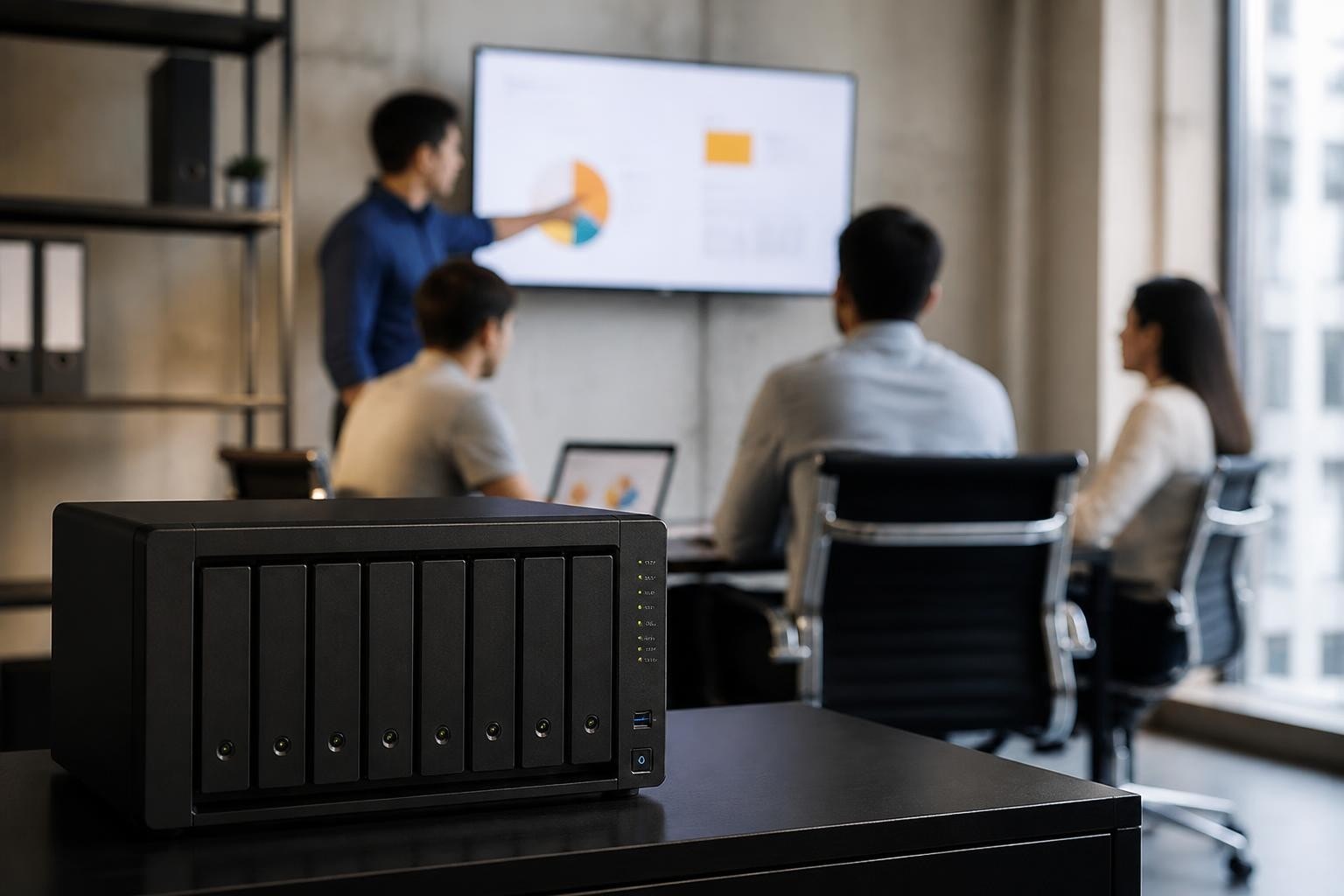

The Synology DS1821+ represents a significant investment for organisations seeking robust network-attached storage solutions that balance performance, scalability, and data security. As businesses continue to generate exponential amounts of data, the need for reliable storage infrastructure has never been more critical. Furthermore, with remote work becoming standard practice across Europe and beyond, enterprises require storage systems that support distributed teams whilst maintaining stringent security protocols. This enterprise-grade NAS device from Synology addresses these challenges through an eight-bay design, powerful processing capabilities, and comprehensive software features that extend far beyond simple file storage.
Hardware Specifications and Performance Capabilities
The Synology DS1821+ arrives equipped with an AMD Ryzen V1500B quad-core processor running at 2.2 GHz, delivering substantial computing power for multiple simultaneous operations. In particular, this processing capability enables the system to efficiently handle demanding workloads and concurrent tasks. Moreover, the base configuration includes 4GB of DDR4 ECC memory, expandable to 32GB, ensuring system stability during intensive workloads. As a result, organisations can scale performance as their storage and application requirements continue to grow.
Processor and Memory Configuration
The quad-core AMD Ryzen processor represents a considerable upgrade from previous generation Intel Atom processors. Therefore, users experience noticeably improved performance in tasks such as:
- Virtual machine hosting and management
- 4K video transcoding and streaming
- Snapshot replication across multiple volumes
- Encrypted file transfer operations
- Database hosting for business applications
Additionally, the ECC (Error-Correcting Code) memory provides an extra layer of data integrity protection, automatically detecting and correcting memory errors before they compromise stored information.
Storage Expansion and Connectivity
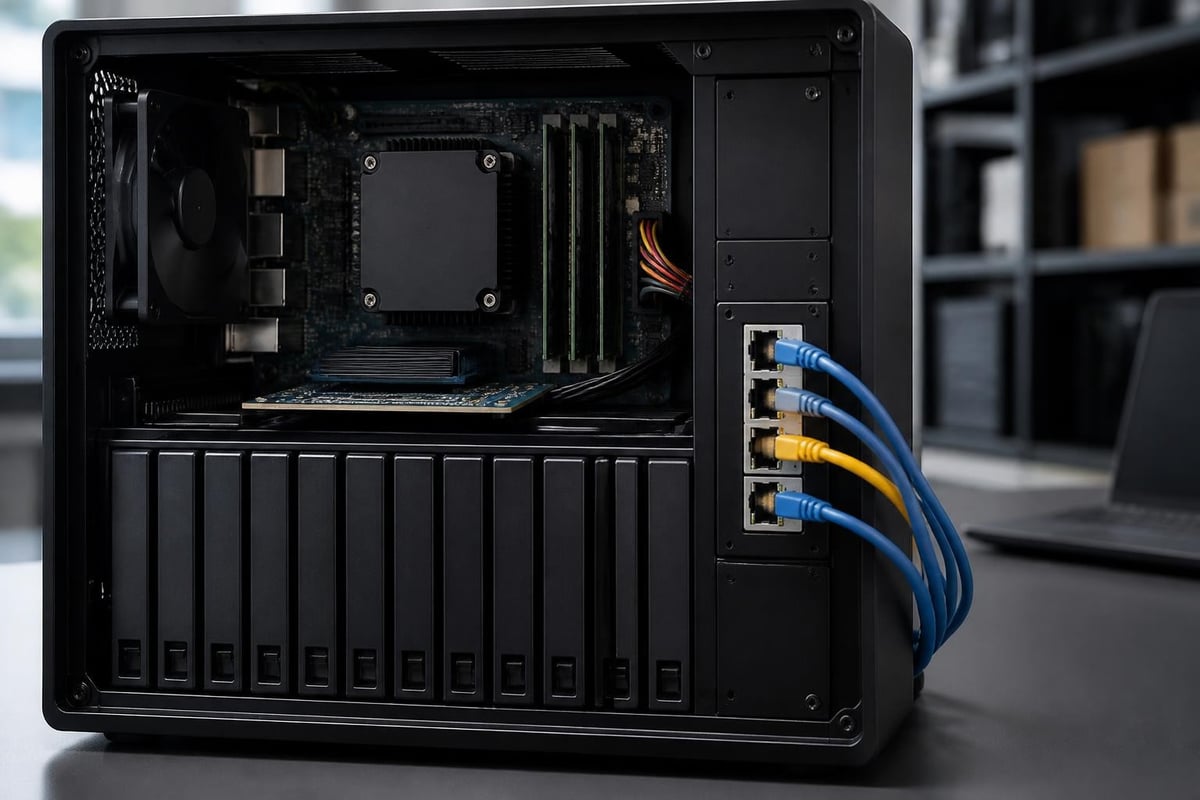
The eight hot-swappable drive bays support both 3.5-inch and 2.5-inch SATA drives, providing flexibility in storage configuration. Nevertheless, the maximum raw capacity reaches 144TB when populated with 18TB drives, offering substantial room for growth.
| Feature | Specification | Business Impact |
|---|---|---|
| Drive Bays | 8 x 3.5″/2.5″ SATA | Flexible storage scaling |
| Maximum Raw Capacity | 144TB (8 x 18TB) | Long-term growth potential |
| Expansion Units | Up to 2 (DX517) | Additional 10 bays per unit |
| Network Ports | 4 x 1GbE | Link aggregation support |
| USB Ports | 2 x USB 3.0 | External backup connectivity |
Furthermore, the device supports expansion units, allowing organisations to scale up to 18 drive bays total without replacing the primary unit. This scalability proves particularly valuable for businesses experiencing rapid data growth. According to StorageReview’s comprehensive analysis, the system delivers impressive IOPS performance across both sequential and random workloads.
Data Management and Software Ecosystem
The Synology DS1821+ runs DiskStation Manager (DSM), Synology’s proprietary operating system that transforms basic storage hardware into a comprehensive data management platform. In particular, DSM provides a wide range of integrated tools for storage, security, backup, and collaboration. In addition, it offers an intuitive web-based interface accessible from any device with network connectivity. As a result, administrators can efficiently manage the system and its services from virtually anywhere.
File Services and Collaboration Tools
DSM includes robust file serving protocols supporting Windows, macOS, and Linux environments simultaneously. Therefore, mixed IT environments benefit from seamless integration without compatibility concerns:
- SMB/CIFS for Windows networks with Active Directory integration
- AFP for legacy macOS systems requiring native support
- NFS for Linux and UNIX-based infrastructure
- FTP/SFTP for secure external file transfers
- WebDAV for cloud-like access through standard protocols
Moreover, Synology Drive transforms the NAS into a private cloud platform comparable to commercial solutions. Businesses concerned about data sovereignty can maintain complete control whilst providing employees with synchronisation and sharing capabilities. For organisations prioritising privacy and security practices, self-hosted solutions eliminate third-party data access concerns.
Backup and Disaster Recovery
The backup capabilities extend across multiple dimensions, protecting data through various mechanisms:
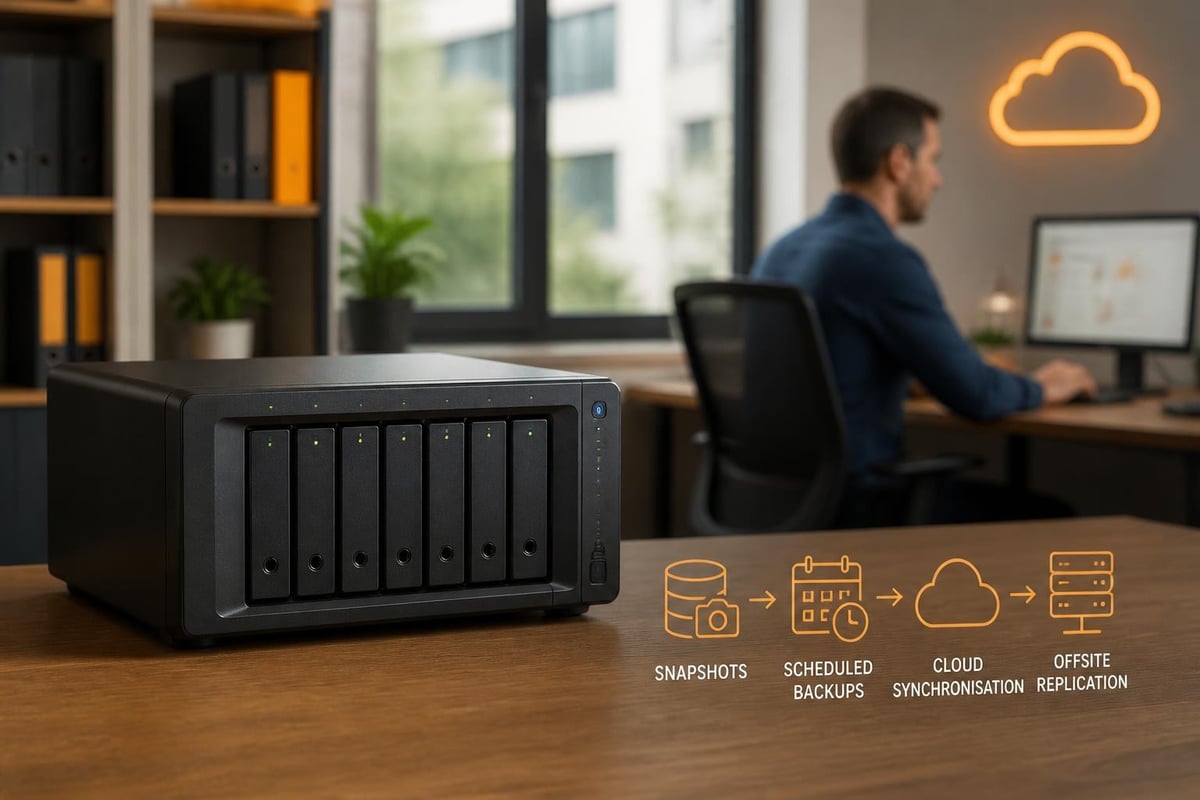
- Snapshot Replication: Point-in-time copies enabling rapid recovery from ransomware or accidental deletion
- Hyper Backup: Scheduled backups to external drives, remote servers, or cloud storage providers
- Active Backup for Business: Agentless backup for physical and virtual machines running Windows or Linux
- Cloud Sync: Two-way synchronisation with major cloud storage platforms
Additionally, the snapshot technology proves particularly valuable against ransomware attacks. Files can be restored to states before encryption occurred, minimising business disruption. IT Pro’s evaluation highlights these features as critical differentiators for business deployments.
Virtualisation and Application Hosting
Beyond traditional file storage, the Synology DS1821+ serves as a capable virtualisation host through Virtual Machine Manager. In particular, this enables organisations to consolidate workloads onto a single platform. Furthermore, the AMD Ryzen processor provides sufficient resources for running multiple lightweight virtual machines simultaneously. As a result, businesses can improve infrastructure efficiency while reducing hardware requirements.
Virtual Machine Capabilities
Businesses can deploy Windows Server, various Linux distributions, or specialised appliances directly on the NAS. Therefore, smaller organisations consolidate infrastructure, reducing physical server requirements:
| Use Case | VM Configuration | Performance Notes |
|---|---|---|
| Domain Controller | Windows Server, 2GB RAM | Adequate for 50-100 users |
| File Server | Linux, 1GB RAM | Efficient resource utilisation |
| Development Environment | Ubuntu Desktop, 4GB RAM | Testing and staging workflows |
| Security Appliance | pfSense, 2GB RAM | Network monitoring tools |
Nevertheless, organisations planning intensive virtualisation workloads should consider dedicated hypervisor infrastructure. In particular, while the DS1821+ is highly capable, it is best suited to moderate virtualisation demands. Instead, it excels at hosting departmental services and testing environments rather than production database servers. As a result, organisations can use it effectively for development, testing, and supporting business applications while reserving dedicated infrastructure for mission-critical workloads.
Docker Container Support
Docker integration enables containerised application deployment without virtual machine overhead. Moreover, Synology’s Container Manager (formerly Docker) provides a graphical interface for managing containers:
- Media servers for corporate communications
- Development tools and continuous integration systems
- Monitoring and analytics platforms
- Custom business applications
- Database systems for lightweight workloads
Additionally, the Synology package ecosystem includes pre-configured applications spanning productivity, surveillance, backup, and communication tools. Organisations seeking comprehensive cloud solutions might explore integrated platforms like vBoxxCloud for collaborative storage alongside NAS infrastructure for hybrid deployments.
Security Features and Access Control
The Synology DS1821+ implements multiple security layers protecting data from unauthorised access and cyber threats. In particular, security begins at the hardware level through support for encrypted volumes using AES-256 encryption. Furthermore, these protection mechanisms help safeguard sensitive information against potential breaches. As a result, organisations can maintain a stronger security posture while managing critical business data.
Authentication and Authorisation
User management integrates with existing directory services whilst supporting local accounts for standalone deployments. Furthermore, this flexibility allows organisations to adapt authentication methods to their specific infrastructure requirements. In addition, administrators can maintain centralised control over user access while supporting different deployment scenarios. As a result, businesses can achieve efficient account management without compromising security or usability:
- Active Directory and LDAP integration for centralised user management
- Two-factor authentication supporting hardware tokens and mobile apps
- Auto-blocking mechanisms preventing brute-force password attacks
- Detailed audit logs tracking file access and system changes
- IP allowlisting and blocklisting for network-level access control
Furthermore, granular permissions enable precise control over who accesses specific folders and files. As a result, organisations can maintain compliance with data protection regulations by restricting access to sensitive information. Moreover, this level of control helps reduce the risk of unauthorised data exposure while supporting secure collaboration across teams.
Network Security Protocols
The firewall capabilities built into DSM provide protection against network-based attacks. Furthermore, automatic security updates patch vulnerabilities without administrator intervention when enabled. As a result, organisations can maintain a stronger security posture while reducing the administrative effort required for ongoing protection. In addition, these automated features help ensure that systems remain updated against emerging threats:
- Firewall rules controlling incoming and outgoing traffic
- DoS protection mitigating denial-of-service attacks
- SSL/TLS certificates encrypting web interface communications
- VPN Server enabling secure remote access through encrypted tunnels
- Security Advisor scanning for configuration weaknesses
Nevertheless, organisations should implement defence-in-depth strategies. The NAS represents one component within broader network security architecture. According to Modders Inc’s detailed assessment, these security features position the device favourably for regulated industries.

Performance Benchmarks and Real-World Usage
The Synology DS1821+ delivers performance suitable for small to medium-sized business workloads. In particular, actual throughput depends heavily on network infrastructure, drive configuration, and selected RAID levels. Furthermore, these factors play a crucial role in determining overall system responsiveness and efficiency. As a result, organisations should carefully optimise their configuration to achieve the best possible performance.
Network Performance Considerations
With four Gigabit Ethernet ports, link aggregation enables theoretical throughput up to 400MB/s. In particular, organisations should configure LACP (Link Aggregation Control Protocol) bonding for optimal performance. Furthermore, this configuration improves network efficiency by combining multiple connections into a single logical interface. As a result, businesses can achieve increased bandwidth and improved reliability for demanding workloads:
- Single client transfers typically max at 110-120MB/s on Gigabit networks
- Multiple simultaneous clients benefit from aggregated bandwidth
- RAID configurations significantly impact read and write speeds
- SSD caching accelerates frequently accessed data
Moreover, businesses planning sustained high-throughput operations should evaluate network infrastructure bottlenecks. Switch capabilities and client network adapters often limit performance before NAS resources become constraints.
RAID Configuration Impact
Storage redundancy choices directly affect both performance and capacity:
| RAID Level | Usable Capacity (8x4TB) | Read Speed | Write Speed | Fault Tolerance |
|---|---|---|---|---|
| RAID 0 | 32TB | Excellent | Excellent | None |
| RAID 1 | 16TB | Good | Moderate | 1 drive |
| RAID 5 | 28TB | Very Good | Good | 1 drive |
| RAID 6 | 24TB | Good | Moderate | 2 drives |
| SHR-2 | ~24TB | Good | Moderate | 2 drives |
Additionally, Synology Hybrid RAID (SHR) provides flexibility when using mixed drive sizes whilst maintaining redundancy. Therefore, businesses can optimise for either performance or protection based on specific requirements. The NAS Server detailed testing provides extensive benchmark data across various configurations.
Maintenance and Long-Term Operational Considerations
Operating the Synology DS1821+ requires minimal ongoing maintenance beyond routine monitoring and occasional updates. Furthermore, Synology’s reputation for long-term software support ensures extended device lifecycles. As a result, organisations can benefit from a reliable storage platform that remains secure and functional over many years. In addition, automated management tools help simplify administration by reducing the time required for maintenance tasks and system monitoring.
Update and Patch Management
DSM receives regular updates addressing security vulnerabilities and adding features:
- Automatic updates can be scheduled during off-peak hours
- Staged rollouts allow testing before production deployment
- Version control enables rollback if updates cause issues
- Package updates keep third-party applications current
Moreover, Synology typically supports devices with security updates for five to seven years after release. Therefore, the initial investment maintains value substantially longer than consumer-grade alternatives.
Monitoring and Alerting
Proactive monitoring prevents small issues from becoming critical failures. Additionally, Resource Monitor provides real-time visibility into system performance:
- CPU, memory, and network utilisation tracking
- Storage health monitoring through S.M.A.R.T. data
- Temperature sensors alerting to cooling problems
- Email and SMS notifications for critical events
- Historical data enabling trend analysis
Nevertheless, organisations should establish formal monitoring procedures rather than relying solely on reactive alerts. Regular health checks identify degrading drives before failures occur.
Practical Deployment Scenarios
The Synology DS1821+ adapts to diverse business requirements across industries. Furthermore, understanding typical use cases helps organisations evaluate its suitability for specific needs. In particular, identifying common deployment scenarios allows businesses to determine how the system can support their workflows and infrastructure goals. As a result, organisations can make more informed decisions when planning their storage strategy.
Small Business File Server
Companies with 20-100 employees benefit from centralised file storage replacing scattered network shares. Therefore, departments gain consistent access whilst IT maintains unified backup and security policies:
- Marketing teams store large media files and campaigns
- Finance departments maintain confidential spreadsheets and documents
- Operations share project documentation and customer records
- Remote workers access files through encrypted connections
Additionally, version control prevents conflicts when multiple users edit documents. Previous versions remain accessible through file history features.
Media Production Environment
Creative agencies working with video, photography, and design files require substantial storage with good performance. Moreover, the DS1821+ handles 4K video editing workloads when configured with appropriate RAID and network infrastructure:
- Editors access project files directly over the network
- Rendered videos store in organised archives
- Automatic backups protect against accidental deletion
- Client deliverables share through secure links
Furthermore, the transcoding capabilities enable streaming to various devices without maintaining multiple format copies.
Development and Testing Infrastructure
Software development teams utilise the virtualisation and container features for building comprehensive testing environments. Therefore, developers replicate production configurations without expensive dedicated hardware:
- Version control repositories hosted locally
- Continuous integration runners executing automated tests
- Staging environments mirroring production systems
- Database snapshots for testing data migrations
Additionally, snapshot technology enables rapid environment resets between test cycles. Businesses exploring comprehensive collaborative platforms might consider scheduling a demonstration of integrated solutions alongside NAS deployments.
Cost Analysis and Return on Investment
The Synology DS1821+ represents a significant upfront investment requiring careful financial justification. Furthermore, total cost of ownership extends beyond the initial hardware purchase. In addition, organisations must consider factors such as energy consumption, maintenance, storage expansion, and operational efficiency. As a result, evaluating the complete lifecycle cost provides a more accurate understanding of the system’s long-term value.
Initial Investment Components
| Component | Estimated Cost Range | Notes |
|---|---|---|
| DS1821+ Diskless | £900-1,100 | Base unit without drives |
| 8x 4TB Enterprise HDD | £800-1,000 | RAID-appropriate drives |
| Memory Upgrade (16GB) | £150-200 | For virtualisation workloads |
| UPS Battery Backup | £200-300 | Power protection recommended |
| 10GbE Network Card | £300-400 | Optional performance upgrade |
Moreover, organisations should budget for ongoing costs including electricity consumption, replacement drives, and potential expansion units. Nevertheless, comparing against cloud storage subscriptions often reveals favourable economics for on-premises deployment.
Long-Term Value Proposition
The device provides value through multiple dimensions beyond simple storage capacity:
- Data sovereignty maintaining control over sensitive business information
- Predictable costs avoiding per-user or per-gigabyte cloud pricing
- Feature integration consolidating multiple services onto single infrastructure
- Scalability growing with business requirements without migration
Additionally, the extensive software ecosystem eliminates separate licensing costs for backup, synchronisation, and collaboration tools. Therefore, total cost calculations should account for avoided third-party subscriptions.
The Synology DS1821+ delivers enterprise-grade storage capabilities suitable for organisations prioritising data security, performance, and long-term value. Nevertheless, businesses seeking comprehensive cloud infrastructure that combines storage, communication, and security services should explore integrated platforms. vBoxx provides European businesses with complete cloud solutions emphasising privacy, sustainability, and reliable digital infrastructure that complement or replace traditional NAS deployments depending on specific requirements.