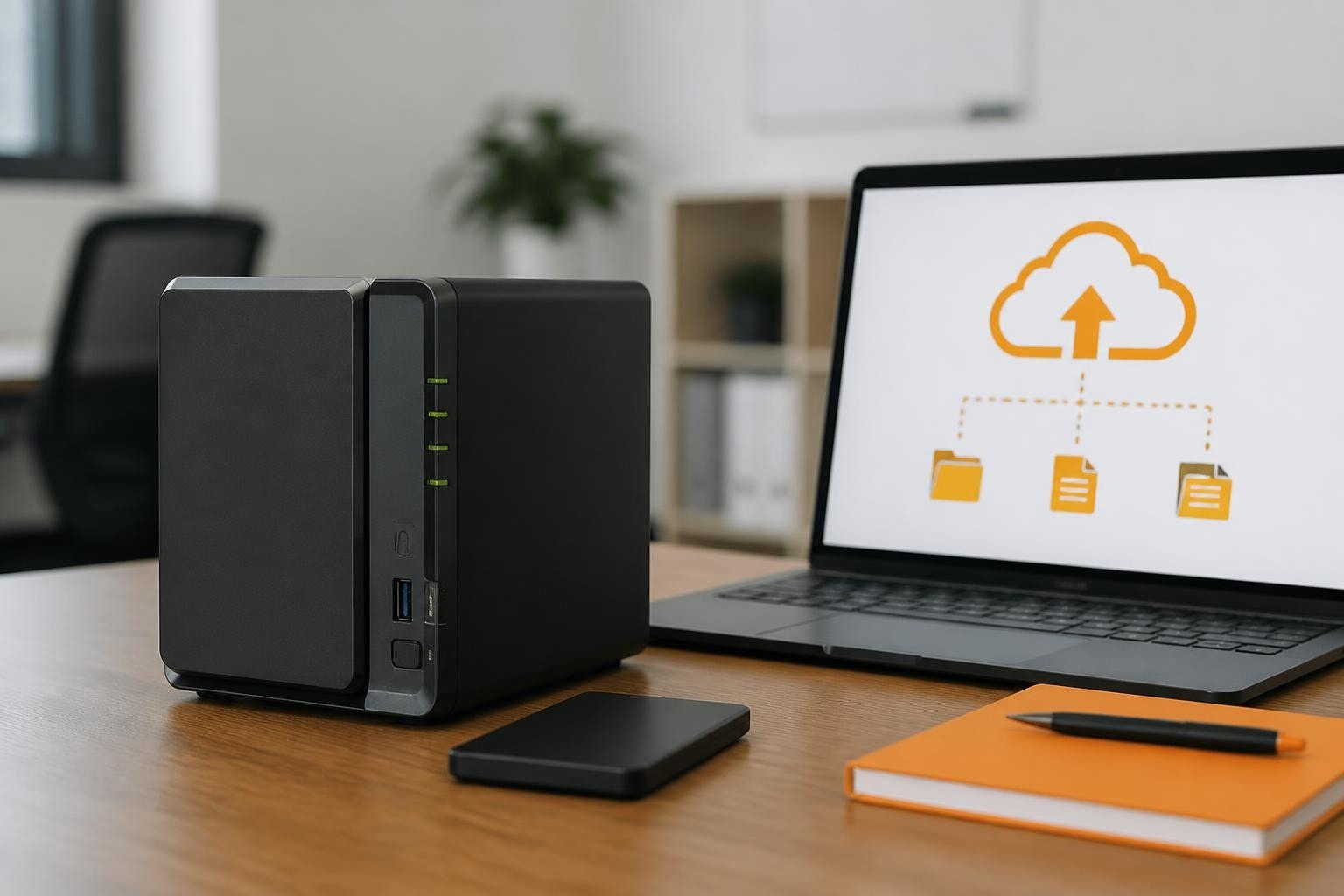

The demand for reliable, secure, and scalable storage solutions has never been greater for businesses seeking to protect their critical data whilst maintaining operational efficiency. In particular, network-attached storage (NAS) devices have emerged as essential infrastructure components, providing centralised file management, backup capabilities, and seamless collaboration tools. Furthermore, they help organisations streamline data access and improve operational workflows. As a result, businesses can enhance both efficiency and data protection.
The Synology DS223 represents a compelling entry-point solution for small to medium-sized businesses requiring dependable storage without the complexity or expense of enterprise-grade systems. Moreover, this 2-bay NAS device combines affordability with functionality, making it an attractive option for organisations looking to establish or expand their data management infrastructure. Consequently, it offers a practical balance between cost, performance, and usability for growing businesses.
Understanding the Synology DS223 Hardware Architecture
The Synology DS223 features a quad-core Realtek RTD1619B processor operating at 1.7 GHz, delivering sufficient processing power for typical business storage tasks. This 64-bit processor architecture ensures compatibility with modern applications whilst maintaining energy efficiency.
With 2GB of DDR4 non-expandable memory, the synology ds223 handles multiple concurrent connections and background tasks effectively. Whilst the RAM configuration cannot be upgraded, the factory allocation proves adequate for standard file sharing, backup operations, and media streaming scenarios.
Storage Configuration and Expansion Capabilities
The dual-bay design accommodates two 3.5-inch or 2.5-inch SATA hard drives, supporting maximum individual drive capacities up to 20TB. This provides a theoretical maximum raw storage capacity of 40TB, though actual usable space depends on the RAID configuration selected.
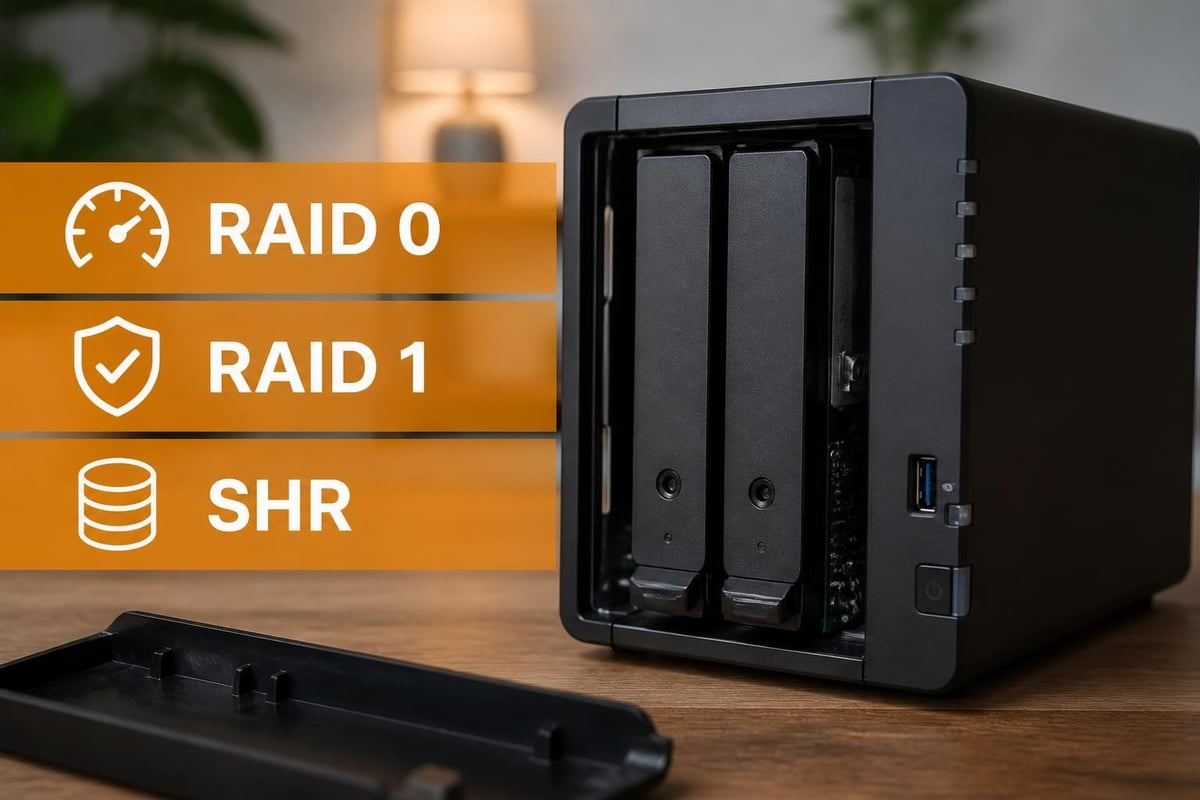
Supported RAID configurations include:
- Basic (JBOD)
- Synology Hybrid RAID (SHR)
- RAID 0
- RAID 1
The flexibility in RAID options allows businesses to balance storage capacity against data redundancy based on their specific requirements. For organisations prioritising data protection, RAID 1 or SHR configurations mirror data across both drives, ensuring continuity even if one drive fails.
Connectivity and Network Performance
The Synology DS223 incorporates dual Gigabit Ethernet ports, enabling link aggregation for increased bandwidth or network failover for enhanced reliability. In particular, this redundancy proves especially valuable for businesses where continuous data availability is critical. Furthermore, it helps ensure stable connectivity even in the event of network interruptions. As a result, organisations can maintain consistent access to data and improved overall network resilience.
| Feature | Specification | Business Benefit |
|---|---|---|
| Ethernet Ports | 2 x 1GbE RJ-45 | Link aggregation or failover |
| USB Ports | 2 x USB 3.2 Gen 1 | External storage expansion |
| Maximum Throughput | 226 MB/s reading | Fast file transfers |
| Power Consumption | 16.28W (access) | Reduced operating costs |
The USB 3.2 ports support external storage devices, providing quick backup options or temporary capacity expansion. In particular, businesses can connect external drives for one-time data migrations or regular scheduled backups to separate physical media. Furthermore, this adds flexibility for data protection and short-term storage needs. As a result, organisations can improve backup strategies and operational resilience.
Network performance testing shows the device achieving reading speeds around 226 MB/s and writing speeds near 222 MB/s under optimal conditions. In particular, these figures represent sequential access rates that businesses can expect when transferring large files across the network. Moreover, this enables efficient handling of data-heavy workflows such as backups and media transfers. Consequently, organisations benefit from reliable and predictable file transfer performance.
DiskStation Manager Operating System
Synology’s DiskStation Manager (DSM) operating system provides the software foundation for the Synology DS223, offering an intuitive web-based interface accessible from any device with a browser. In particular, the platform receives regular security updates and feature enhancements. Furthermore, this ensures long-term stability, improved functionality, and ongoing protection against emerging threats. As a result, organisations can rely on a secure and consistently evolving management environment.
Essential Applications for Business Use
Core productivity applications include:
- File Station for centralised document management
- Drive for cloud-like synchronisation across devices
- Active Backup for Business for endpoint protection
- Snapshot Replication for point-in-time recovery
- Calendar and Contacts for team coordination
The Package Centre offers hundreds of additional applications, transforming the basic storage device into a versatile business tool. From surveillance systems to content management platforms, the extensibility allows organisations to tailor functionality to their specific workflows.
Understanding how to properly configure storage is essential, and Synology provides comprehensive guidance on setting up RAID configurations to ensure optimal data protection.
Data Protection and Backup Strategies
Implementing robust backup procedures represents a fundamental responsibility for businesses managing critical information. In particular, the Synology DS223 supports multiple backup methodologies, from simple USB-connected external drives to sophisticated cloud-based replication. Furthermore, this flexibility allows organisations to tailor backup strategies to their specific operational needs and risk tolerance. As a result, businesses can improve data protection and ensure faster recovery in the event of data loss.

Local and Remote Backup Options
Snapshot technology creates point-in-time copies of shared folders and virtual machines without consuming significant storage space. Using copy-on-write techniques, snapshots preserve data states, allowing administrators to recover from ransomware attacks or accidental deletions quickly.
For businesses requiring offsite protection, Hyper Backup facilitates encrypted backups to remote Synology devices, public cloud services, or compatible storage providers. This multi-destination capability ensures geographic redundancy, protecting against localised disasters.
The official backup tutorial from Synology outlines best practices for implementing comprehensive protection strategies suitable for business environments.
| Backup Type | Recovery Speed | Storage Efficiency | Offsite Protection |
|---|---|---|---|
| Snapshots | Immediate | Excellent | No |
| Local Copy | Fast | Moderate | No |
| Cloud Sync | Depends on connection | Good | Yes |
| External Drive | Moderate | Variable | Manual |
Security Features and Access Controls
Modern businesses face increasingly sophisticated cyber threats, making security architecture a primary consideration when selecting storage infrastructure. In particular, the Synology DS223 implements multiple security layers to protect sensitive business data. Furthermore, this layered approach helps reduce vulnerabilities across different access points. As a result, organisations can strengthen overall data protection and system resilience.
Account management supports both local user databases and integration with existing directory services including LDAP and Active Directory. In particular, this allows businesses to leverage existing authentication systems, simplifying user provisioning whilst maintaining security standards. Moreover, it improves administrative efficiency and consistency across IT environments. Consequently, organisations can manage users more securely and efficiently.
Firewall configuration controls network access at the packet level, restricting connections to authorised IP ranges or geographic regions. Furthermore, combined with automatic blocking of suspicious connection attempts, these features reduce exposure to brute-force attacks. As a result, businesses can significantly improve network security and reduce intrusion risks.
Two-factor authentication adds an additional verification step beyond passwords, significantly enhancing account security. In particular, support for authenticator applications, SMS codes, and hardware keys provides flexibility in implementation approaches. Moreover, this ensures organisations can adapt security policies to their operational requirements. Consequently, account protection is significantly strengthened against unauthorised access.
Encryption and Compliance Considerations
Shared folders support AES-256 encryption, protecting data at rest from unauthorised access. Whilst encryption introduces minor performance overhead, the security benefits prove worthwhile for businesses handling sensitive client information or regulated data.
For organisations seeking secure, privacy-focused infrastructure, exploring vBoxx’s comprehensive cloud solutions provides enterprise-grade alternatives with enhanced compliance capabilities tailored to business requirements.
Performance Evaluation and Real-World Testing
Independent reviews provide valuable insights into how the synology ds223 performs under practical business conditions. According to the comprehensive TechRadar review, the device excels in its intended role as an affordable small business storage solution, though power users may find the processor limiting for demanding applications.
The Android Central assessment highlights the device’s suitability for home offices and small teams, praising the DSM operating system whilst noting performance constraints compared to higher-tier models.
Benchmarking Results
Testing with mechanical hard drives in RAID 1 configuration typically yields:
- Sequential read: 115-120 MB/s
- Sequential write: 110-115 MB/s
- Random read (4K): 25-30 MB/s
- Random write (4K): 20-25 MB/s
These figures represent realistic expectations for businesses using traditional spinning drives. Organisations requiring higher performance can consider SSDs, though this significantly increases overall system cost.
Practical Business Applications
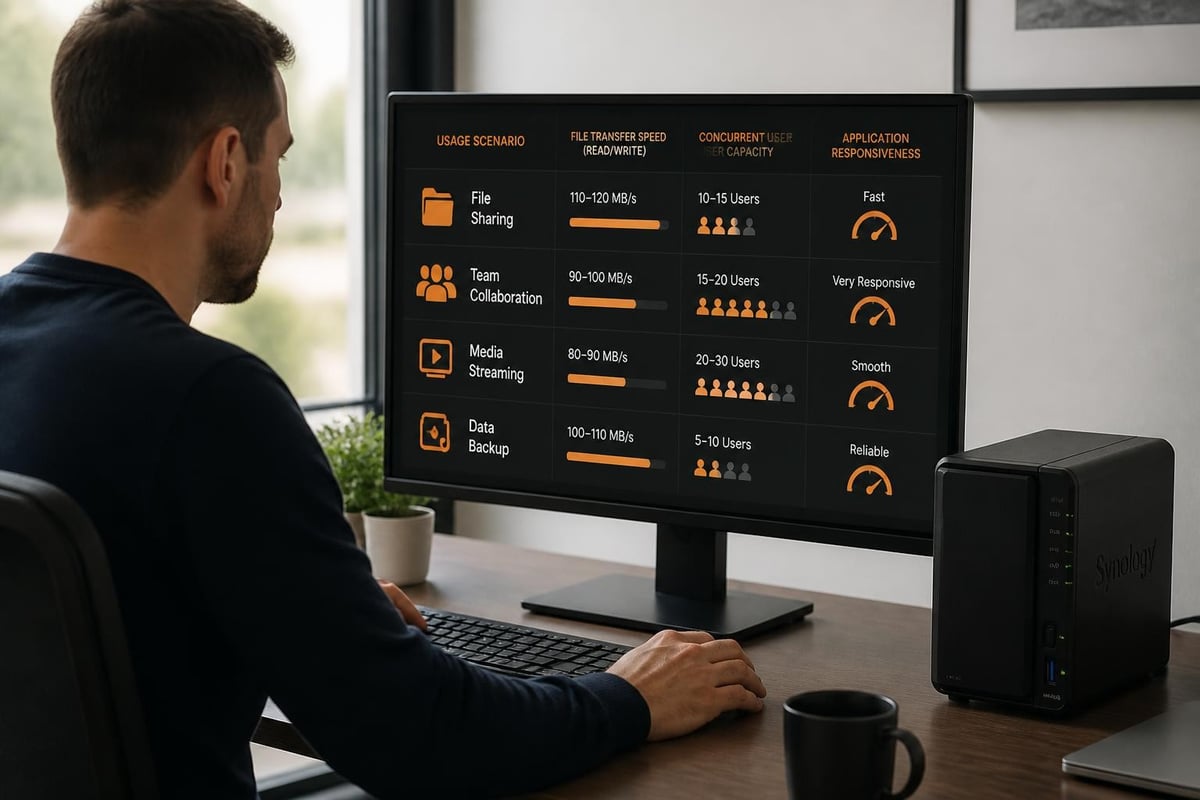
Beyond basic file storage, the synology ds223 enables numerous business workflows that improve operational efficiency and collaboration. Understanding these use cases helps organisations maximise their infrastructure investment.
Document collaboration through Synology Drive allows teams to access, edit, and synchronise files across devices seamlessly. Version control preserves document history, enabling recovery of previous iterations when needed.
Centralised email archiving helps businesses meet compliance requirements whilst reducing mailbox storage burdens on primary email servers. The MailPlus suite provides comprehensive email hosting capabilities directly on the NAS.
For businesses with multimedia requirements, the device supports streaming applications and multimedia server capabilities, enabling video cataloguing, photo management, and content distribution.
Surveillance and Monitoring Solutions
Surveillance Station transforms the Synology DS223 into a video management system, supporting multiple IP cameras for premises monitoring. In particular, with included licences for two cameras and options to purchase additional capacity, businesses can implement cost-effective security systems. Furthermore, this makes advanced surveillance more accessible to small and medium-sized organisations. As a result, companies can enhance physical security without significant infrastructure investment.
Motion detection, scheduled recording, and event notifications provide comprehensive monitoring capabilities without requiring dedicated surveillance hardware. Moreover, remote viewing through mobile applications enables monitoring from anywhere with internet connectivity. Consequently, businesses gain greater visibility, responsiveness, and control over their security environments.
Comparing the DS223 to Alternative Solutions
When evaluating storage options, businesses must consider both immediate requirements and future scalability. The synology ds223 occupies a specific market segment, balancing affordability against capability.
For organisations with tighter budgets, the affordable NAS landscape includes various alternatives, though few match Synology’s software ecosystem and long-term support commitment.
Key differentiators include:
- Mature, frequently updated operating system
- Extensive application library
- Strong community support resources
- Reliable hardware quality
- Comprehensive documentation
Higher-tier Synology models offer enhanced processors, expandable memory, additional drive bays, and advanced networking features. Businesses anticipating rapid growth or intensive applications should evaluate whether the DS223’s specifications align with long-term requirements.
Energy Efficiency and Environmental Considerations
Operating costs extend beyond initial purchase price, with electricity consumption representing an ongoing expense. In particular, the Synology DS223 draws approximately 16.28W during active operation and under 5W in disk hibernation mode. Furthermore, this low power profile makes it suitable for continuous use in small business environments. As a result, organisations can maintain reliable storage without significant energy overhead.
Annual energy costs in typical business environments amount to £15–£25, assuming mixed usage patterns and standard commercial electricity rates. Moreover, this efficiency helps keep long-term operational expenses predictable and low. Consequently, the device offers a cost-effective solution for always-on storage requirements.
The compact form factor (166mm x 100mm x 225.5mm) requires minimal physical space, fitting comfortably in office environments without dedicated server rooms. In addition, noise levels remain modest, typically below 19.5 dB(A) during normal operation. As a result, it is well-suited for quiet office deployments where space and acoustics matter.
For businesses prioritising environmental responsibility, selecting energy-efficient infrastructure aligns with broader sustainability objectives whilst reducing operational expenses. Furthermore, this supports greener IT strategies without compromising performance or reliability. Consequently, organisations can balance efficiency, cost savings, and environmental responsibility.
Maintenance and Long-Term Management
Successful NAS deployment requires ongoing maintenance to ensure reliability and security. In particular, the Synology DS223 includes automated tools that simplify administrative tasks, reducing the expertise required for effective management. Furthermore, this helps organisations maintain system stability with minimal manual intervention. As a result, businesses can ensure reliable storage operations while reducing administrative workload.
Automated monitoring tracks drive health using S.M.A.R.T. data, providing early warning of potential failures. Moreover, email notifications alert administrators to critical events, enabling proactive intervention before problems escalate. Consequently, organisations can reduce downtime and prevent potential data loss through early detection.
Regular DSM updates deliver security patches, performance improvements, and new features. In particular, the update process executes seamlessly through the web interface, typically completing within minutes without service disruption. Furthermore, this ensures systems remain secure and up to date with minimal operational impact. As a result, businesses benefit from improved security, performance, and long-term system reliability.
Capacity Planning and Expansion
As business data volumes grow, understanding expansion options prevents future bottlenecks. The synology ds223’s two-bay limitation means capacity increases require replacing existing drives with higher-capacity models.
Migration strategies include:
- Adding a secondary NAS for additional capacity
- Replacing drives sequentially with larger models
- Implementing cloud synchronisation for overflow data
- Archiving historical data to external storage
Planning storage growth trajectories during initial deployment helps businesses select appropriate solutions. Organisations anticipating rapid expansion may benefit from models offering additional drive bays.
User Experience and Interface Design
The DSM interface prioritises accessibility, presenting complex storage management through intuitive controls. New administrators can typically configure basic functionality within hours, whilst advanced features remain accessible for experienced users.
Desktop-like design includes taskbars, application windows, and familiar navigation patterns that reduce learning curves. Context-sensitive help provides guidance directly within each application, eliminating the need for constant manual consultation.
Mobile applications extend management capabilities to smartphones and tablets, enabling remote administration from anywhere. File access, system monitoring, and backup verification remain possible without desktop computer access.
For businesses considering whether to invest in professional demonstrations, exploring how integrated solutions work together through a guided demonstration of comprehensive cloud services can clarify implementation strategies and identify optimal configurations.
Cost Analysis and Value Proposition
The synology ds223 typically retails between £200-250 excluding drives, positioning it as an entry-level business storage solution. When combined with two 4TB enterprise-grade drives, total system cost approximates £400-500.
Comparing this investment against cloud storage subscriptions reveals different value propositions. Cloud services offer unlimited scalability and geographic redundancy but incur ongoing monthly fees that accumulate substantially over time.
Five-year total cost comparison:
| Solution | Initial Cost | Monthly Fee | 5-Year Total |
|---|---|---|---|
| DS223 (8TB usable) | £450 | £0 | £450 |
| Cloud (8TB) | £0 | £40 | £2,400 |
| Hybrid Approach | £450 | £10 | £1,050 |
These calculations demonstrate how local storage delivers superior long-term value for businesses with predictable capacity requirements. Hybrid approaches combining local infrastructure with selective cloud integration often provide optimal cost-effectiveness.
Potential Limitations and Considerations
Whilst the synology ds223 serves many small business scenarios effectively, understanding its limitations prevents misalignment between capabilities and requirements. The non-expandable 2GB RAM constrains performance in environments with numerous concurrent users or resource-intensive applications.
Processor performance proves adequate for file sharing and basic applications but struggles with demanding tasks like 4K video transcoding or virtual machine hosting. Businesses requiring these capabilities should evaluate more powerful models within Synology’s range.
The dual-bay configuration limits RAID options compared to four-bay or larger systems. Advanced configurations like RAID 5 or RAID 6 require additional drives, making expansion impossible without replacing the entire unit.
Network connectivity maxes out at Gigabit Ethernet, which may bottleneck in environments with numerous simultaneous large file transfers. Organisations requiring higher throughput should consider models offering 2.5GbE or 10GbE connectivity.
The Synology DS223 delivers dependable, secure storage infrastructure suitable for small businesses establishing their data management foundation. Its combination of affordable pricing, robust software ecosystem, and reliable hardware creates compelling value for organisations prioritising data protection without enterprise budgets. Whether you’re seeking local backup solutions, collaborative file sharing, or multimedia management, vBoxx provides secure, privacy-focused cloud infrastructure that complements or extends your storage strategy, delivering the performance and reliability your business demands with sustainable, green hosting practices.