
The Synology DS723+ represents a significant evolution in network-attached storage solutions designed specifically for small to medium-sized businesses requiring reliable, scalable data management. Furthermore, this two-bay NAS device combines powerful hardware specifications with Synology's renowned DiskStation Manager operating system, creating a comprehensive storage platform that addresses modern business challenges. Moreover, with increasing data volumes and stricter compliance requirements across European markets, organisations need storage solutions that balance performance, security, and expandability without compromising on any front.
Hardware Specifications and Architecture
The synology ds723 features AMD's Ryzen R1600 dual-core processor, delivering substantially improved performance compared to previous generations. This processor architecture provides enhanced computational power for demanding tasks such as file indexing, database operations, and virtualization workloads. Additionally, the device ships with 2GB of DDR4 ECC memory as standard, though it supports expansion up to 32GB through two SODIMM slots.
ECC (Error-Correcting Code) memory represents a critical feature for business environments, as it automatically detects and corrects memory errors that could otherwise lead to data corruption. Therefore, organizations handling sensitive financial records, customer databases, or compliance-related documentation benefit significantly from this enterprise-grade memory architecture. In addition, the Synology DS723+ includes two M.2 NVMe slots, enabling organizations to implement SSD caching for frequently accessed data without consuming primary drive bays.
Connectivity and Expansion Options
Network connectivity forms the backbone of any effective NAS deployment. Consequently, the synology ds723 provides two 1GbE RJ-45 ports as standard, supporting link aggregation for improved throughput and failover protection. Nevertheless, one standout feature involves the optional PCIe expansion slot, which accommodates a 10 Gigabit Ethernet card for organizations requiring high-bandwidth connections.
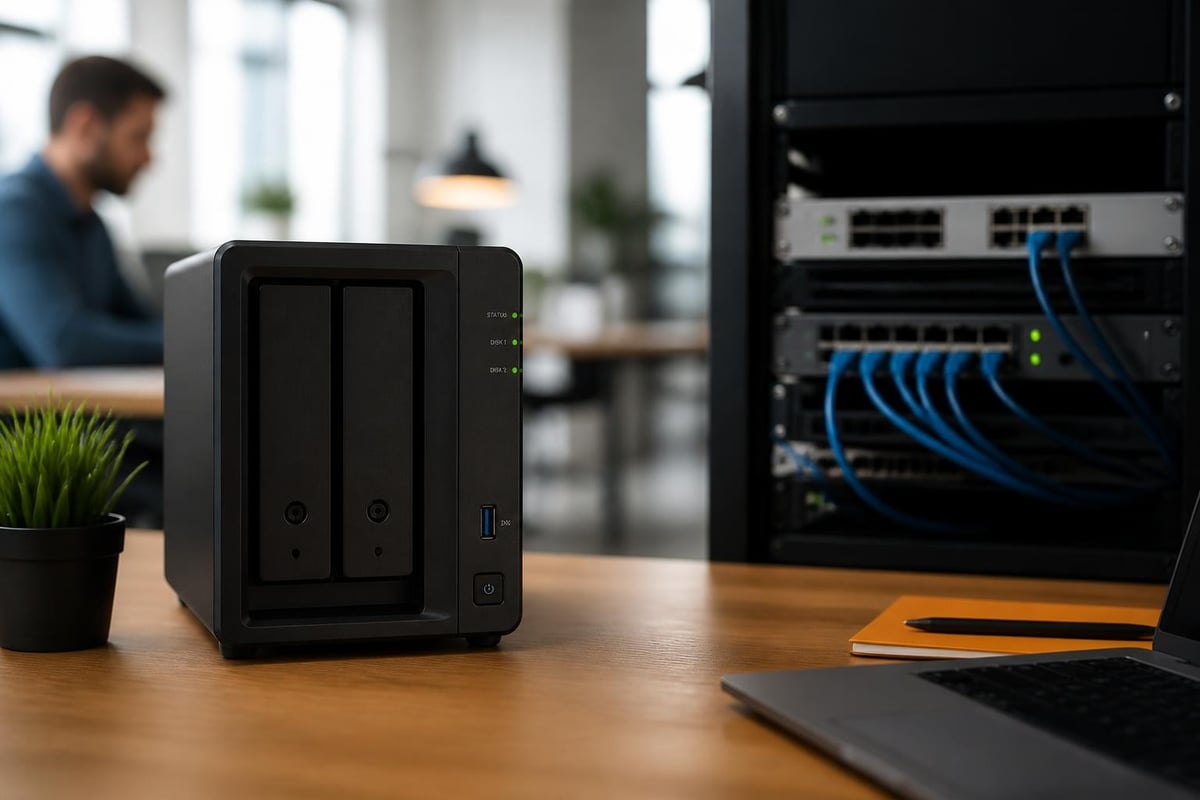
Furthermore, the device includes four USB 3.2 Gen 1 ports for external storage devices, printers, or UPS systems. The inclusion of eSATA connectivity enables connection to Synology's DX517 expansion unit, effectively transforming this two-bay system into a seven-bay storage solution. Moreover, this expandability ensures that businesses can scale storage capacity as requirements grow, without replacing their initial investment.
| Feature | Specification | Business Benefit |
|---|---|---|
| Processor | AMD Ryzen R1600 (2-core) | Enhanced multi-tasking performance |
| Memory | 2GB DDR4 ECC (expandable to 32GB) | Data integrity and future-proofing |
| Network Ports | 2x 1GbE (10GbE optional) | Flexible bandwidth options |
| M.2 Slots | 2x NVMe SSD slots | SSD caching without drive bay sacrifice |
| Expansion | eSATA for DX517 | Scale from 2 to 7 drive bays |
Storage Capabilities and RAID Configuration
The synology ds723 supports drives up to 20TB per bay, providing a maximum raw capacity of 40TB in the base configuration. Nevertheless, when combined with the DX517 expansion unit, organizations can achieve significantly higher capacities. In addition, the device supports multiple RAID configurations, including RAID 0, RAID 1, Basic, JBOD, and Synology's proprietary Synology Hybrid RAID (SHR).
RAID 1 configuration remains the most common choice for two-bay systems, offering complete data redundancy by mirroring data across both drives. Therefore, if one drive fails, all data remains accessible on the second drive, ensuring business continuity. Furthermore, the official specifications document confirms support for Btrfs file system, which provides advanced data protection through snapshots and checksumming.
Performance Benchmarks
Sequential read and write speeds represent crucial metrics for business workflows. Moreover, the synology ds723 delivers impressive throughput figures when configured optimally:
- Sequential Read: Up to 1,181 MB/s (with dual 1GbE link aggregation and SSD caching)
- Sequential Write: Up to 661 MB/s (similar configuration)
- Random IOPS: Significantly enhanced when utilizing M.2 NVMe caching
Additionally, these performance figures ensure smooth operation for common business scenarios such as database access, collaborative document editing, and multimedia workflows. Nevertheless, actual performance varies based on network infrastructure, drive selection, and workload characteristics.
DiskStation Manager: Software Ecosystem
Synology's DiskStation Manager (DSM) operating system transforms the synology ds723 from mere hardware into a comprehensive business platform. Furthermore, DSM 7.2, the current major version as of 2026, introduces enhanced security features, improved user interface design, and expanded application compatibility. Moreover, the browser-based interface enables remote administration from any device with network access.
The package center provides access to hundreds of first-party and third-party applications, covering diverse business requirements:
- File Services: SMB, AFP, NFS protocols for cross-platform compatibility
- Backup Solutions: Active Backup for Business, Hyper Backup, Snapshot Replication
- Collaboration Tools: Synology Drive, Office, Calendar, Contacts
- Security Applications: VPN Server, Firewall, Security Advisor
- Media Services: Moments, Photos, Video Station, Audio Station
Therefore, organizations can customize their synology ds723 deployment to match specific operational requirements without purchasing additional software licenses. In addition, DSM's snapshot technology enables point-in-time recovery, protecting against ransomware attacks and accidental deletions.

User Management and Access Control
Granular permission systems enable administrators to define precisely who can access which folders and files. Furthermore, DSM supports integration with Active Directory and LDAP directories, simplifying user management in organizations with existing authentication infrastructure. Moreover, two-factor authentication adds an additional security layer, requiring users to provide both passwords and time-based codes when accessing sensitive data.
For businesses managing sensitive information, implementing robust password policies and access controls remains essential. Nevertheless, administrators can enforce password complexity requirements, session timeouts, and IP-based access restrictions directly through DSM. Additionally, organizations using vBoxxVault for secure password management can further strengthen their security posture, ensuring that credentials for NAS access and other business systems remain protected through zero-knowledge encryption and GDPR-compliant European hosting.
Business Use Cases and Applications
The synology ds723 serves multiple business functions simultaneously, providing value across different operational areas. Consequently, understanding these applications helps organizations maximize their investment and streamline workflows.
File Server and Collaboration
Centralized file storage eliminates the inefficiencies of scattered data across individual workstations. Therefore, teams can access current versions of documents, presentations, and spreadsheets from a single authoritative source. Furthermore, Synology Drive provides desktop and mobile applications that synchronize files across devices, similar to consumer cloud services but with complete organizational control over data location and security.
Version control features automatically preserve previous file versions, enabling recovery from mistakes or unwanted changes. Moreover, real-time collaboration tools allow multiple team members to work simultaneously on documents, with changes synchronized across all participants. In addition, administrators can configure retention policies that automatically archive or delete outdated files according to compliance requirements.
Data Protection and Disaster Recovery
Business continuity depends on comprehensive backup strategies. Nevertheless, the synology ds723 serves both as a backup target for workstations and servers, and as a source requiring its own protection. Furthermore, Active Backup for Business enables agentless backup of Windows PCs, file servers, and virtual machines, consolidating protection under a single management interface.
| Backup Method | Target | Recovery Point Objective |
|---|---|---|
| Snapshot Replication | Secondary Synology NAS | Minutes to hours |
| Hyper Backup | Cloud storage or external drives | Hours to daily |
| Active Backup for Business | Workstations and servers | Hourly to daily |
Therefore, implementing a 3-2-1 backup strategy (three copies of data, on two different media types, with one copy offsite) becomes achievable through the synology ds723's versatile backup capabilities. Moreover, cloud synchronization options enable replication to remote locations without maintaining additional hardware.
Surveillance and Security
Video surveillance represents another common application, particularly for retail locations, warehouses, and office environments. Additionally, Surveillance Station supports hundreds of IP camera models, providing recording, live viewing, and intelligent analytics capabilities. Furthermore, the synology ds723's dual-bay design accommodates RAID 1 configuration for surveillance footage, ensuring recordings remain accessible even during drive failures.

Motion detection, scheduling, and retention policies optimize storage utilization whilst maintaining required footage history. Nevertheless, organizations should calculate storage requirements based on camera count, resolution, frame rate, and retention periods before deployment.
Comparison with Alternative Models
Understanding how the synology ds723 positions within Synology's product range helps organizations select the optimal model for their requirements. Furthermore, comparing the DS723+ with the DS1522+ reveals important distinctions in capacity, expandability, and target use cases.
The DS1522+ offers five drive bays in the base configuration, making it suitable for organizations requiring higher raw capacity from the outset. Moreover, it supports expansion to 15 total bays through DX517 units, compared to seven bays maximum for the synology ds723. Nevertheless, both models share the same AMD Ryzen R1600 processor and ECC memory architecture.
Alternatively, smaller organizations might consider the DS423+ or DS223 models, which provide lower initial costs but sacrifice features such as ECC memory, PCIe expansion slots, and M.2 NVMe caching capabilities. Therefore, the synology ds723 occupies an optimal position for businesses requiring enterprise features without the physical footprint and cost of larger systems.
Pricing and Value Considerations
As of 2026, the synology ds723 typically retails between £600 and £750 (excluding drives), positioning it in the mid-range business NAS category. Furthermore, this pricing reflects the enterprise-grade components, particularly the ECC memory and expandability options. Moreover, organizations should budget additional funds for drives, optional 10GbE network cards, and potential expansion units.
Nevertheless, reviews consistently note that whilst the upfront cost exceeds consumer-grade alternatives, the reliability, software ecosystem, and long-term supportability justify the investment for business deployments. In addition, Synology typically provides extended software support, with security updates continuing for years after purchase.
Implementation Best Practices
Deploying the synology ds723 effectively requires careful planning across hardware configuration, network integration, and security policies. Therefore, organizations should follow established best practices to maximize reliability and performance.
Initial Setup and Configuration
- Hardware Installation: Install drives according to the manufacturer's compatibility list, ensuring proper cooling and secure mounting
- Network Connection: Configure link aggregation if using dual 1GbE ports, or install 10GbE card before initial setup
- DSM Installation: Use Synology's Web Assistant or mobile app to locate the device and install DiskStation Manager
- RAID Creation: Select appropriate RAID type based on redundancy requirements and performance priorities
- Volume Formatting: Choose Btrfs for advanced features or ext4 for maximum compatibility
- Basic Security: Enable firewall, configure automatic updates, and change default administrator password
Furthermore, implementing M.2 NVMe caching during initial setup prevents the need for migration later. Moreover, SSD read-write caching significantly improves performance for workloads involving frequently accessed files, such as shared databases or active project folders.
Security Hardening
Beyond basic configuration, additional security measures protect against emerging threats. Nevertheless, administrators should implement these protections systematically:
- Account Policies: Enforce strong passwords, enable two-factor authentication, and disable unused accounts
- Network Segmentation: Place NAS on isolated VLAN with firewall rules controlling access
- Access Logging: Enable comprehensive logging and configure alerts for suspicious activities
- Regular Updates: Schedule automatic security updates during maintenance windows
- Encrypted Volumes: Consider enabling encryption for volumes containing sensitive data, though this impacts performance
Additionally, according to hardware installation guidance, physical security measures such as Kensington lock slots provide protection against unauthorized hardware access. Therefore, organizations should consider both digital and physical security aspects when deploying the synology ds723.
Performance Optimization Strategies
Maximizing throughput and responsiveness requires understanding bottlenecks and configuring the synology ds723 accordingly. Furthermore, different workloads benefit from specific optimization approaches.
SSD Caching Configuration
The dual M.2 NVMe slots enable sophisticated caching strategies. Moreover, administrators can configure read-only caching (using a single SSD) or read-write caching (using two SSDs in RAID 1 for redundancy). Nevertheless, read-write caching provides maximum performance improvement for workloads involving frequent modifications to the same files.
SSD Cache Advisor, built into DSM, analyzes actual usage patterns and recommends optimal cache sizes. Therefore, organizations can make data-driven decisions about SSD investment rather than guessing at requirements. In addition, monitoring cache hit rates after implementation confirms whether caching delivers expected performance gains.
Network Optimization
Network infrastructure often represents the primary bottleneck in NAS performance. Consequently, several strategies address this limitation:
- Link Aggregation: Combine dual 1GbE ports for 2Gbps theoretical throughput
- 10GbE Upgrade: Install optional 10 Gigabit Ethernet card for bandwidth-intensive workflows
- Jumbo Frames: Enable jumbo frames (MTU 9000) across network infrastructure for improved efficiency
- SMB Multichannel: Configure SMB 3.0 multichannel to utilize multiple network connections simultaneously
Furthermore, ensuring that switches, cables, and client network adapters support appropriate speeds prevents artificial performance limitations. Moreover, isolating NAS traffic on dedicated network segments reduces contention with other business applications.
Drive Selection Considerations
Drive choice significantly impacts both performance and reliability. Nevertheless, Synology maintains a comprehensive compatibility list, and selecting drives from this list ensures optimal operation. Furthermore, business-oriented NAS drives (such as WD Red Pro or Seagate IronWolf Pro) provide enhanced durability compared to desktop drives.
| Drive Type | Use Case | Key Features |
|---|---|---|
| NAS-rated HDD | Primary storage | 24/7 operation rating, vibration tolerance |
| Enterprise HDD | High-reliability requirements | Extended warranty, lower failure rates |
| SSD (SATA) | General-purpose acceleration | Lower cost than NVMe, good performance |
| NVMe SSD | Maximum caching performance | Highest IOPS, lowest latency |
Therefore, organizations should match drive selection to workload requirements and budget constraints. Moreover, purchasing drives from different manufacturing batches reduces the risk of correlated failures affecting multiple drives simultaneously.
Maintenance and Monitoring
Proactive maintenance prevents unexpected failures and extends the operational lifespan of the synology ds723. Furthermore, DSM provides comprehensive monitoring tools that track system health, resource utilization, and potential issues.
Storage Analyzer identifies which folders and file types consume the most space, enabling administrators to implement retention policies or expand capacity before exhaustion. Moreover, Resource Monitor displays real-time CPU, memory, network, and disk utilization, helping identify performance bottlenecks. Additionally, S.M.A.R.T. test scheduling enables early detection of drive degradation before complete failure occurs.
Nevertheless, organizations should establish regular maintenance schedules that include:
- Weekly: Review system logs for errors or warnings
- Monthly: Verify backup completion and test restoration procedures
- Quarterly: Run extended S.M.A.R.T. tests on all drives
- Annually: Review and update user access permissions, remove inactive accounts
Therefore, systematic monitoring and maintenance maximize uptime and prevent data loss incidents. In addition, configuring email or SMS notifications ensures administrators receive immediate alerts when issues arise.
Integration with Broader IT Infrastructure
The synology ds723 rarely operates in isolation, instead forming part of larger business IT ecosystems. Consequently, understanding integration capabilities helps organizations leverage existing investments whilst adding NAS functionality.
Active Directory integration enables centralized user management, allowing employees to access NAS resources using existing corporate credentials. Furthermore, this eliminates the need to maintain separate user databases and ensures consistent access policies across all systems. Moreover, LDAP support extends compatibility to non-Windows directory services.
Virtual machine storage represents another important integration scenario. Nevertheless, the synology ds723 supports both iSCSI and NFS protocols, enabling connection to VMware ESXi, Microsoft Hyper-V, or other hypervisors. Therefore, organizations can consolidate virtual machine storage whilst maintaining flexibility in hypervisor selection.
API access through Synology's developer tools enables custom integrations and automation workflows. Additionally, webhooks trigger actions in external systems based on NAS events, such as starting processing pipelines when files arrive in specific folders. Furthermore, this programmability extends the synology ds723's capabilities beyond standard NAS functions.
The Synology DS723+ delivers enterprise-grade storage capabilities in a compact, scalable package that addresses the evolving needs of modern businesses. Moreover, its combination of powerful hardware, comprehensive software ecosystem, and flexible expandability options ensures that organizations can adapt their storage infrastructure as requirements change. For businesses seeking GDPR-compliant, European-hosted cloud solutions to complement on-premises storage, vBoxx provides secure hosting and cloud services running on ISO 27001-certified infrastructure in the Netherlands, offering everything from cloud storage and communication platforms to managed hosting and backup services. Nevertheless, whether deploying local NAS solutions or cloud infrastructure, prioritising data sovereignty, security, and scalability remains essential for sustainable business growth.