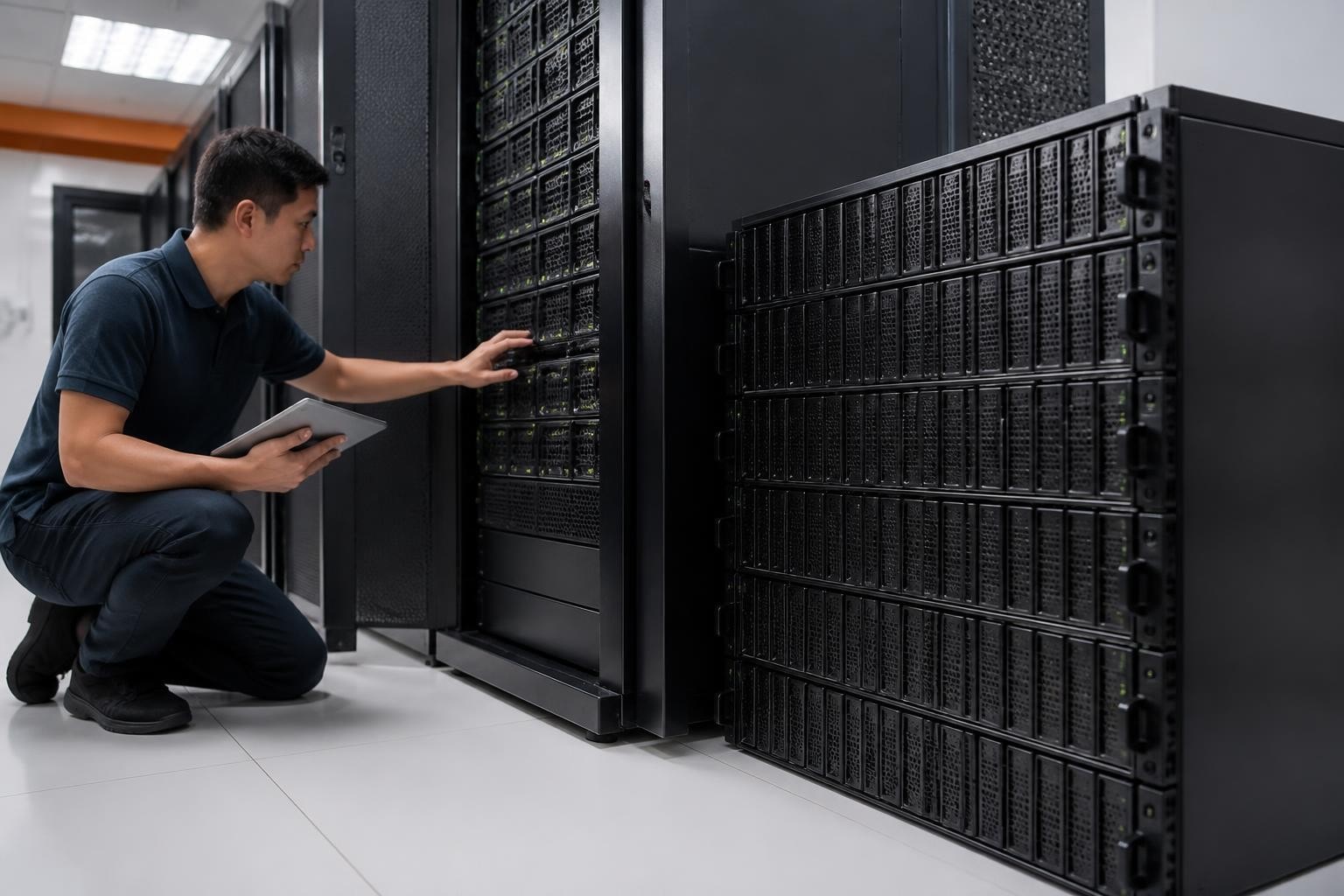
The demand for scalable, high-density storage solutions has intensified as businesses accumulate ever-larger volumes of data. Furthermore, organisations require infrastructure that not only scales economically but also maintains reliability and performance under continuous workloads. The synology hd6500 represents a strategic answer to this challenge, offering a 60-bay expansion enclosure designed specifically for enterprise environments where capacity, density, and efficient space utilisation are paramount. This expansion unit integrates seamlessly with compatible Synology NAS systems, therefore enabling businesses to extend their storage infrastructure without the footprint and energy overhead of multiple standalone units.
What Is the Synology HD6500?
The synology hd6500 is a high-density storage expansion chassis engineered to extend the capacity of Synology's enterprise-class network-attached storage systems. Housed in a compact 4U rackmount form factor, this unit accommodates 60 drive bays, making it one of the most space-efficient expansion solutions available in Synology's product portfolio. Moreover, each bay supports both 3.5-inch and 2.5-inch SATA drives, providing flexibility for organisations to balance capacity, performance, and cost.
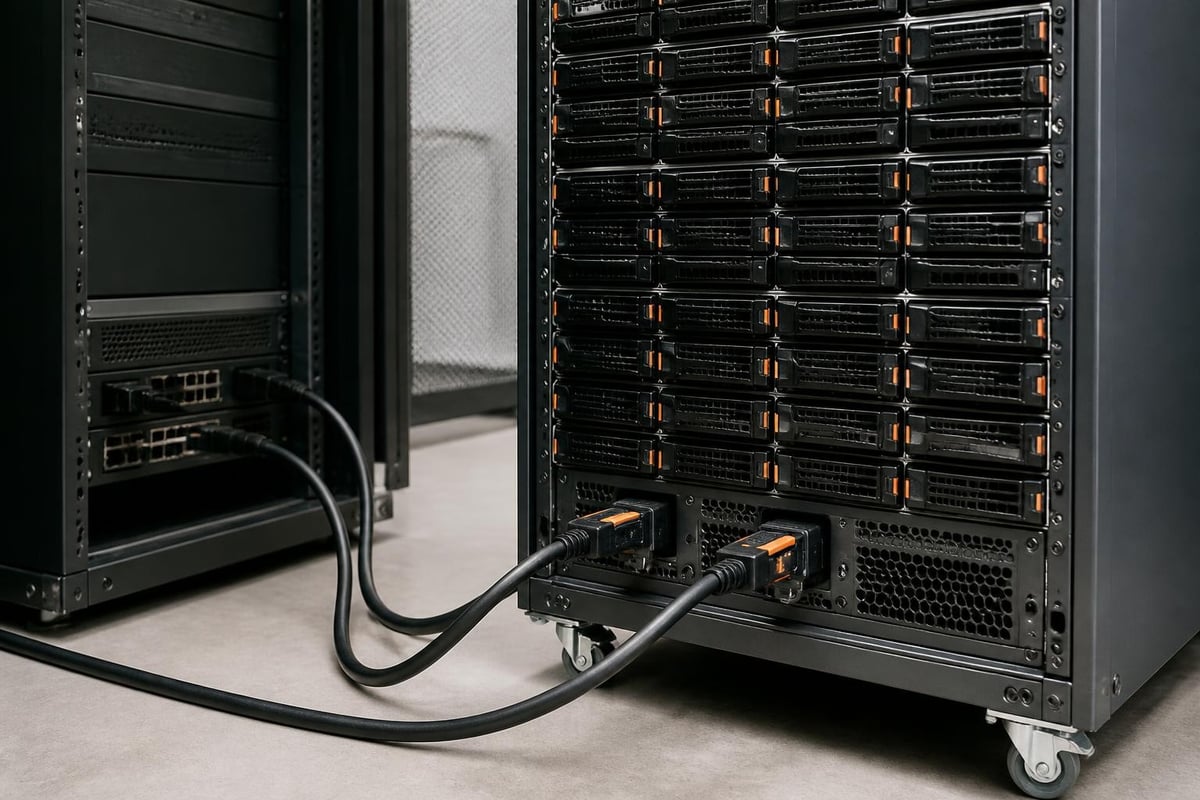
Unlike standalone NAS devices, the synology hd6500 functions exclusively as an expansion unit. Therefore, it requires a compatible Synology NAS host to operate, such as models from the SA, FS, or XS+ series. The connection between the host and expansion unit is achieved through dual 12 Gb/s SAS cables, ensuring both high bandwidth and redundant data paths. In addition, this architecture delivers fault tolerance at the interconnect level, which is essential for mission-critical applications.
Technical Specifications and Hardware Features
Understanding the technical foundation of the synology hd6500 is crucial for evaluating whether it suits your infrastructure requirements. The official Synology product page for the HD6500 provides a comprehensive overview of its capabilities and supported configurations.
| Specification | Detail |
|---|---|
| Form Factor | 4U rackmount |
| Drive Bays | 60 (hot-swappable) |
| Drive Compatibility | 3.5-inch and 2.5-inch SATA HDD/SSD |
| Interface | Dual 12 Gb/s SAS (mini-SAS HD) |
| Power Supply | Redundant PSUs (800W each) |
| Cooling | Redundant hot-swappable fans |
| Dimensions (H × W × D) | 177 mm × 482 mm × 883 mm |
| Weight (empty) | Approx. 32 kg |
Furthermore, the unit's dual redundant power supplies ensure continuous operation even if one PSU fails. Similarly, the hot-swappable fan modules prevent downtime during maintenance. These design choices reflect the synology hd6500's positioning as a solution for environments where uptime and reliability are non-negotiable.
The official technical datasheet offers a detailed breakdown of performance metrics, electrical requirements, and environmental tolerances. Consequently, IT teams can assess compatibility with existing rack infrastructure, power distribution, and cooling systems.
Deployment Strategies for High-Density Storage
Deploying the synology hd6500 effectively requires a clear understanding of your organisation's storage architecture and growth trajectory. Moreover, the choice of drives, RAID configuration, and host NAS model will directly impact both performance and total cost of ownership.
Selecting Compatible Drives
Drive selection is one of the most critical decisions when configuring a synology hd6500. In addition, the choice between enterprise hard drives and solid-state drives will depend on your workload profile, budget, and capacity requirements.
- Enterprise SATA HDDs: Ideal for bulk storage, archival, and backup workloads where capacity and cost-per-terabyte are prioritised over raw speed.
- NAS-optimised drives: Models such as Seagate IronWolf Pro or Western Digital Red Pro offer enhanced reliability and vibration tolerance in multi-bay enclosures.
- Enterprise SSDs: Suitable for applications requiring faster access times, such as databases, virtual machine storage, or analytics workloads.
Nevertheless, reliability data should inform your procurement decisions. For instance, Backblaze's 2025 Drive Stats provides real-world failure rates across thousands of drives in production environments. Therefore, consulting such resources can help you identify the most dependable models for long-term deployments.
Additionally, StorageReview's coverage of current drives offers lab-tested performance benchmarks and endurance ratings, which are invaluable when planning large-scale installations like those supported by the synology hd6500.
RAID Configuration and Data Protection
The synology hd6500's 60-bay capacity allows for sophisticated RAID topologies that balance performance, redundancy, and usable capacity. Furthermore, Synology's DiskStation Manager (DSM) operating system supports a range of RAID levels and Synology Hybrid RAID (SHR), which simplifies drive management and capacity optimisation.
Common RAID strategies include:
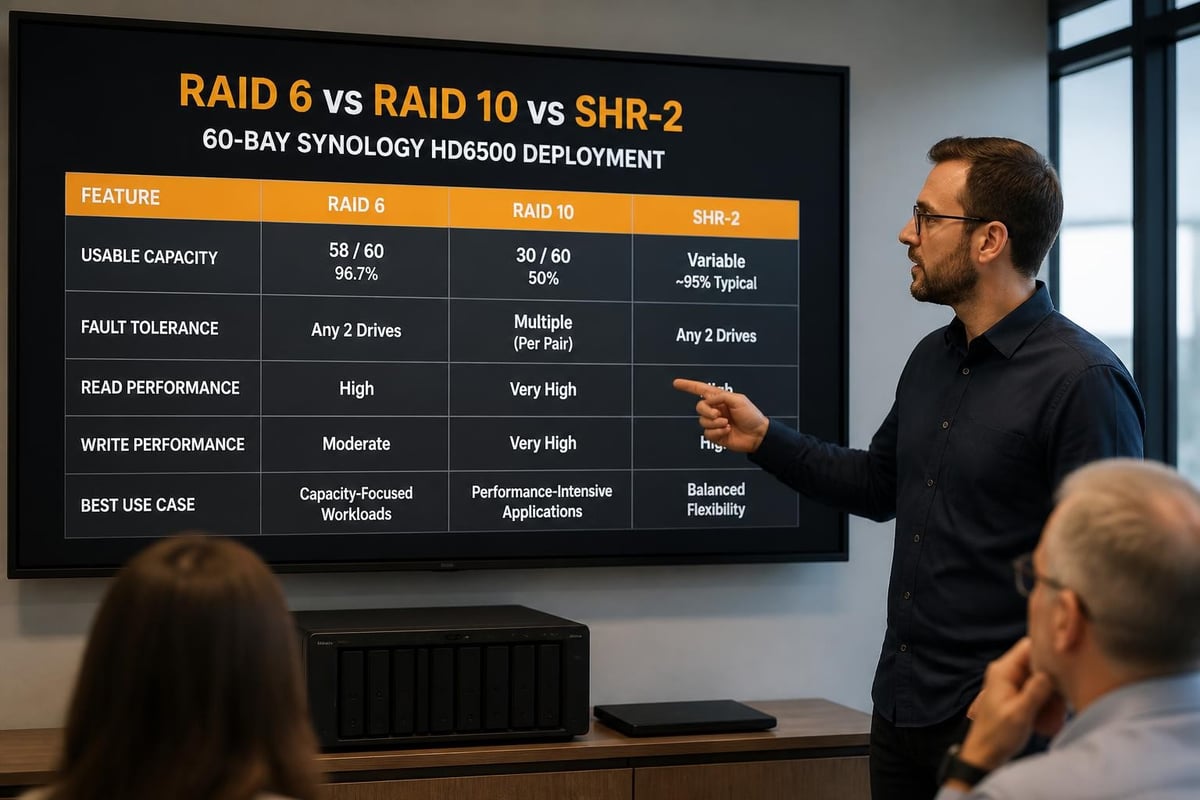
- RAID 6: Dual-parity protection tolerates two simultaneous drive failures. Ideal for large arrays where rebuild times are lengthy.
- RAID 10: Mirrored striping offers excellent performance and fault tolerance but reduces usable capacity by 50%.
- SHR-2: Synology's proprietary approach to dual-parity RAID, optimised for mixed-capacity drives and simplified expansion.
Moreover, organisations deploying the synology hd6500 for archival or backup purposes may opt for RAID 6 or SHR-2 to maximise protection during extended rebuild operations. In contrast, environments prioritising I/O performance might favour RAID 10, despite the capacity trade-off.
Use Cases for the Synology HD6500
The versatility of the synology hd6500 makes it suitable for a wide range of enterprise applications. Nevertheless, its high density and scalability make it particularly compelling for specific scenarios where consolidation and efficient space utilisation deliver measurable value.
Centralised Backup and Disaster Recovery
One of the most prevalent applications for the synology hd6500 is as a centralised backup repository. Furthermore, organisations running multi-site or hybrid cloud infrastructures often require a consolidated target for backups from diverse sources, including on-premises servers, virtual machines, and cloud workloads.
For businesses using Microsoft 365 or Google Workspace, maintaining an independent backup copy of cloud data is essential. In addition, GDPR and other regulatory frameworks often mandate that European organisations retain backups within controlled jurisdictions. Therefore, a solution like vBoxx Backup for Microsoft 365 and Google Workspace paired with on-premises storage infrastructure such as the synology hd6500 ensures compliance while maintaining full data sovereignty.
Moreover, the Storage Alchemist's introduction to Synology ActiveProtect illustrates how Synology's backup ecosystem integrates with expansion units like the HD6500 to deliver comprehensive data protection workflows.
Media and Content Archive
Creative industries, broadcasters, and production companies accumulate vast libraries of raw footage, finished assets, and project files. Consequently, the synology hd6500 provides a cost-effective platform for long-term archival storage that remains accessible without migrating to offline tape.
Key advantages for media archival:
- High capacity per rack unit reduces data centre footprint
- Hot-swappable bays enable gradual expansion without downtime
- Integration with Synology's file services supports remote access and collaboration
- Compatibility with standard workflows and third-party media asset management systems
Therefore, studios and post-production facilities can consolidate years of content into a single, manageable system rather than maintaining sprawling collections of standalone drives.
Private Cloud and File Services
Organisations seeking to deploy private cloud infrastructure for file sharing, collaboration, and knowledge management can leverage the synology hd6500 as the foundation for a high-capacity storage tier. Furthermore, when paired with a robust Synology NAS host running DSM, the expansion unit enables seamless scaling as team sizes and data volumes grow.
In addition, businesses prioritising data sovereignty and GDPR compliance benefit from keeping sensitive files on European infrastructure. For instance, organisations exploring analytics capabilities or other data-intensive applications require both capacity and performance to support their workloads.
Capacity Planning and Scalability
Effective capacity planning ensures that your synology hd6500 deployment aligns with both current requirements and future growth projections. Moreover, understanding expansion limits, performance characteristics, and cost trajectories is essential for making informed infrastructure investments.
Calculating Total Usable Capacity
The raw capacity of the synology hd6500 depends on the drives installed and the chosen RAID level. Nevertheless, a 60-bay system populated with 20 TB enterprise SATA drives delivers impressive totals.
| Drive Capacity | RAID Level | Raw Capacity | Usable Capacity (approx.) |
|---|---|---|---|
| 20 TB × 60 | RAID 6 | 1,200 TB | ~1,080 TB |
| 20 TB × 60 | RAID 10 | 1,200 TB | ~600 TB |
| 20 TB × 60 | SHR-2 | 1,200 TB | ~1,080 TB |
Therefore, a single synology hd6500 can deliver over a petabyte of usable capacity when configured with RAID 6 or SHR-2. Furthermore, organisations can deploy multiple HD6500 units per host NAS (up to supported limits), multiplying available capacity while maintaining centralised management.
Expansion Roadmap and Multi-Unit Deployments
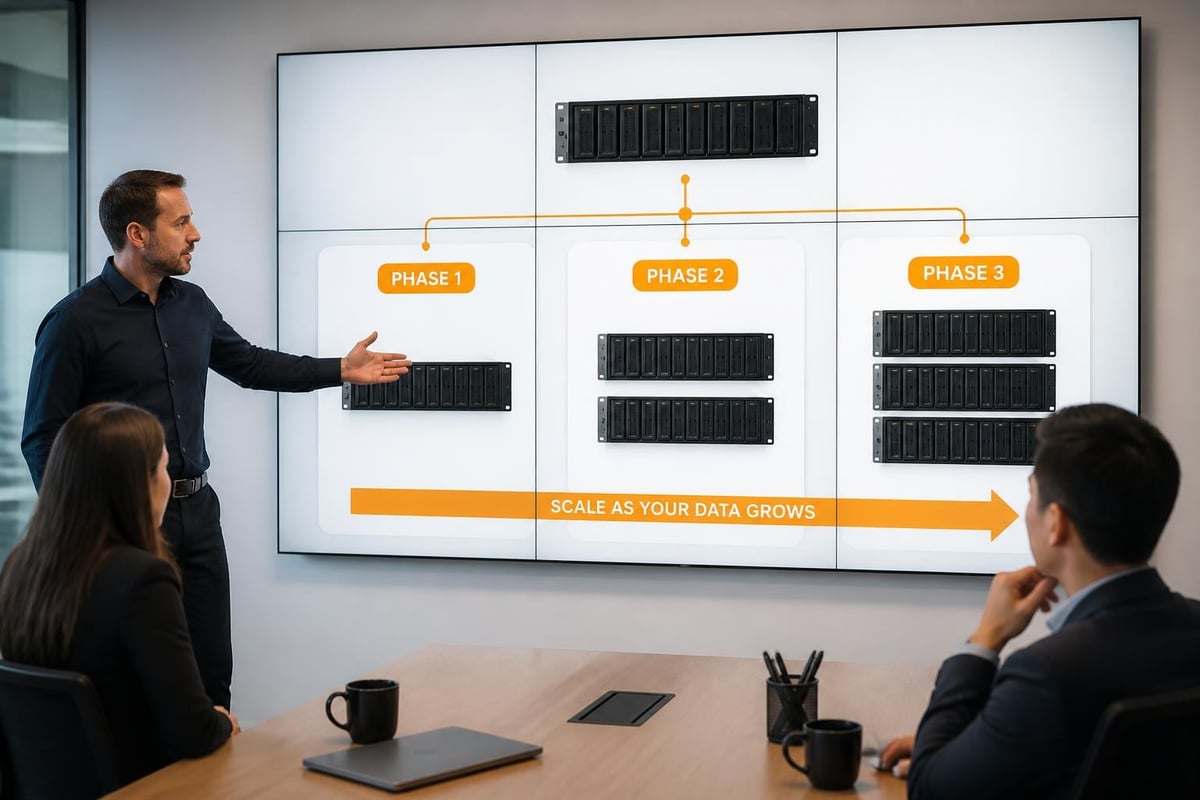
Synology's enterprise NAS models support multiple expansion units via daisy-chaining, allowing incremental capacity additions without forklift upgrades. Consequently, businesses can start with a single synology hd6500 and add additional units as data volumes increase.
Steps for phased expansion:
- Deploy initial host NAS and first HD6500 expansion unit
- Establish baseline backup, archival, or file service workloads
- Monitor capacity utilisation and performance metrics
- Add subsequent HD6500 units as thresholds approach
- Rebalance storage pools and workloads across expanded capacity
Moreover, this modular approach spreads capital expenditure over time and aligns investment with actual business growth. In addition, it mitigates the risk of over-provisioning storage that remains idle for extended periods.
Integration with Synology's Software Ecosystem
The synology hd6500's value extends beyond hardware specifications. Furthermore, the integration with Synology's DiskStation Manager (DSM) operating system unlocks a comprehensive suite of software features for data management, protection, and services.
DiskStation Manager (DSM) Features
DSM provides a unified interface for managing storage pools, volumes, snapshots, and services across both the host NAS and attached expansion units like the synology hd6500. Moreover, the platform's extensive package ecosystem supports a wide range of enterprise applications.
Key DSM capabilities include:
- Snapshot Replication: Point-in-time snapshots protect against accidental deletion and ransomware
- Active Backup Suite: Comprehensive backup for PCs, servers, virtual machines, and SaaS platforms
- High Availability: Failover clustering for mission-critical workloads (requires compatible NAS models)
- File Services: SMB, AFP, NFS, and WebDAV protocols for multi-platform access
- Surveillance Station: Video management system supporting thousands of camera channels
Therefore, organisations deploying the synology hd6500 benefit from enterprise-grade software features without the licensing complexity of traditional storage appliances.
Security and Compliance Considerations
Data security and regulatory compliance are paramount for European businesses handling customer information, financial records, or intellectual property. Nevertheless, the synology hd6500's integration with DSM enables robust security controls and audit capabilities.
Security features include:
- AES-256 encryption for volumes and shared folders
- Granular access control and Active Directory integration
- Comprehensive audit logs and real-time alerts
- Two-factor authentication for administrative access
- Firewall, VPN, and network segmentation support
In addition, organisations subject to GDPR, ISO 27001, or industry-specific regulations can leverage these controls to demonstrate compliance and protect sensitive data. Furthermore, hosting infrastructure within European data centres, as exemplified by vBoxx, ensures data remains outside the reach of extraterritorial legal frameworks like the US CLOUD Act.
Performance Considerations and Optimisation
While the synology hd6500 prioritises capacity and density, performance remains a critical factor for many workloads. Moreover, understanding the performance characteristics and optimisation strategies ensures the system meets application requirements.
Bandwidth and Throughput
The dual 12 Gb/s SAS interconnects provide a theoretical maximum throughput of 2,400 MB/s (12 Gb/s per path). Nevertheless, real-world performance depends on drive speeds, RAID overhead, and workload patterns. Therefore, organisations deploying mixed HDD and SSD configurations can optimise performance by tiering data appropriately.
Performance optimisation strategies:
- Use SSD caching (via host NAS) for frequently accessed data
- Implement network bonding and 10 GbE connectivity
- Balance I/O across multiple volumes and storage pools
- Tune file system parameters for specific workload types
- Monitor performance metrics via DSM's Resource Monitor
Consequently, thoughtful configuration can extract maximum value from the synology hd6500's hardware capabilities while maintaining cost efficiency.
Best Practices from Industry Resources
Storage industry best practices provide valuable guidance for deploying high-density systems like the synology hd6500. Furthermore, authoritative resources offer tested methodologies for capacity planning, data protection, and performance tuning.
For instance, the Storage Networking Industry Association (SNIA) white papers cover topics ranging from archival storage to data protection strategies. Therefore, IT teams can leverage these resources when designing and deploying large-scale storage infrastructures.
Additionally, understanding Synology's broader product positioning helps contextualise the synology hd6500 within the company's enterprise strategy. For example, TechRadar's coverage of Synology's recent offerings illustrates how the company balances consumer, SMB, and enterprise segments.
Maintenance and Lifecycle Management
Successful long-term operation of the synology hd6500 requires proactive maintenance, monitoring, and lifecycle planning. Moreover, establishing clear procedures for drive replacement, firmware updates, and capacity forecasting ensures sustained reliability and performance.
Proactive Monitoring and Alerts
DSM's built-in monitoring tools provide real-time visibility into drive health, system temperatures, and resource utilisation. Furthermore, configuring alerts for critical events enables rapid response to potential issues before they impact operations.
Recommended monitoring practices:
- Enable SMART drive health monitoring and scheduled tests
- Configure email or SMS alerts for drive failures and temperature thresholds
- Review system logs and performance metrics regularly
- Implement third-party monitoring integration (SNMP, syslog)
- Establish baseline performance metrics for anomaly detection
Therefore, proactive monitoring transforms the synology hd6500 from a passive storage appliance into an actively managed component of your infrastructure.
Drive Replacement and Expansion Procedures
Hot-swappable drive bays simplify maintenance and expansion procedures, allowing organisations to replace failed drives or upgrade capacity without downtime. Nevertheless, following best practices ensures safe and efficient operations.
- Failed drive replacement: DSM automatically alerts administrators to drive failures and guides the rebuild process after replacement
- Capacity expansion: Add drives to empty bays or replace smaller drives with larger models
- RAID array expansion: DSM supports online expansion, redistributing data across additional drives without service interruption
- Firmware updates: Schedule updates during maintenance windows and verify compatibility with all connected units
Moreover, maintaining spare drives on-site minimises recovery time when failures occur, particularly for large arrays where rebuild times may extend beyond 24 hours.
Total Cost of Ownership Analysis
Evaluating the synology hd6500 requires a comprehensive total cost of ownership (TCO) analysis that considers not only acquisition costs but also ongoing operational expenses, scalability, and opportunity costs. Furthermore, comparing alternatives helps validate the investment decision.
Cost Components
| Cost Category | Considerations |
|---|---|
| Hardware | HD6500 unit, drives, SAS cables, host NAS (if not already deployed) |
| Installation | Rack mounting, cabling, initial configuration |
| Power and Cooling | Ongoing electricity consumption, data centre cooling requirements |
| Maintenance | Drive replacements, firmware updates, support contracts |
| Software | DSM licenses (if applicable), additional package subscriptions |
| Opportunity Cost | Alternative uses of capital, cloud storage comparisons |
Therefore, organisations should model TCO over a 3-5 year horizon, accounting for anticipated capacity growth and workload evolution. In addition, comparing on-premises storage economics with cloud alternatives provides a complete picture of the financial implications.
Value Proposition for European Businesses
European organisations face unique considerations around data sovereignty, regulatory compliance, and infrastructure control. Consequently, the synology hd6500 offers distinct advantages in these contexts.
Value drivers include:
- Capital expenditure model provides predictable costs and avoids cloud egress fees
- Physical control over data ensures compliance with GDPR and sector-specific regulations
- European data centre deployment aligns with sovereignty requirements
- Scalability accommodates growth without vendor lock-in or migration complexity
- Integration with existing infrastructure leverages prior investments
Nevertheless, the optimal approach often combines on-premises infrastructure for core data with selective cloud services for specific workloads. Therefore, hybrid architectures that leverage both the synology hd6500 and European cloud providers deliver flexibility while maintaining control.
The Synology HD6500 represents a compelling solution for European businesses seeking high-density, scalable storage infrastructure that balances capacity, reliability, and cost efficiency. Furthermore, its integration with Synology's comprehensive software ecosystem delivers enterprise-grade data management capabilities without the complexity of traditional storage appliances. For organisations prioritising data sovereignty, GDPR compliance, and long-term control over their digital assets, pairing robust on-premises storage with European cloud infrastructure ensures both flexibility and regulatory alignment. Whether you require secure backup repositories, media archives, or private cloud file services, vBoxx delivers GDPR-compliant hosting and cloud solutions from ISO 27001-certified data centres in the Netherlands, providing the sovereignty and security your business demands.