Modern businesses require robust, scalable security solutions that integrate seamlessly with existing infrastructure whilst maintaining data sovereignty and privacy. In this context, Synology Surveillance Station emerges as a comprehensive network video recorder (NVR) solution that transforms Synology NAS devices into powerful surveillance platforms. As a result, organisations can monitor facilities, protect assets, and maintain compliance without compromising data security or incurring recurring cloud subscription costs. Furthermore, the platform’s flexibility allows businesses to scale from small installations to enterprise deployments whilst retaining complete control over their surveillance data. Consequently, organisations benefit from a surveillance solution that grows alongside their operational and security requirements.
Understanding Synology Surveillance Station Architecture
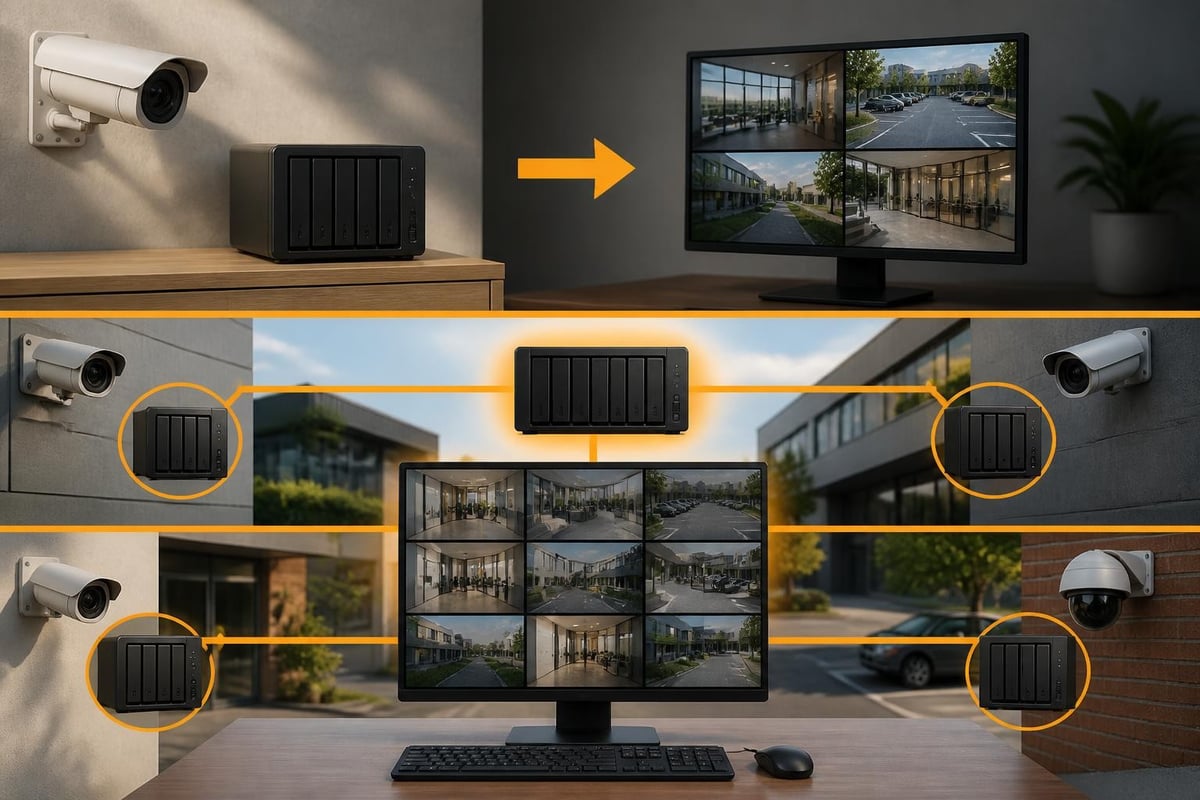
Synology surveillance station operates as a software-based NVR solution installed on Synology DiskStation or RackStation devices. Unlike traditional standalone DVR systems, this approach leverages existing network infrastructure and storage capabilities to create a centralised surveillance platform. Moreover, the architecture separates storage, processing, and management functions, enabling businesses to optimise each component independently.
The platform supports an extensive range of IP cameras from various manufacturers, providing flexibility in hardware selection whilst maintaining unified management. In addition, the system accommodates both licensed and trial camera connections, allowing organisations to test configurations before committing to full deployments. This compatibility extends to ONVIF-compliant devices, ensuring future-proof investments as security requirements evolve.
Core Components and System Requirements
A functional Surveillance Station deployment requires several key elements working together harmoniously. First and foremost, the foundation consists of a Synology NAS unit with sufficient processing power and memory to handle concurrent video streams. Consequently, selecting appropriate hardware becomes critical for ensuring optimal system performance and long-term reliability.
Essential infrastructure components include:
- Compatible Synology NAS device with DSM 7.0 or later
- Sufficient storage capacity for retention requirements
- Network infrastructure supporting required bandwidth
- Licensed camera connections based on deployment scale
- Reliable power supply and network connectivity
Storage planning demands careful consideration of multiple factors including camera resolution, frame rates, compression algorithms, and retention policies. Nevertheless, Synology’s storage calculator tools assist in determining precise capacity requirements based on specific deployment parameters.

Installation and Initial Configuration Process
Deploying synology surveillance station begins with installing the package through Synology’s Package Centre. The installation process integrates seamlessly with DSM, creating the necessary database structures and service configurations automatically. Furthermore, the initial setup wizard guides administrators through essential configuration steps, streamlining deployment even for organisations new to NVR systems.
The quick start guide provides comprehensive instructions for establishing baseline functionality. Following installation, administrators configure storage allocations, determining which volumes or shared folders will house surveillance footage. In addition, this configuration phase establishes recording schedules, motion detection parameters, and retention policies aligned with organisational requirements.
Camera Integration and Management
Adding IP cameras represents a critical milestone in surveillance station deployment. The system supports both automatic discovery and manual configuration methods. Moreover, the step-by-step camera addition process accommodates various network topologies and camera authentication mechanisms.
Camera onboarding involves these sequential steps:
- Network reconnaissance to identify available devices
- Authentication credential configuration
- Stream parameter optimisation
- Recording schedule establishment
- Alert rule configuration
- Live view layout customisation
Each camera consumes one licence, with Synology offering both perpetual licences and device-specific bundled options. Therefore, organisations must plan licence acquisition alongside hardware procurement to ensure complete system functionality upon deployment.
| Licence Type | Camera Support | Use Case | Transferability |
|---|---|---|---|
| Device Licence | 2 cameras | Small deployments | Fixed to NAS |
| 1-Camera Pack | 1 camera | Incremental growth | Portable |
| 4-Camera Pack | 4 cameras | Medium installations | Portable |
| 8-Camera Pack | 8 cameras | Large deployments | Portable |
Advanced Features and Capabilities
Synology Surveillance Station extends far beyond basic recording functionality, incorporating sophisticated analytics and automation capabilities. For example, the platform includes motion detection, alarm triggering, and event-based notifications that transform passive recording into active security monitoring. Furthermore, integration with third-party systems through APIs enables comprehensive security ecosystem development.
The intelligent video analytics engine identifies specific events such as intrusion detection, missing object alerts, and crowd detection. As a result, these capabilities reduce false alarms whilst ensuring security personnel focus on genuine threats rather than routine activity. However, implementing these features requires careful tuning to balance sensitivity with operational efficiency.
Recording Strategies and Retention Management
Effective surveillance systems balance storage consumption against evidential requirements. To achieve this, Synology Surveillance Station offers multiple recording modes, including continuous, motion-detected, and scheduled recording. Moreover, these modes can operate simultaneously across different camera groups, optimising storage utilisation whilst maintaining comprehensive coverage.
The platform’s retention policies automate archive management, preventing storage exhaustion whilst ensuring compliance with data protection regulations. As a result, administrators can configure automated deletion schedules aligned with legal retention requirements and operational needs. Consequently, this automation reduces administrative overhead whilst maintaining system availability.
Recording optimisation techniques include:
- Variable bitrate encoding to reduce storage consumption
- H.265 compression for improved efficiency
- Resolution adjustment based on scene requirements
- Frame rate optimisation for different monitoring scenarios
- Smart retention policies balancing compliance and capacity

Monitoring and Response Capabilities
Real-time monitoring represents a fundamental surveillance requirement, and Synology Surveillance Station delivers comprehensive live view functionality. To support this need, the platform supports multiple simultaneous viewers across desktop clients, mobile applications, and web browsers. Furthermore, customisable layouts enable operators to focus on priority areas whilst maintaining situational awareness across entire facilities.
The notification system alerts personnel to security events through multiple channels, including email, SMS, and push notifications. In addition, conditional triggers enable sophisticated response workflows where specific events initiate predetermined actions. For example, motion detection in restricted areas can trigger high-resolution recording whilst simultaneously alerting security teams. However, careful configuration is essential to prevent alert fatigue whilst ensuring critical events receive appropriate attention.
Mobile Access and Remote Management
Modern security demands extend beyond physical control rooms, requiring access from various locations and devices. The Synology DS cam mobile application provides full surveillance station functionality on iOS and Android platforms. Moreover, secure remote access enables authorised personnel to monitor facilities, review footage, and manage system settings from anywhere with internet connectivity.
Remote access security deserves particular attention, as surveillance systems represent attractive targets for unauthorised access attempts. Therefore, implementing multi-factor authentication, certificate-based encryption, and VPN connections protects sensitive surveillance data whilst enabling legitimate remote operations. For businesses requiring secure remote access across multiple systems, exploring comprehensive solutions like those offered during a demonstration of all-in-one secure platforms can provide valuable insights into integrated security architectures.
Integration with Business Systems
Synology surveillance station functions as part of broader security ecosystems rather than isolated solutions. The platform integrates with access control systems, intrusion detection platforms, and building management systems through various protocols. Furthermore, webhook support enables custom integrations with proprietary business systems, extending surveillance capabilities beyond traditional security applications.
The comprehensive user guide details integration possibilities across different deployment scenarios. API access enables developers to create custom applications leveraging surveillance data for business intelligence, operational optimisation, and compliance reporting. In addition, these integrations transform surveillance from reactive security measures into proactive business tools.
Backup and Disaster Recovery Considerations
Surveillance data represents critical evidence that organisations cannot afford to lose. Therefore, implementing robust backup strategies is essential to protect against hardware failures, natural disasters, and malicious attacks. Synology Surveillance Station supports multiple backup mechanisms, including local replication, remote synchronisation, and cloud archiving. As a result, organisations can ensure continuous data protection across different storage locations and failure scenarios.
Effective backup strategies incorporate:
- Redundant storage configurations using RAID protection
- Automated replication to secondary NAS devices
- Off-site backup for disaster recovery scenarios
- Regular restoration testing to verify backup integrity
- Encrypted backups protecting sensitive surveillance data
Nevertheless, backup strategies must balance data protection requirements against storage costs and bandwidth limitations. Organisations typically implement tiered approaches where recent footage receives comprehensive protection whilst archived material utilises more economical storage methods.
Performance Optimisation and Scaling
As surveillance deployments grow, performance optimisation becomes increasingly critical. Synology surveillance station provides numerous tuning options affecting recording quality, stream management, and resource utilisation. Moreover, understanding these parameters enables administrators to maximise system capabilities whilst maintaining responsive operation.
Network bandwidth represents a common constraint in large deployments. Therefore, implementing dual-stream configurations where cameras provide high-resolution primary streams alongside lower-resolution sub-streams optimises bandwidth consumption. Live monitoring utilises sub-streams, reducing network load whilst maintaining high-quality recordings for evidential purposes.
| Performance Factor | Impact | Optimisation Strategy | Trade-off |
|---|---|---|---|
| Camera Resolution | Storage & bandwidth | Match to monitoring needs | Image detail vs capacity |
| Frame Rate | Smoothness & storage | Adjust per camera type | Fluidity vs efficiency |
| Compression | Quality & capacity | Use H.265 where supported | Processing vs storage |
| Retention Period | Storage requirements | Tiered archiving policies | Accessibility vs cost |
Security and Compliance Framework
Surveillance systems inherently handle sensitive data requiring rigorous security controls. Synology surveillance station implements multiple security layers protecting against unauthorised access and data breaches. Furthermore, the platform’s audit logging capabilities support compliance with data protection regulations including GDPR requirements for surveillance data processing.
Access control mechanisms enable granular permission assignment, ensuring personnel view only cameras relevant to their responsibilities. In addition, all administrative actions generate audit trails documenting system modifications for compliance reporting and security investigations. Nevertheless, organisations must implement appropriate policies governing surveillance data access, retention, and disposal aligned with applicable regulations.
Data Privacy and Regulatory Compliance
Different jurisdictions impose varying requirements on surveillance system operation and data handling. Therefore, organisations must understand applicable regulations before deploying surveillance infrastructure. The platform supports privacy masking, obscuring sensitive areas within camera views whilst maintaining security coverage.
Recording retention policies must align with legal requirements, balancing evidential value against data minimisation principles. Moreover, implementing automated deletion schedules ensures compliance whilst reducing administrative burden. For businesses operating across multiple jurisdictions, consulting the detailed surveillance station tutorial provides valuable guidance on configuration approaches supporting compliance requirements.
Cost Analysis and Total Ownership
Understanding the true cost of surveillance station deployment extends beyond initial hardware investment. The total cost of ownership includes licensing fees, storage expansion, maintenance requirements, and operational expenses. Nevertheless, compared to cloud-based alternatives, on-premises NVR solutions often deliver superior long-term economics whilst maintaining data sovereignty.
Key cost components include:
- Synology NAS hardware investment
- Camera licence acquisition
- Network infrastructure upgrades
- Storage capacity expansion
- Ongoing maintenance and support
- Power consumption and cooling
Furthermore, eliminating recurring subscription fees represents significant long-term savings, particularly for large deployments. The platform’s flexibility and performance characteristics enable businesses to optimise infrastructure investments whilst maintaining comprehensive security coverage. In addition, the ability to utilise existing network infrastructure reduces deployment costs compared to dedicated security networks.
Future Developments and Ecosystem Evolution
Synology continues enhancing surveillance station capabilities through regular updates and new feature introductions. Recent announcements at industry events demonstrate the company’s commitment to advancing surveillance technology. Moreover, developments like the PAS7700 enterprise platform and C2 Surveillance cloud integration indicate evolving approaches to hybrid deployment models.
The surveillance landscape increasingly emphasises artificial intelligence and machine learning capabilities. Therefore, future iterations will likely incorporate enhanced analytics, predictive maintenance features, and improved automation reducing operational overhead. Nevertheless, these advancements must balance functionality gains against privacy considerations and computational requirements.
Organisations planning surveillance investments should consider platform evolution trajectories ensuring selected solutions remain viable as requirements change. The synology surveillance station ecosystem’s maturity and ongoing development provide confidence in long-term platform viability, protecting infrastructure investments whilst enabling capability expansion as business needs evolve.
Implementing effective surveillance infrastructure requires balancing security requirements, operational efficiency, and data sovereignty considerations. Furthermore, organisations seeking comprehensive security solutions benefit from integrated approaches combining surveillance capabilities with secure storage, backup systems, and robust network infrastructure. vBoxx delivers precisely these integrated solutions, offering secure hosting platforms that complement surveillance deployments whilst maintaining stringent privacy standards and sustainable infrastructure practices. Whether you require dedicated servers for surveillance storage, secure backup solutions for critical footage, or expert consultancy on implementing comprehensive security architectures, vBoxx provides the expertise and infrastructure supporting modern security requirements.