
In 2026, cloud data breaches are escalating across Europe, putting critical business information and customer trust at stake. Data Loss Prevention is now a crucial topic as regulatory bodies intensify their focus on data sovereignty, and companies face mounting pressure to secure cloud assets and ensure compliance.
With the EU prioritising European cloud solutions, vBoxx offers truly local backup services for M365, Google, computers, and servers. By choosing vBoxx, your backups remain in the EU, outside American jurisdiction, supporting both compliance and peace of mind. Ready to strengthen your cloud security and protect your future?
Understanding Data Loss Prevention in GCP
With cyber threats evolving rapidly, understanding how data loss prevention GCP solutions work is vital for any business relying on cloud infrastructure. As sensitive information moves to the cloud, the risks and responsibilities grow. Let’s break down what DLP means for GCP, its critical features, and how to navigate the challenges and opportunities ahead.
What is Data Loss Prevention (DLP)?
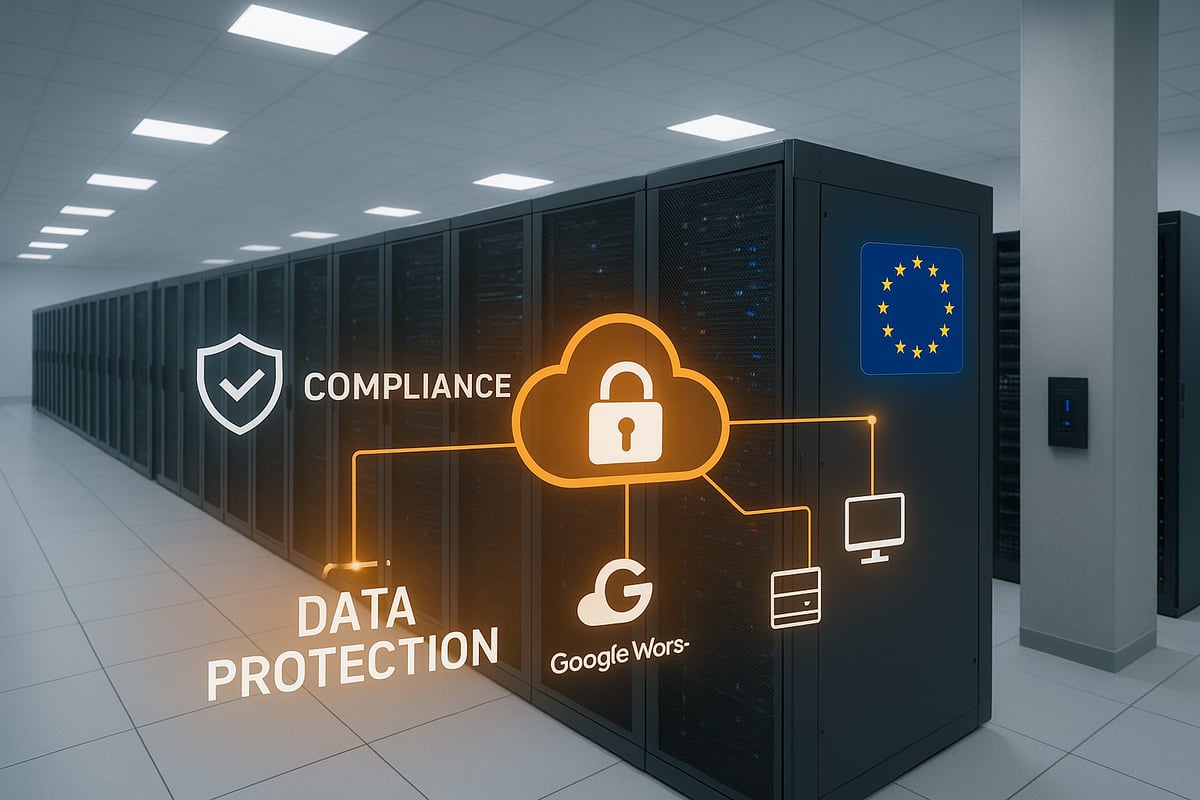
Data loss prevention GCP is a strategy and set of tools designed to identify, monitor, and protect sensitive data stored and processed in the cloud. It aims to prevent unauthorised access, leaks, and data exfiltration, which are critical threats in today’s digital landscape.
DLP works by discovering and classifying data such as personal identifiers, financial records, or intellectual property. This allows organisations to monitor data movement, block risky sharing, and respond to incidents. Data loss prevention gcp tackles risks like accidental exposure, insider threats, and malicious attacks.
For example, a well-known cloud breach involved misconfigured storage exposing thousands of customer records. Key DLP components include:
- Data discovery and classification
- Real-time monitoring of data flows
- Automated response and alerting
These elements help businesses achieve compliance and avoid costly breaches.
GCP’s DLP Capabilities and Features
Google Cloud provides a robust set of data loss prevention GCP features through its DLP API and Sensitive Data Protection suite. These tools are designed to help organisations detect and manage sensitive data such as PII, PHI, PCI, and proprietary business information.
Core features include:
- Inspection of data at rest and in motion
- Masking, tokenisation, and redaction of sensitive fields
- De-identification for privacy compliance
- Machine learning-powered detection for advanced accuracy
Integration points span BigQuery, Cloud Storage, Dataflow, Pub/Sub, and application logs, enabling seamless protection across the cloud ecosystem. To explore these capabilities further, see the Google Cloud DLP API Features.
AI-driven automation helps reduce manual effort and increases detection speed, making data loss prevention GCP a scalable solution for modern cloud environments.
Why DLP is Critical in 2026
The importance of data loss prevention GCP continues to grow in 2026 due to increasingly sophisticated attacks and tighter regulatory controls. As more organisations embrace cloud-native and multi-cloud strategies, the risk of exposure multiplies.
Recent studies reveal a sharp rise in cloud data breaches and hefty fines for non-compliance with EU regulations such as GDPR, DORA, and NIS2. These frameworks demand continuous visibility and management of sensitive data.
Failing to implement robust DLP can result in reputational damage, legal action, and financial losses. With the EU’s heightened focus on data sovereignty, organisations must ensure their cloud security posture includes effective data loss prevention GCP measures.
Common Use Cases for DLP in GCP
Businesses across sectors rely on data loss prevention GCP to protect sensitive customer and company information. In e-commerce and finance, DLP safeguards customer PII, ensuring trust and regulatory compliance.
Healthcare providers use GCP DLP for de-identifying patient records, supporting GDPR and HIPAA requirements. Analytics teams automatically mask data in BigQuery and Dataflow pipelines to prevent leaks.
A crucial use case is securing backups of M365, Google Workspace, computers, and servers. By integrating DLP with backup solutions, such as those offered by vBoxx, organisations ensure sensitive data is protected both in the cloud and in backup repositories, with storage remaining within the EU and outside American jurisdiction.
DLP also streamlines responses to data subject access requests, providing transparency and control for users.
Challenges and Considerations
While data loss prevention GCP offers powerful protection, it comes with challenges. Balancing security, privacy, and usability is critical, especially in large, complex GCP environments.
Managing DLP at scale requires thoughtful configuration to minimise false positives and avoid performance bottlenecks. Multi-region and hybrid cloud data flows add complexity, particularly when complying with EU data residency rules.
The DLP API has limitations, including potential inaccuracies and cost considerations. Predictable pricing options help organisations control expenses while maintaining robust protection.
Choosing a trusted European backup provider like vBoxx ensures that backups for M365, Google Workspace, computers, and servers are stored securely within the EU. This approach supports compliance and aligns with the EU’s push for local, sovereign solutions, giving organisations peace of mind that their data remains protected and independent from American infrastructure.
Step-by-Step Guide: Implementing Data Loss Prevention in GCP
Implementing data loss prevention GCP is a systematic process, but with the right steps, you can protect sensitive information, maintain compliance, and improve your organisation’s security posture. This step-by-step guide covers everything from assessment to automation, and finally, ensuring secure, EU-focused backups.

Step 1: Assess Your Data Landscape
Begin your data loss prevention GCP journey by thoroughly mapping your organisation’s cloud data landscape. Take inventory of all data sources, including Google Cloud Storage buckets, databases, and backups.
Identify where sensitive data such as personal information, financial records, or intellectual property is stored. Use GCP’s data discovery and profiling tools to scan and profile data across BigQuery and Cloud Storage.
Map data flows and access patterns, noting who accesses what data and how it moves within your environment. This visibility is crucial for effective DLP policy design and ongoing risk management.
- Inventory all cloud data repositories
- Identify types and locations of sensitive data
- Use profiling tools for deeper insights
- Map data access and movement
A comprehensive assessment ensures your data loss prevention gcp strategy targets the right risks from the start.
Step 2: Set Up GCP DLP API and Permissions
To implement data loss prevention gcp, enable the DLP API within your GCP project. Assign roles and IAM permissions carefully, granting only what’s necessary for DLP administration and automation.
Configure service accounts for automated DLP tasks and follow security best practices, such as the principle of least privilege. This limits exposure and reduces the risk of unauthorised access.
For a detailed overview of DLP API functionalities and setup, consult the Sensitive Data Protection Overview. This resource covers supported data types, features, and integration points essential for a successful deployment.
- Enable DLP API in the GCP console
- Assign DLP administrator and user roles
- Configure service accounts for automation
- Apply minimal privilege principle
Properly setting up permissions is foundational for secure and scalable data loss prevention gcp operations.
Step 3: Create and Customise DLP Inspection Jobs
Once your API is ready, create DLP inspection jobs to scan different data sources. Select built-in infoTypes for common sensitive data, or define custom infoTypes to address unique business needs.
Schedule recurring scans for continuous monitoring. For example, set up regular inspections of Cloud Storage buckets to detect and classify PII. Review and tune job configurations to reduce false positives and improve accuracy.
- Configure inspection jobs per data source
- Choose built-in or custom infoTypes
- Schedule scans for ongoing visibility
- Tune detection settings for accuracy
By customising inspection jobs, your data loss prevention gcp strategy will adapt to evolving risks and organisational changes.
Step 4: Data Masking, Tokenisation, and Redaction
After identifying sensitive data, implement masking, tokenisation, or redaction to protect it. Use data masking to obscure sensitive fields, tokenisation for reversible pseudonymisation, and redaction to remove data where necessary.
Integrate these techniques with Cloud Dataflow pipelines for seamless automation. For example, you can mask credit card numbers within BigQuery datasets, ensuring analytics teams only see non-sensitive versions.
- Apply masking to sensitive fields
- Tokenise data for secure processing
- Use redaction for irreversible removal
- Integrate DLP with automated pipelines
Effective data loss prevention gcp means balancing data protection with usability, so ensure masked data remains functional for legitimate business use.
Step 5: Automate DLP with Infrastructure as Code
Automation enhances the reliability and scalability of your data loss prevention gcp deployment. Use Terraform to manage DLP configurations, automate scans, and enforce policies across your environment.
Integrate DLP tasks into CI/CD pipelines for continuous security. Automation minimises manual errors, provides version control, and supports auditability.
- Use Terraform for DLP resource management
- Automate scan scheduling and alerts
- Integrate DLP with CI/CD workflows
- Maintain version-controlled configurations
By embracing automation, your data loss prevention gcp policies remain consistent and auditable, even as your cloud footprint grows.
Step 6: Monitor, Alert, and Respond
Continuous monitoring is vital for robust data loss prevention gcp. Integrate DLP findings with Google Cloud’s Security Command Center to centralise risk management.
Set up real-time alerts for policy violations or discovery of sensitive data. Use Pub/Sub or email notifications to ensure your security team responds promptly. Create automated workflows to streamline incident response and maintain compliance.
- Connect DLP findings to Security Command Center
- Configure real-time policy violation alerts
- Automate incident response with workflows
- Report and dashboard findings for compliance
Proactive monitoring and response are essential components of any effective data loss prevention gcp strategy.
Step 7: Secure Backups and Data at Rest
Protecting backups is as important as safeguarding live data. Use data loss prevention gcp tools to scan, mask, and encrypt backup files in Cloud Storage or BigQuery exports.
In the EU, data residency and sovereignty are top concerns. Partner with providers like vBoxx, a truly European company, to ensure your backups—including M365, Google Workspace, computers, and servers—are stored within the EU, outside American jurisdiction.
- Scan and mask backups before storage
- Encrypt data using Cloud KMS
- Schedule DLP scans after backup completion
- Choose EU-based backup providers for compliance
By aligning your data loss prevention gcp efforts with European solutions like vBoxx, you enhance compliance, security, and control. This approach meets growing regulatory demands and supports business continuity with trusted, local partners.
The European Perspective: Compliance, Sovereignty, and Local Solutions
The landscape of data loss prevention gcp is rapidly evolving in Europe, driven by stringent regulations and a growing emphasis on digital sovereignty. Organisations must navigate frameworks such as GDPR, DORA, and NIS2, all of which set high standards for data protection and compliance. Data residency has become a pressing issue, with fines for non-compliance reaching millions of euros. The Schrems II ruling has further complicated cross-border data transfers, pushing businesses to prioritise transparency and implement auditable DLP processes. For companies operating in the EU, robust data loss prevention gcp strategies are essential to maintain compliance and safeguard sensitive data.

Navigating EU Regulations and Data Sovereignty
To achieve effective data loss prevention gcp, organisations must align with evolving EU regulations. The General Data Protection Regulation (GDPR) remains central, demanding strict controls over personal data handling and reporting. Newer frameworks such as DORA and NIS2 add complexity, introducing sector-specific rules and enhancing requirements for cyber resilience and incident response.
EU laws increasingly require data to remain within European borders, making data residency and sovereignty critical concerns. The Schrems II decision highlighted the risks of transferring data to non-EU jurisdictions, leading to heightened scrutiny and the need for clear, auditable DLP measures. A comprehensive data loss prevention gcp approach not only reduces legal risks but also builds trust with customers and regulators.
The Rise of European Cloud and Backup Solutions
Demand for European-based cloud and backup solutions has surged as organisations seek to fulfil regulatory obligations and minimise legal exposure. Local data storage ensures compliance and avoids the complexities of US-based infrastructures. Businesses are increasingly drawn to sovereign clouds and trusted EU partners that offer transparency and control.
For a deeper understanding of why European independence matters for cloud strategies, see European cloud independence explained. Adopting data loss prevention gcp within this context empowers companies to protect sensitive information while supporting green hosting and local economic growth. The trend towards EU-based solutions is set to grow as regulations and privacy expectations continue to tighten.
How vBoxx Empowers Secure, Compliant Backups in the EU
vBoxx stands as a truly European provider, helping organisations implement secure, compliant backup solutions that complement data loss prevention gcp strategies. Our services cover Microsoft 365 backups, Google Workspace backups, as well as comprehensive computer and server backups. All backup data is stored exclusively within the EU, keeping it outside the reach of American jurisdictions.
Our consultancy and migration services ensure a seamless transition to EU-based backups, supporting GDPR and other regulatory requirements. By integrating vBoxx solutions, businesses can strengthen their data loss prevention gcp deployments, maintain sovereignty, and reduce compliance risks. Sustainability and privacy are at the heart of every service we provide, making vBoxx the partner of choice for European organisations.
Best Practices for EU-Focused GCP DLP Deployments
Combining data loss prevention gcp with EU-based backup strategies offers a layered defence against modern threats. Organisations should encrypt data before exporting it to external providers, ensuring sensitive information remains protected throughout its lifecycle. Documenting data flows is crucial for audit readiness and demonstrating compliance.
Use GCP DLP to scan and anonymise data before backup, especially when working with personal or regulated information. Partnering with providers who prioritise EU data residency, such as vBoxx, helps organisations maintain control and meet both legal and ethical obligations. Adopting these best practices ensures that data loss prevention gcp efforts are robust, future-proof, and aligned with European values.
Advanced DLP Strategies: Automation, Integration, and Cost Optimisation
Modern businesses need more than basic data loss prevention gcp tools. To keep sensitive data safe, especially in the EU, organisations must embrace automation, seamless integration, and cost optimisation. By combining advanced DLP strategies with secure, EU-based backup solutions from vBoxx, you can achieve robust protection for M365, Google Workspace, computers, and servers—all while meeting strict European data residency requirements.

Automating DLP Across Your Cloud Ecosystem
Automation is the backbone of scalable data loss prevention gcp. By leveraging GCP’s Cloud Composer, Dataflow, and Workflows, you can orchestrate DLP processes that react in real time to new data and threats.
- Automate the redaction of PII from documents, PDFs, or logs as soon as they land in cloud storage.
- Integrate DLP scans into CI/CD pipelines to catch risks before deployment.
- Use serverless pipelines for event-driven protection with minimal manual input.
Automation also streamlines compliance with EU regulations, as regular scans and masking can be scheduled and documented automatically. For deeper insights on the intersection of automation and privacy, explore EU data privacy insights.
Integrating DLP with Other GCP Security Tools
To maximise the effectiveness of data loss prevention gcp, integration with the wider GCP security suite is essential. Security Command Center, Cloud KMS, and Data Catalog all play critical roles.
- Use Security Command Center for unified risk management and automated alerting.
- Pair DLP with Cloud KMS to encrypt sensitive data both in transit and at rest.
- Employ Data Catalog to tag and track sensitive datasets for easier auditing.
This integrated approach is especially valuable for organisations using vBoxx backup services, as it ensures both live and backup data across M365, Google Workspace, and servers remain protected within EU borders.
Managing DLP in Multi-Cloud and Hybrid Environments
Expanding data loss prevention gcp strategies beyond GCP is crucial for businesses operating in multi-cloud or hybrid setups. Consistency and interoperability are key challenges.
- Extend DLP policies to AWS, Azure, and on-premises systems.
- Scan data before transferring between clouds or backing up to EU-based providers like vBoxx.
- Monitor and enforce policies across all environments for continuous protection.
vBoxx, as a European provider, ensures that your backups—whether from cloud apps or on-premises servers—are stored securely in the EU, outside American jurisdiction, supporting full compliance with evolving European regulations.
Predictable Cost Management and Performance
Controlling costs is a vital aspect of data loss prevention gcp. GCP offers several pricing models, and with the right strategy, you can avoid unexpected expenses.
| Strategy | Benefit | Example |
|---|---|---|
| Targeted scans | Lower costs, faster results | Scan only new/modified data |
| Scheduled jobs | Predictable billing | Nightly or weekly scans |
| Usage monitoring | Cost alerts, budget control | Set thresholds in GCP |
The financial impact of data breaches can be severe, as detailed in the Cost of Data Breaches Report 2025. With vBoxx, you gain clarity over backup costs, ensuring both live and backup data remain protected and compliant.
Real-World Case Studies and Lessons Learned
Organisations across Europe are successfully combining data loss prevention gcp with EU-focused backup strategies. For example, a healthcare provider automated DLP and backup workflows for both Google Workspace and on-premises servers, ensuring GDPR compliance and rapid incident response.
- Automated DLP scans before backup reduce risk of sensitive data exposure.
- Regular audits and monitoring improve detection and remediation.
- Partnering with vBoxx enables seamless migration to EU-based solutions, removing reliance on US infrastructure.
Lessons from failed deployments show the importance of continuous monitoring, automation, and choosing providers who prioritise European sovereignty and sustainability.
Future-Proofing Your Cloud Security: Trends and Recommendations for 2026
As the cloud landscape evolves, so must your data loss prevention gcp strategy. Staying ahead of threats, regulations, and best practices is essential for business resilience. Below, we explore the key trends and recommendations for securing your cloud in 2026.
Emerging Threats and DLP Innovations
The threat landscape is rapidly changing, with AI-driven attacks and sophisticated data exfiltration techniques becoming the norm. Attackers increasingly target cloud environments, making robust data loss prevention gcp essential. Real-time anomaly detection, context-aware analysis, and behavioural analytics are now critical features in next-gen DLP solutions.
Cloud deployments must also address risks in IoT and edge computing, where sensitive data may be processed outside traditional boundaries. For further insight into these trends, review the 2025 Data Breach Statistics, which highlight the escalating risks businesses face in the cloud. Continuous innovation in DLP is vital to protect your assets against these emerging threats.
Evolving Compliance Landscape in the EU and Beyond
Regulatory demands are intensifying, especially for organisations operating in the EU. New laws such as NIS2, DORA, and sector-specific rules are raising the bar for cloud data protection. Data loss prevention gcp is pivotal for meeting these requirements, ensuring sensitive data is identified, protected, and auditable.
Cross-border data residency and sovereignty are top priorities, with EU businesses seeking solutions that guarantee compliance. For actionable strategies and updates, explore NIS2 guides and tips, which provide practical advice on aligning DLP with the latest regulations. Staying informed and compliant is crucial for avoiding fines and protecting reputation.
Building a Culture of Data Security and Privacy
Technology alone cannot secure your cloud. Embedding data loss prevention gcp into your organisational culture is essential for sustainable protection. Start with comprehensive training for staff on secure data handling and DLP tools. Integrate DLP into DevSecOps pipelines to ensure security is a shared responsibility from development to deployment.
Regular security awareness programmes help reinforce the importance of privacy and compliance. Leadership buy-in is necessary to prioritise a proactive security posture. Measure and report on DLP effectiveness to drive continuous improvement and accountability across your teams.
Recommendations for a Resilient Cloud Security Posture
To build resilience, combine multiple layers of defence. Use data loss prevention gcp alongside encryption and EU-based backup services like vBoxx for Microsoft 365, Google, computer, and server backups. This approach ensures that both live and backup data remain protected and compliant with European standards.
Regularly audit your cloud environment, test incident response plans, and automate DLP scans for ongoing vigilance. Document data flows and ensure backups are stored within the EU, outside American infrastructure, to meet sovereignty requirements. Partnering with a European provider like vBoxx strengthens your security strategy and future-proofs your business.
Resources and Next Steps
Take a proactive approach to cloud security by leveraging the right resources. Consult official GCP DLP documentation and EU data protection authorities for guidance. Stay updated on regulations and best practices by following Latest privacy news and updates.
Join community forums to learn from real-world case studies and implementation templates. Use a checklist to kickstart your data loss prevention gcp journey:
- Assess your data landscape
- Enable DLP and configure policies
- Secure backups with EU-based solutions
- Train your staff and test regularly
By acting now, you can ensure your cloud remains secure, compliant, and resilient in 2026 and beyond.
As you look to future proof your cloud security in 2026, taking proactive steps with data loss prevention in GCP isn’t just smart: it’s essential.
We’ve explored the strategies, tools, and compliance requirements you need to protect sensitive business data and stay ahead of evolving threats. If you’re ready to see how vBoxx’s secure, privacy focused cloud solutions can help your business strengthen its data protection and meet the highest standards for compliance and sustainability, why not see it in action? You can schedule a demo to discover how these solutions work for your unique needs.
Or contact our team of experts to discuss your organization’s specific needs.