

Microsoft OneDrive has become an integral part of modern business operations, serving millions of organisations as their primary cloud storage platform. However, many professionals harbour a dangerous misconception: they assume that storing files in OneDrive automatically means those files are backed up. In reality, whilst OneDrive provides synchronisation and some recovery features, it’s fundamentally a file storage and sharing service rather than a comprehensive backup solution. As a result, understanding how to properly back up OneDrive data protects your organisation from accidental deletions, ransomware attacks, data corruption, and compliance violations. Moreover, it helps prevent significant financial and reputational damage.
Understanding OneDrive’s Native Protection Limitations
OneDrive offers several built-in features that create an illusion of comprehensive protection. The platform includes version history that retains previous iterations of files for 30 days (or longer for premium users), a recycle bin that stores deleted items temporarily, and synchronisation across devices. However, Microsoft’s own documentation clarifies that these features serve different purposes than traditional backup.
Why Synchronisation Isn’t Backup
The fundamental distinction between synchronisation and backup lies in how data changes propagate through systems. In essence, when you back up OneDrive through proper methods, you create independent copies at specific points in time that remain unchanged even when source files are modified or deleted. As a result, this ensures that historical versions of data are preserved, thereby providing stronger protection against accidental loss or corruption.
Key differences include:
- Synchronisation mirrors changes instantly, including deletions and corruption
- Backup preserves historical states independently from the source
- Synchronised deletions remove files from all connected devices
- Backup retention policies protect against permanent data loss
- Synchronisation prioritises accessibility over recoverability
Common misconceptions about OneDrive’s backup capabilities often lead organisations to discover protection gaps only after experiencing data loss. A file deleted from OneDrive will synchronise that deletion across all devices, leaving only the recycle bin as a safety net. If that recycle bin is emptied or the 93-day retention period expires, the data becomes unrecoverable without proper backup procedures in place.
The Shared Responsibility Model
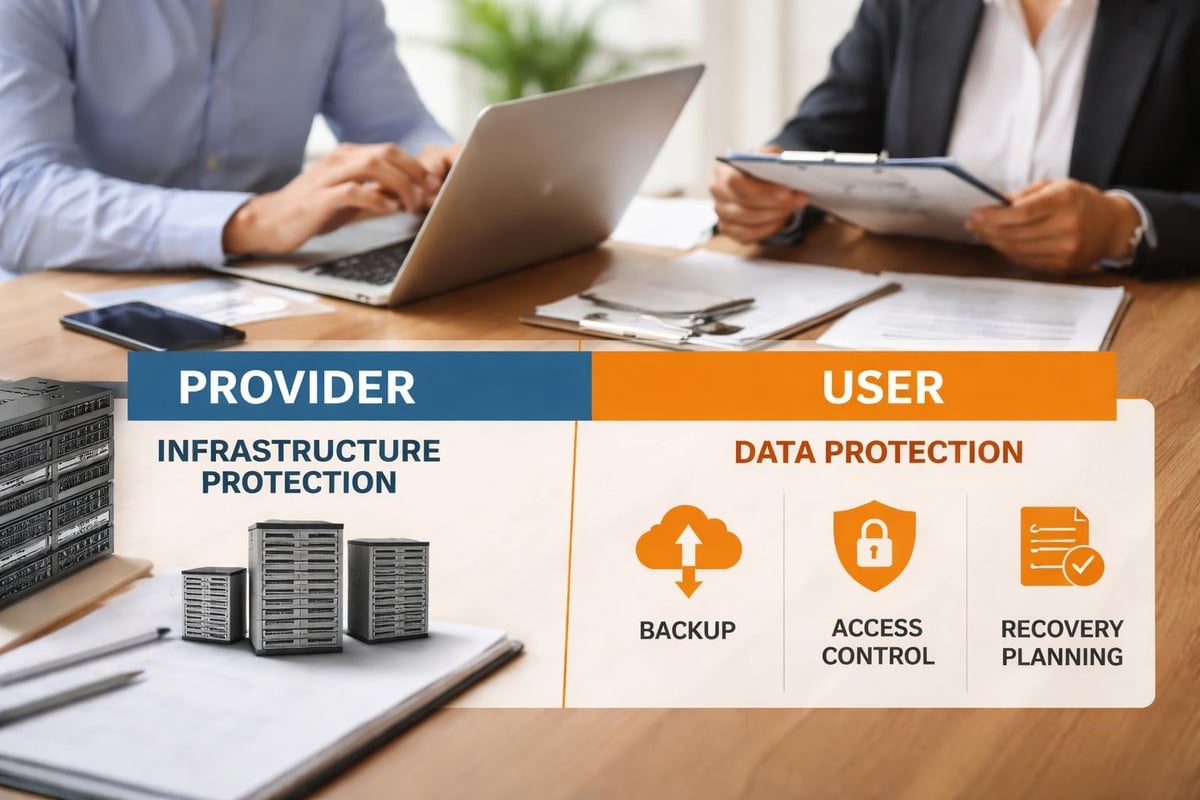
Microsoft operates OneDrive under a shared responsibility framework where they protect the infrastructure, while users remain responsible for their data. In other words, Microsoft safeguards the platform against hardware failures and ensures service availability, but does not assume responsibility for user-generated data loss from accidental deletions, malicious actions, or application errors. As a result, organisations must implement their own backup strategies to ensure full data protection.
| Microsoft’s Responsibilities | User’s Responsibilities |
|---|---|
| Infrastructure availability | Data backup and recovery |
| Platform security | Access control management |
| Hardware redundancy | Retention policy compliance |
| Service uptime | Protection against user errors |
| Physical security | Ransomware protection strategies |
Essential Strategies to Backup OneDrive Effectively
Implementing robust OneDrive backup requires a multi-layered approach that addresses different threat scenarios. Professional backup strategies combine automated processes with regular verification to ensure recoverability when needed.
Cloud-to-Cloud Backup Solutions
The most seamless method to backup OneDrive involves using dedicated cloud-to-cloud backup services that specifically support Microsoft 365 environments. In particular, these platforms connect directly to your OneDrive account through secure API connections, thereby automatically detecting and backing up new or modified files without requiring local infrastructure. As a result, organisations benefit from continuous protection with minimal manual intervention. Moreover, this approach improves efficiency and reduces the risk of data loss.
Benefits of cloud-to-cloud approaches:
- Automated continuous protection that captures changes without manual intervention
- Independent storage separate from your Microsoft 365 tenant
- Granular recovery options for individual files, folders, or entire accounts
- Unlimited retention periods beyond OneDrive’s built-in limitations
- Point-in-time restoration to recover data as it existed at specific moments
These services maintain their own infrastructure entirely separate from Microsoft’s ecosystem, thereby ensuring that issues affecting your OneDrive account don’t impact your backup copies. In addition, many enterprise-grade solutions offer immutable storage options that prevent backup modifications even by administrators. As a result, this provides critical protection against ransomware attacks that might otherwise compromise administrative credentials. Moreover, it significantly strengthens overall data resilience and recovery assurance.
Local Backup Through OneDrive Sync
For organisations requiring on-premises backup copies, the OneDrive sync client provides a foundation for traditional backup workflows. By synchronising OneDrive contents to local workstations or servers, you create a local copy that conventional backup software solutions can then process according to standard schedules.
This hybrid approach combines cloud accessibility with local control:
- Install the OneDrive sync client on a dedicated backup server
- Configure synchronisation for all required OneDrive accounts
- Schedule traditional backup software to capture the synced folders
- Store backup media offsite or in separate cloud storage
- Test restoration procedures regularly to verify integrity
The primary advantage lies in maintaining complete control over backup storage location, retention policies, and recovery procedures. However, this method requires significant storage capacity, as you’re essentially maintaining three copies of data: the production OneDrive instance, the synchronised local copy, and the backup archive. As a result, organisations must carefully plan storage resources to avoid unnecessary costs. Moreover, this approach can increase operational overhead if not properly managed.
Implementing the 3-2-1 Backup Strategy
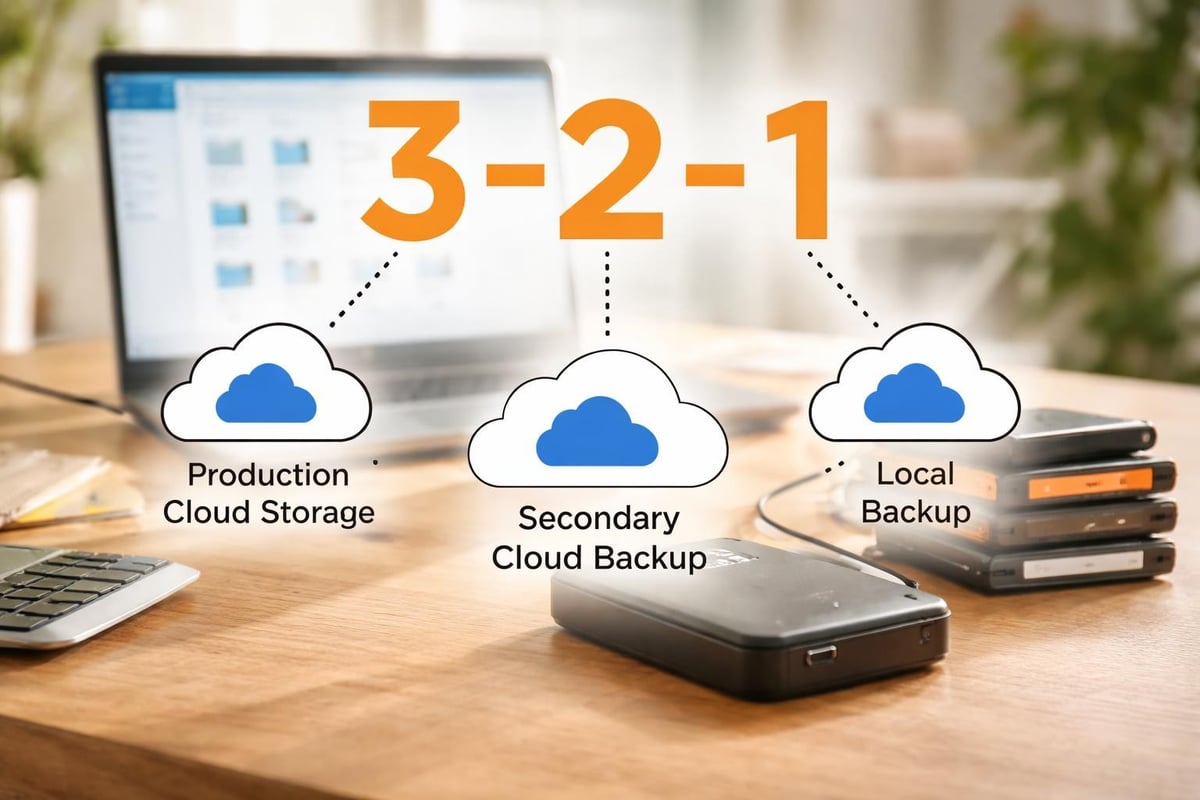
The industry-standard 3-2-1 rule provides a framework for comprehensive data protection that applies perfectly to OneDrive backup scenarios. This approach recommends maintaining offline backups alongside cloud copies to guard against various failure scenarios.
The 3-2-1 strategy requires:
- 3 total copies of your data (production plus two backups)
- 2 different media types (such as cloud and local disk)
- 1 offsite copy stored in a geographically separate location
| Copy Type | Storage Location | Purpose | Recovery Time |
|---|---|---|---|
| Production | OneDrive Cloud | Active working files | Immediate |
| Backup 1 | Cloud-to-cloud service | Ransomware protection | Minutes to hours |
| Backup 2 | Local NAS or server | Quick local recovery | Minutes |
| Backup 3 | Offsite tape or cloud | Disaster recovery | Hours to days |
When you backup OneDrive according to this methodology, you protect against the widest possible range of data loss scenarios, from individual file corruption to complete datacenter failures.
Advanced Backup Configurations for Business Environments
Enterprise OneDrive deployments require additional considerations beyond basic backup procedures. In particular, organisations must address compliance requirements, user training, monitoring protocols, and integration with broader information governance policies. Moreover, these factors play a critical role in ensuring long-term data security and operational efficiency. As a result, a well-structured governance framework becomes essential for successful deployment and management.
Compliance and Retention Management
Regulatory frameworks such as GDPR, HIPAA, and industry-specific requirements often mandate specific data retention periods and protection standards. When you backup OneDrive for compliance purposes, standard consumer approaches rarely suffice.
Best practices for OneDrive management emphasise establishing clear policies before implementing technical controls:
- Classify data according to sensitivity and regulatory requirements
- Define retention schedules that meet legal obligations whilst managing storage costs
- Implement legal hold capabilities for litigation or investigation scenarios
- Establish audit trails documenting backup and recovery activities
- Conduct regular compliance reviews to verify ongoing adherence
Backup solutions for regulated industries typically provide certification documentation, support for data residency requirements, and detailed reporting capabilities that demonstrate compliance during audits. The backup system itself may fall under regulatory scrutiny, requiring the same security controls as production systems.
Automated Monitoring and Alerting
Manual backup verification doesn’t scale in business environments where hundreds or thousands of OneDrive accounts require protection. Therefore, automated monitoring systems continuously validate backup operations, thereby immediately alerting administrators to failures or anomalies. As a result, organisations can maintain consistent oversight without excessive manual effort. Moreover, this approach improves reliability and ensures faster incident response.
Critical monitoring metrics include:
- Backup job completion status and duration
- Data change rates indicating potential ransomware activity
- Failed authentication attempts to backup systems
- Storage consumption trends for capacity planning
- Recovery point objective compliance measurements
Modern backup platforms integrate with enterprise monitoring tools through standard protocols like SNMP or REST APIs, enabling centralised visibility across all backup operations. This integration allows organisations to backup OneDrive alongside other critical systems within unified dashboards that provide comprehensive infrastructure oversight.
User Training and Policy Enforcement
Technical backup solutions only succeed when complemented by appropriate user behaviour. Many data loss incidents result from well-intentioned employees making mistakes rather than malicious actions or technical failures.
Comprehensive training programmes should address:
- Proper file organisation and naming conventions
- Understanding the difference between synchronisation and backup
- Procedures for recovering accidentally deleted files
- Identifying and reporting potential ransomware infections
- Compliance obligations specific to their role
Technical policy enforcement through Microsoft 365 administrative controls can prevent common problems before they occur. Conditional access policies might restrict OneDrive sharing outside the organisation, data loss prevention rules could block sensitive information from being stored inappropriately, and retention policies might automatically preserve important document categories.
Selecting the Right Backup Solution for Your Organisation
The marketplace offers numerous options to backup OneDrive, ranging from simple file synchronisation tools to enterprise-grade cloud backup platforms. Evaluating third-party backup applications requires understanding your organisation’s specific requirements across multiple dimensions.
Feature Comparison Framework
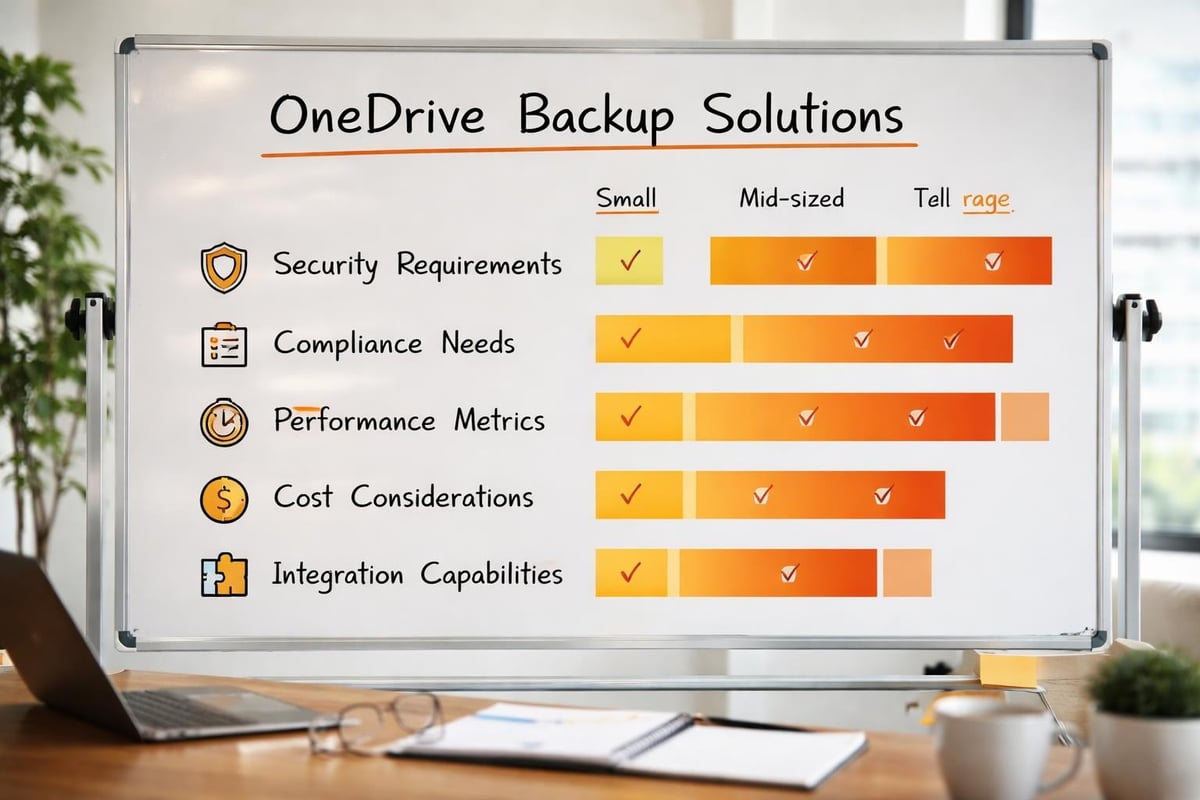
Different backup solutions emphasise various capabilities depending on their target market. Small businesses might prioritise simplicity and affordability, whilst enterprises require sophisticated features supporting complex environments.
| Feature Category | Small Business Priority | Enterprise Priority |
|---|---|---|
| Ease of deployment | Critical | Moderate |
| Automated operations | High | Critical |
| Granular permissions | Low | Critical |
| Multi-tenant support | Not required | Often required |
| Compliance reporting | Low | Critical |
| Integration capabilities | Moderate | High |
| Customisation options | Low | High |
| Support responsiveness | Moderate | Critical |
Cost structures vary significantly between platforms. Some charge per user account, others by consumed storage capacity, and enterprise solutions often employ complex licensing models considering both metrics. Comprehensive guides for backing up OneDrive recommend calculating total cost of ownership including administrative overhead rather than focusing solely on licensing fees.
Security and Privacy Considerations
When selecting a backup provider, security evaluation deserves particular attention since you’re granting extensive access to potentially sensitive organisational data. Reputable providers should demonstrate multiple security controls protecting your backed-up information.
Essential security requirements:
- Encryption in transit using TLS 1.2 or higher
- Encryption at rest for stored backup data
- Zero-knowledge architecture where providers cannot access your data
- Multi-factor authentication for administrative access
- Regular security audits by independent third parties
- Compliance certifications relevant to your industry
For organisations particularly concerned with data sovereignty and privacy, working with providers who emphasise these values becomes paramount. vBoxx offers secure cloud solutions with strong privacy commitments and green hosting practices, making them well-suited for businesses requiring European data residency and sustainability alignment. Their comprehensive demonstration covers integrated solutions including secure storage and backup capabilities tailored to business requirements.
Performance and Reliability Metrics
Backup systems must reliably protect data whilst minimising impact on production operations. Understanding how to properly backup Microsoft 365 OneDrive includes evaluating performance characteristics that affect daily operations.
Key performance indicators include:
- Initial backup duration for large data sets
- Incremental backup speed for ongoing protection
- Network bandwidth consumption during backup windows
- Recovery time objectives for different data volumes
- Recovery point objectives determining potential data loss
Service level agreements should specify uptime commitments, support response times, and data durability guarantees. Enterprise-grade providers typically commit to 99.9% or higher availability with financial penalties for non-compliance. These agreements provide recourse if the backup service itself experiences outages at critical moments.
Recovery Procedures and Business Continuity Planning
Backup systems exist solely to enable recovery when needed. Therefore, organisations must regularly test recovery procedures to verify that backups remain viable and that staff understand restoration processes. In particular, many businesses discover backup failures only when attempting recovery during actual emergencies. As a result, regular testing becomes essential to ensure data integrity and operational readiness. Moreover, it helps organisations identify and resolve issues before they escalate into critical incidents.
Testing Recovery Scenarios
Comprehensive testing programmes simulate various data loss scenarios to validate backup effectiveness and identify procedural gaps. When you backup OneDrive properly, you should schedule regular recovery drills covering different situations.
Common test scenarios include:
- Individual file recovery from specific points in time
- Complete folder restoration after accidental deletion
- Full account recovery simulating user departure
- Cross-account recovery testing administrative capabilities
- Point-in-time recovery to pre-ransomware states
- Bulk recovery operations affecting multiple accounts
Document each test thoroughly, recording completion times, challenges encountered, and lessons learned. These records inform updates to recovery procedures and help establish realistic recovery time expectations during actual incidents.
Developing Runbooks and Procedures
Detailed recovery runbooks ensure that any trained staff member can execute restoration operations without requiring specialised expertise. These documents should provide step-by-step instructions for common recovery scenarios, including screenshots and decision trees for handling complications.
Effective runbooks typically include:
- Prerequisites and required access credentials
- Detailed procedural steps with expected outcomes
- Troubleshooting guidance for common errors
- Escalation procedures for complex situations
- Verification steps confirming successful recovery
- Communication templates for stakeholder updates
Store runbooks in multiple locations, including printed copies in secure physical locations. During major incidents affecting cloud services, you may lose access to digitally stored procedures precisely when they’re most needed.
Integrating Backup into Business Continuity
OneDrive backup represents just one component of comprehensive business continuity planning. Organisations should integrate cloud storage recovery procedures with broader continuity frameworks addressing various disruption scenarios.
Business continuity integration considerations:
- Define recovery priorities for different data classifications
- Establish communication protocols for recovery coordination
- Identify alternative work arrangements if primary systems fail
- Document dependencies between OneDrive data and other systems
- Assign specific responsibilities for recovery execution
- Schedule regular plan reviews incorporating lessons learned
Annual tabletop exercises walking leadership through major incident scenarios validate that business continuity plans remain current and executable. These exercises often reveal dependencies, communication gaps, or resource constraints that weren’t apparent during plan development.
Emerging Technologies and Future Considerations
The landscape for cloud backup continues evolving as new technologies mature and threat environments shift. In particular, organisations implementing OneDrive backup strategies today should monitor several developing trends that may influence future requirements. Moreover, staying aware of these changes enables better long-term planning and more resilient data protection strategies. As a result, businesses can adapt more effectively to emerging risks and technological advancements.
Artificial Intelligence in Backup Operations
Machine learning algorithms increasingly support backup operations by detecting anomalies indicating potential security incidents, optimising backup schedules based on usage patterns, and predicting storage requirements for capacity planning. In particular, advanced systems can identify unusual file modification patterns characteristic of ransomware encryption, thereby automatically triggering additional protective measures before significant damage occurs.
Moreover, AI-powered backup platforms also improve recovery experiences through intelligent search capabilities that help users locate specific file versions without remembering exact names or dates. For example, natural language interfaces may soon allow users to request “the presentation I worked on last Tuesday,” rather than navigating through hierarchical folder structures and timestamp lists. As a result, backup systems become significantly more user-friendly and efficient. In addition, this shift reduces recovery time and improves overall operational productivity. Consequently, organisations benefit from both enhanced security and improved usability.
Blockchain for Backup Verification
Distributed ledger technologies offer potential solutions for verifying backup integrity without relying solely on the backup provider’s attestations. In particular, blockchain-based systems can create immutable records of backup operations, thereby providing cryptographic proof that specific data existed in particular states at documented times.
Moreover, whilst still emerging, these capabilities particularly interest organisations with stringent compliance requirements or concerns about backup provider trustworthiness. As a result, the technology could eventually enable third-party verification of backup operations without granting those verifiers access to actual data contents. In addition, this approach may significantly enhance transparency and auditability. Consequently, organisations could gain greater confidence in the integrity of their backup processes over time.
Quantum Computing Implications
The eventual arrival of practical quantum computing threatens current encryption standards protecting backed-up data. As a result, organisations should monitor backup providers’ cryptographic upgrade paths, thereby ensuring that protected data remains secure as quantum computing capabilities advance.
In response, forward-thinking providers already implement crypto-agility frameworks, which allow rapid algorithm updates without requiring complete data re-encryption. Consequently, this capability will prove essential as post-quantum cryptographic standards mature and eventually become mandatory for sensitive data protection.
Ultimately, protecting your OneDrive data requires more than faith in cloud synchronisation features—it demands deliberate backup strategies addressing multiple failure scenarios and compliance requirements. For this reason, by implementing proper cloud-to-cloud backup solutions, following the 3-2-1 methodology, and regularly testing recovery procedures, organisations safeguard their critical information assets against increasingly sophisticated threats. In addition, vBoxx provides secure cloud infrastructure specifically designed for businesses requiring robust data protection with strong privacy commitments and sustainable practices, thereby offering comprehensive solutions that complement your OneDrive backup strategy and broader information security needs.