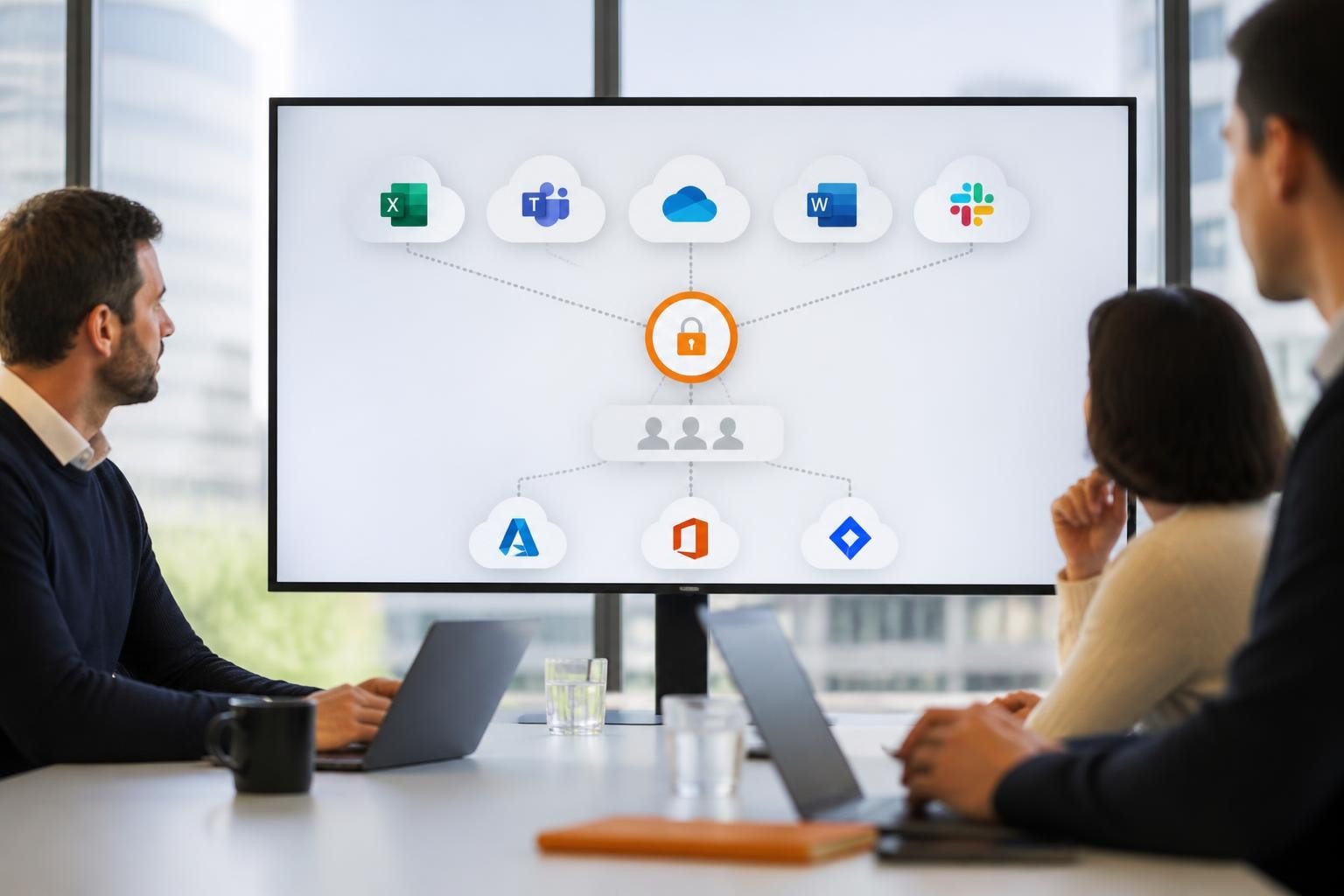
Windows environments continue to dominate the business computing landscape in 2026, with organisations worldwide relying on Microsoft's operating system for daily operations. Consequently, selecting appropriate cloud storage for Windows has become a strategic decision that affects productivity, security, and regulatory compliance. Moreover, the integration between cloud platforms and Windows ecosystems has evolved significantly, offering businesses unprecedented flexibility in how they manage, access, and protect their data. Nevertheless, this abundance of options requires careful evaluation to ensure that chosen solutions align with organizational requirements, particularly regarding data sovereignty and privacy.
Understanding Cloud Storage Integration with Windows
Cloud storage for Windows operates through multiple integration layers, each offering distinct advantages for different business scenarios. Furthermore, the seamless connection between Windows File Explorer and cloud platforms has transformed how employees interact with remote data.
Native Windows integration typically occurs through several mechanisms. Sync clients install locally and maintain synchronized folders between local storage and cloud servers. Network drives map cloud storage as drive letters, making remote resources appear as local drives. Web interfaces provide browser-based access regardless of local configuration. Additionally, API connections enable custom applications to interact directly with cloud storage services.

The choice between these methods depends on several factors:
- User workflow preferences: Some teams prefer synchronized local copies, whilst others work directly with network-mounted storage
- Bandwidth availability: Continuous synchronization requires stable, sufficient internet connectivity
- Storage capacity: Local sync clients consume disk space proportional to synchronized data volume
- Security requirements: Direct network mounts can offer better control over data residency
- Application compatibility: Legacy Windows applications may require drive-letter mappings
Protocol Considerations for Windows Environments
Windows natively supports various file-access protocols, each with specific characteristics. The SMB protocol remains foundational for Windows file sharing, offering robust authentication and encryption capabilities. Therefore, cloud storage platforms supporting SMB version 3.0 or higher provide familiar, performant access for Windows users.
Furthermore, WebDAV enables HTTP-based file access that Windows can mount as network locations. Nevertheless, WebDAV performance typically lags behind SMB for large file transfers. In addition, some cloud platforms offer proprietary protocols optimized for their specific infrastructure, balancing speed, security, and feature richness.
| Protocol | Windows Native Support | Encryption | Best Use Case |
|---|---|---|---|
| SMB 3.x | Excellent | AES-256 | Primary file sharing, high performance needs |
| WebDAV | Good | HTTPS | Cross-platform access, moderate file sizes |
| HTTPS/REST | Via client apps | TLS 1.3 | Mobile access, web applications |
| NFS | Limited (requires features) | Kerberos/TLS | Mixed OS environments, Unix integration |
Security Frameworks for Windows Cloud Storage
Security represents a paramount concern when deploying cloud storage for Windows environments in 2026. Moreover, the threat landscape continues to evolve, with ransomware attacks specifically targeting cloud-connected Windows systems. Therefore, implementing comprehensive security frameworks has become non-negotiable for responsible businesses.
Encryption serves as the foundation of cloud storage security. Data should be encrypted both in transit and at rest, using industry-standard algorithms such as AES-256. Furthermore, end-to-end encryption ensures that data remains protected throughout its lifecycle, from the Windows client to the storage infrastructure. Nevertheless, key management practices determine the practical security level, regardless of encryption strength.
The NIST guidelines for storage infrastructure security provide authoritative recommendations that remain highly relevant for Windows environments. In addition, these guidelines emphasize defence-in-depth approaches, combining multiple security layers to protect data assets.
Access Control and Authentication
Windows environments benefit from sophisticated access control mechanisms when properly configured with cloud storage platforms. Active Directory integration enables centralized user management and single sign-on capabilities. Moreover, multi-factor authentication (MFA) adds critical protection against credential compromise, which remains a leading attack vector in 2026.
Role-based access control (RBAC) allows administrators to define permissions based on job functions rather than individual users. Consequently, this approach scales more effectively as organizations grow. Furthermore, audit logging captures all access events, providing visibility into who accessed which files and when, essential for both security monitoring and compliance requirements.

Compliance and Data Sovereignty Considerations
European businesses face particular requirements when selecting cloud storage for Windows environments. The General Data Protection Regulation (GDPR) mandates strict controls over personal data processing and storage. Therefore, understanding where data physically resides and which jurisdictions can legally access it has become critical.
Data sovereignty concerns extend beyond simple geography. The US CLOUD Act, for instance, grants American authorities potential access to data held by US-based companies, regardless of physical server location. Consequently, European organizations handling sensitive information increasingly prioritize providers operating under European jurisdiction exclusively.
The French data protection authority provides practical guidance on securing personal data in cloud environments, including specific technical controls and vendor assessment criteria. Moreover, these recommendations align with broader European regulatory expectations.
For organizations requiring strict compliance, solutions like vBoxxCloud offer GDPR-compliant business cloud storage with data stored exclusively in ISO 27001-certified European data centres in the Netherlands, ensuring protection from extraterritorial data access laws whilst maintaining full Windows compatibility through standard protocols.
Certification and Audit Standards
Third-party certifications provide objective validation of security and compliance claims. Furthermore, they establish baseline expectations for cloud storage providers serving Windows environments:
- ISO 27001: International standard for information security management systems
- SOC 2 Type II: Detailed controls assessment for security, availability, and confidentiality
- GDPR compliance certifications: Specific to European data protection requirements
- Industry-specific standards: HIPAA for healthcare, PCI-DSS for payment data, etc.
Nevertheless, certifications alone do not guarantee security. In addition, organizations must evaluate actual implementation, incident response capabilities, and ongoing security practices. Therefore, vendor transparency regarding security architecture and operational procedures should factor heavily into selection decisions.
Performance Optimization for Windows Clients
Cloud storage performance directly impacts user productivity, particularly in Windows environments where employees frequently work with large files such as presentations, spreadsheets, and multimedia content. Moreover, network latency and bandwidth constraints can significantly affect user experience. Consequently, implementing optimization strategies becomes essential for successful cloud storage deployments.
Caching mechanisms represent one effective optimization approach. Local caching stores frequently accessed files on Windows devices, reducing repeated cloud retrievals. Furthermore, intelligent prefetching anticipates user needs, downloading likely-needed files during idle periods. Nevertheless, cache management requires careful configuration to balance performance gains against local storage consumption and data freshness requirements.
Synchronization Strategies
Different synchronization approaches suit different business scenarios:
- Full synchronization: Complete local copies of all cloud data, providing offline access but requiring substantial disk space
- Selective synchronization: Users choose specific folders to sync, balancing access and storage capacity
- On-demand synchronization: Files appear in File Explorer but download only when opened, minimizing local storage requirements
- Hybrid approaches: Combining strategies based on file types, access patterns, or user roles
In addition, hybrid file server configurations enable organizations to maintain on-premises Windows file servers whilst leveraging cloud storage for backup, archiving, and remote access. Therefore, this approach provides familiar user experiences whilst adding cloud benefits incrementally.
| Synchronization Type | Local Storage Used | Offline Access | Best For |
|---|---|---|---|
| Full sync | High | Complete | Field workers, unreliable connectivity |
| Selective sync | Medium | Chosen folders only | Mixed usage patterns |
| On-demand | Minimal | None (requires connection) | Limited device storage, reliable internet |
| Hybrid (tiered) | Low-Medium | Cached files only | Large datasets, mixed access frequency |
Backup and Disaster Recovery
Cloud storage for Windows environments serves dual purposes: active file access and critical backup functionality. Moreover, the CISA technical brief on data backup options emphasizes that robust backup strategies protect against ransomware, hardware failure, and human error. Therefore, organizations should implement comprehensive backup policies regardless of primary storage location.
The 3-2-1 backup rule remains foundational in 2026: maintain three copies of data, on two different media types, with one copy off-site. Furthermore, cloud storage naturally satisfies the off-site requirement whilst providing additional redundancy when combined with local Windows backups. Nevertheless, testing recovery procedures regularly ensures that backups remain viable when needed.
Version history capabilities enable recovery from accidental modifications or deletions. In addition, some cloud storage platforms maintain multiple file versions automatically, allowing users to restore previous states without administrator intervention. Therefore, configuring appropriate retention periods balances storage costs against recovery needs.
Ransomware Protection Strategies
Ransomware specifically targeting Windows systems represents one of the most significant threats to business data in 2026. Consequently, cloud storage configurations should incorporate specific anti-ransomware measures:
- Immutable snapshots: Point-in-time copies that cannot be modified or deleted, even with compromised credentials
- Air-gapped backups: Logical separation preventing ransomware from accessing backup data
- Behavioural detection: Monitoring for unusual file modification patterns indicative of encryption attempts
- Rapid recovery capabilities: Tools enabling quick restoration of large data volumes to minimize downtime
Furthermore, the CISA guidance on protecting stored data provides practical recommendations for Windows environments, emphasizing layered defences combining technical controls, user education, and incident response planning.
Collaboration Features for Windows Teams
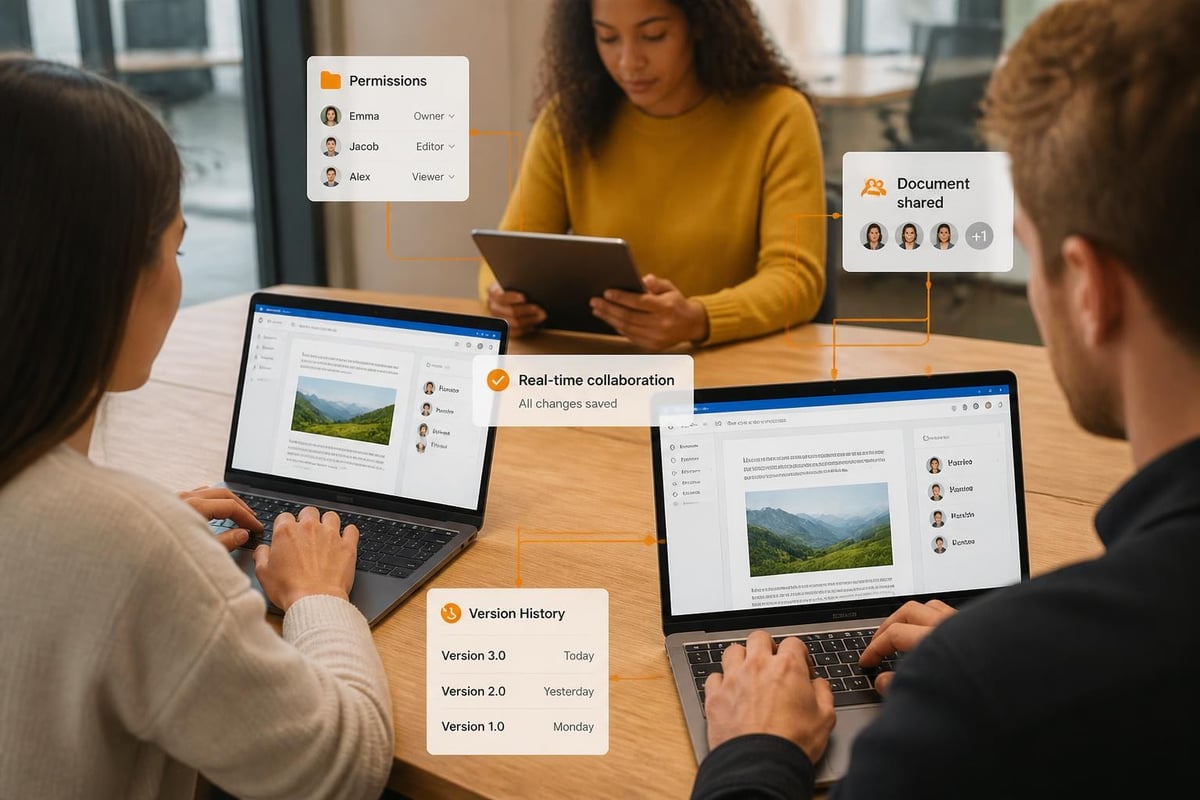
Modern cloud storage for Windows extends beyond simple file hosting to enable sophisticated collaboration workflows. Moreover, real-time co-authoring capabilities transform how teams work together, particularly for distributed workforces common in 2026. Therefore, evaluating collaboration features should factor prominently in platform selection.
Simultaneous editing allows multiple users to work on documents concurrently, with changes appearing in real-time. Furthermore, conflict resolution mechanisms prevent overwrites when users modify the same sections. Nevertheless, collaboration features require compatible applications, with Microsoft Office and web-based editors leading adoption.
Sharing controls determine how easily teams can collaborate whilst maintaining security. Granular permissions enable specific actions:
- View-only access: Prevents modifications whilst allowing information sharing
- Comment permissions: Enables feedback without direct editing rights
- Download restrictions: Permits viewing but prevents local copies
- Time-limited shares: Automatically expire after specified periods
- Password protection: Adds authentication to shared links
In addition, modern workflows increasingly incorporate digital business cards to facilitate professional networking and contact sharing. Solutions like Spreadly's digital business cards enable Windows users to share and update contact details instantly through QR codes, virtual backgrounds, and email signatures, streamlining the connection between cloud-stored contact information and active business development.
Migration and Implementation Planning
Transitioning to cloud storage for Windows environments requires careful planning to minimize disruption and ensure successful adoption. Moreover, the complexity scales with organization size, data volume, and existing infrastructure dependencies. Therefore, structured migration approaches deliver better outcomes than ad-hoc implementations.
Assessment phases identify current storage usage, user workflows, application dependencies, and compliance requirements. Furthermore, this discovery process reveals potential obstacles before they impact production systems. Nevertheless, involving stakeholders from IT, security, compliance, and business units ensures comprehensive requirement capture.
Migration Execution Strategies
Several migration approaches balance speed, risk, and resource requirements:
- Pilot deployment: Small user groups test the platform, providing feedback before broader rollout
- Phased migration: Departments or teams transition sequentially, enabling iterative improvements
- Parallel operation: Maintaining existing storage whilst gradually shifting to cloud, reducing rollback complexity
- Complete cutover: Rapid transition, suitable for smaller deployments or new organizations
In addition, data transfer methods vary significantly in efficiency. Direct upload from Windows clients works for modest volumes but becomes impractical for terabytes of data. Bulk transfer services ship physical drives to providers, bypassing bandwidth limitations. Network-accelerated transfers use specialized protocols optimizing throughput over existing connections.
Moreover, recent research on policy-compliant cloud storage systems highlights architectural considerations for migrations involving regulatory requirements, particularly relevant for European businesses navigating GDPR compliance during transitions.
Cost Management and Optimization
Cloud storage pricing models significantly impact total cost of ownership for Windows environments. Furthermore, understanding billing structures enables informed decisions and prevents unexpected expenses. Therefore, organizations should evaluate both direct storage costs and ancillary charges that accumulate during typical usage.
Storage pricing typically charges per gigabyte-month, with rates varying by storage tier and performance characteristics. Hot storage for frequently accessed data costs more than cold storage for archival purposes. Moreover, some providers charge separately for data transfer, API requests, and retrieval operations. Consequently, usage patterns heavily influence actual costs beyond simple per-gigabyte rates.
| Cost Component | Typical Impact | Optimization Approach |
|---|---|---|
| Storage capacity | High | Lifecycle policies, compression, deduplication |
| Data transfer out | Medium-High | Caching, CDN usage, regional optimization |
| API requests | Low-Medium | Batch operations, client-side caching |
| Snapshot storage | Medium | Retention policy tuning, incremental backups |
Furthermore, right-sizing storage allocations prevents over-provisioning. Regular audits identify unused data suitable for archiving or deletion. In addition, automated lifecycle policies can transition aging data to lower-cost tiers without manual intervention, optimizing costs whilst maintaining accessibility.
Administrative Tools and Management
Effective administration of cloud storage for Windows environments requires robust management interfaces and automation capabilities. Moreover, as deployments scale, manual administration becomes impractical. Therefore, evaluating administrative tools should factor prominently in platform selection.
Centralized dashboards provide visibility across users, storage consumption, sharing activities, and security events. Furthermore, reporting capabilities enable compliance documentation and capacity planning. Nevertheless, the quality and usability of administrative interfaces varies substantially between providers.
Group Policy integration allows Windows administrators to configure cloud storage clients centrally, ensuring consistent security settings across managed devices. In addition, PowerShell modules enable automation of routine tasks such as user provisioning, permission audits, and usage reporting. Therefore, Windows-focused cloud storage platforms typically offer superior integration with existing IT management frameworks.
Monitoring and Alerting
Proactive monitoring prevents small issues from becoming major incidents. Furthermore, configuring appropriate alerts enables timely responses to security events, capacity constraints, or performance degradation:
- Storage quota alerts: Notification when users or teams approach allocation limits
- Unusual activity detection: Flagging abnormal access patterns or bulk deletions
- Sync failures: Identifying client devices experiencing synchronization problems
- Performance degradation: Monitoring latency and throughput metrics
- Security events: Failed authentication attempts, permission changes, external shares
Moreover, integration with existing IT service management (ITSM) platforms streamlines incident handling and ensures cloud storage issues receive appropriate priority within organizational workflows.
Selecting the Right Cloud Storage Platform
Choosing appropriate cloud storage for Windows environments requires balancing multiple factors specific to organizational requirements. Furthermore, the proliferation of options in 2026 makes systematic evaluation essential for informed decisions. Therefore, structured selection criteria help organizations identify platforms aligning with their unique needs.
Security and compliance should lead evaluation criteria, particularly for European businesses handling personal or sensitive data. Verify data centre locations, applicable jurisdictions, certifications, and encryption implementations. Moreover, understand provider responsibilities versus customer responsibilities under shared security models.
Windows integration quality directly impacts user experience and IT management efficiency. Evaluate native protocol support, File Explorer integration, Active Directory compatibility, and administrative tool availability. Furthermore, consider client application performance, reliability, and resource consumption on Windows devices.
Performance characteristics affect daily productivity. Test actual throughput for typical file sizes and usage patterns. In addition, assess latency for common operations such as opening files, saving changes, and searching content. Nevertheless, remember that performance depends on multiple factors including network connectivity and client device specifications.
Price structures merit careful analysis beyond simple per-gigabyte rates. Calculate total cost of ownership including storage, transfer, API usage, and administrative overhead. Moreover, consider contract flexibility, particularly regarding minimum commitments and scaling capabilities as requirements evolve.
Support quality and response times become critical when issues arise. Furthermore, evaluate documentation quality, community resources, and professional support availability. Therefore, understanding support tiers, response-time commitments, and escalation procedures prevents surprises during critical incidents.
Selecting and implementing cloud storage for Windows environments in 2026 demands careful attention to integration, security, compliance, and operational requirements that align with business objectives. European organizations benefit from providers offering robust Windows compatibility alongside strict data sovereignty and GDPR compliance. vBoxx delivers precisely this combination through ISO 27001-certified infrastructure in the Netherlands, comprehensive integration with Windows environments, and a full suite of secure business services designed specifically for European compliance requirements, backed by expert consultancy and seamless migration support.