
As we move into 2026, the need for secure, accessible, and free cloud file storage has never been greater. With growing volumes of data and increasing reliance on digital tools, individuals and businesses alike face risks such as data loss, cyber threats, and limited device storage.
Finding the right file storage cloud free solution can protect your valuable files while keeping costs down. In this guide, you will discover how to choose the best free cloud storage options and keep your data safe.
We will explore what cloud storage is, highlight essential features, review top free solutions, and share security best practices. Ready to make your digital life safer and more organised? Read on for expert advice tailored for 2026.
Understanding File Storage Cloud: What It Is and Why It Matters in 2026
Cloud storage has transformed file management, making the file storage cloud free model a popular choice for millions by 2026. As the demand for secure, accessible, and cost-effective solutions grows, understanding the fundamentals behind these platforms is essential. In the following sections, we examine how cloud storage has evolved, its main advantages, use cases, limitations, and the critical role of security and privacy.
The Evolution of Cloud Storage
Cloud storage emerged in the early 2000s and quickly gained traction as users sought to reduce reliance on physical drives. With the rise of remote work, an explosion of devices, and the need for instant access, the file storage cloud free landscape became central to modern workflows. In 2026, AI integration, eco-friendly data centres, and enhanced privacy are key trends. Services like Microsoft OneDrive now offer AI-powered search and robust security. For a detailed understanding, see How cloud storage works.Core Benefits of Cloud File Storage
Using a file storage cloud free platform allows users to access files from any device, anywhere. Key benefits include:- Real-time collaboration and file sharing
- Automatic backup and versioning, preventing data loss
- Space-saving on local devices
Common Use Cases for Free Cloud Storage
Individuals, small businesses, and students all benefit from file storage cloud free services. Personal users back up photos, media, and important documents. Small businesses rely on these platforms to share contracts and collaborate in real time. Students use them for storing assignments and group projects. Automatic camera roll backup via mobile apps is a practical example, ensuring memories and vital files are preserved effortlessly.Challenges and Limitations of Free Cloud Storage
While file storage cloud free solutions offer compelling advantages, they come with limitations. Typical challenges include:- Storage caps, such as OneDrive’s 5GB free tier
- File size limits and bandwidth restrictions
- Risk of service discontinuation or changes in terms
The Importance of Security and Privacy
Security and privacy are critical in the file storage cloud free era. The rise in ransomware, phishing, and data breaches means robust protection is no longer optional. Providers must comply with regulations like GDPR and offer strong encryption, access controls, and real-time monitoring. Microsoft OneDrive’s Personal Vault and suspicious activity alerts are examples of features that address these concerns, helping users safeguard their digital assets in a rapidly evolving landscape.Key Features to Look for in Free Cloud Storage Solutions
Choosing a file storage cloud free solution in 2026 requires careful consideration of several essential features. With so many options available, understanding what sets providers apart is crucial for securing your data and maximising usability. Let us explore the core criteria to help you make an informed decision.
Security and Privacy Protections
Security is at the heart of any file storage cloud free offering. Top providers implement end-to-end encryption, ensuring files are protected both during transfer and while stored. Two-factor authentication (2FA) adds another layer, making it harder for unauthorised users to gain access.Virus scanning and suspicious activity monitoring are also standard among leading services. For example, OneDrive’s Personal Vault offers enhanced encryption and identity verification for sensitive files. Always prioritise solutions with robust privacy controls and transparent data handling practices.
Storage Limits and Scalability
Each file storage cloud free plan comes with its own storage cap, often ranging from 2GB to 15GB. Some providers allow you to expand storage via referrals or by upgrading to paid tiers. File upload size limits and data retention policies can vary, so it pays to compare before committing.Here is a quick comparison:
| Provider | Free Storage | Max File Size | Paid Upgrade Available |
|---|---|---|---|
| OneDrive | 5GB | 250GB | Yes |
| Google Drive | 15GB | 5TB | Yes |
| Dropbox Basic | 2GB | 2GB | Yes |
| Mega | 20GB | 16GB | Yes |
Device and Platform Compatibility
A key advantage of any file storage cloud free provider is seamless compatibility. Look for support across Windows, macOS, iOS, and Android, as well as web browsers. Cross-device synchronisation ensures your files are always up to date, no matter where you access them.For instance, OneDrive offers broad compatibility, letting you sync and back up files from multiple devices. This flexibility is essential for both personal and professional users in 2026.
File Sharing and Collaboration Tools
Efficient collaboration is a hallmark of modern file storage cloud free platforms. Secure sharing links with custom permissions let you control who accesses your files. Real-time document collaboration, such as simultaneous editing in Word or Google Docs, streamlines teamwork.Integration with productivity suites is also valuable. OneDrive, for example, allows users to share and co-edit documents directly within Microsoft 365, making group projects and business tasks smoother.
Backup and Recovery Capabilities
Automatic backup is a must-have in any file storage cloud free service. The best providers offer continuous backup for photos, documents, and device folders. File version history lets you recover previous versions in case of accidental edits or deletions.Ransomware detection and recovery features add extra protection. OneDrive’s backup and ransomware recovery tools ensure you can restore files quickly if something goes wrong.
User Experience and Ease of Use
A user-friendly interface is vital for any file storage cloud free solution. Intuitive apps, easy setup processes, and clear onboarding guides can make or break your experience.Providers like Microsoft offer step-by-step help resources and responsive customer support. This makes it simple for users of all technical backgrounds to start storing files in the cloud securely and confidently.
Step-by-Step Guide: Setting Up and Using Free Cloud Storage Safely in 2026
Setting up a secure file storage cloud free solution in 2026 is straightforward with the right approach. Whether you are storing personal photos, business documents, or student assignments, following these steps will help you maximise security and usability. Let us walk through each stage to ensure your data remains safe, accessible, and organised.
Step 1: Choosing the Right Free Cloud Storage Provider
Start by assessing your unique storage needs. Think about the types of files you want to keep safe, how much space you require, and whether you need collaboration features. Are you storing family photos, business contracts, or coursework?Compare the leading file storage cloud free providers such as Microsoft OneDrive, Google Drive, Dropbox, and others. Examine their storage limits, device compatibility, and security features. Pay close attention to privacy policies, especially regarding data residency and compliance with regulations.
For example, Microsoft OneDrive offers a 5GB file storage cloud free tier, complete with Personal Vault for sensitive files. List your must-have features and match them to what each provider offers. This step ensures the solution you pick aligns with your daily requirements and future growth.
Step 2: Creating and Securing Your Account
Security starts with your account. When setting up your file storage cloud free service, create a strong, unique password using a mix of characters, numbers, and symbols. Always enable two-factor authentication for an added layer of protection on your files.Set up account recovery options, such as backup email addresses or phone numbers, to regain access if needed. Review privacy settings and adjust them to restrict unnecessary data sharing. Many providers, like OneDrive, offer identity verification for features like Personal Vault, giving your sensitive files extra security.
By taking these precautions at the outset, you prevent unauthorised access and protect your digital identity.
Step 3: Uploading and Organising Files
Now that your account is secure, begin uploading your files. Use the web interface, desktop sync apps, or mobile apps, depending on what suits your workflow best. Each file storage cloud free provider offers tools for easy uploads and device syncing.Organise your files into clearly named folders. Adopt a logical structure, for instance, separating work documents from personal photos. Use consistent naming conventions to make searching and retrieval easier. Many mobile apps allow you to scan documents directly into your cloud storage, making it simple to digitise receipts or notes.
A tidy file structure not only saves time but also enhances collaboration if you share files with others.
Step 4: Sharing and Collaborating Securely
One of the biggest advantages of a file storage cloud free solution is the ability to share and collaborate. Create secure sharing links for documents or folders, setting expiration dates and permissions to control access. Only share files with trusted contacts and avoid making sensitive data public.Most platforms, like OneDrive and Google Drive, support real-time collaboration, letting multiple users edit documents simultaneously. Monitor which files you have shared and revoke access when it is no longer needed. This proactive approach minimises the risk of accidental data exposure.
Stay vigilant and review shared files regularly to maintain control over your information.
Step 5: Backing Up Devices and Photos Automatically
Enable automatic backup features on your devices to ensure your data is always protected. Most file storage cloud free providers allow you to back up photos, videos, and important folders from your mobile or desktop devices.Check your sync settings to avoid exceeding storage limits and to ensure only necessary files are backed up. If you accidentally delete a file, use the version history or recovery options to restore it. This peace of mind is one of the main reasons users choose cloud storage for critical data.
Automatic backups help safeguard against device loss, hardware failure, or accidental deletion, keeping your memories and documents safe.
Step 6: Monitoring and Maintaining Security
Ongoing security is vital for any file storage cloud free account. Review your account activity regularly for unfamiliar logins or suspicious behaviour. Update your passwords and security settings periodically to stay ahead of potential threats.Stay informed about new features and security updates from your provider. For comprehensive guidance, consult resources such as the 11 best practices for securing data in the cloud, which offer actionable advice on access control and threat monitoring.
By remaining proactive, you ensure your data stays protected no matter how your needs evolve.
Top Free Cloud Storage Solutions for 2026: Features, Pros & Cons
Choosing the right file storage cloud free solution in 2026 can be challenging, given the many options available. Each provider offers a unique blend of features, security, and user experience. Below, we examine the top contenders, highlighting what makes each stand out, along with their limitations. Use this guide to find the best file storage cloud free service for your needs.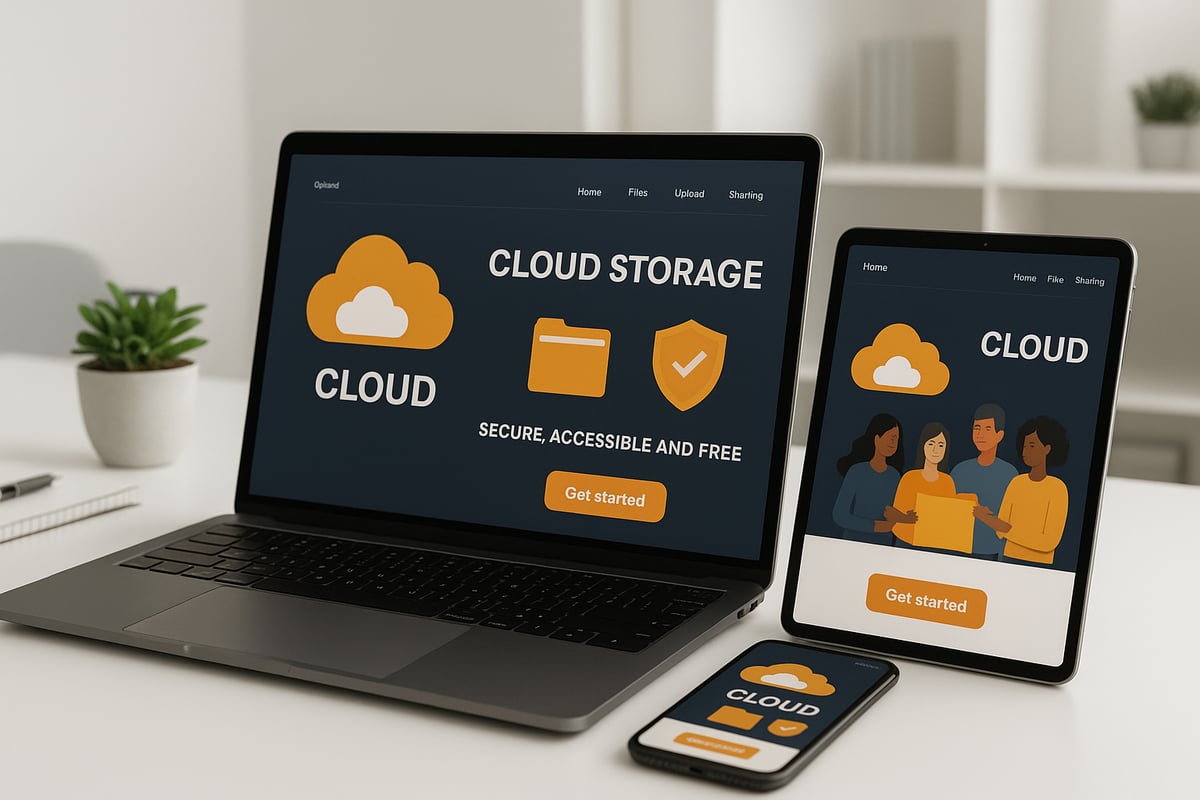
Microsoft OneDrive Free
Microsoft OneDrive Free remains a leading file storage cloud free option for 2026. It provides users with 5GB of free storage, complete with Personal Vault for sensitive files and robust security features like encryption, virus scanning, and suspicious activity alerts.Integration with Microsoft 365 apps allows for seamless document editing and sharing. Users can collaborate in real time using Word, Excel, and PowerPoint, making it ideal for both personal and professional use.
Pros:
- Strong security features
- Cross-platform support
- Easy file sharing and collaboration
- Limited free storage capacity
- Some premium features require a paid subscription
Google Drive Free
Google Drive Free offers one of the most generous file storage cloud free plans, with 15GB of space shared across Drive, Gmail, and Photos. It seamlessly connects with Google Workspace tools like Docs and Sheets, enabling real-time collaboration and efficient workflow management.Security is a priority, with encryption in transit and at rest, two-factor authentication, and granular sharing controls. However, users must monitor their storage as it is shared with other Google services.
Pros:
- Large free storage allocation
- Advanced collaboration tools
- Storage is shared across multiple Google services
- Ongoing privacy concerns
Dropbox Basic
Dropbox Basic is a simple, reliable file storage cloud free solution, offering 2GB of storage. While the free tier is smaller, Dropbox excels at fast and consistent synchronisation across devices. Security features include encryption, two-factor authentication, and suspicious activity monitoring.Users benefit from file recovery and limited version history, ensuring accidental deletions can be reversed. Dropbox also supports permission-controlled sharing links.
Pros:
- Straightforward user interface
- Reliable syncing across platforms
- Small free storage quota
- Advanced features require upgrading
Apple iCloud Drive Free
For Apple users, iCloud Drive Free is a natural file storage cloud free choice. The service provides 5GB of free storage, tightly integrated with iOS and macOS devices. End-to-end encryption and two-factor authentication protect user data.Automatic photo and device backups are available, making it a strong option for those invested in the Apple ecosystem. However, cross-platform support is limited, and storage is modest.
Pros:
- Deep integration with Apple devices
- Automatic backup features
- Limited free storage
- Less suitable for non-Apple users
Mega Free
Mega Free distinguishes itself among file storage cloud free options by offering 20GB of free storage with strong privacy features. All files are protected by end-to-end encryption, and sharing links can be password-protected for extra security.While the storage allocation is generous, bandwidth restrictions and limited collaboration tools may be a drawback for some users.
Pros:
- Large free storage
- Emphasis on privacy and encryption
- Bandwidth limits may affect heavy users
- Collaboration features are less advanced
pCloud Free
pCloud Free offers 10GB of file storage cloud free, accessible across all major platforms. Users can opt for client-side encryption as an add-on, and the platform supports media playback and file versioning.The interface is user-friendly, making it suitable for individuals and businesses alike. Some privacy features and larger storage options are only available on paid plans.
Pros:
- Generous free storage
- Media playback and versioning
- Advanced privacy features require payment
- Some concerns over privacy on the free tier
Comparison Table: Key Features at a Glance
Below is a comparison of the leading file storage cloud free providers, helping you quickly identify which service aligns with your needs. For those seeking alternatives, consider exploring Synology Drive file management for flexible, secure storage.| Provider | Free Storage | Security Features | Collaboration Tools | Unique Features | Best For |
|---|---|---|---|---|---|
| OneDrive | 5GB | Encryption, 2FA, Vault | Yes (Office integration) | Personal Vault, device backup | Professionals |
| Google Drive | 15GB | Encryption, 2FA | Yes (Docs, Sheets) | Shared storage, live editing | Teams, Students |
| Dropbox Basic | 2GB | Encryption, 2FA | Basic | Fast sync, file recovery | Simple needs |
| iCloud Drive | 5GB | End-to-end, 2FA | Limited | Apple device integration | Apple users |
| Mega Free | 20GB | End-to-end encryption | Limited | Password-protected sharing | Privacy-focused |
| pCloud Free | 10GB | Optional encryption | Limited | Media playback, versioning | Media storage |
| Synology Drive | Varies | User-managed security | Yes | Self-hosted options | Businesses, Power users |
Security Best Practices for Free Cloud File Storage in 2026
Securing your file storage cloud free accounts is more critical than ever in 2026. As threats evolve and data becomes more valuable, following best practices can protect your privacy and ensure your files remain safe. Let's explore how you can keep your information secure while making the most of free cloud storage. Watch the video on YouTubeOpens youtube.com in a new tabProtecting Your Account and Data
The first step to secure file storage cloud free usage is protecting your account credentials. Always create strong, unique passwords for each cloud service. Enable multi-factor authentication (2FA) to add a vital layer of security.- Choose a password manager to generate and store complex passwords.
- Activate 2FA on all accounts, using an authenticator app or SMS codes.
- Regularly review and update your email and recovery information.
Managing Sharing and Permissions
Sharing files is a core benefit of file storage cloud free services, but improper settings can expose sensitive information. Limit sharing to only trusted contacts and set permissions carefully.- Use sharing links with strict permissions and expiration dates.
- Monitor shared files regularly and revoke access when no longer necessary.
- Set view-only or edit restrictions based on the recipient's role.
Encrypting Sensitive Files
Encryption is essential for safeguarding confidential documents in your file storage cloud free solution. Use built-in encryption features such as OneDrive Personal Vault or Mega's end-to-end encryption.- Encrypt files before uploading if your provider lacks robust encryption.
- Store the most sensitive data in specially secured folders or vaults.
- Review privacy policies and data residency for compliance needs.
Backing Up Critical Data
Even with the best file storage cloud free provider, maintaining independent backups is crucial. Free storage plans may change, and technical failures can happen.- Keep local copies of essential files on an external hard drive or USB stick.
- Schedule periodic downloads of cloud data for offline backup.
- Use provider export tools, such as Google Takeout, to safeguard your data.
Staying Informed About Threats
Cloud security trends shift rapidly, and awareness is key to protecting your file storage cloud free account. Stay updated on provider announcements and educate yourself on emerging risks such as phishing and ransomware.- Subscribe to security bulletins from your provider.
- Learn to recognise suspicious emails and activity alerts.
- Read about the latest developments, such as 8 must-know cloud security trends in 2026, to understand how AI, encryption, and other innovations are shaping the future of cloud file security.
Maximising Your Free Cloud Storage: Expert Tips and Future Trends
Making the most of your file storage cloud free plan is essential as more people depend on digital solutions in 2026. With demand rising, it is vital to optimise your storage, manage your files efficiently, and stay ahead of new trends. Let us explore expert strategies and what the future holds for cloud storage.Clever Ways to Stretch Free Storage Limits
To maximise your file storage cloud free space, start by regularly cleaning up unused files and duplicates. This simple habit frees up valuable capacity. Take advantage of referral programmes and bonus offers from providers to increase your storage quota. Many services reward you with extra space when you invite friends.Compress large files before uploading them to save even more space. For more tips on keeping your cloud files organised, consider reading File management with Synology Drive. Efficient file management ensures you use every available gigabyte wisely.
Integrating Multiple Free Accounts
You are not limited to just one file storage cloud free account. Using several providers for different needs can help you expand your overall capacity. For example, store personal photos on one service and work documents on another. This approach increases redundancy and protects your data if a single provider has issues.Syncing files between accounts also allows you to back up important information in multiple places. It is a practical way to ensure you never run out of space, especially as your digital life grows in complexity.
Upgrading When Free Isn’t Enough
Eventually, your file storage cloud free allocation may not meet your needs. Signs you need to upgrade include hitting storage caps frequently or requiring advanced features like enhanced security or larger file uploads. When this happens, compare paid plans based on their value and security features.Look for providers that offer flexible options, such as monthly or annual subscriptions. Assess if additional features like advanced sharing controls or expanded backup options justify the investment. Remember, choosing the right plan ensures continued productivity and peace of mind.
Sustainability and Green Hosting in Cloud Storage
Sustainability is becoming a priority in the file storage cloud free landscape. Many providers are investing in eco-friendly data centres and green hosting solutions. Look for services that highlight their energy-efficient infrastructure and carbon-neutral commitments.Opting for a provider focused on sustainability not only benefits the environment but also indicates a forward-thinking business. As the industry evolves, green credentials are likely to play a bigger role in user decisions.
Future Trends: AI, Automation, and Security Innovations
The future of file storage cloud free services is shaped by AI-driven features and advanced security. Expect smarter file organisation, automated backups, and improved threat detection powered by artificial intelligence. Enhanced privacy tools will give users more control over their data.For those interested in cutting-edge security, research such as Multiparty Authorization for Secure Data Storage in Cloud Environments explores new encryption techniques for cloud storage. Staying informed about these advancements will help you make the best choices as technology develops.
As you explore the ins and outs of secure cloud storage for 2026, it is clear that making the right choice is crucial for protecting your data and ensuring smooth, reliable access from anywhere. We have walked through the advantages, key features, and security best practices you should be looking for now, if you are ready to experience how a tailored, secure cloud solution can work for your business, you do not need to make the leap alone. You can schedule a demo with us to see vBoxx in action and discover the benefits firsthand.
Closing: When Free Cloud Storage Is Not Enough for Business
Free cloud storage can be a smart starting point, but many organisations quickly run into limits around compliance, data residency, access control, integration, and long term predictability. If your business needs stronger governance, higher security guarantees, or full control over where data lives, an enterprise solution becomes the logical next step.That is where vBoxxCloud comes in. vBoxxCloud is built for enterprise use cases where security, control, and scalability are non negotiable. It is designed to support modern collaboration while meeting stricter requirements around identity management, auditing, permissions, and policy enforcement.
Alongside vBoxxCloud, vBoxx also delivers flexible data storage solutions that can be tailored to your infrastructure strategy. Whether you prefer hosted environments, hybrid setups, or fully private infrastructure, vBoxx can help you build a storage platform that fits your needs.
For organisations that want maximum sovereignty and transparency, vBoxx can also supply open source based private cloud options, deployed on your own infrastructure. This includes platforms such as Nextcloud, ownCloud, and OpenCloud, configured to match enterprise expectations around uptime, governance, and secure collaboration.
If you are ready to move beyond consumer grade storage and explore a cloud approach that fits your business, you can schedule a demo with us to see vBoxxCloud in action and learn which vBoxx data storage setup fits your organisation best.