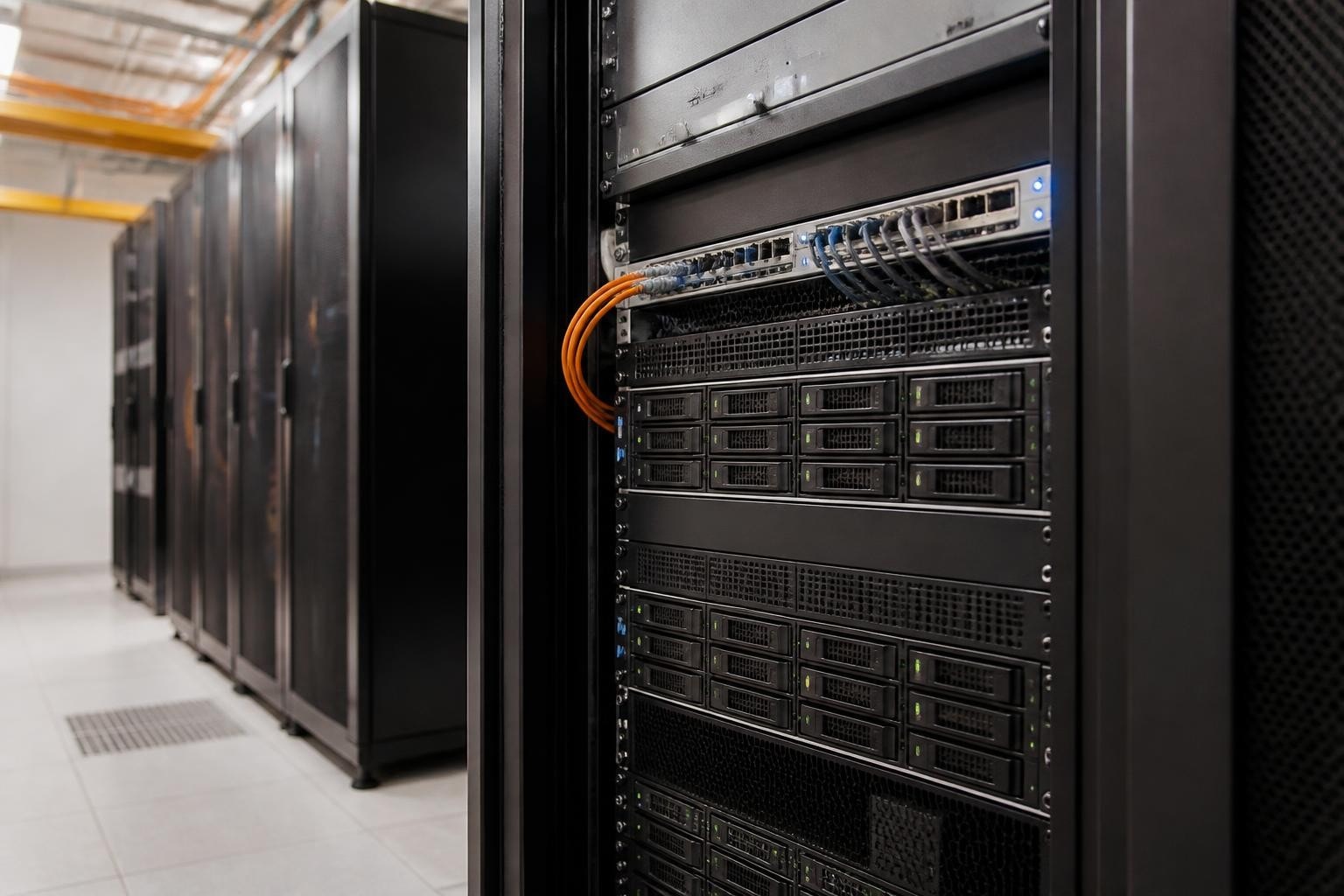
Network-attached storage has become essential infrastructure for businesses managing growing volumes of data. An 8TB capacity represents a practical sweet spot for many organisations, offering substantial storage without the cost premium of larger drives whilst maintaining excellent reliability characteristics. Moreover, understanding how to properly select, configure and maintain a nas 8tb deployment ensures your business data remains secure, accessible and protected against loss. This guide examines the key considerations for implementing 8TB NAS drives within enterprise environments, from initial hardware selection through ongoing maintenance and monitoring.
Understanding NAS 8TB Drive Categories
Enterprise-grade 8TB drives fall into distinct categories, each engineered for specific workload profiles and deployment scenarios. Furthermore, selecting the appropriate category directly impacts reliability, performance and total cost of ownership over the drive's service life.
NAS-Optimised Drives
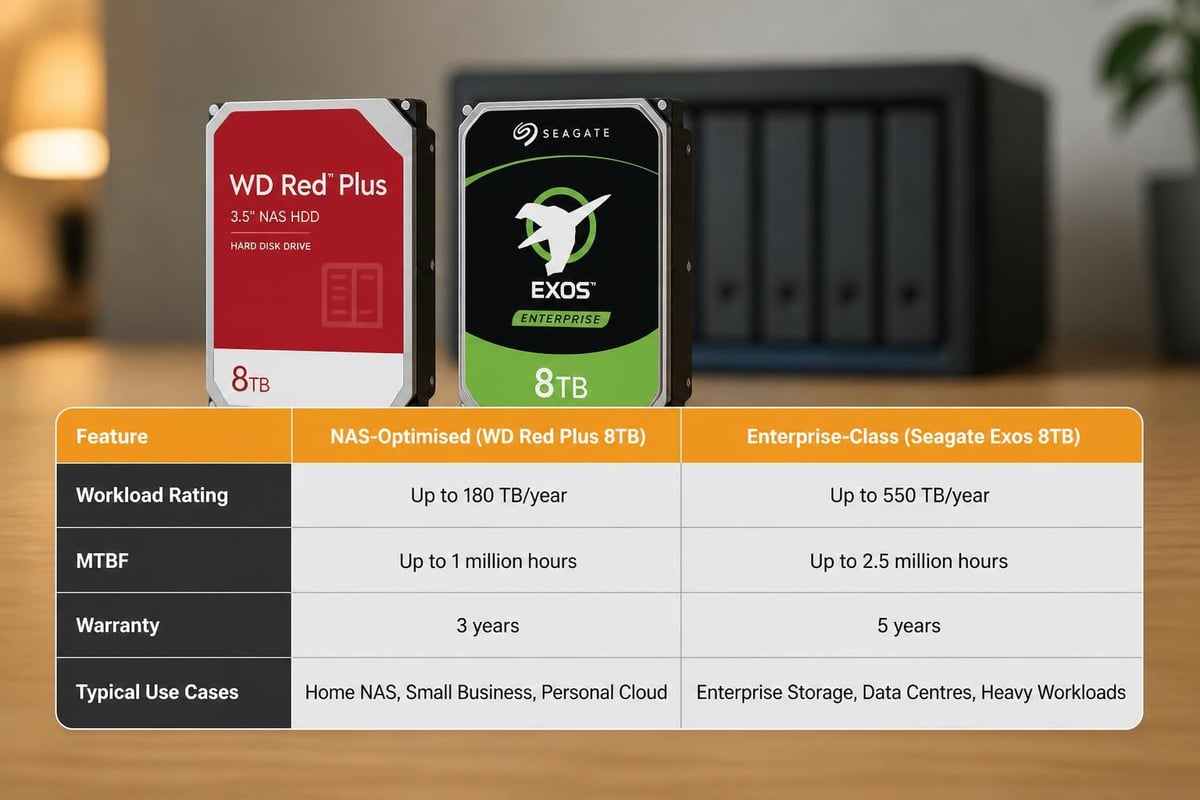
NAS-optimised drives incorporate firmware tuning specifically designed for multi-bay environments. The Seagate IronWolf series exemplifies this category, featuring rotational vibration sensors that compensate for the mechanical interference present when multiple drives operate in close proximity. Additionally, these drives support extended command timeouts, preventing premature RAID array degradation when a drive encounters a read error.
Key characteristics include:
- Workload ratings of 180TB per year, suitable for continuous operation
- Mean time between failures (MTBF) ratings of 1,000,000 hours
- Three-year warranties as standard, with extended coverage available
- Optimised error recovery that balances thoroughness with array stability
Enterprise-Class Alternatives
Enterprise drives targeting data centre deployment offer enhanced specifications at a premium price point. Nevertheless, these drives justify their cost through superior sustained performance and extended warranties. The StorageReview assessment of enterprise nas 8tb models demonstrates consistent IOPS delivery under sustained multi-user workloads.
| Feature | NAS-Optimised | Enterprise-Class |
|---|---|---|
| Annual workload rating | 180TB | 550TB |
| MTBF | 1,000,000 hours | 2,000,000 hours |
| Warranty period | 3 years | 5 years |
| Typical price premium | Baseline | +40-60% |
Capacity Planning and Array Configuration
Implementing nas 8tb drives requires careful planning around total capacity requirements, redundancy levels and expected growth patterns. Therefore, understanding how RAID configurations affect usable capacity proves essential before purchasing hardware.
RAID Level Selection
Different RAID configurations balance capacity, redundancy and performance characteristics. RAID 5 remains popular for smaller arrays, offering reasonable fault tolerance with modest capacity overhead. However, RAID 6 provides superior protection, tolerating two simultaneous drive failures at the cost of additional parity overhead.
RAID 5 considerations:
- Minimum three drives required
- One drive's capacity consumed by parity
- Single drive fault tolerance
- Rebuild times increasing with drive capacity
- URE risk during rebuild on large drives
RAID 6 advantages:
- Minimum four drives required
- Two drives' capacity consumed by parity
- Dual drive fault tolerance
- Safer rebuild process with large-capacity drives
- Better suited for 8TB and larger drives
The Western Digital white paper on rebuild techniques explains why larger drives introduce additional risk during array reconstruction. Furthermore, an 8TB drive rebuild can take 24-48 hours depending on array size and controller performance, during which the array operates in a degraded state.
Calculating Rebuild Risk
Unrecoverable read errors (UREs) present a genuine concern when rebuilding arrays containing 8TB drives. The StorageMath RAID rebuild calculator demonstrates how probability calculations work for different array sizes and RAID levels. Moreover, enterprise drives typically specify URE rates of 1 in 10^15 bits read, meaning approximately one error per 12.5TB of data read.
During a RAID 5 rebuild of a five-drive array containing nas 8tb units, the controller must read 32TB of data (four drives × 8TB each). This volume creates a statistically significant probability of encountering at least one URE, which could cause rebuild failure and potential data loss. Therefore, RAID 6 configurations become increasingly prudent as individual drive capacities exceed 6TB.
Drive Reliability and Failure Rate Analysis
Real-world reliability data provides more valuable insights than manufacturer specifications alone. The Backblaze Drive Stats report compiles failure rate information from hundreds of thousands of drives operating in production environments, offering empirical evidence of how different models perform over time.
Interpreting Failure Rate Data
Annualized failure rates (AFR) measure the percentage of drives expected to fail within a twelve-month period. In addition, the Backblaze dataset reveals notable variation between manufacturers and specific model lines. The ArXiv research analysis of manufacturer differences demonstrates that AFR can vary by factors of two or three between competing 8TB models from different vendors.
For business deployments, consider these factors when evaluating reliability:
- Sample size matters – models with fewer than 10,000 drive-days of data may show statistical noise
- Age curves differ – infant mortality and wear-out phases affect different models at different times
- Workload sensitivity – failure rates in 24/7 operation exceed those in lighter-duty scenarios
- Batch variation – manufacturing changes can affect reliability within a single model line
Warranty and Support Considerations
Warranty coverage represents the manufacturer's confidence in reliability, but warranty terms vary significantly. Nevertheless, warranty replacement alone does not protect your data. Therefore, implementing proper backup strategies remains essential regardless of drive warranty length.
Compatibility Verification and Vendor Validation
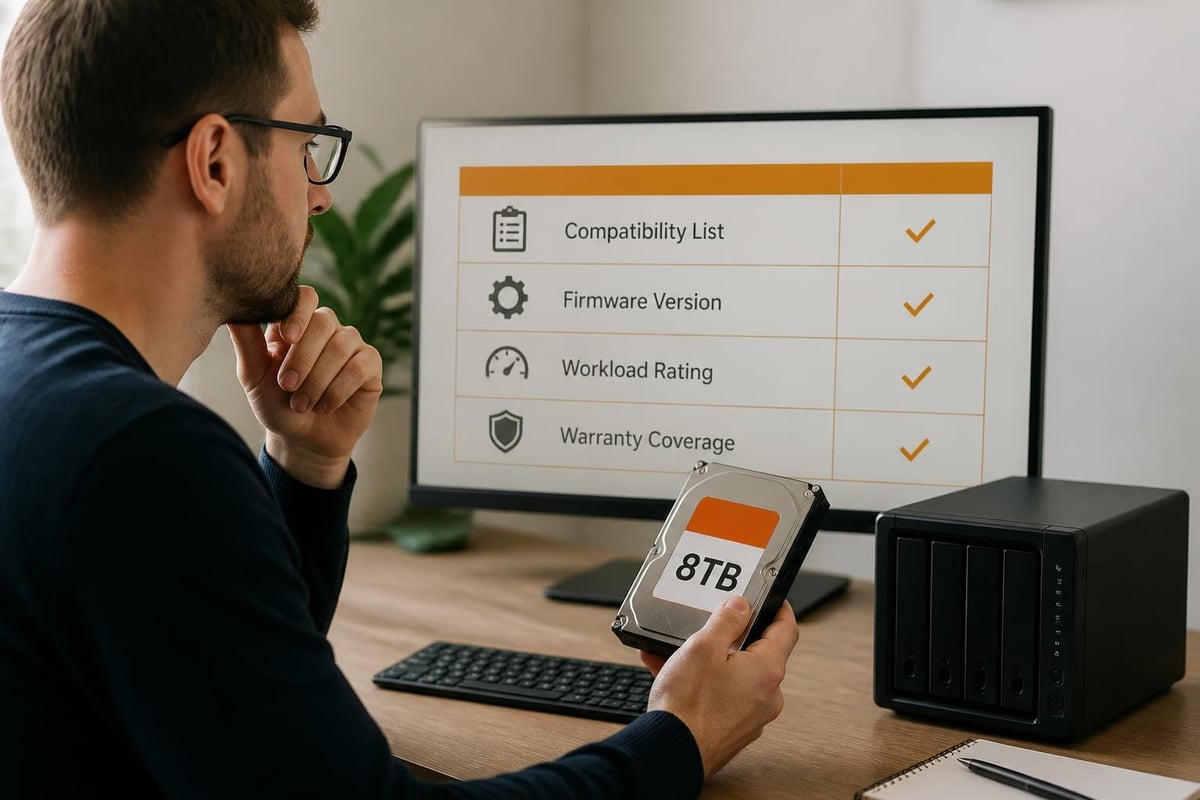
Not all nas 8tb drives function optimally in every NAS appliance. Consequently, consulting manufacturer compatibility lists before purchasing drives prevents frustrating incompatibility issues and ensures validated performance.
The QNAP compatibility database maintains current listings of tested drive models for each NAS unit. Similarly, Synology provides equivalent compatibility information for their products. Moreover, using validated drives ensures:
- Firmware compatibility with the NAS operating system
- Proper power management and spin-down behaviour
- Accurate SMART monitoring and health reporting
- Support assistance if issues arise
Firmware Considerations
NAS appliances occasionally require specific drive firmware versions to function correctly. Furthermore, some consumer-grade drives enter aggressive power-saving modes that conflict with RAID controller expectations, causing spurious timeouts and array degradation. NAS-optimised drives address these concerns through modified firmware that maintains appropriate responsiveness whilst still supporting efficient idle states.
Filesystem Selection for Large Volumes
The filesystem choice significantly impacts performance, reliability and feature availability when deploying nas 8tb arrays. The ArXiv filesystem comparison study examines how different filesystems behave under various workload conditions, providing empirical performance data.
Traditional Versus Next-Generation Filesystems
EXT4 remains widely deployed for its maturity and predictable performance. Nevertheless, it lacks modern features such as checksumming, snapshots and built-in RAID capabilities. XFS offers excellent performance for large files and high-capacity volumes, making it particularly suitable for media storage and archival applications.
BtrFS and ZFS represent next-generation filesystems with advanced features:
| Feature | EXT4 | XFS | BtrFS | ZFS |
|---|---|---|---|---|
| Data checksumming | No | No | Yes | Yes |
| Copy-on-write snapshots | No | No | Yes | Yes |
| Built-in RAID | No | No | Yes | Yes |
| Self-healing | No | No | Yes | Yes |
| Maturity level | Excellent | Excellent | Good | Excellent |
ZFS particularly suits nas 8tb deployments because its end-to-end checksumming detects silent data corruption, whilst its scrubbing functionality proactively identifies and corrects errors. Moreover, ZFS snapshots enable point-in-time recovery without consuming significant additional storage for unchanged data.
Performance Optimisation Strategies
Maximising throughput and IOPS from nas 8tb arrays requires attention to multiple configuration layers. The Synology storage best practices guide provides detailed guidance on capacity planning and performance tuning for NAS deployments.
Network Infrastructure Requirements
Storage performance often bottlenecks at the network layer rather than the drives themselves. Therefore, implementing appropriate network infrastructure proves essential:
- Gigabit Ethernet provides approximately 125 MB/s theoretical maximum, sufficient for single-user workloads
- Multi-gigabit (2.5/5GbE) offers cost-effective performance increases without requiring expensive 10GbE infrastructure
- Link aggregation combines multiple network interfaces for increased throughput and redundancy
- Jumbo frames reduce protocol overhead, improving efficiency for large file transfers
Furthermore, network switch capabilities matter significantly. Managed switches with adequate backplane bandwidth prevent port congestion when multiple users access the NAS simultaneously.
Caching Strategies
Modern NAS appliances support SSD caching to accelerate frequently accessed data. Nevertheless, cache effectiveness depends heavily on workload patterns. Sequential large-file workflows gain minimal benefit from caching, whilst multi-user environments with repeated small-file access see substantial improvements.
Read caching stores frequently accessed data on fast SSDs, reducing mechanical drive reads. Write caching buffers incoming data, allowing the NAS to acknowledge writes quickly whilst committing data to nas 8tb drives asynchronously. However, write caching introduces data loss risk unless protected by battery backup or non-volatile cache memory.
Integration with Cloud Storage Platforms
On-premises nas 8tb storage often works most effectively when integrated with cloud-based services for hybrid workflows. For organisations requiring GDPR-compliant European data hosting, vBoxxCloud provides secure business cloud storage with 256-bit AES encryption, stored in ISO 27001-certified data centres in the Netherlands. Moreover, the platform includes eIDAS-compliant digital signing, smart tagging with semantic search, and an AI assistant that summarises and extracts information from documents, whilst remaining outside the reach of the US CLOUD Act.
Hybrid Storage Architectures
Combining local nas 8tb arrays with cloud storage delivers several advantages:
- Performance for active data – local storage provides low-latency access for frequently used files
- Capacity for archives – cloud storage offers economical long-term retention
- Geographic redundancy – cloud replication protects against site-level disasters
- Flexible scaling – cloud capacity adjusts to changing requirements without hardware investment
Additionally, automated tiering policies can move ageing data to cloud storage based on access patterns, optimising the use of expensive local nas 8tb capacity for active workloads whilst leveraging cloud economics for cold data.

Backup and Disaster Recovery Planning
NAS arrays, regardless of RAID configuration, do not constitute backups. Therefore, implementing proper backup strategies remains essential for business continuity. The HomeServerCalc rebuild time guidance illustrates why depending solely on RAID proves inadequate for data protection.
The 3-2-1 Backup Rule
This proven strategy mandates:
- Three copies of important data
- Two different media types (for example, nas 8tb plus cloud storage)
- One off-site copy to protect against site-level disasters
Furthermore, backup validation through regular restoration testing ensures backups function correctly when needed. Many organisations discover their backups are corrupted or incomplete only when attempting disaster recovery.
Snapshot-Based Protection
Filesystem snapshots provide rapid recovery from user errors, accidental deletions and ransomware encryption. Nevertheless, snapshots reside on the same physical storage as original data, making them vulnerable to hardware failure. Therefore, snapshots complement but do not replace proper off-site backups.
Monitoring and Maintenance Procedures
Proactive monitoring identifies developing issues before they cause data loss or service disruption. Consequently, establishing regular maintenance routines extends nas 8tb array lifespan and reliability.
SMART Attribute Monitoring
Self-Monitoring, Analysis and Reporting Technology (SMART) attributes provide early warning of impending drive failures. Key indicators include:
- Reallocated sector count – increasing values indicate developing bad blocks
- Current pending sectors – sectors awaiting reallocation after read errors
- Offline uncorrectable sectors – blocks that failed reallocation attempts
- Temperature readings – excessive heat accelerates wear and failure rates
Moreover, monitoring temperature proves particularly important in multi-bay enclosures where airflow restriction can cause drives to exceed recommended operating temperatures. Most nas 8tb drives specify maximum continuous operating temperatures of 60-65°C, with recommended ranges of 25-40°C for optimal longevity.
Scrubbing and Consistency Checks
Regular filesystem scrubbing verifies data integrity by reading all blocks and validating checksums. Furthermore, this process identifies silent corruption before it affects critical data. ZFS and BtrFS perform this checking automatically on configured schedules, whilst traditional filesystems require periodic manual checks.
RAID consistency verification similarly ensures parity information matches actual data, correcting any discrepancies found. Nevertheless, these operations generate significant I/O load, so scheduling them during low-usage periods minimises performance impact on production workloads.
Cost-Benefit Analysis and Total Cost of Ownership
Evaluating nas 8tb deployments requires consideration of multiple cost factors beyond initial drive purchase price. Therefore, comprehensive TCO analysis should include:
Initial capital expenditure:
- Drive purchase cost (varies by model and vendor)
- NAS appliance or server hardware
- Network infrastructure upgrades if required
- Installation and configuration labour
Ongoing operational costs:
- Power consumption (typically 5-10W per drive when active)
- Cooling requirements (heat dissipation from multiple drives)
- Replacement drives for failures during warranty period
- Support and maintenance contracts
Hidden costs:
- Downtime during failures or maintenance
- Administration time for monitoring and management
- Capacity planning and expansion projects
- Data migration when replacing hardware
Furthermore, calculating cost per usable terabyte rather than raw capacity provides more meaningful comparison between different RAID configurations and drive sizes. A four-drive RAID 6 array using nas 8tb drives delivers 16TB usable capacity from 32TB raw capacity, effectively doubling the per-terabyte cost compared to the drive price alone.
Environmental and Sustainability Considerations
Data centre energy consumption contributes significantly to corporate carbon footprints. Consequently, selecting efficient nas 8tb drives and implementing power management policies reduces both environmental impact and operational costs.
Power Management Strategies
Modern NAS drives support multiple power states:
- Active – full performance, highest power consumption (6-9W typical)
- Idle – heads unloaded, ready to respond quickly (4-6W typical)
- Standby – platters spun down, requires spin-up delay to access (0.8-1.5W typical)
Nevertheless, aggressive spin-down policies can actually reduce drive lifespan due to increased mechanical stress from repeated start-stop cycles. Therefore, configuring idle timeouts of 15-30 minutes balances energy savings with mechanical wear considerations.
Additionally, selecting drives with lower operational power consumption compounds savings across large arrays. A difference of just 2W per drive translates to 48W continuous draw in a twenty-four-drive array, equating to approximately 420 kWh annually, with corresponding cooling load reductions.
Security Hardening for NAS Deployments
Network-attached storage presents an attractive target for attackers seeking data theft or ransomware deployment. Moreover, proper security configuration protects nas 8tb arrays from unauthorised access and malicious activity.
Access Control Best Practices
Implementing least-privilege access ensures users can only access data required for their roles:
- Disable default administrative accounts and create unique administrator credentials
- Enforce strong password policies with minimum complexity requirements
- Implement multi-factor authentication for administrative access
- Use role-based access control to group permissions logically
- Audit access logs regularly to identify suspicious activity
Furthermore, disabling unnecessary services reduces attack surface. Many NAS appliances enable various protocols by default (FTP, Telnet, SNMP) that may not be required for your specific deployment.
Network Isolation Strategies
Placing NAS storage on dedicated VLANs separate from general user networks provides additional security layers. Additionally, implementing firewall rules that restrict access to specific source networks prevents unauthorised connection attempts from compromised endpoints.
For businesses requiring secure European infrastructure, evaluating hosting providers with robust compliance certifications ensures data protection aligns with regulatory requirements. Solutions hosted in ISO 27001-certified facilities provide audited security controls whilst maintaining GDPR compliance.
Scaling Beyond Initial Deployment
Business data growth often exceeds initial projections. Therefore, planning expansion paths before deploying nas 8tb infrastructure prevents costly migrations later.
Expansion Options
Vertical scaling adds drives to existing NAS appliances up to maximum bay count. This approach proves most cost-effective when spare bays remain available. Nevertheless, some RAID configurations require rebuilding arrays to incorporate additional capacity, creating temporary vulnerability during reconstruction.
Horizontal scaling adds entirely separate NAS units, distributing storage across multiple appliances. Moreover, this approach provides natural fault isolation, preventing single-point failures from affecting all storage. However, it requires additional network infrastructure and complicates management across multiple devices.
Cloud tiering extends capacity by automatically moving infrequently accessed data to cloud storage whilst maintaining transparent access through the NAS interface. Furthermore, this approach optimises the use of expensive local nas 8tb capacity for active data whilst leveraging cloud economics for archives.
Implementing nas 8tb storage requires careful consideration of drive selection, RAID configuration, monitoring practices and backup strategies to ensure reliable, performant and secure business data infrastructure. Whether you need local high-performance storage, cloud-based collaboration platforms, or hybrid architectures combining both, vBoxx delivers GDPR-compliant hosting and cloud solutions from ISO 27001-certified data centres in the Netherlands, with consultancy and migration services to support your digital infrastructure needs.