

In today’s digital landscape, businesses face an unprecedented challenge: managing hundreds of credentials across multiple platforms whilst maintaining robust security standards. The average employee juggles dozens of passwords for various applications, from email accounts to project management tools, creating both security vulnerabilities and productivity bottlenecks. Password manager benefits extend far beyond simple convenience, offering organisations a comprehensive solution that addresses security risks, compliance requirements, and operational efficiency simultaneously. Understanding these advantages is essential for any business seeking to strengthen its cybersecurity posture in 2026.
Enhanced Security Through Cryptographic Protection
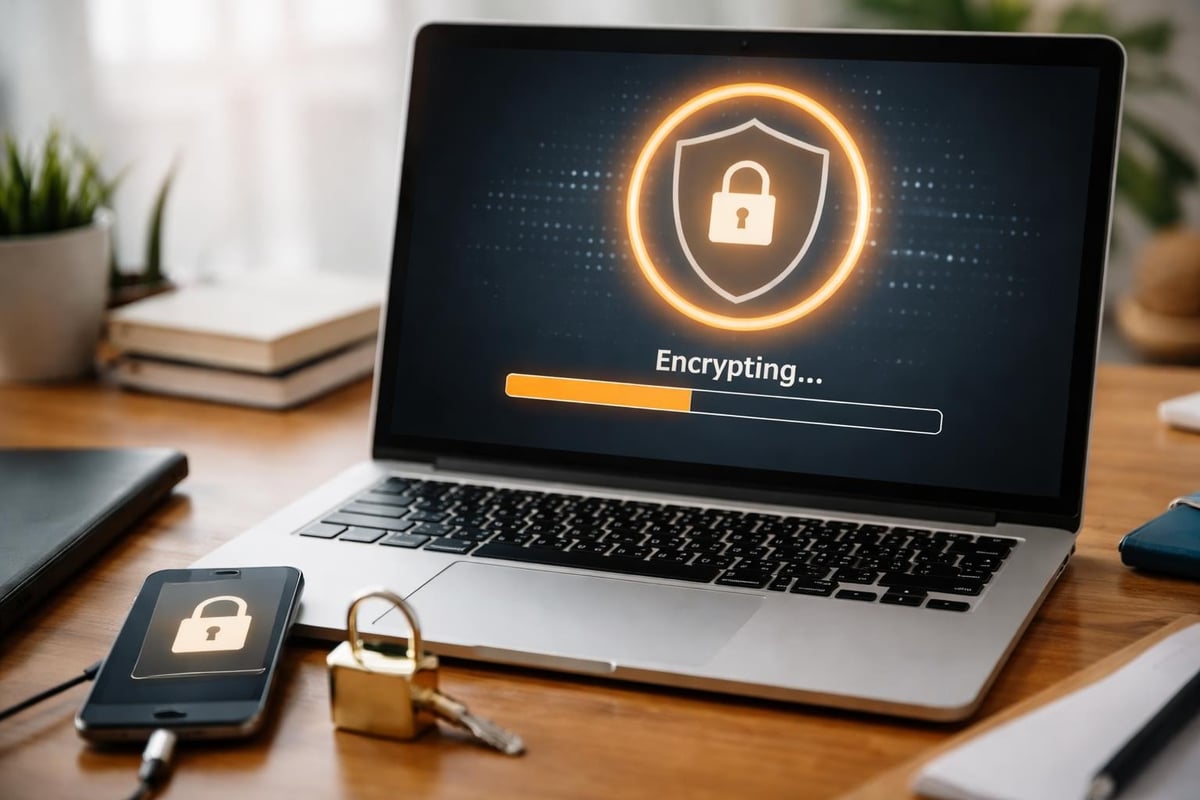
Password managers employ military-grade encryption to safeguard your credentials, transforming vulnerable plain-text passwords into impenetrable data vaults. These tools utilise AES-256 encryption, the same standard employed by government agencies and financial institutions worldwide.
Zero-Knowledge Architecture
The most secure password managers implement zero-knowledge architecture, meaning even the service provider cannot access your stored credentials. This design ensures that your master password remains the sole key to your encrypted vault, eliminating the risk of internal breaches or unauthorised access by third parties.
When you create an account with a zero-knowledge password manager, your master password never leaves your device in unencrypted form. The encryption and decryption processes occur locally on your machine, providing an additional layer of protection that traditional storage methods simply cannot match.
Protection Against Common Attack Vectors
Password managers shield businesses from the most prevalent cyber threats facing organisations today. They eliminate the risks associated with password reuse, a practice that affects up to 65% of users and creates cascading vulnerabilities across multiple platforms.
Key protective features include:
- Automatic detection of duplicate passwords across accounts
- Real-time alerts for compromised credentials found in data breaches
- Built-in phishing protection that verifies website authenticity before autofilling
- Secure password sharing without exposing credentials in plain text
- Regular security audits identifying weak or outdated passwords
Streamlined Productivity and Workflow Efficiency
Beyond security advantages, password manager benefits include substantial improvements to daily operational efficiency. Employees waste an average of 12 minutes per week resetting forgotten passwords, translating to approximately 10 hours annually per person.
Automated Login Processes
Password managers eliminate the friction of manual authentication by automatically filling credentials when accessing approved websites and applications. This automation reduces login time from an average of 30 seconds to merely 3 seconds, whilst simultaneously improving accuracy and reducing typos.
The cumulative effect across an organisation becomes remarkable. A team of 50 employees saving just 5 minutes daily through automated logins reclaims over 1,000 hours annually, time that can be redirected towards productive business activities.
| Metric | Without Password Manager | With Password Manager | Time Saved |
|---|---|---|---|
| Daily logins per employee | 15 average | 15 average | N/A |
| Time per login | 30 seconds | 3 seconds | 27 seconds |
| Password resets monthly | 2.5 per employee | 0.2 per employee | 92% reduction |
| Annual hours saved (50 employees) | 0 hours | 1,125 hours | 1,125 hours |
Cross-Platform Synchronisation
Modern password managers synchronise seamlessly across desktop computers, mobile devices, and tablets, ensuring employees can access their credentials regardless of location or device. This capability proves particularly valuable for remote teams and businesses embracing flexible working arrangements.
The synchronisation occurs in real-time, meaning a password updated on one device immediately becomes available across all connected platforms. This eliminates the confusion and security risks associated with maintaining separate password lists for different devices.
Simplified Team Collaboration and Access Management
For businesses managing shared accounts and collaborative workflows, password manager benefits include sophisticated credential sharing capabilities that maintain security whilst enabling teamwork.
Controlled Credential Sharing
Rather than sending passwords through insecure channels like email or messaging applications, password managers provide encrypted sharing mechanisms. Administrators can grant team members access to specific credentials without revealing the actual passwords, maintaining audit trails and enabling instant revocation when necessary.
Sharing controls typically include:
- Permission levels determining who can view, use, or modify credentials
- Time-limited access for temporary contractors or project-based collaboration
- Folder-based organisation grouping credentials by department, project, or client
- Activity logs tracking when credentials are accessed and by whom
- Mandatory acceptance workflows requiring approval before accessing sensitive accounts
Onboarding and Offboarding Efficiency
Password managers dramatically simplify the processes of bringing new employees into your systems and removing access when team members depart. Instead of manually updating dozens of passwords across multiple platforms, administrators can grant or revoke access through a centralised dashboard.
When an employee leaves, removing their access to the password manager instantly eliminates their ability to access company accounts, whilst maintaining business continuity for remaining team members. This centralised control reduces security gaps and administrative overhead simultaneously.

Compliance and Regulatory Advantages
Organisations operating in regulated industries face stringent requirements regarding data protection and access control. Password manager benefits extend to compliance frameworks, helping businesses meet regulatory obligations efficiently.
Documentation and Audit Trails
Password managers automatically generate comprehensive logs documenting password creation, modifications, access attempts, and sharing activities. These records prove invaluable during compliance audits, providing clear evidence of security practices and access controls.
The audit capabilities support compliance with various frameworks including GDPR, HIPAA, ISO 27001, and SOC 2, among others. Automated reporting features can generate compliance documentation on demand, reducing the administrative burden associated with regulatory requirements.
Enforced Security Policies
Enterprise password managers enable administrators to implement organisation-wide security policies that automatically enforce password standards. These policies might include minimum password length, complexity requirements, mandatory rotation schedules, and restrictions on password reuse.
Rather than relying on employee vigilance, the password manager enforces these policies systematically, ensuring consistent security standards across the entire organisation. Employees cannot create weak passwords or bypass security requirements, eliminating a major vulnerability point.
Advanced Features for Business Environments
Modern password managers offer sophisticated capabilities specifically designed for business requirements, extending well beyond basic credential storage.
Secure Note Storage
Beyond passwords, these tools provide encrypted storage for sensitive information including software licences, server access codes, credit card details, and confidential notes. This centralised approach to sensitive data management reduces the risk of information being stored in insecure locations like spreadsheets or sticky notes.
Emergency Access Protocols
Business continuity planning requires preparing for unexpected scenarios, including situations where key personnel become unavailable. Password managers offer emergency access features allowing designated individuals to request access to another user’s vault after a predetermined waiting period, ensuring critical credentials remain accessible during emergencies.
Integration Capabilities
Enterprise password managers integrate with existing business systems including single sign-on (SSO) platforms, identity providers, and directory services like Active Directory or LDAP. These integrations streamline user management and enable organisations to maintain consistent access controls across their entire technology stack.
| Feature Category | Business Benefit | Security Impact |
|---|---|---|
| Password generation | Creates complex, unique credentials automatically | Eliminates weak passwords entirely |
| Breach monitoring | Alerts users when credentials appear in data breaches | Enables rapid response to compromises |
| Two-factor authentication | Adds second verification layer | Prevents unauthorised access even with compromised passwords |
| Biometric authentication | Simplifies master password entry | Maintains security whilst improving user experience |
Cost Considerations and Return on Investment
Whilst password managers require financial investment, the benefits substantially outweigh the costs when evaluated comprehensively. The average cost of a data breach in 2026 exceeds £3.5 million for mid-sized businesses, making preventative security measures remarkably cost-effective.
Direct Cost Savings
Password managers reduce IT support burden by minimising password reset requests, which cost organisations an average of £45 per incident when accounting for support time and productivity loss. For a 100-person organisation averaging 250 password resets annually, this represents savings exceeding £11,000 yearly.
Additional cost reductions emerge from decreased security incident frequency, reduced breach remediation expenses, and lower insurance premiums resulting from improved security posture.
Productivity Gains
The time savings discussed earlier translate directly into cost savings. Reclaiming 1,125 hours annually for a 50-person team represents approximately £28,000 in value, assuming an average hourly rate of £25. These productivity improvements continue year after year, compounding the return on investment.

Implementation Best Practices for Businesses
Maximising password manager benefits requires thoughtful implementation and change management. Simply deploying the technology without proper planning often results in poor adoption and limited security improvements.
Selecting the Right Solution
Businesses should evaluate password managers based on several critical criteria including encryption standards, compliance certifications, integration capabilities, user interface design, and pricing models. Solutions offering robust security features alongside ease of use typically achieve the highest adoption rates.
Essential selection criteria include:
- Zero-knowledge architecture ensuring provider cannot access your data
- Multi-platform support covering all devices used by your team
- Administrative controls appropriate for your organisational structure
- Compliance certifications relevant to your industry
- Reliable customer support and comprehensive documentation
- Transparent security practices including regular third-party audits
For businesses seeking comprehensive security solutions, vBoxx offers a demonstration of all-in-one security tools including vBoxxVault for password management, providing organisations with integrated approaches to credential security alongside secure cloud storage and email solutions.
Training and Adoption Strategies
Technology only delivers value when people actually use it. Successful password manager implementation requires comprehensive training programmes that address both technical usage and security awareness.
Begin with executive sponsorship demonstrating leadership commitment to security improvements. Follow with hands-on training sessions showing employees how the password manager simplifies their daily workflows rather than creating additional burden. Emphasise the personal benefits employees gain, including improved security for their personal accounts.
Migration Planning
Transitioning from existing password storage methods requires careful planning. Create a phased migration schedule allowing teams to import existing credentials gradually whilst maintaining business continuity. Establish clear timelines for deprecating old password storage methods, providing adequate transition periods before enforcing exclusive use of the password manager.
Many organisations find success with pilot programmes involving a single department or team before rolling out organisation-wide. This approach enables refinement of processes and documentation based on real-world feedback before broader deployment.
Addressing Common Concerns and Misconceptions
Despite clear password manager benefits, some businesses hesitate due to misconceptions or legitimate concerns that deserve thoughtful consideration.
The Single Point of Failure Question
Critics sometimes argue that password managers create a single point of failure where compromising the master password grants access to everything. Whilst technically true, this concern ignores several important factors.
First, the alternative involves dozens of individual failure points, each potentially weaker than a single strong master password protected by two-factor authentication. Second, modern password managers implement numerous protections making master password compromise extremely difficult, including encryption key derivation functions requiring substantial computational resources to attack.
Finally, the risk of individual password compromise through phishing, keylogging, or data breaches far exceeds the risk of a properly secured password manager being compromised, particularly when following security best practices.
Trust and Third-Party Dependencies
Some organisations express discomfort trusting a third party with their credentials, even in encrypted form. This concern has merit, making careful vendor selection essential. Choose password managers with proven security track records, transparent security practices, and preferably open-source code allowing independent security verification.
For businesses with particularly stringent security requirements, self-hosted password manager options exist, providing complete control over data storage whilst maintaining the security and convenience benefits of managed password solutions.
Offline Access Capabilities
Business continuity requires ensuring credential access even during internet outages or service disruptions. Quality password managers maintain locally cached encrypted copies of credential vaults, enabling full functionality without internet connectivity. Changes made offline synchronise automatically when connectivity resumes.
| Concern | Reality | Mitigation Strategy |
|---|---|---|
| Master password forgotten | Potential total data loss | Emergency access features, secure recovery keys |
| Service provider shutdown | Temporary access disruption | Export capabilities, local vault caching |
| Account lockout | Productivity impact | Account recovery procedures, multiple administrators |
| Employee resistance | Low adoption rates | Comprehensive training, executive sponsorship |
The Future of Password Management
As technology evolves, password manager benefits continue expanding with emerging capabilities addressing new security challenges and business requirements. Biometric authentication integration, artificial intelligence-powered security analysis, and passwordless authentication protocols represent the next generation of credential security.
Passwordless Authentication Integration
The industry gradually moves towards passwordless authentication using biometric verification, hardware tokens, and cryptographic keys. Modern password managers increasingly support these technologies, positioning themselves as comprehensive authentication platforms rather than merely password storage tools.
This evolution maintains backward compatibility with traditional password-based systems whilst enabling businesses to adopt newer authentication methods as they become available, protecting long-term investment in password management infrastructure.
Artificial Intelligence and Machine Learning
Advanced password managers now employ AI to detect unusual access patterns, identify potential security threats, and provide proactive security recommendations. These systems analyse credential usage across the organisation, flagging anomalies that might indicate compromised accounts or insider threats.
Machine learning algorithms also improve password strength assessment, identifying patterns that make passwords vulnerable to sophisticated attacks even when they meet traditional complexity requirements.
Moving Beyond Basic Password Security
Understanding password manager benefits represents merely the first step towards comprehensive credential security. Implementation requires commitment, planning, and ongoing management to ensure maximum value realisation.
The businesses achieving greatest success treat password managers as foundational components of broader security strategies rather than isolated tools. They combine password management with complementary security measures including multi-factor authentication, security awareness training, and regular security assessments.
Password manager benefits extend across every aspect of business operations, from protecting sensitive data to streamlining daily workflows and meeting compliance requirements. The investment in robust credential management delivers measurable returns through reduced security incidents, improved productivity, and simplified administration. For businesses seeking comprehensive security solutions that integrate password management with secure cloud infrastructure, vBoxx offers privacy-focused hosting and security services designed to protect your digital assets whilst maintaining operational efficiency. Strengthen your organisation’s security posture today by implementing password management as part of a holistic approach to cybersecurity.