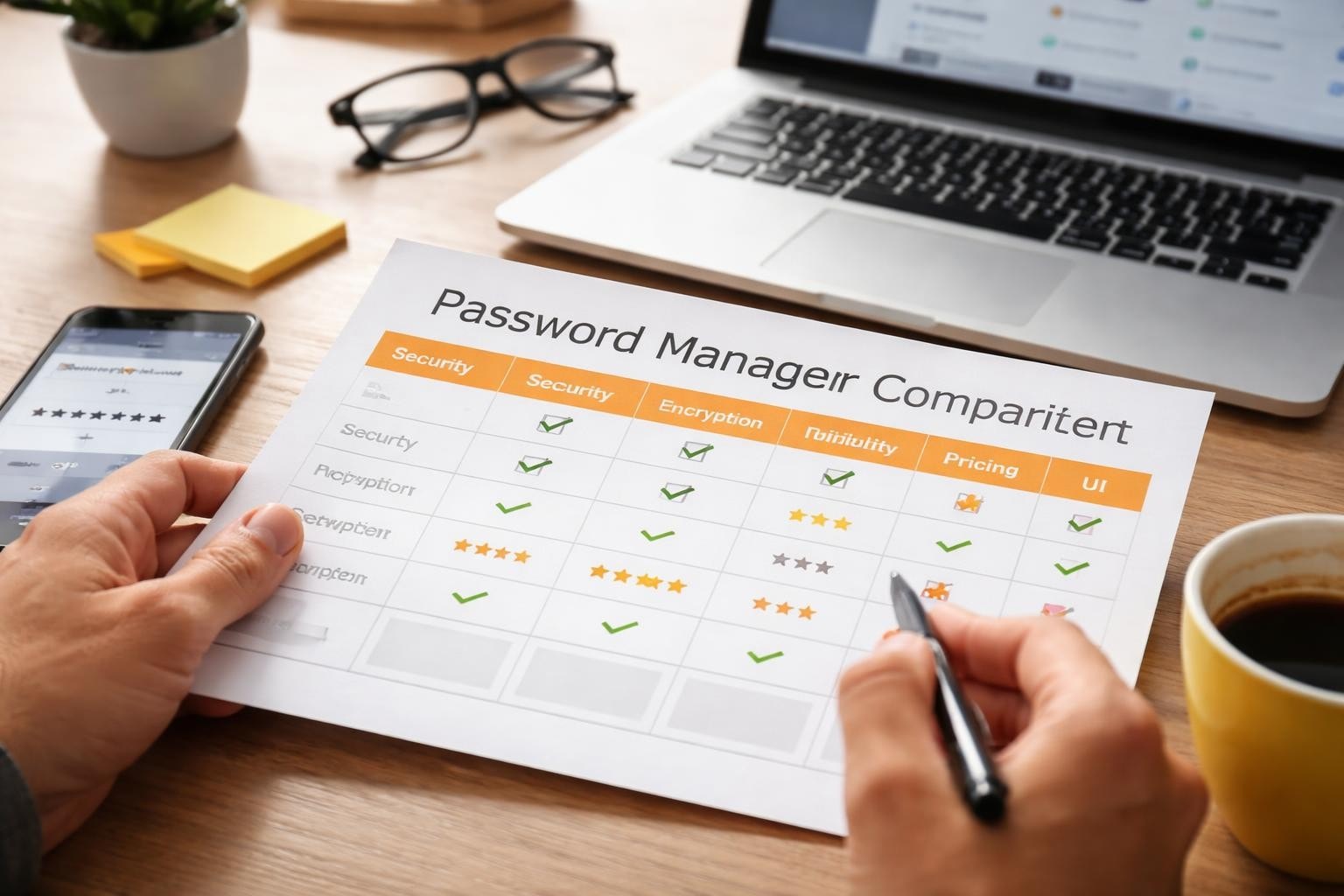

Choosing the right password manager has become critical for businesses and individuals seeking to protect sensitive credentials in 2026. With cyber threats evolving constantly and data breaches affecting organisations of all sizes, a robust password management solution is no longer optional. This password manager comparison examines the essential features, security protocols, and pricing models that distinguish leading solutions, helping you make an informed decision for your organisation’s digital security infrastructure.
Understanding Password Manager Fundamentals
Password managers serve as encrypted vaults that store, generate, and automatically fill login credentials across websites and applications. As a result, these tools eliminate the need to remember dozens of complex passwords while still maintaining strong security practices across your digital presence.
Furthermore, modern password managers operate through sophisticated encryption algorithms, typically employing AES-256 encryption to protect your data. In this context, the master password serves as the single key to your vault, therefore making it the most critical element of your security setup.
Core functionalities include:
- Secure password generation with customisable complexity
- Cross-platform synchronisation across devices
- Automatic form filling for websites and applications
- Secure sharing capabilities for team credentials
- Two-factor authentication integration
- Emergency access protocols
The fundamental architecture varies between solutions, with some storing encrypted vaults locally whilst others maintain cloud-based repositories. Understanding these differences proves essential when conducting a thorough password manager comparison.

Security Features and Encryption Standards
Security remains the paramount consideration in any password manager comparison. In particular, leading solutions implement zero-knowledge architecture, thereby ensuring that even the service provider cannot access your stored passwords. As a result, users maintain full control over their sensitive data while minimising the risk of unauthorised access.
Encryption Protocols
All reputable password managers employ military-grade encryption standards. In particular, AES-256 encryption serves as the industry benchmark, thereby providing robust protection against brute-force attacks. Furthermore, some providers supplement this with additional layers, including end-to-end encryption for data in transit and at rest.
Additionally, the encryption process occurs locally on your device before data synchronisation. As a result, this approach ensures your master password never transmits over the internet, thereby significantly reducing vulnerability to interception.
| Security Feature | Implementation Standard | Business Benefit |
|---|---|---|
| Encryption Algorithm | AES-256 | Military-grade data protection |
| Architecture | Zero-knowledge | Provider cannot access data |
| Master Password | Local hashing | Never transmitted online |
| Two-Factor Authentication | TOTP, biometric, hardware keys | Additional access verification |
| Security Audits | Annual third-party reviews | Verified vulnerability management |
Recent research has uncovered vulnerabilities in certain password managers, emphasising the importance of selecting providers committed to regular security audits and transparent vulnerability disclosure.
Authentication Methods
Multi-factor authentication (MFA) adds crucial protection beyond your master password. In particular, modern solutions support various authentication methods, including time-based one-time passwords (TOTP), biometric verification, and hardware security keys.
Furthermore, biometric authentication through fingerprint or facial recognition streamlines access while still maintaining security. Meanwhile, hardware keys, such as YubiKey or Titan Security Key, provide the highest level of security for organisations handling sensitive data. As a result, combining multiple authentication methods significantly strengthens overall account protection.
Feature Comparison Across Leading Solutions
When conducting a password manager comparison, feature sets vary significantly between consumer-focused and enterprise-oriented solutions. In particular, understanding these differences helps align your choice with organisational requirements. As a result, businesses can select a solution that best fits their security needs, scalability, and operational workflows.
Password Generation and Management
All password managers generate strong, random passwords, however, implementation varies. In particular, some offer customisable generation rules, thereby allowing you to meet specific website requirements or compliance standards.
Furthermore, advanced solutions provide password health reports, which identify weak, reused, or compromised credentials across your vault. As a result, these audit features prove invaluable for maintaining strong security hygiene across large organisations.
Essential management features include:
- Unlimited password storage capacity
- Customisable password generation parameters
- Password strength analysis and reporting
- Breach monitoring and alerts
- Secure note storage for sensitive information
- Digital wallet for payment card details
The user interface significantly impacts daily usability. Browser extensions should integrate seamlessly, whilst mobile applications must provide intuitive navigation and reliable biometric authentication.
Sharing and Collaboration Tools
Business environments require secure credential sharing capabilities. Enterprise password managers facilitate team collaboration through shared folders, granular permission controls, and access logs.
Advanced sharing features enable organisations to:
- Grant temporary access with automatic revocation
- Monitor who accessed shared credentials and when
- Implement approval workflows for sensitive accounts
- Maintain separate personal and business vaults
TechRadar’s comprehensive review highlights how enterprise solutions differentiate themselves through robust administrative controls and detailed audit trails.

Pricing Models and Value Assessment
Conducting a thorough password manager comparison requires understanding diverse pricing structures. In particular, solutions range from free personal accounts to sophisticated enterprise packages costing hundreds of pounds annually per user. Therefore, organisations must evaluate pricing in relation to features, scalability, and security capabilities to ensure they achieve the best value.
Individual and Family Plans
Personal plans typically cost between £2 and £5 monthly, offering unlimited password storage, cross-device synchronisation, and basic sharing capabilities. In addition, family plans extend these features to multiple users, usually accommodating five to six individuals.
However, free tiers exist but often limit device synchronisation or restrict the number of stored passwords. Therefore, for serious security requirements, premium plans justify their cost through enhanced features and priority support.
Business and Enterprise Solutions
Business pricing scales with user count and required features. Small teams might pay £3 to £7 per user monthly, whilst enterprise agreements include custom pricing based on organisation size and specific requirements.
| Plan Type | Monthly Cost Range | Typical Features | Best For |
|---|---|---|---|
| Free | £0 | Limited devices, basic storage | Individual testing |
| Premium Personal | £2-£5 | Unlimited devices, 1GB storage | Single users |
| Family | £4-£8 | 5-6 users, shared folders | Households |
| Business | £3-£7 per user | Team sharing, admin console | Small businesses |
| Enterprise | Custom | SSO, advanced reporting, API | Large organisations |
Enterprise packages provide single sign-on (SSO) integration, active directory synchronisation, and dedicated account management. These features prove essential for organisations exceeding fifty users.
Platform Compatibility and Integration
Cross-platform functionality determines daily usability in your password manager comparison. Therefore, solutions must operate seamlessly across operating systems, browsers, and mobile platforms that your organisation employs. In addition, consistent performance across all devices ensures smooth workflows and reduces user friction.
Operating System Support
Leading password managers support Windows, macOS, Linux, iOS, and Android. In particular, native applications typically offer superior integration compared to web-based interfaces, especially for biometric authentication and system-level auto-fill.
Furthermore, browser extensions represent the primary interaction point for most users. For example, Chrome, Firefox, Safari, Edge, and Brave all receive support from major providers, although implementation quality varies.
Integration considerations include:
- Native desktop applications versus browser-only access
- Mobile app functionality and offline capabilities
- Browser extension compatibility and auto-fill reliability
- Command-line interfaces for technical users
- API availability for custom integrations
Some organisations require integration with existing identity management systems. Enterprise solutions often provide SAML-based SSO, SCIM provisioning, and active directory synchronisation.
Third-Party Integrations
Advanced password managers integrate with business tools including project management platforms, customer relationship management systems, and development environments. These integrations streamline workflows by enabling secure credential access within existing applications.
For businesses leveraging secure cloud infrastructure, platforms like vBoxx benefit from password manager integration, allowing teams to maintain strong security across file storage, email solutions, and administrative access without compromising convenience.
Privacy Considerations and Data Sovereignty
Privacy policies and data storage locations deserve careful attention in your password manager comparison. In particular, understanding where your encrypted data resides and who theoretically could access it informs risk assessment. Moreover, this helps organisations evaluate jurisdictional exposure and compliance implications. As a result, businesses can make more informed decisions about trust, security, and data governance.
Zero-Knowledge Architecture
Zero-knowledge security means the provider cannot decrypt your vault even if compelled by legal authorities. In particular, your master password never leaves your device in unencrypted form, and all encryption occurs locally.
As a result, providers implementing true zero-knowledge architecture cannot recover your master password. However, whilst this enhances security, it places absolute responsibility on users to maintain master password backups through emergency access features.
Data Storage and Jurisdiction
Some password managers store encrypted vaults on servers located in specific jurisdictions, subject to local privacy laws. In particular, European providers often emphasise GDPR compliance and EU-based server infrastructure. As a result, this can enhance data protection alignment for organisations operating within the European Union. Moreover, it helps reduce legal uncertainty related to cross-border data transfers.
- Identify where your encrypted data will be stored geographically
- Understand the legal jurisdiction governing that storage
- Review the provider’s response procedures to government requests
- Assess whether local encryption regulations affect functionality
- Consider compliance requirements for your industry
Organisations handling sensitive client data or operating under strict regulatory frameworks should prioritise providers offering clear data sovereignty guarantees. Tom’s Guide’s analysis examines how leading solutions address these privacy concerns.
Migration and Implementation Strategies
Transitioning to a new password manager requires careful planning. In particular, most providers offer import tools supporting common formats, but the migration process demands attention to minimise disruption. Moreover, careful execution ensures that no credentials are lost or misconfigured during the transition. As a result, organisations can maintain continuity while improving their overall security posture.
Import Capabilities
Password managers accept imports from browsers (Chrome, Firefox, Safari), competitor solutions, and CSV files. In particular, the import process typically involves exporting credentials from your current solution, then uploading the file to your new password manager. Moreover, this structured workflow helps streamline migration between platforms. As a result, users can transition more efficiently while maintaining access to their existing credentials.
Migration best practices:
- Audit existing passwords before migration to avoid importing weak credentials
- Use the migration as an opportunity to eliminate duplicate or outdated accounts
- Test the import process with a small subset before full migration
- Verify all credentials transferred correctly and auto-fill functions work
- Delete exported files immediately after successful import
Some organisations benefit from phased rollouts, starting with IT departments before expanding to general staff. This approach identifies issues whilst limiting impact.
User Training and Adoption
Technical capability means nothing without user adoption. In particular, successful implementation requires comprehensive training on master password creation, browser extension usage, and secure sharing practices. Moreover, this ensures users understand how to apply security tools correctly in daily workflows. As a result, organisations achieve stronger overall security through effective and consistent user behaviour.
Training should address:
- Creating and memorising strong master passwords
- Installing and configuring browser extensions
- Using password generation for new accounts
- Sharing credentials securely with team members
- Responding to security alerts and breach notifications
Consider scheduling follow-up sessions addressing questions that emerge during initial usage. Ongoing support improves compliance and reduces security workarounds.
Specialist Features for Advanced Users
Beyond fundamental password storage, advanced features distinguish premium solutions in any password manager comparison. In particular, these capabilities serve power users and organisations with sophisticated security requirements. Moreover, they enhance both usability and security by addressing complex operational needs. As a result, organisations can achieve a more robust and scalable credential management strategy.
Security Monitoring
Dark web monitoring scans breach databases for your email addresses and alerts you when credentials appear in dumps. In particular, this proactive approach enables rapid password changes before attackers exploit compromised data. As a result, organisations can significantly reduce the risk of account compromise. Moreover, it enhances overall security awareness by identifying exposure early.
In addition, some solutions provide security scores based on password strength, reuse, and age. Therefore, these metrics help organisations prioritise remediation efforts and demonstrate security posture improvements.
Emergency Access and Recovery
Emergency access features allow trusted contacts to request vault access after specified waiting periods. In particular, this proves essential for business continuity and personal estate planning. Moreover, it ensures that access can still be recovered under controlled conditions when primary users are unavailable.
In addition, recovery mechanisms vary between solutions. For example, some use cryptographic key splits, others employ time-delayed access, and several offer account recovery codes generated during setup. As a result, organisations must carefully evaluate which recovery model best aligns with their security and continuity requirements.
| Recovery Method | Security Level | Business Suitability | User Convenience |
|---|---|---|---|
| Emergency Access | High | Excellent | Good |
| Recovery Codes | Very High | Good | Moderate |
| SMS Recovery | Low | Poor | Excellent |
| Email Recovery | Moderate | Moderate | Good |
| Biometric Reset | High | Good | Excellent |
Avoid solutions relying solely on email or SMS recovery, as these methods present security vulnerabilities that sophisticated attackers can exploit.
Performance and Reliability Factors
Daily performance impacts user satisfaction and security compliance. In particular, slow or unreliable password managers frustrate users, potentially driving them toward insecure alternatives like reused passwords or unencrypted spreadsheets. As a result, this can directly undermine organisational security posture. Moreover, ensuring consistent performance encourages proper adoption and reduces risky workarounds.
Synchronisation Speed
Cloud-based password managers must synchronise vault changes quickly across devices. In particular, delays between password creation and availability on other devices create security gaps when users bypass the system for immediate access needs. As a result, organisations may face increased risk if synchronisation is not reliable.
Moreover, leading solutions synchronise within seconds, though performance varies based on vault size and connection quality. In addition, offline access ensures functionality continues without internet connectivity, synchronising changes once the connection is restored.
Browser Extension Performance
Browser extensions should integrate seamlessly without degrading page load times or causing compatibility issues. In particular, well-optimised extensions detect login forms accurately, fill credentials reliably, and update stored passwords automatically upon changes. As a result, users experience smoother authentication workflows with fewer manual interventions.
Moreover, auto-fill accuracy varies significantly between solutions. For example, the best password managers correctly identify login fields across diverse website designs, including non-standard implementations and multi-step authentication flows. Therefore, high-quality form detection is a key factor in overall usability and security effectiveness.
Customer Support and Documentation
Support quality becomes critical when security concerns arise or technical issues prevent access to essential credentials. Evaluating support channels contributes valuable insight to your password manager comparison.
Available Support Channels
Premium plans typically include email support with response times under 24 hours. Enterprise solutions add telephone support, dedicated account managers, and priority ticket handling.
Self-service resources including knowledge bases, video tutorials, and community forums enable users to resolve common issues independently. Comprehensive documentation reduces support burden whilst empowering users.
Evaluate providers based on:
- Email response times and quality
- Live chat availability and hours
- Telephone support access
- Knowledge base comprehensiveness
- Community forum activity
- Video tutorial library
Testing support responsiveness during trial periods provides insight into post-purchase experiences. Submit questions through available channels to assess response quality and technical competence.
Making Your Final Decision
Completing your password manager comparison requires weighing features against organisational priorities. No single solution suits every scenario, making requirement definition essential before selection.
Assessment Framework
Create a weighted scoring matrix addressing security requirements, usability needs, budget constraints, and integration demands. Assign importance ratings to each criterion reflecting organisational priorities.
Trial periods allow hands-on evaluation before commitment. Most providers offer 30-day trials or money-back guarantees, providing risk-free testing with actual workflows and team members.
For organisations seeking comprehensive security solutions, exploring password management alongside broader infrastructure protection proves sensible. vBoxx offers a demonstration session covering vBoxxVault for password security alongside their secure cloud storage and email solutions, providing integrated security across digital operations.
Implementation Timeline
- Define requirements and evaluation criteria
- Shortlist three to five solutions meeting core needs
- Conduct trial implementations with representative users
- Gather feedback on usability and performance
- Negotiate pricing for selected solution
- Plan phased rollout schedule
- Deliver comprehensive user training
- Monitor adoption and address concerns
- Schedule regular security audits
- Review alternative solutions annually
Remember that password manager selection represents a long-term commitment. Migration between solutions creates disruption, making thorough initial evaluation worthwhile despite time investment.
Selecting the right password manager requires balancing security, usability, and cost considerations specific to your organisation’s needs. This password manager comparison framework equips you to evaluate solutions systematically and make informed decisions protecting your digital assets. For businesses seeking integrated security across cloud infrastructure, email, and credential management, vBoxx delivers comprehensive solutions emphasising privacy, security, and sustainable hosting practices that complement robust password management strategies.