

Businesses today face unprecedented demands for secure, accessible data storage solutions that can scale with growth whilst maintaining stringent security protocols. Synology network attached storage has emerged as a leading choice for organisations seeking robust, enterprise-grade storage infrastructure without the complexity and expense of traditional server deployments. These systems combine powerful hardware with sophisticated software to deliver centralised data management, automated backup capabilities, and seamless collaboration tools that modern businesses require. Whether you’re managing terabytes of sensitive client data, coordinating remote teams, or ensuring regulatory compliance, understanding the capabilities and implementation strategies for Synology NAS solutions can transform your organisation’s data infrastructure.
Understanding Synology Network Attached Storage Architecture
Synology network attached storage operates as a dedicated file storage device connected to your network, providing centralised access to data for all authorised users and devices. Unlike traditional external drives that connect to individual computers, these systems sit on your local area network and serve files to multiple users simultaneously whilst maintaining performance integrity.
The architecture comprises several key components working in concert. The physical hardware includes the DiskStation or RackStation chassis housing multiple drive bays, ranging from compact two-bay units suitable for small offices to expansive 12-bay configurations designed for enterprise deployments. Within this framework, the DiskStation Manager (DSM) operating system provides the control interface, delivering a browser-based experience that rivals desktop operating systems in functionality and ease of use.
Hardware Specifications and Performance Considerations
When evaluating Synology network attached storage options, processing power directly impacts performance capabilities. Modern units feature AMD Ryzen or Intel processors with multiple cores, enabling therefore simultaneous tasks such as file serving, backup operations, surveillance recording, and virtual machine hosting without bottlenecks.
Critical hardware specifications include:
- Processor architecture determining multitasking capability and encryption speeds
- RAM capacity affecting the number of concurrent users and applications
- Network interface speeds with 1GbE, 2.5GbE, or 10GbE options for different bandwidth requirements
- Drive bay configuration balancing storage capacity against physical footprint
- Expansion capabilities through additional units or PCIe cards
Memory allocation proves particularly crucial for businesses running multiple services simultaneously. Base configurations often include 2GB to 4GB of RAM, yet many models support upgrades to 32GB or beyond, significantly enhancing performance for database applications, virtualisation platforms, and high-concurrency environments.

Data Protection and RAID Technologies
Synology network attached storage systems employ sophisticated RAID (Redundant Array of Independent Disks) configurations to protect against drive failures whilst optimising storage efficiency. The choice of RAID level fundamentally shapes your balance between usable capacity, redundancy, and performance characteristics.
Synology Hybrid RAID (SHR) represents a proprietary innovation that simplifies RAID deployment for businesses without dedicated IT staff. This technology automatically optimises storage allocation across drives of varying capacities, providing redundancy without requiring identical drive sizes. SHR adjusts protection levels based on the number of drives installed, automatically transitioning from single-drive to dual-drive fault tolerance as your array expands.
Traditional RAID configurations remain available for administrators preferring granular control:
| RAID Level | Minimum Drives | Fault Tolerance | Usable Capacity | Best Use Case |
|---|---|---|---|---|
| RAID 0 | 2 | None | 100% | Maximum performance, non-critical data |
| RAID 1 | 2 | 1 drive | 50% | Small arrays requiring maximum protection |
| RAID 5 | 3 | 1 drive | 67-93% | Balanced performance and protection |
| RAID 6 | 4 | 2 drives | 50-88% | Critical data requiring dual redundancy |
| RAID 10 | 4 | 1 per mirrored pair | 50% | High-performance databases and applications |
The Synology DiskStation DS925+ review highlights how modern units leverage these technologies to deliver enterprise-grade protection for small business environments.
Implementing Hot Spare Drives
Advanced deployments benefit from designating hot spare drives that remain idle until a primary drive fails. Upon detecting a fault, Synology network attached storage automatically incorporates the spare into the array, beginning reconstruction without administrator intervention. This automation minimises vulnerability windows and ensures therefore continuous data protection even when IT staff aren’t immediately available to replace failed components.
DiskStation Manager Software Ecosystem
The DiskStation Manager operating system distinguishes Synology network attached storage from competing solutions through its comprehensive application ecosystem and intuitive interface. In particular, DSM transforms basic file storage into a versatile platform supporting diverse business functions from a single device.
Furthermore, accessing DSM through any web browser reveals a desktop-like environment with taskbar, application icons, and file manager. As a result, this familiar paradigm reduces training requirements whilst still providing sophisticated capabilities beneath the accessible interface. In addition, the Package Centre functions similarly to smartphone app stores, offering hundreds of first-party and third-party applications that extend functionality without requiring complex configuration.
Essential business applications include:</p>
- Synology Drive for file synchronisation and team collaboration
- Active Backup for Business protecting physical and virtual machines
- MailPlus delivering self-hosted email services
- Surveillance Station managing security cameras and recordings
- Virtual Machine Manager running Windows, Linux, or Virtual DSM instances
Recent updates to DSM 7.3 have addressed compatibility concerns that briefly limited drive options. As detailed in Tom’s Hardware’s coverage, Synology reversed restrictions on third-party drives, restoring the flexibility businesses require when selecting storage components based on performance and budget considerations.

Security Features and Access Controls
For organisations handling sensitive information, Synology network attached storage implements multiple security layers that align with modern privacy requirements and regulatory frameworks. The foundation begins with robust user authentication systems supporting local accounts, LDAP integration, and Active Directory synchronisation for enterprise environments.
Two-factor authentication adds critical protection against credential compromise, requiring verification codes from authenticator applications alongside passwords. Account protection mechanisms therefore automatically disable accounts after repeated failed login attempts, preventing brute-force attacks whilst logging suspicious activity for security audit trails.
Encryption and Data Privacy
Synology network attached storage offers encryption at multiple levels to protect data confidentiality. Shared folder encryption secures specific directories with AES-256 encryption, ensuring sensitive information remains protected even if drives are physically removed from the chassis. Network transmission encryption via SSL/TLS protocols prevents interception during file transfers across local networks or internet connections.
The system’s firewall capabilities allow administrators to define precisely which services accept connections from specific IP addresses or ranges. Combined with automatic blocklisting of suspicious sources, these features create defence-in-depth protection suitable for businesses handling client data, financial records, or intellectual property requiring strict confidentiality controls.
Organisations prioritising data sovereignty can deploy Synology network attached storage entirely within their own infrastructure, maintaining complete control over where information resides. This approach contrasts with cloud-only strategies that may store data across distributed international data centres. For businesses exploring hybrid approaches that combine local control with cloud benefits, vBoxx provides secure hosting solutions that complement on-premises infrastructure whilst maintaining stringent privacy standards through green hosting practices and comprehensive security protocols.
Backup Strategies and Disaster Recovery
Implementing comprehensive backup strategies transforms Synology network attached storage from mere file servers into cornerstones of business continuity planning. The 3-2-1 backup rule recommends maintaining three copies of data across two different media types with one copy stored off-site. Synology systems therefore facilitate this approach through versatile backup capabilities supporting local, remote, and cloud destinations.
Active Backup for Business consolidates protection for entire IT environments within a single application. This suite backs up physical computers running Windows or macOS, virtual machines from VMware or Hyper-V environments, and even cloud-hosted Microsoft 365 or Google Workspace data. The agentless approach for virtual machines simplifies deployment whilst application-aware backups ensure database consistency during snapshot operations.
Backup destination options:
- Local USB drives connected directly to the NAS for quick recovery
- Secondary Synology units at remote locations via Hyper Backup
- Public cloud services including Glacier, Azure, Backblaze B2, and Wasabi
- rsync servers for flexible cross-platform replication
- Snapshot Replication between Synology devices for near-instantaneous recovery points
Snapshot Technology for Rapid Recovery
Btrfs file system snapshots provide point-in-time copies of shared folders, capturing data states without consuming significant storage space initially. These snapshots protect against ransomware attacks, accidental deletions, and logical corruption by enabling administrators to revert entire folders or retrieve individual files from any captured moment.
Scheduling snapshots at frequent intervals therefore creates granular recovery options. Businesses might configure hourly snapshots retained for 24 hours, daily snapshots kept for one week, and weekly snapshots preserved for one month. This graduated retention balances storage consumption against recovery flexibility, ensuring recent changes can be reversed without maintaining excessive historical versions.
The comprehensive setup guide demonstrates how to configure these backup systems from initial installation through advanced replication scenarios, providing valuable guidance for businesses implementing disaster recovery frameworks.
Model Selection for Business Requirements
Choosing appropriate Synology network attached storage models therefore requires analysing current needs whilst anticipating growth trajectories and evolving requirements. The product range spans compact desktop units through rackmount configurations designed for data centre deployment, each optimised for specific use cases and performance profiles.
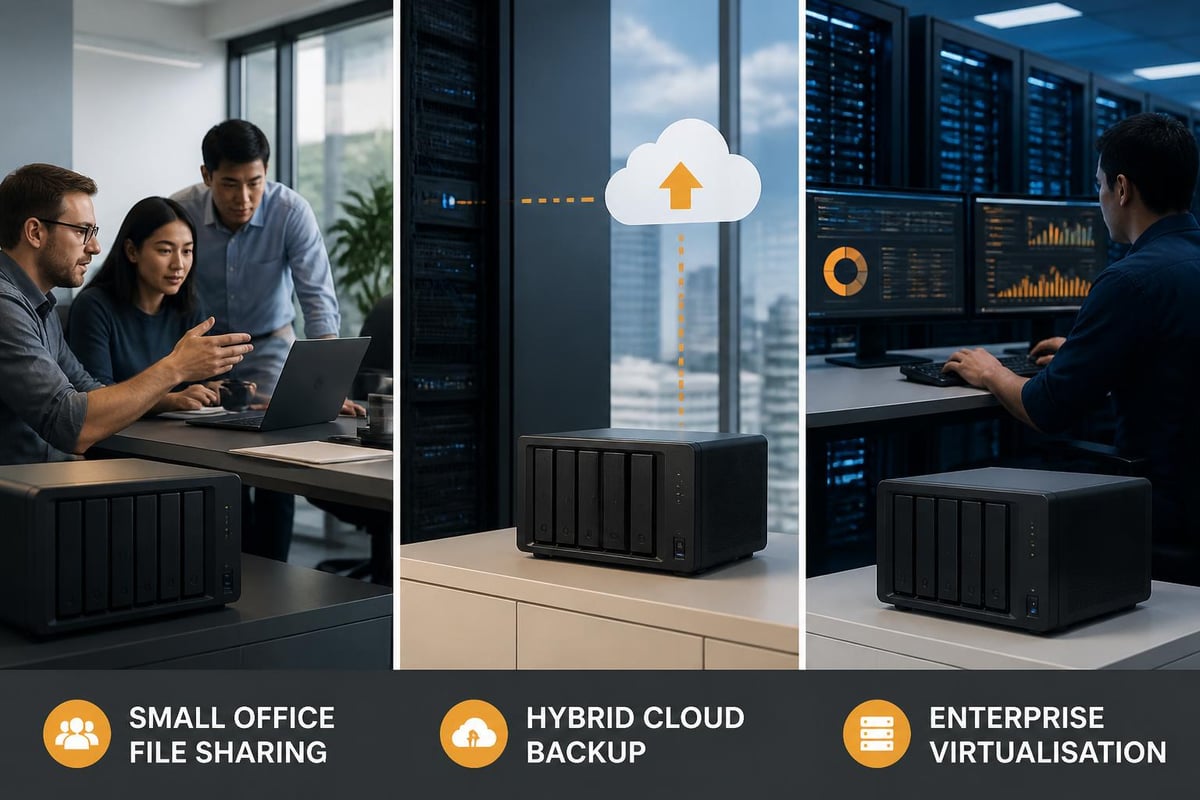
The t=”_blank” rel=”nofollow noopener noreferrer”>Android Central buying guide categorises models by user scenarios, helping businesses identify suitable options based on team sizes, data volumes, and application demands. Small offices with 5-10 users typically find two or four-bay desktop units sufficient for file sharing and basic backup needs, whilst larger organisations requiring virtualisation, surveillance, or high-concurrency access benefit from eight-bay or larger configurations with more powerful processors.
Comparing Popular Business Models
| Model | Drive Bays | Processor | Max RAM | Network Ports | Ideal Use Case |
|---|---|---|---|---|---|
| DS723+ | 2 | AMD Ryzen R1600 | 32GB | 2x 1GbE + 1x 10GbE (via card) | Small offices, remote backup |
| DS925+ | 4 | AMD Ryzen R1600 | 16GB | 2x 1GbE | Growing teams, general purpose |
| DS1823xs+ | 8 | AMD Ryzen V1780B | 32GB | 4x 1GbE + 2x 10GbE | Medium business, virtualisation |
| DS2422+ | 12 | AMD Ryzen V1500B | 32GB | 4x 1GbE | Large teams, high capacity&lt;/td> |
The DS925+ review from Android Central examines how this mid-range model balances performance and expandability, whilst the TechRadar DS725+ analysis explores compact options for space-constrained environments.
Expansion capabilities furthermore warrant careful consideration during selection. Many DiskStation models support expansion units that add drive bays without requiring separate network connections or management interfaces. A four-bay primary unit paired with a five-bay expansion chassis creates a nine-drive array managed as a single volume, providing growth pathways without forklift upgrades.
Network Integration and Performance Optimisation
Deploying Synology network attached storage within existing infrastructure requires attention to network architecture, bandwidth allocation, and performance tuning. In particular, these systems integrate with standard Ethernet networks, yet realising their full potential demands consideration of switching capabilities, link aggregation, and quality of service configurations.
Furthermore, Gigabit Ethernet connections provide adequate performance for general file serving with moderate user counts. However, businesses handling large media files, running multiple concurrent backups, or supporting more than 20 simultaneous users should evaluate 2.5 Gigabit or 10 Gigabit networking to eliminate bottlenecks. As a result, many models include expansion slots that accept 10GbE network cards, helping future-proof deployments as network infrastructure evolves.
Link Aggregation and Failover
Models equipped with multiple Ethernet ports support link aggregation, combining connections to increase throughput or provide automatic failover protection. In particular, the adaptive load balancing mode distributes outbound traffic across available links whilst accepting inbound traffic on all connections. As a result, this can potentially double throughput without requiring managed switch support.
Furthermore, static link aggregation requires compatible switching hardware but delivers bidirectional throughput increases and seamless failover capabilities. Consequently, when one network path fails, traffic automatically reroutes through remaining active connections without interrupting user sessions or ongoing file transfers.
In addition, Quality of Service (QoS) settings prioritise network traffic by application type, ensuring critical services maintain performance even during periods of heavy utilisation. For example, administrators might assign the highest priority to SMB file sharing, medium priority to backup operations, and the lowest priority to cloud synchronisation tasks that can tolerate variable bandwidth without impacting user experience.
Virtualisation and Application Hosting
Modern Synology network attached storage transcends simple file serving, functioning as virtualisation platforms capable of hosting business applications, development environments, and isolated testing systems. Virtual Machine Manager supports multiple hypervisor formats, running Windows Server instances, Linux distributions, and nested Virtual DSM copies from a single physical device.
This consolidation therefore reduces hardware sprawl whilst simplifying management and backup operations. Rather than maintaining separate physical servers for file storage, database hosting, and application serving, businesses can therefore deploy these services as virtual machines on Synology network attached storage with shared underlying storage and integrated backup protection.
Virtualisation benefits include:
- <li>
Snapshot-based backups
- capturing entire VM states in seconds
- Resource allocation controls preventing any single VM from monopolising hardware
- Rapid deployment through template-based provisioning
- Disaster recovery via VM export and migration to alternative hosts
- Development isolation separating testing from production environments</li>
<p>Docker container support offers lightweight application hosting for services packaged as containers. The Container Manager application therefore simplifies deployment of popular applications including database servers, web applications, and development tools without requiring extensive Linux knowledge or command-line expertise.
Mobile Access and Remote Collaboration
Synology network attached storage extends beyond office boundaries through mobile appl
ications and secure remote access capabilities, enabling productivity regardless of physical location. In particular, the suite of mobile apps transforms these systems into private cloud platforms that rival commercial services whilst maintaining complete organisational control over data.
Furthermore, Synology Drive mobile applications for iOS and Andro
id provide automatic photo uploads, offline file access, and real-time synchronisation across devices. As a result, teams can collaborate on documents stored centrally, with version control preventing conflicts and audit trails tracking modifications. In addition, sharing capabilities allow secure distribution of files to external parties through password-protected links with expiration dates and download limits, ensuring both convenience and controlled access.
Secure Remote Connectivity and Access</h2>
Moreover, QuickConnect technology simplifies remote access by eliminating complex router configuration and dynamic DNS management. In particular, this proprietary relay service creates secure tunnels through firewalls, allowing administrators and users
to access their Synology network attached storage through memorable addresses rather than managing IP addresses and port forwarding rules.
Alternatively, for organisations requiring direct connection
s without third-party relays, Synology network attached storage also supports conventional VPN protocols including OpenVPN and L2TP/IPSec. As a result, these implementations create encrypted tunnels that securely extend office networks to remote workers whilst traversing public internet connections.
Monitoring, Maintenance, and Lifecycle Management
Sustaining optimal performance throughout operational lifecycles requires proactive monitoring, scheduled maintenance, and strategic upgrade planning. In particular, Synology network attached storage includes comprehensive monitoring tools that track system health, resource utilisation, and performance metrics through intuitive dashboards and detailed logs.
Furthermore, the Resource Monitor displays real-time CPU usage, memory allocation, network throughput, and disk activity, enabling administrators to identify bottlenecks and capacity constraints before they impact users. In addition, Storage Analyzer examines file distribution across volumes, highlighting large files, duplicate content, and directories consuming disproportionate space. As a result, organisations can make informed capacity planning decisions and implement effective cleanup initiatives.
Moreover, S.M.A.R.T. (Self-Monitoring, Analysis, and Reporting Technology) testing assesses drive health by evaluating performance metrics and error rates. Consequently, scheduling regular tests creates early warning systems for impending failures, allowing proactive drive replacement before catastrophic failures threaten data integrity. Additionally, email notifications alert administrators to concerning trends, ensuring prompt attention to developing issues.
Firmware Updates and Security Patches
Maintaining current DSM versions ensures access to the latest features, performance improvements, and security patches addressing discovered vulnerabilities. In particular, Synology releases regular updates following thorough testing, balancing innovation against the stability requirements businesses demand from production infrastructure.
Furthermore, the update process supports scheduled installation during maintenance windows, minimising disruption to business operations. As a result, risk-averse organisations can adopt staggered deployment strategies that allow updates to be tested on development systems before applying them to production environments. Consequently, this approach helps validate compatibility with custom configurations and third-party applications whilst reducing operational risk.
Integration with Business Workflows
Successfully implementing Synology network attached storage requires alignment with existing business processes, application ecosystems, and user workflows. In particular, these systems integrate with Windows Active Directory environments, inheriting existing user accounts, groups, and permissions structures without requiring duplicate credential management.
Furthermore, file service protocols span SMB/CIFS for Windows environments, AFP for macOS systems, NFS for Unix/Linux infrastructure, and WebDAV for platform-independent web-based access. As a result, this multi-protocol support ensures compatibility across heterogeneous environments where different operating systems coexist within single organisations.
Hybrid Integration and Collaboration
In addition, for businesses utilising Microsoft 365 or Google Workspace, Synology Cloud Sync maintains local copies of cloud-hosted files, providing backup protection and enabling continued productivity during internet outages. Consequently, bidirectional synchronisation ensures modifications made locally or in cloud platforms propagate across all locations, maintaining consistency without manual intervention.
Moreover, development teams benefit from Git Server packages that transform Synology network attached storage into private version control repositories. As a result, this self-hosted approach protects proprietary code whilst providing familiar workflows through integration with standard Git clients and common development platforms.
Ultimately, exploring comprehensive solutions often reveals that combining local infrastructure with specialised cloud services delivers optimal results. For example, the demonstration session offered by vBoxx illustrates how secure cloud storage, protected email systems, and password management integrate with on-premises infrastructure, creating hybrid environments that balance control, accessibility, and protection.
Cost Analysis and Total Ownership Considerations
ta-start=”0″ data-end=”394″>Evaluating Synology network attached storage investments extends beyond initial hardware acquisition to encompass ongoing operational costs, scaling expenses, and the opportunity costs of alternative approaches. In particular, the total cost of ownership calculation should incorporate hardware, drives, software licensing where applicable, power consumption, and administrative overhead.
Furthermore, hardware pricing varies significantly based on drive bay count, processor specifications, and included features. Entry-level two-bay units begin around £250–£350, whilst enterprise eight-bay models with high-performance processors command £1,500–£2,500 before drive purchases. As a result, this upfront investment must be weighed against recurring cloud storage subscriptions that may appear less expensive initially but accumulate substantial costs over multi-year periods.
In addition, drive selection represents a substantial additional investment, with enterprise-grade NAS-optimised drives costing £150–£400 per drive depending on capacity. For example, the comparison between DS925+ and DS1825+ models examines how different configurations impact both initial costs and long-term value propositions for growing businesses.
Ongoing Cost Considerations
- Power consumption typically 30-100 watts depending on drive count and activity
- Replacement drives for failed components or capacity expansion
- Optional software licenses for additional camera channels or mailbox accounts
- Extended warranties providing advanced replacement and priority support
- Network infrastructure upgrades supporting higher-speed connections
The break-even analysis comparing Synology network attached storage against cloud-only strategies typically favours on-premises deployment for organisations with substantial existing data or rapid growth trajectories. Businesses storing multiple terabytes therefore often recoup hardware investments within 18-24 months compared to equivalent cloud storage costs, with subsequent years representing pure savings whilst maintaining superior performance for local access patterns.
<p>Synology network attached storage delivers enterprise-grade data management capabilities through accessible platforms that businesses of all sizes can deploy and maintain effectively. The combination of robust hardware, sophisticated software, and comprehensive security features therefore creates infrastructure supporting modern business requirements whilst providing pathways for future growth. When your organisation needs secure, reliable storage solutions backed by expert support and sustainable practices, vBoxx offers cloud hosting and backup services that complement your infrastructure strategy with privacy-focused, environmentally responsible solutions designed for long-term business success.