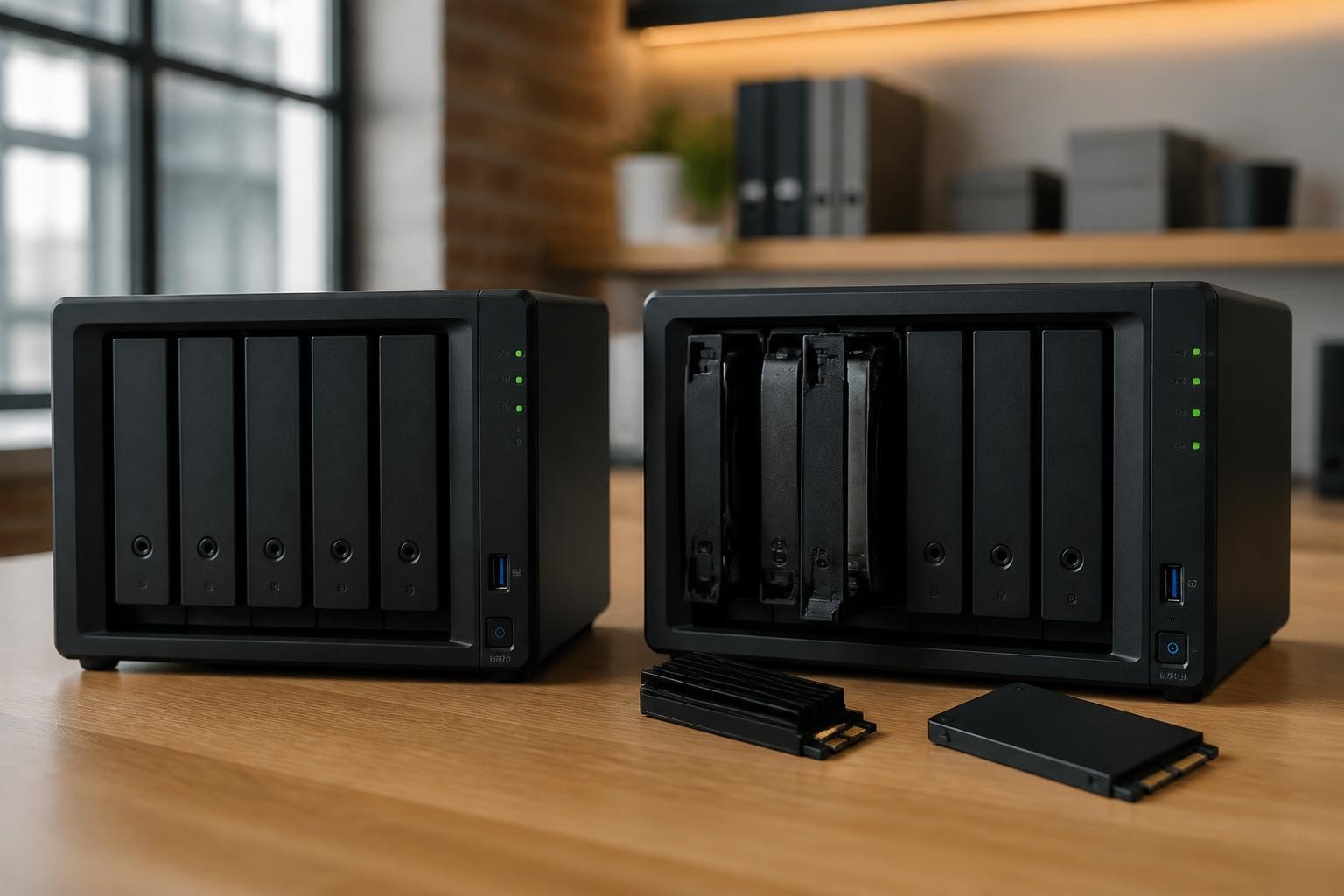
Selecting the right storage technology for your network-attached storage (NAS) infrastructure is a critical decision that directly impacts application performance, data access speeds, and overall business productivity. For organisations running Synology NAS systems, the integration of solid-state drives (SSDs) has transformed how businesses approach storage design. Whether you're deploying SSD cache to accelerate existing HDD arrays or building pure SSD storage pools, understanding the capabilities, limitations, and best practices for Synology SSD deployment is essential for maximising your investment whilst maintaining data integrity and compliance with European data protection standards.
Understanding Synology SSD Technology and Use Cases
Synology NAS devices support SSDs in two fundamental ways: as read/write cache layers that accelerate traditional hard disk arrays, and as primary storage pools that deliver consistent low-latency performance. Furthermore, the choice between these deployment models depends heavily on your specific workload characteristics, budget constraints, and performance requirements.
SSD Cache Architecture
SSD cache on Synology systems sits between your applications and the underlying HDD storage pool, intelligently storing frequently accessed data blocks on faster solid-state media. The cache operates transparently to end users and applications, reducing latency for read-heavy workloads and improving responsiveness for mixed environments. Moreover, Synology supports both read-only and read/write cache configurations, with read/write cache requiring mirrored drives to protect cached data that hasn't yet been committed to the underlying HDDs.
When implementing SSD cache, you'll need to configure your cache settings in DSM according to your workload patterns. Therefore, database-heavy environments often benefit most from read/write cache, whilst file-serving and media-streaming scenarios typically see excellent results with read-only implementations.

Primary SSD Storage Pools
In addition to cache deployments, modern Synology systems now support creating storage volumes entirely from M.2 NVMe drives. This capability, introduced in recent DSM updates, allows organisations to build ultra-fast storage pools without occupying traditional drive bays. Nevertheless, this approach comes with important considerations regarding capacity, cost per terabyte, and endurance requirements.
Primary SSD pools excel in specific scenarios:
- Virtual machine datastores requiring consistent IOPS
- Database servers with intense random read/write patterns
- Development environments where compile times directly impact productivity
- High-frequency trading or real-time analytics platforms
- Video editing workstations accessing 4K and 8K media
| Deployment Model | Best For | Typical Capacity | Performance Benefit |
|---|---|---|---|
| HDD Only | Archive, backup, bulk storage | 12TB – 96TB+ | Baseline |
| SSD Cache + HDD | General business, file servers | 2TB – 64TB storage + 400GB – 2TB cache | 2x – 5x read improvement |
| Pure SSD Pool | Databases, VMs, real-time apps | 512GB – 8TB | 10x – 50x consistent performance |
Choosing Compatible Drives for Your Synology System
Drive compatibility is perhaps the most contentious aspect of Synology SSD deployment. Whilst Synology maintains an official M.2 NVMe SSD compatibility list, many third-party drives function perfectly well despite lacking official certification. Furthermore, Synology's move to position their own branded drives has created industry debate, as covered extensively in technology press analysis.
Form Factors and Interfaces
Synology devices support two primary SSD form factors: 2.5-inch SATA drives that fit in standard drive bays, and M.2 NVMe drives that slot into dedicated slots on compatible models. The M.2 slots preserve your main drive bays for larger-capacity HDDs, making them particularly valuable in smaller-chassis systems with limited expansion options. Nevertheless, not all Synology models include M.2 slots, so verify your specific model's capabilities before purchasing drives.
Key technical specifications to verify:
- Form factor match: M.2 2280 (22mm × 80mm) for most Synology M.2 slots
- Interface compatibility: NVMe over PCIe (Gen 3 or Gen 4) for M.2, SATA III for 2.5-inch
- Endurance rating: Measured in TBW (terabytes written) or DWPD (drive writes per day)
- Power consumption: Critical for M.2 drives in thermally constrained environments
- Warranty coverage: Enterprise drives typically offer 5-year warranties versus 3-year consumer ratings
Endurance and Workload Alignment
SSD endurance directly correlates with the total data you can write to the drive over its lifetime. For business deployments, understanding industry standards for SSD endurance helps you match drive specifications to your actual workload. Moreover, underestimating write workloads can lead to premature drive failure and unexpected downtime.
A typical office file server generating 50GB of writes per day requires far less endurance than a database server processing hundreds of gigabytes daily. Therefore, calculate your expected daily write volume, multiply by 365 days and your planned replacement cycle (typically 3-5 years), and select drives rated for at least 1.5× that total TBW figure to maintain headroom.
Implementing SSD Cache: Practical Deployment Strategies
Deploying Synology SSD cache requires balancing performance gains against cost and complexity. Furthermore, the optimal cache size and configuration depends heavily on your working dataset, the applications accessing storage, and budget constraints.
Sizing Your Cache Correctly
Cache effectiveness follows a diminishing returns curve. The first 256GB of cache typically delivers the most dramatic performance improvement for general workloads, whilst expanding to 512GB or 1TB provides incremental benefits for larger working datasets. In addition, over-provisioning cache beyond your active working set wastes resources without improving hit rates.
Cache sizing guidelines by use case:
- Small business file server (5-20 users): 256GB – 512GB read/write cache
- Medium enterprise (50-200 users): 512GB – 1TB read/write cache
- Database server: 1TB – 2TB read/write cache (match to active database size)
- Video production: 512GB – 1TB read-only cache (streaming sequential data)
- Virtual desktop infrastructure: 1TB – 2TB read/write cache (many concurrent random operations)
For organisations prioritising data protection and GDPR compliance, implementing robust backup strategies alongside SSD acceleration is critical. Many European businesses combine on-premises Synology systems with cloud-to-cloud backup solutions to ensure comprehensive data resilience whilst maintaining sovereignty over sensitive information.

Read-Only Versus Read/Write Cache
Read-only cache accelerates data retrieval without introducing additional complexity or risk. It's simpler to implement, requires only a single SSD (though RAID is still recommended for availability), and delivers excellent results for read-heavy workloads. Nevertheless, write operations continue at native HDD speed, limiting benefits for write-intensive applications.
Read/write cache accelerates both reads and writes by buffering write operations on the SSD before committing them to HDDs. This requires mirrored SSDs (consuming two drives) to protect uncommitted data, but delivers dramatic performance improvements for mixed and write-heavy workloads. Therefore, financial applications, databases, and virtual machine environments typically justify the additional cost and complexity.
| Cache Type | Drives Required | Best For | Risk Level |
|---|---|---|---|
| Read-only | 1 (2 recommended) | File servers, media streaming, web hosting | Low |
| Read/write | 2 (mirrored) | Databases, VMs, transaction systems | Medium |
Performance Optimisation and Monitoring
Once you've deployed Synology SSD technology, ongoing monitoring and optimisation ensure you're realising the expected performance benefits. Furthermore, DSM provides built-in tools for tracking cache efficiency, identifying bottlenecks, and adjusting configurations as workloads evolve.
Monitoring Cache Hit Rates
Cache hit rate represents the percentage of read operations served directly from SSD cache rather than hitting the slower HDD pool. A well-configured cache typically achieves 80-95% hit rates for suitable workloads. In addition, monitoring this metric over time helps you identify whether cache size is adequate or if workload patterns have shifted.
Access Storage Manager in DSM to view real-time and historical cache statistics. If hit rates consistently fall below 70%, consider increasing cache capacity or investigating whether your workload is suitable for caching. Nevertheless, sequential-heavy workloads (large file copies, backups, media rendering) inherently achieve lower hit rates because they don't exhibit the access pattern locality that caching optimises for.
RAID Configuration Impact
Your underlying storage pool RAID level significantly impacts the performance benefits from SSD cache. RAID 6 and RAID 10 configurations on the HDD pool provide different performance baselines, and cache effectiveness varies accordingly. Moreover, independent testing from storage review sites demonstrates how various configurations perform in real-world scenarios.
RAID performance considerations:
- RAID 1 (mirroring): Simple, good read performance, moderate write penalty
- RAID 5: Balanced capacity and protection, write penalty on parity calculation
- RAID 6: Maximum protection, highest write penalty, benefits most from write cache
- RAID 10: Excellent performance, higher capacity cost, already fast for many workloads
Advanced Deployment Scenarios
Beyond basic cache and storage pool implementations, advanced Synology users can leverage SSD technology in sophisticated configurations that address specific business requirements.
Tiered Storage Strategies
Combining multiple storage pools with different performance characteristics allows you to match data placement with access patterns. Hot data (frequently accessed) resides on pure SSD pools, warm data sits on SSD-cached HDD arrays, and cold data (archives, compliance retention) lives on HDD-only volumes. Furthermore, implementing lifecycle policies to automatically migrate data between tiers optimises both performance and cost.
This approach requires careful planning and ongoing management, but delivers exceptional efficiency for organisations with diverse data types and access patterns. Nevertheless, most businesses begin with simpler configurations and evolve toward tiering as their storage requirements mature.
Multi-Site Replication and SSD
For businesses operating across multiple European locations, replicating between Synology systems with different SSD configurations requires consideration. The source system might use aggressive SSD caching for performance, whilst the destination focuses on capacity and cost optimisation. Therefore, understanding how Snapshot Replication and other Synology tools handle these asymmetric configurations prevents surprises during failover scenarios.

Cost-Benefit Analysis for European Businesses
The financial justification for Synology SSD deployment extends beyond raw hardware costs to encompass productivity gains, reduced downtime, and competitive advantages from improved application responsiveness.
Total Cost of Ownership
When evaluating Synology SSD investments, calculate TCO across the entire deployment lifecycle:
- Initial hardware: SSD purchase price, any required controller upgrades, installation
- Power consumption: SSDs consume 2-4W versus 8-12W for enterprise HDDs
- Cooling requirements: Lower heat generation reduces HVAC demands
- Space efficiency: M.2 drives preserve rack space in constrained environments
- Operational costs: Reduced latency means faster backups, quicker restores, less staff time waiting
Moreover, for businesses prioritising environmental responsibility, the energy efficiency of SSD deployments aligns well with green hosting practices that minimise carbon footprint whilst maintaining performance.
Productivity and Business Impact
The true value of Synology SSD acceleration often manifests in improved employee productivity and enhanced customer experiences. Database queries completing in seconds rather than minutes, compilation processes finishing during coffee breaks instead of lunch hours, and responsive file access that doesn't interrupt creative flow all contribute measurable business value that traditional ROI calculations overlook.
Quantifiable productivity metrics:
- Reduced application response times (database queries, file opens, search operations)
- Faster backup and restore windows (critical for meeting RPO/RTO objectives)
- Improved concurrent user capacity (more users accessing systems simultaneously)
- Decreased infrastructure scaling requirements (existing hardware serves more workload)
Future-Proofing Your Storage Infrastructure
As data volumes continue growing and application performance expectations rise, planning for future scalability ensures your Synology SSD investment remains relevant beyond the immediate deployment horizon.
PCIe Generation Considerations
Current Synology systems predominantly support PCIe Gen 3 M.2 slots, delivering up to 3,500MB/s sequential reads. Whilst PCIe Gen 4 drives offer higher theoretical performance (7,000MB/s+), they operate at Gen 3 speeds in current Synology hardware. Nevertheless, purchasing Gen 4 drives now provides headroom for future system upgrades, assuming backward compatibility continues.
The performance difference between Gen 3 and Gen 4 matters most for sequential workloads (large file transfers, video editing), whilst random IOPS performance (databases, VMs) sees minimal improvement. Therefore, prioritise IOPS ratings and endurance over interface generation for most business applications.
Capacity Planning and Growth Trajectories
Data growth rarely follows linear patterns. Industry guidance on NAS storage planning suggests projecting growth over 3-5 year horizons and designing infrastructure that can accommodate both gradual expansion and unexpected surges. Furthermore, understanding when to add cache versus expanding storage pools versus deploying additional Synology units requires balancing performance, capacity, and management complexity.
Growth planning checklist:
- Document current capacity utilisation and growth rate over the past 12 months
- Project data volume 3 years forward with 20% contingency
- Identify performance bottlenecks in current infrastructure
- Evaluate whether additional cache, expanded pools, or new units address constraints
- Plan upgrade windows that minimise business disruption
Maintenance, Monitoring, and Lifecycle Management
Proactive management of your Synology SSD infrastructure prevents performance degradation and unexpected failures that could impact business operations.
Health Monitoring and Predictive Maintenance
DSM's Storage Analyzer and S.M.A.R.T. monitoring provide early warning of potential drive issues. SSD-specific metrics like wear levelling count, power-on hours, and remaining life percentage help you schedule replacements before failures occur. In addition, establishing baselines for normal performance allows you to detect subtle degradation that might otherwise go unnoticed until it becomes critical.
Set up email notifications for S.M.A.R.T. warnings and schedule monthly reviews of storage health reports. Moreover, maintaining spare drives for critical systems reduces mean time to repair when issues do arise, ensuring business continuity even during hardware failures.
Firmware and DSM Updates
Synology regularly releases DSM updates that improve SSD compatibility, enhance cache algorithms, and address potential issues. Nevertheless, applying updates requires planning to minimise disruption whilst maintaining security and functionality. Test updates in non-production environments when possible, review release notes for SSD-specific changes, and schedule maintenance windows that accommodate unexpected complications.
Some updates may require cache rebuilds or impose temporary performance impacts as systems reindex data or optimise new features. Therefore, communicate planned maintenance to stakeholders and ensure backup systems are current before applying significant updates.
Successfully deploying Synology SSD technology requires balancing performance requirements, budget constraints, and long-term scalability whilst maintaining the data protection and compliance standards European businesses demand. Whether you're implementing cache acceleration, building pure SSD pools, or designing sophisticated tiered storage architectures, understanding the technical nuances and business implications ensures your investment delivers sustained value. For organisations seeking European-hosted infrastructure that combines performance, security, and GDPR compliance, exploring solutions from vBoxx provides access to ISO 27001-certified data centres, comprehensive cloud services, and expert support backed by decades of hosting experience.