
A major European healthcare provider recently suffered a costly data breach, spotlighting the urgent need for robust data protection as we approach 2026. With cyber threats evolving and regulations tightening, organisations can no longer afford to overlook their backup strategy.
This guide delivers a step-by-step approach to securing critical information using azure backup. You will discover the latest features, best practices, and practical tips to safeguard your data against modern risks.
Explore azure backup fundamentals, advanced security enhancements, supported workloads, configuration steps, compliance alignment, and cost management strategies. Stay ahead of threats and ensure your business continuity with actionable guidance from industry experts.
Understanding Azure Backup: Core Principles and Capabilities
In today’s digital landscape, businesses need to protect data against evolving threats and ensure rapid recovery from disruptions. Azure Backup provides a reliable solution, combining cloud flexibility with robust security. This section explores what sets azure backup apart, highlighting its core principles, features, supported workloads, security foundations, and overall value.

What is Azure Backup?
Azure backup is a cloud-based backup-as-a-service (BaaS) offering from Microsoft Azure. It enables organisations to protect critical data in a secure, scalable, and cost-effective manner. The service plays a vital role in business continuity and disaster recovery (BCDR) strategies by ensuring that data is always recoverable, regardless of where it resides.
With automated backup scheduling, long-term retention, and seamless integration with other Azure services, azure backup streamlines data protection for both on-premises and cloud environments. For example, businesses can safeguard virtual machines running in Azure as well as local servers, ensuring unified protection across their IT landscape.
Key Features and Innovations for 2026
Azure backup continues to evolve, delivering enterprise-grade data protection with centralised management and comprehensive monitoring. Ransomware protection is core, offering features such as air-gapped vaults, immutable backup storage, soft-delete, and multi-user authorisation to prevent unauthorised changes.
Encryption is enforced both at-rest and in-transit, with options for bring-your-own-key (BYOK) to meet strict compliance needs. Azure backup is designed to scale, supporting large enterprises with vast data volumes. In 2026, expect enhanced automation, improved ransomware detection, and deeper integration with Azure security tools to further strengthen protection.
Supported Workloads and Use Cases
Azure backup supports a wide variety of workloads and environments, making it a versatile solution for diverse IT needs. Supported scenarios include on-premises servers (via MARS, DPM, MABS), Azure virtual machines, managed disks, Azure Files, SQL Server, SAP HANA, PostgreSQL, Azure Blobs, and Azure Kubernetes Service (AKS).
This flexibility allows organisations to protect mission-critical databases, file shares, and even containerised applications. Azure backup also adapts to hybrid and multi-cloud deployments, ensuring comprehensive coverage. Compared to other solutions, its broad support for both legacy and modern workloads makes it a strong contender for enterprise backup strategies.
Security and Compliance Foundations
Security is foundational to azure backup, with built-in compliance for major standards like GDPR, ISO 27001, and NIS2. The service implements role-based access control (RBAC) to restrict sensitive operations and uses secure authentication for all users. Continuous audit logging and monitoring help organisations detect and respond to threats quickly.
Microsoft’s multi-layered security approach is evident throughout azure backup, ensuring data privacy and integrity at every stage. For a detailed overview of these protections, see the Azure Backup security features. This commitment reassures organisations that their data remains secure and compliant, even in complex regulatory environments.
Benefits and Value Proposition
Azure backup delivers measurable benefits, including significant cost savings, improved operational efficiency, and reduced risk of data loss. Its centralised management simplifies large-scale deployments, while automation reduces the administrative burden.
Business continuity is enhanced, as rapid recovery from incidents is assured. Real-world case studies highlight how azure backup helps organisations of all sizes remain resilient and compliant. Industry statistics show that a growing percentage of businesses are adopting cloud backup solutions, recognising the value and peace of mind offered by services like azure backup.
Step-by-Step: Setting Up Azure Backup in 2026
Setting up azure backup in 2026 is a critical step for organisations that want to secure their data and ensure business continuity. This section provides a clear, actionable walkthrough, guiding you from planning your backup strategy to validating your restores. By following these steps, you will harness the latest azure backup features and best practices to build a resilient data protection framework.
Prerequisites and Planning Your Backup Strategy
Before deploying azure backup, start with a thorough assessment of your environment. Ensure you have an active Azure subscription and the necessary permissions, such as Contributor or Backup Operator roles. Identify all data sources, including on-premises servers, cloud VMs, and databases, that require protection.
Define your recovery point objectives (RPO) and recovery time objectives (RTO). These metrics guide how frequently backups should run and how quickly data must be restored. Evaluate network bandwidth and storage requirements to avoid bottlenecks during backup or recovery.
Review your compliance obligations, such as GDPR or NIS2, and confirm data residency needs. Proper planning ensures azure backup aligns with your operational and regulatory requirements.
Creating and Configuring Recovery Services Vaults
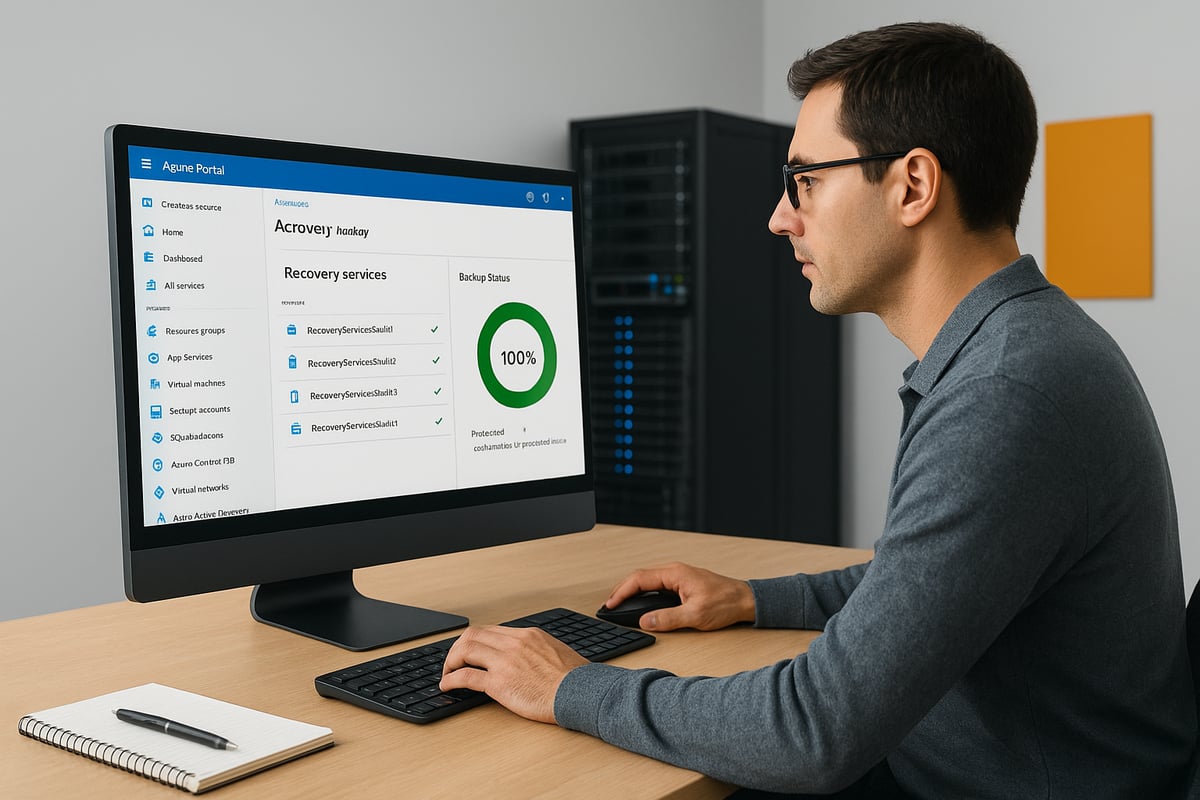
A Recovery Services Vault is the cornerstone of azure backup, storing backup data securely and enabling central management. To create a vault, log into the Azure Portal, navigate to “Recovery Services Vaults,” and select “Add.” Choose your subscription, resource group, and set the region for the vault.
Next, configure redundancy settings. Local Redundant Storage (LRS) keeps copies within a single region, while Geo-Redundant Storage (GRS) offers cross-region protection for enhanced disaster recovery. Assign RBAC roles to restrict vault access to authorised users only.
For organisations seeking cross-region resilience, GRS is recommended. This setup ensures azure backup data remains available even if a primary region experiences an outage.
Enabling Backup for Key Workloads
Once your vault is ready, enable azure backup for your critical workloads. In the Azure Portal, select your vault and use the “Backup” wizard to choose the workload type: Azure VMs, on-premises servers, SQL databases, or file shares.
Follow the guided steps to install agents like MARS for on-premises workloads or configure protection for Azure-native resources. For advanced scenarios, leverage PowerShell or Azure CLI to automate backup enablement. To ensure your workload is supported, consult the Azure Backup support matrix for up-to-date compatibility information.
For example, protecting a SQL Server running in an Azure VM involves selecting the workload, installing the relevant agent, and registering the server with your vault. This flexible approach allows azure backup to protect diverse environments efficiently.
Defining Backup Policies and Schedules
Effective data protection with azure backup relies on well-crafted backup policies. Create custom policies in the Azure Portal, specifying backup frequency (daily, weekly, or custom intervals) and retention periods for each workload.
Leverage built-in templates for common workload types to streamline policy creation. For compliance workloads, configure long-term retention, such as keeping backups for several years. Adjust schedules to minimise impact on production systems, scheduling backups during off-peak hours when possible.
For example, a financial services company may set a policy for hourly backups during business hours and monthly retention for seven years to meet regulatory requirements. Align azure backup policies with your business and compliance needs.
Monitoring, Alerts, and Reporting
Visibility into your backup environment is vital. Azure backup offers robust monitoring tools, including dashboards within the Azure Portal. Set up alerts for backup failures, missed jobs, or unusual activity to ensure prompt response.
Integrate azure backup with Azure Monitor and Log Analytics for centralised oversight. Configure automated reporting for compliance and audit purposes, generating detailed logs of backup and restore operations.
For instance, automated alerts can notify IT teams of a missed backup, allowing immediate investigation and remediation. This proactive approach ensures azure backup remains reliable and compliant at scale.
Testing and Validating Backups
Regular testing and validation confirm that your azure backup strategy works when you need it most. Schedule periodic test restores for each critical workload, verifying both data integrity and recovery times.
Use built-in restore validation features to automate checks and reduce manual overhead. Document recovery procedures, including step-by-step instructions and contact lists, to support audits and disaster recovery drills.
For example, many organisations conduct quarterly disaster recovery tests, using azure backup’s automated reporting to demonstrate compliance and readiness. By validating your backups, you ensure that data can be restored quickly and completely, protecting your business from unexpected data loss.
Advanced Security and Ransomware Protection with Azure Backup
In an age where cyberattacks are increasingly sophisticated, securing your data with advanced measures is essential. Azure Backup provides a comprehensive security framework, helping organisations defend against ransomware, unauthorised access, and compliance risks.

Multi-Layered Security Architecture
Azure Backup delivers robust, multi-layered security across infrastructure, platform, and application levels. All data is encrypted both in transit and at rest, using AES-256 standards, ensuring that sensitive information remains protected throughout its lifecycle. Customers can manage their own encryption keys through Azure Key Vault, supporting bring-your-own-key (BYOK) scenarios for highly regulated industries.
This layered approach shields your backups from a wide range of threats. For a detailed breakdown of security features, you can explore the Azure Backup security capabilities. Organisations in healthcare and finance often leverage customer-managed keys for maximum control, maintaining compliance while using azure backup for daily operations.
Ransomware Defence: Immutability, Soft-Delete, and Air-Gapped Vaults
Azure Backup incorporates advanced ransomware defences designed to protect your critical assets. Immutable backups ensure that once data is written, it cannot be altered or deleted before its retention period ends, preventing tampering from malicious actors. The soft-delete feature provides an additional safety net, allowing accidental or intentional deletions to be easily recovered within a defined window.
Air-gapped vaults isolate backup data from production credentials, reducing the risk of compromise. In a recent case, an enterprise recovered swiftly from a ransomware attack by restoring from immutable azure backup copies, demonstrating the effectiveness of these layered protections.
Multi-User Authorisation (MUA) and Role-Based Access
To minimise insider threats and unauthorised changes, Azure Backup supports Multi-User Authorisation (MUA) for critical operations like deleting backup data or altering retention policies. This means that sensitive actions require approval from multiple users, making it much harder for attackers to compromise your environment.
Role-Based Access Control (RBAC) further limits access, ensuring only authorised personnel can manage or restore backups. Comprehensive audit trails record every backup and restore action, supporting both security investigations and compliance audits. For example, enforcing MUA for deletion requests in azure backup environments has become a standard best practice for regulated organisations.
Threat Detection and Automated Response
Proactive threat detection is vital in today’s landscape. Azure Backup integrates seamlessly with Microsoft Defender for Cloud, enabling automated detection of suspicious activities, such as unusual backup deletions or access attempts. These integrations allow for real-time anomaly detection and trigger automated response workflows to contain risks promptly.
If an attacker attempts to tamper with backup data, instant alerts are sent to administrators, who can then initiate recovery or further investigation. Many organisations rely on azure backup’s security alerts to maintain rapid response capabilities and protect their critical workloads.
Compliance, Data Sovereignty, and Regulatory Alignment
Azure Backup is built to help organisations meet evolving compliance requirements, including GDPR, ISO 27001, and NIS2. Data residency controls allow you to specify where your backup data is stored, addressing both European and global data sovereignty concerns. Built-in reporting tools generate compliance-ready documentation for audits.
For example, a large EU-based company leveraged azure backup to achieve NIS2 alignment, using its audit-ready reports and data residency features. By choosing the right region and retention policies, organisations can ensure their azure backup deployments support both operational needs and regulatory mandates.
Security Best Practices for 2026
To maximise protection, regularly review and update access controls across your azure backup environment. Enable Multi-User Authorisation and soft-delete features by default. Schedule frequent backup and restore tests to validate recovery capabilities and document your procedures.
Stay informed on the latest Azure security advisories and implement updates promptly. Use a checklist to ensure all critical security features are active:
- Review RBAC assignments quarterly
- Enable MUA for sensitive operations
- Test restores monthly
- Monitor alerts daily
By following these best practices, you can maintain a resilient and compliant azure backup strategy capable of withstanding evolving threats.
Managing and Optimising Azure Backup for Diverse Workloads
As organisations handle increasingly complex data estates, effective management and optimisation of azure backup is essential. Businesses must ensure that their data protection strategies are robust, flexible, and cost-efficient for a diverse range of workloads and environments.

Protecting Hybrid and Multi-Cloud Environments
Managing data across hybrid and multi-cloud environments is now standard for global enterprises. Azure backup supports seamless integration with on-premises systems via the Microsoft Azure Recovery Services (MARS) agent, Data Protection Manager (DPM), and Microsoft Azure Backup Server (MABS).
You can also extend protection to workloads hosted on other cloud providers, such as AWS or Google Cloud, by leveraging azure backup’s agent-based solutions. This flexibility is vital for distributed enterprises with mixed environments.
For those new to the concept, How Cloud Storage Works offers a foundational overview that underpins how azure backup delivers cross-platform data resilience. For example, a global organisation with offices in multiple regions can use azure backup to protect both their cloud and on-premises resources, ensuring consistent policy enforcement and centralised monitoring.
Backing Up Databases, Files, and Containers
Azure backup is designed to handle a wide variety of data types, including mission-critical databases, file shares, and containerised applications. You can easily configure protection for SQL Server, SAP HANA, PostgreSQL, and MySQL databases, whether they reside on-premises or within Azure VMs.
File-level protection extends to Azure Files, Blob Storage, and Data Lake, providing granular restore options. For container workloads, azure backup integrates with Azure Kubernetes Service (AKS), capturing persistent volumes and application state.
Consider an e-commerce application: azure backup can safeguard its SQL backend, product images in Blob Storage, and containerised microservices, ensuring end-to-end data protection for every component.
Disaster Recovery and Restore Operations
A robust disaster recovery plan is incomplete without reliable restore capabilities. Azure backup offers a range of restore options, including full VM recovery, granular file or database restores, and cross-region restore for enhanced resilience.
Instant restore enables rapid recovery of critical workloads, reducing downtime and supporting business continuity. Integration with Azure Site Recovery allows orchestration of complex failover and failback scenarios.
For example, after a regional outage, a multinational business can use azure backup to quickly restore operations in a secondary region, maintaining service availability and minimising data loss.
Automation and Policy Management at Scale
Managing data protection across hundreds or thousands of workloads requires automation and strong governance. Azure Policy provides centralised backup policy enforcement, ensuring compliance across all resources.
Automation tools such as ARM templates, Bicep, and Terraform simplify large-scale deployment and configuration of azure backup. Monitoring and reporting are streamlined through Azure Monitor, allowing IT teams to track backup health and compliance in real time.
A multi-department organisation can use policy-driven azure backup strategies to ensure each business unit meets its unique retention and recovery requirements, all while maintaining central oversight.
Cost Optimisation and Storage Tiering
Cost management is a key part of any backup strategy. Azure backup provides tools to estimate and monitor costs, including the Azure Pricing Calculator. By leveraging storage tiering—hot, cool, and archive—you can optimise expenses based on data access patterns.
Right-sizing retention policies and backup frequency further reduces unnecessary storage spend. For instance, archiving infrequently accessed data using azure backup’s archive tier can deliver significant savings for long-term compliance archives.
Reviewing usage regularly and adjusting policies ensures that azure backup remains both effective and cost-efficient as your organisation evolves.
Real-World Scenarios and Best Practices
In today’s digital landscape, businesses of all sizes face evolving data protection challenges. Real-world scenarios offer insight into how azure backup delivers value across diverse industries. Let us explore key use cases, lessons from recent incidents, and best practices shaping data resilience in 2026.
Common Use Cases: From SMBs to Enterprises
Azure backup provides a flexible solution for organisations ranging from small businesses to global enterprises. Typical scenarios include:
- Securing SaaS data and endpoints for remote teams
- Protecting legacy systems and mission-critical databases
- Enabling compliance for regulated industries like healthcare and finance
For example, a healthcare provider can use azure backup to safeguard sensitive patient records and ensure GDPR and HIPAA alignment. Thanks to Azure Backup compliance offerings, firms can confidently meet strict regulatory requirements. This versatility demonstrates why azure backup is a trusted choice for diverse sectors.
Lessons Learned from Recent Data Breaches and Outages
The impact of cyber incidents highlights the critical role of secure backups. Recent high-profile ransomware attacks have shown that organisations with robust azure backup strategies recover significantly faster.
Key lessons include:
- Regularly testing backups to ensure successful restores
- Implementing multi-layered security to defend against evolving threats
- Maintaining offsite and immutable copies
Statistics reveal that over 90% of ransomware victims who had tested backups were able to restore operations quickly. In one notable case, a manufacturing firm leveraged azure backup to recover after a targeted attack, demonstrating the importance of secure, validated backups.
Performance, Scalability, and Reliability Insights
Azure backup stands out for its performance and resilience, thanks to Microsoft’s global cloud infrastructure. Organisations benefit from:
- Low-latency backup and restore processes
- Seamless scaling as data volumes grow
- Reliability backed by a 99.9%+ uptime SLA
For a multinational company, scaling azure backup across multiple regions ensures consistent protection and fast recovery times. This reliability is essential for maintaining business continuity and supporting digital transformation initiatives.
Integrating Azure Backup with Broader BCDR Strategies
A comprehensive business continuity and disaster recovery (BCDR) plan requires more than just backup. Azure backup integrates seamlessly with Azure Site Recovery and other DR tools, enabling:
- Orchestrated failover and failback across workloads
- Automated testing of recovery plans
- End-to-end resilience for critical applications
A financial services firm, for example, can combine azure backup with site recovery to ensure uninterrupted operations during an outage. Regularly testing these processes helps organisations strengthen their overall BCDR posture.
Future Trends: The Evolution of Cloud Backup in 2026
Looking ahead, cloud backup is set to become even smarter and more adaptive. Future trends for azure backup include:
- AI-driven optimisation and anomaly detection
- Increased automation and policy-based management
- Greater focus on compliance and data sovereignty
As regulations like NIS2 shape organisational requirements, resources such as NIS2 Compliance Guides and Tips help businesses stay informed. Ultimately, azure backup will play a pivotal role in enabling secure, compliant, and future-ready data protection strategies.
Troubleshooting, Support, and Resources for Azure Backup
Keeping your azure backup environment healthy is crucial for reliable data protection. Even with best practices, issues may arise that require attention, support, or additional resources. This section guides you through troubleshooting, tapping into support channels, upskilling, and sourcing the right tools for optimal azure backup performance.
Common Issues and How to Resolve Them
Even the most robust azure backup setups can encounter failures. Common issues include backup jobs not completing, restore operations failing, or network interruptions impacting connectivity. To troubleshoot, start by checking error codes in the Azure Portal. For example, a failed VM backup might show an error related to insufficient storage or network timeout.
| Issue | Cause | Resolution |
|---|---|---|
| Backup job failed | Network or quota issues | Verify connectivity, check quotas |
| Restore error | Corrupt backup or config | Re-run backup, review settings |
| Agent not responding | Outdated agent or firewall | Update agent, adjust firewall |
Always consult the official documentation for error specifics. Regularly reviewing logs and setting up alerts can help you act swiftly and keep azure backup running smoothly.
Microsoft Support Channels and Community Resources
If you need help with azure backup, Microsoft offers several support options. Start with the Azure Portal’s built-in troubleshooting guides, which often provide step-by-step solutions. For more advanced issues, you can open a support ticket directly with Microsoft.
Tap into community resources such as Microsoft Learn, documentation, and user forums. Peer support on Microsoft Q&A is valuable for real-world advice. Engaging with the broader azure backup community often uncovers tips and workarounds not found in official guides, helping you resolve challenges more efficiently.
Staying Up to Date: Training and Certification
Continuous learning is key to mastering azure backup. Microsoft provides structured learning paths, covering everything from fundamentals to advanced backup and recovery scenarios. Certifications like AZ-104 (Azure Administrator) and AZ-305 (Azure Solutions Architect) validate your expertise.
Stay informed about new features and updates by subscribing to Azure updates and technical blogs. Regular training ensures your azure backup skills remain current, enabling you to adapt quickly to changing requirements and technologies.
Essential Tools, Templates, and Further Reading
A strong toolkit streamlines azure backup management. Use Azure CLI, PowerShell scripts, and ARM/Bicep templates to automate deployment and monitoring. The Azure Pricing Calculator helps you estimate and optimise backup costs for different scenarios.
For deeper insights into encrypted backup strategies, explore resources like Encrypted Online Storage Benefits, which align with azure backup’s focus on data security and compliance. Recommended further reading includes official whitepapers, quickstart templates, and YouTube tutorials, ensuring you have the knowledge and tools for effective backup operations.
As we’ve explored, securing your business data is more important than ever, especially with evolving cyber threats and compliance demands ahead of 2026. By following the best practices and advanced strategies in this guide, you can build a resilient backup strategy using Azure’s robust tools. If you’d like to see how these solutions come together in real time, or you want tailored advice for your own environment, I encourage you to Schedule a demo with our team. We’re here to help you safeguard your critical data with confidence and clarity.