
Did you know that global data breaches are projected to cost organisations over £8 trillion by 2026? In this context, with remote work now standard and files growing larger every year, keeping data safe and accessible has never been more urgent. As a result, businesses must prioritise secure and scalable solutions to protect their information.
Against this backdrop, this guide cuts through the noise, showing you how a file cloud can protect your business, streamline collaboration, and meet modern compliance demands. In addition, you will discover the evolution of file cloud technology, key security essentials, and how to choose the right provider. Furthermore, we explore best sharing practices, emerging future trends, and practical steps for secure adoption in 2026. Ultimately, this comprehensive overview will help you make informed decisions in an increasingly complex digital landscape.
The Evolution of File Cloud Storage and Sharing
The journey of file cloud technology has significantly transformed the way organisations manage, store, and share their data. Over the past decade, in particular, the file cloud has become a cornerstone for businesses seeking secure, seamless collaboration and scalable storage. As a result, organisations can now operate more efficiently across distributed teams and global locations.
Moreover, this evolution reflects not only technological progress but also the changing needs of users in a digital-first world. In fact, increasing demands for mobility, security, and real-time access have accelerated innovation in this space. Consequently, the file cloud continues to adapt, aligning advanced capabilities with modern business expectations.

How File Cloud Solutions Have Changed Over the Years
In the early days, organisations relied on local servers and physical drives to manage files. As a result, this approach limited accessibility and made remote collaboration nearly impossible. However, as internet speeds improved and digital workflows expanded, early file cloud solutions emerged, offering new ways to store and access files online. Consequently, businesses began shifting away from purely on-premises systems toward more flexible digital environments.
Subsequently, the rise of remote work and global teams fuelled demand for more agile file cloud platforms. At the same time, businesses faced growing file sizes, from high-resolution images to complex CAD files, pushing early solutions to adapt quickly. Therefore, consumer-grade services gradually evolved into enterprise-ready platforms, integrating advanced controls and compliance features.
For example, Dropbox and Microsoft OneDrive illustrate this shift. Initially, they focused on simple file cloud storage; however, over time, both platforms developed into integrated collaboration hubs. By 2026, moreover, industry reports show that over 70% of organisations use file cloud storage as their primary file management solution, thereby highlighting the widespread adoption of and trust in these platforms.
Key Features of Modern File Cloud Platforms
Today’s file cloud platforms are designed for flexibility and efficiency. Real-time syncing ensures every change is available instantly across all devices, reducing the risk of version conflicts. Granular user permissions and access controls allow businesses to tailor who can view, edit, or share specific files.
Automated backup and file recovery reduce the risk of data loss. Integration with productivity suites, such as Microsoft 365, means users can edit, share, and collaborate without leaving the file cloud environment. Scalability is essential, allowing organisations to expand storage or add users as they grow.
| Feature | Benefit | Example |
|---|---|---|
| Real-time Syncing | Instant updates across devices | OneDrive |
| User Permissions | Control over access and sharing | Dropbox |
| Automated Backup | Easy recovery from accidental loss | Both platforms |
| Productivity Integration | Seamless workflow with other tools | Microsoft 365 |
| Scalability | Grows with organisational needs | Dropbox, OneDrive |
These capabilities make the file cloud not just a storage solution, but a comprehensive digital workspace.
Security and Compliance Developments
As file cloud adoption surged, security and compliance became top priorities. Modern platforms introduced end-to-end encryption, ensuring data is protected both in transit and at rest. Businesses now demand compliance with regulations such as GDPR and ISO 27001, making certification a key differentiator.
Advanced threat detection systems monitor for unusual activity, helping to defend against ransomware and unauthorised access. Data residency options let organisations choose where their files are stored, supporting legal and privacy requirements. For example, Dropbox offers robust end-to-end encryption and compliance features to meet the needs of global businesses.
Security is more critical than ever. According to Cloud Security Breach Statistics 2025, the number of breaches linked to cloud storage continues to rise, driving the need for vigilant protection and ongoing development of file cloud safeguards.
The evolution of file cloud storage has made it an essential tool for secure, collaborative, and compliant work in 2026.
Security Essentials in File Cloud Storage (2026)
In 2026, robust security is the cornerstone of any file cloud strategy. As organisations handle more sensitive data and collaborate remotely, understanding the essentials of secure file cloud storage becomes critical. Let us explore the must-have security features and practices shaping the landscape.
Encryption and Data Protection Standards
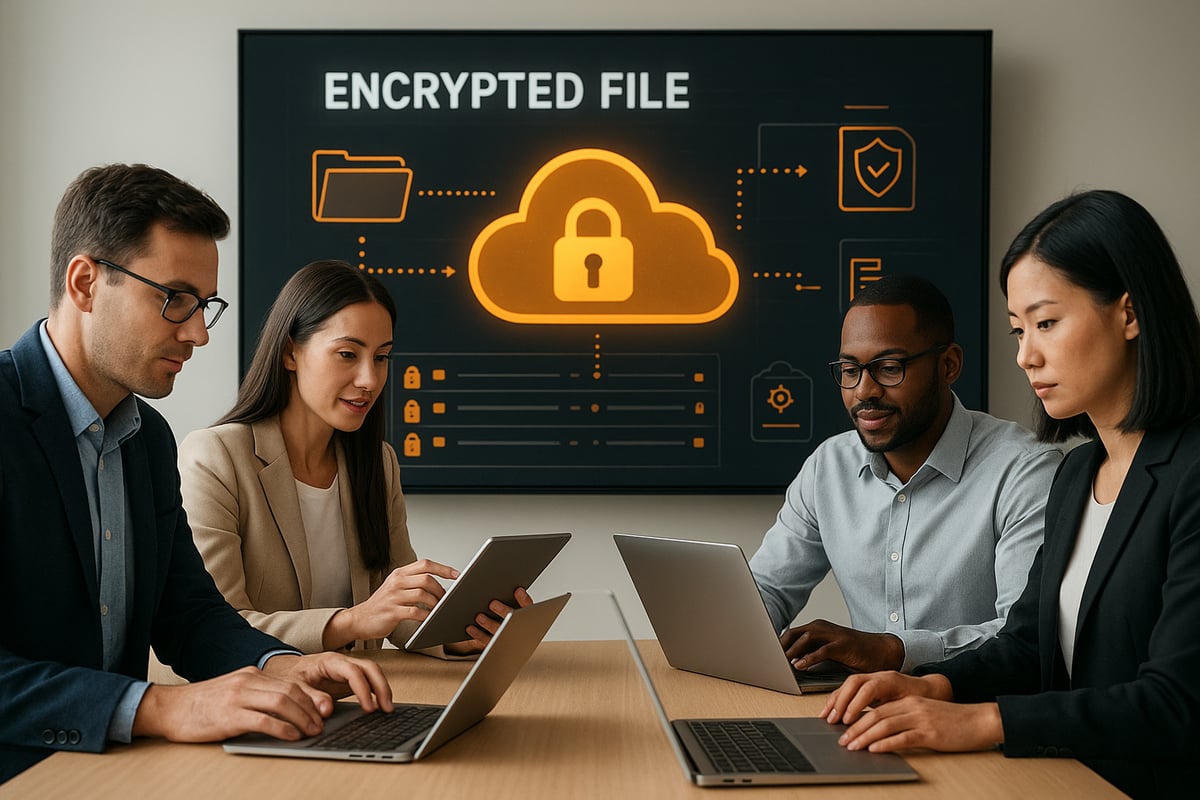
Strong encryption is the backbone of secure file cloud platforms. Encryption in transit protects files as they move between devices and servers. Encryption at rest ensures stored data is unreadable to unauthorised users.
For business-grade file cloud use, end-to-end encryption is now considered a baseline. Providers typically use protocols like AES-256 for data at rest and TLS 1.3 for data in transit. Both Dropbox and OneDrive have adopted advanced encryption to protect client data.
Password policies play a pivotal role. Enforcing strong, unique passwords and enabling two-factor authentication dramatically reduces the risk of breaches. In 2025, 85% of data breaches involved weak or stolen credentials, underscoring the importance of robust access controls.
| Feature | Standard Practice (2026) |
|---|---|
| Encryption | End-to-end, AES-256, TLS 1.3 |
| Password Policy | Strong, unique, enforced |
| Two-Factor Auth | Mandatory for all users |
Choosing a file cloud provider with these standards is essential for protecting business data.
Compliance, Privacy, and Data Residency
Regulatory compliance is non-negotiable for any file cloud solution. Providers must comply with GDPR, ISO 27001, and other relevant standards. These frameworks define how data is handled, stored, and protected.
Data residency is increasingly important. Many organisations require files to be stored within specific jurisdictions. This ensures compliance with local laws and protects privacy. European businesses, for example, often prefer providers operating from EU data centres.
Privacy-first file cloud providers offer additional benefits. By keeping data within strict legal boundaries and adhering to privacy regulations, these services help businesses avoid costly penalties and reputational risks.
When evaluating options, ask:
- Where is my data physically stored?
- Does the provider meet all required certifications?
- Are privacy commitments documented and transparent?
Threat Detection, Backup, and Disaster Recovery
Modern file cloud services offer advanced threat detection and automated backup to keep data safe from emerging risks. Automated monitoring tools scan for suspicious behaviour, alerting administrators to anomalies.
Ransomware protection is a must. Providers now offer file versioning and point-in-time recovery, enabling users to restore files to a safe state after an attack. OneDrive, for instance, offers ransomware detection and recovery for both individuals and businesses.
Automated backup and restore capabilities ensure that accidental deletions or malicious activities do not result in permanent data loss. Many file cloud platforms also provide remote wipe features for lost or stolen devices, adding another layer of protection.
Key security measures include:
- Continuous threat monitoring
- Regular automated backups
- Remote wipe support
Selecting a file cloud provider with these features ensures business continuity.
User Access, Permissions, and Audit Trails
Controlling who can access files is fundamental to file cloud security. Assigning granular permissions for files and folders allows organisations to limit exposure and prevent unauthorised access.
Audit logs and activity tracking are now standard. These tools enable administrators to monitor file access, edits, and sharing events. Regularly reviewing permissions and access history helps prevent privilege creep and detects suspicious activity early.
Dropbox’s admin controls for business accounts set a benchmark. Administrators can easily assign roles, review access logs, and enforce security policies across the file cloud environment.
Best practices for user management:
- Assign roles based on job function
- Review permissions quarterly
- Monitor activity with audit trails
A secure file cloud system relies on diligent access management.
Secure Collaboration and Sharing Tools
Collaboration is at the heart of modern file cloud platforms. However, sharing must never compromise security. Password-protected links, expiring access, and granular permissions are now the norm for sensitive files.
Watermarking and restricted downloads help prevent unauthorised distribution. Real-time collaboration tools are integrated into secure editing environments. Microsoft 365’s secure document sharing in OneDrive, for example, ensures edits and comments remain protected.
Key secure sharing features:
- Password-protected sharing links
- Expiring access for time-limited projects
- Watermarking for confidential documents
By adopting these tools, organisations can enable seamless teamwork while maintaining control over their file cloud data.
How to Choose the Right File Cloud Provider in 2026
Selecting the right file cloud provider in 2026 is a strategic decision for any organisation. The right choice can secure your files, streamline collaboration, and ensure compliance with evolving regulations. With the landscape changing rapidly, knowing what to look for is vital.

Assessing Your Storage and Collaboration Needs
To begin with, evaluate your organisation’s specific needs. In particular, consider the volume and types of files you handle daily. Are you storing high-resolution images, CAD files, or large videos? At the same time, assess how your team works: do they collaborate in real time or work asynchronously across locations?
Next, list the devices in use, from desktops to mobiles, and identify any remote or hybrid work patterns. In doing so, you can determine the level of flexibility required. A robust file cloud solution should therefore offer seamless syncing and accessibility on every platform. Additionally, integration with existing productivity tools, such as project management or CRM systems, is essential for maintaining efficiency.
Finally, plan for growth. Your provider must scale as your business expands; accordingly, choose a platform that can handle increased storage and user numbers without sacrificing performance. By carefully reviewing these factors, you can ensure your file cloud investment meets both current and future demands.
Comparing Security and Compliance Features
Security is non-negotiable when choosing a file cloud provider. Look for end-to-end encryption, both in transit and at rest, as a foundation. Strong password policies, two-factor authentication, and granular user permissions are must-haves.
Compliance is equally important. Ensure your provider meets GDPR, ISO 27001, and any sector-specific regulations relevant to your operations. Data residency options, especially for European businesses, can offer peace of mind regarding legal obligations. For a deeper dive into these considerations, see Choosing encrypted cloud services.
Third-party audits and transparent security certifications provide added confidence. Regular updates and proactive threat detection measures further reduce risk. By prioritising these features, your file cloud usage remains both secure and compliant.
Pricing, Plans, and Value for Money
Analyse the pricing structure of each file cloud provider. Compare free and paid tiers, noting storage limits, feature sets, and collaboration tools. Business plans often include advanced admin controls, enhanced security, and priority support.
Look for bundled offerings, such as integrated email, backup, or password management, which can provide added value. Consider whether the provider offers flexible billing, allowing you to adjust your subscription as needs change.
A comparison table can clarify your options:
| Provider | Free Storage | Business Features | Compliance | Support Type |
|---|---|---|---|---|
| Provider A | 5 GB | Yes | GDPR/ISO | 24/7 Chat |
| Provider B | 10 GB | Limited | GDPR | Email Only |
| Provider C | 2 GB | Full Suite | ISO 27001 | Phone/Email |
Assessing these factors ensures your file cloud provider delivers value for money and aligns with your operational needs.
Support, Reliability, and User Experience
Responsive support is crucial if issues arise. Prioritise file cloud providers that offer multiple support channels, such as live chat, phone, and email. Look for clearly defined service-level agreements and uptime guarantees, ideally 99.99 percent or higher.
User experience matters. An intuitive interface, quality mobile apps, and straightforward navigation promote adoption across your workforce. Reliable platforms minimise downtime and data loss, keeping your business running smoothly.
Regular software updates and transparent communication about outages are further indicators of a dependable provider. By focusing on support, reliability, and usability, you can trust your file cloud solution to meet daily demands and unexpected challenges.
Secure File Sharing: Best Practices and Step-by-Step Guide
In 2026, secure file sharing is essential for every organisation using a file cloud platform. As collaboration intensifies and digital threats evolve, understanding how to share files safely is vital. This section will provide a practical, step-by-step guide to secure file sharing, highlight best practices, and ensure your team remains protected.

Understanding Secure Sharing Options
When working with a file cloud solution, you have several ways to share files securely. Common options include sharing via direct links, email invitations, or granting access to specific users or groups.
Each method offers different levels of control. For instance, sharing by link is quick but should always be paired with password protection and expiration dates. Email or direct user access is suitable for sensitive information, as you can specify who can view, edit, or download files.
Modern file cloud platforms, such as OneDrive and Dropbox, provide features like personal vaults and password-protected links. These options help ensure that only the intended recipients can access your data. Before sharing, always consider the sensitivity of the file and select the most secure method available.
Step-by-Step: Sharing Files Securely in the Cloud
To ensure secure sharing within your file cloud, follow these steps:
- Select the file or folder you wish to share.
- Choose your preferred sharing method: direct link, email invite, or group access.
- Set precise permissions for each recipient, such as view, edit, or comment.
- Add password protection and set expiration dates for shared links if your file cloud provider offers these features.
- Share the link or send the invitation to specific users.
- After sharing, monitor who accesses your files and revoke permissions when necessary.
This process helps maintain control over your documents and reduces risks associated with unauthorised access. Implementing these steps every time you use your file cloud guarantees that your sharing practices remain consistent and secure.
Managing Shared Content and Permissions
Effectively managing shared files is critical for any file cloud environment. Regularly review your shared content to ensure only necessary individuals retain access. Remove permissions for users who no longer need them and avoid leaving old links active.
Audit logs and activity monitoring tools, available in platforms like Dropbox and OneDrive, help track file access and detect unusual behaviour. For further guidance on emerging threats and best practices, refer to the Cloud and Threat Report 2025, which provides valuable insights for staying ahead of risks.
By actively managing permissions and reviewing shared content, you uphold the security of your file cloud and reduce your organisation’s exposure to data leaks.
Collaboration Without Compromising Security
Secure collaboration in the file cloud means enabling teamwork without sacrificing data protection. Use real-time editing tools with robust permission controls, ensuring only authorised users can make changes or leave comments.
Features like watermarking, restricted downloads, and secure file requests add additional protection for sensitive content. Microsoft 365’s co-authoring environment, for example, allows multiple users to collaborate safely within a controlled workspace.
Encourage your team to use built-in feedback features and avoid sharing files through unsecured channels. By leveraging your file cloud’s collaboration tools, you can enhance productivity while maintaining strict security standards.
Educating Teams and Users on Secure Sharing
The human element remains a crucial factor in file cloud security. Regular training sessions help users understand safe sharing practices, such as recognising phishing attempts and using strong passwords.
Establish clear policies for sharing files and handling sensitive data. Organisations that prioritise security awareness, including regular briefings and hands-on demonstrations, see fewer incidents of accidental data exposure.
Empower your team to report suspicious activity and encourage a culture of vigilance. With consistent education and well-defined procedures, your file cloud becomes a safer, more reliable platform for everyone.
Future Trends in File Cloud Storage and Sharing
The landscape of file cloud solutions is evolving rapidly, shaped by innovation, regulation, and rising user expectations. As we look ahead to 2026, several emerging trends are set to redefine how organisations approach secure, efficient, and responsible file cloud management.
AI and Automation in File Management
Artificial intelligence is transforming how businesses interact with file cloud platforms. In 2026, AI-driven tools will handle tasks like intelligent file organisation, automated tagging, and predictive content discovery. These features streamline workflows and reduce manual effort.
For example, Microsoft 365 Copilot integrates deeply with OneDrive, enabling users to summarise documents and automate repetitive actions. Automated version control ensures teams always access the most current files. With smarter file cloud capabilities, organisations can boost productivity while maintaining robust security.
Zero Trust Security and Decentralised Storage
Security models are shifting towards zero trust, requiring continuous verification of every user and device accessing file cloud resources. This approach minimises risk by reducing implicit trust and tightening access controls.
Decentralised storage, including blockchain-based solutions, is also emerging to provide greater data integrity and transparency. Providers are implementing immutable audit trails and enhanced anomaly detection. According to the Cloud Data Security Snapshot 2025, proactive monitoring and zero trust frameworks are now best practice for modern file cloud environments.
Sustainability and Green Cloud Initiatives
Sustainability is becoming a key differentiator in the file cloud industry. Providers are investing in eco-friendly data centres powered by renewable energy and efficient cooling systems. This shift addresses both regulatory pressures and growing customer demand for greener IT solutions.
For instance, vBoxx operates sustainable Dutch data centres, ensuring that file cloud storage is environmentally responsible as well as secure. Businesses are increasingly prioritising partners who demonstrate a clear commitment to reducing their carbon footprint.
Integration with Advanced Collaboration Tools
Seamless integration with other business platforms is now essential for any file cloud solution. In 2026, expect deeper connections between file cloud services and project management, CRM, and communication tools.
This unified digital workplace enables real-time collaboration, file sharing, and task management from a single interface. Dropbox and OneDrive continue to expand their app ecosystems, making it easy for organisations to embed file cloud functionality into daily workflows and boost overall efficiency.
Evolving Compliance and Privacy Regulations
Regulatory requirements for file cloud storage are tightening as privacy concerns grow. Anticipated changes to GDPR and new international laws are prompting providers to enhance compliance features and transparency.
The Safe Cloud Storage Act 2025 highlights the increasing need for robust security standards and regular certification updates. Businesses must stay vigilant, selecting file cloud partners who proactively address evolving legal obligations and offer clear data residency options.
User Experience and Accessibility Innovations
User expectations for file cloud platforms are rising, with a strong focus on accessibility and mobility. Providers are improving mobile apps, offline access, and cross-platform compatibility to ensure everyone can manage files securely, regardless of device or location.
Accessibility enhancements support users with diverse needs, making file cloud services more inclusive. For example, OneDrive’s interface improvements and offline editing capabilities empower teams to stay productive and connected in any environment.
Actionable Steps for Secure File Cloud Adoption in 2026
Adopting a secure file cloud solution in 2026 requires a strategic, step-by-step approach. Each phase ensures not only the safety of your data but also the efficiency and scalability of your digital workflows. Follow these actionable steps to make the most of your file cloud investment.
Assess Your Current Storage and Sharing Practices
Begin by auditing your existing file cloud environment. Identify where files are stored, how they are shared, and who has access. Look for inconsistencies, such as files stored locally, on personal drives, or in unauthorised cloud accounts.
Evaluate workflows for both internal and external sharing. Are sensitive documents protected with adequate controls? Review whether your team relies on shadow IT or non-compliant platforms. This audit reveals vulnerabilities and highlights areas for improvement, forming the foundation for a secure file cloud adoption process.
Define Security and Compliance Requirements
Next, clarify your organisation’s security and compliance obligations. Do you need to meet GDPR, ISO 27001, or specific industry standards? Determine if data residency is required, especially if you handle sensitive or regulated information.
Identify which security features are essential in your file cloud setup. These may include encryption, multi-factor authentication, and detailed access controls. Aligning your requirements with legal and business needs ensures your file cloud solution fully supports compliance and risk management.
Evaluate and Select the Right Provider
When selecting a file cloud provider, compare features, support, and compliance credentials. Assess storage capacity, integration with existing tools, and security certifications. Consider user experience and mobile compatibility as well.
A comparison of providers can clarify which solution best matches your needs. For a detailed analysis of leading options, consult File storage services compared. Involve key stakeholders in the decision to ensure a smooth transition and long-term satisfaction with your file cloud platform.
| Criteria | Provider A | Provider B | Provider C |
|---|---|---|---|
| Security Certifications | Yes | Yes | No |
| Data Residency Options | EU | Global | US |
| Integration | High | Medium | Low |
Implement Best Practices for Secure Sharing and Collaboration
Once you have chosen a file cloud provider, establish robust sharing and collaboration protocols. Set up user roles with the principle of least privilege, ensuring only authorised personnel can access sensitive files.
Train your team on secure sharing methods, such as password-protected links and expiring access. Enable features like multi-factor authentication and real-time collaboration tools. Document sharing policies and encourage staff to report suspicious activity, supporting a culture of security within your file cloud environment.
Monitor, Optimise, and Scale Over Time
Continuous monitoring is essential for a secure file cloud deployment. Use built-in analytics to track file access, sharing patterns, and potential security incidents. Regularly review and adjust permissions as roles change or projects conclude.
Analyse storage usage and optimise configurations to balance cost and performance. As your organisation grows, scale your file cloud solution to accommodate new users, devices, and workflows. Routine audits help maintain compliance and adapt to evolving business needs.
Prepare for Future Developments
Stay proactive by monitoring emerging technologies and regulatory changes that impact file cloud solutions. Invest in ongoing staff training to address new threats, such as AI-driven attacks or evolving compliance requirements.
Plan for integration with advanced tools, like AI-powered search or blockchain-based file management. By keeping your file cloud approach adaptable and forward-thinking, your organisation will remain resilient, competitive, and secure in the face of change.
Now that you’ve explored the essentials of secure cloud storage and sharing in 2026, you can see how the right solution protects your business, supports remote collaboration, and keeps you compliant with ever-evolving regulations. If you’re ready to experience first-hand how vBoxx combines privacy, security, and sustainability in a user-friendly platform, why not take the next step? You can easily see how it fits your team’s needs by getting started with a Start a free trial.