
With the world storing more data online than ever, the need for secure file in cloud solutions is at an all-time high. In 2026, both individuals and organisations depend on reliable cloud storage for everything from business continuity to personal memories.
This guide breaks down the latest advancements in cloud storage security, helping you make informed choices to protect your data and ensure accessibility. You will discover how file in cloud technology has evolved, what security features matter most, the top providers, compliance essentials, setup steps, expert best practices, and future trends.
Read on for expert insights that empower you to safeguard your digital world.
The Evolution of File in Cloud Storage: 2026 Landscape
The landscape for file in cloud storage has transformed rapidly, becoming a cornerstone for digital life and business. As organisations and individuals seek more secure, accessible, and scalable solutions, understanding the evolution of file in cloud systems is crucial for making informed choices.

Key Milestones in Cloud Storage Adoption
The global adoption of file in cloud technology has reached new heights, with usage projected to exceed 200 zettabytes by 2026. Early on, challenges such as limited security, unreliable connectivity, and restricted accessibility slowed progress.
Over time, several key milestones reshaped the industry:
- Introduction of hybrid and multi-cloud strategies, allowing organisations to balance flexibility and security.
- Real-time collaboration tools became standard, empowering remote workforces.
- Improved data redundancy and uptime increased trust in cloud platforms.
The file in cloud approach is now central to both personal and business data management, reflecting a shift from on-premises servers to agile, cloud-first infrastructures.
Technological Advancements Shaping 2026
Technological progress has redefined the capabilities of modern file in cloud platforms. Artificial intelligence now powers smart file management and contextual search, making it easier to find information instantly.
Blockchain integration ensures tamper-proof audit trails and data integrity, while quantum-resistant encryption is emerging as a new security benchmark. Edge computing brings files closer to users, reducing latency for local access and boosting responsiveness.
For a deeper look at current security innovations, consider reviewing emerging cloud security trends for 2026, which explores identity-first security and the convergence of security operations.
These advancements collectively enhance the reliability and resilience of file in cloud solutions, supporting growing digital demands.
Market Trends and User Expectations
User expectations for file in cloud services have evolved alongside technological capabilities. Seamless syncing across devices is now a baseline requirement, enabling users to access and edit files from anywhere.
Security remains at the forefront, with zero-trust models becoming essential. Privacy-focused features and regionally compliant solutions, such as GDPR and NIS2, are in high demand.
Providers like Microsoft 365 and OneDrive have responded by integrating AI assistants and advanced security protocols, setting new standards for productivity and safety in file in cloud environments.
Impact on Businesses and Individuals
The widespread adoption of file in cloud storage has changed how organisations operate. Many businesses have moved from traditional on-premises storage to cloud-first policies, driven by cost savings and scalability.
Educational institutions use cloud collaboration platforms to support dynamic learning environments. Notably, 70% of SMEs now prioritise file in cloud storage for safeguarding critical files.
This shift has improved data accessibility and disaster recovery, while enabling organisations to adapt quickly to changing needs and regulatory landscapes.
Core Security Features of Modern Cloud Storage Solutions
Modern file in cloud solutions have transformed how we protect digital assets. Security is no longer optional, it is fundamental to every storage decision. Let us explore the core features that keep data safe, accessible, and compliant in 2026.

Encryption and Data Protection
Encryption is the backbone of any secure file in cloud solution. Leading providers now use end-to-end encryption, with AES-256 and quantum-resistant algorithms becoming standard. This means files are protected both during transfer and when stored, reducing risk from interception or theft.
A major advancement in 2026 is the ability for users to manage their own encryption keys, putting control directly in their hands. For example, OneDrive Personal Vault offers an extra layer for sensitive documents, ensuring only authorised users can access them.
To understand the benefits of different encryption methods, see this Online storage encrypted guide, which covers standards and best practices. Choosing a provider with robust encryption is essential for anyone using file in cloud services.
Authentication and Access Controls
Strong authentication is vital for securing file in cloud platforms. Multi-factor authentication (MFA) is now the default, requiring users to verify their identity with more than just a password. This has led to an 80% reduction in breaches.
Role-based access management allows organisations to define exactly who can see and edit files. Device and location-based restrictions further enhance security, blocking access from unusual places or untrusted devices.
By combining these controls, businesses can ensure their file in cloud storage remains protected from both external threats and internal mistakes.
Backup, Redundancy, and Disaster Recovery
Reliable file in cloud systems offer automated, versioned backups to prevent data loss from accidental deletion or cyberattacks. Geo-redundant storage means files are copied across multiple locations, ensuring high availability even during outages.
Rapid restore options and ransomware detection are now standard, enabling quick recovery from incidents. Educational institutions, for instance, have adopted cloud backup policies to guarantee continuity for students and staff.
With these features, file in cloud platforms provide not just storage, but a resilient safety net for critical information.
Compliance and Privacy Safeguards
Today, compliance is non-negotiable for file in cloud providers. Adherence to GDPR, NIS2, and regional laws is built into most services, offering peace of mind for regulated industries. Organisations can choose where their data is stored, ensuring residency in the EU or other required regions.
Audit logs and compliance reports make it easy to demonstrate legal adherence. In fact, 90% of enterprises now demand compliance-ready solutions when selecting file in cloud storage.
These safeguards ensure sensitive data remains private, secure, and within legal boundaries.
User Education and Security Awareness
The human element remains critical in file in cloud security. Providers now include built-in training modules to educate users on best practices. Real-time alerts for suspicious sharing or login activity help prevent breaches before they escalate.
For example, Microsoft 365’s security dashboards empower administrators to monitor and respond to threats quickly. When users are informed and vigilant, file in cloud solutions become even more robust.
Leading Secure Cloud Storage Providers and Their 2026 Offerings
Selecting the right file in cloud solution is essential for safeguarding data, enabling collaboration, and meeting compliance in 2026. With a growing array of secure platforms, understanding each provider’s strengths will help you choose the best fit for your needs.
Microsoft OneDrive and Microsoft 365
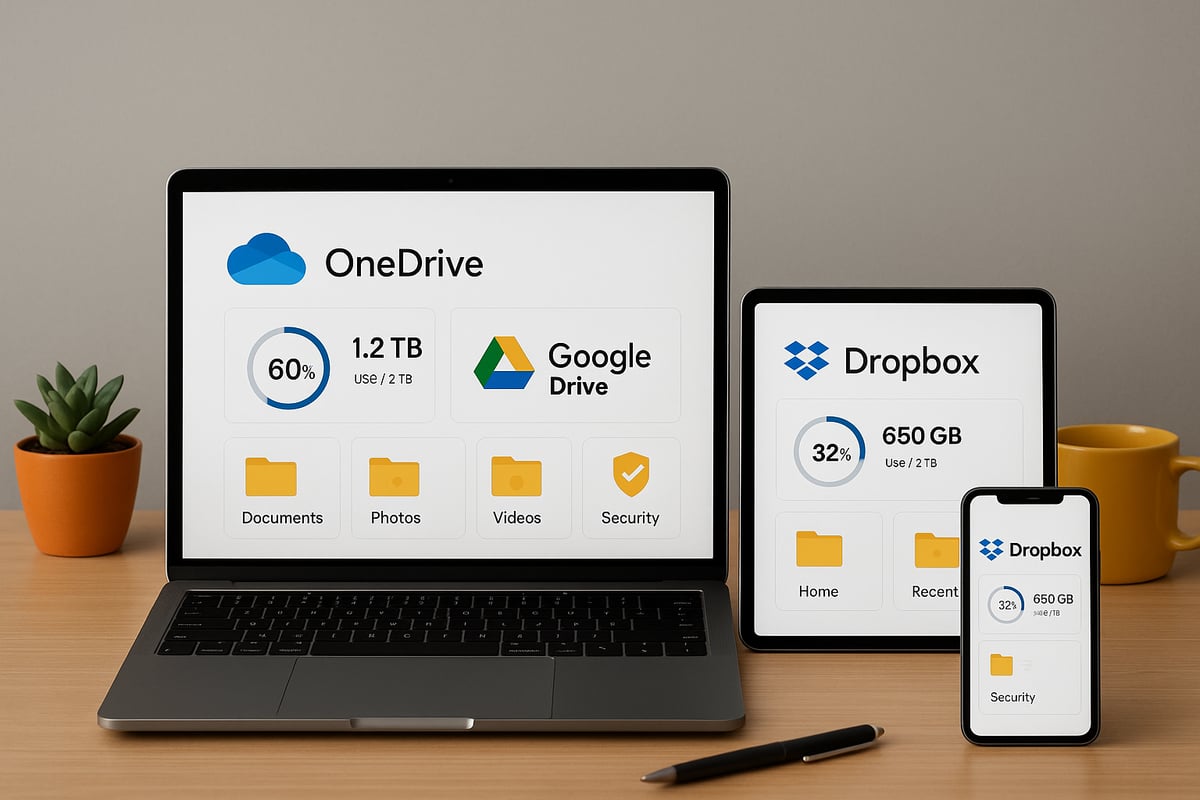
Microsoft’s file in cloud offering continues to lead with robust security, advanced AI, and seamless integration. OneDrive provides end-to-end encryption, automated backups, and Personal Vault for sensitive files. The 2026 suite includes Copilot, an AI assistant that organises, searches, and protects files intuitively.
Cross-device compatibility ensures files are accessible on Windows, Mac, mobile, and even Xbox. Ransomware detection and rapid recovery tools reduce risks for businesses and individuals. Microsoft 365’s compliance certifications and granular admin controls make it a top choice for regulated industries.
Google Drive and Workspace
Google’s file in cloud solution focuses on collaboration, security, and global accessibility. Google Drive uses strong encryption both in transit and at rest, with Data Loss Prevention (DLP) and audit logs for enhanced oversight. Teams benefit from real-time editing, AI-driven file management, and intelligent search powered by Gemini AI.
Workspace offers extensive compliance certifications and supports a wide range of integrations. Google’s cross-platform sync ensures files are available on any device. For those seeking a detailed file storage services overview, Google Drive’s features consistently rank among the most versatile.
Dropbox Business and Personal
Dropbox remains a trusted file in cloud provider, known for its intuitive interface and powerful sharing tools. Security is prioritised through file recovery, version history, and remote wipe options. Dropbox Smart Sync enables users to manage files efficiently without filling up local storage.
Admins have access to user-friendly controls, detailed activity logs, and team management features. Integration with productivity platforms like Microsoft 365 and Google Workspace streamlines workflows. Dropbox’s focus on user experience makes it a favourite for creative teams and SMEs.
Apple iCloud Drive
For Apple users, iCloud Drive delivers a secure and integrated file in cloud experience. End-to-end encryption is standard, with files automatically synced across iOS, macOS, and iPadOS devices. Privacy is a core principle, and Apple’s strict data protection policies reinforce user trust.
Family and team sharing features are easy to configure, enabling collaboration within the Apple ecosystem. With advanced security and regular privacy updates, iCloud Drive appeals to users who prioritise simplicity and confidentiality in their storage solutions.
European and Privacy-Focused Alternatives
Privacy-conscious organisations are increasingly choosing European file in cloud providers such as Nextcloud, ownCloud, and Tresorit. These platforms offer strong GDPR compliance, data residency options, and open-source flexibility. Businesses can customise security settings to meet regional or sector-specific requirements.
Many EU-based providers operate transparent infrastructures, allowing clients to verify data handling practices. According to recent surveys, 60% of EU businesses now prefer local cloud providers to maintain control over sensitive data and meet stringent privacy laws.
vBoxx: Secure, Compliant, and Sustainable Cloud Solutions
vBoxx leads the European file in cloud market with a strong emphasis on privacy, compliance, and sustainability. Their ISO 27001-certified infrastructure supports GDPR and NIS2 requirements, making it ideal for regulated sectors. vBoxxCloud, vBoxxFiles, and tailored backup solutions offer flexibility for SMEs, enterprises, and public sector organisations.
The company’s green hosting practices reduce environmental impact without compromising security. vBoxx provides free trials, expert migration support, and ongoing consultancy to ensure safe and smooth transitions to the cloud. Their commitment to data protection and service quality sets a benchmark for secure cloud storage in 2026.
Compliance, Data Residency, and Legal Considerations in 2026
As organisations continue to move critical operations to the file in cloud environment, understanding compliance, data residency, and legal factors becomes essential. The complexity of global regulations and the need for transparency from providers shape how businesses and individuals protect their data in 2026.

Navigating Global Compliance Requirements
The file in cloud landscape is governed by a complex web of regulations such as GDPR, NIS2, and CCPA. Each framework addresses data privacy, user rights, and breach notification, making it crucial to understand your obligations.
Transparency is key. Leading providers now publish detailed compliance documentation and offer dashboards for monitoring adherence. The EU Data Act has introduced additional requirements, especially for data sovereignty and portability. For a deeper look at how this impacts cloud storage providers, see the EU Data Act’s impact on cloud storage compliance.
Organisations must stay informed about jurisdictional differences when storing files in cloud platforms, as non-compliance can lead to fines and reputational damage.
Data Residency and Sovereignty
Choosing where your file in cloud data resides affects privacy, legal access, and operational efficiency. Providers offer storage options across regions such as the EU, US, and Asia to meet varying sovereignty demands.
For regulated industries, storing data within specific jurisdictions is often mandatory. European universities, for example, increasingly select local cloud providers to ensure compliance with EU standards.
Data residency also influences how quickly files can be accessed and restored, making location a strategic consideration for both compliance and performance.
Contractual and Service Level Agreements (SLAs)
A robust file in cloud strategy includes reviewing SLAs and contracts in detail. Key clauses to scrutinise are:
- Uptime guarantees
- Breach notification timelines
- Data ownership and portability
Many organisations now renegotiate agreements, with 85% seeking stricter privacy and security terms. Regular contract reviews help identify risks and enforce accountability, ensuring your provider remains aligned with evolving legal requirements.
Third-Party Integrations and Ecosystem Risks
Integrating third-party applications with your file in cloud storage brings added productivity but also new risks. Each connected app or API can introduce vulnerabilities.
Effective vendor management starts with thorough security assessments and ongoing monitoring. For example, Microsoft 365’s ecosystem allows extensive integration, but each connection must be evaluated for compliance impact.
Maintaining an inventory of integrations and limiting access to only essential tools reduces exposure and strengthens your overall security posture.
Preparing for Regulatory Changes
The file in cloud sector is dynamic, with regulations evolving rapidly. Laws like the AI Act and new data transfer rules can shift compliance obligations overnight.
Cloud providers play a proactive role by updating features and compliance controls as laws change. Staying ahead requires subscribing to regulatory updates, attending industry webinars, and leveraging provider training resources.
Continuous education ensures your organisation remains compliant and ready to adapt as the landscape shifts.
Step-by-Step: Setting Up and Securing Your Cloud Storage
Setting up your file in cloud solution is more than a technical task, it is a foundation for secure, seamless data management in 2026. With security threats evolving, a structured approach ensures your files remain protected and accessible. The following step-by-step guidance will help you establish a robust cloud storage environment, whether for personal use or business operations.
Choosing the Right Cloud Storage Provider
Begin by assessing your unique needs for file in cloud management. Consider the sensitivity of your data, regulatory requirements, and collaboration needs. Compare providers using a decision matrix, evaluating:
- Security features (encryption, compliance)
- Scalability and pricing models
- Support and migration assistance
- Device compatibility and integrations
For example, businesses prioritising GDPR compliance might select a European provider, while creative teams may value seamless cross-platform access. Align your choice with both present and future requirements to ensure your file in cloud solution grows with you.
Account Creation and Initial Configuration
Once you have chosen your provider, create your account using a strong, unique password. Enable multi-factor authentication (MFA) immediately, as this step dramatically increases the security of your file in cloud. Configure user profiles and set up administrative permissions for business accounts.
Begin your initial backup by uploading essential files. Verify storage limits and organise your dashboard for easy navigation. These foundational steps create a secure starting point for your file in cloud journey and help prevent unauthorised access from the outset.
Organising Files and Setting Access Controls
Structure your file in cloud by developing clear folder hierarchies and consistent naming conventions. Assign access rights based on user roles, ensuring only authorised individuals can view or edit sensitive information. For teams, use group permissions to simplify management.
- Create folders for projects, departments, or client groups
- Set view, edit, or share permissions as needed
- Review shared links regularly to avoid oversharing
Effective organisation not only improves productivity, it also reduces the risk of accidental data exposure within your file in cloud environment.
Enabling Advanced Security Features
Activate all available security options in your file in cloud provider’s dashboard. Enable end-to-end encryption, version history, and file recovery tools. Set up alerts to notify you of suspicious activity, such as login attempts from unknown locations.
Consider consulting resources like Encrypted cloud service insights to better understand how encryption protects your data. Use audit logs to monitor changes and ensure compliance, particularly if your files contain regulated or sensitive information.
Regular Maintenance and Review
Schedule automated backups and test restore processes to safeguard your file in cloud against data loss. Periodically review user access rights and remove unnecessary permissions, especially after staff changes or project completion.
Update security settings and software regularly to defend against emerging threats. For detailed strategies, see Google Workspace backup strategies, which outlines best practices for maintaining reliable backups and continuity. Consistent maintenance ensures your file in cloud remains resilient and compliant.
Troubleshooting and Support Resources
Even with careful planning, issues such as sync errors, access problems, or storage limits may arise in your file in cloud setup. Consult your provider’s help centre, FAQs, and technical support channels for prompt resolution.
Many platforms offer knowledge bases and community forums where you can find step-by-step solutions. Keeping support resources close at hand helps you quickly overcome obstacles and maintain the integrity of your file in cloud storage.
Best Practices and Future-Proofing Your Cloud Storage Strategy
Adopting a proactive approach to your file in cloud strategy is essential for protecting data, maintaining compliance, and ensuring long-term adaptability. By following these best practices, organisations and individuals can stay ahead of evolving threats while maximising value from their cloud investments.
Establishing a Security-First Culture
A strong security culture is the foundation of any resilient file in cloud strategy. Regular user training ensures everyone recognises phishing attempts and suspicious activity. Security audits and vulnerability assessments help identify and address weaknesses before they become issues.
Implementing tools that support this mindset is vital. For instance, Microsoft's upcoming BitLocker encryption update for 2026 demonstrates how hardware-accelerated encryption can further protect your cloud data. Simulated phishing campaigns also raise awareness and keep staff vigilant.
Automating Backups and Disaster Recovery
Automated backups are crucial for any file in cloud deployment. They ensure that data is continuously protected without manual intervention. Storing multiple backup copies in different regions provides redundancy and quick recovery in case of disaster.
It is important to test disaster recovery plans annually to confirm that backups restore correctly. Automated processes reduce data loss incidents and give peace of mind. Adopting these practices helps maintain business continuity, even under unexpected circumstances.
Embracing AI and Automation
AI-driven tools are reshaping how we manage files in cloud environments. Intelligent algorithms categorise, organise, and search files more efficiently than ever. Automated security monitoring detects anomalies in real time, alerting admins to potential threats.
Platforms now leverage privacy-preserving analytics and advanced encryption to process data securely. For example, solutions using secure multi-party computation and homomorphic encryption, as outlined in recent advancements in privacy-preserving cloud analytics, are transforming confidential data handling. These innovations streamline workflows and boost productivity.
Monitoring Trends and Adapting to Change
Staying informed about the latest trends is key to future-proofing your file in cloud strategy. Regularly participate in industry forums and user communities to learn about new threats and best practices. Emerging technologies like quantum-safe encryption and smarter automation tools demand ongoing attention.
Adapting internal policies as the landscape evolves ensures that your organisation remains secure and competitive. Encourage a culture of continuous learning and flexibility among staff and stakeholders.
Sustainability and Green Cloud Initiatives
Sustainable cloud storage is becoming a priority for businesses and individuals alike. Choosing providers committed to renewable energy and efficient data centres helps reduce your digital carbon footprint.
Evaluate how your file in cloud usage impacts resource consumption. Opt for storage solutions with certifications for green hosting and energy efficiency. These efforts support environmental goals while maintaining robust digital infrastructure.
Building a Scalable, Flexible Cloud Environment
A scalable file in cloud environment adapts to changing needs and future growth. Regularly review your provider’s capabilities, pricing, and service levels to ensure alignment with your objectives. Integrate cloud solutions with other digital tools for seamless workflows.
Plan for expansion by designing flexible folder structures and access controls. Reassess your file in cloud setup annually, making adjustments as technology and business requirements evolve. Flexibility and foresight are your best defences against future uncertainty.
As we’ve explored, finding secure and reliable cloud storage is essential for protecting your data in 2026’s digital landscape. Whether you’re looking to safeguard sensitive business files or streamline collaboration, choosing a provider that prioritises privacy, compliance, and sustainability truly makes a difference. With vBoxx, you can take advantage of advanced security features, green hosting practices, and expert support tailored to your needs. If you’re ready to experience peace of mind and see how these solutions work for you, why not start a free trial today? It’s a great way to discover the benefits first-hand.