

Cybersecurity breaches continue to pose significant threats to organisations worldwide, with compromised credentials remaining one of the primary attack vectors. Therefore, a password manager for businesses addresses this vulnerability by providing centralised, encrypted storage for all company credentials, while also enforcing strong password policies across the organisation. Furthermore, as businesses increasingly rely on cloud-based services and remote work arrangements, implementing robust password management solutions has become essential not only for maintaining security standards but also for ensuring regulatory compliance.
Why Organizations Need Enterprise Password Management
Password-related security incidents cost businesses millions annually in data breaches, downtime, and regulatory penalties. In particular, employees often resort to weak passwords or reuse credentials across multiple platforms, thereby creating vulnerabilities that cybercriminals readily exploit.
However, a password manager for businesses eliminates these risks by generating complex, unique passwords for every account and storing them in an encrypted vault. As a result, this approach ensures that even if one service experiences a breach, other company accounts remain secure. Consequently, organisations can significantly reduce the risk of widespread credential compromise.
The Business Case for Dedicated Solutions
Organizations face unique challenges that consumer password managers cannot adequately address. Multiple team members require access to shared accounts, employees join and leave positions regularly, and compliance requirements demand detailed audit trails.
Key advantages include:
- Centralized administration and policy enforcement
- Role-based access controls for sensitive credentials
- Detailed activity logs for security audits
- Seamless onboarding and offboarding processes
- Integration with existing identity management systems
Companies implementing enterprise password management report significant reductions in password reset requests, which consume valuable IT resources. The time saved allows technical teams to focus on strategic initiatives rather than routine support tasks.
Core Features That Matter for Enterprises
When evaluating a password manager for businesses, organizations must prioritize functionality that scales with their operations whilst maintaining stringent security standards. Not all solutions offer the same capabilities, making careful assessment crucial.
Security Architecture and Encryption
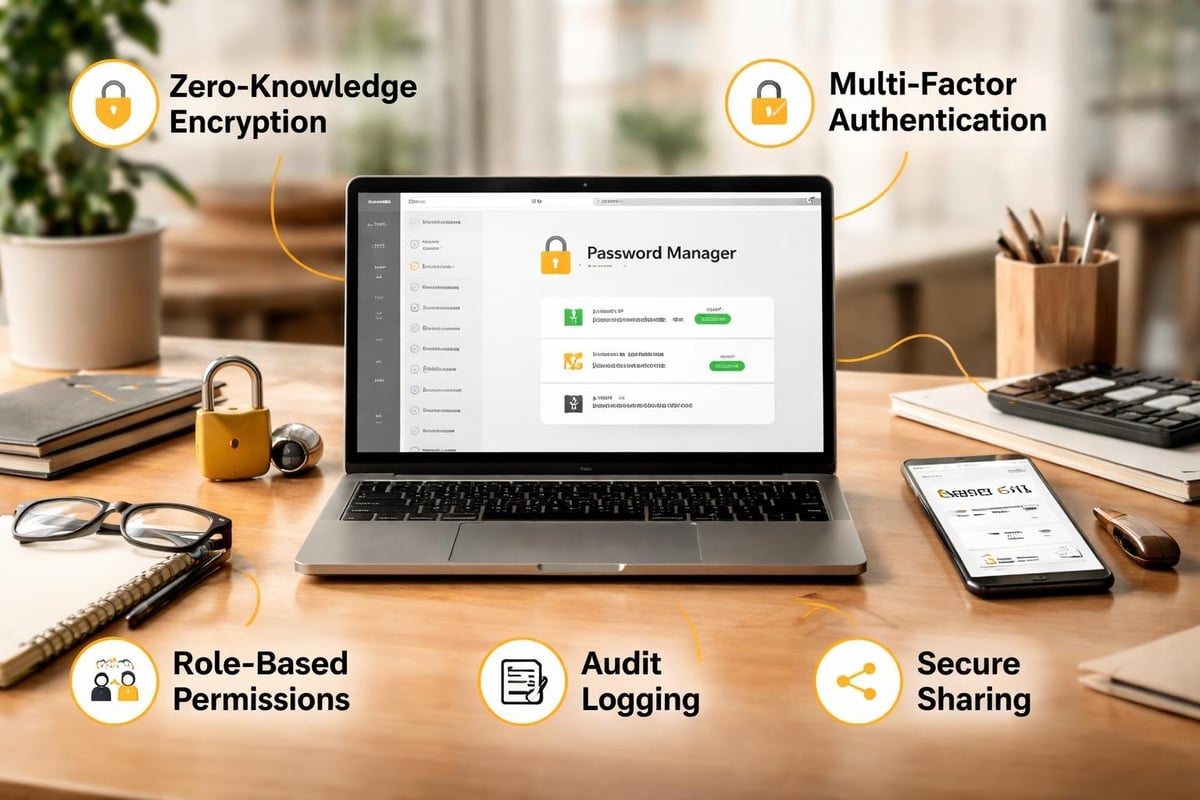
The foundation of any reliable password management system lies in its security architecture. Zero-knowledge encryption ensures that even the service provider cannot access stored credentials, placing complete control in the organization’s hands.
According to Security.org’s 2026 review of business password managers, leading solutions implement AES-256 encryption alongside additional security layers such as PBKDF2 key derivation and secure enclave technology.
| Security Feature | Purpose | Business Impact |
|---|---|---|
| Zero-knowledge architecture | Prevents provider access to credentials | Maximum data privacy |
| Two-factor authentication | Adds verification layer | Reduces unauthorized access |
| Biometric authentication | Simplifies secure access | Improves user adoption |
| Security audits | Identifies weak passwords | Proactive risk management |
Access Management and Permissions
Effective credential sharing requires granular control over who accesses what information. In particular, administrative dashboards should allow security teams to assign permissions based on roles, departments, or specific projects.
Furthermore, modern solutions enable temporary access grants that automatically expire, which are ideal for contractors or time-limited projects. As a result, this functionality prevents the common security gap where former team members retain access to company accounts long after their departure. Consequently, organisations can maintain tighter access control while reducing the risk of unauthorised access.
Implementation Strategies for Maximum Adoption
Technical capabilities mean little if employees resist using the system. Successful deployment of a password manager for businesses requires careful planning, clear communication, and ongoing support.
Rolling Out Across Departments
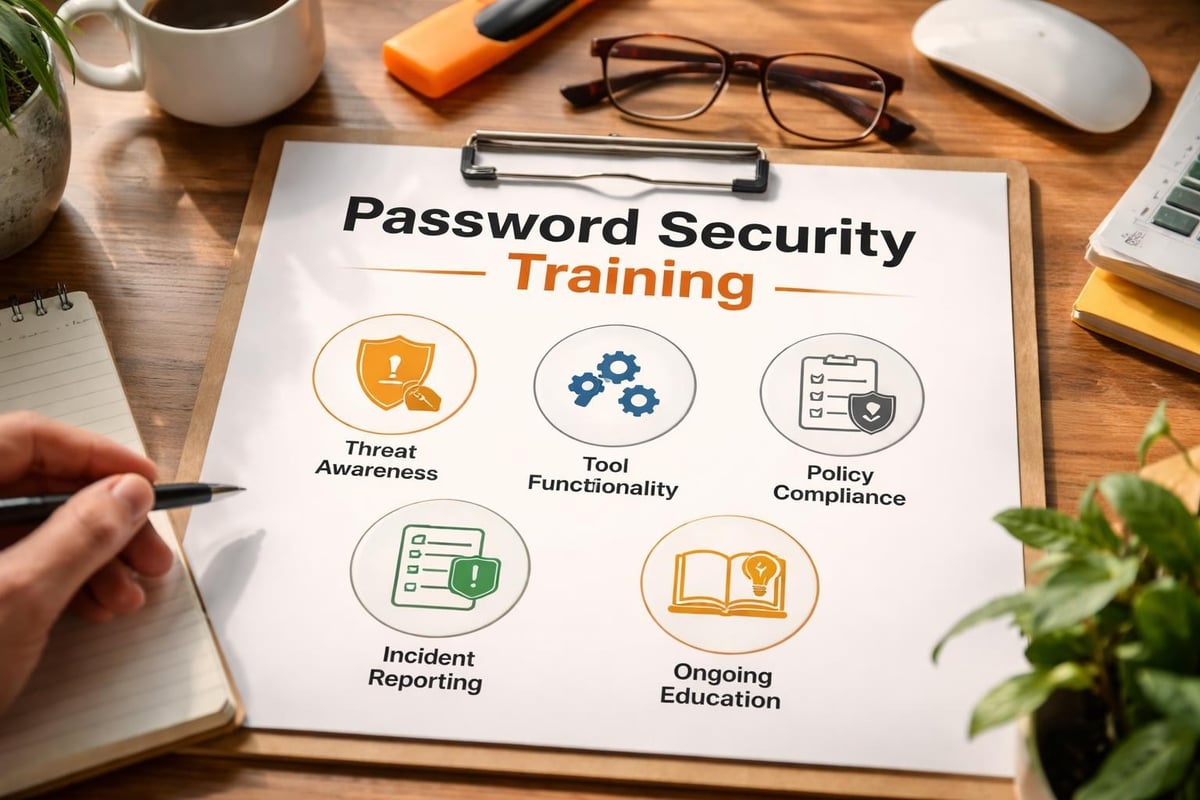
- Conduct security awareness training to explain password vulnerabilities and the benefits of centralized management
- Start with IT and security teams who can provide peer support and identify implementation challenges
- Gradually expand to other departments whilst gathering feedback for refinement
- Establish clear policies regarding password creation, sharing protocols, and acceptable use
- Monitor adoption metrics and address resistance through additional training or process adjustments
Organizations should allocate sufficient time for this transition. Rushing implementation typically results in workarounds that undermine security objectives.
Integration With Existing Systems
Leading password management platforms offer integrations with common business applications through browser extensions, mobile apps, and API connections. In addition, single sign-on (SSO) compatibility allows employees to maintain a unified authentication experience while also benefiting from enhanced security.
Furthermore, the most effective deployments connect password management with identity and access management (IAM) systems, thereby creating a comprehensive security framework. As a result, this integration streamlines user provisioning, automates access reviews, and ensures consistent policy enforcement. Consequently, organisations can improve both security and operational efficiency across their systems.
Comparing Popular Business Password Managers
The market offers numerous solutions, each with distinct strengths suited to different organizational needs. TechRadar’s comprehensive evaluation of business password management software provides valuable insights into current options.
Commercial Versus Open-Source Solutions
Commercial platforms like NordPass deliver polished interfaces, dedicated support teams, and regular feature updates backed by professional development resources. These services typically operate on subscription models with pricing tiers based on user counts.
Open-source alternatives such as KeePass, KeePassXC, and KeeWeb offer complete transparency regarding security implementation and customization possibilities. Organizations with technical expertise often prefer these options for their flexibility and independence from vendor lock-in.
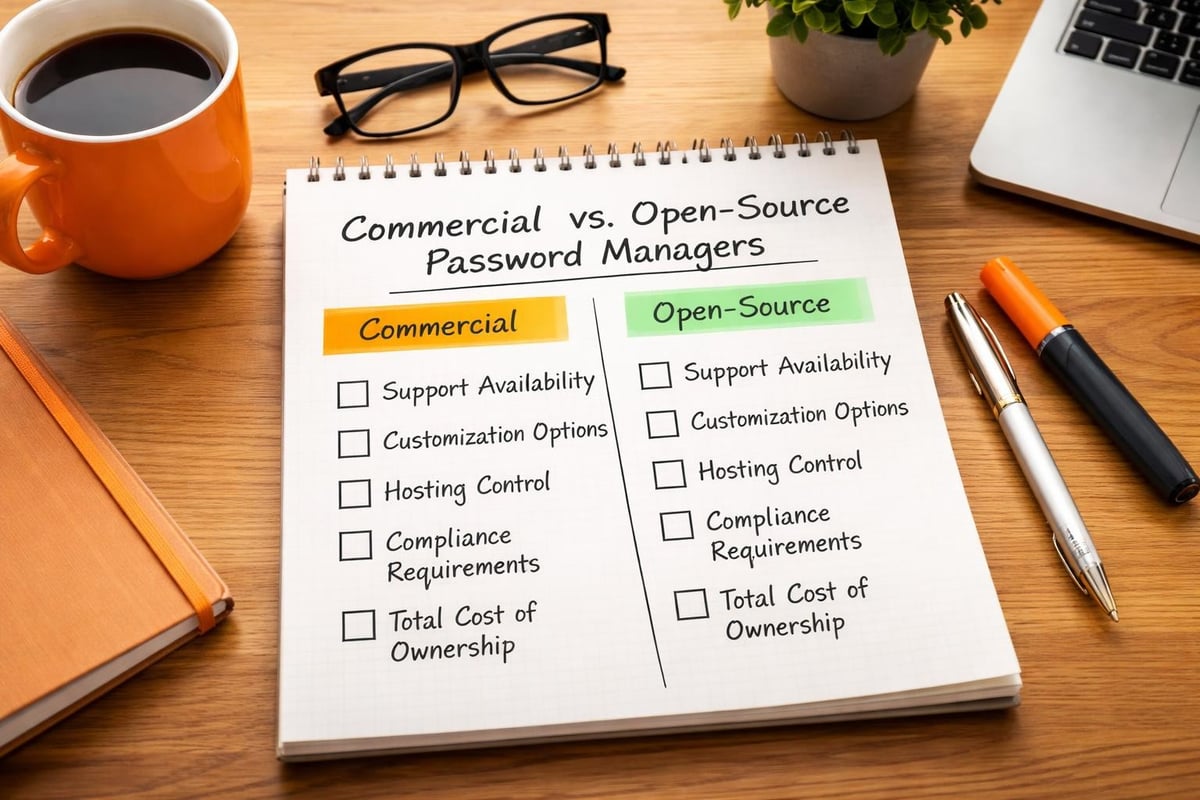
Selection criteria should include:
- Deployment model preferences (cloud-hosted, on-premises, or hybrid)
- Compliance requirements specific to your industry
- Budget constraints and long-term cost projections
- Technical resources available for implementation and maintenance
- Specific feature requirements unique to your operations
Evaluating Security Track Records
Past security incidents reveal how vendors respond to vulnerabilities and whether they maintain transparent communication with customers. Therefore, organisations should research each provider’s security history, audit certifications, and bug bounty programs.
In addition, third-party security assessments from reputable firms add credibility to vendor claims. For example, organisations in regulated industries should verify that potential solutions meet relevant compliance standards, such as SOC 2, ISO 27001, or industry-specific requirements. Consequently, these steps help ensure that selected vendors meet both security expectations and regulatory obligations.
Advanced Capabilities for Growing Organizations
As businesses expand, password management needs evolve beyond basic credential storage. Advanced features support complex organizational structures and enhanced security requirements.
Privileged Access Management
Systems administrators, database managers, and other personnel with elevated privileges require additional security controls. Dedicated privileged access management (PAM) features within a password manager for businesses restrict access to critical systems whilst maintaining detailed activity logs.
Session recording capabilities allow security teams to review exactly what actions privileged users performed during their access sessions. This transparency proves invaluable during security investigations and compliance audits.
| Feature | Benefit | Use Case |
|---|---|---|
| Credential rotation | Automatically updates passwords | Database management, API keys |
| Just-in-time access | Grants temporary elevated permissions | Emergency maintenance, audits |
| Session isolation | Prevents credential exposure | Third-party vendor access |
| Approval workflows | Requires authorization for sensitive access | Financial systems, customer data |
Emergency Access Protocols
Business continuity planning must account for scenarios where key personnel become unavailable. Emergency access features allow designated individuals to gain access to critical credentials following specific protocols, such as time delays or multi-party authorization.
These mechanisms balance security with operational necessity, ensuring that essential business functions continue during unexpected circumstances whilst maintaining audit trails of all emergency access events.
Training and Change Management
Technology alone cannot ensure security. Employees must understand both how to use password management tools and why these practices matter for organizational protection.
Building a Security-Conscious Culture
Regular training sessions should cover common attack vectors, such as phishing attempts that target credentials, and demonstrate how password managers defend against these threats. Real-world examples from recent security incidents make these concepts tangible.
Gamification strategies, such as security challenges with rewards for departments achieving highest adoption rates, can drive engagement. Recognition programs highlighting security champions across the organization reinforce positive behaviors.
Addressing Common Concerns
Some employees express skepticism about centralized password storage, perceiving it as a single point of failure. Training should address these concerns by explaining encryption mechanisms, multi-factor authentication requirements, and the comparative risks of current password practices.
For organizations seeking comprehensive security solutions, exploring options like vBoxx’s secure infrastructure alongside password management creates a robust foundation. A demonstration session can illustrate how integrated security services work together to protect business operations.
Measuring Success and Continuous Improvement
Implementation marks the beginning rather than the end of effective password management. Organizations should establish metrics to evaluate program success and identify improvement opportunities.
Key Performance Indicators
- Adoption rate across departments and user roles
- Password strength scores based on automated audits
- Reduction in password reset requests submitted to IT support
- Time saved on credential-related support tasks
- Security incident frequency related to compromised credentials
Quarterly reviews of these metrics reveal trends and inform adjustments to policies, training programs, or tool configurations. Celebrating improvements maintains momentum and demonstrates the program’s value to stakeholders.
Staying Current With Emerging Threats
Cybersecurity landscapes evolve constantly, with attackers developing new techniques to circumvent existing defenses. A password manager for businesses must receive regular updates addressing newly discovered vulnerabilities and incorporating enhanced security features.
Subscription to security bulletins from your password management vendor, industry associations, and cybersecurity research organizations ensures awareness of relevant threats. This information should inform periodic reviews of password policies and security configurations.
Compliance and Regulatory Considerations
Organizations in healthcare, finance, legal services, and other regulated industries face specific requirements regarding credential management and access controls. A properly implemented password manager for businesses supports compliance efforts whilst simplifying audit processes.
Documentation and Audit Trails
Detailed logging capabilities track who accessed which credentials, when access occurred, and what actions followed. These records demonstrate compliance with regulations requiring strict access controls and accountability measures.
Automated reporting features generate documentation needed for audits, significantly reducing the manual effort required to demonstrate compliance. Custom reports can address specific regulatory requirements unique to your industry or jurisdiction.
Compliance benefits include:
- Demonstrated implementation of reasonable security measures
- Detailed access logs satisfying audit requirements
- Enforcement of password complexity policies
- Regular credential rotation for sensitive systems
- Clear documentation of access revocation procedures
Data Residency and Sovereignty
Organizations operating across multiple jurisdictions must consider data residency requirements that mandate certain information remain within specific geographic boundaries. Some password management solutions offer regional data centers or on-premises deployment options addressing these concerns.
Cloud-hosted solutions should clearly disclose where credential vaults are stored and whether data crosses international borders during transmission or backup processes. Understanding these details proves essential for maintaining regulatory compliance.
Cost-Benefit Analysis for Decision Makers
Budget constraints require careful evaluation of whether a password manager for businesses delivers sufficient value to justify the investment. Beyond subscription costs, organizations should consider implementation resources, training time, and ongoing administrative overhead.
Direct and Indirect Benefits
The most immediate benefit appears in reduced IT support costs as password reset requests decline dramatically. Organizations report support ticket reductions of 30-50% following successful implementation.
Security improvements translate into risk reduction that, whilst harder to quantify precisely, represents substantial value. A single data breach often costs far more than years of password management subscriptions, making this investment highly cost-effective from a risk management perspective.
| Cost Category | Typical Range | Frequency |
|---|---|---|
| Per-user licensing | £2-£8 monthly | Ongoing |
| Implementation services | £1,000-£10,000 | One-time |
| Training development | £500-£5,000 | Annual |
| Administrative overhead | 2-5 hours weekly | Ongoing |
Long-term calculations should account for scalability. Solutions with per-user pricing models scale predictably as organizations grow, whilst fixed-price options may offer better value for larger teams with stable headcounts.
Return on Investment Timeline
Most organizations achieve positive ROI within six to twelve months following deployment. This timeline assumes moderate implementation complexity and reasonable user adoption rates.
Factors accelerating ROI include high initial support costs related to password issues, regulatory penalties previously incurred due to security gaps, or recent security incidents highlighting credential management weaknesses.
Future-Proofing Your Password Strategy
Emerging authentication technologies, including passwordless systems based on biometrics or hardware tokens, promise to eventually replace traditional password-based security. Organizations should select a password manager for businesses that adapts to these evolving standards.
Passwordless Authentication Integration
Leading solutions increasingly support passkeys, FIDO2 authentication, and other passwordless protocols alongside traditional credential management. This flexibility allows gradual migration towards passwordless systems without requiring wholesale replacement of security infrastructure.
Organizations beginning password management programs today should prioritize vendors demonstrating commitment to emerging standards. This forward-looking approach protects technology investments whilst ensuring compatibility with future authentication methods.
Artificial Intelligence and Security
Machine learning algorithms now detect anomalous access patterns that might indicate compromised credentials or insider threats. These capabilities add an intelligent layer beyond static security policies, identifying risks that rule-based systems might miss.
As AI-powered security features mature, they will increasingly automate threat response, temporarily restricting access when suspicious patterns emerge and alerting security teams to investigate. Selecting solutions with these capabilities positions organizations at the forefront of credential security.
Implementing a password manager for businesses strengthens your organization’s security posture whilst streamlining access management and reducing support overhead. These systems deliver measurable benefits through improved compliance, enhanced productivity, and significant risk reduction. vBoxx provides secure hosting and cloud solutions that complement robust password management practices, creating comprehensive protection for your digital infrastructure. Contact our team to discover how integrated security services can safeguard your business operations.