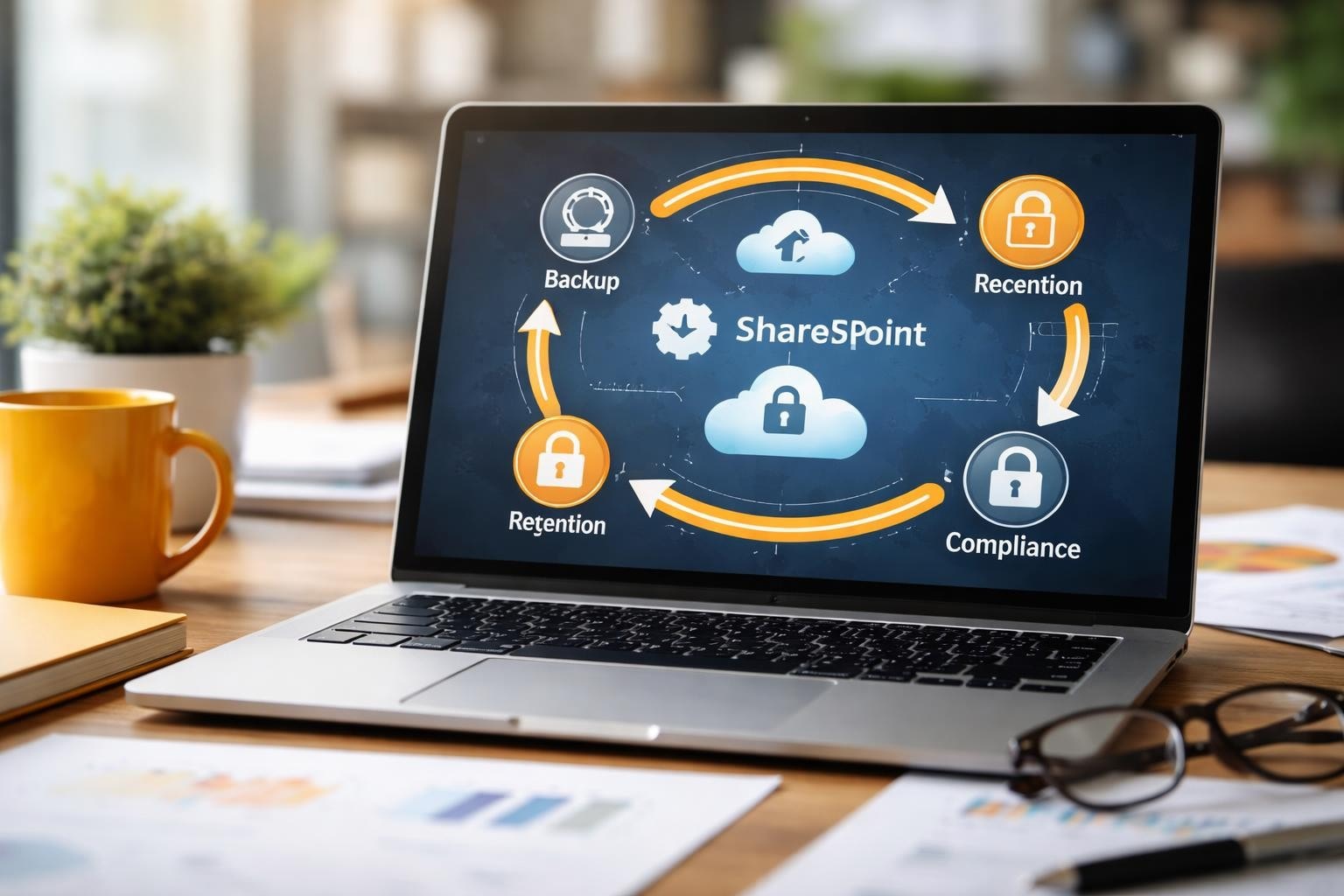

Microsoft SharePoint has become the backbone of collaboration and content management for organisations worldwide. As a result, as businesses increasingly rely on SharePoint to store critical documents, workflows, and business intelligence, the need for a robust sharepoint backup solution has never been more urgent. However, despite Microsoft’s infrastructure reliability, data loss can still occur due to accidental deletion, ransomware attacks, malicious insiders, or simple human error. Therefore, understanding how to protect your SharePoint environment is essential for maintaining business continuity and meeting compliance requirements.
Understanding SharePoint Data Vulnerability
SharePoint environments face numerous threats that traditional redundancy cannot address. In particular, Microsoft provides infrastructure-level protection, however, this does not constitute a complete backup strategy for user data and content. Therefore, organisations must implement dedicated backup solutions to ensure comprehensive protection and reliable data recovery.
The Shared Responsibility Model
Microsoft operates on a shared responsibility model, whereby they maintain infrastructure availability while organisations remain responsible for their data protection. Therefore, this distinction is crucial because native SharePoint retention features have limitations that leave gaps in comprehensive data protection. As a result, organisations must implement additional safeguards to ensure complete coverage and reliable data recovery.
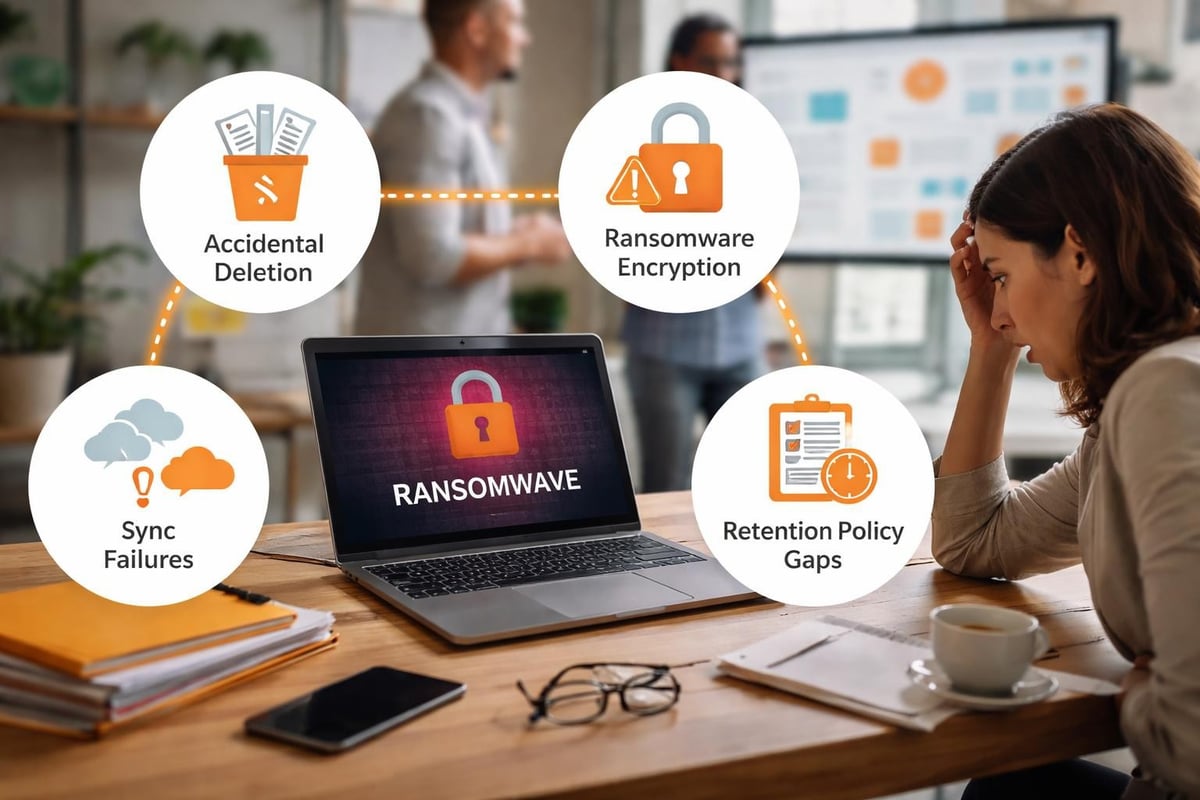
Key vulnerabilities include:
- Accidental deletion by users with appropriate permissions
- Malicious data corruption or deletion by compromised accounts
- Ransomware attacks that encrypt SharePoint content
- Synchronisation errors that propagate incorrect data
- Retention policy misconfigurations leading to premature deletion
The recycle bin feature in SharePoint retains deleted items for only 93 days by default, and once this period expires, recovery becomes impossible without third-party solutions. Additionally, version history consumes storage quota and may not capture all changes depending on configuration settings.
Compliance and Legal Requirements
Many industries face strict regulatory requirements for data retention and recovery capabilities. Financial services, healthcare, legal firms, and government organisations must demonstrate the ability to restore data to specific points in time, often spanning years.
| Regulation | Retention Period | Recovery Requirements |
|---|---|---|
| GDPR | Varies by data type | Right to erasure compliance |
| HIPAA | 6 years minimum | Audit trail preservation |
| SOX | 7 years | Financial record integrity |
| SEC Rule 17a-4 | Up to 6 years | Immutable storage |
A proper sharepoint backup solution addresses these requirements by maintaining independent copies outside the production environment, ensuring data remains accessible even if the primary system experiences catastrophic failure.
Essential Features of SharePoint Backup Solutions
Selecting the appropriate backup solution requires understanding which capabilities align with your organisation’s needs and risk profile. In particular, not all solutions offer the same level of protection or flexibility. Therefore, organisations must carefully evaluate features, scalability, and recovery options to ensure the chosen solution meets their specific requirements.
Granular Recovery Capabilities
The ability to restore individual items, documents, lists, or entire site collections without affecting other data represents a fundamental requirement. Users frequently request recovery of specific files from weeks or months prior, and administrators need the flexibility to respond quickly without complex restoration procedures.
Advanced solutions enable administrators to:
- Search across backup repositories for specific items by name, date, or metadata
- Preview content before restoration to verify correctness
- Restore to original or alternative locations for comparison purposes
- Recover permissions and sharing settings alongside content
- Export data to alternative formats for litigation or analysis
Point-in-time recovery becomes essential when investigating security incidents or regulatory inquiries. Microsoft’s official backup guidance provides foundational information, though organisations typically require more sophisticated capabilities than native tools offer.
Automated Backup Scheduling
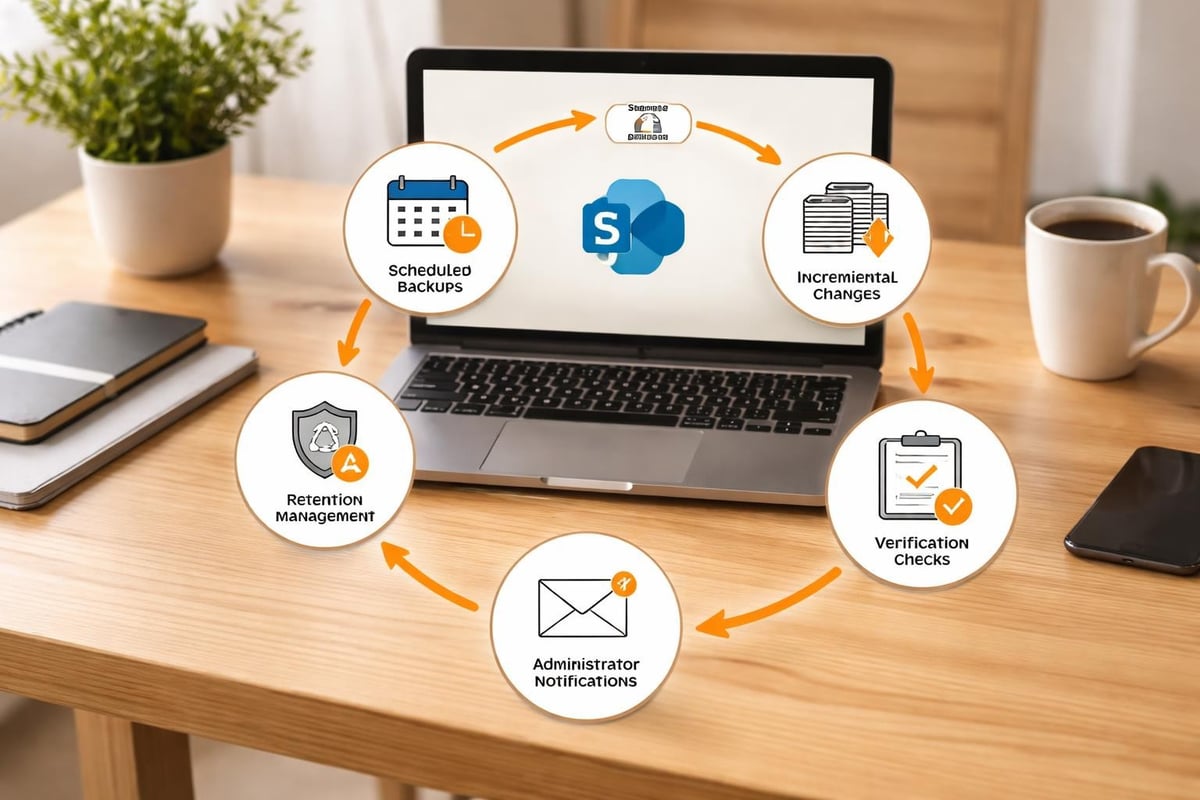
Manual backup processes introduce risk through inconsistency and human oversight. Therefore, automation ensures backups occur reliably according to defined schedules, with frequency determined by recovery point objectives (RPO). As a result, organisations can minimise data loss and maintain consistent protection without relying on manual intervention.
Typical backup frequencies:
- Critical business content: Multiple times daily
- Departmental collaboration sites: Daily
- Archive or reference content: Weekly
- Historical projects: Monthly
Modern sharepoint backup solution platforms include intelligent scheduling that adapts to usage patterns, performing incremental backups to minimize performance impact whilst maintaining comprehensive protection. These systems should integrate with monitoring tools to alert administrators of backup failures or anomalies requiring investigation.
Backup Architecture and Methodology
The technical approach to SharePoint backup significantly impacts recovery capabilities, storage efficiency, and operational overhead. Therefore, understanding different methodologies helps organisations make informed decisions. Furthermore, evaluating these approaches enables businesses to balance performance, cost, and reliability while ensuring effective data protection.
Agent-Based versus Agentless Approaches
Agent-based solutions install software components on SharePoint servers to capture data at the file system or database level. This approach provides deep integration and can capture detailed system state information. However, it introduces additional software that requires maintenance, licensing, and compatibility management.
Agentless solutions interact with SharePoint through APIs and web services, eliminating the need for server-side installations. This approach simplifies deployment and reduces security surface area whilst maintaining comprehensive backup capabilities. Solutions like BDRSuite demonstrate how agentless architectures can deliver enterprise-grade protection without complexity.
| Approach | Advantages | Considerations |
|---|---|---|
| Agent-Based | Deep system integration, detailed metadata capture | Server resource consumption, maintenance overhead |
| Agentless | Simple deployment, reduced security footprint | API rate limits, network dependency |
| Hybrid | Flexibility for different workload types | Increased management complexity |
Incremental and Differential Backup Strategies
Full backups capture complete SharePoint environments but consume substantial storage and network resources. By contrast, incremental backups record only changes since the last backup of any type, thereby optimising efficiency but also creating dependency chains that can complicate restoration.
Meanwhile, differential backups capture all changes since the last full backup, thus balancing storage efficiency with recovery simplicity. Therefore, the optimal strategy often combines approaches based on data change rates and recovery time objectives (RTO).
In practice, a well-designed sharepoint backup solution supports multiple strategies and allows administrators to tailor approaches to different site collections according to business criticality. For example, high-transaction environments may require more frequent incremental backups, whereas relatively static content benefits from weekly differential approaches. Consequently, this flexible strategy ensures efficient storage usage while maintaining reliable recovery capabilities.
Security Considerations for Backup Data
Backup repositories represent attractive targets for malicious actors because they contain consolidated historical data. In particular, protecting backups requires the same rigour applied to production environments, with additional considerations for long-term retention. As a result, organisations must apply consistent security controls across both active systems and archived data. Moreover, this reduces the risk of attackers exploiting weaker backup protections as an entry point.
Encryption and Access Controls
Backup data should be encrypted both in transit and at rest using industry-standard algorithms. In particular, Transport Layer Security (TLS) protects data during backup operations, whilst AES-256 encryption secures stored backup files against unauthorised access. As a result, this ensures comprehensive protection throughout the entire backup lifecycle. Moreover, it significantly reduces the risk of data exposure in the event of interception or storage compromise.
Access to backup systems requires strict controls:
- Multi-factor authentication for all administrative access
- Role-based permissions limiting backup operations to authorised personnel
- Audit logging of all backup, restore, and configuration changes
- Regular review of access privileges to prevent privilege creep
- Separation of duties between backup operators and restoration approvers
Microsoft’s guidance on backing up customizations emphasises the importance of protecting custom solutions and configurations that represent significant business investment.
Immutable Storage and Air-Gap Protection
Ransomware attacks increasingly target backup repositories to prevent recovery. In particular, immutable storage configurations prevent modification or deletion of backup data for specified retention periods, even by administrators with elevated privileges. As a result, organisations retain reliable recovery options even during advanced attack scenarios. Moreover, this strengthens overall resilience by ensuring backups remain tamper-proof throughout their lifecycle.
Implementation approaches include:
- Write-once-read-many (WORM) storage technologies
- Object lock features in cloud storage platforms
- Offline tape backups maintained in secure facilities
- Air-gapped network segments for critical backup copies
The 3-2-1 backup rule remains relevant: maintain three copies of data, on two different media types, with one copy stored off-site. For SharePoint environments, this might mean primary data in vBoxxCloud, backups in secure cloud storage, and critical archives on immutable media.
Cloud-Native versus Hybrid Backup Approaches
SharePoint deployment models influence backup architecture decisions. In particular, SharePoint Online environments require different approaches compared to on-premises or hybrid deployments. As a result, organisations must tailor their backup strategies to match the specific deployment model in use. Moreover, this ensures consistent protection and recovery capabilities across different infrastructure setups.
Microsoft 365 SharePoint Online Protection
SharePoint Online operates as a fully managed service where Microsoft handles infrastructure backups. However, organisations still require independent backup solutions to address scenarios Microsoft’s native capabilities do not cover.
Solutions like those from Spanning specialise in protecting Microsoft 365 environments with features designed specifically for cloud-based SharePoint. These solutions integrate seamlessly with Microsoft’s APIs whilst providing the granular recovery and extended retention capabilities businesses require.
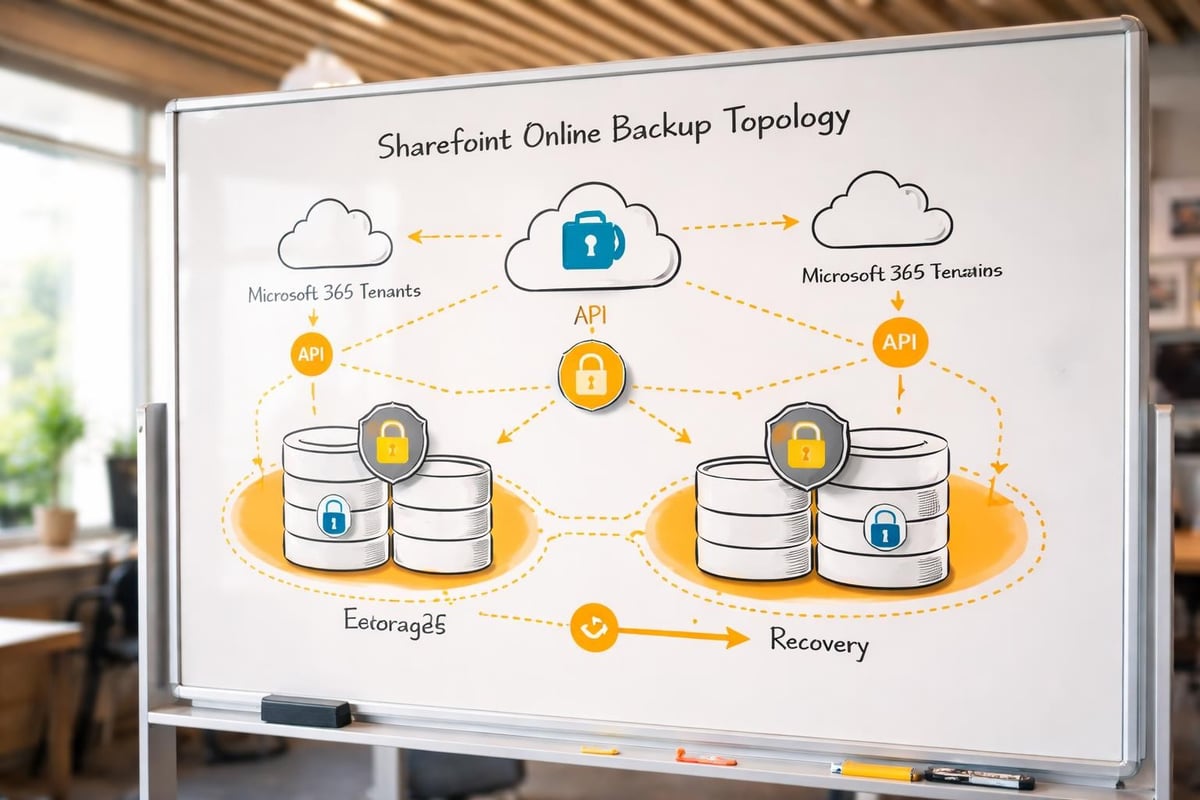
Cloud-native backup advantages include:
- No on-premises infrastructure requirements
- Automatic scaling with SharePoint usage growth
- Geographic redundancy across multiple data centres
- Consumption-based pricing aligned with actual usage
- Reduced administrative overhead for maintenance and updates
On-Premises and Hybrid Considerations
Organisations maintaining on-premises SharePoint Server installations or hybrid configurations face additional complexity. In particular, these environments require backup solutions that understand both on-premises architecture and cloud integration points. As a result, organisations must implement more sophisticated backup strategies to ensure full coverage across all systems. Moreover, this helps maintain consistent data protection and reliable recovery across hybrid environments.
Hybrid scenarios often involve:
- SharePoint Server farms synchronised with SharePoint Online
- Migration projects with temporary dual-environment operation
- Specific workloads retained on-premises for compliance or performance
- Disaster recovery configurations spanning cloud and on-premises
A comprehensive SharePoint backup solution for hybrid environments must capture data from all locations whilst maintaining consistency and enabling unified recovery workflows. In particular, this becomes especially important during migration projects where data exists temporarily in both environments. As a result, organisations can avoid data gaps and ensure reliable recovery throughout transition periods. Moreover, this approach helps maintain operational continuity and reduces migration-related risks.
Restoration Testing and Validation
Backup solutions provide value only when they enable successful data restoration. In particular, regular testing validates backup integrity and ensures recovery procedures function as expected during actual incidents. As a result, organisations can identify and resolve issues before they impact real recovery scenarios. Moreover, this practice strengthens overall resilience and confidence in disaster recovery capabilities.
Developing Testing Schedules
Restoration testing should occur on defined schedules, with frequency based on data criticality and regulatory requirements. In particular, monthly tests of random samples verify ongoing backup effectiveness, whilst quarterly full restoration drills validate complete recovery procedures. As a result, organisations can continuously confirm that backups remain reliable and usable. Moreover, this structured testing approach helps maintain compliance and improves overall disaster recovery readiness.
Testing scenarios include:
- Individual document recovery to verify granular restoration
- Complete site collection restoration to validate full backup integrity
- Restoration to alternative locations testing disaster recovery capabilities
- Point-in-time recovery confirming historical backup accessibility
- Cross-platform restoration verifying migration pathway functionality
Documentation of test results creates audit trails demonstrating due diligence and identifies improvement opportunities before actual recovery events. In particular, this provides evidence of regular validation for compliance and governance purposes. Moreover, it helps organisations detect weaknesses in recovery processes early. As a result, teams can continuously refine procedures and improve overall resilience before real incidents occur.
Recovery Time and Point Objectives
Recovery Time Objective (RTO) defines the maximum acceptable downtime following data loss, whilst Recovery Point Objective (RPO) specifies the maximum acceptable data loss measured in time. These metrics drive backup frequency and architecture decisions.
| Business Function | Typical RTO | Typical RPO | Backup Frequency |
|---|---|---|---|
| Executive communication | 1 hour | 15 minutes | Continuous/hourly |
| Departmental collaboration | 4 hours | 4 hours | Every 4 hours |
| Project archives | 24 hours | Daily | Daily |
| Historical records | 1 week | Weekly | Weekly |
Meeting aggressive RTOs requires optimised backup architectures with rapid access to backup data and streamlined restoration procedures. Advanced solutions from providers like AvePoint offer features specifically designed to minimise recovery time whilst maintaining comprehensive protection.
Cost Optimisation Strategies
Backup solutions represent ongoing investment in data protection, but costs can be optimised through intelligent architecture and lifecycle management without compromising protection levels. In particular, organisations can balance efficiency and security by designing scalable backup strategies. Moreover, this allows them to reduce unnecessary storage and operational overhead while maintaining full data protection. As a result, businesses achieve more cost-effective and sustainable backup operations.
Storage Tiering and Lifecycle Policies
Not all backup data requires the same access speed or redundancy level. In particular, recent backups benefit from high-performance storage enabling rapid restoration, whilst historical archives can reside on cost-effective storage tiers. As a result, organisations can optimise storage costs without sacrificing recovery capability. Moreover, this tiered approach improves overall efficiency in backup management and resource allocation.
Implementing lifecycle policies automatically transitions backup data through storage tiers:
- Hot storage: Last 30 days, immediate access, highest cost
- Cool storage: 31-90 days, retrieval within minutes, moderate cost
- Archive storage: Beyond 90 days, retrieval within hours, lowest cost
- Glacier/deep archive: Long-term retention, retrieval within 12 hours, minimal cost
Compression and deduplication technologies further reduce storage requirements. Modern sharepoint backup solution platforms achieve 50-70% storage reduction through intelligent deduplication that identifies and eliminates redundant data across backup sets.
Retention Policy Optimisation
Regulatory requirements define minimum retention periods, but organisations often retain data longer than necessary. In particular, establishing clear retention policies aligned with actual requirements prevents unnecessary storage costs. As a result, organisations can optimise storage usage and improve cost efficiency. Moreover, this ensures compliance while avoiding excessive data accumulation over time.
Consider implementing differentiated retention based on content classification:
- Legal hold items: Indefinite retention until hold release
- Compliance-required records: Regulatory minimum plus margin
- Operational content: Business necessity period
- Temporary collaboration: Minimal retention after project completion
For organisations seeking guidance on implementing comprehensive backup strategies aligned with industry best practices, a demonstration of vBoxxCloud solutions can provide personalised insights into protecting SharePoint environments whilst optimising costs.
Integration with Broader Data Protection
SharePoint backup should not exist in isolation but rather integrate with comprehensive data protection strategies encompassing all business systems and applications. In particular, this ensures consistent protection policies across the entire IT environment. Moreover, it improves coordination between backup, security, and compliance processes. As a result, organisations achieve a more unified and resilient data protection framework.
Unified Backup Management
Organisations typically operate diverse IT environments including email, databases, file servers, and various cloud applications. In particular, managing separate backup solutions for each system creates operational complexity and increases failure risk. As a result, organisations may struggle with inconsistent protection and fragmented oversight. Moreover, consolidating backup strategies helps simplify administration and improve overall reliability.
Unified backup platforms that protect SharePoint alongside other workloads deliver advantages:
- Centralised policy management reducing administrative overhead
- Consistent security controls across all backup operations
- Consolidated reporting providing complete data protection visibility
- Simplified licensing and vendor relationships
- Integrated disaster recovery orchestration across systems
When evaluating sharepoint backup solution options, consider whether platforms offer expansion capabilities to protect additional workloads as requirements evolve.
Disaster Recovery Planning
Backups form a critical component of disaster recovery planning, but effective recovery requires documented procedures, tested workflows, and clear responsibilities. Disaster recovery plans should address various scenarios from individual file recovery to complete SharePoint environment reconstruction.
Essential disaster recovery plan elements:
- Contact information for backup administrators and key stakeholders
- Inventory of all SharePoint environments requiring protection
- Step-by-step restoration procedures for common scenarios
- Escalation paths for complex or time-sensitive recovery operations
- Communication templates for notifying affected users
- Decision trees for determining restoration approaches based on incident type
Regular disaster recovery exercises validate plan effectiveness and train personnel on recovery procedures, ensuring confident execution during actual incidents when stress levels run high and time pressure intensifies.
Monitoring and Reporting Capabilities
Effective backup solutions provide visibility into operations, enabling proactive problem identification and demonstrating compliance with data protection policies.
Automated Alerting Systems
Backup failures often go unnoticed until recovery becomes necessary, at which point discovering backup gaps creates crisis situations. Automated alerting ensures administrators receive immediate notification of issues requiring attention.
Critical alerts include:
- Backup job failures or incomplete operations
- Storage capacity approaching defined thresholds
- Unusual changes in backup sizes indicating potential issues
- Authentication or connectivity problems with SharePoint
- Retention policy violations or impending data expiration
Alert routing should consider severity levels, escalating critical issues whilst batching routine notifications to prevent alert fatigue that leads to important messages being overlooked.
Compliance Reporting
Regulatory frameworks and internal policies often require periodic reporting demonstrating data protection compliance. Backup solutions should generate reports automatically, reducing manual effort whilst ensuring consistency.
Useful reports include:
| Report Type | Contents | Frequency |
|---|---|---|
| Backup success summary | Completion rates, failures, remediation | Daily |
| Storage utilisation | Capacity trends, growth projections | Weekly |
| Retention compliance | Policy adherence, upcoming expirations | Monthly |
| Recovery testing | Test results, RTO/RPO achievement | Quarterly |
| Security audit | Access logs, configuration changes | Monthly |
These reports support audit processes whilst providing executive visibility into data protection effectiveness. Many organisations incorporate backup metrics into broader IT service dashboards accessible through platforms like vBoxx control panel for centralised infrastructure management.
Future Trends in SharePoint Backup
The sharepoint backup solution landscape continues evolving as technologies advance and business requirements change. Understanding emerging trends helps organisations prepare for future needs.
Artificial Intelligence and Machine Learning
AI-powered backup solutions analyse usage patterns to optimise backup schedules, predict storage requirements, and identify anomalies indicating potential security incidents. Machine learning algorithms can detect ransomware patterns by recognising unusual file modification rates or encryption indicators, triggering protective responses before significant damage occurs.
Intelligent restoration features leverage AI to suggest relevant recovery points based on user requests, reducing time spent searching through backup catalogues. As these technologies mature, expect increasingly autonomous backup operations requiring minimal human intervention for routine tasks.
Sustainability and Green Computing
Environmental concerns drive interest in energy-efficient data protection approaches. Backup solutions increasingly incorporate features supporting sustainability goals:
- Intelligent scheduling performing backup operations during off-peak hours when renewable energy availability peaks
- Efficient compression and deduplication minimising storage requirements and associated energy consumption
- Storage tiering leveraging lower-power archive media for long-term retention
- Geographic optimisation placing backup repositories in regions with abundant renewable energy
Organisations committed to environmental responsibility evaluate backup solutions not only on protection capabilities but also on sustainability characteristics, aligning data protection with broader corporate values.
Protecting SharePoint environments requires comprehensive backup solutions addressing technical, security, and compliance requirements whilst remaining cost-effective and operationally sustainable. The shared responsibility model means organisations cannot rely solely on Microsoft’s infrastructure protection but must implement independent backup strategies ensuring data remains recoverable across all scenarios. As businesses increasingly depend on SharePoint for critical operations, investing in robust backup protection becomes non-negotiable for maintaining business continuity and meeting regulatory obligations. vBoxx delivers secure hosting and cloud solutions with emphasis on privacy, security, and sustainable infrastructure, providing the foundation businesses need for comprehensive data protection aligned with modern requirements and environmental responsibility.