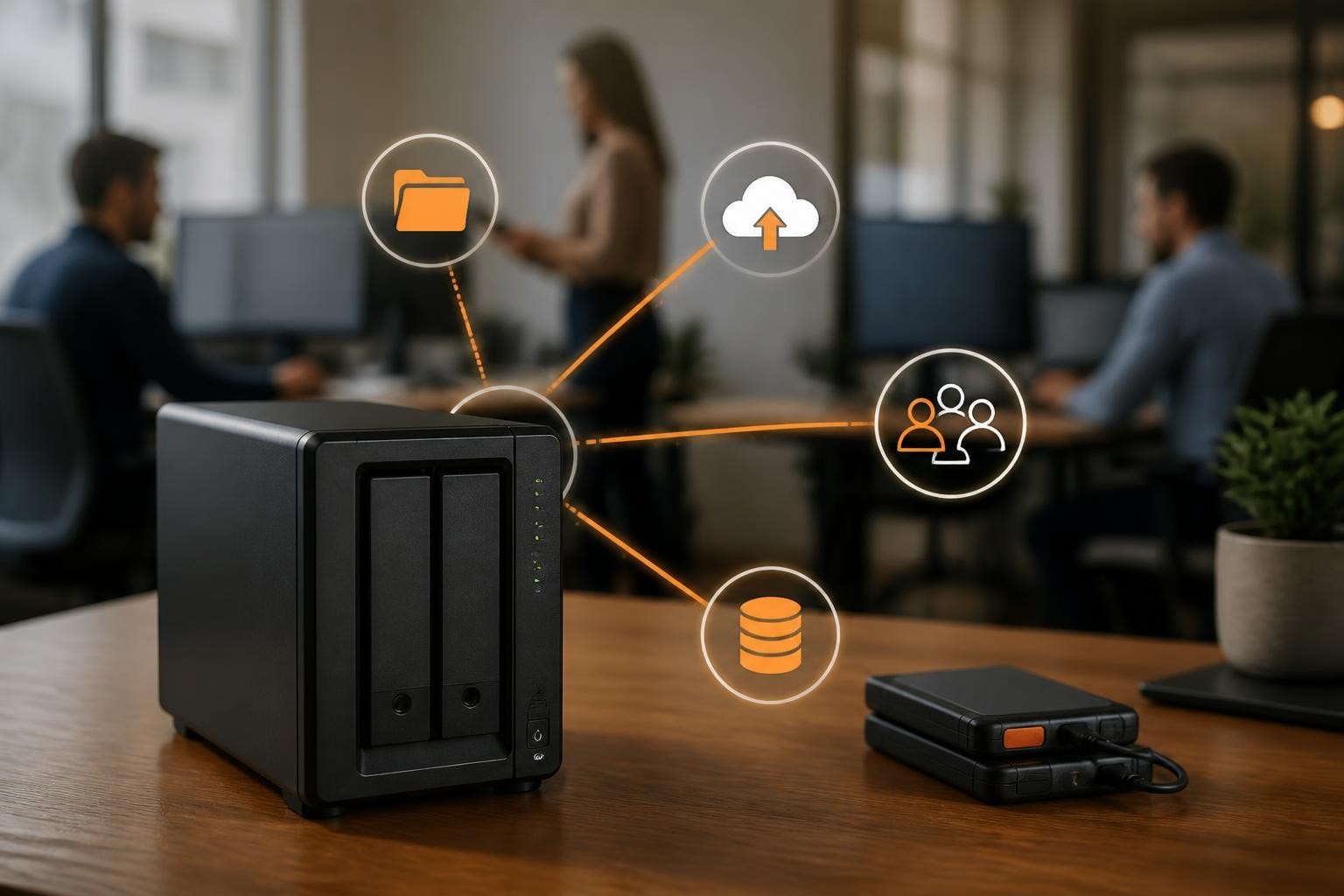

Businesses today face mounting pressure to manage data efficiently whilst maintaining robust security protocols. In particular, a server NAS Synology solution addresses these challenges by offering network-attached storage that combines enterprise-grade features with accessible management tools. As a result, for organisations seeking reliable, scalable storage infrastructure, understanding how Synology’s NAS systems operate within business environments has become essential for making informed technology investments.
Understanding Server NAS Synology Architecture
Network-attached storage fundamentally changes how businesses approach data management. In particular, unlike traditional external drives connected to individual computers, a server NAS Synology device operates as a dedicated storage appliance accessible across your entire network. As a result, this architecture enables simultaneous access from multiple users and devices, creating a centralised repository for all business-critical information.
Furthermore, Synology devices run DiskStation Manager (DSM), a proprietary operating system that provides the backbone for all NAS operations. In addition, the software transforms standard hardware into a sophisticated storage server capable of handling diverse workloads. As a result, through DSM, administrators control user permissions, configure backup schedules, and monitor system health from an intuitive web-based interface.
Hardware Components That Matter
The physical architecture of a server NAS Synology unit comprises several critical components working in concert:
In particular, the processor (CPU) determines overall system performance and the number of simultaneous operations. Furthermore, memory (RAM) affects multitasking capability and application responsiveness. In addition, drive bays define maximum storage capacity and expansion possibilities. Moreover, network interfaces control data transfer speeds and connectivity options, while the power supply ensures consistent operation and protection against electrical fluctuations.
As a result, modern Synology models incorporate Intel or AMD processors specifically optimised for storage operations. For example, memory configurations typically range from 2GB to 32GB, with many models supporting upgrades. In particular, the Synology DS923+ offers impressive specifications for small to medium-sized businesses, balancing performance with cost-effectiveness.

Selecting the Right Server NAS Synology Model
Choosing an appropriate server NAS Synology device requires careful assessment of current needs and future growth trajectories. In particular, different models cater to varying business scales, from compact two-bay units suitable for small offices to rack-mounted systems designed for enterprise environments.
| Model Category | Drive Bays | Target User | Key Features |
|---|---|---|---|
| Entry-Level | 2-4 | Small offices, home businesses | Basic file sharing, media streaming |
| Mid-Range | 4-8 | Growing businesses | Enhanced performance, scalability |
| Enterprise | 8-24+ | Large organisations | Redundancy, high availability, advanced features |
The DS725+ represents an excellent compact option for businesses with limited physical space but demanding performance requirements. In particular, its two-bay design accommodates substantial storage whilst maintaining a minimal footprint.
Assessing Storage Capacity Requirements
Calculating appropriate storage capacity involves more than simply tallying current file sizes. Consider these factors when determining specifications:
- Current data volume: Audit existing files, databases, and media assets
- Growth projection: Estimate annual data accumulation rates
- Redundancy overhead: Account for RAID configuration space requirements
- Backup retention: Calculate space needed for versioned backups
- Application requirements: Factor in space for Docker containers, virtual machines, or surveillance footage
Most organisations discover their storage needs exceed initial estimates by 40-60% within two years. Building in sufficient headroom prevents premature capacity constraints.
Implementation and Configuration Best Practices
Successfully deploying a server NAS Synology system extends beyond physical installation. In particular, proper configuration ensures optimal performance, security, and reliability throughout the device’s operational lifetime. As a result, the installation of DSM represents the first critical step in establishing your storage infrastructure.
Initial Setup Procedures
Network integration requires careful planning to avoid conflicts and ensure seamless connectivity. Before powering on your server NAS Synology unit, verify network infrastructure readiness:
- Static IP assignment: Configure a dedicated IP address to maintain consistent accessibility
- DNS configuration: Establish proper name resolution for easy device identification
- Firewall rules: Define appropriate access policies balancing security and usability
- VLAN segmentation: Isolate storage traffic from general network activity when appropriate
Physical installation demands attention to environmental factors. Position devices in climate-controlled spaces with adequate ventilation. Avoid locations prone to temperature fluctuations, excessive dust, or potential water exposure.
RAID Configuration Strategies
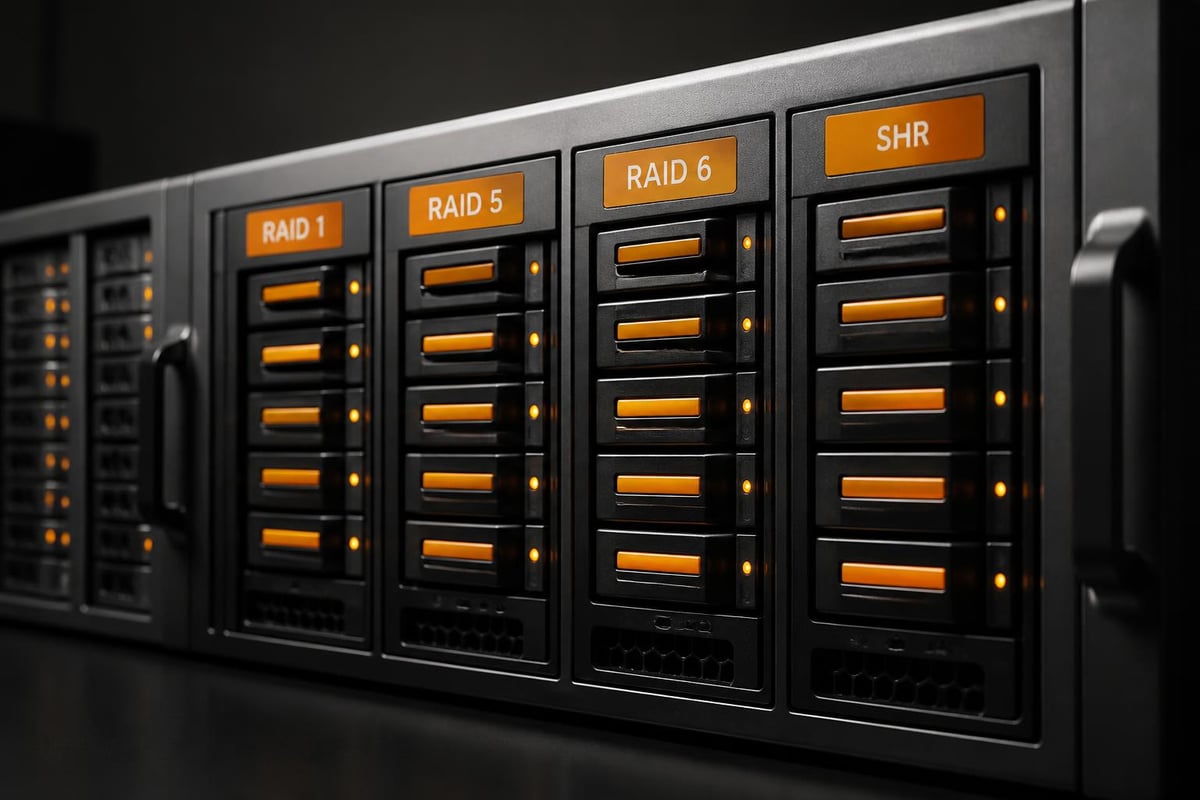
RAID (Redundant Array of Independent Disks) technology protects against drive failures by distributing data across multiple physical disks. Different RAID levels offer varying balances between protection, performance, and capacity utilisation:
| RAID Level | Drives Required | Usable Capacity | Fault Tolerance | Best For |
|---|---|---|---|---|
| RAID 1 | 2 | 50% | 1 drive | Critical data, small deployments |
| RAID 5 | 3+ | 67-87% | 1 drive | Balanced performance and protection |
| RAID 6 | 4+ | 50-80% | 2 drives | Mission-critical applications |
| SHR | 2+ | Variable | 1-2 drives | Synology-optimised flexibility |
Synology Hybrid RAID (SHR) offers particular advantages for businesses uncertain about future expansion. This proprietary system automatically optimises capacity utilisation whilst maintaining redundancy, even when mixing drive sizes.
Security Protocols for Business Environments
Protecting sensitive business data constitutes a paramount concern when implementing any server NAS Synology solution. In particular, comprehensive security requires multiple defensive layers, from network-level protections through to application-specific controls.
Access Control Implementation
Granular permission management ensures users access only appropriate resources. Synology DSM supports sophisticated authentication mechanisms:
- Local user accounts: Traditional username/password combinations managed within DSM
- LDAP/Active Directory integration: Centralised authentication through existing directory services
- Two-factor authentication: Additional security layer requiring secondary verification
- IP Trusted List: Restriction of access attempts to approved network locations
- Auto-blocking: Temporary lockout following repeated failed login attempts
Shared folder permissions operate independently from user account settings, enabling precise control over resource access. Administrators can define read, write, and custom permissions at both user and group levels.
Network Security Measures
Protecting your server NAS Synology device from external threats demands robust network security practices. In particular, modern cyber threats specifically target storage systems due to their valuable data concentrations.
Moreover, enabling DSM’s built-in firewall helps restrict traffic to essential services. As a result, default-deny policies prove more secure than default-allow approaches. Therefore, administrators should configure specific rules permitting only required protocols and ports.
In addition, regular security audits identify potential vulnerabilities before exploitation occurs. Consequently, DSM’s Security Advisor package automatically scans configurations against best-practice recommendations. Ultimately, this highlights weaknesses and suggests remediation steps to strengthen overall system security.
Advanced Features for Business Productivity
Beyond basic file storage, a server NAS Synology device supports numerous applications enhancing organisational efficiency. In particular, Package Center provides access to hundreds of first-party and third-party applications extending core functionality.
Virtualisation Capabilities
Virtual Machine Manager transforms your NAS into a virtualisation platform capable of running multiple operating systems simultaneously. This functionality proves valuable for:
- Development environments: Test software across different platforms
- Legacy application support: Maintain older systems without dedicated hardware
- Server consolidation: Reduce physical infrastructure requirements
- Disaster recovery: Maintain standby systems for critical applications
Container technologies through Docker provide lightweight alternatives to full virtualisation. Containers consume fewer resources whilst offering similar isolation benefits, ideal for microservices architectures.
Collaboration Tools
Modern businesses require seamless collaboration regardless of physical location. Synology’s ecosystem includes purpose-built applications supporting distributed teams:
| Application | Purpose | Key Capabilities |
|---|---|---|
| Synology Drive | File synchronisation | Cross-device sync, version control, sharing |
| Chat | Team messaging | Private channels, file sharing, integrations |
| Calendar | Schedule management | Shared calendars, resource booking, reminders |
| Office | Document editing | Real-time collaboration, format compatibility |
These integrated tools reduce reliance on external cloud services whilst maintaining control over sensitive business information. For organisations prioritising data sovereignty, this represents a significant advantage. If you’re interested in exploring how secure cloud solutions can complement your infrastructure, a demonstration of all-in-one services can provide valuable insights into integrated secure storage and collaboration platforms.
Backup Strategies and Disaster Recovery
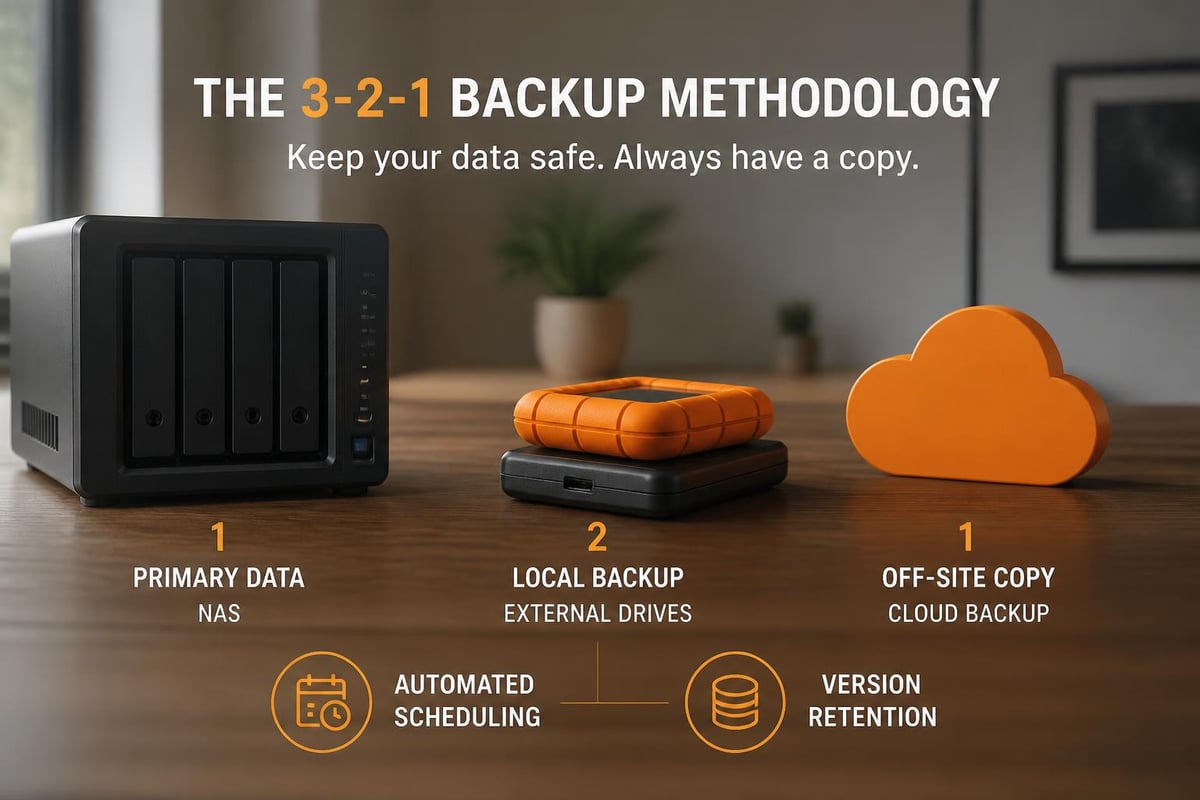
Implementing a server NAS Synology system doesn’t eliminate backup requirements. In particular, the 3-2-1 backup rule remains applicable: maintain three copies of data, on two different media types, with one copy stored off-site.
Automated Backup Solutions
Hyper Backup provides comprehensive backup capabilities supporting multiple destination types:
- Local storage: Secondary drives or external USB devices
- Remote NAS: Another Synology device at different physical location
- Cloud services: Amazon S3, Azure, Google Cloud, or Synology C2
- File servers: Traditional network shares via SMB or rsync
Snapshot Replication captures point-in-time system states enabling rapid recovery from accidental deletions, ransomware attacks, or configuration errors. In particular, snapshots consume minimal space through copy-on-write technology, making frequent captures practical.
Recovery Testing Procedures
Backup systems prove valuable only when recovery succeeds. Establish regular testing schedules verifying backup integrity and restoration procedures:
- Monthly verification: Randomly select files and confirm successful restoration
- Quarterly system recovery: Test complete system restoration to alternative hardware
- Annual disaster recovery drill: Simulate complete facility loss and validate off-site recovery
- Documentation updates: Maintain current recovery procedures reflecting configuration changes
Document every test, noting time required, challenges encountered, and lessons learned. These records prove invaluable during actual disaster scenarios when stress levels compromise decision-making.
Performance Optimisation Techniques
Maximising server NAS Synology performance requires ongoing attention to various factors affecting system responsiveness. In particular, network infrastructure frequently represents the primary bottleneck limiting transfer speeds.
Network Infrastructure Considerations
Upgrading network connectivity yields immediate performance improvements. In particular, consider these enhancements:
Furthermore, Link Aggregation combines multiple network interfaces, increasing bandwidth and providing redundancy. As a result, most Synology models support LACP (Link Aggregation Control Protocol) when paired with compatible switches.
In addition, 10GbE connectivity significantly accelerates transfers for bandwidth-intensive operations like video editing or database access. For example, some models include native 10GbE ports, whilst others support PCIe expansion cards.
Moreover, network segmentation isolates storage traffic from general business communications through VLAN implementation. Consequently, this prevents bandwidth competition during peak usage periods.
Storage Performance Tuning
Mechanical hard drives remain popular for capacity-focused deployments, but solid-state drives deliver superior performance. Hybrid approaches optimise both factors:
- SSD caching: Accelerate frequently-accessed data without replacing all drives
- Tiered storage: Automatically migrate hot data to faster media
- NVMe expansion: Leverage high-speed flash for cache or storage pools
Regular maintenance preserves performance over time. Schedule automatic SMART tests detecting drive degradation before failures occur. Enable bad sector scanning identifying and remapping problematic areas.
Monitoring and Maintenance Requirements
Proactive monitoring prevents minor issues escalating into critical failures. In particular, a properly configured server NAS Synology device provides comprehensive visibility into system health and performance metrics.
Health Monitoring Systems
Resource Monitor displays real-time information about CPU utilisation, memory consumption, network throughput, and disk activity. In particular, establishing baseline performance profiles during normal operations allows administrators to configure alerts that trigger when metrics deviate significantly.
Furthermore, Storage Manager provides detailed information about volume health, RAID status, and individual drive conditions. As a result, SMART attribute monitoring predicts imminent drive failures, enabling proactive replacement before data loss occurs.
Firmware and Software Updates
Maintaining current software versions ensures access to the latest features, performance improvements, and security patches. In particular, Synology releases DSM updates addressing vulnerabilities and expanding capabilities several times annually.
Furthermore, configure automatic update notifications whilst maintaining manual control over installation timing. As a result, testing updates in non-production environments when possible helps reduce risk, particularly before applying major version upgrades. In addition, always verify backup currency before initiating updates.
Ultimately, the comprehensive guide for beginners offers detailed walkthroughs of setup and maintenance procedures, which remain valuable even for experienced administrators seeking to optimise their configurations.
Scalability and Future-Proofing
Business growth demands storage infrastructure capable of expanding alongside organisational needs. In particular, planning for scalability during initial server NAS Synology deployment prevents costly replacements as requirements evolve.
Expansion Options
Synology devices support various expansion methodologies:
- Volume expansion: Add drives to existing arrays when empty bays remain
- Expansion units: Connect external enclosures increasing capacity beyond internal limits
- Scale-out clustering: Link multiple devices creating unified storage pools
- Migration paths: Seamlessly transfer to larger models without data loss
When evaluating affordable NAS options, consider upgrade paths ensuring initial investments remain relevant as needs grow. Models supporting expansion units or additional network cards provide greater longevity.
Technology Integration
Modern storage systems integrate with broader technology ecosystems. Evaluate compatibility with existing infrastructure:
- Backup software: Veeam, Acronis, and other enterprise solutions
- Surveillance systems: IP cameras and video management platforms
- Business applications: CRM systems, accounting software, project management tools
- Cloud platforms: Hybrid deployments spanning on-premises and cloud resources
API access enables custom integrations automating workflows and connecting disparate systems. In particular, Synology’s extensive documentation supports developers building tailored solutions addressing specific business requirements.
Ultimately, implementing a server NAS Synology solution provides businesses with robust, scalable storage infrastructure addressing modern data management challenges. In addition, by carefully selecting appropriate hardware, configuring comprehensive security measures, and establishing reliable backup protocols, organisations build resilient foundations supporting long-term growth. Furthermore, vBoxx delivers secure hosting and cloud solutions complementing on-premises infrastructure, offering expertise in privacy-focused digital services that align with sustainable business practices. As a result, whether establishing new storage systems or enhancing existing infrastructure, partnering with experienced providers ensures data remains secure, accessible, and protected.