
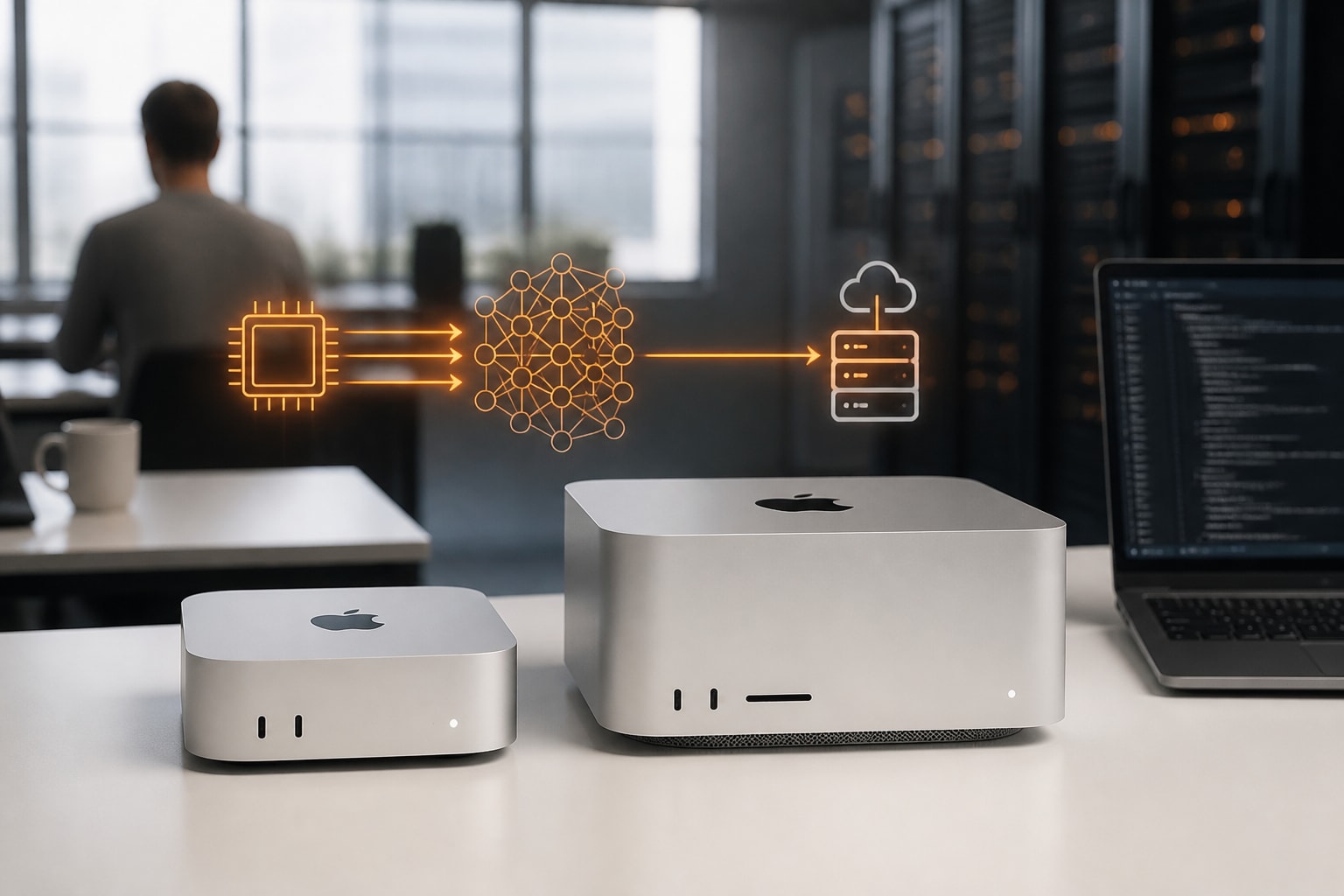
An AI Mac is any Apple silicon Mac that runs artificial intelligence on the device itself, and in 2026 the deciding factor is unified memory rather than processor speed. Every Mac with an M1 chip or later supports Apple Intelligence, while serious local language model work requires 24 GB of memory or more. Therefore, the right choice depends on the size of the models you intend to run, and on whether the hardware sits on your desk or in a European data centre.
This review is built on Apple's published specifications and on what owners and reviewers report. It does not rely on first-hand benchmarks. It is written for Dutch and European businesses that need their data to remain under GDPR, which affects both the hardware you buy and the tools you run on it.
Does a Mac have AI built in?
Yes, every Mac with an M1 chip or later includes built-in AI features. According to Apple Newsroom, Apple Intelligence is available on Mac models with M1 or later, subject to supported language and feature availability. In addition, many of those models run entirely on the device, while more complex requests can use Private Cloud Compute, which Apple says does not retain request data.
For European businesses, this distinction matters. On-device processing keeps content on your hardware, whereas cloud-assisted requests involve a third party. Nevertheless, Apple's privacy overview explains how the company handles requests that need larger models, which helps a data protection officer judge the risk.
Apple also says developers can access its on-device foundation model to build private intelligent experiences in apps. Consequently, third-party software on a Mac can use local intelligence without sending text to an external server.
How can I use AI on my Mac?
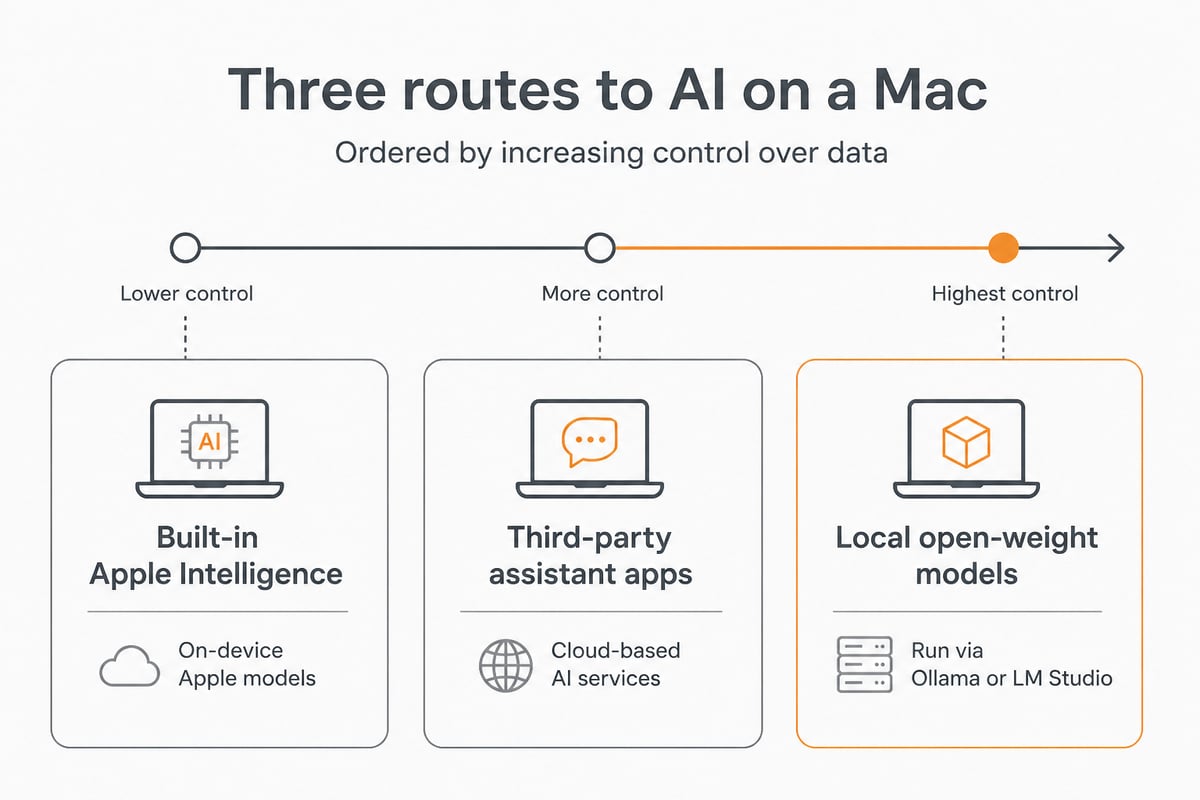
You can use AI on a Mac in three ways: built-in Apple Intelligence features, third-party assistant apps, and locally hosted open-weight models. The first requires no setup beyond enabling it in System Settings under Apple Intelligence & Siri. The second covers desktop assistants and coding tools. The third offers the most control over data.
Local models are run through tools such as Ollama or LM Studio, which download a model and serve it on your machine. No document ever leaves the device, which suits legal, financial and healthcare teams. For a deeper walkthrough, vBoxx has published a guide to running a local LLM on a Mac mini.
Why unified memory decides which AI Mac to buy
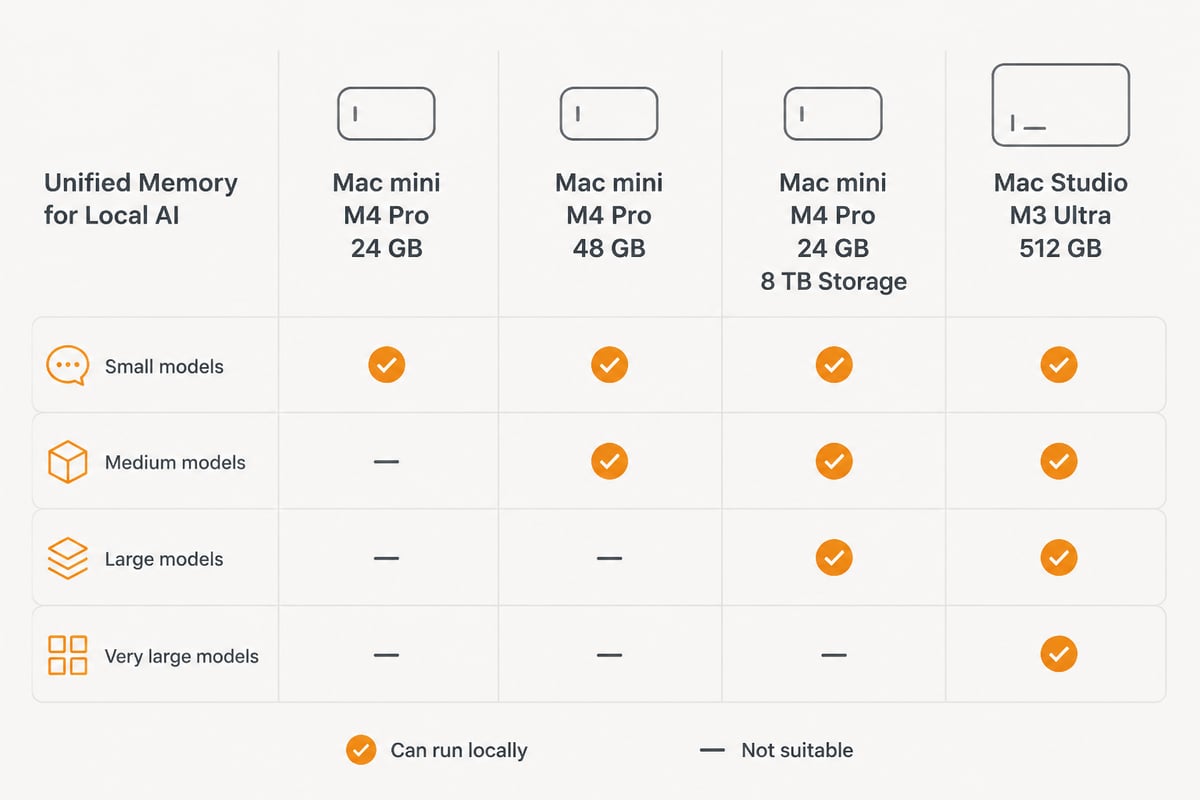
Unified memory is the most important specification for local AI because a model must fit entirely in memory to run at a usable speed. On Apple silicon, the CPU and GPU share one memory pool, so a Mac with 48 GB can load a model that would need a graphics card with far more dedicated video memory on a PC.
As a practical guide, the following rules of thumb apply:
- Up to 24 GB: small and mid-sized models, quantised, alongside everyday work.
- 48 GB: larger quantised models and comfortable multitasking.
- 512 GB: the very largest open models, which are out of reach for ordinary desktops.
Storage is the second consideration. Model files are large, and a team that keeps several versions will fill a 512 GB drive quickly. In addition, memory bandwidth influences how quickly a model produces text, which is why the Pro and Ultra chips are favoured for this work.
The Mac hardware reviewed for local AI
The four configurations below cover the realistic range, from an affordable Pro-chip desktop to a workstation with half a terabyte of memory. Prices are approximate and may change, so check the current listings before buying.
| Configuration | CPU / GPU | Memory | Storage | Approx. price |
|---|---|---|---|---|
| Mac mini M4 Pro | 14-core / 20-core | 24 GB | 512 GB | From £899 |
| Mac mini M4 Pro | 12-core / 16-core | 48 GB | 4 TB | £2,999 |
| Mac mini M4 Pro | 14-core / 20-core | 24 GB | 8 TB | £5,599 |
| Mac Studio M3 Ultra (refurbished) | 32-core / 80-core | 512 GB | 2 TB | £14,869 |
Mac mini with M4 Pro, 14-core CPU, 20-core GPU, 24GB, 512GB
This is the entry point for anyone seeking a compact Mac with a Pro chip, at roughly £899 and upward. It offers a 14-core CPU, a 20-core GPU, 24 GB of unified memory and 512 GB of storage. Models of this size are workable for smaller quantised models, though 24 GB leaves limited headroom when other applications are open.
It suits individuals and small teams testing local AI before committing further. However, anyone planning to keep several models on disk should expect the 512 GB drive to become a constraint.
Mac mini with M4 Pro, 12-core CPU, 16-core GPU, 48GB, 4TB
At roughly £2,999, this configuration is the most balanced choice for local AI users who want a compact desktop. It pairs a 12-core CPU and 16-core GPU with 48 GB of unified memory and 4 TB of storage. The doubled memory allows larger models to load, and the generous drive accommodates a library of them.
Notably, it has fewer GPU cores than the 24 GB model above, so the extra cost buys capacity rather than raw graphics throughput. For most business use, such as document summarisation, internal assistants and retrieval over company files, capacity matters more.
Mac mini with M4 Pro, 14-core CPU, 20-core GPU, 24GB, 8TB
At roughly £5,599, this configuration is aimed at users who prioritise large local storage in a compact Mac. It keeps the 14-core CPU, 20-core GPU and 24 GB of memory, but adds 8 TB of storage.
The price rise over the 512 GB model is substantial and comes entirely from storage. Therefore, it fits workflows that hold very large datasets or many model checkpoints locally. If your concern is running bigger models, the 48 GB configuration is the better use of budget.
Mac Studio with M3 Ultra, 32-core CPU, 80-core GPU, 512GB, 2TB
This refurbished configuration, at roughly £14,869, is for users running large local models or demanding AI workloads. Its 32-core CPU, 80-core GPU and 512 GB of unified memory allow models that no compact desktop can hold. The drive is 2 TB.
It is overkill for most organisations. Nevertheless, for research groups or firms that must keep very large models fully in-house, nothing else in the Mac range offers this capacity. Finally, its cost makes a hosted alternative worth considering, as discussed below.
Buying an AI Mac versus hosting one in Europe
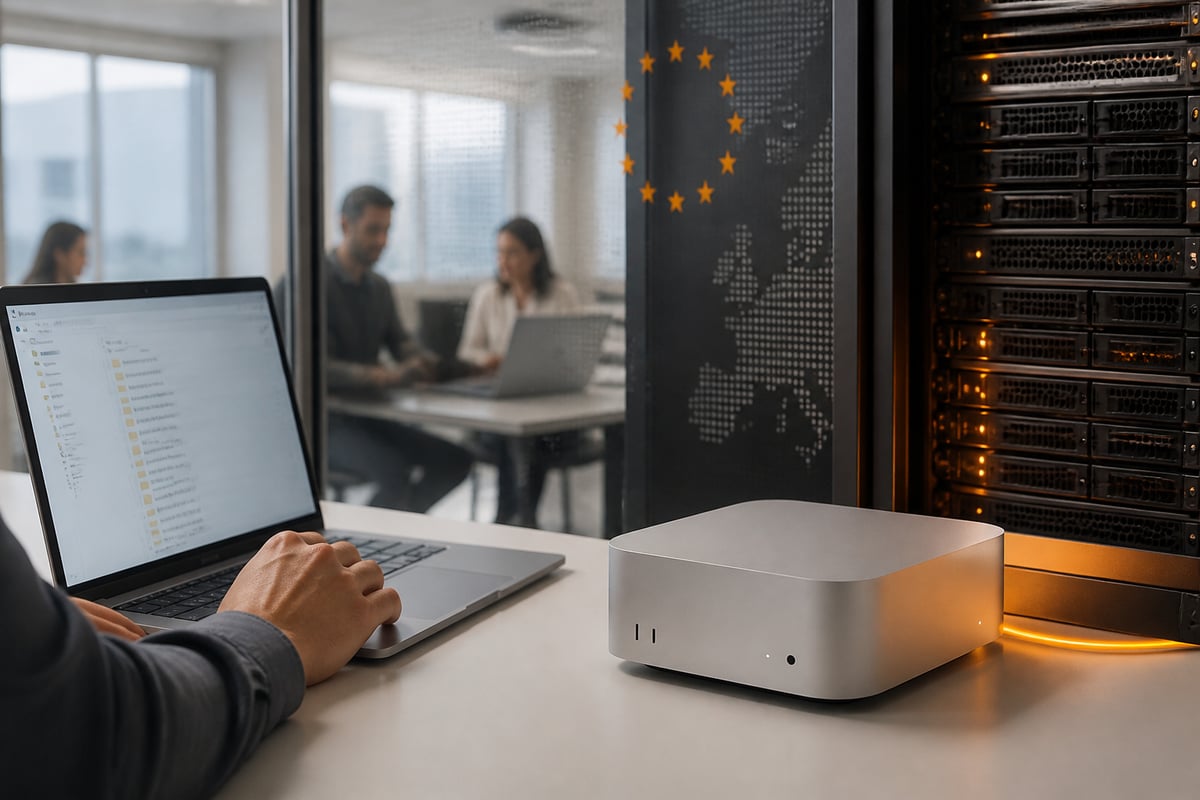
Hosting a Mac in a European data centre is a sound alternative when you want local-style control without owning hardware. For a Dutch or EU business, the main appeal is that data stays within EU jurisdiction, under a provider outside the reach of the US CLOUD Act.
vBoxx Mac mini Hosting
vBoxx Mac mini Hosting is a managed service running on Apple M5 Pro and M6 hardware in ISO 27001-certified European data centres in the Netherlands, with 99.99% uptime and full GDPR compliance. It is intended for AI and machine learning workloads, iOS build and test environments, creative production and macOS applications. Configurations are customisable, cancellation is monthly, and expert support is included. You can read more on the vBoxx Mac mini Hosting page.
According to the vBoxx Mac mini hosting models page, the M5 Pro configurations come with 24 GB, 48 GB or 64 GB of unified memory, and include 15-core CPU and 16-core GPU options. The same page lists an M5 Pro with 24 GB and 512 GB from €213 per month billed yearly, and a 48 GB and 512 GB configuration at €279 per month billed yearly. Current plans are summarised on the pricing page.
Hosting suits teams that want to test a model for a quarter before committing capital, or that need a server available around the clock without managing power, cooling and networking. In addition, the infrastructure is operated by vBoxx's own engineers rather than outsourced to U.S. hyperscalers, and support is available by phone, chat or remote session.
The trade-off is plain. Hosted hardware is not physically in your office, and a long-term, continuously used machine may cost less to own over several years. Therefore, compare the monthly fee against purchase price and your expected usage period.
Which AI Mac should you choose?
Choose the configuration that matches your largest intended model, then add storage only if you will keep many files locally. A short decision path helps:
- Exploring local AI on a small budget: the 24 GB Mac mini with 512 GB.
- Running an internal assistant for a team: the 48 GB Mac mini with 4 TB.
- Holding huge datasets locally: the 24 GB Mac mini with 8 TB, only if storage is the real constraint.
- Running the largest open models in-house: the Mac Studio with M3 Ultra.
- Wanting EU-hosted capacity without buying hardware: managed Mac mini hosting.
Who should skip these? Anyone whose AI needs are limited to drafting text and summarising emails does not need a high-memory machine, because built-in Apple Intelligence covers that on any M1 or later Mac. Similarly, a business that already uses a cloud AI service under a signed data processing agreement may not need local hardware at all.
Privacy and compliance considerations for European teams
Running AI locally or on EU-hosted hardware reduces exposure to transfers outside the European Economic Area. For regulated sectors, this simplifies the record of processing and the assessment of third-party risk. When a provider supplies a data processing agreement and keeps data, metadata, backups and support tooling inside the EU, as vBoxx states it does, the compliance picture becomes clearer.
Teams that also need to protect staff connections can add a privacy tool such as ZioFree, a VPN service with a no-logs policy. Likewise, firms that connect financial data to their applications may consult Enable Banking, which provides open banking connectivity across European countries. Neither replaces a sound data protection policy, but both are relevant to an EU-based stack.
For a broader view of Apple hardware in this context, the vBoxx article on AI on the Mac and the overview of Mac mini hosting in Europe offer useful background. In addition, teams comparing models for coding assistants may find the guide to using a Mac mini for Claude helpful.
FAQ
Is there an AI for Mac?
Yes, several. Apple Intelligence is built into Macs with M1 or later, and third-party assistants and local model runners such as Ollama and LM Studio are available for Apple silicon. The right option depends on how much control over data you need.
How do I turn on AI on my Mac?
Open System Settings, choose Apple Intelligence & Siri, and enable Apple Intelligence if your Mac and language are supported. A short download of on-device models may follow. Availability varies by region and language, so check Apple's current listing.
Does my Apple Mac have AI?
If your Mac has an M1 chip or later, it supports Apple Intelligence, according to Apple Newsroom. Intel-based Macs do not support it. Local open-weight models also require Apple silicon for acceptable performance.
Your next step is to list the largest model and the most sensitive dataset you plan to use, then match them to the memory tiers above. If you would rather test before buying, vBoxx can help: its vBoxx Mac mini Hosting runs in ISO 27001-certified Dutch data centres under GDPR, with personal support from engineers who have over 20 years of experience. Get a free trial of vBoxx's European cloud and discuss which configuration suits your AI workload.