

In today’s digital landscape, business continuity depends fundamentally on robust data protection strategies. Modern organisations generate unprecedented volumes of critical information daily, from customer records and financial transactions to intellectual property and operational databases. The loss of this data, whether through hardware failure, cyberattacks, or human error, can prove catastrophic. This reality makes backup devices an indispensable component of any comprehensive data protection framework. Understanding the various types of backup solutions available, their capabilities, and how to implement them effectively represents a core competency for businesses committed to safeguarding their digital assets.
Understanding Modern Backup Technologies
Backup devices have evolved considerably from simple tape drives and external hard disks. Today’s solutions encompass a sophisticated array of technologies designed to meet diverse organisational requirements. Backup storage devices serve the critical function of creating duplicate copies of data that can be restored following loss events.
Physical storage media remains relevant despite the cloud revolution. External hard drives offer portable, high-capacity storage at accessible price points. These devices connect via USB or Thunderbolt interfaces and provide straightforward backup capabilities for workstations and small servers. Network-attached storage (NAS) systems extend this concept by enabling multiple users across a network to backup simultaneously to centralised storage arrays.
Traditional Physical Backup Solutions
Tape storage continues to serve enterprise environments requiring long-term archival capabilities. Modern LTO (Linear Tape-Open) technology delivers substantial capacity improvements over previous generations whilst maintaining excellent cost-per-terabyte ratios. Tape libraries automate the management of multiple cartridges, creating scalable backup infrastructure suitable for organisations with extensive retention requirements.

Optical media, though declining in popularity, still finds niche applications. Blu-ray discs offer write-once capabilities that prevent accidental deletion or modification, making them suitable for compliance-driven archival needs. The permanence of optical storage appeals to organisations requiring tamper-proof record keeping.
Cloud-Based Backup Infrastructure
Cloud backup services represent a transformative approach to data protection. Rather than relying solely on physical devices located on-premises, businesses can replicate data to remote datacentres managed by service providers. This methodology eliminates concerns about hardware maintenance whilst providing geographic redundancy.
Object storage platforms form the foundation of modern cloud backup architectures. These systems store data as discrete objects with associated metadata, enabling efficient scaling to petabyte capacities. Leading cloud providers offer various storage tiers optimised for different access patterns and cost profiles.
Advantages of Cloud Backup Solutions
The flexibility of cloud-based approaches addresses several limitations inherent in traditional backup devices. Automatic scaling ensures storage capacity grows seamlessly with data volumes. Geographic distribution protects against regional disasters that might impact local infrastructure. Pay-as-you-go pricing models convert capital expenditure into operational costs, improving financial predictability.
Encryption capabilities have become standard features across reputable cloud backup platforms. Data remains protected both during transmission and whilst at rest in provider datacentres. For organisations requiring enhanced privacy controls, services like those offered by providers focusing on encrypted cloud service delivery ensure that sensitive information remains secure throughout its lifecycle.
| Backup Type | Recovery Speed | Cost Profile | Best For |
|---|---|---|---|
| Local External Drive | Very Fast | Low Initial, High Replacement | Individual Workstations |
| NAS Device | Fast | Medium Initial, Low Ongoing | Small Teams |
| Tape Library | Slow | Low Per TB, High Initial | Long-term Archives |
| Cloud Storage | Variable | Low Initial, Ongoing Subscription | Geographic Redundancy |
Implementing the 3-2-1 Backup Strategy
The 3-2-1 backup rule provides a time-tested framework for comprehensive data protection. This methodology specifies maintaining three total copies of data, stored on two different media types, with one copy kept off-site. This layered approach ensures resilience against multiple failure scenarios simultaneously.
Consider a practical implementation: primary data resides on production servers, a first backup copy exists on local backup devices such as a NAS system, whilst a second backup replicates to cloud storage. Should the primary server fail, rapid recovery proceeds from the NAS. If a facility-wide incident affects both primary and local backup systems, the off-site cloud copy enables business continuity.
Choosing Appropriate Media Types
Diversifying storage media types protects against technology-specific vulnerabilities. Ransomware targeting network-connected systems may encrypt both primary storage and network-accessible backup devices. Maintaining an additional backup on air-gapped media or immutable cloud storage prevents total data loss in such scenarios.
Different backup devices exhibit varying characteristics regarding speed, capacity, and reliability. Solid-state drives deliver exceptional performance but typically cost more per terabyte than spinning magnetic disks. Organisations must balance these factors against recovery time objectives and budget constraints.
Key considerations when selecting backup media include:
- Durability: Expected lifespan and failure rates under normal operating conditions
- Capacity: Total storage available and scalability for future growth
- Performance: Read and write speeds affecting backup windows and recovery times
- Portability: Ease of transport for off-site storage rotation
- Environmental requirements: Temperature and humidity tolerances
Backup Device Management and Monitoring
Establishing backup infrastructure represents merely the foundation of effective data protection. Ongoing management ensures that backup devices function correctly and that recovery capabilities remain viable. Regular testing verifies that backed-up data can actually be restored when needed.
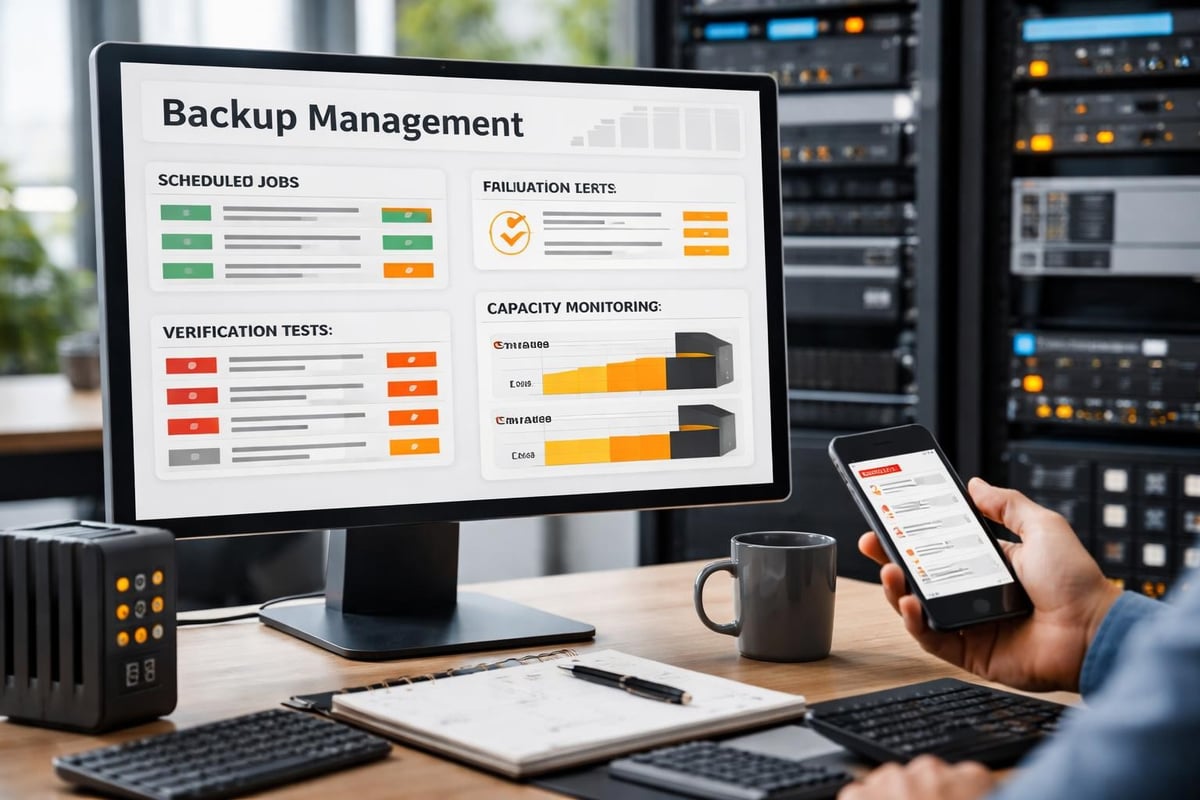
Automated monitoring systems track backup job completion, identify failures, and alert administrators to capacity constraints before they impact operations. Modern backup software provides dashboards displaying the health status of all backup devices and repositories across the organisation.
Verification and Testing Protocols
Backup verification extends beyond confirming that jobs complete successfully. Hash-based integrity checking ensures that backed-up data matches source files exactly. Random file restoration tests confirm that recovery procedures work as expected and that staff understand the processes involved.
Documentation plays a crucial role in disaster recovery scenarios. Maintaining current inventories of backup devices, their locations, retention schedules, and restoration procedures enables efficient response during crisis situations. Regular reviews ensure that this documentation remains accurate as infrastructure evolves.
Essential backup testing activities:
- Weekly verification: Automated integrity checks on recent backups
- Monthly restoration drills: Randomly selected files restored to verify accessibility
- Quarterly system recovery: Full server restoration to test complete disaster recovery
- Annual off-site retrieval: Physical collection and verification of off-site backup devices
- Documentation review: Updating procedures and contact information
Security Considerations for Backup Infrastructure
Backup devices represent attractive targets for malicious actors. Compromising backup systems allows attackers to ensure that ransomware victims cannot recover without paying extortion demands. Implementing robust security controls protects these critical assets.
Access controls restrict which personnel can modify backup configurations or delete backup data. Multi-factor authentication adds an additional verification layer for administrative functions. Audit logging records all interactions with backup systems, supporting forensic investigations following security incidents.
Encryption and Data Privacy
Encrypting data before it reaches backup devices ensures confidentiality even if storage media is physically stolen. Modern backup solutions support encryption both in-transit and at-rest, with key management systems preventing unauthorised access. For organisations subject to privacy regulations, encrypted backups help demonstrate compliance with data protection requirements.
Regulatory frameworks increasingly mandate specific data protection measures. Understanding these obligations ensures that backup strategies align with legal requirements. Resources such as CISA’s data backup options guide provide valuable context for developing compliant backup approaches.
| Security Control | Purpose | Implementation |
|---|---|---|
| Access Restrictions | Prevent unauthorised modifications | Role-based permissions, MFA |
| Encryption | Protect data confidentiality | AES-256 for data at rest and in transit |
| Air Gapping | Isolate from network threats | Physical disconnection or immutable storage |
| Audit Logging | Track system interactions | Centralised log management and retention |
Hybrid Backup Architectures
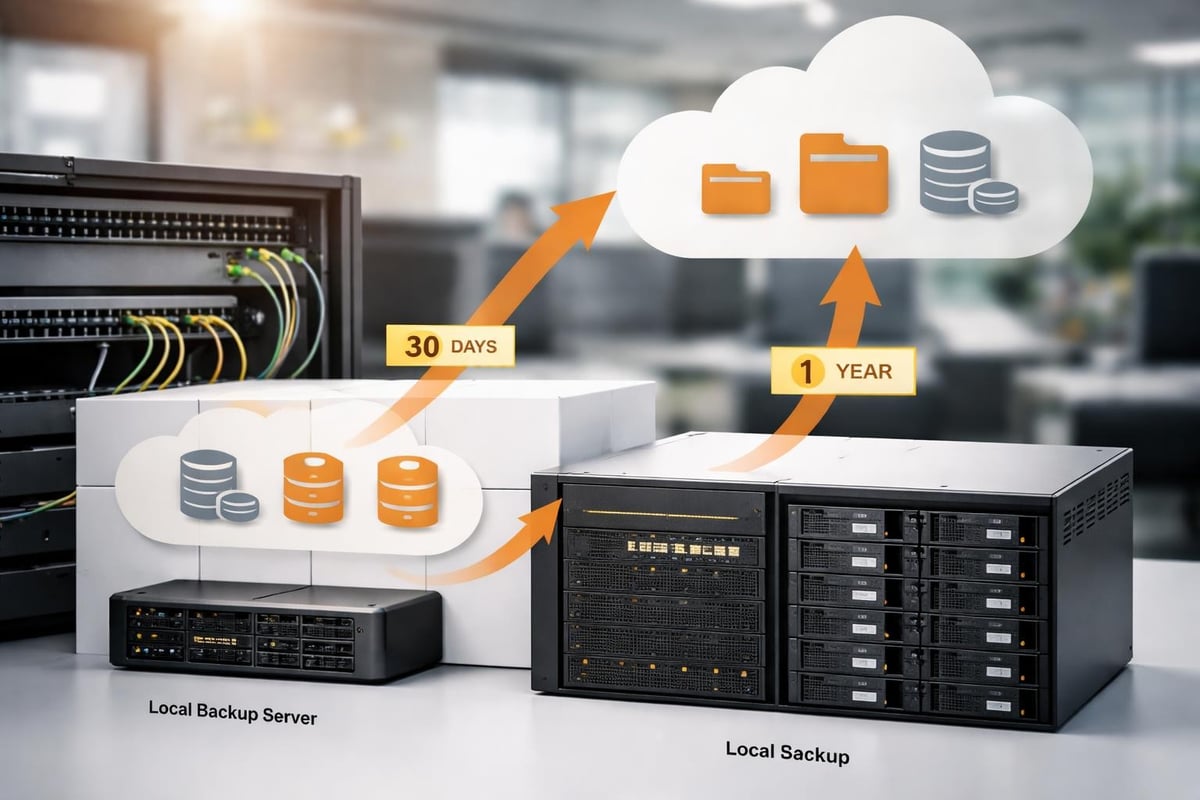
Many organisations adopt hybrid approaches combining the benefits of local backup devices with cloud-based repositories. This strategy enables rapid recovery from local copies whilst maintaining the disaster resilience of geographic distribution.
Initial backups to local devices complete quickly given high-speed LAN connectivity. Subsequent synchronisation to cloud storage occurs in the background, potentially throttled to avoid impacting production network performance. This tiered approach optimises both backup efficiency and recovery capabilities.
Designing Effective Hybrid Solutions
Successful hybrid implementations require careful planning around data flows and retention policies. Determining which datasets warrant local retention versus cloud-only storage depends on recovery time requirements and compliance obligations. Frequently accessed data benefits from local backup device proximity, whilst archival information may reside primarily in cloud repositories.
Integration between on-premises and cloud components demands consideration of bandwidth constraints and data transfer costs. Incremental backup technologies minimise the volume of data traversing internet connections by transmitting only changed blocks rather than complete files.
Understanding your backup requirements thoroughly allows for informed discussions about comprehensive solutions. For businesses seeking guidance on implementing robust backup strategies incorporating both physical and cloud-based approaches, exploring options like vBoxx’s demonstration of their all-in-one solutions provides valuable insights into integrated data protection platforms.
Scaling Backup Infrastructure
As organisations grow, backup requirements expand correspondingly. Planning for scalability prevents situations where backup devices become inadequate for protecting increased data volumes. Modular architectures enable incremental capacity additions without requiring complete infrastructure replacement.
Cloud-based backup components inherently offer elastic scaling capabilities. Storage capacity adjusts automatically to accommodate data growth without manual intervention. On-premises backup devices require more proactive capacity planning, monitoring trend data to forecast when upgrades become necessary.
Performance Optimisation Strategies
Backup windows represent the time available for completing backup operations without impacting production systems. As data volumes increase, these windows may become constrained. Implementing performance optimisations ensures that backups complete within acceptable timeframes.
Deduplication technologies reduce storage requirements by eliminating redundant data blocks across multiple backups. This efficiency gain proves particularly valuable for environments where data changes incrementally between backup cycles. Compression further reduces storage consumption, though at the cost of additional processing overhead.
Techniques for improving backup efficiency include:
- Implementing incremental or differential backup schedules reducing daily data volumes
- Deploying backup devices with sufficient throughput to match data generation rates
- Utilising synthetic full backups consolidating incremental chains without re-reading source data
- Scheduling backup operations during off-peak hours minimising production impact
- Employing network acceleration for cloud backups traversing internet connections
Maintenance and Lifecycle Management
Backup devices require regular maintenance ensuring continued reliability. Physical components experience wear over time, with hard drives representing particularly vulnerable elements. Establishing replacement schedules based on manufacturer recommendations prevents failures during critical backup operations.
Firmware updates address security vulnerabilities and performance issues in storage hardware. Scheduling these updates during maintenance windows prevents disruption whilst keeping systems current. Testing updated configurations before returning to production prevents introducing new problems.
End-of-Life Planning
Technology obsolescence eventually necessitates replacing backup infrastructure. Planning these transitions carefully ensures continuity of protection throughout migration periods. Parallel operation of old and new backup devices during cutover phases provides safety margins against implementation issues.
Data migration from retiring backup devices to replacement systems requires verification that all information transfers successfully. Maintaining decommissioned hardware until confident that new infrastructure functions correctly provides fallback options should unexpected issues arise.
Proper disposal of retired backup devices containing sensitive information prevents data breaches. Secure data destruction methods including degaussing or physical destruction ensure that information cannot be recovered from discarded storage media. Documentation of destruction activities supports compliance audit requirements.
Future Trends in Backup Technology
Emerging technologies continue reshaping backup device capabilities and deployment models. Artificial intelligence enhances backup management through predictive analytics identifying potential failures before they impact operations. Machine learning algorithms optimise backup schedules based on data change patterns and recovery requirements.
Non-volatile memory technologies promise substantial performance improvements over traditional magnetic storage. These advances may transform backup architectures by enabling instant recovery capabilities previously impossible with conventional backup devices. Understanding these developments helps organisations plan future-ready data protection strategies.
Regulatory landscapes evolve continually, with frameworks addressing data sovereignty, privacy, and security. Staying informed about requirements such as those outlined in relevant compliance guidance ensures that backup approaches remain aligned with legal obligations throughout their operational lifecycles.
Protecting business-critical data through comprehensive backup strategies remains fundamental to operational resilience in 2026. Selecting appropriate backup devices, implementing proven methodologies like the 3-2-1 rule, and maintaining robust security controls collectively ensure that organisations can recover from data loss events efficiently. vBoxx delivers secure, sustainable backup solutions designed to protect your digital infrastructure with privacy-focused cloud services, dedicated support, and green hosting practices that align data protection with environmental responsibility.