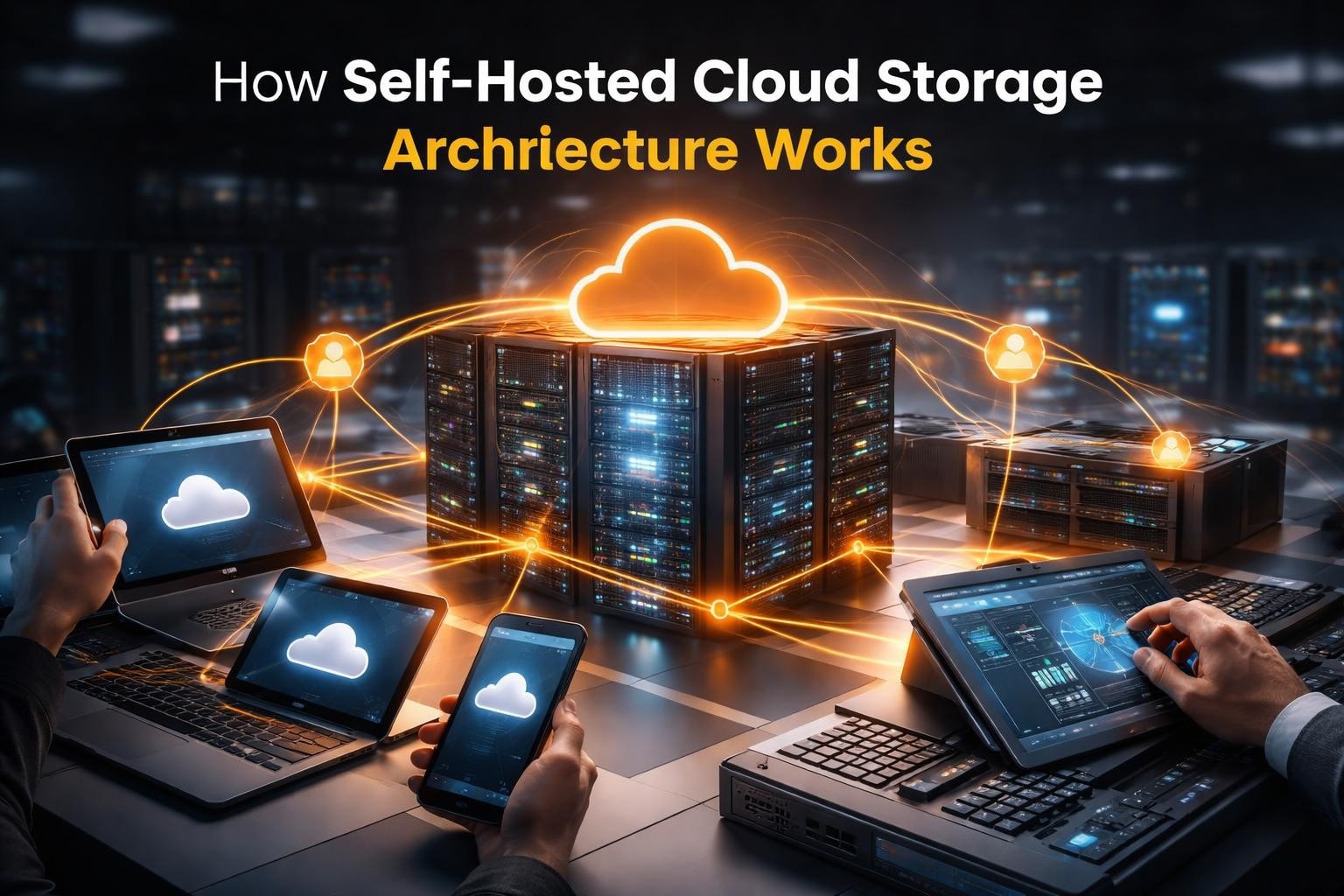

Businesses increasingly recognize that data sovereignty and privacy cannot be outsourced to third-party providers without significant trade-offs. Moreover, as organizations face tightening regulations and escalating cybersecurity threats, cloud storage self hosted solutions have emerged as a strategic alternative to conventional cloud services. By maintaining full control over infrastructure, businesses can not only enforce custom security policies but also ensure regulatory compliance and eliminate recurring subscription costs.
Furthermore, this comprehensive guide explores the essential aspects of implementing and managing self-hosted cloud storage systems in 2026, while also highlighting best practices, potential challenges, and key considerations. In addition, it provides actionable insights so that organizations can make informed decisions and fully leverage the benefits of self-hosted cloud storage. Ultimately, by adopting these solutions, businesses can strengthen security, maintain control, and optimise operational efficiency in the evolving digital landscape.
Understanding Self-Hosted Cloud Storage Architecture
Cloud storage self hosted refers to deploying file storage and synchronization systems on infrastructure you own or directly control. Unlike public cloud services where data resides on vendor servers, self-hosted solutions place complete responsibility and authority in your organization’s hands.
The fundamental components include storage hardware, network connectivity, server software, and client applications. Organizations typically deploy these systems on dedicated servers, virtual private servers, or existing network-attached storage devices.
Key Advantages Over Traditional Cloud Services
Self-hosted implementations deliver several strategic benefits that public cloud providers cannot match:
- Complete data sovereignty: Files never leave your controlled infrastructure
- Customizable security protocols: Implement encryption standards, access controls, and audit logging specific to your requirements
- Predictable cost structure: Eliminate recurring monthly fees after initial infrastructure investment
- Regulatory compliance: Maintain data residency requirements for GDPR, HIPAA, and other frameworks
- Network performance control: Optimize bandwidth allocation and prioritization based on business needs
Organizations handling sensitive information particularly benefit from encrypted online storage solutions that keep proprietary data within private networks.
Selecting the Right Self-Hosted Platform
The market offers numerous open-source and commercial platforms, each with distinct capabilities. Choosing the appropriate solution requires evaluating technical requirements, team expertise, and scalability needs.
Leading Open-Source Solutions
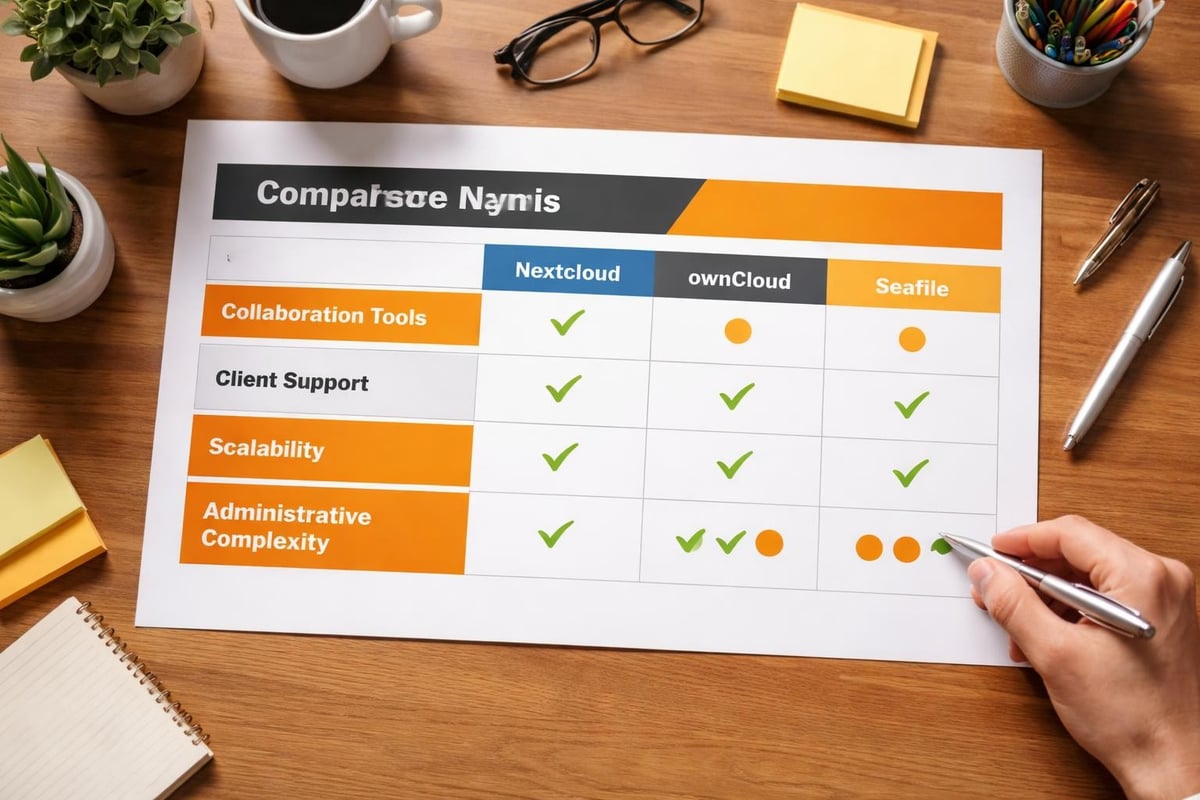
| Platform | Best For | Key Strengths | Technical Complexity |
|---|---|---|---|
| Nextcloud | Full-featured collaboration | Extensive plugin ecosystem, calendar/contacts integration, document editing | Moderate to High |
| ownCloud | Enterprise file sharing | Mature codebase, strong Windows integration, marketplace apps | Moderate |
| Seafile | High-performance sync | Excellent large file handling, library-based organization, minimal resources | Low to Moderate |
Nextcloud has established itself as the most comprehensive platform, offering features beyond basic file storage, including video conferencing, project management, and workflow automation. Moreover, the platform’s extensibility through hundreds of community applications makes it suitable for organizations seeking a complete productivity suite.
On the other hand, ownCloud appeals to enterprises that require stable, well-documented solutions with strong Windows Active Directory integration. Consequently, its focus on file sync and share fundamentals results in streamlined administration, thereby reducing operational overhead.
Furthermore, for organizations prioritizing performance and efficiency, Seafile delivers exceptional speed through its unique library-based architecture and minimal resource consumption. As a result, this makes it ideal for bandwidth-constrained environments or large file repositories. In addition, these tailored solutions allow organizations to choose platforms that best align with their specific needs, while simultaneously maintaining security, performance, and scalability.
Infrastructure Planning and Requirements
Successful cloud storage self hosted deployment begins with thorough infrastructure assessment. Underestimating resource requirements leads to performance bottlenecks and user frustration.
Server Specifications
Minimum specifications vary based on user count and anticipated data volume:
Small deployment (1-25 users):
- 2-4 CPU cores
- 4-8 GB RAM
- 500 GB storage (plus growth projection)
- 100 Mbps network connectivity
Medium deployment (25-100 users):
- 4-8 CPU cores
- 16-32 GB RAM
- 2-5 TB storage with RAID configuration
- 1 Gbps network connectivity
Large deployment (100+ users):
- 8+ CPU cores (or distributed architecture)
- 32+ GB RAM
- 10+ TB storage with redundancy
- 1-10 Gbps network connectivity
Storage capacity planning should account for at least 200% of current data volume to accommodate growth, temporary files, and versioning overhead.
Network Considerations
Self-hosted cloud storage effectiveness depends heavily on network infrastructure. Upload bandwidth particularly impacts user experience since most interactions involve sending data to the server.
Organizations must evaluate:
- Internal network capacity: Gigabit Ethernet minimum for servers handling simultaneous users
- Internet bandwidth: Symmetric connections preferred for remote access
- Quality of Service (QoS): Priority routing for cloud storage traffic during peak hours
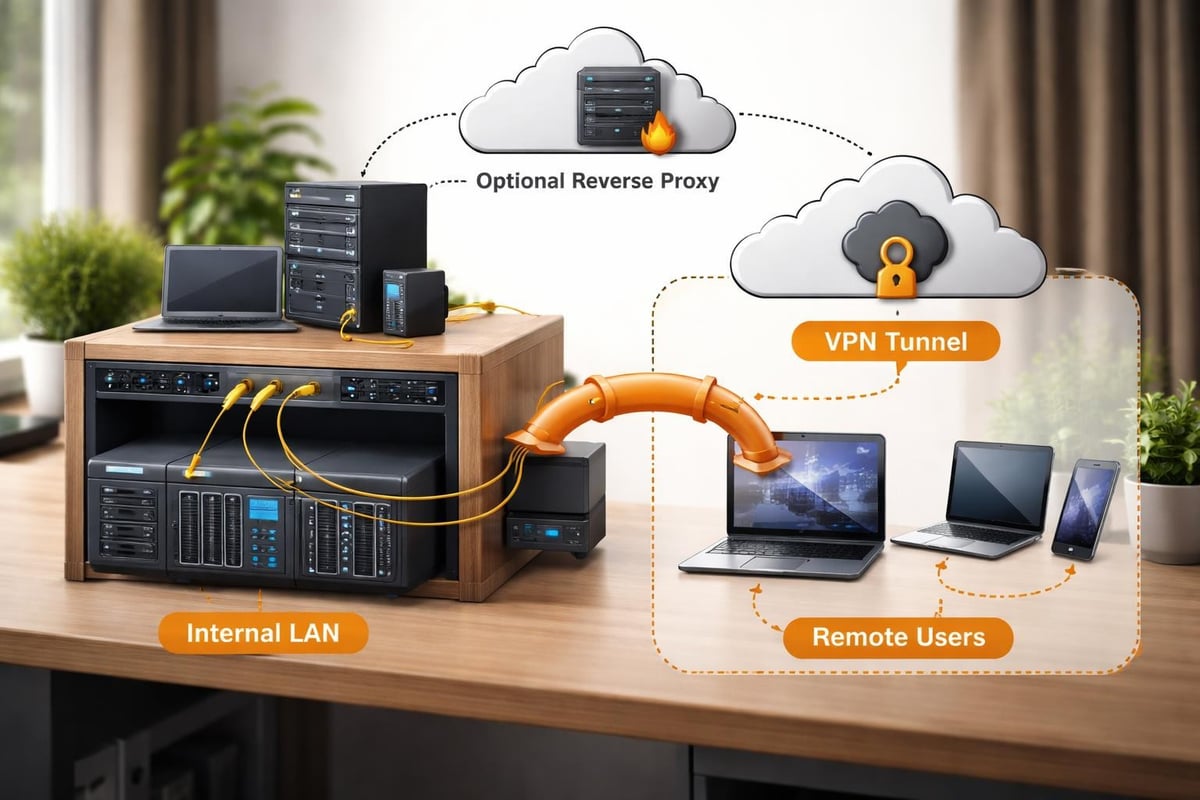
- VPN infrastructure: Secure remote access without exposing services directly to internet
Security Implementation Best Practices
The primary motivation for cloud storage self hosted adoption centers on enhanced security and privacy. However, self-hosting transfers security responsibility entirely to your organization.
Essential Security Layers
Comprehensive protection requires multiple overlapping security controls:
- Transport encryption: Enforce HTTPS/TLS 1.3 for all connections
- Storage encryption: Implement full-disk or filesystem-level encryption
- Authentication hardening: Multi-factor authentication mandatory for remote access
- Access control: Role-based permissions aligned with organizational structure
- Audit logging: Comprehensive activity tracking for compliance and forensics
- Regular updates: Automated security patching and version management
File-level encryption provides additional protection, ensuring data remains unreadable even if storage media is physically compromised. Modern platforms support client-side encryption where files are encrypted before transmission.
Backup and Disaster Recovery
Self-hosted infrastructure demands robust backup strategies since no external provider maintains redundant copies. The 3-2-1 rule remains the gold standard: three copies of data, on two different media types, with one copy off-site.
Automated backup solutions should capture:
- Database snapshots (containing user accounts, permissions, metadata)
- File storage repositories
- Configuration files and custom applications
- SSL certificates and encryption keys
Testing restoration procedures quarterly prevents discovering backup failures during actual emergencies. Understanding NIS2 compliance requirements helps organizations establish appropriate disaster recovery timeframes.
Installation and Configuration Workflow
Deploying cloud storage self hosted systems follows a structured process, though specific steps vary by platform choice.
Standard Deployment Steps
Initial system preparation:
- Install base operating system (Ubuntu Server 22.04 LTS or later recommended)
- Apply system updates and configure firewall rules
- Install required dependencies (PHP, database server, web server)
- Configure SSL certificates through Let’s Encrypt or internal PKI
- Create dedicated service accounts with minimal privileges
Platform installation:
- Download verified software packages from official sources
- Extract files to appropriate web directory
- Set correct file ownership and permissions
- Initialize database and create administrative accounts
- Complete web-based setup wizard
- Configure storage backends and data directories
Post-installation hardening:
- Disable default accounts and change default passwords
- Configure automated security updates
- Implement rate limiting and brute-force protection
- Set up monitoring and alerting systems
- Document configuration for knowledge transfer
Container-based deployments using Docker or Kubernetes simplify installation and updates while providing better resource isolation. Detailed comparison guides help organizations evaluate platform-specific installation approaches.
Performance Optimization Strategies
Raw storage capacity matters less than system responsiveness. Users quickly abandon platforms that feel sluggish compared to commercial alternatives.
| Optimization Area | Techniques | Expected Impact |
|---|---|---|
| Database | Connection pooling, query caching, index optimization | 30-50% faster metadata operations |
| Web server | HTTP/2 enabled, response compression, caching headers | 40-60% reduced load times |
| Storage | SSD for database/cache, separate disk for data, RAID configuration | 50-70% improved file operations |
| Application | Memory cache (Redis/Memcached), background job tuning | 25-40% reduced server load |
File previews and thumbnails consume significant resources. Dedicating separate worker processes for preview generation prevents these operations from blocking interactive requests.
Client Applications and User Experience
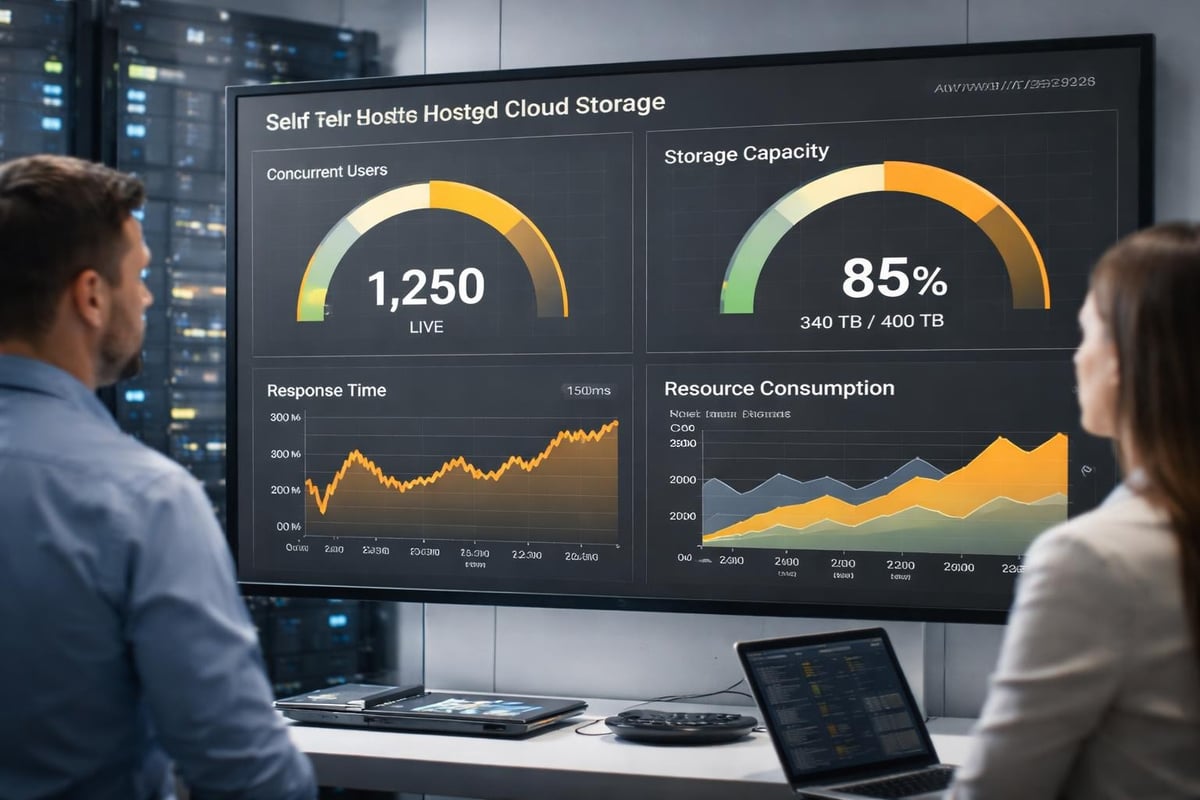
Backend infrastructure represents only half of the equation. User adoption depends on seamless client applications across devices and operating systems.
Cross-Platform Synchronization
Desktop clients for Windows, macOS, and Linux enable automatic folder synchronization, much like commercial services. Furthermore, mobile applications for iOS and Android extend access to smartphones and tablets, thereby enhancing flexibility and convenience.
In addition, WebDAV support provides universal compatibility with third-party applications. Specifically, this protocol allows mapping cloud storage as network drives or integrating with productivity applications that otherwise lack native support. As a result, users can seamlessly access, manage, and collaborate on files across multiple platforms and devices.
Configuration considerations include:
- Selective sync: Allow users to choose which folders synchronize to avoid filling local storage
- Bandwidth throttling: Prevent synchronization from consuming entire network capacity
- Conflict resolution: Define clear policies when users modify identical files offline
- Sharing workflows: Implement intuitive interfaces for generating secure share links
Training materials and documentation significantly impact adoption rates. Users accustomed to consumer cloud services expect comparable ease of use.
Maintenance and Long-Term Operations
Cloud storage self hosted systems require ongoing maintenance that commercial services handle transparently. Budget adequate time for administrative tasks.
Regular Maintenance Tasks
Daily operations:
- Monitor system health metrics and error logs
- Verify backup completion status
- Review security alerts and access logs
Weekly activities:
- Analyze storage growth trends
- Check for available software updates
- Review user support requests for recurring issues
Monthly procedures:
- Apply non-critical security patches
- Test disaster recovery procedures
- Generate utilization reports for capacity planning
- Archive or delete obsolete data
Quarterly initiatives:
- Perform full system backups before major updates
- Review and update documentation
- Conduct security audits and penetration tests
- Evaluate performance metrics against baselines
Automation through configuration management tools like Ansible reduces manual effort and ensures consistency across multiple servers. Implementing research on cost-optimal data management helps organizations balance storage tiers effectively.
Scaling Strategies for Growing Organizations
Initial deployments on single servers eventually reach capacity limits. Planning for growth prevents disruptive migrations.
Horizontal Scaling Approaches
Distributed architectures split workload across multiple servers:
- Load balancing: Distribute user connections across multiple application servers
- Database replication: Separate read operations from writes using primary-replica configurations
- Storage clustering: Distribute files across multiple storage nodes with automatic rebalancing
- Caching layers: Deploy Redis or Memcached clusters for session and object caching
Federation allows connecting multiple independent instances while maintaining unified user experience. This approach suits geographically distributed organizations or departments requiring isolated infrastructure.
Containerization platforms enable dynamic scaling based on demand. Kubernetes orchestration automatically provisions additional resources during peak usage and scales down during quiet periods.
Integration with Business Workflows
Maximum value emerges when cloud storage self hosted solutions integrate seamlessly with existing business applications and processes.
Modern platforms offer REST APIs enabling custom integrations with:
- Customer relationship management (CRM) systems
- Enterprise resource planning (ERP) platforms
- Human resources information systems (HRIS)
- Project management and collaboration tools
- Automated workflow and approval systems
Webhook support triggers actions in external systems when files are created, modified, or shared. This enables sophisticated automation like automatically processing uploaded invoices or triggering notifications when contracts are updated.
Research on Function-as-a-Service platforms demonstrates how self-hosted solutions enhance latency, security, and privacy in edge computing scenarios, making them valuable for organizations with specialized processing requirements.
Specialized Solutions for Unique Requirements
While mainstream platforms serve most organizations, certainly, specialized use cases can benefit from purpose-built solutions.
For example, Cloudreve excels at scenarios requiring multiple storage backends, as it allows administrators to distribute files across local storage, cloud providers, and object storage systems simultaneously. Consequently, this hybrid approach balances cost, performance, and redundancy effectively.
Meanwhile, SparkleShare leverages Git as its storage backend, making it uniquely suited for version-controlled document workflows and scenarios requiring detailed change tracking. Furthermore, the Git foundation provides powerful branching and merging capabilities that are unavailable in traditional cloud storage.
In addition, organizations handling massive unstructured datasets may benefit from specialized systems, such as those discussed in research on managing robotic datasets, which highlights scalable self-hosted storage architectures for intensive data workloads. Overall, these purpose-built solutions provide flexibility, efficiency, and reliability that complement mainstream cloud platforms.
Cost Analysis and Return on Investment
Cloud storage self hosted deployments involve different cost structures than subscription services, making direct comparison complex.
Total Cost of Ownership Components
Initial capital expenditure:
- Server hardware or virtual server subscription
- Network equipment upgrades
- Software licenses (if using commercial platforms)
- SSL certificates and domain registration
- Installation and configuration labor
Ongoing operational expenses:
- Electricity and cooling for on-premise equipment
- Internet bandwidth consumption
- Administrative staff time
- Software updates and support subscriptions
- Replacement hardware and capacity expansion
Hidden costs:
- Disaster recovery and backup infrastructure
- Security monitoring and incident response
- User training and support
- Downtime during maintenance windows
- Opportunity cost of diverted IT resources
Most organizations achieve cost parity with public cloud services within 18-24 months for deployments exceeding 50 users. Smaller deployments may require longer payback periods but deliver other strategic benefits justifying investment.
Implementing cloud storage self hosted infrastructure represents a strategic decision, as it involves balancing control, security, and cost considerations against operational complexity. Consequently, organizations gain complete data sovereignty, enhanced privacy protection, and freedom from recurring subscription fees, while also accepting responsibility for maintenance, security, and availability.
Therefore, success requires careful platform selection, robust infrastructure planning, comprehensive security implementation, and a commitment to ongoing operations. Moreover, when your organization needs expert guidance in navigating these complexities, vBoxx delivers secure hosting and cloud solutions, with an emphasis on privacy, performance, and sustainability. In addition, our team provides consultation, implementation, and managed services, ensuring that your self-hosted infrastructure meets business objectives, while simultaneously avoiding the strain on internal resources.
Ultimately, by combining strategic planning, expert support, and best-in-class solutions, organizations can confidently adopt self-hosted cloud storage, thereby achieving control, security, and efficiency in their operations.