

A Synology server represents one of the most versatile network-attached storage (NAS) solutions available to businesses seeking robust data management capabilities. In particular, as organisations increasingly demand secure, scalable, and efficient storage infrastructure, understanding the full potential of these systems becomes essential for IT decision-makers and business owners alike. Furthermore, this comprehensive guide explores the fundamental aspects, deployment considerations, and strategic advantages of these platforms. As a result, businesses can better evaluate why these solutions are particularly valuable for enterprises prioritising both performance and security.
Understanding the Synology Server Architecture
The foundation of any Synology server lies in its hardware and software integration. In particular, these systems run on DiskStation Manager (DSM), a Linux-based operating system specifically designed for storage management and file services. Furthermore, unlike traditional servers, the architecture prioritises data accessibility, redundancy, and user-friendly administration through a web-based interface. Moreover, DSM streamlines system configuration and ongoing maintenance for administrators. As a result, organisations benefit from simplified management, improved storage reliability, and greater operational efficiency.
Core components include:
- Processor configurations ranging from dual-core to multi-core enterprise chips
- RAM capacity from 2GB to 64GB depending on model tier
- Multiple drive bays supporting both HDD and SSD configurations
- Ethernet connectivity with options for 1GbE, 2.5GbE, 10GbE, and beyond
- Expansion capabilities through additional units and PCIe slots
The modular design allows businesses to start with fundamental requirements and scale incrementally. A small team might begin with a 2-bay model, whilst enterprises often deploy 12-bay or larger configurations with redundant power supplies and network connections.

Hardware Specifications Across Product Lines
Different business needs demand different hardware capabilities. The DS3622xs+ offers dual 10GbE ports for high-performance environments, whilst more compact models like the DS725+ serve smaller offices effectively.
| Model Category | Typical Use Case | Drive Bays | Network Speed | Target Audience |
|---|---|---|---|---|
| J-Series | Home offices, basic file sharing | 2-4 | 1GbE | Small businesses |
| Plus Series | SMB file servers, virtualisation | 4-8 | 1-2.5GbE | Growing businesses |
| XS/XS+ Series | Enterprise storage, heavy workloads | 8-12+ | 10GbE+ | Large enterprises |
| SA Series | All-flash arrays | 12+ | 25GbE | High-performance needs |
Processing power directly impacts concurrent user capacity and application responsiveness. In particular, businesses running multiple Docker containers, virtual machines, or surveillance streams require higher-tier processors with adequate RAM allocation. Furthermore, stronger hardware ensures smoother multitasking across demanding workloads. Moreover, sufficient memory improves system stability and application performance under heavy usage. As a result, organisations can maintain reliable and responsive operations as infrastructure demands grow.
Essential Features for Business Deployment
Security stands paramount in modern storage infrastructure. In particular, the Synology server platform implements multiple layers of protection, from encrypted volumes to comprehensive access controls. Furthermore, businesses handling sensitive data particularly benefit from built-in compliance features and audit logging capabilities. Moreover, these security measures help organisations strengthen governance and regulatory compliance. As a result, companies can better protect critical information while maintaining operational transparency and accountability.
Data Protection and Backup Strategies
RAID configurations provide the first line of defence:
- RAID 1: Mirrors data across two drives, suitable for critical but limited datasets
- RAID 5: Balances capacity and redundancy with single-drive failure tolerance
- RAID 6: Tolerates two simultaneous drive failures for enhanced protection
- SHR (Synology Hybrid RAID): Optimises storage capacity whilst maintaining redundancy
Beyond RAID, comprehensive backup strategies utilise multiple approaches. In particular, Active Backup for Business enables centralised protection for Windows PCs, servers, and virtual machines without additional licensing costs. Furthermore, cloud synchronisation extends protection offsite, ensuring business continuity even during catastrophic local failures. As a result, organisations gain stronger resilience against both hardware and operational disruptions.
Snapshot technology provides point-in-time recovery capabilities. In particular, by capturing the file system state at regular intervals, administrators can restore entire volumes or individual files rapidly. Moreover, this proves invaluable against ransomware attacks, as immutable snapshots remain untouched by encryption malware. Consequently, businesses can recover critical data quickly while minimising downtime and operational impact.
For organisations transitioning to encrypted cloud service architectures, hybrid approaches combining local Synology servers with secure cloud backup create robust disaster recovery frameworks. Furthermore, these strategies balance on-premises performance with offsite redundancy. In addition, they improve long-term scalability and flexibility. As a result, businesses achieve more comprehensive and reliable data protection.
Software Ecosystem and Application Integration
DSM’s package centre offers hundreds of applications transforming basic storage into comprehensive business platforms. In particular, the software ecosystem addresses diverse requirements ranging from team collaboration to surveillance management. Furthermore, these applications extend functionality far beyond traditional file storage. Moreover, businesses can customise deployments according to operational needs. As a result, organisations gain a flexible and scalable platform that supports a wide range of business workflows.

Productivity and Collaboration Tools
Core business applications include:
- Synology Drive for file synchronisation and versioning
- Synology Office for collaborative document editing
- Chat for internal team communication
- Calendar and Contacts for scheduling coordination
- MailPlus for complete email server functionality
The MailPlus suite deserves particular attention for businesses seeking email independence. In particular, rather than relying on third-party providers, organisations can host complete mail infrastructure on their Synology server, maintaining full control over message data and compliance requirements. Furthermore, this approach improves privacy and administrative oversight. Moreover, it reduces dependency on external communication platforms. As a result, businesses gain greater control, security, and flexibility over their email operations.
Document collaboration through Synology Office enables real-time co-editing without external subscriptions. In particular, whilst less feature-rich than commercial alternatives, it provides sufficient functionality for standard business documentation. Furthermore, it supports secure internal collaboration across teams. Moreover, organisations retain complete ownership of their files and workflows. As a result, businesses benefit from collaborative productivity whilst ensuring data sovereignty.
Virtualisation and Container Support
Virtual Machine Manager transforms compatible models into hypervisor platforms. In particular, businesses can consolidate legacy applications, test environments, or separate services onto virtual instances running directly on the Synology server hardware. Furthermore, this reduces the need for additional physical infrastructure. Moreover, it improves resource utilisation and operational flexibility. As a result, organisations can streamline IT environments while maintaining isolated workloads.
Docker support extends capabilities further through containerised applications. In particular, IT teams leverage pre-configured containers for development environments, databases, web applications, and specialised business tools without compromising system stability. Furthermore, containerisation simplifies deployment and maintenance processes. Moreover, it enables faster scalability for evolving business requirements. As a result, businesses gain greater agility and efficiency in application management.
| Virtualisation Feature | Business Benefit | Resource Requirement |
|---|---|---|
| Virtual Machine Manager | Legacy app support, testing | 4GB+ RAM, multi-core CPU |
| Docker containers | Rapid deployment, isolation | 2GB+ RAM recommended |
| Snapshot replication | Development/production parity | Additional storage capacity |
Network Configuration and Performance Optimisation
Proper network integration determines whether a Synology server delivers optimal performance or becomes a bottleneck. In particular, businesses must consider bandwidth requirements, user concurrency, and application demands during initial deployment planning. Furthermore, careful network design helps prevent performance limitations under heavy usage. Moreover, it ensures smoother data flow across connected systems. As a result, organisations achieve more reliable and efficient storage performance.
Network Topology Considerations
Single network configuration suffices for smaller deployments with moderate file access patterns. In particular, a direct connection to the primary switch through gigabit Ethernet handles typical office workloads adequately. Furthermore, this approach simplifies setup and maintenance. As a result, it provides a cost-effective solution for basic deployments.
Link aggregation combines multiple network interfaces for increased bandwidth and redundancy. In particular, two 1GbE ports aggregated provide 2Gbps theoretical throughput whilst maintaining connectivity if one cable fails. Moreover, this approach suits growing businesses experiencing increased storage demand. As a result, it improves both performance and reliability under heavier workloads.
Dedicated storage networks separate file transfer traffic from general business communications. In particular, larger organisations often implement separate VLANs or physical networks for storage access. Furthermore, this ensures consistent performance regardless of broader network congestion. As a result, it enhances stability and predictability in high-demand environments.
The comprehensive setup guide demonstrates network configuration best practices during initial deployment. In particular, it covers both basic and advanced scenarios. Moreover, it helps administrators implement optimal configurations from the outset. As a result, businesses achieve more efficient and reliable network performance.
Performance Tuning Parameters
Cache acceleration dramatically improves random access performance. Installing SSDs as read or read-write cache reduces latency for frequently accessed files without requiring complete all-flash storage investment. Businesses running databases or virtual machines particularly benefit from this configuration.
Bandwidth allocation settings prevent individual users or applications from monopolising network resources. Quality of Service (QoS) rules prioritise critical traffic, ensuring backup operations don’t interfere with daytime productivity applications.
Understanding how secure cloud data storage principles apply to local infrastructure helps businesses implement appropriate performance and security balances.
Security Hardening and Access Management
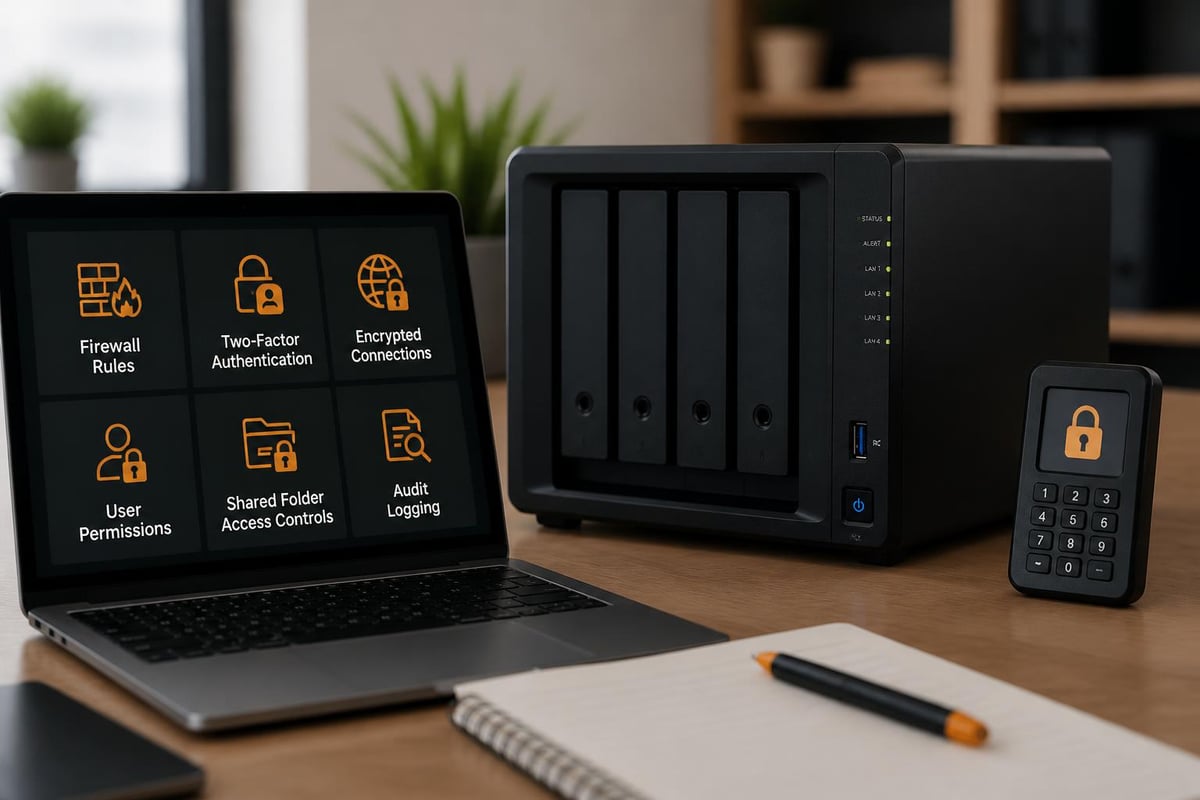
Default configurations provide reasonable security, but production deployments demand additional hardening. The multi-layered approach addresses network exposure, user authentication, and data protection comprehensively.
Authentication and Authorisation
Two-factor authentication should be mandatory for administrative accounts and recommended for standard users. Hardware security keys provide the strongest protection, whilst authenticator applications offer practical security improvements over passwords alone.
Domain integration simplifies user management in Active Directory environments. Rather than maintaining separate credentials, employees authenticate using existing corporate identities. This centralisation improves security whilst reducing administrative overhead.
Shared folder permissions require careful planning to balance accessibility and protection. The principle of least privilege applies: users receive only the access necessary for their specific roles. Advanced permissions support granular controls including read-only access, write restrictions, and inheritance rules.
Network Security Measures
Built-in firewall functionality restricts access to essential services only. Production deployments should disable unused ports and limit administrative interface access to specific IP ranges. Many organisations restrict DSM web access to internal networks, requiring VPN connection for remote administration.
Certificate management ensures encrypted connections for all services. Let’s Encrypt integration automates certificate acquisition and renewal, eliminating the complexity traditionally associated with SSL/TLS implementation. Custom certificates support businesses with existing PKI infrastructure.
Regular security updates maintain protection against emerging vulnerabilities. Automated update scheduling ensures systems receive patches without requiring manual intervention, though businesses should test updates in non-production environments first.
Storage Management and Capacity Planning
Effective capacity planning prevents unexpected storage exhaustion whilst optimising investment. The Synology server platform provides tools for monitoring utilisation trends and projecting future requirements.
Storage Pool Architecture
Volume configuration strategies differ based on use case requirements:
- Single large volume: Simplifies management for general file storage
- Multiple volumes: Separates applications, user data, and backups logically
- Dedicated volumes per department: Implements quota management and access isolation
- Thin provisioning: Over-allocates capacity whilst consuming actual space only as needed
Btrfs file system selection enables advanced features including snapshots, compression, and self-healing capabilities. Whilst requiring slightly more processing overhead than ext4, the data integrity benefits justify adoption for business-critical storage.
Compression reduces storage consumption for suitable data types. Text files, logs, and certain document formats compress significantly, effectively increasing usable capacity. However, pre-compressed formats like images and videos gain minimal benefit whilst consuming CPU resources.
Expansion and Scalability
Businesses outgrowing initial capacity have several expansion options. Additional drives fill unused bays whilst maintaining existing RAID configurations. Expansion units connect via dedicated ports, adding drive bays without replacing the primary system.
Migration paths include:
- Adding larger capacity drives and allowing RAID rebuilds
- Deploying additional Synology server units and distributing workloads
- Implementing SSD caching before full storage expansion
- Transitioning specific datasets to online storage file sharing platforms for less frequently accessed archives
Synology’s announcements at Computex 2025 demonstrated the company’s commitment to expanding ecosystem capabilities, including enhanced enterprise storage solutions and surveillance technologies that further extend platform versatility.
Backup Implementation Best Practices
The 3-2-1 backup rule remains fundamental: three copies of data, two different media types, one offsite location. Synology server platforms facilitate this strategy through integrated tools and third-party compatibility.
Local Backup Configuration
Hyper Backup provides versioned backup capabilities to external drives, other Synology servers, or cloud destinations. Configurable retention policies balance storage consumption against recovery flexibility. Businesses typically maintain daily backups for one month, weekly for six months, and monthly for extended periods.
Active Backup packages protect entire ecosystems. Windows PCs, physical servers, virtual machines, and file servers back up to centralised storage automatically. Granular recovery options restore individual files, complete systems, or application-specific data depending on requirements.
Snapshot schedules capture system state without consuming proportional storage space. Initial snapshots copy all data, whilst subsequent captures record only changes. This efficiency enables frequent snapshot intervals, providing fine-grained recovery points.
Offsite Protection Strategies
Cloud synchronisation replicates critical data to remote locations automatically. Native integration with major cloud providers simplifies configuration, whilst encrypted transfer ensures data confidentiality during transit and at rest.
Businesses operating multiple locations implement site-to-site replication between Synology server installations. Real-time synchronisation or scheduled replication jobs maintain data consistency across geographical distances, supporting both disaster recovery and distributed access scenarios.
For comprehensive protection combining local infrastructure with cloud resilience, vBoxx offers guided demonstrations of integrated secure cloud solutions that complement on-premises Synology deployments.
Monitoring and Maintenance Procedures
Proactive monitoring prevents minor issues escalating into service disruptions. The Synology server platform includes comprehensive monitoring tools tracking system health, performance metrics, and security events.
Resource Monitor displays real-time utilisation across CPU, memory, network, and storage subsystems. Historical graphs reveal usage patterns, informing capacity planning decisions and identifying unusual activity that may indicate security incidents or system misconfigurations.
Storage Analyser examines volume utilisation, identifying space-consuming directories and file types. Regular analysis helps administrators understand growth patterns and implement appropriate cleanup policies before capacity constraints impact operations.
Log Centre aggregates system logs, application events, and security notifications in searchable formats. Correlation capabilities identify patterns across multiple log sources, supporting troubleshooting and forensic investigations. Integration with external SIEM platforms extends enterprise monitoring capabilities.
Preventative Maintenance Schedules
Monthly tasks include:
- Review storage capacity trends and projected exhaustion dates
- Verify backup completion status and test sample restorations
- Check SMART data for drive health indicators
- Update non-critical packages and applications
- Review user access logs for suspicious activity
Quarterly activities extend maintenance:
- Perform full system updates including DSM version upgrades
- Test disaster recovery procedures with actual restoration exercises
- Review and update firewall rules based on service requirements
- Audit user permissions and remove unnecessary access
- Physically inspect hardware for dust accumulation and cooling efficiency
Annual comprehensive reviews assess whether current configurations continue meeting business requirements or justify hardware upgrades and architectural changes.
Integration with Business Workflows
The true value of a Synology server emerges through thoughtful workflow integration. Beyond basic file storage, these platforms support diverse business processes when properly configured.
Creative workflows benefit from centralised asset management. Marketing teams store brand materials, video editors collaborate on projects, and designers maintain version-controlled creative files. Preview generation and thumbnail support accelerate asset discovery compared to traditional file shares.
Development environments leverage version control integration, Docker containerisation, and automated backup protecting code repositories. Development teams maintain local Git servers, continuous integration runners, and staging environments entirely on Synology infrastructure.
Surveillance operations consolidate security camera footage through Synology Surveillance Station. Advanced features including motion detection, intelligent analytics, and extended retention management transform basic recording into comprehensive security platforms. Scalability supports dozens or hundreds of cameras depending on hardware specifications.
Understanding the broader context of choosing appropriate Synology NAS systems helps businesses align specific models with operational requirements and budget constraints.
Advanced Configuration Scenarios
Sophisticated deployments extend basic capabilities through advanced features and third-party integrations. These scenarios require deeper technical expertise but unlock significant additional value.
High Availability Clustering
Critical infrastructure demands eliminate single points of failure. Synology High Availability pairs two identical servers, synchronising data continuously. Should the active unit fail, automatic failover transitions services to the passive unit within seconds, minimising disruption.
Implementation requirements:
- Two identical model Synology servers
- Dedicated network connection between units for heartbeat monitoring
- Shared storage understanding between clustered nodes
- Compatible DSM versions and package configurations
The complexity and cost justify this approach only for truly business-critical deployments where downtime costs exceed implementation investment.
Multi-Site Replication
Organisations with distributed operations implement sophisticated replication topologies. Hub-and-spoke configurations centralise data from branch locations whilst mesh topologies enable any-to-any synchronisation across peer sites.
Bandwidth limitations often constrain replication schedules. Intelligent scheduling replicates during off-peak hours, whilst delta synchronisation transfers only changed blocks rather than complete files. Compression further reduces network impact, particularly across constrained links.
Following official installation guidance ensures proper initial configuration, which forms the foundation for advanced features like replication and clustering.
| Replication Topology | Best For | Complexity | Bandwidth Impact |
|---|---|---|---|
| One-way backup | Disaster recovery | Low | Moderate |
| Two-way sync | Distributed collaboration | Medium | High |
| Hub-and-spoke | Branch consolidation | Medium | Variable |
| Mesh network | Multi-site operations | High | Very high |
Licensing and Total Cost Considerations
Unlike many enterprise storage platforms, Synology servers impose minimal licensing costs. The DSM operating system includes comprehensive functionality without per-user fees or capacity restrictions. However, total cost of ownership extends beyond initial hardware purchase.
Hardware investment varies dramatically based on specifications. Entry-level 2-bay systems cost hundreds of pounds, whilst enterprise 12-bay configurations with redundant components exceed several thousand. Drive costs multiply these figures depending on capacity requirements.
Optional licenses apply to specific packages. Camera licenses for Surveillance Station, device licenses for Active Backup for Business beyond included quantities, and certain collaboration tools carry additional costs. These remain significantly lower than equivalent standalone solutions.
Operational costs include power consumption, cooling requirements, and periodic hardware refresh cycles. Energy-efficient models reduce ongoing expenses, whilst proper capacity planning delays expensive expansion projects.
Comparing these costs against cloud storage alternatives requires careful calculation. Initial capital expenditure contrasts with ongoing subscription fees, whilst data sovereignty and performance characteristics differ fundamentally between approaches.
Troubleshooting Common Deployment Challenges
Even well-planned deployments encounter occasional difficulties. Understanding common issues and their resolutions accelerates problem-solving and reduces downtime.
Network connectivity problems frequently stem from firewall misconfigurations or network discovery issues. Verifying the Synology server has a static IP address and confirming DNS resolution prevents many access difficulties. Windows network discovery sometimes requires adjusting advanced sharing settings and enabling network discovery protocols.
Performance degradation often indicates resource saturation. Monitoring tools identify whether CPU, RAM, network, or storage bottlenecks limit throughput. Solutions range from adding cache drives to upgrading network infrastructure or redistributing workloads across multiple systems.
Drive failures trigger RAID degradation warnings. Immediate replacement and rebuild initiation prevents data loss if additional drives fail during degraded operation. SMART monitoring provides advance warning of impending failures, enabling proactive replacement before actual failure occurs.
Software conflicts between packages occasionally arise. Reviewing package compatibility matrices and consulting community forums often reveals known issues and workarounds. Snapshot rollback provides safety nets when package installations create unexpected problems.
Implementing a Synology server provides businesses with enterprise-grade storage capabilities whilst maintaining manageable costs and administrative overhead. The platform’s flexibility accommodates diverse requirements from basic file sharing through advanced virtualisation and disaster recovery scenarios. When your organisation needs secure, scalable infrastructure supported by expert guidance, vBoxx delivers comprehensive hosting and cloud solutions emphasising privacy, security, and sustainable practices that complement your on-premises investments.