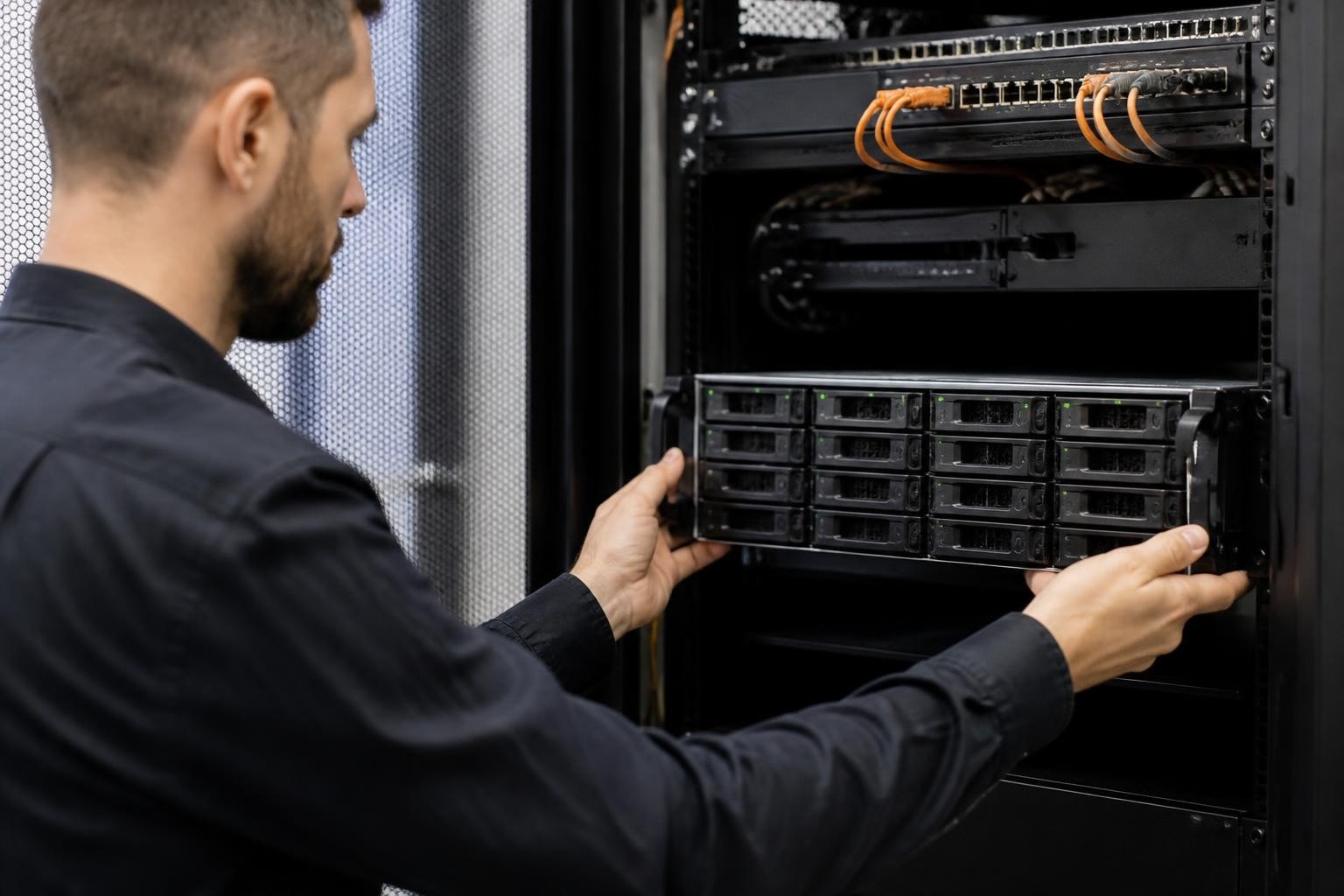

Businesses across Europe are rapidly expanding their digital infrastructure, and consequently, the need for scalable, reliable storage solutions has never been more critical. A Synology NAS rack system offers enterprises the perfect blend of capacity, performance and space efficiency, transforming how organisations manage their growing data requirements. Unlike traditional desktop NAS units, rack-mounted systems integrate seamlessly into existing data center infrastructure, providing superior cooling, cable management and room for expansion. Furthermore, as businesses scale from terabytes to petabytes of data, understanding the advantages, configurations and deployment strategies for Synology's rackmount offerings becomes essential for IT decision-makers planning their infrastructure roadmap for 2026 and beyond.
Understanding Rack-Mounted Network Attached Storage
Network-attached storage has evolved significantly from its origins as simple file servers. Modern NAS systems provide centralised storage that multiple users and devices can access simultaneously over a network, but rack-mounted variants take this concept to an enterprise level.
What Makes Rack NAS Different
A Synology NAS rack differs from desktop models in several fundamental ways:
- Form factor: Designed to fit standard 19-inch server racks, measured in rack units (U)
- Cooling architecture: Front-to-back airflow optimised for data center environments
- Redundancy features: Dual power supplies, hot-swappable components and ECC memory
- Scalability: Support for expansion units and high-density drive configurations
- Performance: Enterprise-grade processors and 10GbE or 25GbE networking capabilities
Moreover, rackmount units address the physical constraints of modern data centers, where vertical space is optimised and horizontal footprint is minimised. The standardised dimensions ensure compatibility with existing infrastructure, whilst the professional cooling design integrates with data center HVAC systems.
Key Synology RackStation Models
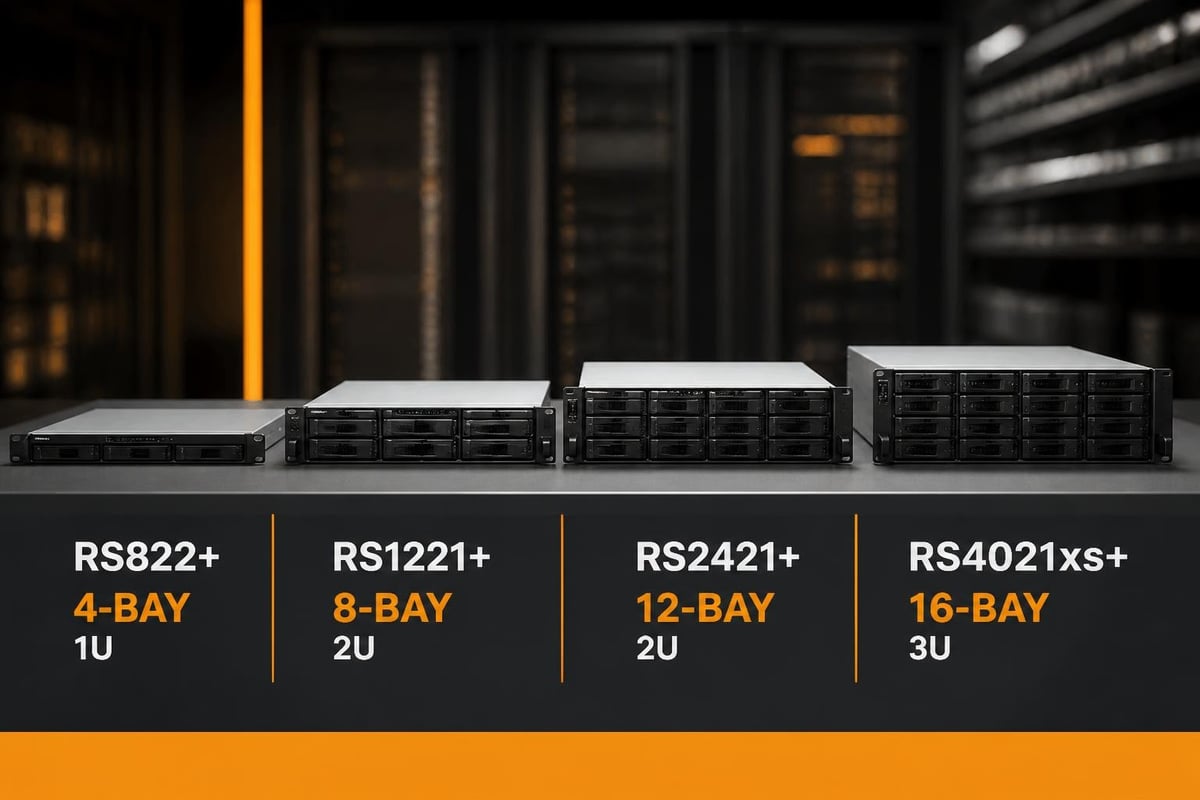
Synology's RackStation line spans from compact 1U units to high-capacity 4U chassis. The RS3621xs+ exemplifies the flagship approach, offering twelve drive bays in a 2U form factor with expansion potential up to 36 drives. Nevertheless, smaller businesses might start with the RS822+ or RS1221+, which provide excellent performance in more compact configurations.
| Model Series | Form Factor | Drive Bays | Target Use Case | Typical Performance |
|---|---|---|---|---|
| RS822+ | 1U | 4 | Branch offices, small teams | Up to 2,250 MB/s read |
| RS1221+ | 2U | 8 | Growing businesses | Up to 2,350 MB/s read |
| RS3621xs+ | 2U | 12 | Enterprise workloads | Up to 4,211 MB/s read |
| RS4021xs+ | 3U | 16 | Large deployments | Up to 4,800 MB/s read |
Planning Your Synology NAS Rack Deployment
Successful deployment begins long before the hardware arrives. Therefore, careful planning of capacity, network integration and redundancy requirements ensures your investment delivers optimal value from day one.
Calculating Storage Requirements
Start by auditing your current data footprint and projecting growth over the next 3-5 years. Furthermore, factor in retention policies, backup schedules and compliance requirements that may mandate keeping multiple versions or archives.
Essential capacity planning steps:
- Calculate current storage consumption across all departments
- Identify annual growth rate based on historical data
- Add 30-40% buffer for snapshots, versioning and overhead
- Consider future projects or business expansion
- Evaluate RAID overhead for your chosen protection level
In addition, remember that usable capacity differs significantly from raw capacity. A 12-bay Synology NAS rack filled with 8TB drives offers 96TB raw, but RAID 6 configuration reduces this to approximately 80TB usable, whilst still providing dual-drive failure protection.
Network Infrastructure Considerations
Your network backbone determines whether your rack NAS delivers its full potential. Consequently, planning for adequate bandwidth, link aggregation and network segmentation prevents bottlenecks that would otherwise undermine the system's capabilities.
Most Synology RackStation models include multiple Gigabit Ethernet ports, with high-end units offering 10GbE or even 25GbE connectivity. Link aggregation across multiple ports provides both increased throughput and failover protection. Moreover, separating storage traffic onto dedicated VLANs prevents contention with general business traffic.
The step-by-step configuration process for rack NAS includes network bonding modes such as balance-tcp for maximum throughput or active-backup for pure redundancy. Therefore, understanding your workload patterns helps determine the optimal configuration.
Installation and Physical Integration
Physical installation of a Synology NAS rack requires attention to environmental factors, power delivery and cable management. Furthermore, proper mounting ensures stability, cooling efficiency and ease of maintenance throughout the system's operational life.
Rack Mounting Best Practices
Standard 19-inch racks accept Synology RackStation units with the included mounting hardware. Nevertheless, several considerations affect long-term reliability:
- Weight distribution: Heavier units should be mounted lower in the rack for stability
- Airflow clearance: Maintain at least 1U spacing above and below for ventilation
- Power redundancy: Connect dual PSUs to separate UPS circuits or power distribution units
- Cable routing: Use the rack's cable management arms to prevent strain on connections
- Physical security: Lock panels and rack doors in multi-tenant data center environments
Additionally, ensure your rack's weight capacity accommodates the fully-loaded configuration. A 12-bay unit filled with enterprise drives can exceed 25kg, before accounting for expansion chassis.
Environmental Monitoring
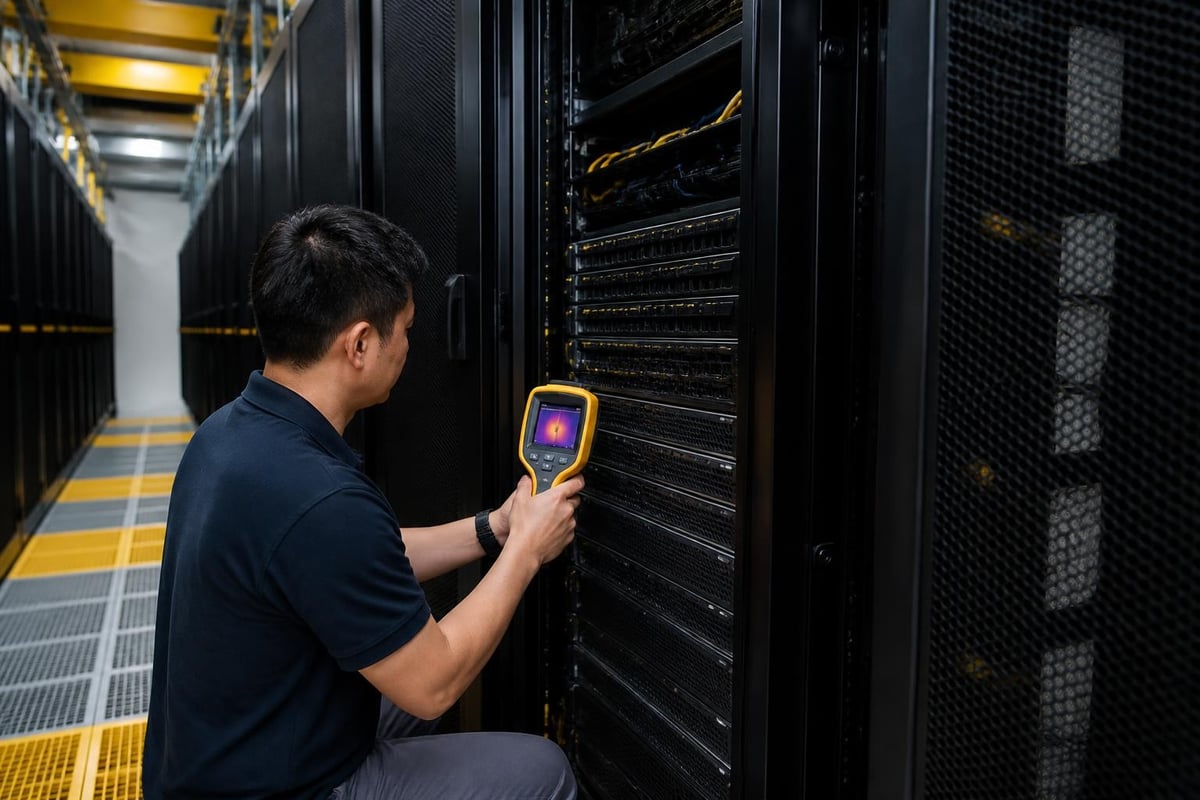
Temperature and humidity directly impact drive longevity and system stability. Therefore, Synology's DiskStation Manager (DSM) includes comprehensive environmental monitoring, with configurable alerts when thresholds are exceeded.
Optimal operating conditions for a Synology NAS rack fall between 5°C and 35°C, with relative humidity of 5% to 95% non-condensing. Moreover, maintaining consistent temperatures prevents thermal cycling that accelerates component wear.
Advanced Configuration and Data Protection
Once physically installed, configuring storage pools, volumes and protection schemes determines both performance and resilience. Furthermore, Synology's DSM operating system provides enterprise features that rival purpose-built SAN solutions at a fraction of the complexity.
RAID Configurations for Different Workloads
Synology NAS rack systems support traditional RAID levels alongside Synology Hybrid RAID (SHR), which optimises capacity when mixing drive sizes. Nevertheless, understanding the trade-offs guides optimal configuration:
| RAID Level | Minimum Drives | Usable Capacity | Fault Tolerance | Best For |
|---|---|---|---|---|
| RAID 0 | 2 | 100% | None | Non-critical scratch space |
| RAID 1 | 2 | 50% | 1 drive | Small, critical datasets |
| RAID 5 | 3 | 67-94% | 1 drive | Balanced protection |
| RAID 6 | 4 | 50-88% | 2 drives | Enterprise production |
| RAID 10 | 4 | 50% | 1 per mirror | High-performance databases |
| SHR-2 | 4 | Varies | 2 drives | Mixed drive sizes |
Therefore, high-transaction databases benefit from RAID 10's superior random I/O performance, whilst archival storage might prioritise RAID 6's capacity efficiency. Moreover, SSD caching can accelerate any configuration by placing frequently accessed data on faster media.
Snapshot and Replication Strategies
Synology's snapshot technology provides point-in-time recovery without traditional backup overhead. Furthermore, snapshots consume minimal space initially, growing only as data changes, making them ideal for frequent protection points throughout the business day.
Recommended snapshot schedule:
- Hourly snapshots during business hours (retained for 24 hours)
- Daily snapshots at end of business (retained for 7 days)
- Weekly snapshots on Sunday midnight (retained for 4 weeks)
- Monthly snapshots on first of month (retained for 12 months)
In addition, replication to a secondary Synology NAS rack at a different location provides geographic redundancy. Nevertheless, ensure adequate bandwidth for replication windows, particularly when using real-time synchronisation rather than scheduled batch transfers.
Security and Compliance Considerations
Data sovereignty and regulatory compliance have become paramount concerns for European businesses. Consequently, understanding how your storage infrastructure aligns with GDPR, NIS2 and industry-specific regulations prevents costly violations whilst protecting sensitive information.
Built-in Security Features
A Synology NAS rack includes multiple security layers that protect data at rest and in transit. Furthermore, regular updates address vulnerabilities, though administrators must monitor Synology’s security advisories and apply patches promptly.
Essential security configurations:
- Encryption: AES-256 volume encryption protects data even if drives are physically stolen
- Firewall: DSM's built-in firewall restricts access to authorised networks and services
- 2FA: Two-factor authentication for all administrative accounts
- Account policies: Enforce complex passwords and automatic lockout after failed attempts
- Audit logs: Comprehensive logging of all file access and administrative actions
Moreover, disabling unused services reduces the attack surface, whilst security advisor scans configurations against best practices. Therefore, treating your rack NAS as you would any critical server, with regular security reviews and access audits, maintains a strong security posture.
GDPR and Data Residency
For European businesses, ensuring personal data remains within EU jurisdiction is often mandatory. Nevertheless, even when hosting your Synology NAS rack on-premises, third-party cloud backup destinations or remote access services might inadvertently transfer data across borders.
When implementing cloud integration, consider European providers that guarantee data residency. For instance, vBoxxCloud stores all data in ISO 27001-certified data centers in the Netherlands, ensuring GDPR compliance without exposure to the US CLOUD Act. Furthermore, such solutions provide additional layers of encryption and access controls that complement your on-premises infrastructure.

Performance Optimisation and Monitoring
Extracting maximum performance from your Synology NAS rack requires understanding workload characteristics and tuning accordingly. Furthermore, proactive monitoring identifies bottlenecks before they impact users, maintaining the responsive experience that justifies the investment in enterprise storage.
Network Performance Tuning
Network configuration often determines whether your storage system feels instantaneous or sluggish. Therefore, implementing link aggregation, jumbo frames and quality of service policies can dramatically improve throughput and consistency.
Link aggregation across multiple network interfaces increases available bandwidth whilst providing failover protection. Nevertheless, your network switches must support the chosen bonding mode, and all switches in the path should be configured consistently to prevent asymmetric routing issues.
Jumbo frames, which increase the Ethernet MTU from 1500 to 9000 bytes, reduce CPU overhead and improve throughput for large file transfers. Moreover, enabling jumbo frames across your entire storage network, including switches, NAS and clients, prevents fragmentation that would otherwise negate the benefits.
SSD Cache Implementation
Adding SSD cache accelerates frequently accessed data without the cost of all-flash storage. Furthermore, Synology supports both read-only and read-write caching, with the latter providing dramatic improvements for write-intensive workloads.
SSD cache sizing guidelines:
- Allocate 1-2% of total spinning disk capacity for read cache
- Double this allocation (2-4%) when using read-write cache
- Use enterprise SSDs with power-loss protection for write caching
- Monitor cache hit rates and adjust sizing based on actual patterns
In addition, understanding your workload's random versus sequential I/O ratio helps determine optimal cache configuration. Database servers benefit enormously from caching, whilst sequential video streaming sees minimal improvement.
Scalability and Future Expansion
One of the primary advantages of choosing a Synology NAS rack is the ability to scale capacity and performance without forklift upgrades. Therefore, planning expansion paths during initial deployment ensures smooth growth as your business requirements evolve.
Adding Expansion Units
Synology's expansion units connect to the main RackStation via high-speed cables, appearing as additional drive bays within DSM. Furthermore, this architecture allows growing from 12 drives to 36 or more without migrating data or reconfiguring applications.
The official RS3621xs+ datasheet details expansion capabilities, including supported models and maximum configurations. Nevertheless, ensuring your rack has physical space and adequate cooling for additional chassis prevents costly rearrangement later.
Expansion planning checklist:
- Verify rack unit availability for future expansion chassis
- Confirm power circuit capacity for additional PSUs
- Plan network uplink upgrades if capacity growth exceeds current bandwidth
- Budget for expansion licenses if using advanced DSM packages
- Schedule expansion during maintenance windows to minimise disruption
Moreover, growth doesn't always mean more drives. Upgrading to higher-capacity drives during routine replacement cycles increases storage without additional chassis, though RAID rebuild times grow proportionally with drive size.
Migration and Upgrade Paths
Eventually, even the most scalable system reaches practical limits. Therefore, understanding migration options prevents data accessibility gaps during major infrastructure transitions.
Synology's migration tools support moving volumes between systems with minimal downtime. Furthermore, replication can pre-populate a new, larger RackStation whilst the existing system remains in production, with a brief cutover window for final synchronisation.
When evaluating enterprise NAS alternatives, consider total cost of ownership beyond initial hardware pricing. Nevertheless, Synology's DSM consistency across models means administrative knowledge transfers completely, whilst ecosystem integration with existing expansion units and licenses protects previous investments.
Integration with Business Applications
A Synology NAS rack serves as more than passive storage. Therefore, understanding native application support and virtualisation capabilities reveals opportunities to consolidate workloads and simplify infrastructure.
Native Application Support
DSM's package center provides hundreds of first-party and third-party applications that run directly on the NAS. Furthermore, these applications leverage the underlying storage infrastructure efficiently, eliminating the need for separate servers for many common workloads.
Popular business applications:
- Active Directory integration: Native domain controller support or seamless joining to existing AD environments
- Surveillance Station: IP camera recording and management for physical security
- MailPlus: Complete mail server with webmail and mobile sync
- Calendar and Contacts: Shared calendaring with CalDAV and CardDAV support
- Virtual Machine Manager: Run Windows, Linux or other operating systems in VMs
Moreover, these applications benefit from the same snapshot protection and replication as your file data. Nevertheless, performance considerations apply, particularly for database-heavy applications that might strain the system when competing with heavy storage workloads.
Docker and Container Support
Container Manager (formerly Docker) enables running thousands of containerised applications on your Synology NAS rack. Furthermore, this capability transforms the system into a private cloud platform whilst maintaining its primary storage role.
Common containerised workloads include development and testing environments, internal business tools, monitoring systems and middleware that bridges legacy and modern applications. Therefore, consolidating these onto your storage infrastructure reduces server sprawl, though careful resource allocation prevents contention with storage performance.
Cost Analysis and Return on Investment
Justifying the investment in a Synology NAS rack requires demonstrating tangible business value. Furthermore, total cost of ownership extends beyond the purchase price to include power consumption, maintenance, licensing and opportunity costs of alternatives.
Comparing Deployment Models
Different storage approaches suit different business contexts. Nevertheless, understanding the five-year cost of ownership guides optimal architecture decisions.
| Approach | Initial Cost | Annual Operating Cost | Complexity | Scalability |
|---|---|---|---|---|
| Cloud storage only | Low | High (per-GB fees) | Low | Excellent |
| Desktop NAS | Low | Low | Low | Limited |
| Synology NAS rack | Medium | Medium | Medium | Excellent |
| Enterprise SAN | High | High | High | Excellent |
| Hybrid (rack + cloud) | Medium | Medium | Medium | Excellent |
Therefore, organisations with predictable storage growth and compliance requirements often find on-premises infrastructure more cost-effective than cloud solutions after 18-24 months. Moreover, eliminating monthly per-gigabyte fees provides budget certainty as data volumes grow.
Calculating ROI
Quantifying return on investment requires identifying both hard cost savings and productivity improvements. Furthermore, risk mitigation, though harder to quantify, represents substantial value when considering the cost of data loss or extended downtime.
Measurable benefits:
- Eliminated monthly cloud storage fees
- Reduced backup and disaster recovery costs
- Improved collaboration through centralised, accessible storage
- Decreased time spent managing disparate storage systems
- Faster recovery from accidental deletion or ransomware through snapshots
In addition, selecting the right NAS for your workload prevents over-provisioning, whilst ensuring adequate headroom for growth avoids premature replacement cycles.
Maintenance and Long-Term Operation
Sustaining optimal performance and reliability requires ongoing attention throughout the system's operational life. Furthermore, proactive maintenance prevents minor issues from escalating into critical failures that threaten data availability.
Routine Maintenance Schedule
Establishing regular maintenance rhythms ensures nothing falls through the cracks during busy periods. Therefore, documenting procedures and assigning responsibility clarifies accountability whilst building institutional knowledge.
Monthly tasks:
- Review system logs for errors or warnings
- Verify backup completion and test random restore operations
- Check available capacity and project exhaustion dates
- Update non-critical packages and applications
- Review user access rights and remove departed employees
Quarterly tasks:
- Apply DSM security updates during maintenance windows
- Test failover procedures for redundant components
- Review and optimise snapshot retention policies
- Audit file ownership and permissions across shared folders
- Verify environmental monitoring and alert configurations
Moreover, annual reviews should evaluate whether current configuration still aligns with business needs, identifying opportunities to optimise performance, consolidate volumes or reallocate capacity between departments.
Drive Health and Replacement
Hard drives represent the most failure-prone component in any storage system. Nevertheless, SMART monitoring, scrubbing schedules and proactive replacement based on health indicators minimise unexpected failures.
Synology's Storage Analyzer scans SMART attributes and flags drives showing early warning signs, even when still functionally operational. Therefore, replacing marginal drives during planned maintenance prevents emergency replacements during RAID rebuilds, when additional failures would result in data loss.
Furthermore, maintaining a spare drive inventory, particularly for discontinued models, ensures rapid replacement without waiting for shipping. Nevertheless, for critical systems, hot spares configured within DSM automatically begin rebuilding upon drive failure, minimising vulnerability windows.
Deploying a Synology NAS rack transforms how businesses manage their expanding data requirements, delivering enterprise-grade storage, scalability and protection in standardised form factors that integrate seamlessly with existing infrastructure. Nevertheless, maximising return on investment requires careful planning, ongoing optimisation and alignment with broader business objectives. Whether you're consolidating departmental file shares, implementing disaster recovery infrastructure or building a foundation for digital transformation, understanding rack NAS capabilities ensures your storage infrastructure supports rather than constrains business growth. For organisations seeking European-hosted alternatives that complement on-premises storage with cloud collaboration, backup and communication tools, vBoxx provides ISO 27001-certified solutions that emphasise GDPR compliance, data sovereignty and green hosting practices across its entire platform.