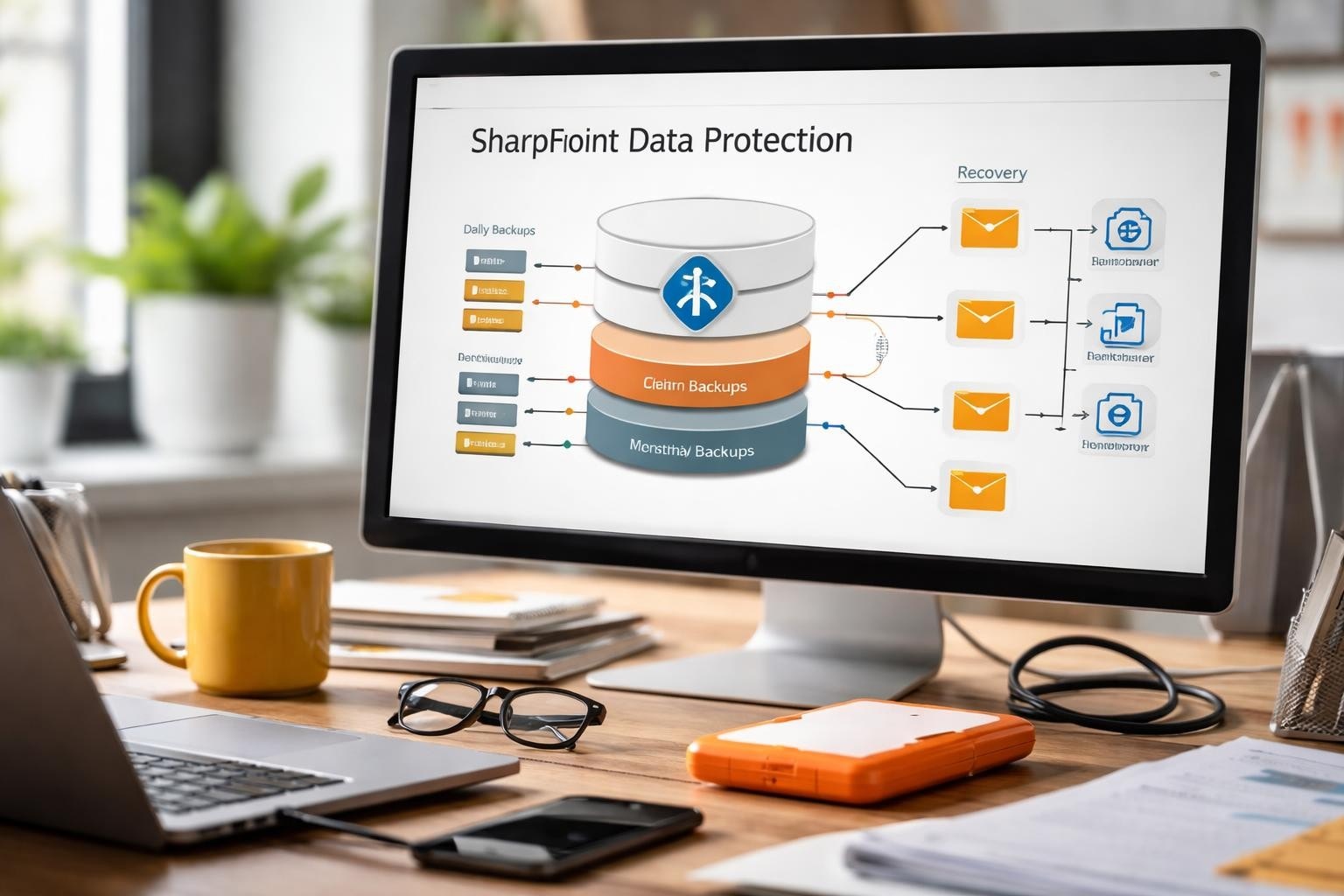

Microsoft SharePoint has become the cornerstone of collaboration and document management for organisations worldwide, housing critical business data, project files, workflows, and institutional knowledge. However, despite its robust architecture and Microsoft’s enterprise-grade infrastructure, data loss remains a genuine risk due to accidental deletion, malicious activity, synchronisation errors, or compliance requirements. Therefore, understanding how to backup SharePoint properly ensures business continuity, regulatory compliance, and peace of mind for IT administrators and business stakeholders alike.
Understanding SharePoint Backup Requirements
Modern businesses face diverse backup challenges depending on whether they operate SharePoint Online, SharePoint Server on-premises, or hybrid environments. In particular, each deployment model presents unique considerations for data protection strategies.
For example, SharePoint Online users rely on Microsoft’s cloud infrastructure, but they must recognise that Microsoft’s service agreement includes availability guarantees, not comprehensive data recovery. Consequently, the shared responsibility model means organisations retain accountability for their data protection. Meanwhile, SharePoint Server administrators maintain complete control over their backup infrastructure, yet they shoulder the entire responsibility for implementation and maintenance.
Key Data Protection Scenarios
Organisations should backup SharePoint to address several critical scenarios:
- Accidental deletion by users who remove documents, lists, or entire site collections
- Malicious activity including ransomware attacks or insider threats
- Compliance requirements mandating retention periods beyond standard recycle bin capabilities
- Migration projects requiring reliable rollback points
- Development and testing environments needing production data copies
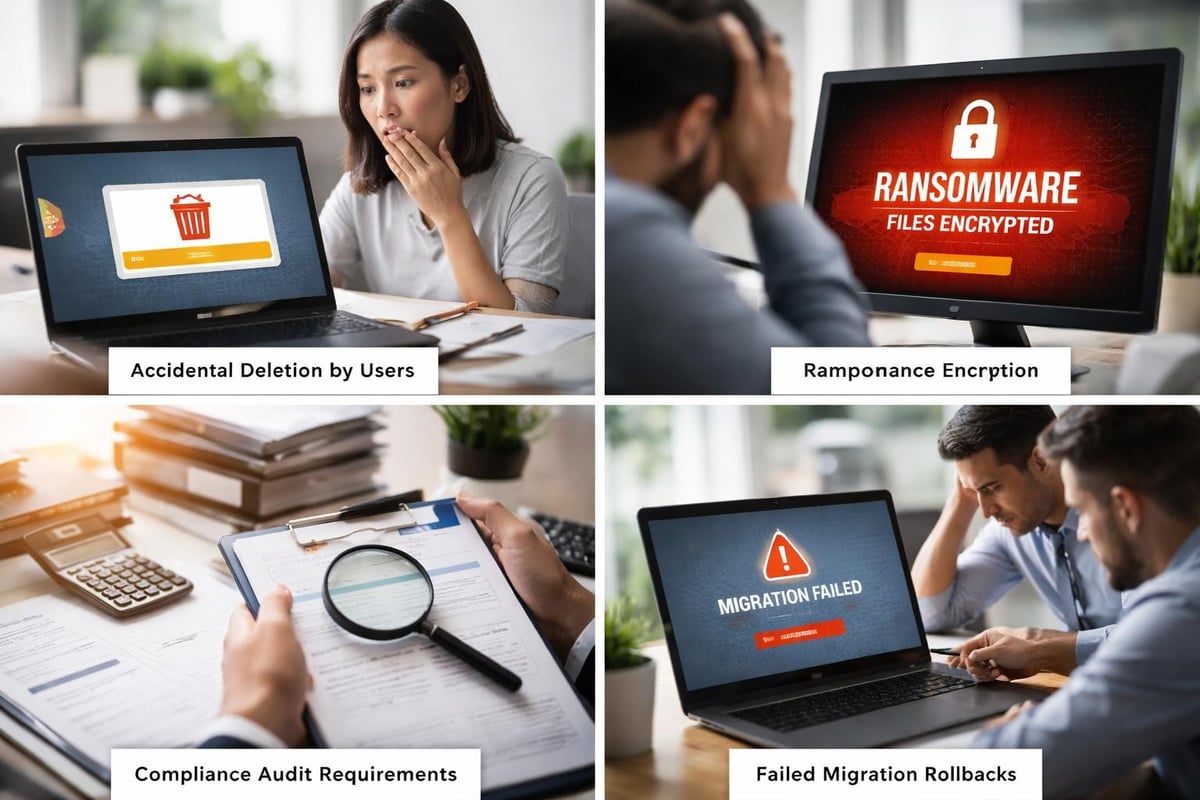
Each scenario demands different recovery time objectives (RTO) and recovery point objectives (RPO). A deleted document might require recovery within minutes, whilst compliance archives may need multi-year retention without immediate access requirements.
Native SharePoint Backup Capabilities
Microsoft provides built-in backup functionality across SharePoint products, though capabilities vary significantly between deployment models.
For SharePoint Server environments, administrators can leverage Central Administration backup tools that enable farm-level, web application, and granular content database backups. These tools integrate with SQL Server backup mechanisms, providing comprehensive protection for on-premises deployments.
| Backup Method | Granularity | Recovery Speed | Technical Complexity |
|---|---|---|---|
| Farm Backup | Entire farm | Slow | Medium |
| Content Database | Database level | Medium | Medium |
| Site Collection | Collection level | Fast | Low |
| Document Library | Library level | Very fast | Low |
SharePoint Online offers limited native backup through the recycle bin (93 days retention) and version history features. These provide basic protection but lack the comprehensive recovery capabilities enterprise organisations require.
PowerShell Automation for On-Premises Environments
PowerShell scripts enable automated backup workflows for SharePoint Server deployments. Administrators can schedule regular backups through Windows Task Scheduler, implement rotation policies, and integrate with monitoring systems.
The Backup-SPFarm cmdlet provides programmatic access to backup functionality, whilst Backup-SPSite enables targeted site collection protection. Backing up customizations requires additional consideration for solution packages, master pages, and web.config modifications.
However, native tools possess limitations including lack of application-aware backups for integrated services, limited granular recovery options, and minimal automation for SharePoint Online environments.
Third-Party Backup Solutions
Professional backup solutions address gaps in native functionality, offering enhanced features for enterprise deployments across both SharePoint Server and SharePoint Online environments.
Spanning Backup and similar platforms provide automated daily backups, unlimited retention snapshots, and granular recovery down to individual items. These solutions operate independently of Microsoft’s infrastructure, creating true third-party copies that satisfy compliance requirements and the 3-2-1 backup rule.
Essential Features in Professional Backup Tools
When evaluating backup solutions to backup SharePoint effectively, prioritise these capabilities:
- Automated scheduling eliminating manual intervention and human error
- Granular recovery enabling item-level restoration without full site recovery
- Point-in-time recovery accessing data states from specific dates
- Legal hold capabilities preserving data for litigation or compliance
- Cross-tenant migration supporting mergers, acquisitions, and reorganisations
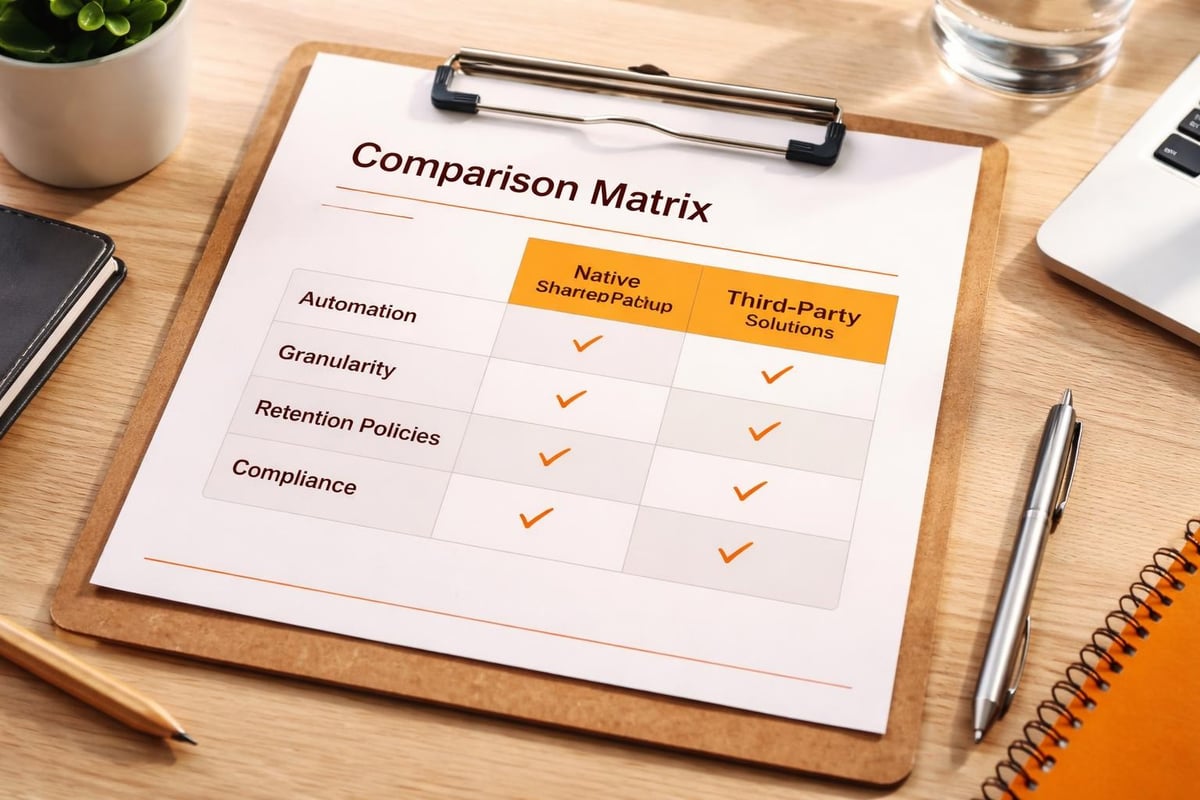
ManageEngine SharePoint Manager Plus exemplifies comprehensive backup automation for on-premises deployments, whilst cloud-focused solutions target SharePoint Online protection.
Businesses seeking integrated approaches to data protection might consider platforms like vBoxxCloud that combine secure file storage with robust backup capabilities. For organisations exploring comprehensive solutions, a guided demonstration can illustrate how secure cloud services integrate with existing SharePoint infrastructure.
Implementing Best Practices for SharePoint Backups
Strategic planning ensures backup implementations deliver reliable protection without excessive resource consumption or operational complexity.
The 3-2-1 Backup Strategy
This industry-standard approach mandates three data copies on two different media types with one copy offsite. For SharePoint deployments, this translates to:
- Primary data residing in SharePoint production environment
- Secondary backup on different storage infrastructure (NAS, cloud storage, or tape)
- Tertiary offsite backup protecting against facility disasters
The Acronis SharePoint backup guide emphasises implementing this rule alongside regular testing and documented recovery procedures.
Backup Frequency and Retention Policies
Determining appropriate backup frequency requires balancing data volatility against storage costs and bandwidth limitations.
| Content Type | Suggested Frequency | Retention Period |
|---|---|---|
| Active project sites | Every 4-6 hours | 30-90 days |
| Archive sites | Daily | 1-7 years |
| Team collaboration | Daily | 60-180 days |
| Records management | Weekly | Indefinite |
High-transaction environments benefit from more frequent backups, potentially implementing continuous data protection (CDP) for mission-critical content. Conversely, archived content requires extended retention but tolerates less frequent backup cycles.
Best practices from Bacula Systems recommend creating separate backup jobs for each Site Collection, improving reliability and simplifying restoration processes.
Backup Verification and Testing
Creating backups represents only half the data protection equation. In particular, regular testing validates backup integrity and confirms recovery procedures function correctly under realistic conditions. Moreover, this ensures that backups are not only present but also usable when needed. As a result, organisations can significantly reduce the risk of recovery failures during critical incidents.
Scheduled Recovery Testing
Monthly or quarterly recovery drills should verify:
- Backup files remain uncorrupted and accessible
- Recovery procedures complete within defined RTO targets
- Restored data matches expected content and functionality
- Documentation accurately reflects current processes
- Team members understand their roles during recovery events
Test environments isolated from production systems provide safe spaces for recovery validation. In particular, this allows organisations to verify backup integrity without risking live operations. Moreover, documenting test results, including completion times, encountered issues, and procedural improvements, creates a reliable audit trail. As a result, organisations can continuously refine recovery processes and improve overall resilience.
Monitoring and Alerting
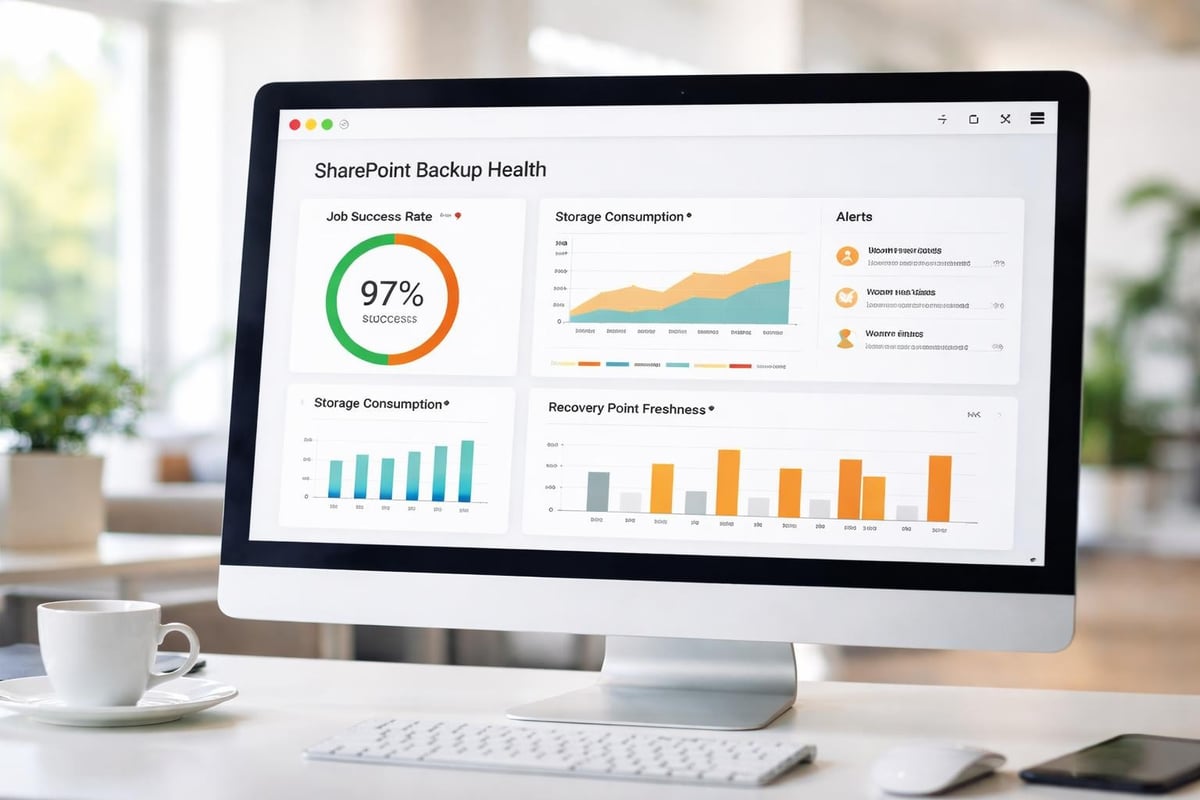
Automated monitoring detects backup failures, storage capacity issues, and performance degradation before they compromise data protection. Configure alerts for:
- Failed backup jobs requiring immediate attention
- Backup duration exceeding expected timeframes
- Storage capacity approaching defined thresholds
- Authentication or connectivity failures
- Data consistency warnings or corruption indicators
Modern backup solutions integrate with centralised monitoring platforms through APIs, SIEM integration, or standardised logging protocols. In particular, this enables unified visibility across backup operations and broader security events. Moreover, it improves detection of anomalies and accelerates incident response. As a result, organisations gain better operational oversight and stronger coordination between backup and security teams.
Hybrid and Cloud Considerations
Organisations operating hybrid SharePoint deployments must coordinate backup strategies across on-premises and cloud components, ensuring consistent protection and recovery capabilities. In particular, this requires careful alignment between environments to avoid gaps in data coverage. Moreover, it helps maintain continuity and reliability during recovery scenarios. As a result, organisations can achieve more consistent and resilient data protection across their entire infrastructure.
SharePoint Online Backup Challenges
Cloud-based SharePoint introduces unique backup considerations that are distinct from on-premises deployments. In particular, Microsoft’s shared responsibility model places data protection accountability on subscribers, while API throttling can limit backup tool performance during peak usage periods.
To address these challenges, third-party backup providers navigate them through Microsoft-certified APIs, incremental backup technologies, and distributed backup architectures. As a result, solutions must handle SharePoint Online’s multi-tenant nature while still maintaining data isolation and security.
Cross-Platform Recovery Scenarios
Modern businesses frequently encounter scenarios requiring data movement between platforms:
- Cloud-to-cloud migrations during mergers or service provider changes
- Hybrid recovery restoring SharePoint Online content to on-premises servers
- Development refreshes populating test environments with production data
- Compliance exports extracting specific content for legal proceedings
Effective backup solutions support these scenarios through flexible export formats, API-based recovery mechanisms, and platform-agnostic data storage. Planning should account for authentication requirements, permission mapping, and metadata preservation across platform boundaries.
Security and Compliance Integration
Data protection extends beyond availability, and in particular, it encompasses security, privacy, and regulatory compliance throughout the backup lifecycle. Therefore, organisations must consider these factors when designing and implementing SharePoint backup strategies.
Encryption and Access Control
Backup data frequently contains sensitive information, and therefore, it requires protection equivalent to production systems. In particular, implement encryption for data at rest and in transit, utilising industry-standard algorithms (AES-256) along with secure key management practices.
Furthermore, access control policies should restrict backup system access to authorised personnel through role-based access control (RBAC), multi-factor authentication, and comprehensive audit logging. Additionally, regular access reviews ensure permissions remain appropriate as organisational roles evolve.
Moreover, businesses prioritising security might leverage platforms like vBoxx’s secure infrastructure, which emphasise privacy and data protection throughout service delivery.
Regulatory Compliance Requirements
Industry regulations impose specific data retention, protection, and disposal requirements affecting backup implementations:
- GDPR mandates data protection, right to erasure, and breach notification
- HIPAA requires safeguards for protected health information
- SOX demands financial record retention and access controls
- ISO 27001 establishes information security management standards
Documentation demonstrating compliance readiness should include backup policies, retention schedules, encryption specifications, and tested recovery procedures. Comprehensive backup approaches integrate these requirements from initial design through ongoing operations.
Operational Efficiency and Cost Management
Sustainable backup strategies must balance comprehensive protection with resource consumption, infrastructure costs, and operational overhead. In addition, organisations should consider efficiency improvements, automation, and scalable solutions to ensure long-term sustainability without compromising data security.
Storage Optimisation Techniques
Backup storage costs accumulate rapidly without thoughtful optimisation. Employ these techniques to manage growth:
- Incremental backups capturing only changed data between full backups
- Deduplication eliminating redundant data across backup sets
- Compression reducing storage footprint without sacrificing data integrity
- Tiered storage migrating older backups to lower-cost storage classes
- Lifecycle policies automatically expiring backups exceeding retention requirements
Calculate total cost of ownership including storage infrastructure, software licensing, bandwidth consumption, and administrative overhead. In particular, cloud backup solutions shift costs from capital expenditure to operational expenditure, thereby improving financial predictability. Moreover, this allows organisations to scale costs in line with actual usage rather than upfront investment. As a result, businesses gain more flexible budgeting and improved cost control over time.
Automation and Orchestration
Manual backup processes introduce human error risks and consume valuable IT resources. Automation handles routine tasks whilst ensuring consistency:
- Scheduled backup execution without manual intervention
- Automated verification checking backup completion and integrity
- Dynamic resource allocation optimising performance during off-peak hours
- Intelligent retry logic handling transient failures
- Automated reporting providing stakeholder visibility
Integration with configuration management platforms and infrastructure-as-code tools enables backup configurations to evolve alongside SharePoint environments, thereby maintaining protection as architectures change. In particular, this ensures that backup policies remain consistent with infrastructure updates. Moreover, it reduces manual configuration errors and improves operational efficiency. As a result, organisations can maintain continuous and reliable data protection even in dynamic environments.
Recovery Planning and Documentation
Technology alone cannot guarantee successful recovery. In particular, documented procedures, trained personnel, and clear communication channels prove equally critical during crisis situations. Moreover, these human and procedural elements ensure that recovery processes are executed correctly under pressure. As a result, organisations can significantly improve resilience and reduce downtime during incidents.
Creating Comprehensive Recovery Procedures
Recovery documentation should address multiple scenarios with step-by-step instructions accessible to personnel at varying technical skill levels. Essential components include:
- Contact information for technical teams, vendors, and management
- Decision trees guiding response based on incident characteristics
- Prerequisites including required credentials, tools, and access permissions
- Detailed procedures with screenshots, commands, and verification steps
- Rollback plans addressing recovery attempts that encounter problems
Maintain documentation in multiple formats and locations, ensuring accessibility during infrastructure failures. In particular, paper copies, offline systems, and secure cloud storage each serve as backup documentation repositories. Moreover, this layered approach reduces the risk of documentation becoming unavailable during critical outages. As a result, organisations can ensure continuity of recovery procedures even in adverse conditions.
Disaster Recovery Integration
SharePoint backup strategies should therefore integrate with broader business continuity and disaster recovery planning. In particular, define clear recovery priorities based on business impact analysis, thereby ensuring critical systems receive appropriate protection levels.
In addition, regular testing validates disaster recovery plans under realistic conditions. For example, tabletop exercises, partial recovery drills, and full disaster simulations each contribute to organisational readiness. Moreover, lessons learned from testing should feed continuous improvement cycles, thus refining procedures and addressing identified gaps.
Furthermore, the vBoxx control panel exemplifies centralised management approaches, which simplify backup administration whilst maintaining security and control.
Ultimately, protecting SharePoint data requires strategic planning, appropriate technology selection, and consistent operational discipline across backup creation, verification, and recovery testing. As a result, organisations safeguard their collaboration platforms against data loss while maintaining operational resilience. In addition, whether managing on-premises SharePoint Server, SharePoint Online, or hybrid deployments, robust backup practices ensure business-critical information remains protected and recoverable. In this context, vBoxx delivers secure cloud solutions with integrated backup capabilities, supporting businesses through expert consultancy, sustainable infrastructure, and privacy-focused service delivery that protects digital assets while also enabling confident collaboration.