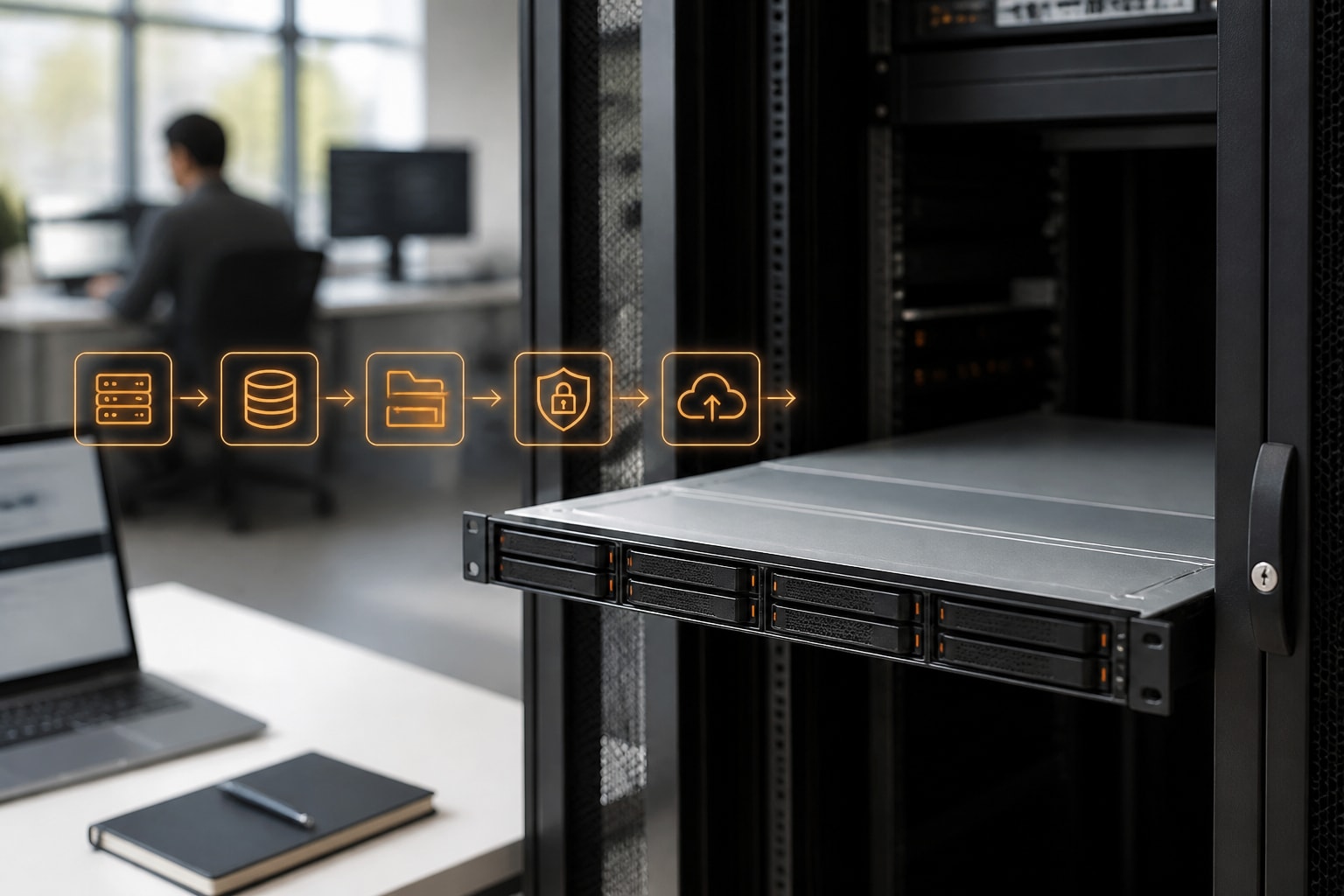

Cloud servers for business are virtualised or dedicated computing resources that you rent from a provider instead of buying and maintaining your own hardware, and they let you scale capacity up or down as demand changes. For European firms, however, the decision involves more than price and performance. Therefore, the location of the data centre, the legal jurisdiction of the provider and the certifications it holds matter just as much as processor cores and storage. In addition, this guide explains the main server types, typical cost drivers, security requirements and a practical selection process.
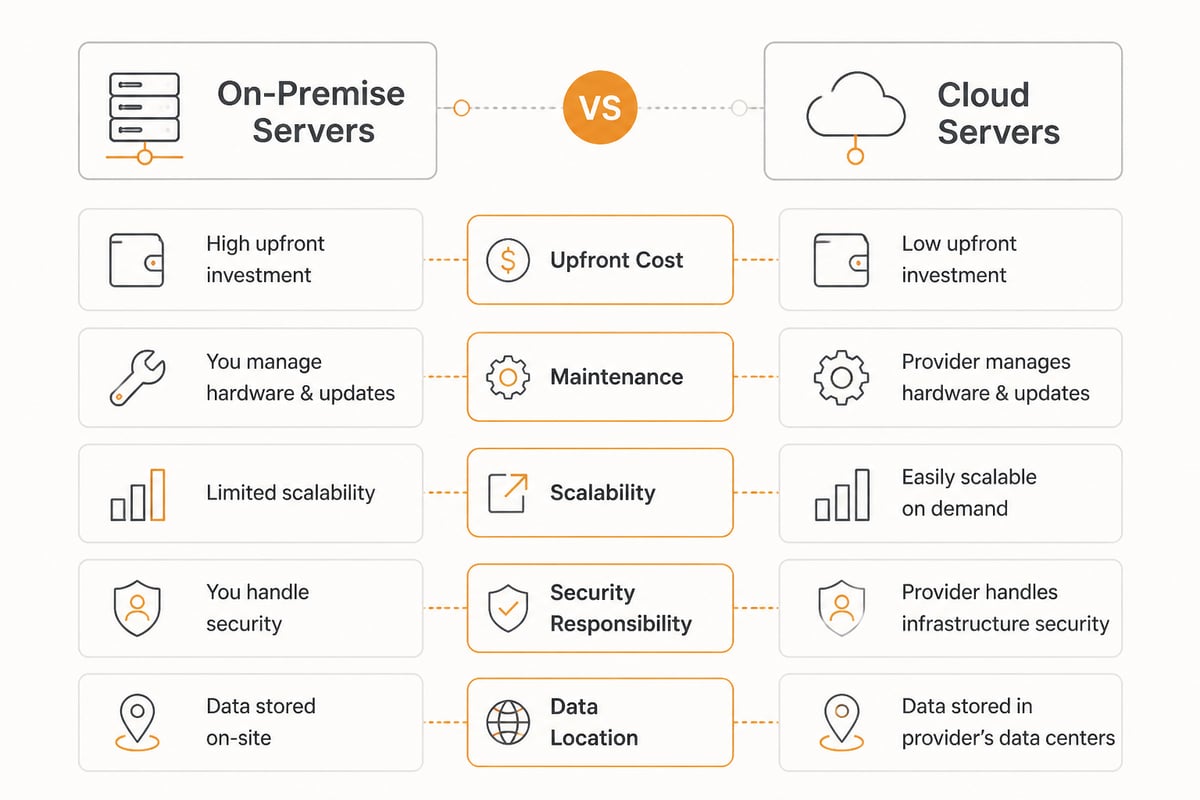
What Cloud Servers Are and How They Differ From On-Premise Hardware
A cloud server is a computing environment delivered over a network from a provider's data centre, where you pay for the resources you reserve or consume rather than for physical machines you own. Consequently, your business no longer needs a server cupboard, hardware refresh cycles or an engineer on call to replace a failed disk.
On-premise servers still make sense in some cases, for example where latency to local equipment is critical. Nevertheless, most small and medium-sized firms find that cloud servers reduce capital expenditure and shorten the time needed to launch a new service. Moreover, Eurostat publishes data on cloud adoption among EU enterprises, and its overview of cloud computing use by enterprises breaks this down by company size and country. Likewise, Eurostat's digitalisation publication compares SMEs and large businesses on cloud use.
Which Types of Cloud Servers Can a Business Choose?
Businesses can choose between virtual servers, dedicated servers, private cloud environments and hybrid setups, and each suits a different workload. The right choice depends on how predictable your demand is and how strictly you must control your data.
- Virtual servers (VPS): Shared physical hardware divided into isolated virtual machines. They suit websites, internal applications and test environments.
- Dedicated servers: An entire physical machine reserved for you. They suit databases, heavy processing and workloads with strict performance needs. Our guide to dedicated cloud servers covers this model in more detail.
- Private cloud: Infrastructure used by a single organisation, giving the highest degree of control. Therefore, regulated sectors often prefer it; see the benefits of private cloud.
- Hybrid cloud: A combination of private and public resources, in addition to on-premise systems where needed. For a closer look, read about the advantages of hybrid cloud.
In practice, many firms combine models. For instance, a company may run its database on a dedicated server while hosting its collaboration tools and file storage on a managed cloud platform.
What Is an Example of a Cloud Platform?
An example of a cloud platform is a service that bundles servers, storage and applications behind one management interface, such as a hyperscaler's infrastructure service or a European provider's managed cloud suite. In other words, a platform sits above the raw servers and adds the tools your team actually uses.
The distinction matters because a server alone gives you computing power, whereas a platform adds storage, collaboration, backup and security services. Consequently, firms that lack a large IT department often benefit most from a platform approach. Our overview of platforms for cloud computing compares the main categories.
How Much Do Cloud Servers and Cloud Storage Cost for Businesses?
The cost of cloud servers and storage for businesses depends mainly on compute capacity, storage volume, data transfer, support level and contract term, so a fixed price cannot be quoted without knowing your workload. Therefore, it is more useful to understand the cost drivers than to chase a headline figure.
| Cost driver | What it affects | What to check |
|---|---|---|
| CPU and memory | Performance of applications | Whether resources are dedicated or shared |
| Storage volume | Monthly storage charge | Included capacity and growth pricing |
| Data transfer | Egress and bandwidth fees | Whether outbound traffic is charged |
| Backup | Recovery capability | Retention period and restore speed |
| Support | Response when problems occur | Phone, chat or remote help included |
| Migration | One-off set-up effort | Whether it is free or charged |
In addition, look beyond the monthly rate. Hidden egress fees, paid support tiers and migration charges can change the total considerably. Nevertheless, a low entry price is not always a bad sign; our article on cheap cloud servers explains what to verify before choosing a budget option. For exact vBoxx pricing, please consult the vBoxx product pages or contact the team directly.
Why Does Data Location and Jurisdiction Matter for Cloud Servers for Business?
Data location and jurisdiction matter because the law of the country where a provider is headquartered can apply to your data regardless of where the servers physically stand. Consequently, a European firm that stores personal data with a non-European provider may face conflicting legal obligations.
GDPR requires a lawful basis for transferring personal data outside the EU. In addition, providers headquartered in the United States may be subject to laws such as the US CLOUD Act, which can compel disclosure of data held abroad. Therefore, many European businesses now prefer providers that are both located and owned in the EU.
vBoxx operates in this way: its infrastructure is hosted in EU data centres that are EU-owned and EU-operated, and data, metadata, backups and support tooling stay inside the EU. It runs its own in-house infrastructure rather than outsourcing to US hyperscalers.
How Do NIS2 and Certifications Affect Your Choice?
NIS2 affects your choice because it sets cybersecurity requirements for covered cloud computing and data-centre service providers, which means your supplier's compliance posture becomes part of your own risk picture. The European Commission notes that the NIS2 implementing regulation sets technical and methodological cybersecurity requirements for such providers, among other digital service providers. The Commission stated that Member States were required to apply the measures needed to comply with NIS2, including supervision and enforcement, from 18 October 2024.
As a result, procurement teams should ask suppliers for evidence rather than assurances. A useful checklist includes:
- ISO 27001 certification, ideally audited by an independent body.
- A data processing agreement that meets GDPR requirements.
- Documented incident response and notification procedures.
- Clear subcontractor disclosure, so you know who touches your data.
- Proof of uptime history, not only a contractual promise.
For reference, vBoxx is ISO 27001 certified and audited by TÜV NORD, and a data processing agreement is available. In addition, it reports 99.99% uptime over the past years.
How to Choose Cloud Servers for Business: A Step-by-Step Approach
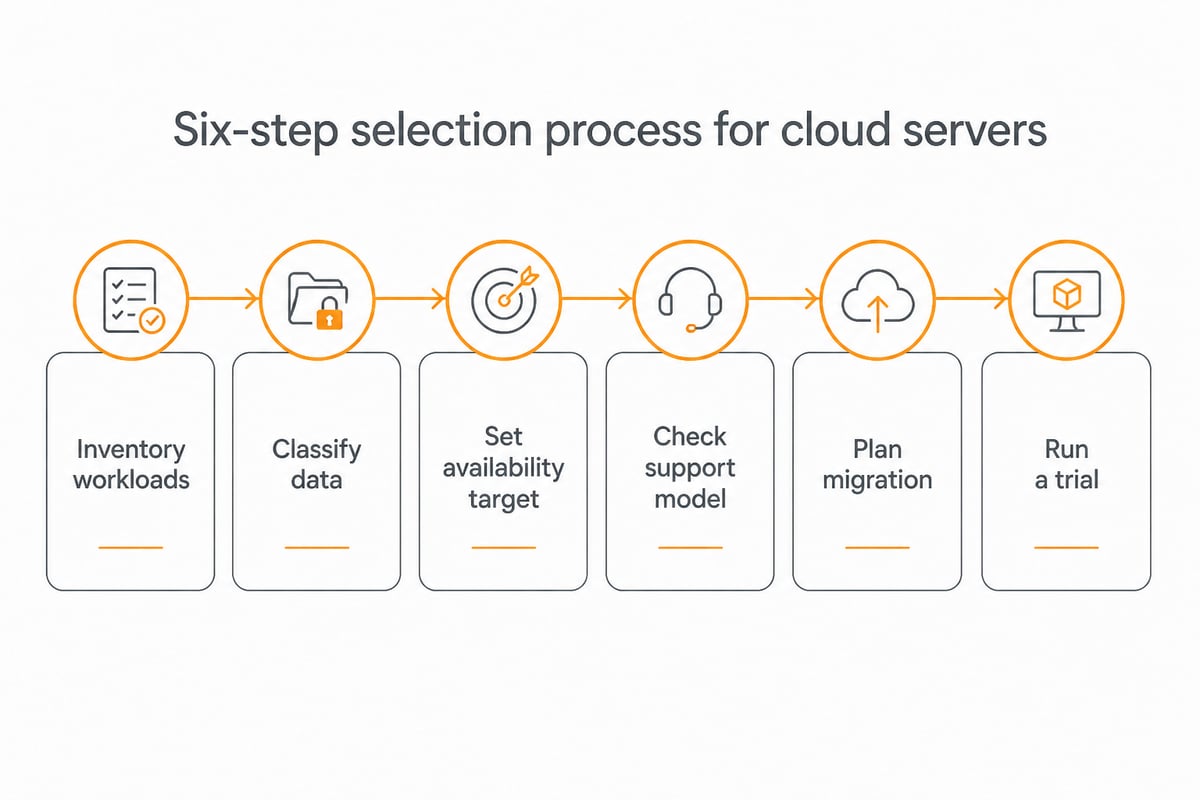
To choose the right provider, define your workloads and compliance needs first, and then compare providers against those requirements. Following a structured process reduces the risk of costly migration later.
- Inventory your workloads. List the applications, databases and file stores you intend to move, together with their performance needs.
- Classify your data. Identify personal data, contracts and regulated records, since these drive jurisdiction requirements.
- Set your availability target. Decide how much downtime is acceptable, and then compare it with provider track records.
- Check the support model. Small teams in particular benefit from personal support by phone, chat or remote session instead of ticket queues alone.
- Plan the migration. Ask whether the provider assists with moving data, and whether this carries a fee.
- Test before committing. A trial period allows you to verify performance and usability under real conditions.
The size of your firm shapes the answer. Smaller companies usually want simplicity, whereas larger ones may need dedicated resources and integration with existing systems. Our guide to cloud services for small business addresses the first group directly.
Which Services Should Sit Alongside Your Cloud Servers?
Alongside cloud servers, most businesses need file storage, backup, communication tools and password management, because servers alone do not support daily collaboration. Therefore, selecting a provider that covers these areas reduces the number of vendors you must manage.
Backup deserves particular attention. In addition, a common misconception is that software-as-a-service tools back themselves up in the way businesses expect. Consequently, separate backup for Microsoft 365 and Google Workspace is a sensible safeguard, and vBoxx offers this as part of its range.
For document-heavy teams, a managed storage platform brings the most immediate benefit. vBoxxCloud provides GDPR-compliant business cloud storage with 256-bit AES encryption, held in ISO 27001-certified European data centres in the Netherlands and outside the reach of the US CLOUD Act. In addition, it includes eIDAS-compliant digital signing with a full audit trail, smart tagging with full-text and semantic search, and a built-in AI assistant that summarises, extracts and drafts from your own documents.
Meanwhile, for storage-focused needs, our articles on secure business cloud storage and password management for businesses provide useful background. Likewise, for teams that rely on shared calendars and planning, a resource such as Kalenderwinkel.nl offers a wide range of calendars and diaries for the coming year, including kalenders 2027, which can complement digital scheduling tools.
What Is the Best Cloud Server for a Business?
The best cloud server for a business is the one that matches its workload, compliance obligations and support expectations, so no single product wins in every case. Nevertheless, European firms can narrow the field quickly by applying a few filters.
- Jurisdiction: Prefer EU-owned providers if GDPR exposure is a concern.
- Certification: Look for ISO 27001 and an independent auditor.
- Transparency: Choose providers that disclose where data, backups and metadata are stored.
- Support: Favour providers that offer real people, not only documentation.
- Track record: Longer operating history usually signals stability. For context, vBoxx has over 20 years of experience, more than 50,000 active end users and over 150 partners, and it was awarded best cloud services company in the Netherlands 2025 by Global 100.
In addition, consider sustainability. Green hosting practices increasingly appear in tender requirements, and therefore they are worth asking about early. Finally, run a short trial before signing a long contract.
Common Mistakes When Moving to Cloud Servers for Business
The most common mistakes are migrating without a plan, ignoring egress costs, assuming default settings are secure and neglecting backup. Each of these is avoidable with modest preparation.
- No migration plan. Moving everything at once creates risk. Therefore, migrate in phases and verify each stage.
- Overlooking exit terms. Check how easily you can retrieve your data if you leave.
- Weak access control. Enforce strong passwords, multi-factor authentication and role-based permissions.
- Treating the provider as fully responsible. Security is shared, and consequently your team still configures access and monitors usage.
- Skipping documentation. Record server roles, owners and recovery steps.
If you are weighing the broader choice between server models, our comparison of cloud-based servers for business can help you map options to needs.

FAQ
How do I start a cloud storage business?
Starting a cloud storage business requires data centre capacity or a wholesale partner, strong security certification, a compliant legal structure and a clear niche. In the EU, you must also meet GDPR and, where applicable, NIS2 obligations. Many founders begin as resellers of an established provider before building their own infrastructure.
Are cloud servers safe for sensitive business data?
Cloud servers can be safe for sensitive data when the provider holds recognised certifications such as ISO 27001, encrypts data and offers a GDPR data processing agreement. You remain responsible for access control and configuration. Choosing an EU-based provider also removes exposure to non-EU disclosure laws.
Can I move my existing servers to the cloud without downtime?
Often yes, provided the migration is planned in phases and tested before the final switch. Some providers include migration support, so ask about this before you commit. A trial environment helps you confirm that performance and compatibility meet your needs.
As a next step, list your three most critical workloads and check where each is hosted today, since this shows quickly whether your current setup meets GDPR expectations. From there, you can compare options with a provider that keeps data, backups and support inside the EU and offers personal guidance and free migration services. If you would like to test this approach in practice, vBoxx lets you get a free trial of its European cloud services, and vBoxxCloud is a sensible place to start with secure document storage and e-signing.